sero
Health Pass
- License — License: Apache-2.0
- Description — Repository has a description
- Active repo — Last push 0 days ago
- Community trust — 16 GitHub stars
Code Warn
- fs module — File system access in .github/workflows/browser-pack-artifacts.yml
- process.env — Environment variable access in .github/workflows/release.yml
- fs module — File system access in .github/workflows/release.yml
Permissions Pass
- Permissions — No dangerous permissions requested
No AI report is available for this listing yet.
Local-first desktop workspace for AI agents: browser, terminal, memory, plugins, runtimes, and durable loops.


Escape the Terminal
A local-first, agent-first desktop workspace for macOS, Linux, and Windows.
Website · Docs · Apache-2.0 · Contributing · Security · Issues
What is Sero?
Sero is a personal agent OS built directly on the
Pi coding agent.
Pi gives you the minimal, stable agent loop. Sero adds the always-on desktop
shell: visual browser, runtime isolation, persistent project memory,
self-building plugins, and one unified workspace.
Put simply: Sero is where agent-assisted software work happens when the agent
needs more than a terminal.
Features
- Unified desktop shell — chat, terminals, previews, plugins, files,
browser flows, and full workspace context in one place. - Built-in visual browser — run your dev server or app inside Sero so the
agent can inspect pages, capture screenshots/video, and reason about what is
actually on screen. - Self-building plugins — use the loop Sero is designed for: ask for a
workflow, build the plugin, use it immediately, then improve it with the agent. - Runtime-backed workspaces — Apple Container, Docker, and host runtimes
let Sero run projects locally while preserving a shared workspace model. - Plugin-first Pi support — plugins can expose Pi tools, slash commands,
React UI, widgets, background jobs, and provider integrations. - Persistent project memory — project-level context can carry across agent
sessions instead of starting from scratch every time.
Technical rationale:
Modern agent workflows often scatter across your editor, terminal, browser,
MCP/tools, local scripts, dashboards, plugin UIs, and long-running agent context.
Sero's goal is to pull those pieces into one local, agent-native workspace where
UI, tools, runtime state, and project context can work together.
In practical terms, Sero is exploring:
- Agent-native app composition — plugins can bring their own UI, tools,
commands, and background behavior instead of being limited to chat text. - Less context switching — project files, terminals, previews, browser flows,
VCS, and agent sessions live in one shell. - Local-first control — workspace state, logs, auth, and runtime integration
are designed to stay on your machine unless you opt into external services. - A proving ground for Pi-powered extensions — Sero is built around Pi
primitives rather than wrapping an agent in a conventional desktop UI.
Public links:
- Website: https://sero-ai.dev/
- Docs: https://docs.sero-ai.dev/
Sero is built on Pi, the
open-source coding agent platform. The current pinned Pi SDK baseline is
0.78.0 (@earendil-works/pi-* packages in pnpm-workspace.yaml).
What Sero is not
Sero is intentionally not trying to be everything at once:
- It is not a replacement for your editor, terminal, browser, or Git client.
It aims to coordinate them around agent workflows, not fully subsume every
expert tool. - It is not a general-purpose low-code app builder or consumer automation
product. - It is not a hosted agent platform, SaaS IDE, or cloud execution service.
The default direction is local-first desktop software. - It is not API-stable yet. Plugin, runtime, and Extension API surfaces are
still expected to change during beta. - It is not polished end-user software today. The current beta is for
early adopters, contributors, and people interested in the direction.
Beta status
Sero is available as a public beta desktop release for macOS Apple Silicon,
Linux x64/arm64, and Windows x64. Download the packaged installer for your
platform from GitHub Releases, or
build from source if you are developing Sero.
Current release posture:
- Supported packaged targets: macOS Apple Silicon, Linux x64/arm64, and Windows x64
- Unsupported targets: macOS Intel/x64 and Windows arm64
- Maintainer-validated baseline: macOS on Apple Silicon
- Distribution: packaged beta installers are published through GitHub Releases; developers and contributors can still build from source
- Runtime options: Host by default on supported targets, plus explicit Apple Container or Docker/Podman where supported
- Stability: plugin/runtime contracts may change during beta
- Updates/support: updates are manual unless release notes say otherwise; support is best effort
- UX polish: rough and actively changing; layout, flows, and accessibility
need refinement - Theming: CSS/theme support is patchy and will be normalized as the shell
and plugin contracts mature - Spotify / Widevine: Sero uses stock Electron and does not ship Castlabs,
Widevine/VMP signing, or DRM-dependent Spotify playback support.
Sero does not currently promise stable internal APIs, a support SLA,
auto-update for every beta release, or full feature parity without containers.
Platform and runtime capabilities vary by OS. For the current beta support
contract, see Support Scope.
Why Sero?
Modern agent workflows often sprawl across a terminal, browser, editor, chat UI,
local scripts, MCP tools, dashboards, and half a dozen plugin surfaces. Sero is
an attempt to bring those pieces into one coherent desktop shell.
Key ideas:
- Keep the loop together — code, chat, terminal, visual inspection, plugins,
and supporting tools share context. - Let the agent see the product — browser and screenshot workflows make UI
work less blind than text-only coding loops. - Make extension a normal workflow — Sero treats new tools and plugin UIs as
things you can build with the agent, not separate platform projects. - Stay local-first — project files, app state, logs, memory, and runtime
state stay on your machine unless you explicitly connect external services. - Use Pi directly — sessions, tools, skills, prompts, and extensions are
built around Pi primitives.
Highlights
- Electron + React desktop shell for agent-assisted development
- Integrated Pi-backed chat sessions
- Explorer workspace with editor, terminal, visual browser, preview, and VCS
surfaces - Workspace model with per-workspace runtime control
- Apple Container and Docker/Podman-backed workspace execution, with explicit Host mode where supported
- Built-in plugin architecture for UI apps, tools, commands, widgets, and
background behavior - Persistent memory system for project context across sessions
- Local plugin development flow for running plugin checkouts directly
- Prompt/eval and desktop test infrastructure for safer iteration
- Public docs site source under
apps/docs-site/
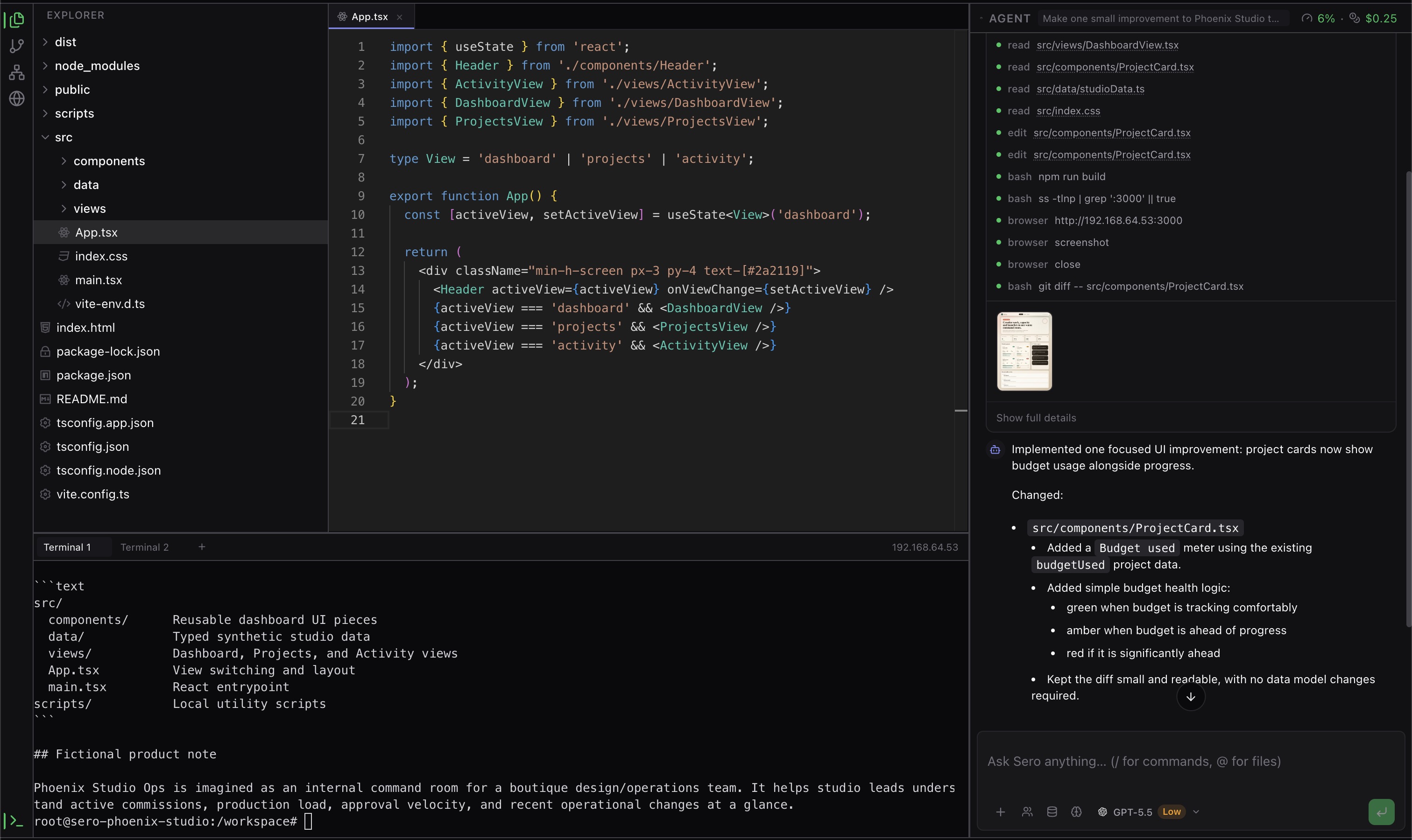
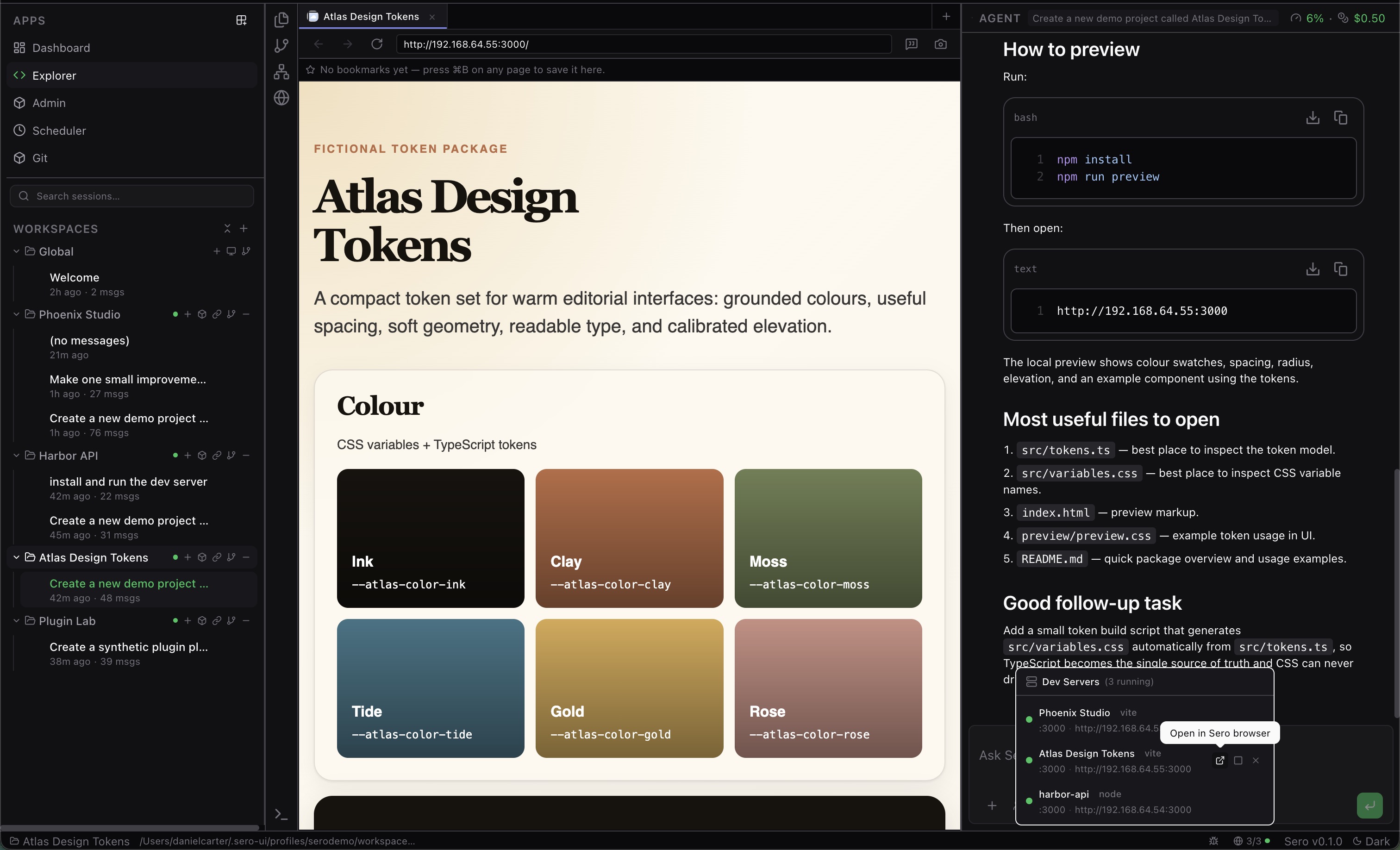
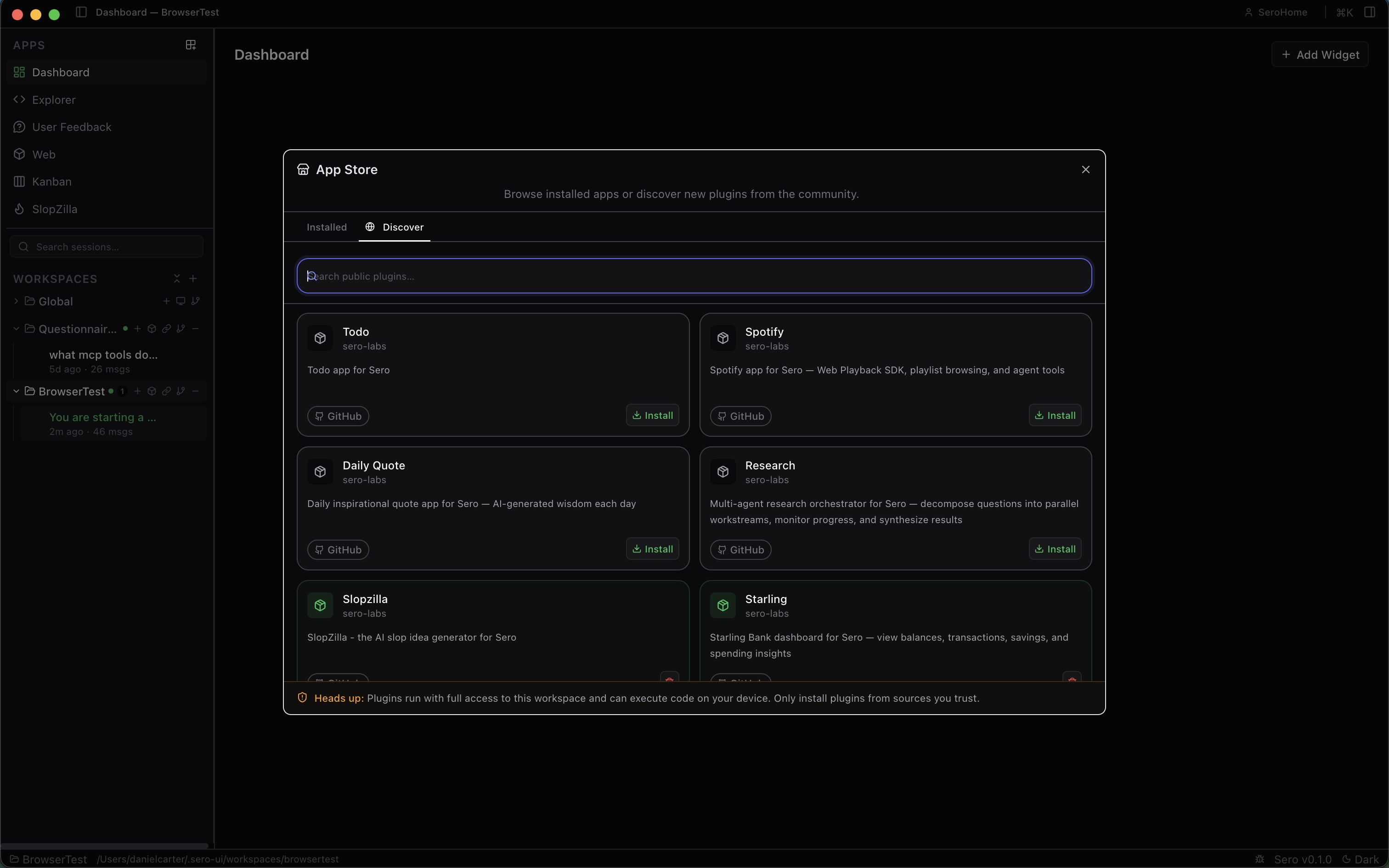
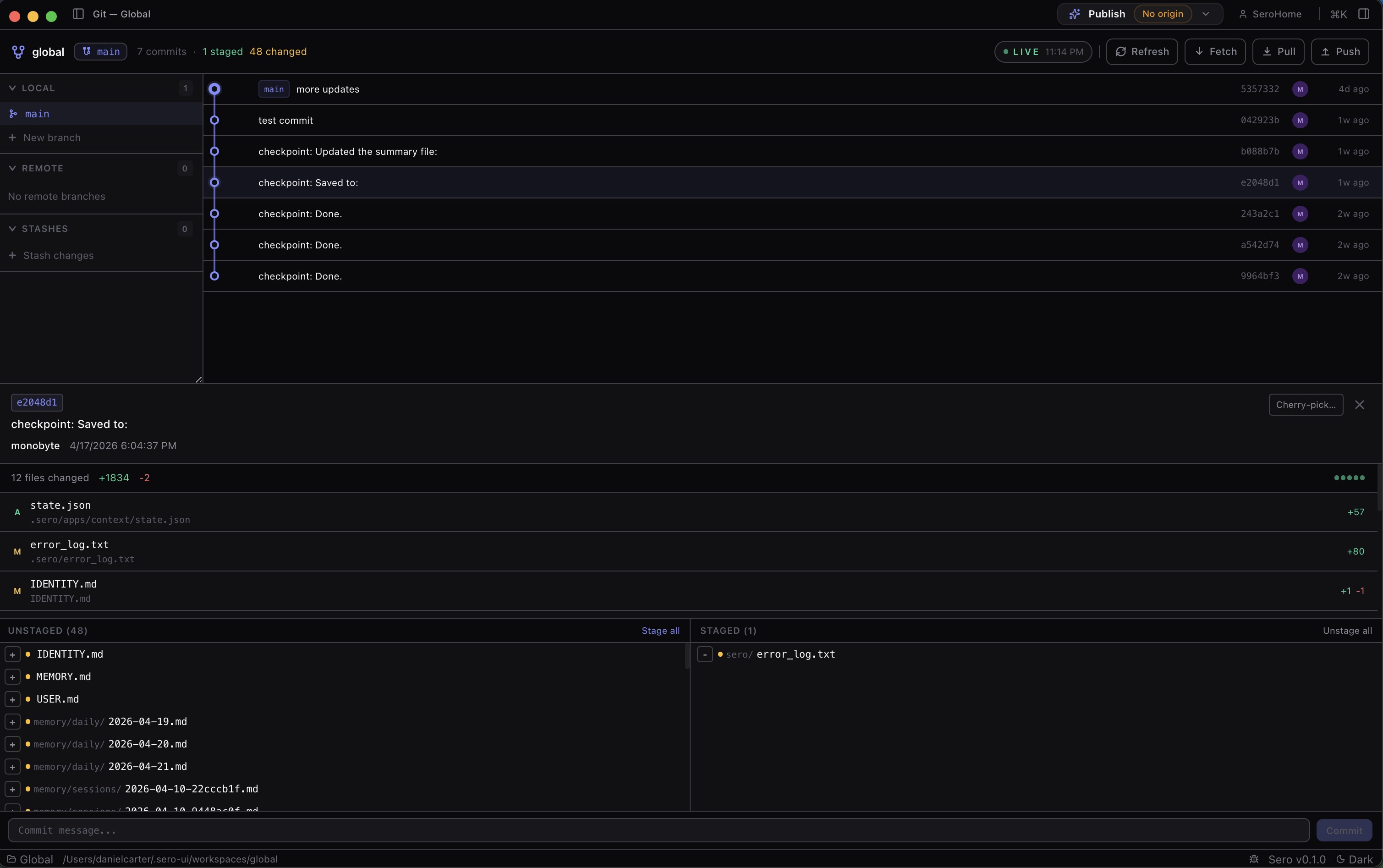
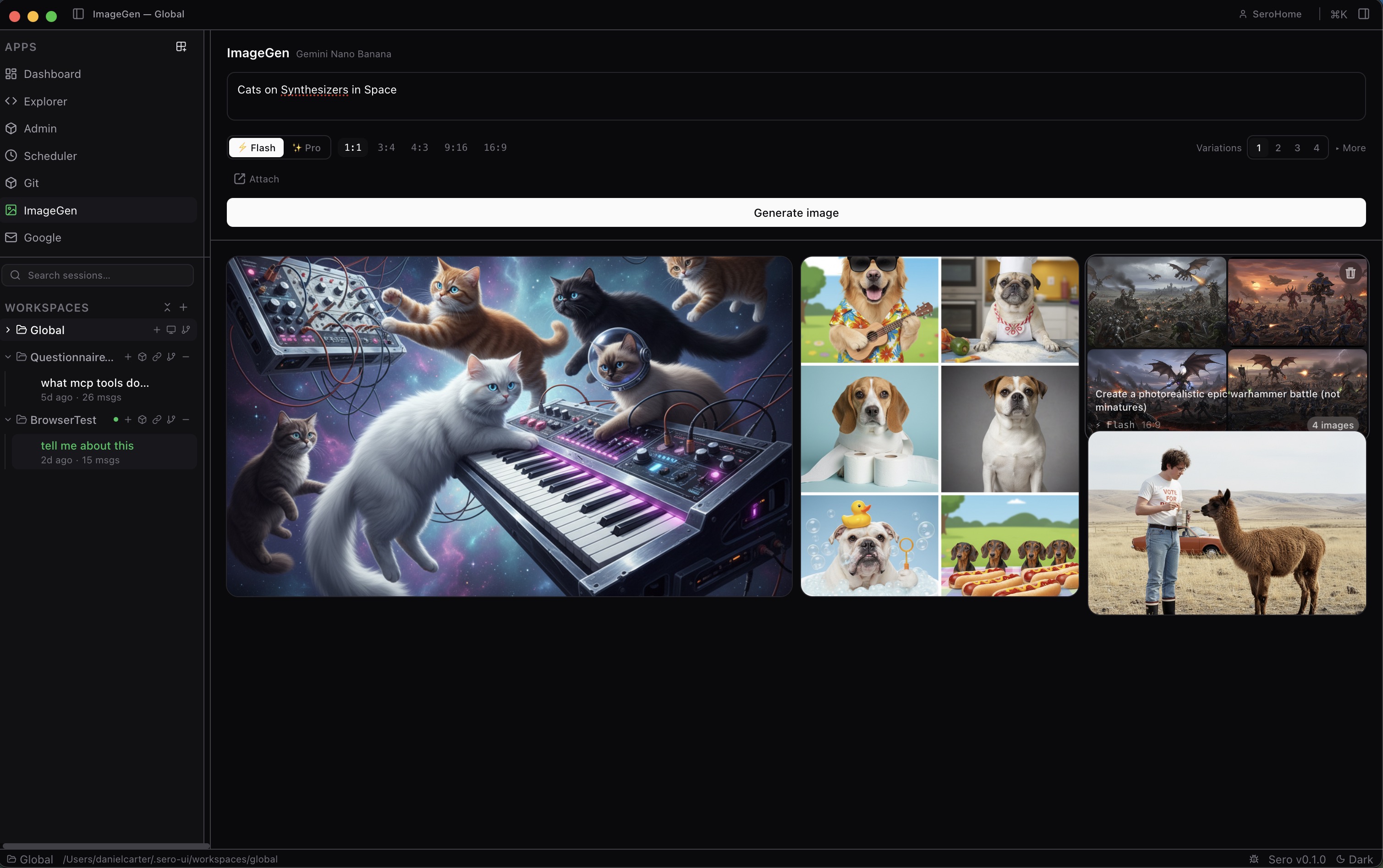
Screenshots
Captured from the current beta on macOS Apple Silicon.
Desktop shell overview
Screenshots
Quick start
Install the beta
Most users should download the current packaged beta installer for their
platform from GitHub Releases.
Use Support Scope for exact supported targets and artifact types; GitHub
Releases has the current filenames.
For the exact beta support contract, seeSupport Scope.
Run from source for development
Developers and contributors can still run Sero from source. You need Node.js 22,
pnpm 10, Git, and a platform covered by Support Scope.
pnpm install
pnpm build
pnpm dev
This starts the desktop app from the monorepo root.
If you also run the packaged Sero app on this machine, use the isolated dev
launcher instead:
pnpm dev:isolated
This uses ~/.sero-ui-dev for dev state, so the source build and packaged app
do not share profiles, settings, auth, or plugin paths.
Profile switching is disabled in isolated mode; use pnpm dev when working on
profile features.
Plugin UI dev servers are opt-in. To live-reload a built-in plugin UI, setSERO_DEV_PLUGINS:
SERO_DEV_PLUGINS=mcp pnpm dev:isolated
SERO_DEV_PLUGINS=all pnpm dev:isolated
Common commands
pnpm typecheck
pnpm build
pnpm test
pnpm test:ci
pnpm eval:snapshot
Prepare a release changelog and tag
Do not create a Git tag manually. Run one of the release commands below from a
clean main branch. release-it will:
- choose the next version,
- update
package.json, - prepend
CHANGELOG.md, - commit those changes,
- create a
v*tag on that commit, - push the commit and tag.
The pushed tag then starts the Desktop Release workflow, which builds and
publishes the installer assets from the tagged commit.
Before every release:
git checkout main
git pull
pnpm test:ci
Beta release:
pnpm release:beta:dry # preview only
pnpm release:beta     # update, commit, tag, and push
Stable release:
pnpm release:stable:dry # preview only
pnpm release:stable     # update, commit, tag, and push
Examples from current tag v0.1.1-beta:
pnpm release:betacreates a beta tag such asv0.1.2-beta.0.pnpm release:stablecreates the stable tagv0.1.1.
Notes:
pnpm installruns native-module repair hooks fornode-ptyandbetter-sqlite3.pnpm testcurrently runs the desktop Vitest suite.pnpm test:cimirrors the beta PR gate: typecheck, build, desktop tests, and
desktop CI e2e.- Explicit Host mode is available where supported for reduced-capability
non-container workflows; see Support Scope for platform details. - If native terminal support breaks, see
docs/node-pty-setup.md.
Repository layout
sero/
├── apps/desktop/     # Electron + React desktop shell
├── apps/docs-site/   # RSPress public docs app
├── apps/homepage/    # Public marketing site
├── packages/         # Shared runtime, UI, and common packages
├── plugins/          # Built-in Sero plugins and in-repo examples
├── docs/             # Canonical source material and deeper references
├── eval/             # Promptfoo-based eval harness
└── scripts/          # Shared tooling and release helpers
Documentation
The public docs site is available at https://docs.sero-ai.dev/. The source for
that site lives in apps/docs-site/.
Start here:
apps/docs-site/docs/guide/overview.md
— product overviewapps/docs-site/docs/guide/getting-started.md
— first-run guideapps/docs-site/docs/reference/support-scope.md
— current beta support matrixapps/docs-site/docs/reference/environment-doctor.md
— built-in diagnostics, safe-mode CLI, and the bundledsero-doctorshimdocs/sero.md— vision, platform constraints, runtime modesdocs/architecture.md— shell and subsystem overviewdocs/reference/state-and-folders.md
— profile/state/auth/log storage referencedocs/features/docker-runtime.md
— Docker and runtime provider behaviordocs/guides/macos-containers.md
— Apple Container setup on macOSdocs/plugins/guide.md— plugin author and user guidedocs/plugins/quickstart.md— minimal plugin pathdocs/testing/eval-guide.md— eval frameworkSECURITY.md— vulnerability reporting policy
The docs site is intentionally compact during beta and is being populated from
canonical repo docs as public coverage matures.
Plugins and ecosystem
Sero supports built-in and external plugins. A plugin can provide:
- React UI loaded via Module Federation
- Pi extension tools, slash commands, and hooks
- Dashboard widgets
- Optional runtime/background behavior
- Optional model/provider metadata
External plugin disclaimer: the current external plugins are beta-era experiments.
They exist to prove out the plugin system, Pi tool bridging, Module Federation
loading, and local development workflow. Treat them as experiments, not
production-quality apps. More realistic real-world apps are planned as the beta
hardens.
See docs/plugins/guide.md anddocs/plugins/quickstart.md for packaging,
installation, and local development workflows.
Security and privacy
Sero is local-first, but it still manages local auth state, logs, runtime
artifacts, optional provider credentials, and optional remote/gateway features.
Please review:
When sharing logs, screenshots, issues, or repro steps, redact tokens, private
local paths, auth files, and other sensitive information.
Contributing
Contributions, issues, docs improvements, and plugin experiments are welcome,
with the caveat that Sero is still beta software.
Please read:
Useful links:
Special thanks
Sero would not exist without Pi and its open-source community.
With deep gratitude: thank you to Mario Zechner,
creator of Pi, for building and sharing the open-source agent platform that Sero
is built on.
Thank you also to the Pi open-source community, particularly
Nico Bailon, for excellent extension development and
ecosystem work that helped shape what agent-native desktop workflows can feel
like.
License
Sero is licensed under the Apache License 2.0.
Reviews (0)
Sign in to leave a review.
Leave a reviewNo results found