agent-letterbox-cmux
Health Uyari
- License — License: MIT
- Description — Repository has a description
- Active repo — Last push 0 days ago
- Low visibility — Only 5 GitHub stars
Code Gecti
- Code scan — Scanned 12 files during light audit, no dangerous patterns found
Permissions Gecti
- Permissions — No dangerous permissions requested
Bu listing icin henuz AI raporu yok.
Agent-to-agent mail with Queryable Envelope Memory (QEM) for AI coding teams in cmux: durable letters, a doorbell, and one read-only query over the team's shared record. Teach Claude Code, Codex, Gemini CLI or other terminal agents to use it.
Agent Letterbox for cmux
First public release: July 2026
Ring the bell. Create the team. Build the memories.
Letterbox does not make agents write. It makes not-writing visible, and it makes writing the only official team conversation. It is built for mixed teams: agents from different model makers, in different harnesses, work as peers over one shared letter protocol instead of chatting in each other's panes.
The 60-second evaluation
Agent Letterbox is a cross-agent communication system for terminal CLI agents: it gives the coding agents you already run the ability to talk to each other. Agents send each other durable, queryable, accountable letters — each a hybrid Markdown file in an envelope with a typed address (flat YAML frontmatter, readable by frontmatter-aware tools such as Obsidian) — that land in a teammate's inbox, and a doorbell rings to wake the recipient. The bell is one contentless line by design, but it is the heartbeat of the team; the letters it points to are the memory.
The letterbox is the team's episodic memory: a write-once record of what was asked, answered, and decided — episode by episode, with provenance on every entry. Every letter carries a typed envelope — sender, addressee, type, priority, whether it demands an answer — and every new v0.5.0 send and reply also carries publication UTC in sent; letters can carry thread linkage and a supersedes reference to an earlier record. Letters are never edited in place; a correction is a new letter that supersedes the old. The sender field is declared by the writer, not authenticated by Letterbox. It is not semantic memory: nothing is summarized, embedded, ranked, or consolidated. The context window is working memory; this is the long-term store it offloads to — and the source record for whatever memory layer you point at it later.
Until now that record was Envelope Memory: everything kept, but to find anything you had to open the letters and read. Since 0.5.0 it is Queryable Envelope Memory (QEM) 0.7 adds the plus: the owed view, the notes map line, the citation linter and the tidy line — QEM+ is QEM with the tools that keep an agent's notes honest against the record. — the reason those letters are more than mail, and the third retrieval lane: dense retrieval finds meaning, lexical retrieval finds strings, and structured-metadata retrieval finds records. Exact filters over typed envelope fields, in one read-only command:
letterbox query                                            # newest envelopes, scope stated
letterbox query from=planner to=reviewer type=request state=open
letterbox query thread=thread-id answered=no 'slug~=design'
letterbox query superseded=head since=2026-01-01T00:00:00Z
- What did a teammate decide? — filter by sender, type, topic, or time.
- Is it still current? — currency is bookkeeping, not inference: publish an update with
letterbox send ... --supersedes <prior-id>and the supersession is declared by the author,
never guessed by software.superseded=headfilters to envelopes not superseded in the
scanned scope. Dangling supersession references are reported. The envelope record, not a
truth certificate. - What do I still owe? —
letterbox query state=open answered=no type=request(and again
withtype=delegate): open promises derived from the letter lifecycle at scan time. - What is overdue? — add a time bound:
letterbox query state=open answered=no type=request until=2026-09-25T09:00:00Z
lists open, unanswered requests sent before that time. - Did that never happen? — an empty answer is scoped to the folders searched, from a
non-atomic scan — never evidence that something did not happen anywhere. - Where do two accounts disagree? — inspect a thread's envelope provenance, then read
the letters to compare their accounts. Query does not read bodies or identify disagreements.
No database, no embeddings, no service — the envelope is the memory, and query is retrieval over it, not recall: exact filters on typed fields, never similarity search. Strict-v1 envelopes by default; --compat-v2 explicitly for older corpora, with diagnostics instead of silent assumptions — a lens over the record, not a rewrite of it. Existing letters are unchanged: older letters without sent keep their UTC timestamp-from-ID fallback in strict mode and report unknown time in compatibility mode. Read-only: query never sends, rings, files, or changes a letter — and nothing it returns is ever written back, so the record never eats its own output. No archive traversal. Runs on the Python 3.9+ standard library; macOS Command Line Tools provide Python 3 alongside Git, and many Linux distributions include it. Durable over persistent: persistent means merely kept around in a process or context; durable means letters survive agent restarts, compaction, and new sessions as files on disk. You can check every byte. See query contracts and limitations.
The doorbell is deliberately the smallest part: one contentless line that tells a live agent to check its inbox. The letter is the message; the ring is only latency. This edition rings it inside your cmux panes.
Status: active development. Tagged releases with semver; history in CHANGELOG.md.
License: MIT (LICENSE).
Bridge: agent-letter-bridge — optional chat transport, distributed through PyPI.
Verify it yourself:
# From the repository root of a clone (or ~/.local/share/agent-letterbox-cmux
# after the default copy/paste install):
./bin/letterbox --version && make test
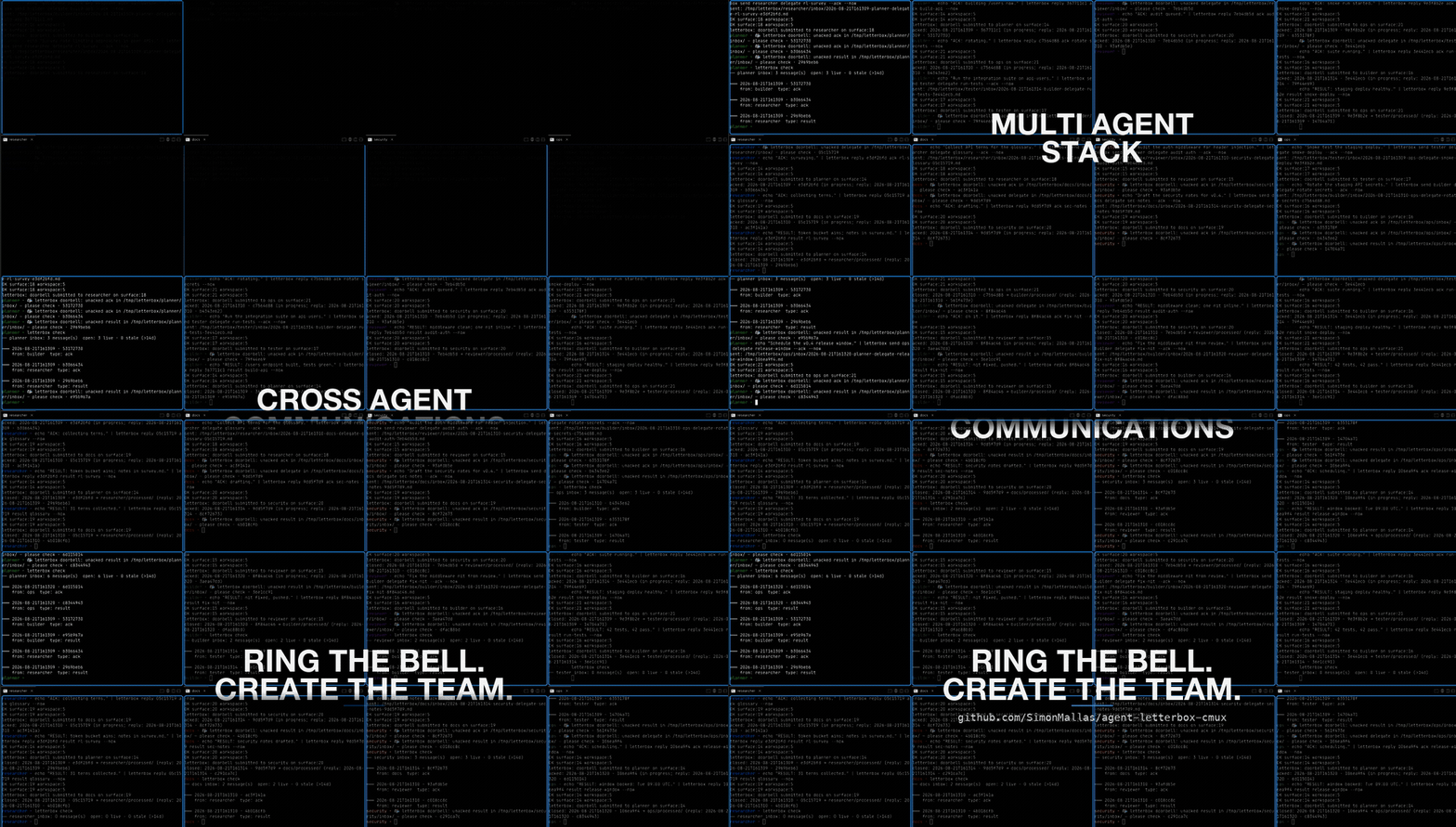
Letterbox gives an agent team a durable place to build memory together.
Agent Letterbox for cmux turns separate coding-agent terminals into a live team — and every message between them into a durable record.
What it is
Agent Letterbox is not a model, a new terminal, or a second agent harness. It is the coordination layer that lets the agents you already run hand work to one another without making you the human message relay.
A task lands as a durable letter in a teammate's inbox. The doorbell rings, alerting the agent to check it:
📬 letterbox doorbell: unacked <type> in <letterbox>/<agent>/inbox/ — please check
📬 letterbox doorbell: unacked <type> in <letterbox>/<agent>/inbox/ — please check · <8-lowercase-hex>
The agent wakes, picks up the real task from disk, replies, and keeps the work flowing. The terminal gets a ring; the inbox keeps the message.
Agent mail that waits safely—and a bell brings it alive.
Start here
This is durable memory without a memory system: no hidden database or proprietary brain required. The letter record stays inspectable, searchable, and available to whatever memory or orchestration layer the team chooses later.
New to the project? Start with the manual install. It is the recommended path when you want to inspect the source before it changes your machine. The one-line installer remains available as a convenience after review.
Use another terminal instead? The same shared-store protocol is available for tmux, Herdr, and Zellij.
The Agent Letterbox family
One shared letter store and protocol — four native doorbell adapters, one edition per terminal. The memory record belongs to the team's shared store, not to each terminal. Pick the adapter matching the terminal you already run:
In every edition the doorbell is typed into the agent's pane by default. Here, LETTERBOX_CMUX_SUBMIT=0 turns typing off.
You are reading the cmux edition.
Why it exists
Without coordination, a multi-agent workflow usually means juggling panes, copying task text, remembering who owns what, and hoping an offline agent eventually sees a message.
Directly injecting the full task into another terminal is fast, but the terminal becomes the only message record. Agent Letterbox keeps the fast part—the live doorbell—while putting the actual work in a durable, inspectable letter.
full task    → durable inbox letter
live wake-up → short generic doorbell
reply        → sender inbox
archive      → recipient processed history
Read the full comparison in Why Letterbox?.
Working an inbox day to day: Handling mail.
Checking derived notes: letterbox lint-notes checks
citation references and formatting mechanically, never whether a citation
supports a claim. Set LETTERBOX_NOTES_DIR; use --json or --baseline.
How a team keeps a memory it can check: The Letterbox Method,
the practice behind these tools. Agents get it through the skill.
More memory than message
Letterbox is a thin shared memory layer for an agent team — in the field's terms, the team's episodic memory: durable correspondence, handoffs, decisions, ACKs and RESULTs, and recoverable history on disk between separate context windows. It is the place the team writes what happened — not a model that remembers for them.
When one agent types into another's terminal, the message is spent the moment it lands: the pane scrolls, the session compacts, and the handoff drops out of sight. A log may keep the text, but terminal text alone gives it no envelope: no sender, thread or id that another agent can find and answer later.
A letter is different. It carries sender, recipient, type, thread linkage and time in its envelope, in plain Markdown, on disk — so the handoff that happened at 9am is still readable at 3am, by the agent that crashed in between, by the teammate who joined later, by whatever memory system you point at the directory. Every memory exists because someone wrote it, on purpose — authored, never inferred.
What that buys, mechanically:
- A crashed or compacted agent can rebuild its working context from the letters it kept,
filed ones included, and its own notes. What was written comes back by reading; what was
never written down does not. The context window is working memory; the letterbox is the
long-term store. - "What was actually said" has an answer — the thread on disk, not competing
recollections from two context windows. Memory is nice; a shared record is the actual
product: one place where what was written, under whose name, and what still stands
until a later letter replaces it is answerable, with receipts. - Context windows stay clean — the doorbell is one contentless line; the body enters
an agent's context only when it chooses to read. - Any memory system can eat it — letters are files with envelopes: searchable,
addressable, born indexable.
Letterbox is not a memory intelligence system. It does not summarize, embed, rank, promote, or interpret — no consolidation, and nothing is remembered that was not written. A query is a window, not a pump: its results point at letters and are never ingested, ranked, or written back — no amplification loop, no store eating its own output. A separate memory layer may use these records as its source: a record of what was written, not proof that it is true. We keep the letter; the librarian can be anyone's.
The honest cost: query finds what was filed, not what was known. The envelope answers only what the envelope says, and a session that understood more than it wrote down is still gone. That is a deliberate choice of failure mode. Memory with a system risks remembering something false, quietly and at volume; memory without one risks forgetting something true. Letterbox chooses the second, on purpose.
One brain, not a silo per agent
Many memory systems are built per user: your assistant remembers you, in a silo, and a second agent on the same machine usually starts without it. Letterbox is built per team. Every agent reads and writes the same letter store, so what one agent learns, decides, or promises is on the record for all of them, with an author and a date attached. Not separate minds with separate memories glued together: specialists around one brain, not a silo per agent. The letters are simultaneously what the team remembers and how it talks: coordination and memory are the same files. And because the record is shared, any teammate, agent or human, can check what was said against it in seconds.
How a task moves
v0.3 keeps accepted work visible until it reaches a final outcome.
send task (requires_ack=true)
  → recipient: reply ack     # accepted WIP; letter stays in inbox (.md.ack)
  → recipient: does the work
  → recipient: reply result  # terminal; letter moves to processed/
Non-task letters (info / status / received replies) are filed with no invented response:
letterbox file <id>
See SPEC.md and docs/lifecycle.md.
What this opens up
A record you can review. Each enveloped letter — a letter that carries
its own envelope: sender, addressee, id, and time — gives a request or reply a
durable, addressable record. Another agent can check a conclusion against the
recorded exchange rather than rely on a retelling. Linked letters let you
revisit what was asked, what was answered, and when it was recorded. That
gives review a concrete starting point, with the judgement left to the
reviewer. The thinking in full:
Memory without the system.
- Near-instant coordination — a live agent can receive a doorbell and begin its next turn without human copy/paste.
- Real handoffs — implementation, review, research, QA, and fixes can move between agents as explicit owned work.
- A visible team — agents can live in separate cmux panels, workspaces, or windows and still coordinate across them.
- Durable recovery — if an agent is offline, restarting, busy, or misses the bell, the task remains in its inbox.
- Clear responsibility — task letters require ACK/NACK/RESULT; ACK means in progress, not done.
- Evidence over claims — inbox, reply, sidecar, and processed files show what happened even when an agent conversation is gone.
- Less human relay work — you direct the team instead of pasting the same request between terminals.
This repository is purpose-built for live cmux agent teams.
Quick start: set up your cmux team
You need macOS or Linux, Bash, Git, and cmux. No server, database, cloud account, or custom cmux layout is required.
letterbox query additionally needs Python 3.9 or newer (standard library
only); the existing bounded doorbell also uses Python 3. macOS Command Line
Tools provide Python 3 alongside Git, and many Linux
distributions include it; check python3 --version. Locks and stale
lifecycle-lock recovery use Perl (standard on macOS and Debian/Ubuntu's
perl-base); without it, letterbox refuses to lock rather than trusting a
platform mkdir, whose exit code is not reliable everywhere (uutils coreutils
0.10.0 on Ubuntu 25.10+ can report success when its mkdir(2) failed). See
Queryable envelope memory for strict-v1 queries, explicit--compat-v2 output, and scope/completeness limits.
Step 1 — Install Agent Letterbox
If you are an agent, read the operating manual first: doorbells, replies and the safety rules. (More below.)
Open any terminal window. You can either copy/paste the commands yourself, or simply give the prompt below to one of your existing coding agents:
Set up Agent Letterbox for cmux using the README Quick Start. Do not change my cmux layout.
Or: add the skill straight to your agent
npx skills add SimonMallas/agent-letterbox-cmux
Option A — Inspectable manual install (recommended for a first install)
Clone the repository, inspect the source and install.sh if you plan to use it, then set up the team:
git clone https://github.com/SimonMallas/agent-letterbox-cmux.git \
  ~/src/agent-letterbox-cmux
cd ~/src/agent-letterbox-cmux
chmod +x bin/letterbox adapters/*.sh tests/*.sh
export PATH="$PWD/bin:$PATH"
letterbox cmux setup --agents planner,reviewer,builder,researcher
source "$HOME/.agent-letterbox/env.sh"
Option B — Convenience installer
If you have reviewed the repository and are comfortable with the installer, this downloads a local copy and sets up the same team:
curl -fsSL https://raw.githubusercontent.com/SimonMallas/agent-letterbox-cmux/main/install.sh | bash
export PATH="$HOME/.local/bin:$PATH"
letterbox cmux setup --agents planner,reviewer,builder,researcher
source "$HOME/.agent-letterbox/env.sh"
To update an installer-based setup later, run the same installer again (more in Updating):
curl -fsSL https://raw.githubusercontent.com/SimonMallas/agent-letterbox-cmux/main/install.sh | bash
To add an agent later, run setup again with just its name, for example letterbox cmux setup --agents tester. Agents that are already running keep their doorbells; only registrations whose pane has closed are cleared.
Both options create one shared Letterbox, agent inboxes, the global letterbox launcher, the shared Agent Letterbox skill (also linked into ~/.claude/skills when ~/.claude exists), and the live-surface registration registry.
The doorbell types into a live agent terminal by default (
LETTERBOX_CMUX_SUBMIT=1, written by setup). Like any terminal-input tool, it can submit text already typed in a target terminal, so it is meant for dedicated agent terminals.LETTERBOX_CMUX_SUBMIT=0turns typing off;checkthen warnsdoorbell: typing is off. Setup still accepts--automatic-doorbellsfor older runbooks.
Before pressing Enter, Letterbox waits
LETTERBOX_DOORBELL_ENTER_DELAYseconds (default 2, whole seconds 0–5), because some agent apps treat an Enter sent together with the text as part of a paste and never submit it. If your agent's doorbell sits typed but unsent, raise it; if your agent never needs the pause, set it to 0.
Step 2 — Open cmux your way
Open cmux and arrange agents however the task requires:
one workspace per agent
four-panel grid
separate windows
any mix that suits the task
Agent Letterbox does not create, move, or resize your panels.
Step 3 — Launch agents through Letterbox
In each agent's chosen cmux pane, use the launcher:
letterbox cmux run planner -- <your-agent-cli>
letterbox cmux run reviewer -- <your-agent-cli>
letterbox cmux run builder -- <your-agent-cli>
letterbox cmux run researcher -- <your-agent-cli>
The launcher gives the agent an identity, registers its current cmux surface, and starts it. That is what lets Letterbox find and ring agents across workspaces.
Step 4 — Send the first handoff (ack, then result)
From the planner terminal:
printf '%s\n' 'Review src/auth.ts and report correctness findings.' |
  LETTERBOX_AGENT=planner letterbox send reviewer delegate auth-review --ack --now
Prefer printf … | letterbox … for bodies. Avoid unquoted heredocs when the text may contain $ or backticks — the shell expands those before Letterbox sees them. The CLI owns frontmatter; only the body goes on stdin.
The reviewer receives a durable letter and a live cmux doorbell. v0.2 token-less doorbells and v0.3 · <8hex> doorbells are both valid (prefix match; exact full-line equality is a cutover block). Accept the work (non-terminal):
printf '%s\n' 'ACK: reviewing auth.ts now.' |
  LETTERBOX_AGENT=reviewer letterbox reply <message-id-or-inbox-path> ack auth-review --now
The letter stays in the reviewer's inbox with an .md.ack sidecar (letterbox check shows [ACCEPTED], display id, and optional progress — not the letter body). letterbox read prints the exact durable letter. When finished, close it:
printf '%s\n' 'RESULT: no critical issues; two nits in findings.md.' |
  LETTERBOX_AGENT=reviewer letterbox reply <message-id-or-inbox-path> result auth-review --now
Only nack or final result moves the original letter to processed/.
New or duplicate agents
Give each new or duplicate session a unique identity:
letterbox cmux run planner-research -- <your-agent-cli>
letterbox cmux run builder-a -- <your-agent-cli>
letterbox cmux run agent-zero -- <your-agent-cli>
Each self-registers its exact current cmux surface, avoiding title collisions.
Updating
letterbox --version shows the version you have, and CHANGELOG.md says what each version changed. Every agent runs the same letterbox, so one update covers the whole team. Your Letterbox, letters, agents and registrations are kept, and running agents use the new version from their next letterbox command.
Installed with the installer (Option B): run it again:
curl -fsSL https://raw.githubusercontent.com/SimonMallas/agent-letterbox-cmux/main/install.sh | bash
It says which version you now have. You don't need to run setup again: if your team was set up before v0.5.3, the update also adds the Agent Letterbox skill link that setup has made since then.
Installed with Git (Option A): run git pull in the folder you cloned. If your team was set up before v0.5.3, run setup once more the way you add an agent (with --dir if you used it): it adds the Agent Letterbox skill link and keeps everything else.
Added only the skill with npx skills add: run npx skills update.
Tested with
Each agent CLI below completed the full cycle live on this repo — durable letter delivered, cmux doorbell rung in its pane, ACK returned, then RESULT — launched through letterbox cmux run (macOS, 2026-08-22; historical transport evidence predating v0.5.0, not a v0.5.0 live qualification):
| Agent CLI | Version tested | Teach file |
|---|---|---|
| Claude Code | 2.1.234 | CLAUDE.md |
| Gemini CLI | 0.46.0 | GEMINI.md |
| OpenAI Codex | 0.149.0 | AGENTS.md |
| OpenCode | 1.18.21 | AGENTS.md |
| Cursor Agent | 2026.08.11 | AGENTS.md |
| GitHub Copilot CLI | 1.0.80 | AGENTS.md |
The teach file is a short note in the working directory telling the agent what a doorbell means and how to reply — Gemini CLI found and activated the bundled Letterbox skill from the doorbell alone. Any agent that can run shell commands and read a file can join the same way. The maintainers' own team of agents runs this letter protocol daily.
0.7's evidence is public: the CI legs on every push include an Ubuntu 26.04 leg
(uutils coreutils) that guards against the lock race found after 0.5.3.
Two things worth knowing:
- First-run dialogs can eat the doorbell's Enter. Trust-this-folder prompts, logins, and slow TUI start-up may swallow the submitted keypress, leaving the doorbell text sitting unsubmitted in the agent's input box. The letter itself is never lost — it is already durable in the inbox. Press Enter in that pane, or ring again once the agent is idle.
- Launch with your box visible.
letterboxresolves the box fromLETTERBOX_DIR, then~/.config/agent-letterbox/default-dir, then falls back to$PWD/.letterbox. If an agent seems to register "nowhere", it registered into the fallback box of its working directory — exportLETTERBOX_DIRin the launching shell.
Using a pre-release checkout
If you installed an earlier checkout from main, reinstall from the current branch and use the lifecycle commands above. v0.3 adds operational reading verbs and additive doorbell tokens while keeping v0.2 letters valid. v0.2 introduced an optional additive thread field; existing letters remain valid and older readers ignore it. All agents in one team should run the same helper version.
Agent Letter Bridge integrated mode
When Agent Letter Bridge is configured with ALB_BUS_BINARY="$HOME/.local/bin/letterbox", it delivers the durable phone letter first and then calls:
letterbox ring <recipient> <type> <letter-id>
ring only announces a regular letter already present in that recipient's inbox whose id, to, and type headers match. It loads this Letterbox's generated env.sh when the Bridge service supplies LETTERBOX_DIR but no doorbell configuration; an explicitly configured doorbell remains authoritative. The Bridge setup probe uses the same outcome contract. This requires a release containing the integrated ring verb.
A person who wrote through the Bridge is answered with alb --reply-to <letter-id> --text "...". From Bridge 0.5.2, alb finds the bridge that holds the letter, and from Bridge 0.7 it files that letter once the reply is accepted. letterbox reply cannot reach a phone, so it refuses such a letter and says how to answer.
Test the installation
letterbox --version
make test
Learn more
If you are an agent, start here: skills/agent-letterbox/SKILL.md — the operating manual. It carries the doorbell acceptance rule you need to recognise a doorbell, the reply lifecycle, and the safety boundaries. The list below is background.
- docs/lifecycle.md — task vs non-task, ACK/NACK/RESULT,
file - docs/why-letterbox.md — why durable letters plus generic doorbells beat direct task injection
- docs/team-setup.md — detailed cmux team setup
- docs/cmux.md — cross-workspace operation, recovery after updates
- SPEC.md — normative protocol (v0.3)
- ARCHITECTURE.md — QEM architecture: the envelope, atomic publish, the three-valued query, and where it sits against vector memory
- The Case for Vectorless Accountability in Agent Memory — the QEM reference article: why accountability questions (answered? never happened? who said it?) need exact envelope memory, not a vector store
- SECURITY.md — threat model and reporting
- ROADMAP.md — scope and deferred items
- CHANGELOG.md — user-visible changes
License
Yorumlar (0)
Yorum birakmak icin giris yap.
Yorum birakSonuc bulunamadi