agent_hub
Health Warn
- License — License: MIT
- Description — Repository has a description
- Active repo — Last push 0 days ago
- Low visibility — Only 5 GitHub stars
Code Warn
- process.env — Environment variable access in .github/workflows/publish.yml
- network request — Outbound network request in .github/workflows/publish.yml
Permissions Pass
- Permissions — No dangerous permissions requested
No AI report is available for this listing yet.
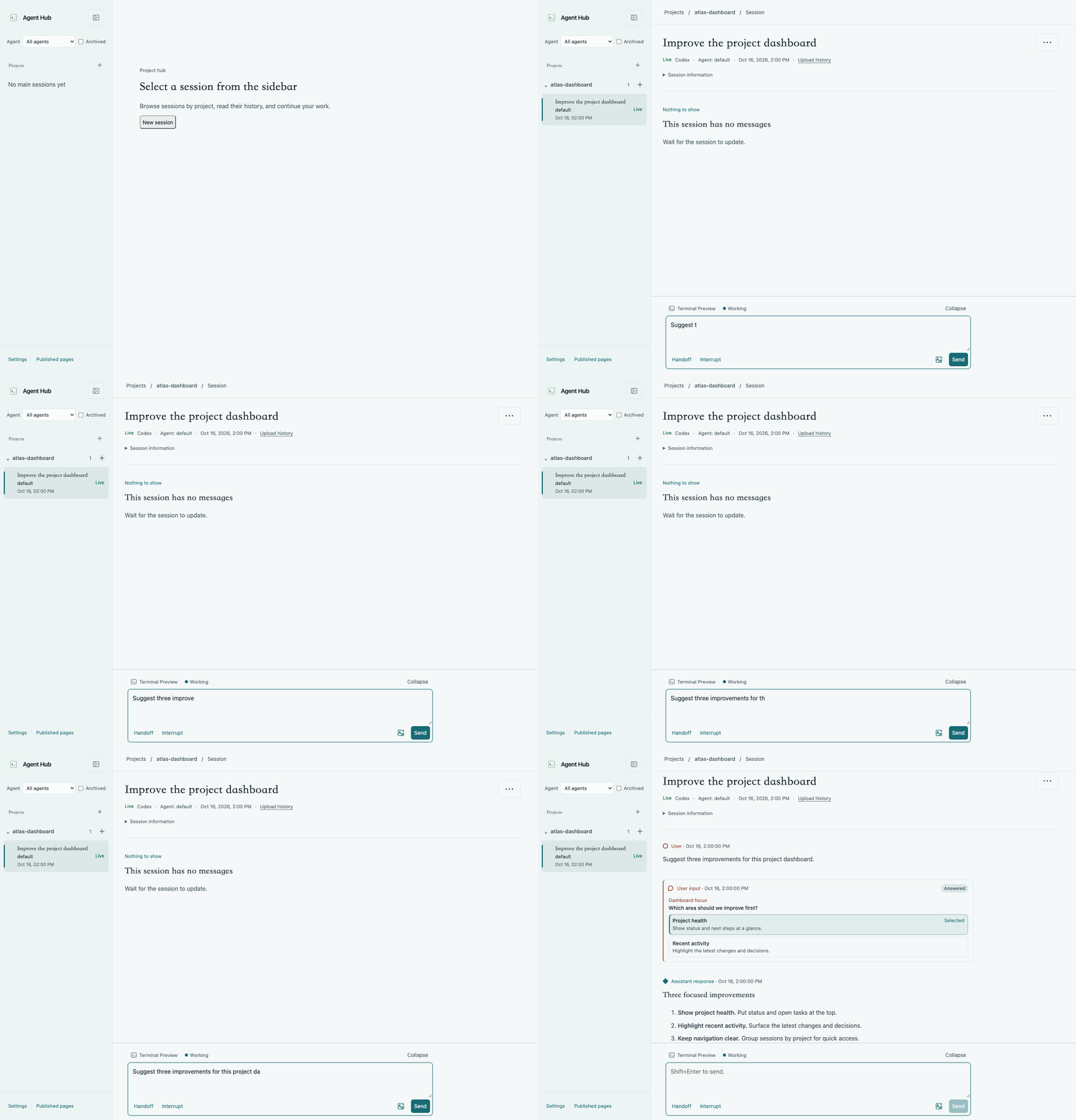
A local web hub for Codex and Claude Code that pairs readable conversations with live CLI interaction. Browse sessions by project, follow responses in near real time, and keep working with either runtime from desktop or mobile.
Agent Hub
A local web hub for Codex and Claude Code that pairs readable conversations with live CLI interaction.
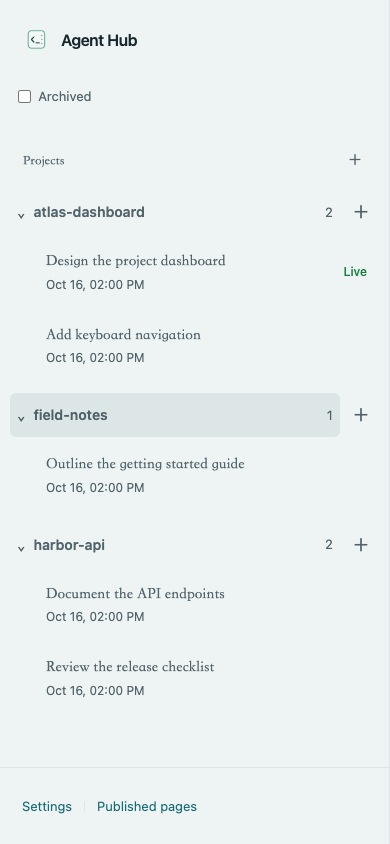
Browse sessions by project, follow responses in near real time, and keep working with
either runtime from desktop or mobile.
Quick start
Runtime requirements:
- macOS or Linux with Node.js >=22.13 and npm
- A locally configured Codex or Claude Code CLI
- tmux for creating, resuming, and interacting with sessions
Hub reads ~/.codex and ~/.claude by default. You can use either runtime or both;
see Agent configuration for custom directories.
Try it without a global installation:
npx @someonegg/agent-hub@latest
Or install it for regular use:
npm install -g @someonegg/agent-hub
agent-hub
Open http://127.0.0.1:4173. Open Settings → Language at the bottom of the sidebar to switch between English (the default), 简体中文, and 繁體中文. The choice is saved in this browser. Press Ctrl-C to stop the server.
For agent configuration, ports, and optional page/diff hosting, see Usage.
To upgrade, run npm install -g @someonegg/agent-hub@latest again.
For running from source, see Development.
Features
- Navigate projects, main sessions, and child conversations.
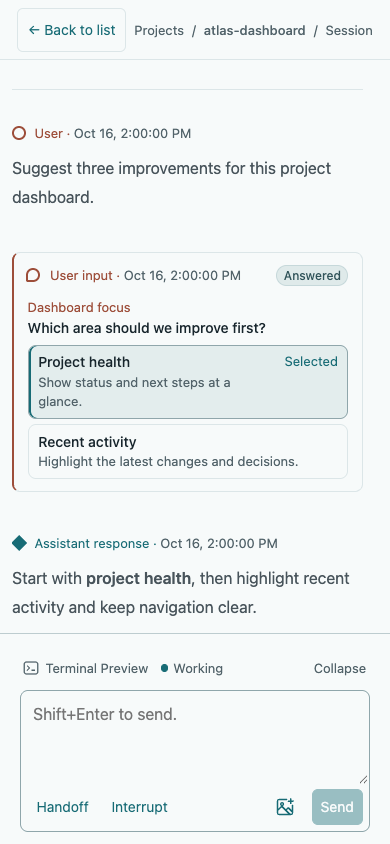
- Read conversation messages, plans, and user input with Markdown, code, tables, and math.
- Follow conversation updates while browsing their history.
- Create sessions with optional worktrees, send input, and preview their terminals.
- View live sessions, resume exited sessions, stop session execution, and archive or delete history.
- Publish static pages and review diffs with optional local hosting.
- Switch the interface between English, Simplified Chinese, and Traditional Chinese.
Session interaction
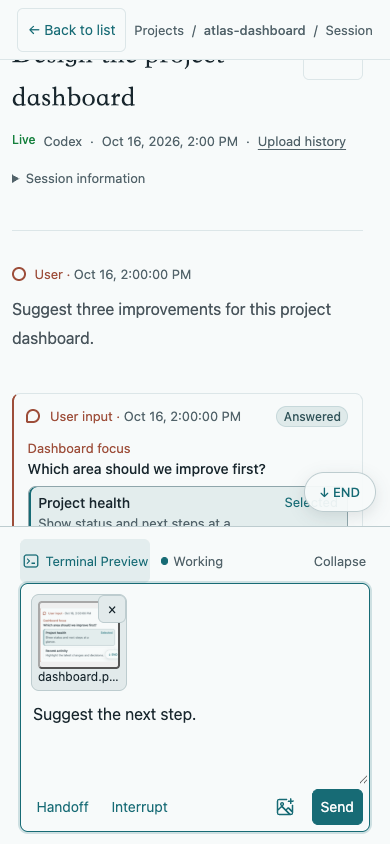
Send prompts and control the live terminal from the session page. Take photos,
paste images, or drop files, then preview and send.
See file uploads for storage, cleanup, and file limits.
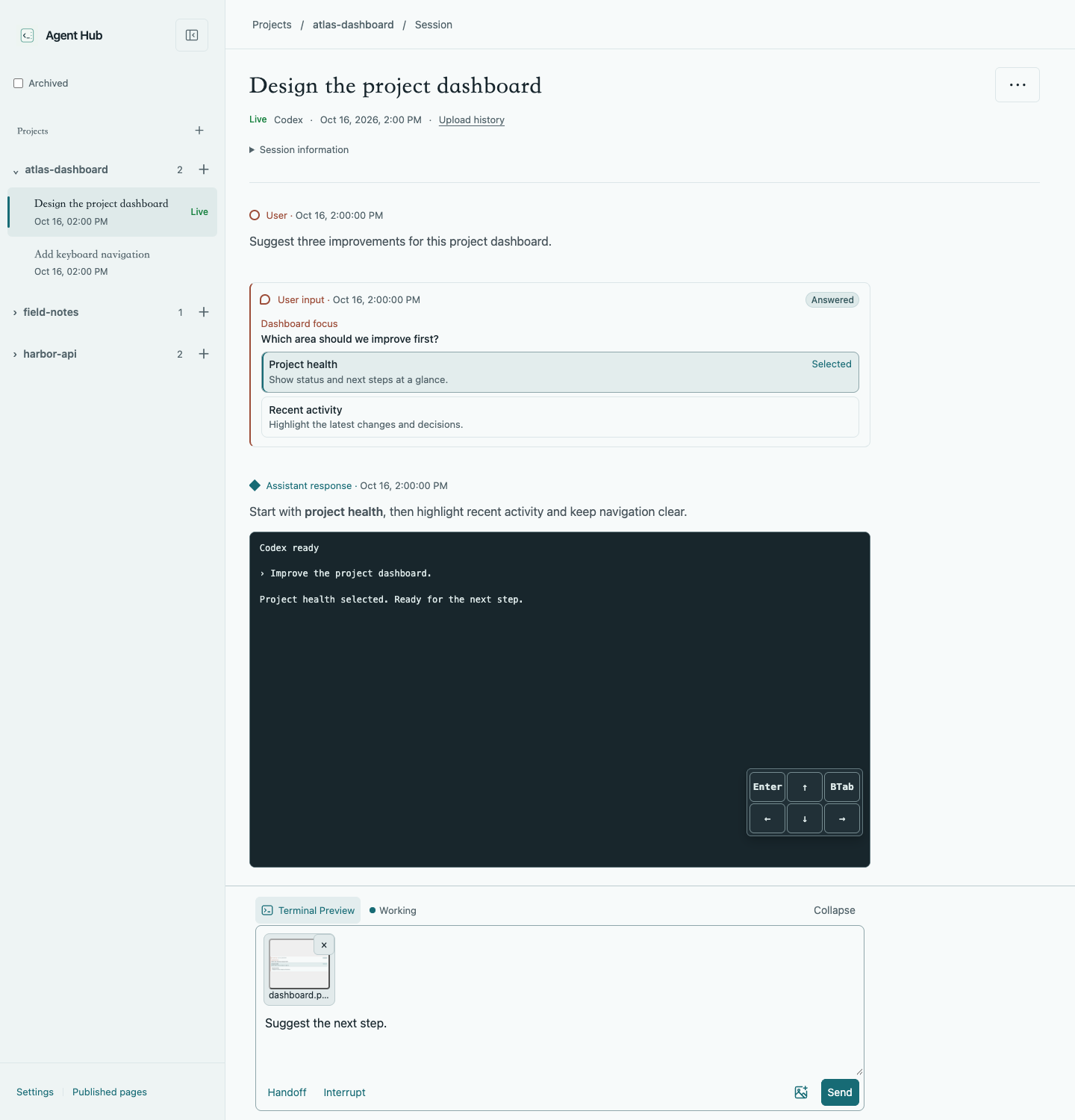
Expand Terminal Preview to follow the CLI and handle prompts with the on-screen
controls. See session interaction for keyboard
shortcuts, interruption, and Codex session handoff.
Command-line management
Use ahub-cli session to list, create, resume, inspect, and manage sessions from
another terminal, or send input to a live session. Add --json for structured
output in scripts and agent workflows.
See session CLI usage for commands and examples.
For agent-assisted session workflows, use the bundledahub-control skill. Runahub-cli skill path ahub-control to locate it. With npx, copy the skill
directory from the temporary cache for lasting use.
Security
Agent Hub reads local session history and controls connected CLI sessions through
tmux. The configured CLI handles model access and authentication; Hub does not
manage API keys or CLI credentials.
The server binds to loopback by default. Interaction and management are enabled
without application authentication. Before exposing it to a network, add
authentication, such as the built-in mTLS option, and restrict access. See the
security guidance.
Documentation
Reviews (0)
Sign in to leave a review.
Leave a reviewNo results found