tutabridge
Health Pass
- License — License: GPL-3.0
- Description — Repository has a description
- Active repo — Last push 0 days ago
- Community trust — 10 GitHub stars
Code Warn
- network request — Outbound network request in scripts/test_imap.py
Permissions Pass
- Permissions — No dangerous permissions requested
No AI report is available for this listing yet.
Local IMAP/SMTP bridge for Tuta encrypted email. Use Thunderbird, Apple Mail or any mail client. Rust + Tauri, with backup, search and a read-only MCP server.

TutaBridge
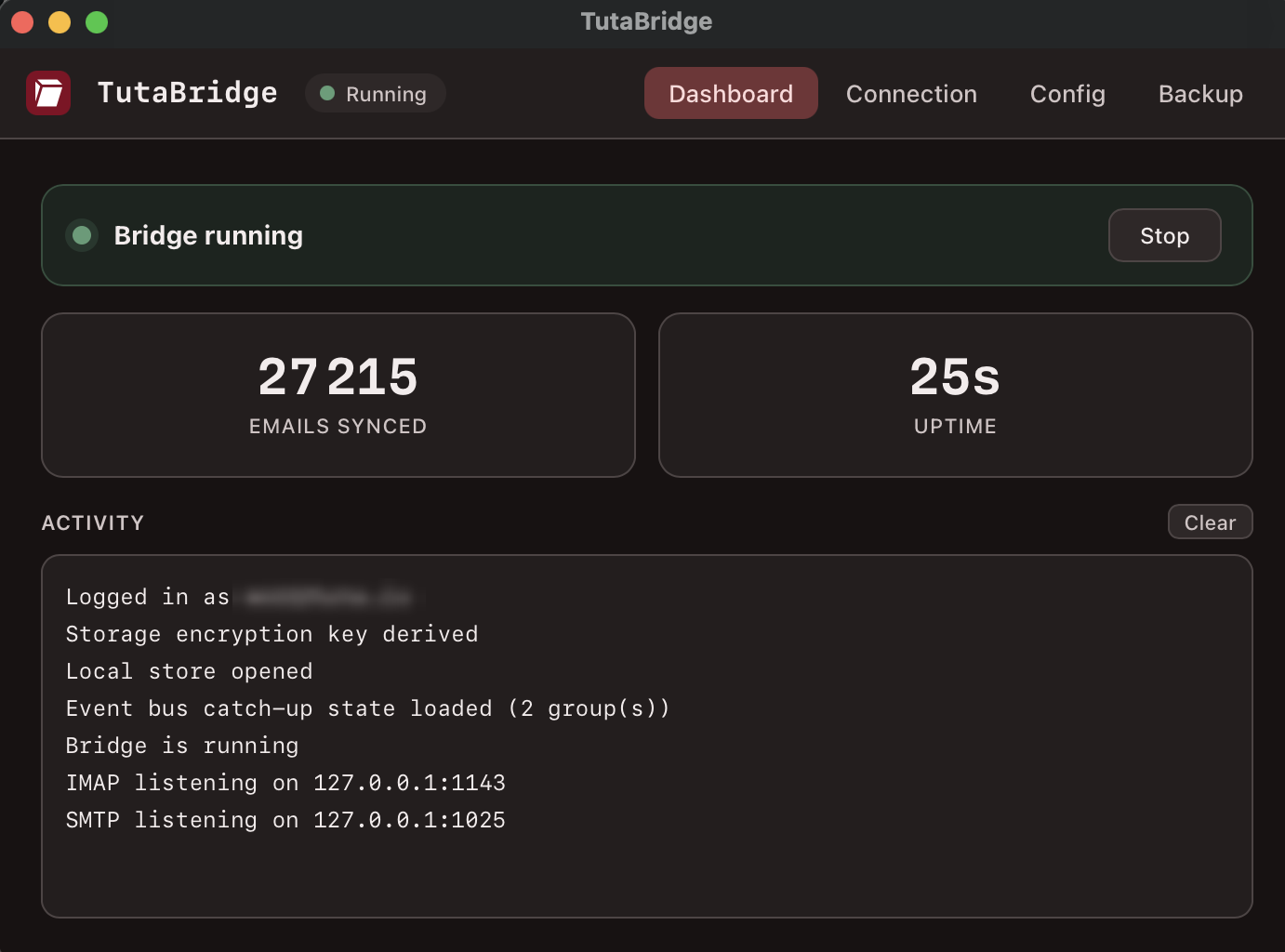
Use Tuta encrypted email in Thunderbird, Apple Mail, or any standard mail client.
A local IMAP/SMTP bridge that talks to Tuta's API and handles the end-to-end
encryption transparently, so your favourite desktop client just works.





Download · Getting started · Features · Backup · Architecture
⚠️ Please read before using
TutaBridge goes against Tuta's end-to-end philosophy, and Tuta does not
endorse it. Tuta has no official bridge on purpose. Decrypting your mail
outside their apps and handing it to a local mail client widens your attack
surface: a compromised device, a shady client add-on, or a buggy MCP client
now sees your messages in plaintext. Tuta has explained this stance publicly
(1,
2).So who is it for? Advanced users who trust their own device but not
necessarily the email provider, and who want to keep full control of their
data: read it in any client, back it up to plain files, search it locally,
automate it. The threat model is "I trust my machine, I just don't want to be
locked into one vendor's apps." If that isn't you, stay on Tuta's official
apps. The released binaries are also not code-signed, so your OS will warn
on first launch (see Download).
Features
| IMAP + SMTP | Local TLS servers on 127.0.0.1, so any standard mail client connects. |
| Realtime sync | Tuta's WebSocket event bus pushes new mail, reads, moves and deletes; a heartbeat reconnects dead sockets automatically. |
| Whole mailbox | Every folder and message is listed, not just a recent slice. |
| Honest search | Subject, sender and date search the entire mailbox; full-text body search via an encrypted on-disk index. |
| Attachments | Both ways. Incoming served as multipart/mixed, outgoing uploaded to Tuta on send. |
| Folders & flags | Drafts, custom and nested folders, move, trash, read/unread. |
| Encrypted cache | Metadata in SQLCipher, bodies as individually encrypted files. Usable instantly on relaunch, only the delta is fetched. |
| Complete backup | Export every message to portable .eml files. |
| 2FA (TOTP) | Two-factor login supported. |
Download
Download the app for your OS (see all releases for the CLI binaries and checksums):
| OS | Desktop app |
|---|---|
| 🍎 macOS (Apple Silicon) | Download .dmg |
| 🪟 Windows (x64) | Download installer .exe |
| 🐧 Linux (x64) | .AppImage · .deb · .rpm |
The build is not code-signed, so the first launch needs one click to allow it:
- macOS: right-click the app, then Open, then Open.
- Windows: More info, then Run anyway.
- Linux:
chmod +xthe AppImage, or install the.deb/.rpm.
Prefer the command line? Every release also ships a single CLI binary per
OS (run it from a terminal; it has no extension, so double-clicking won't work).
Arch Linux: the headless CLI daemon is on the AUR astutabridge-bin (prebuilt)
or tutabridge-git (built
from source), e.g. yay -S tutabridge-bin.
Getting started
- Open TutaBridge and sign in with your Tuta address. Password and 2FA are
asked on the first run only; the session is saved to your OS keychain
afterwards. - Note the bridge password it shows. It is generated locally for your mail
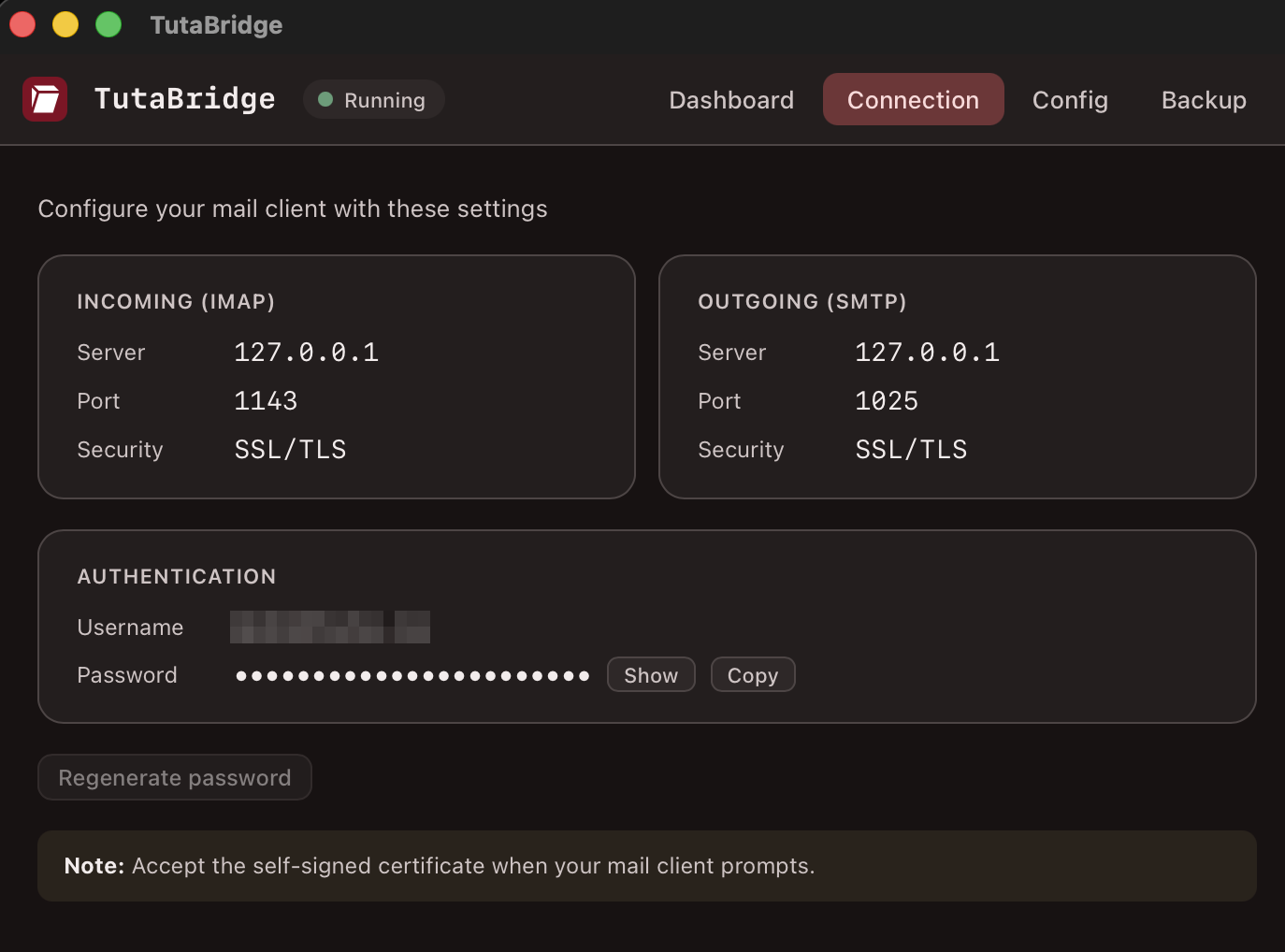
client and is not your Tuta password. - Add an account in your mail client with the settings below, then accept
the self-signed certificate when prompted.
| Server | Port | Security | |
|---|---|---|---|
| IMAP (incoming) | 127.0.0.1 |
1143 |
SSL/TLS |
| SMTP (outgoing) | 127.0.0.1 |
1025 |
SSL/TLS |
Username: your Tuta address. Password: the bridge password from step 2.
Keep TutaBridge running while you use your mail client. It is the local server
the client talks to.
Search runs in your mail client. Subject, sender and date cover the whole
mailbox; full-text body search covers messages whose body has been downloaded
(enable "keep every message body offline" for full coverage).
Architecture
Syncer-driven, store-backed. The IMAP server never makes a network call to read:
Tuta API  <-  Syncer (background)  ->  MailStore (in-memory)  <-  IMAP server  <-  mail client
                                                              <-  GUI (stats)
- The syncer pulls from the Tuta API and populates an in-memory
MailStore,
backed by the on-disk encrypted cache. - The IMAP server only ever reads from the store. It never makes an API call
for reads. - The only IMAP-to-network calls are mutations: mark read/unread (
STORE \Seen)
and trash (EXPUNGE). Sending goes through SMTP to Tuta'sDraftServiceandSendDraftService.
The storage key is derived from your Tuta session, so there is no extra password
to manage, and the cache is encrypted at rest.
Backup
Export every email to a folder of plain .eml files, one per message, in a tree
mirroring your IMAP folders. It enumerates all mail from the server, not just
what is currently synced, so nothing is silently left out.
<output>/
├── INBOX/
│   ├── 20260528-144935_OtjDuDU--3-9.eml
│   └── ...
├── Sent/
├── Trash/
└── Café/Projets/...
tutabridge backup ~/TutaBackup # CLI
In the GUI, use the Backup tab: pick a folder and watch per-folder
progress. The bridge must be running, since the backup reuses its signed-in
session.
- Format:
.eml(RFC 2822). Opens natively in Thunderbird, Apple Mail and
Outlook, survives Windows filesystems, and one corrupt file never sinks the
archive. Filenames are date-prefixed so a listing sorts chronologically. - Resumable: re-running into the same folder skips messages already on disk,
so an interrupted backup resumes and a periodic re-backup only fetches new mail. - Scope: every folder, including Trash and Spam.
Build from source
Requires the Rust toolchain and the tuta-repo submodule
(git clone --recursive, or git submodule update --init --recursive):
cargo build                      # CLI + core
cargo build -p tutabridge-core   # core library only
cargo run                        # run the CLI from source
./dev.sh                         # GUI in dev mode (cargo tauri dev)
Files & locations
Config and cache live under your platform's app-data directory. On macOS that is~/Library/Application Support/tutabridge/:
config.toml          account + ports + bridge_password + sync_limit
store.db             SQLCipher metadata + full-text body index
mails/<id>.eml.enc   per-mail encrypted bodies
sync_limit controls how many recent message bodies are kept offline. The full
mailbox is always listed and metadata-searchable regardless. Set it to 0 (or
tick "keep every message body offline" in the GUI) to download everything.
Testing
cargo test --workspace        # unit + integration tests
python3 scripts/test_imap.py  # integration test against a running bridge
The IMAP integration test connects to the local server and verifies TLS, auth,
folder list, mail count, body fetch and search. It reads the bridge password
from config.toml automatically.
SDK
TutaBridge depends on a few additions to Tuta's Rust SDK, vendored as thetuta-repo submodule. Each change is kept as its own single-commit branch off
upstream for easy review and upstreaming. See SDK_PRS.md for the
status of each.
License
GPL-3.0-or-later. TutaBridge links Tuta's Rust SDK (part of the
GPLv3-licensed tutanota project), so it is
distributed under the same license.
Reviews (0)
Sign in to leave a review.
Leave a reviewNo results found