jean-dockerized
Health Warn
- License — License: Apache-2.0
- Description — Repository has a description
- Active repo — Last push 0 days ago
- Low visibility — Only 6 GitHub stars
Code Warn
- process.env — Environment variable access in entrypoint.sh
- process.env — Environment variable access in web/inject-pwa.mjs
Permissions Pass
- Permissions — No dangerous permissions requested
No AI report is available for this listing yet.
A full AI coding environment: Jean Claude Van Docker 💪
jean-dockerized




Run Jean headless on your own server: a full AI coding environment - Claude and Codex agents, a browser IDE, and Docker-in-Docker - reachable from any device with no local setup.
Features
- Browser UI - Jean's full interface served over HTTPS, token-protected
- Installable PWA - add it to your phone's home screen and use it like a native app
- Built-in IDE - a bundled Eclipse Theia editor (files, terminal, git, extensions) one tap away, no extra port
- Notifications - subscribe your phone so the agent can buzz you when it finishes, errors, or needs approval - fire a task, pocket the phone, get pinged
- Preview URLs - dev servers the agent starts are instantly reachable at
<port>.apps.your-domain(same pattern as Codespaces/Gitpod) - Docker-in-Docker - agents can run
dockeranddocker compose; requiresprivileged: true - No-domain access - join your Tailscale tailnet and reach it from anywhere by private IP - no domain, SSL, or open ports
- amd64 + arm64 - one image runs on x86 servers and ARM (Apple Silicon, Ampere/Graviton, Raspberry Pi)
- Persistent workspace - repos, credentials, and settings survive redeploys
- Auto-updates - watches Jean releases daily and rebuilds automatically
Screenshots
Mobile (installable PWA)
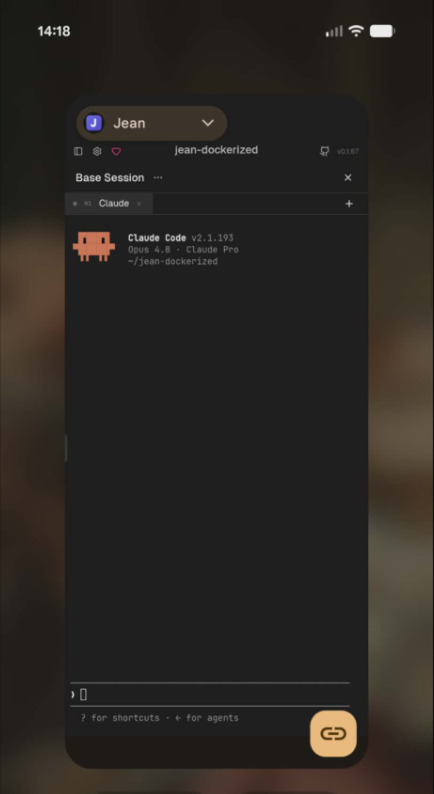 |
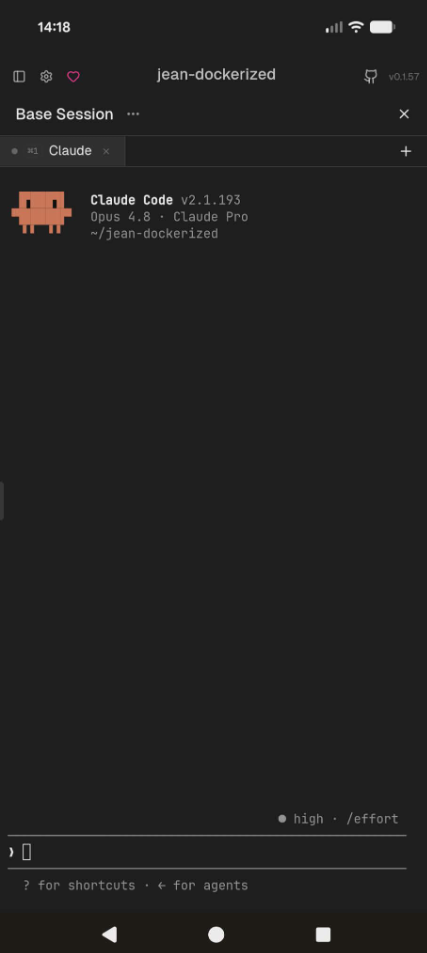 |
Web UI & built-in IDE
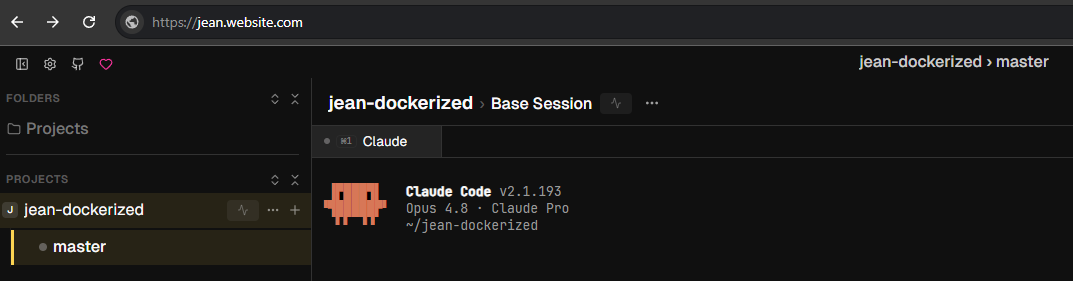 |
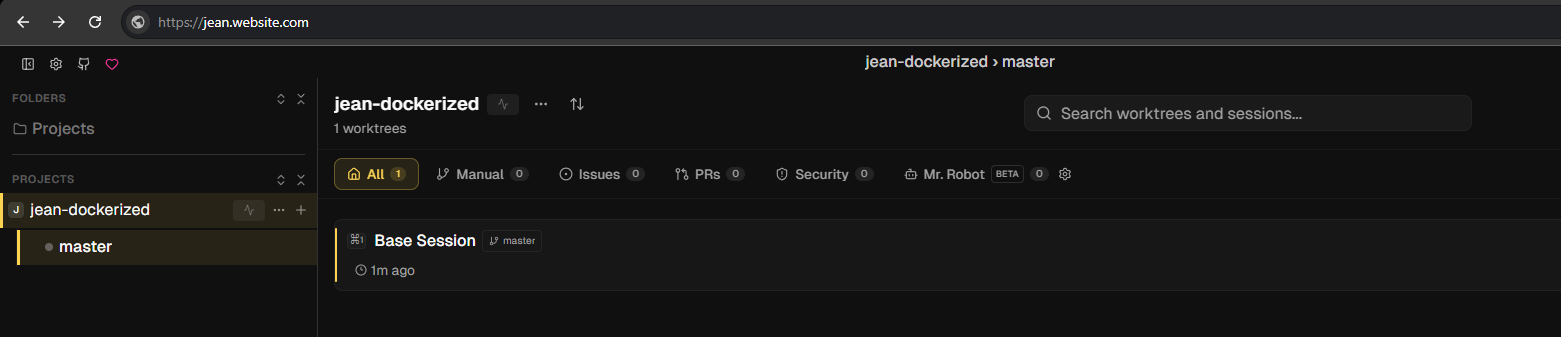 |
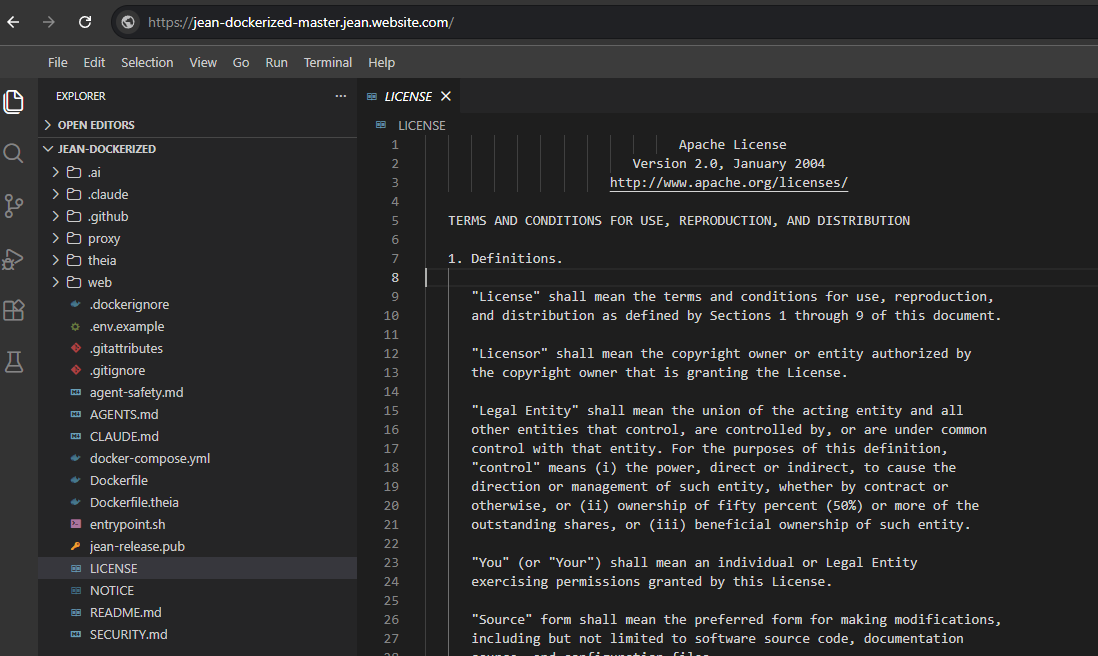 |
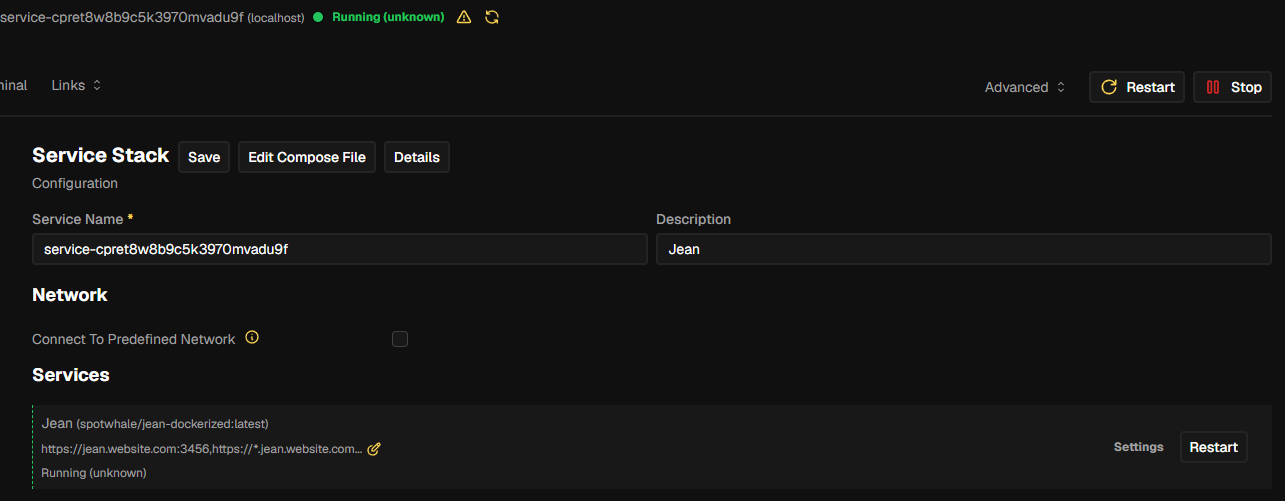 |
Deploy on Coolify
- New Resource → Docker Compose, paste
docker-compose.yml - Set the domains to
https://jean.example.com:3456,https://*.jean.example.com:8088 - Add two A records in your DNS pointing to your server's IP (e.g.
jeanand*.jean) - Deploy, open your domain, and enter the token from the logs - or set a fixed one with
JEAN_TOKEN
503 no available server?
Coolify's auto-generated Traefik labels drop the load-balancer port on the HTTPS
wildcard service when one container serves two ports (3456 + 8088) plus a wildcard
domain, so the app on jean.example.com works but every *.jean.example.com 503s.
Fix: clear the Domains field in Coolify (so it stops generating the broken labels)
and route by hand with the commented labels: block indocker-compose.yml - stable, redeploy-proof names. These are
Traefik-only; other proxies ignore them.
If a proxied host is served by Cloudflare (orange cloud), note Universal SSL covers
only example.com + *.example.com (one level) - a 3-level host like*.jean.example.com needs Total TLS / Advanced Certificate Manager, or grey-cloud the
record so Traefik terminates TLS itself.
Run locally
Build, run & access a local imagedocker-compose.yml references the published image (spotwhale/jean-dockerized:latest)
and has no build: section, so docker compose up on its own just pulls and runs the
released image - it will not include local/branch changes or a Jean version you pick.
Build & run a local image - to run a local build you must build that tag yourself first:
cp .env.example .env            # optional - JEAN_TOKEN / PREVIEW_PASSWORD / JEAN_PUBLIC_URL

# Build the image for a published Jean release tag and name it :latest. The build
# pulls the prebuilt `theia-base` automatically (only build it yourself after
# editing theia/ - see "Common commands" in AGENTS.md).
docker build --build-arg JEAN_REF=v0.1.60 -t spotwhale/jean-dockerized:latest .

docker compose up -d            # runs the image you just built (no re-pull)
docker compose logs -f          # startup banner prints the access token + login link
# open the ?token=... URL from the logs
Re-run the docker build + docker compose up -d after any change under web/ to pick it up.
Test from your phone (same wifi) - edit docker-compose.yml before up:
- change the app bind
127.0.0.1:3456:3456→0.0.0.0:3456:3456(loopback-only by default
won't accept LAN connections), and open your host firewall for port3456; - set
JEAN_PUBLIC_URL: http://<your-LAN-ip>:3456- it prints a scannable QR in the logs and
enables the IDE button + push.
Then scan the QR (or open http://<your-LAN-ip>:3456/?token=...).
Service workers / PWA install / Web Push need a secure context, so over plain
http://<ip>they're off; uselocalhoston the host, or an HTTPS tunnel/domain, for those.
(Tailscale also serves plainhttp, so those features are off there too.)
Lost or changed your token? Open https://your-domain/token.html?reset to clear
the saved token, then paste your access token again (from the logs or JEAN_TOKEN).
Works inside the installed PWA too. The page only stores the token in your browser; it
grants nothing on its own, since Jean's backend still validates it on every request.
Tailscale (no domain)
Reach it from anywhere by private IP, no domainDon't have a domain yet, or want to run this on a home box / laptop / cheap VPS
and reach it from your phone? Set TS_AUTHKEY (an
auth key) and the container
joins your tailnet on boot - no domain, SSL, reverse
proxy, or open ports:
- Jean UI →
http://<tailscale-ip>:3456(the startup banner prints the exact link) - Agent dev servers →
http://<tailscale-ip>:<port>directly (the agent must bind0.0.0.0) - Built-in IDE → the
</> IDEbutton just works; over Tailscale it routes to the
worktree's own Theia port instead of a<slug>.<domain>subdomain
Install Tailscale on your phone/laptop, sign into the same tailnet, and the
container is reachable by its private IP (or MagicDNS name). The node identity
persists on the workspace volume, so the IP is stable across restarts.
environment:
  TS_AUTHKEY: tskey-auth-xxxxx   # from the Tailscale admin console
  TS_HOSTNAME: jean              # optional, defaults to "jean"
Within a tailnet every port on the node is reachable by IP, so the wildcard
<port>.<domain>proxy isn't needed: dev servers, and each per-worktree Theia,
are reached on their own port directly. No domain, SSL, or reverse proxy -
and no need to setJEAN_PUBLIC_URL.Notifications don't work over Tailscale - Web Push needs a
secure context (HTTPS), andhttp://<tailscale-ip>isn't one. For phone
notifications you need the HTTPS domain path (which can run alongside Tailscale).Security: over Tailscale these direct ports bypass the
PREVIEW_PASSWORD
basic-auth gate (which lives in Caddy) - the tailnet itself is the access
boundary. Each Theia terminal runs as root over all of/workspace, so keep
the tailnet single-user (or ACL it). The</> IDEbutton works via either the
Tailscale IP or a MagicDNS (*.ts.net) name.
Preview URLs
Reach an agent's dev serverWhen an agent starts a dev server, reach it at https://<port>.apps.your-domain
(domain path), or directly at <tailscale-ip>:<port> over Tailscale (above).
Setup (Coolify):
- Wildcard TLS needs a DNS-01 challenge - add your DNS provider token in Coolify/Traefik
- The agent must bind to
0.0.0.0, e.g.vite --hostorphp artisan serve --host 0.0.0.0 --port 8000
Preview subdomains are disabled (403) until you set
PREVIEW_PASSWORD, which gates every preview port behind one basic-auth login (PREVIEW_USERdefaults todev). This fails closed so a misconfigured deploy never exposes loopback ports to the internet.
Push notifications
Get a phone notification when an agent finishesAgents run long; the point of coding from your phone is to walk away. An
Agent notifications toggle in Settings → General → Notifications
subscribes this browser to Web Push, so you get a notification when an agent
finishes a turn, errors, or needs your approval - even with the tab
closed or the PWA backgrounded. Tapping the notification reopens Jean.
How it works: a small relay watches Jean's own event stream (no fork) and fans
the interesting events out as Web Push. It is reached through the same preview
proxy as previews/IDE, at https://jdpush.<your-wildcard-domain>.
Setup:
- Set
JEAN_PUBLIC_URL(your public host). Push uses subdomains of it
(jdpush.<host>), so this is what enables the feature and the🔔button;
it's disabled (button hidden) when unset.JEAN_TOKENis optional - if
unset, the relay uses jean's auto-generated token. - Open Jean over HTTPS and tap
🔔to grant permission. On iOS, add Jean
to your home screen first - Safari only allows Web Push from an installed PWA.
Coverage note: for jean's native (Codex) sessions, "finished" / "errored" /
"needs approval" fire from chat events. The Claude backend runs as a terminal
TUI (no chat events), so it's covered by idle detection - a push when the
terminal goes quiet (finished or waiting). Tune or disable withPUSH_IDLE_MS.
Built-in IDE
Per-worktree Theia editorA full Eclipse Theia editor (file tree, integrated
terminal, git, search, and Open VSX extensions) ships inside the image. A floating</> IDE button in Jean's web UI opens it in a new tab.
The IDE is scoped per git worktree: a dispatcher lazily runs one Theia per
repo/branch worktree (rooted at that directory, idle-reaped) and routes by hostname
through the same preview proxy as dev servers - never on its own host port:
https://ide.<your-wildcard-domain>- a picker listing every repo › branch worktree under/workspacehttps://<repo>-<branch>.<your-wildcard-domain>- that worktree's scoped editor
The </> IDE button reads Jean's active repo/branch and opens that worktree directly,
falling back to the picker when nothing is open.
Setup (domain path):
- It is gated by the preview proxy, so it is only reachable once
PREVIEW_PASSWORD
is set (same basic-auth login as previews; fails closed otherwise). - Set
JEAN_PUBLIC_URL- the IDE wildcard is subdomains of its host, derived
automatically so the button builds correct links. Unset falls back to.<current-host>.
On the Tailscale path neither is needed - set
TS_AUTHKEY
and the button routes to the worktree's own Theia port directly (no wildcard, noPREVIEW_PASSWORDgate; the tailnet is the access boundary).
Cosmetic scoping, not a security boundary. Each Theia only roots the sidebar at
one worktree; its integrated terminal still runs as root and can reach all of/workspace. Real isolation needs a container per repo. Theia shares/workspace
with Jean and the agents, and its settings persist on the volume (HOME=/workspace).
Security
Hardening checklist- Always access through HTTPS. Never expose port
3456directly. - One container per person: it holds live AI credentials and git push access.
- Runs
privileged(required for Docker-in-Docker): the container has host-level access. Treat it as trusted, single-tenant. Do not pack multiple users' containers onto one shared host; a privileged container can escape to the host and reach every other container on it. - Jean's web UI is token-protected; preview ports can be gated with
PREVIEW_PASSWORD. - The build verifies Jean's release
.debagainst its signing key (minisign) before baking it into the image, so a tampered release asset can't reach your credentials.
privileged is unsafe when many people share one host. To run a container per tenant safely, drop privileged and use a host runtime that gives Docker-in-Docker with real isolation:
Sysbox: install
sysbox-ceon the host, then run withruntime: sysbox-runcand noprivileged. The same image works unchanged:services: jean: image: spotwhale/jean-dockerized runtime: sysbox-runc # replaces privileged: trueVM per tenant (Firecracker, or one cloud VM each): strongest isolation;
privilegedstays safe because each tenant has its own kernel.
Sysbox is a host-installed runtime, not part of the image: it can't be bundled, since the runtime is what launches the container. Test your agent's Docker workflows under it; most docker build/compose works, a few deeply privileged ops don't.
Settings
| Env | Default | Description |
|---|---|---|
JEAN_TOKEN |
auto-generated | Fixed access token (persisted in the workspace volume if unset) |
JEAN_PUBLIC_URL |
unset | Public URL of this instance (domain path); prints the login link + QR, and supplies the preview/IDE/notification wildcard (subdomains of its host) - so it enables notifications and the domain-path </> IDE links. Not needed with TS_AUTHKEY: Tailscale gives the banner link + direct-port IDE/previews. Notifications don't work over Tailscale (they need an HTTPS domain), so set this only if you want them |
TS_AUTHKEY |
unset | Tailscale auth key; when set, the container joins your tailnet on boot so you reach Jean at <tailscale-ip>:3456 (and dev servers at <tailscale-ip>:<port>) with no domain/SSL/proxy |
TS_HOSTNAME |
jean |
Tailscale node name shown in your tailnet (only used when TS_AUTHKEY is set) |
JEAN_PORT |
3456 |
Jean web UI port |
PREVIEW_PORT |
8088 |
Preview reverse-proxy port |
PREVIEW_USER |
dev |
Username for preview basic auth |
PREVIEW_PASSWORD |
unset | Required to enable previews and the IDE; gates all preview subdomains behind basic auth (unset = 403) |
THEIA_DISPATCH_PORT |
8444 |
Internal loopback port for the per-worktree Theia dispatcher; reached via the preview proxy, never exposed directly |
PUSH_SUBJECT |
mailto:[email protected] |
Optional. VAPID requires a contact URI in every push, but providers don't verify it, so the default works. Set your mailto:/https: only so a push provider could reach you if your relay misbehaves |
PUSH_PORT |
8455 |
Internal loopback port for the Web Push relay; reached via the preview proxy at jdpush.<wildcard>, never exposed directly |
PUSH_IDLE_MS |
20000 |
Terminal-Claude idle push: notify after this many ms of no terminal output (finished/waiting). 0 disables idle pushes |
PUSH_TURN_MIN_BYTES |
256 |
Idle-push dedup threshold: after one idle notification, suppress repeats until this many bytes of fresh terminal output prove a new turn started (stops a redrawing TUI re-buzzing the same state) |
Reviews (0)
Sign in to leave a review.
Leave a reviewNo results found