spenda
Health Warn
- License — License: Apache-2.0
- Description — Repository has a description
- Active repo — Last push 0 days ago
- Low visibility — Only 6 GitHub stars
Code Pass
- Code scan — Scanned 12 files during light audit, no dangerous patterns found
Permissions Pass
- Permissions — No dangerous permissions requested
No AI report is available for this listing yet.
Spenda - Local usage and cost tracking for coding agents. It is a local, privacy-first tracker for AI coding agents. It monitors token usage and API costs in real time. Get granular breakdowns by project, model, and task to spot inefficiencies, optimize your budget, and keep your data completely secure.
Spenda
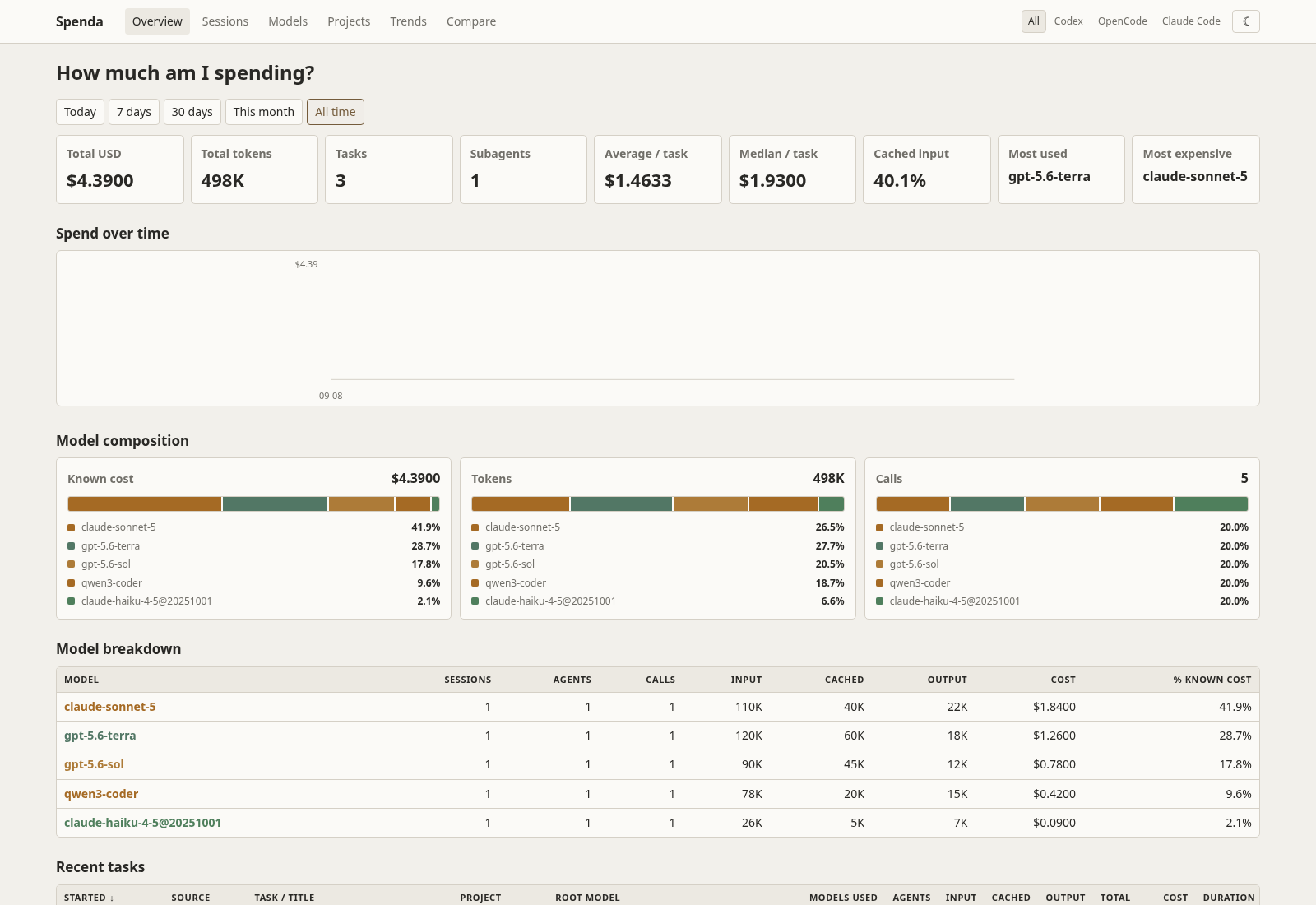
A local dashboard for token usage, costs, models, projects, and session activity from Codex, OpenCode, Claude Code, and Cursor.
What you can see
- Spend, token, and call trends
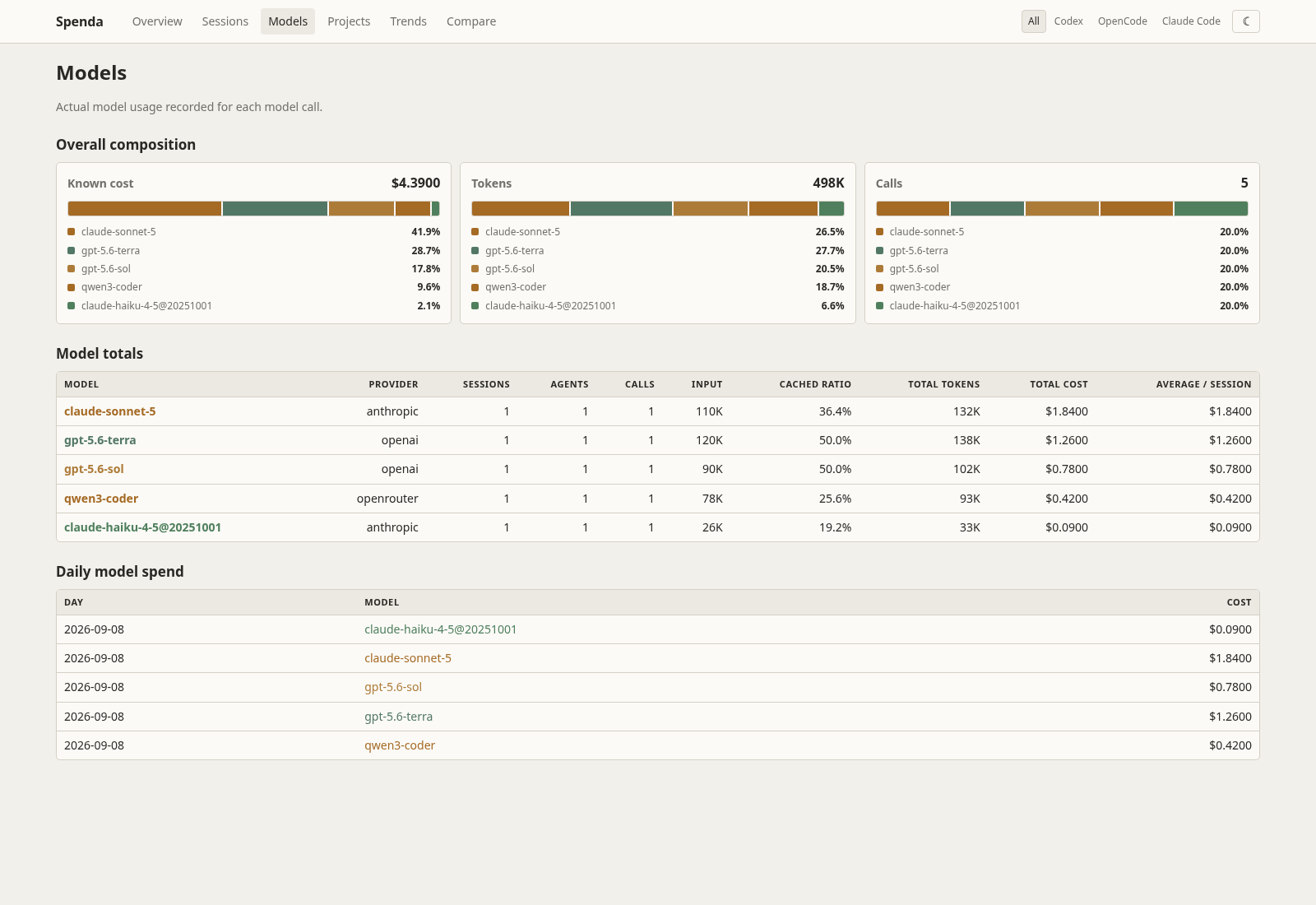
- Model composition and cache usage
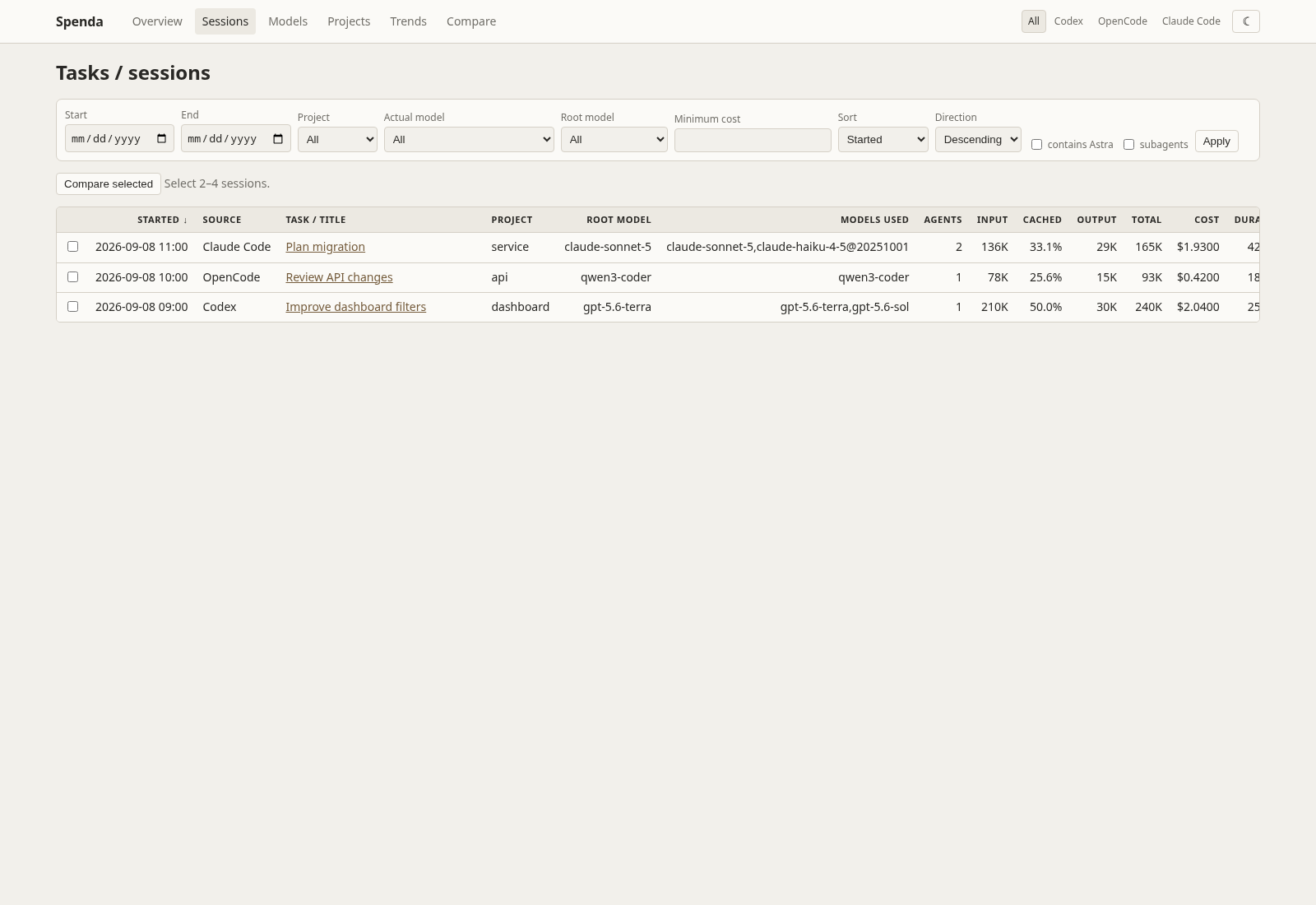
- Sessions, subagents, projects, and source-specific reports
- CSV and JSON exports
- Light and dark themes
The dashboard reads local history and stores its own reporting database. It does not send source data to an external service.
Install
Requires Python 3.11 or newer and at least one supported coding agent with local history.
With uv
uv sync
uv run spenda ingest --all
uv run spenda serve
With pip
python -m venv .venv
source .venv/bin/activate
python -m pip install -r requirements.txt
python -m pip install .
spenda ingest --all
spenda serve
Without cloning
You can also install Spenda directly from GitHub, without cloning the repo first.
pip install git+https://github.com/sshnaidm/spenda.git
Or with pipx (recommended, isolates the CLI in its own venv):
pipx install git+https://github.com/sshnaidm/spenda.git
Or with uv:
uv tool install git+https://github.com/sshnaidm/spenda.git
Then run spenda ingest --all and spenda serve as above.
You can also run it directly with uvx, without installing anything:
uvx git+https://github.com/sshnaidm/spenda ingest --all
uvx git+https://github.com/sshnaidm/spenda serve
Open http://127.0.0.1:8765.
Use
Start the dashboard with spenda serve. If you installed with uv, use uv run spenda serve. It checks configured sources for updates while it runs. Use spenda doctor to see which sources it found and why a source may show no data.
Choose All sources, Codex, OpenCode, Claude Code, or Cursor from the dashboard filter. The Sessions view lets you inspect individual sessions; Models and Projects show aggregate usage. Use the theme switcher to choose light or dark mode.
Claude Code usage is also split by API backend: Vertex AI, Bedrock, Anthropic API (API key), and Claude subscription (claude.ai login). Pick one from the Backend row to see, for example, only Vertex AI spend. Subscription usage has no metered charge, so it shows as $0 real spend with its equivalent API value alongside; Include subscription value adds that value to every total. The same filters are available as spenda sessions --backend vertex and spenda export --backend anthropic-oauth --include-subscription. Direct Anthropic sessions without a Claude cost record can be estimated from built-in Anthropic API prices. Bedrock and Vertex sessions without a cost record remain unpriced because their provider, region, and service-tier price cannot be proved from the transcript. Mixed-backend cost records remain whole-session, unallocated totals and appear only under All or Mixed. spenda doctor shows which login and backends were detected, and --claude-billing subscription|api overrides the detection for copied histories. See docs/data-sources.md for what is read and docs/accounting.md for the formulas.
To use a non-default history location, set the matching environment variable before running a command:
CODEX_HOME=~/.codex_private uv run spenda serve
OPENCODE_DB=/path/to/opencode.db uv run spenda serve
CLAUDE_CONFIG_DIR=/path/to/claude uv run spenda serve
CURSOR_HOME=/path/to/.cursor uv run spenda serve
CURSOR_USER_DIR=/path/to/Cursor/User uv run spenda serve
SPENDA_DB=/path/to/dashboard.sqlite uv run spenda serve
The same dashboard database can be selected with --database /path/to/dashboard.sqlite.
Spenda is designed as a local, single-user tool and has no authentication or CSRF
protection. Keep the default loopback binding; if you use --host to expose it,
put it behind a trusted authenticated reverse proxy and do not publish it directly.
For a clean, full re-import after an accounting or parser change, stop the running
server and run:
uv run spenda rebuild --yes
rebuild clears derived sessions, usage, and ingestion cursors, then reads every
configured source again. Session tags and custom price rows are preserved. Use the
same SPENDA_DB or --database setting as the server when it uses a non-default
database, then restart the server.
If you installed with pip, omit uv run from these commands.
License
Licensed under the Apache License 2.0.
Reviews (0)
Sign in to leave a review.
Leave a reviewNo results found