AnyAutomationStudio
Health Warn
- No license — Repository has no license file
- Description — Repository has a description
- Active repo — Last push 0 days ago
- Low visibility — Only 7 GitHub stars
Code Pass
- Code scan — Scanned 4 files during light audit, no dangerous patterns found
Permissions Pass
- Permissions — No dangerous permissions requested
No AI report is available for this listing yet.
AI-powered engineering IDE for Siemens TIA Portal and CODESYS: SCL code generation with Claude, GPT, Gemini or local Ollama, unit tests on PLCSIM Advanced, OPC UA, Git and MCP tools. TIA Portal V15-V21.
AnyAutomation Studio
The automation engineering IDE for TIA Portal — AI code generation, PLC online access, SCL unit testing, PLCSIM Advanced, OPC UA, Forge, and CI/CD, in one code-first workspace.





The next generation of TIA Openness Manager — the same familiar capabilities, rebuilt in a new code-first editor, with much more on top.
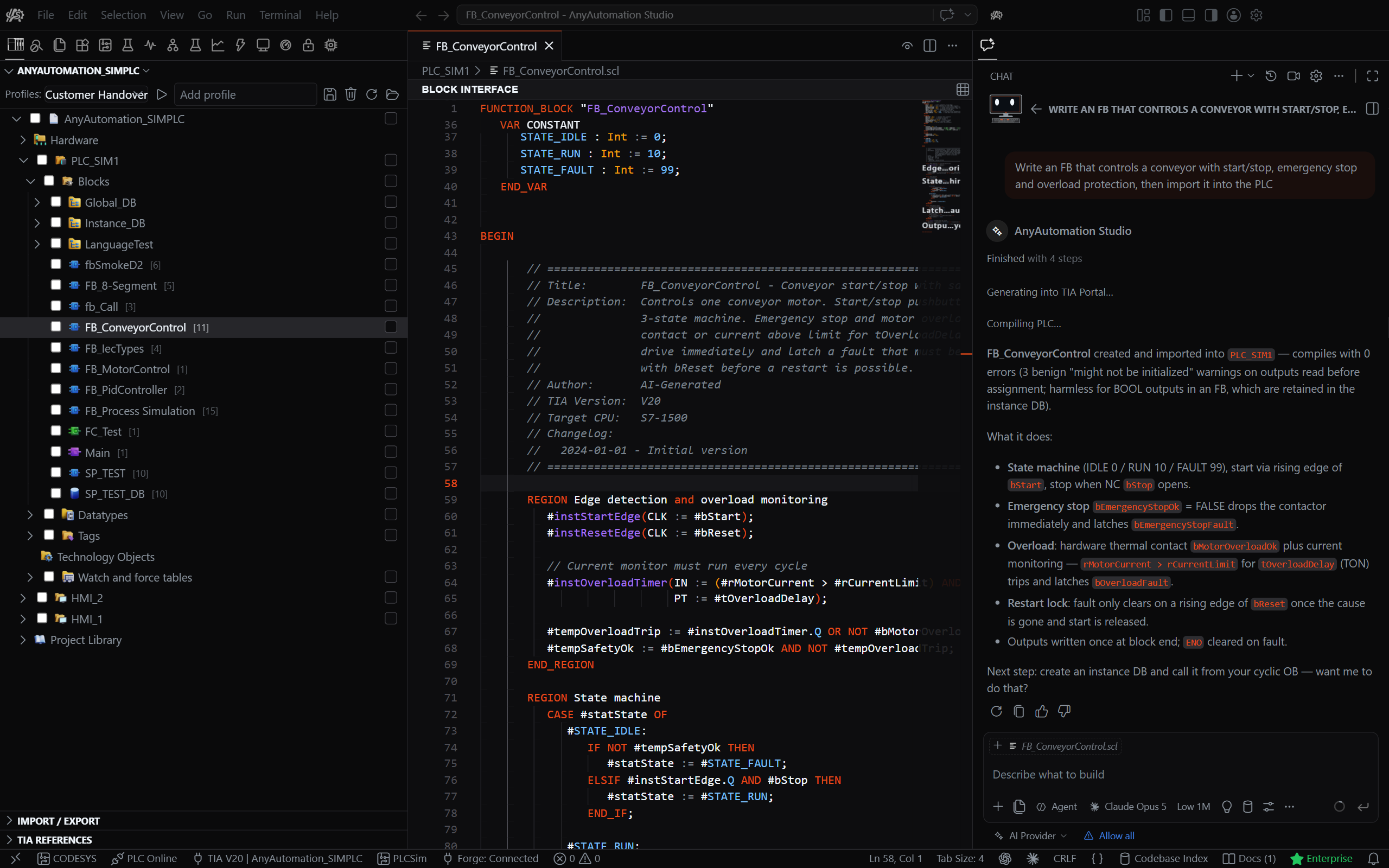
This repository is also the public release channel.
Download & Install
- Open the Releases page.
- Download
AnyAutomationStudioSetup-x64-*.exe(system-wide install, one admin prompt; TIA Portal Openness access is registered automatically). - Run the installer and launch AnyAutomation Studio.
Studio checks for updates on startup and installs them in the background. New users get a free trial with all features unlocked.
Built Around AI
Studio puts an AI assistant at the centre of automation engineering — across your whole project.
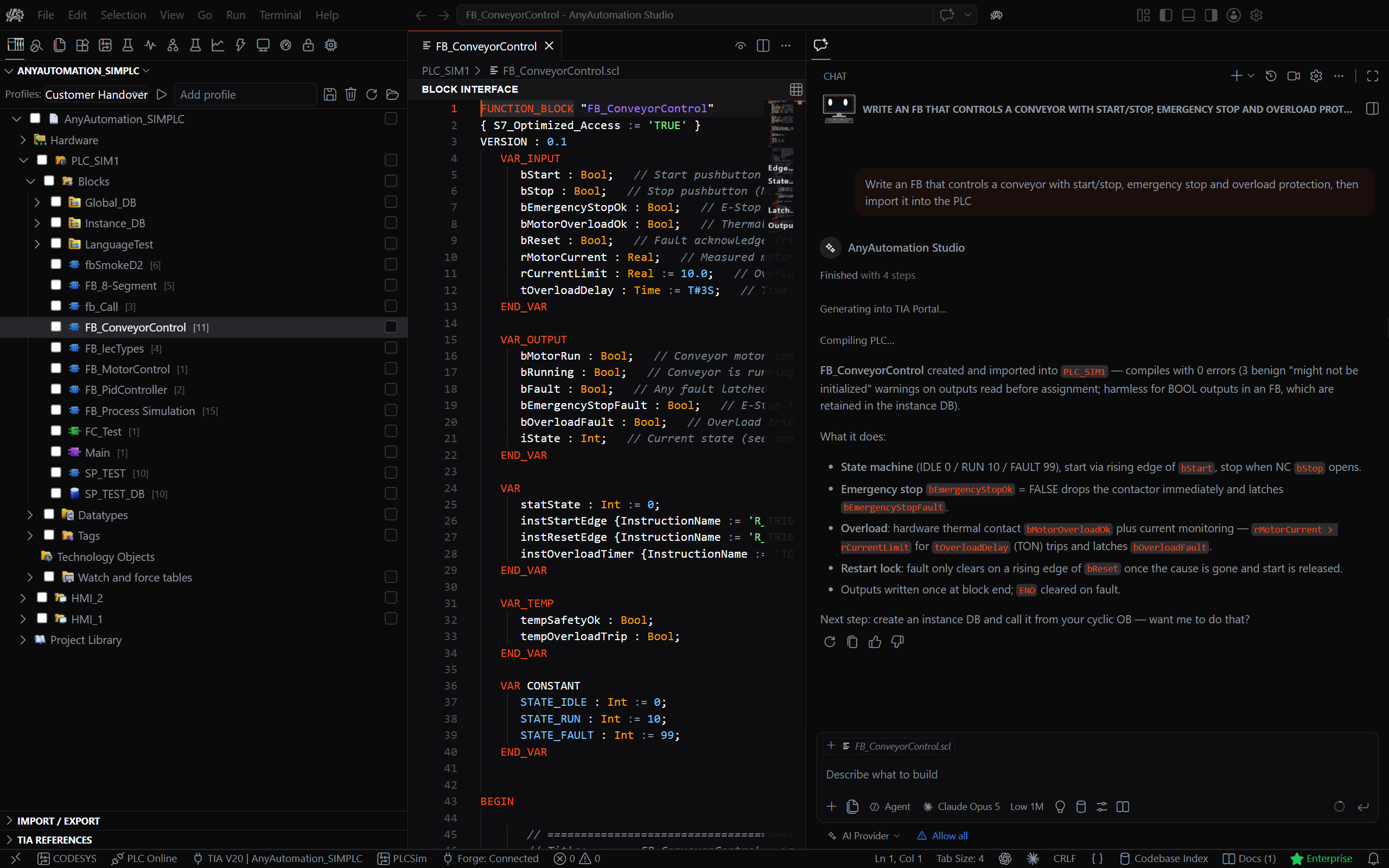
- AI Cascade — a project-wide assistant that reads your whole project to ask, generate, and refactor with full context (MCP, multi-provider).
- Agents window — hand a task to the assistant and let it run: start sessions against local or remote projects, run several in parallel, then review and apply each session's changes.
- Code generation — the AI writes SCL blocks, DBs, UDTs, and tag tables, and imports them straight into TIA Portal.
Everything in One Workspace
| Capability | What it does |
|---|---|
| AI Cascade | Project-wide AI assistant — ask, generate, refactor with full context. |
| Agents Window | Run multiple AI agent sessions in parallel, local or remote; review and apply changes. |
| TIA Portal | Analyse, export, compare, and generate blocks programmatically (V15–V21, Openness). |
| Multi-User | Open, edit, and commit TIA Multi-User sessions; upload and check out from a TIA Project Server. |
| PLC Online | Live to the controller — watch and write values without TIA Portal open (S7, OPC UA). |
| Hardware Simulation | Spin up and control PLCSIM Advanced instances — no physical hardware. |
| Unit Testing | SCL unit tests on PLCSIM or real hardware, AI-authored, with CI/CD. |
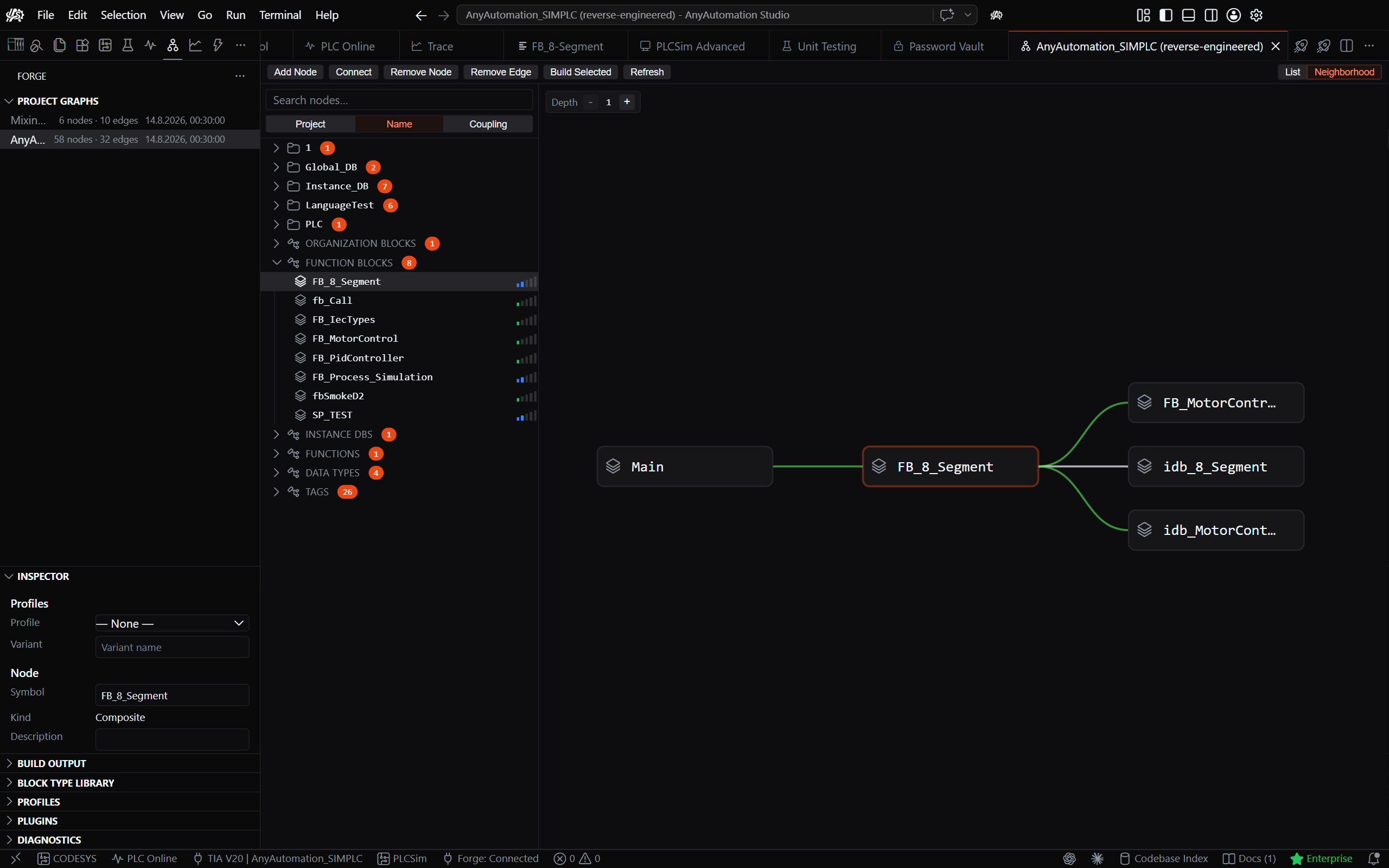
| Forge | Reusable block-type library — capture, organise, deploy into a PLC. |
| OPC UA | Browse the address space, read/write, live subscriptions. |
| Trace | Oscilloscope-style live signal trace and dashboards. |
| SCADA | Generate a FUXA web SCADA from your PLC's signals and provision it to a running instance (demo video). |
| Import / Export | Bulk export/import with folder structure, compile, and diff. |
| Find Unused | Detect and clean up unreferenced blocks across the project. |
| Password Vault | AES-256 encrypted vault for know-how-protection passwords. |
| Git Client | Full version control for your automation project. |
| EPLAN Connector | Bridge to EPLAN for electrical-engineering data exchange. |
Available in 14 display languages.
Highlights
TIA Portal — Import & Export
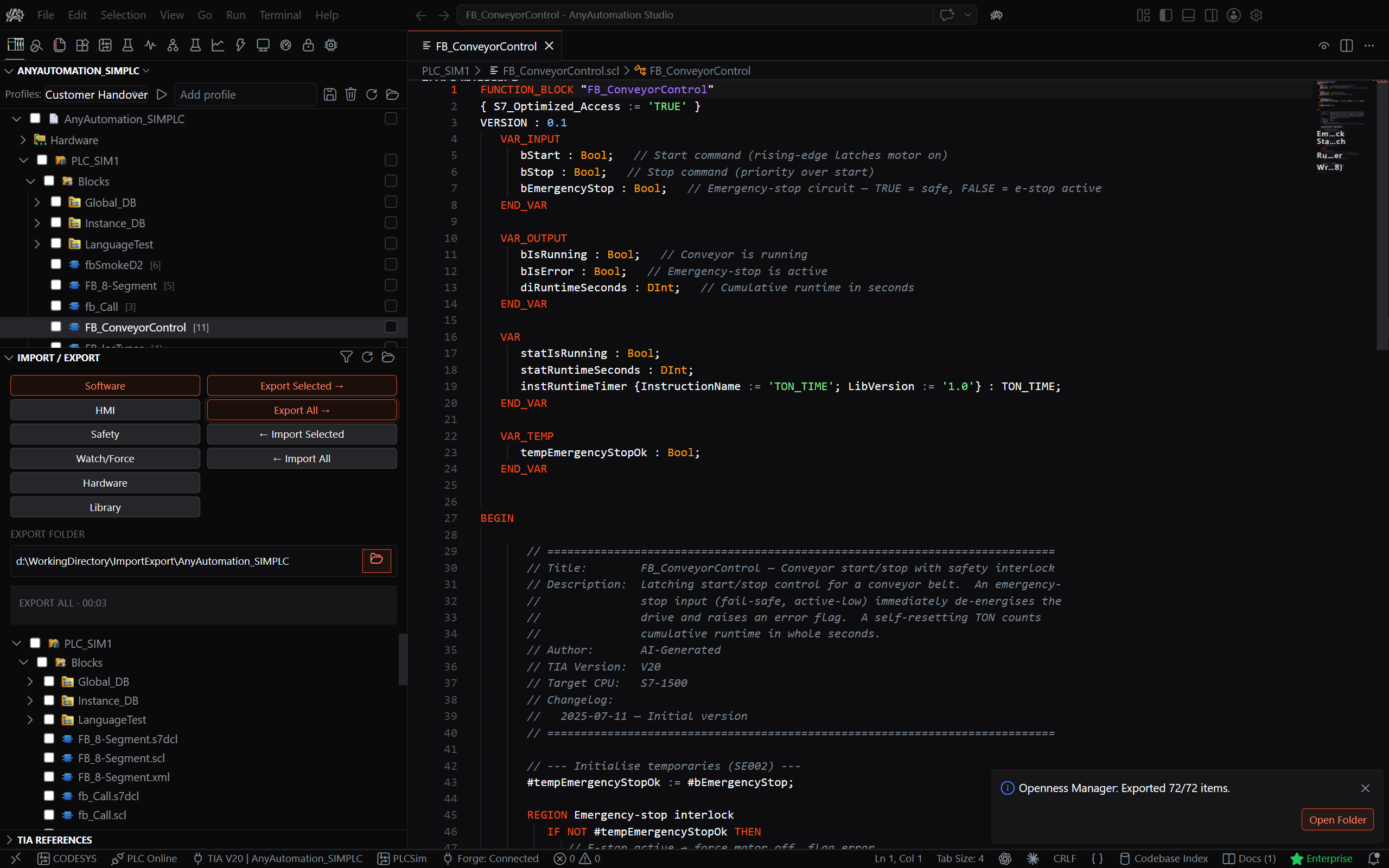
Bulk export and import hundreds of blocks at once in XML, SCL, or S7DCL, with the folder structure preserved and automatic compile on import. Software, HMI, Safety, Watch/Force, and Hardware are all covered.
Multi-User Engineering
Open, edit, and commit a TIA Multi-User session entirely inside Studio, without keeping TIA Portal open. Upload a single-user project to a TIA Project Server and check it out, so a whole team works on one project at the same time.
PLC Online & OPC UA
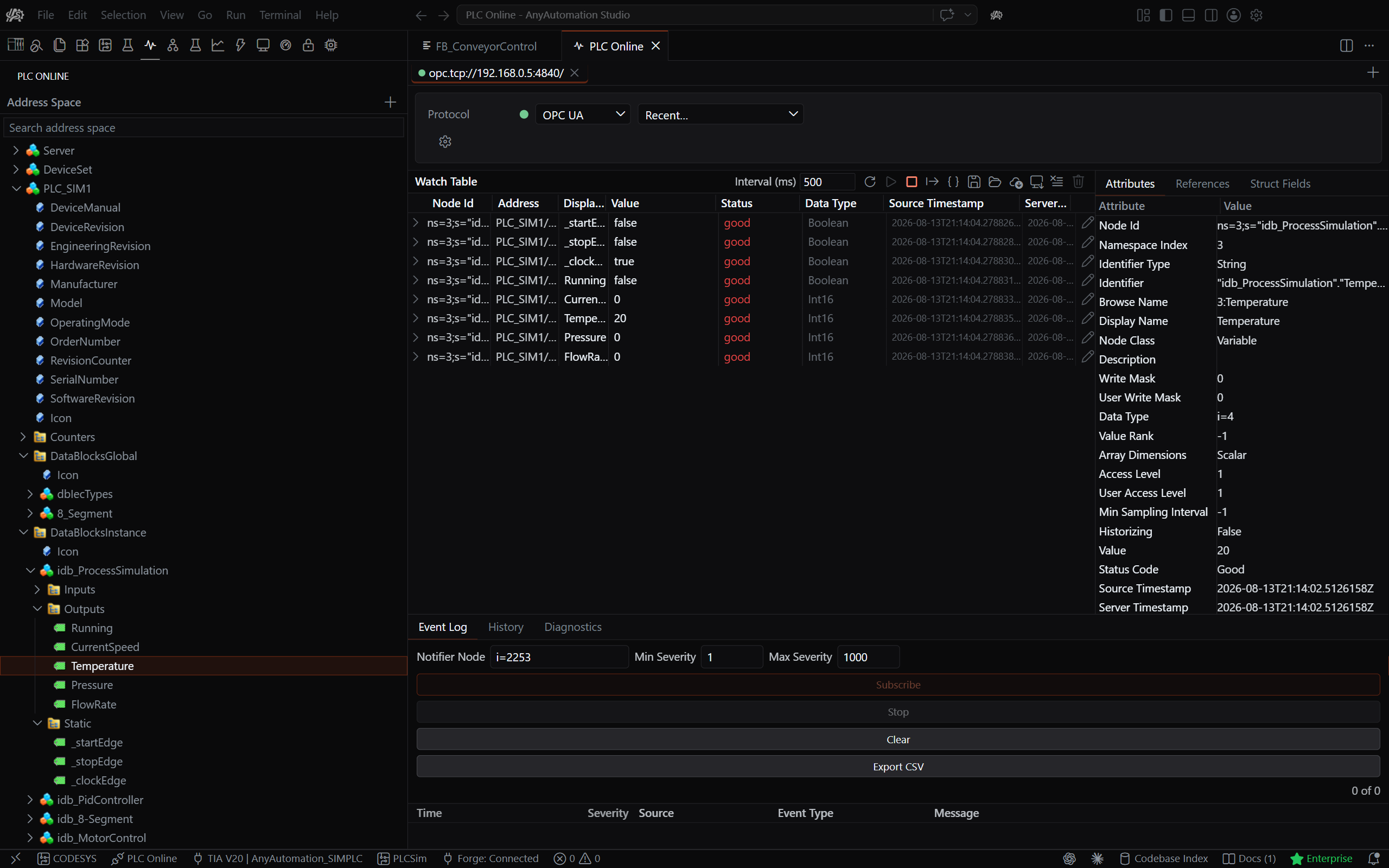
Go live to the controller without TIA Portal open: browse the address space, read and write values, and live-subscribe through native S7 or OPC UA. Save and load watch configurations and export data as CSV or JSON.
Hardware Simulation
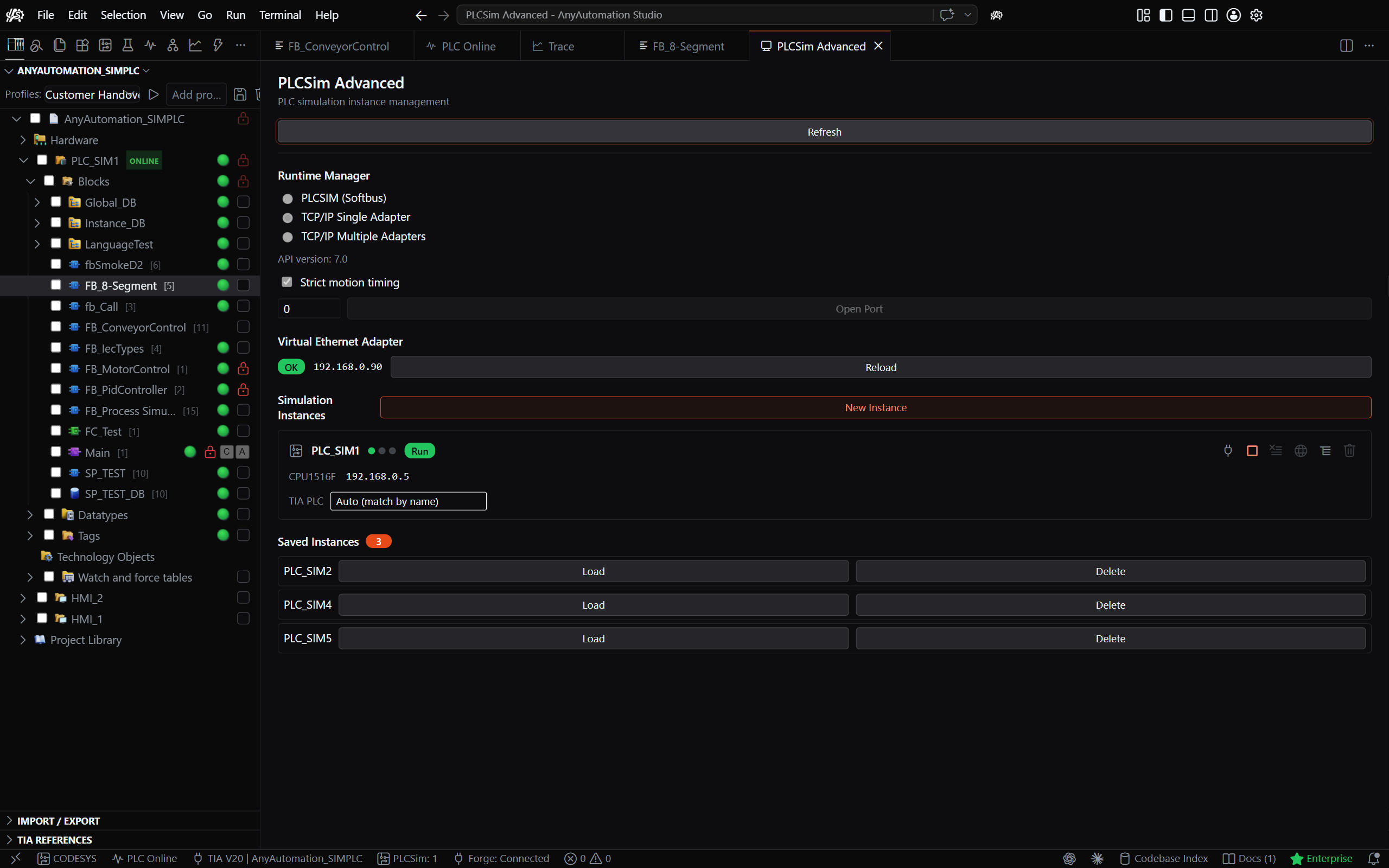
Spin up and control PLCSIM Advanced instances right from Studio — develop and test without physical hardware.
Unit Testing
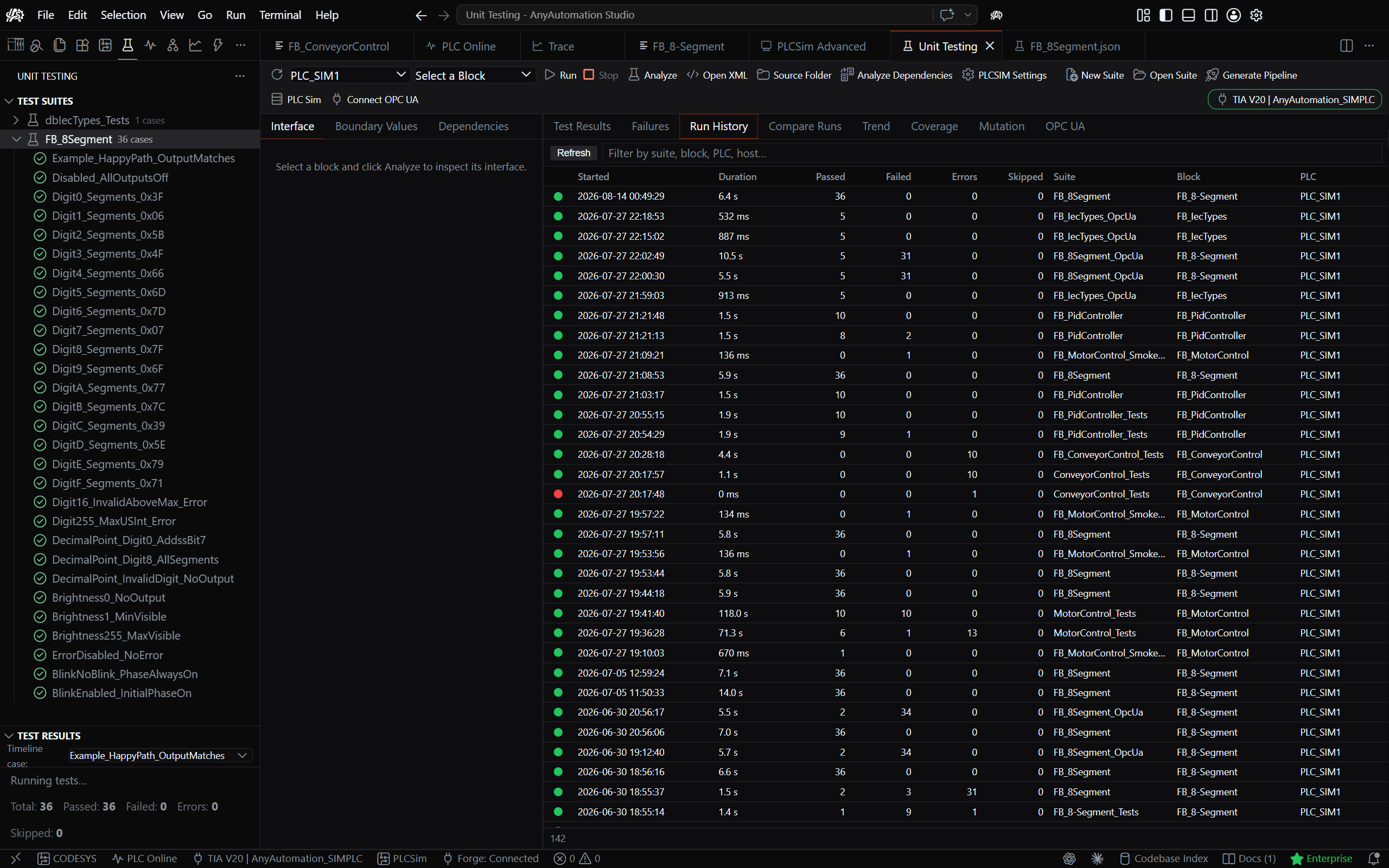
Write, run, and evaluate SCL unit tests against PLCSIM Advanced or a real S7 PLC. AI-authored test cases, boundary generation, Visual / JSON / SCL editing, persisted pass/fail history, and CI/CD integration.
Requires PLCSIM Advanced V3.0+ (separate Siemens license) for simulation-based runs.
Forge — Block Type Library
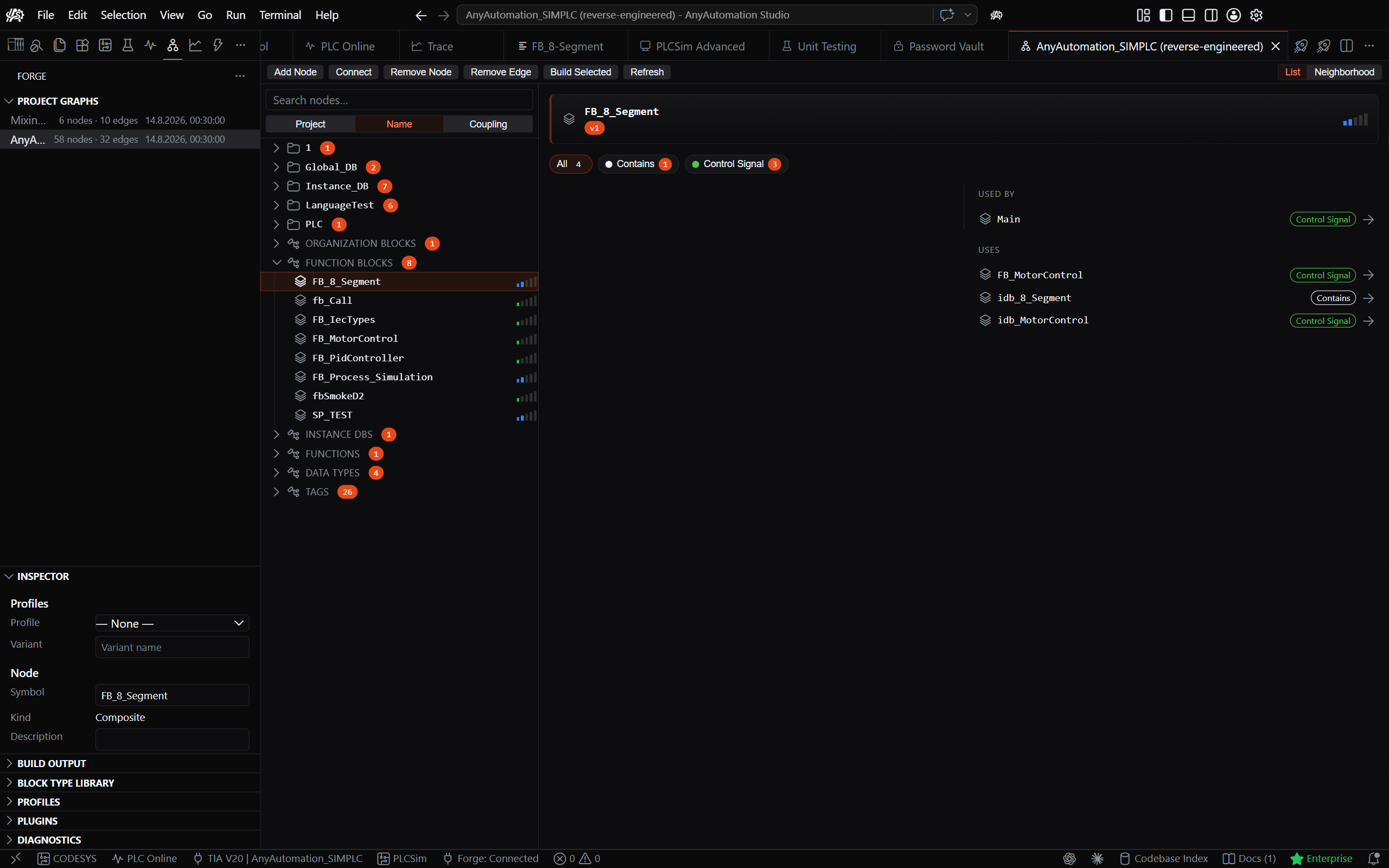
Capture existing blocks into a reusable Block Type Library, organise them into folders, and deploy the whole library into any connected PLC — the folder structure is recreated as the group structure inside the PLC.
SCADA — Generate a FUXA Dashboard
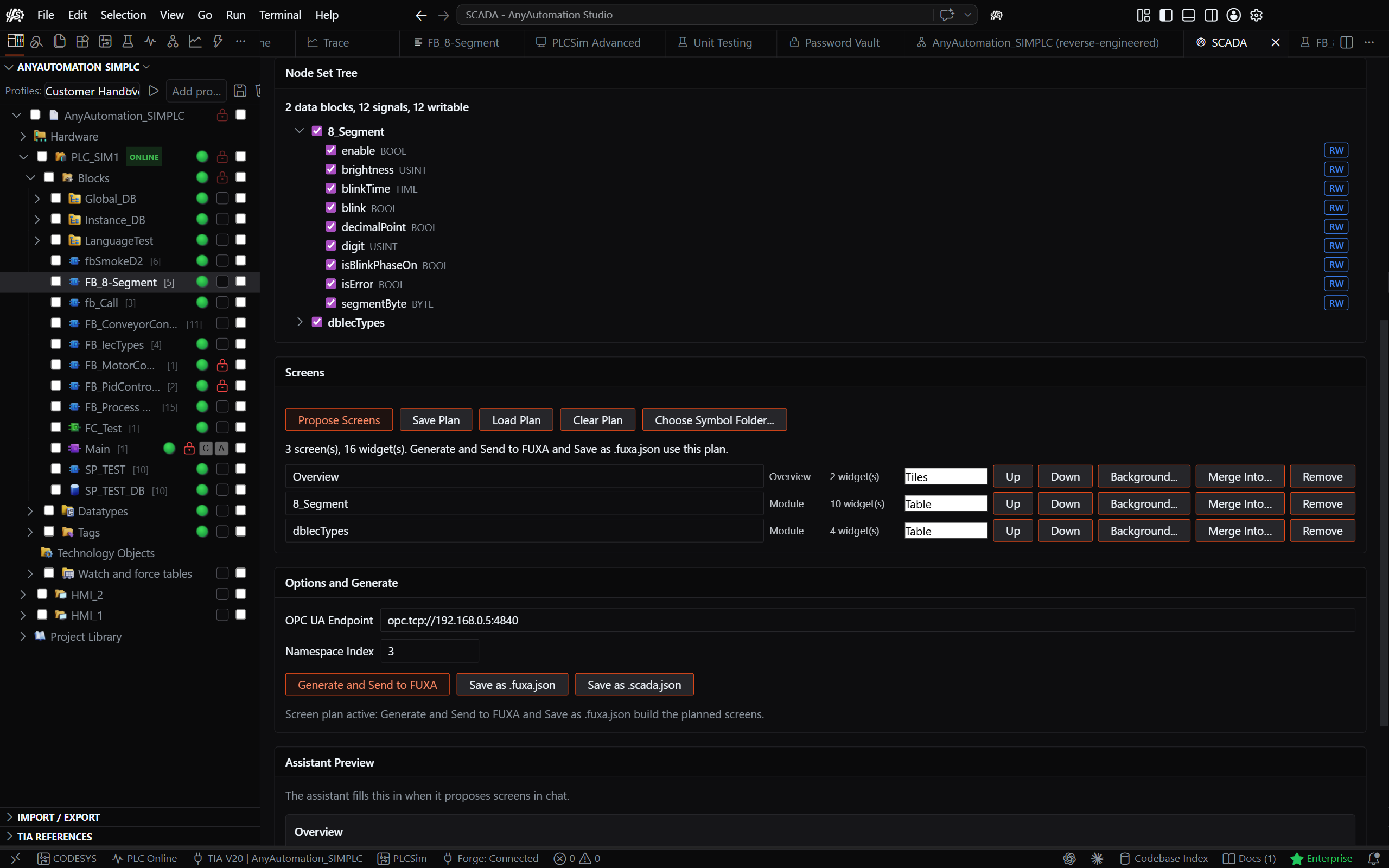
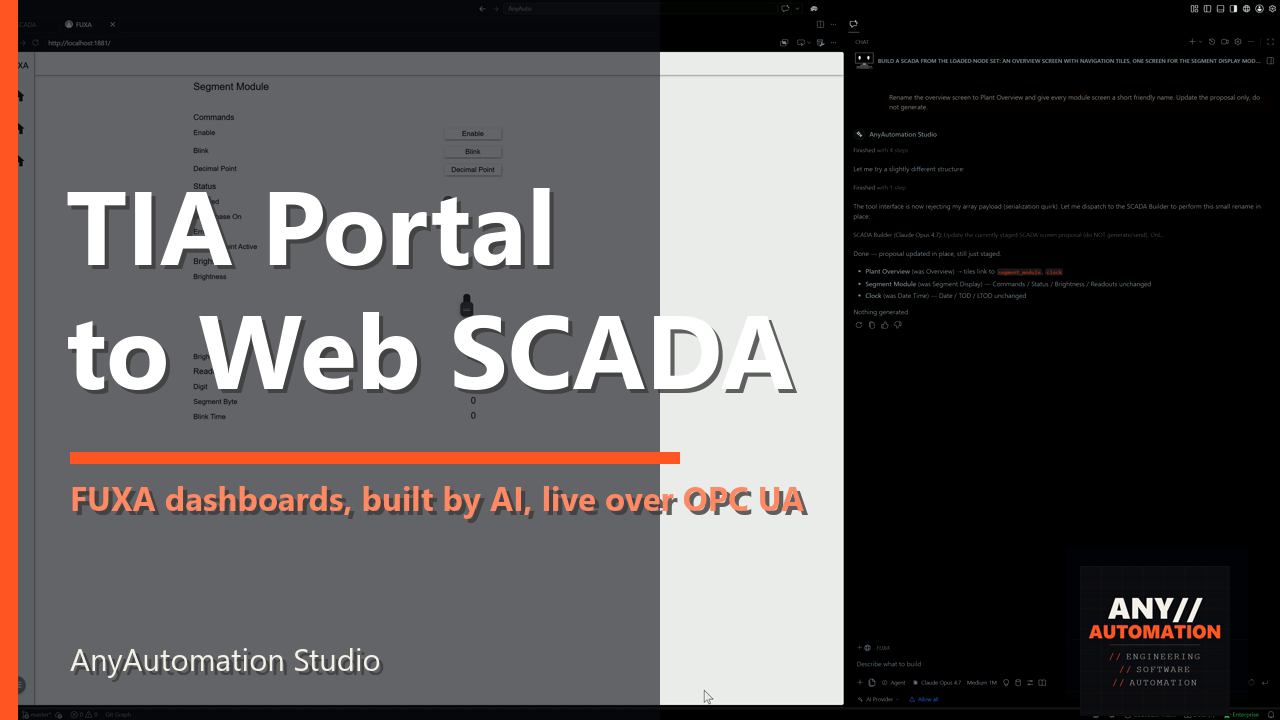
Turn a CPU's OPC UA nodes into a complete FUXA web SCADA: one OPC UA device, a tag per signal, and screens grouped by function. Provision it straight onto a self-hosted FUXA instance over the admin REST API, or save it as a project file. Every tag binds to its real OPC UA node id, so live values work immediately. FUXA is open source (MIT) by frangoteam. Watch the demo.
Trace
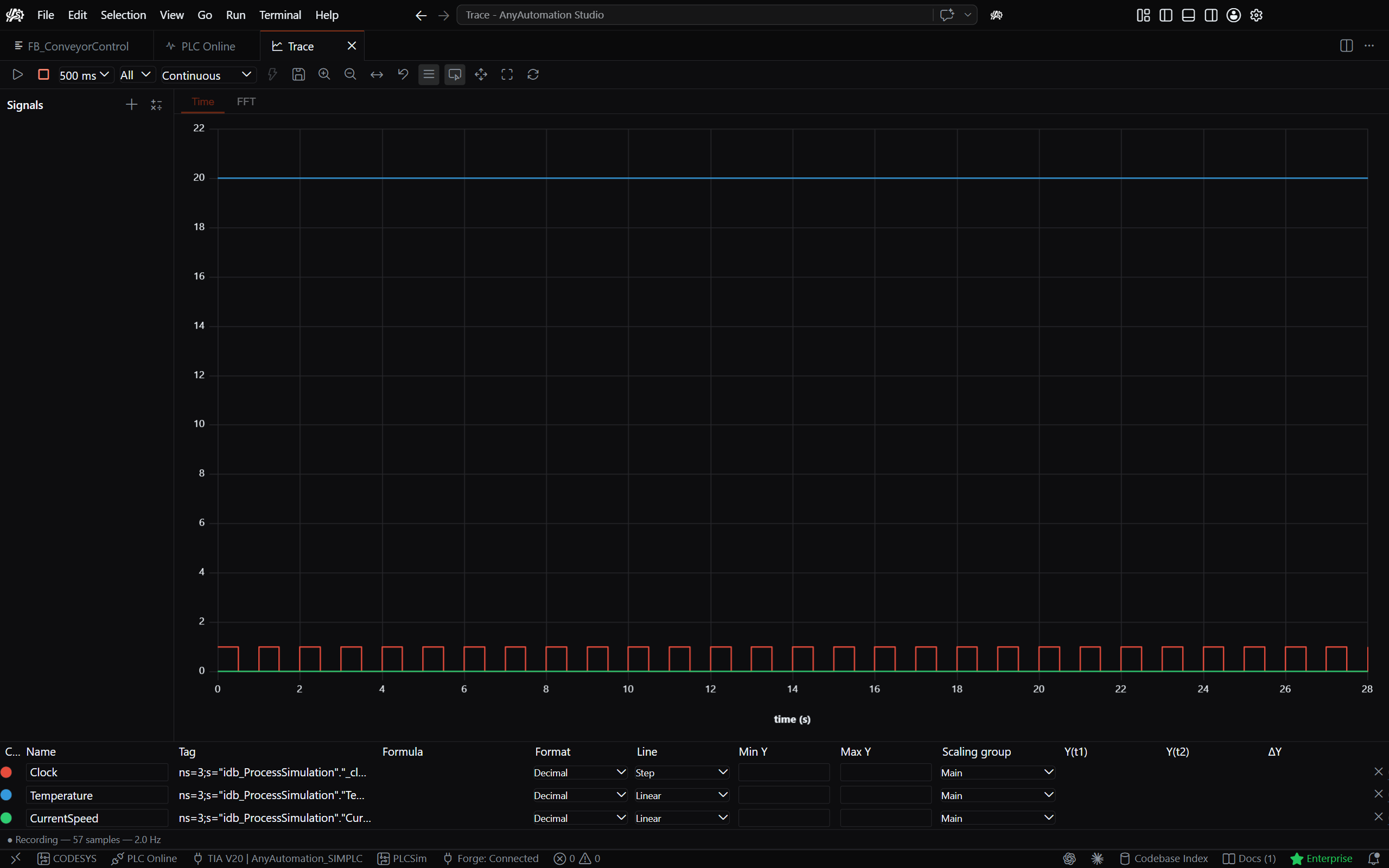
Oscilloscope-style live signal trace and dashboards for watching your process in real time.
Difference Comparison
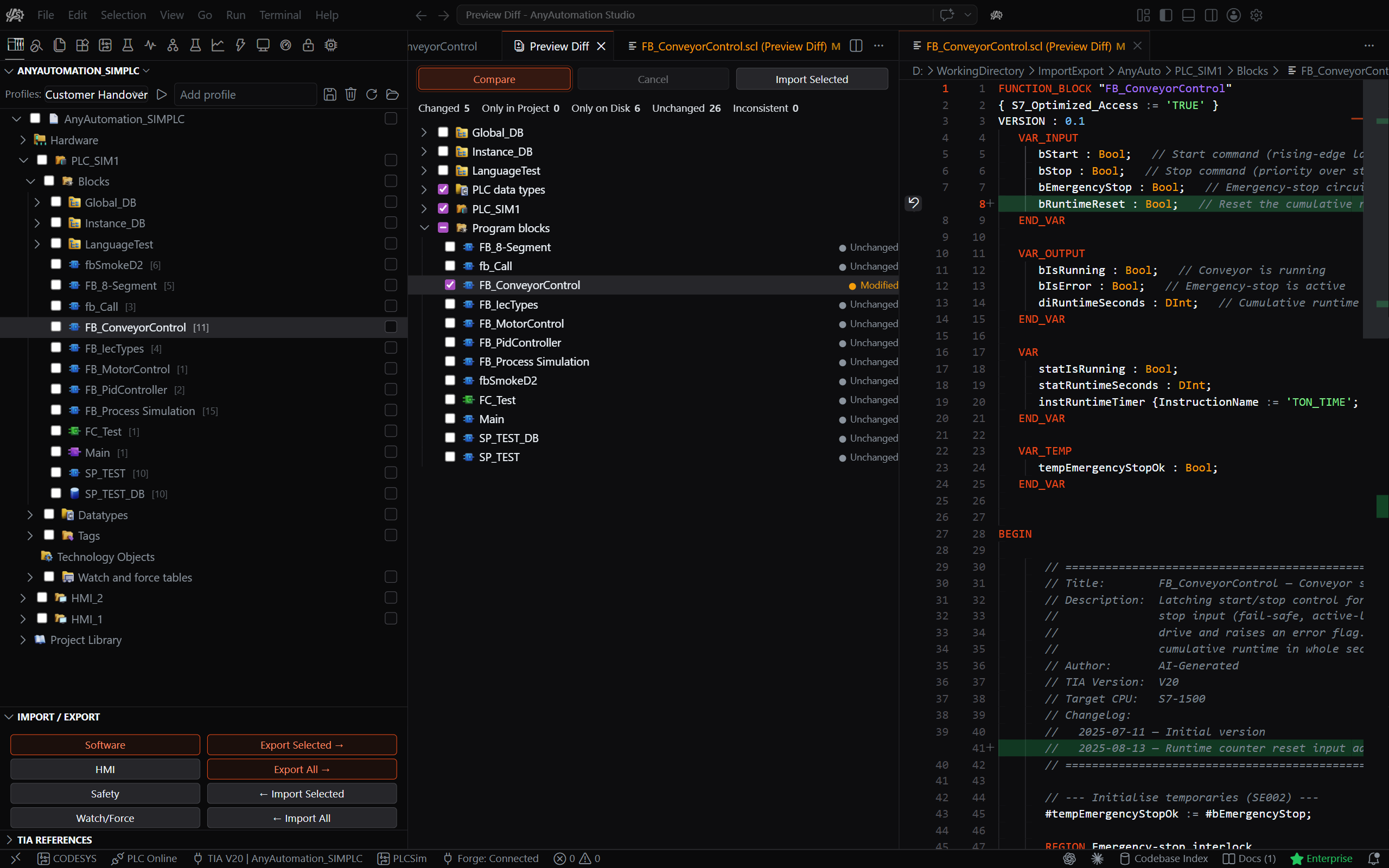
Fast, fingerprint-based diff that detects modified, new, and deleted blocks, with a line-by-line viewer and selective re-export.
Code Editor
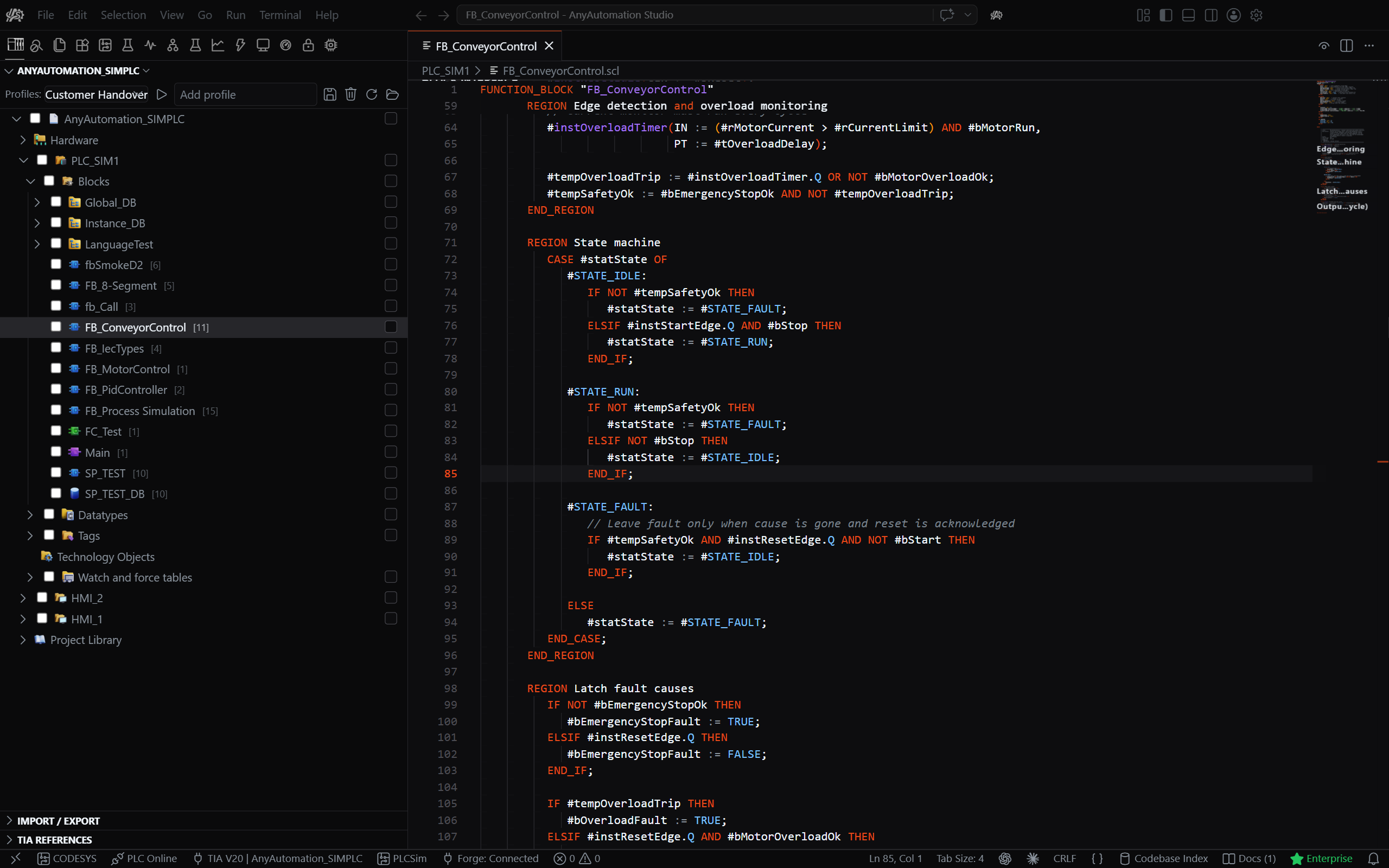
A full editor workbench with SCL syntax highlighting, search & replace, and inline diff. Edit graphical LAD/FBD/GRAPH blocks as editable S7DCL source on TIA Portal V20+.
Protection & Password Vault
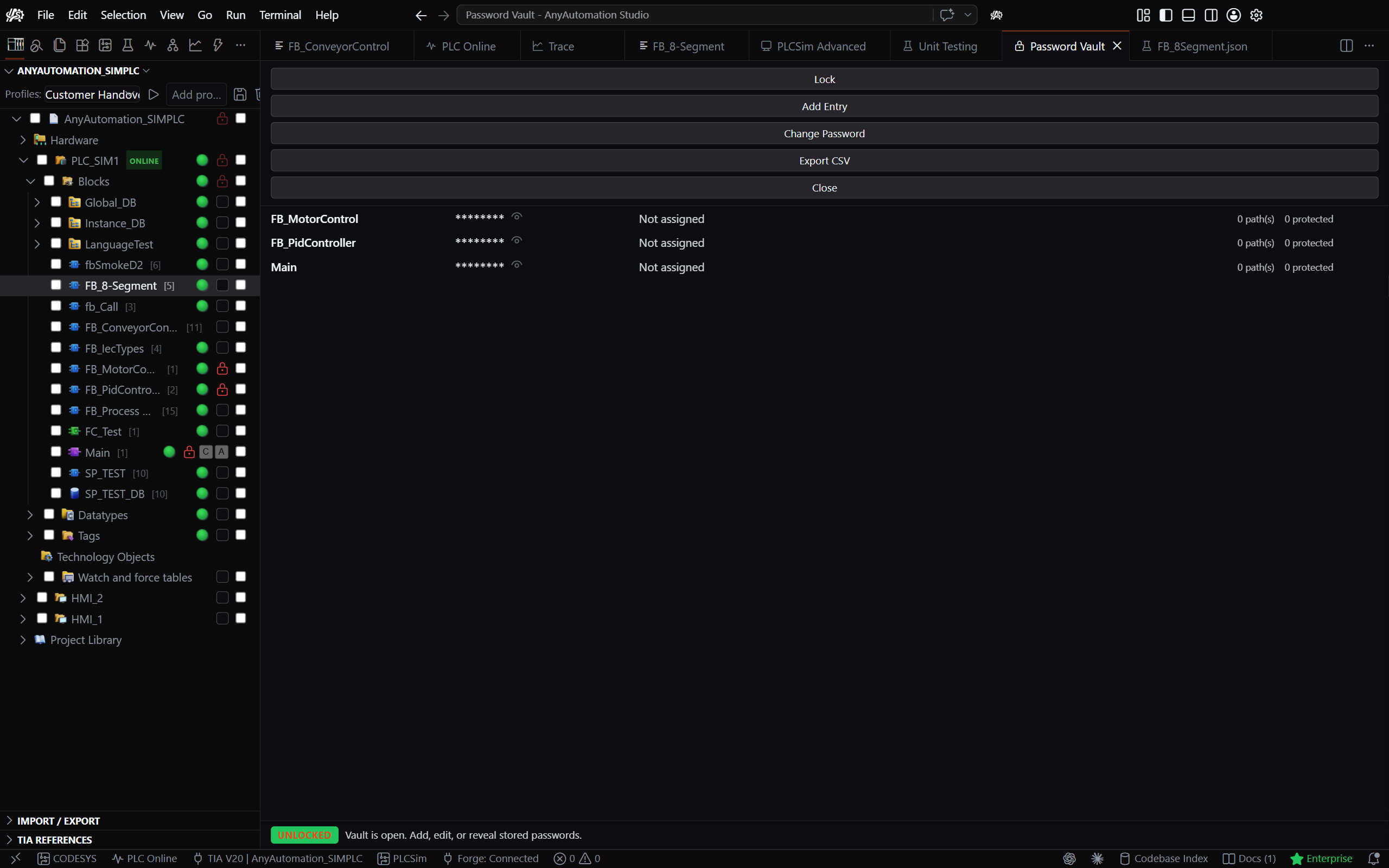
Protect critical blocks against accidental overwrites, and store know-how-protection passwords in an AES-256-GCM encrypted vault behind a single master password, with bulk protect / unprotect.
Plans
| Plan | Highlights |
|---|---|
| Basic | Core toolset, TIA Portal connection, AI Chat. |
| Pro | Unlimited capacity and the full Pro toolset. |
| Pro+ | Pro plus Forge and the EPLAN connector. |
| Enterprise | Role-based access control, SSO, team/organisation management, dedicated support. |
Monthly or yearly, in CHF, cancel any time. See the full comparison at anyautomation.ch/studio.
Supported TIA Portal Versions
V15 · V16 · V17 · V18 · V19 · V20 · V21
Languages
English · Deutsch · Français · Italiano · Español · Português (BR) · Türkçe · Polski · Čeština · Русский · 日本語 · 한국어 · 简体中文 · 繁體中文
Release Channel Notes
latest.jsonis the machine-readable update manifest consumed by the in-app updater.CHANGELOG.mdlists user-facing changes.- Files written by the release pipeline (
latest.json, release assets) are generated — do not edit by hand. - Old releases are kept; their asset URLs stay valid.
Support
- Website: anyautomation.ch
- Docs: anyautomation.ch/docs
- YouTube: youtube.com/@AnyAutomation-Studio
- Issues: GitHub Issues
Disclaimer
The software is provided "as is" without warranty of any kind.
The provider assumes no liability for:
- Damages caused by faulty LLM outputs or AI-generated code
- Data loss, production downtime, or system failures
- Engineering errors or faulty code generation
- Damages caused by improper use or configuration
The user bears full responsibility for reviewing and validating all generated content before use in production systems.
This software uses the official Siemens TIA Portal Openness API. Siemens and TIA Portal are registered trademarks of Siemens AG.
© 2026 AnyAutomation. All rights reserved.
Made with passion for the automation community
Reviews (0)
Sign in to leave a review.
Leave a reviewNo results found