rpg-engine
Health Warn
- License — License: MIT
- Description — Repository has a description
- Active repo — Last push 0 days ago
- Low visibility — Only 5 GitHub stars
Code Warn
- fs module — File system access in package.json
Permissions Pass
- Permissions — No dangerous permissions requested
No AI report is available for this listing yet.
Play a tabletop role-playing game with an AI as your game master. RPG Engine keeps the world, rolls the dice and keeps the accounts, for any AI agent that speaks MCP.

RPG Engine
Play a tabletop role-playing game with an AI as your game master.
A world that resists
A game needs a world that resists: a locked door stays locked even when the story would like it open, the arrows run out, a dead innkeeper stays dead. Without that there is nothing to win and nothing to lose, only a story that bends to whoever tells it.
An AI is a wonderful storyteller, but a storyteller tends to make the world fit the story. RPG Engine gives the master determinism: dice that are rolled, not narrated; mechanics that work the same way every time; things that stay where they were left, even when no one is looking. A world with its own rules and its own memory, independent of the master and of us. The AI tells the story and plays everyone else; RPG Engine keeps the world, rolls the dice and keeps the accounts.
What you can do
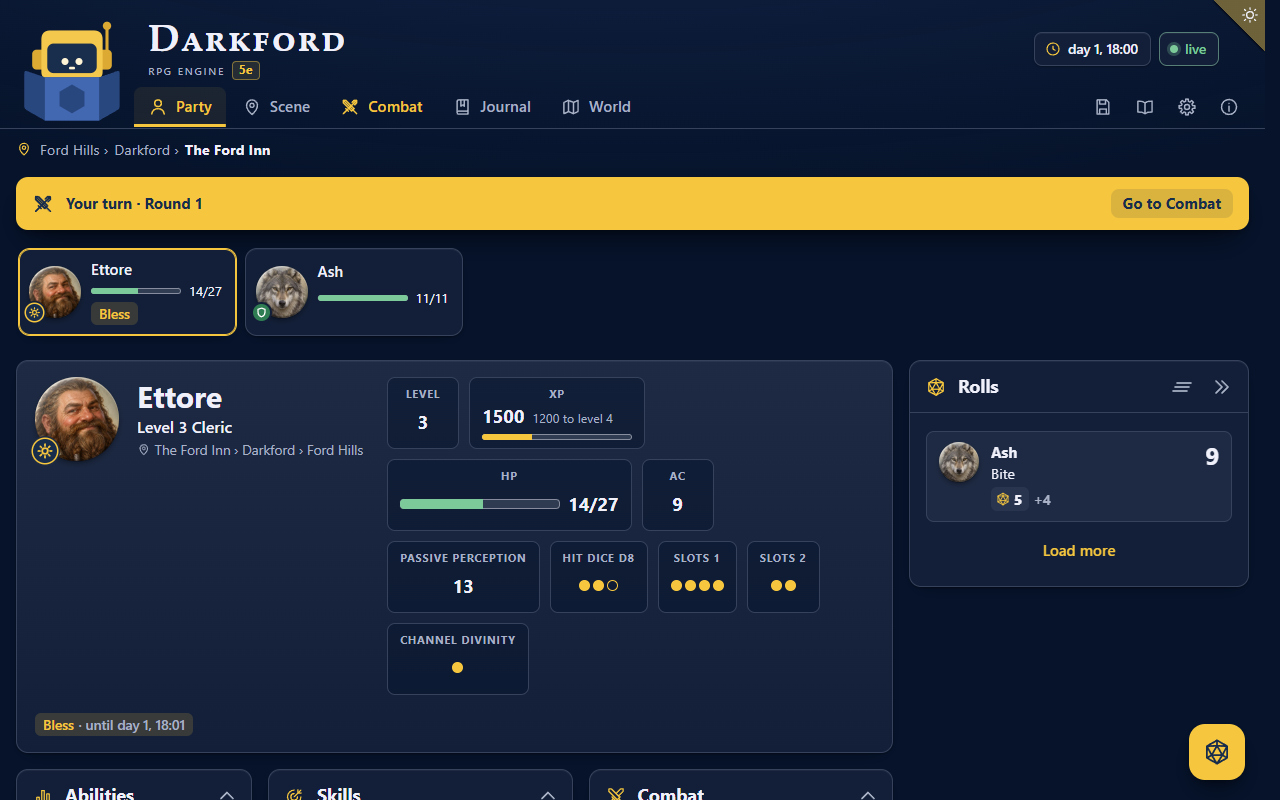
- Play in a chat with the master, with the dashboard open beside it: your sheet, the dice, the maps, the journal.
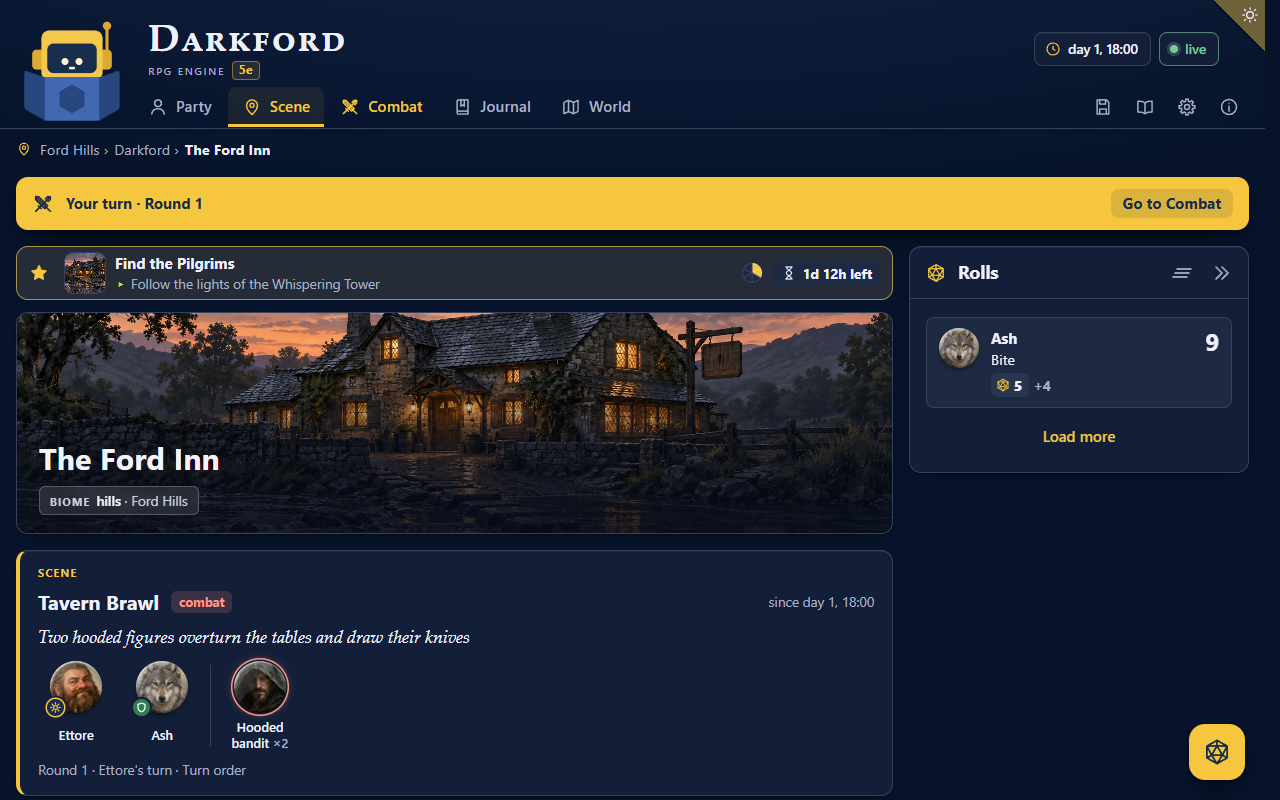
- Let the master create the world as you play, from a premise; prepare an adventure before you start, on what you agree together; or bring your own adventures, notes and house rules, which the master sets up, secrets and all.
- Travel with companions that the master plays as characters of their own, each with what they know and how they feel.
- Roll real dice, on the page or your own at the table: the master cannot bend them.
- Keep secrets secret: the master never reveals what your character has not discovered.
- Live in a world that moves: time passes, and threats advance while you rest or travel.
- Fight and explore in scenes with turns, on maps of places and of the world, travelling by road or across country.
- Follow quests with goals and deadlines, and a journal that tells your story in chapters.
- Save, as in a video game: at the end of every scene, to go back or start over as you choose.
- Choose how you play: difficulty, lethality, how much the master teaches the rules, its style, your lines and veils.
- Play in your language: the dashboard speaks 26, and any other is translated for you.
- See where you are: pictures of the places you reach, the quests you take and the people you meet. Painted ones, as the inn above, come from Codex signed in with your ChatGPT account, even when your master is Claude Code; Antigravity paints its own. Install Codex with
npm install -g @openai/codexand sign in once withcodex login. With Claude Code alone, Claude draws simpler vector ones; in OpenCode, and in Antigravity when its tool fails, the master draws them itself, the same way.
The game
A game comes as a game system, a package the master installs when you set up a campaign; without one, you play free, a story without numbers. Today ours is fifth edition, from the free System Reference Document 5.1: races, classes, the 319 spells, items, monsters, and the rules chapters, which the master reads by their exact text. Your sheet works itself out, as a digital character sheet does. A class the SRD lacks, a monster from a manual you own: the master writes them into your campaign, and RPG Engine treats them as its own.
Coming later
- Play as the master, with the AI playing the party.
- An authoring mode: write an adventure with the AI, then export it and share it.
- Several players on the same computer, each with their own character, taking turns in the same chat.
- Extensions: settings, adventures, features such as the weather, house rules to share.
- Other game systems, and your own.
What you need
Node.js 24 or newer, a web browser, and an AI agent to be the master: an AI app that can work with the files on your computer, such as Claude Code, Codex, Antigravity or OpenCode. A plain chat such as claude.ai or ChatGPT, or a phone app, is not enough: the master needs to reach the campaign's files on your computer.
RPG Engine is tied to no AI company: any agent that supports MCP tools can be the master, local ones included. We play and test it with Claude Code; Codex, Antigravity and OpenCode are connected and checked, from the terminal and from their desktop apps, but no whole campaign has been played with them yet; the guide says how to connect any other agent. Give the master the largest model you have: a small one is easier to talk into revealing secrets or bending the rules.
RPG Engine is free: the master runs on your agent's own plan (for Claude Code, a paid Claude plan; for Codex, a ChatGPT account; for Antigravity, a Google account; for OpenCode, the model you choose in it), or on your computer with a local model. RPG Engine itself never asks for an API key nor keeps one: where your agent lets you choose, sign it in with your account rather than with a key, which is paid by the call. You do not need to know how to program, and once your agent is installed, you are playing in a few minutes.
Quick start
Open a terminal in the folder where you keep your games, and type:
npm install -g rpg-engine
rpg init "The Salt Isles"
cd "The Salt Isles"
claude
If Windows answers that running scripts is disabled, write once Set-ExecutionPolicy -Scope CurrentUser RemoteSigned, answer yes and try again.
With Codex write codex, with Antigravity agy, with OpenCode opencode; with another agent, start it in that folder (the guide says how to connect it). Each of the four has a desktop app too: open the campaign folder in it. When it asks whether you trust the folder, say yes; careful, in Claude Code the answer already selected is No, exit. If you install an agent after you made the campaign, write rpg init in the campaign folder once, and open a new chat.
Then write Hi! Let's start. The master answers with the link to your dashboard: open it beside the chat. It asks how you want to play, a few questions at a time, then you make your character together, and the story begins.
The complete guide (in Italian) explains every step, and then how to play; the dashboard shows it in its Help.
Try it, and tell us
RPG Engine is at its first versions, and it grows with the games played on it. Try it, and when something breaks or confuses you, open an issue on GitHub: what you did, what you expected, what happened. Every report helps. Questions, ideas and the stories of your games go to the Discussions.
RPG Engine takes no pull requests: we write its code with our AI, from your reports. To add something to the game, make a package of your own, a game system or an extension, in a repository of yours.
How it works
RPG Engine is an MCP server and a command line, rpg, made from the same commands. rpg init writes into the campaign folder the few files that tell your AI app where RPG Engine is, and that keep the app's own memory off: the campaign lives in its files, and only there, so that going back to a save really goes back.
A campaign is a folder of markdown pages with [[links]], the format of Obsidian, with its settings, its state, a log of every change and its saves. It holds the secrets of your story: you never need to open it.
RPG Engine stays in that folder: it reads and writes the game only there, and never touches your other files. Outside it, it keeps only a data folder of its own (the dashboard's translations, and Codex or Claude Code if you let it install them) and temporary folders while a picture is drawn. The master plays through RPG Engine's tools; anything else your agent wants to do on your computer, it asks you first. A game system or an extension is code, as any npm package is: one that is not ours runs on your computer with your permissions, and RPG Engine installs it only with your yes, in a form of your agent or a window of your computer. Say yes only to packages whose authors you trust.
For developers: the architecture, the commands, game systems, extensions and the guide for development agents.
License
The code is under the MIT license.
The 5e system is a package of its own, 5e (@rpgengine/system-5e), installed only for a campaign that plays it: its material from the System Reference Document 5.1 by Wizards of the Coast LLC is under the Creative Commons Attribution 4.0 International License, its icons from game-icons.net under CC BY 3.0, its code under MIT, as its license says with the full attribution. It is compatible with fifth edition.
Our extensions are packages of their own, installed only when a campaign wants them: weather (@rpgengine/weather), Weather by the climate score, and lockpicking (@rpgengine/lockpicking), Lockpicking by complexity, both by Stefano Caronia under CC BY 4.0, with their code under MIT; each repo has its license.
rpg-engine and our packages ship only original or open-licensed content: for fifth edition, the SRD 5.1 under CC BY 4.0. Anything else that appears in your game is written by your AI or by you, as pages of your campaign on your computer: it is not part of rpg-engine, and we do not distribute it.
Some of the core's tests borrow the names of Ironsworn's mechanics, such as momentum and vows; Ironsworn is by Shawn Tomkin (https://www.ironswornrpg.com).
Development notes
Developed with the help of AI coding agents. Everything is designed, reviewed and tested by the project's human maintainer.
We encourage everyone to use AI for their own purposes.
The means of production should belong to the people.
Fight corporate control of technology, not our right to use it.
© 2026 Stefano Caronia · GitHub · npm · ♥ Support RPG Engine
Reviews (0)
Sign in to leave a review.
Leave a reviewNo results found