claude-notch-tracker
Health Pass
- License — License: NOASSERTION
- Description — Repository has a description
- Active repo — Last push 0 days ago
- Community trust — 35 GitHub stars
Code Fail
- child_process — Shell command execution capability in scripts/film/render.cjs
- fs.rmSync — Destructive file system operation in scripts/film/render.cjs
- process.env — Environment variable access in scripts/film/render.cjs
- fs module — File system access in scripts/film/render.cjs
- rm -rf — Recursive force deletion command in scripts/make-app.sh
Permissions Pass
- Permissions — No dangerous permissions requested
No AI report is available for this listing yet.
Live Claude, Codex, Antigravity, DeepSeek and opencode-go usage limits in your Mac's notch.
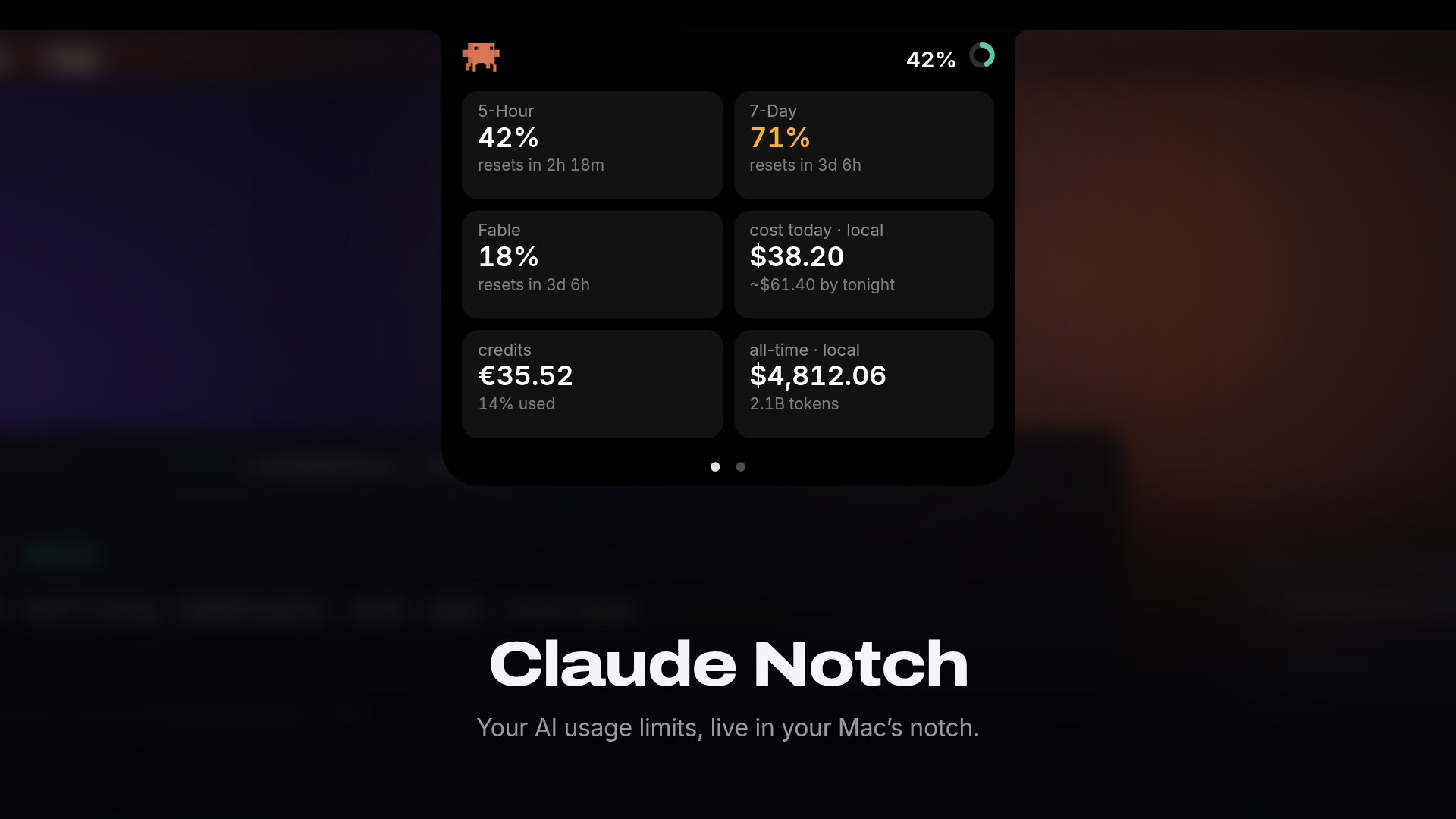
Live Claude, Codex, Antigravity, DeepSeek and opencode-go usage in your Mac's notch:
limits, resets, tokens and cost, one click away.







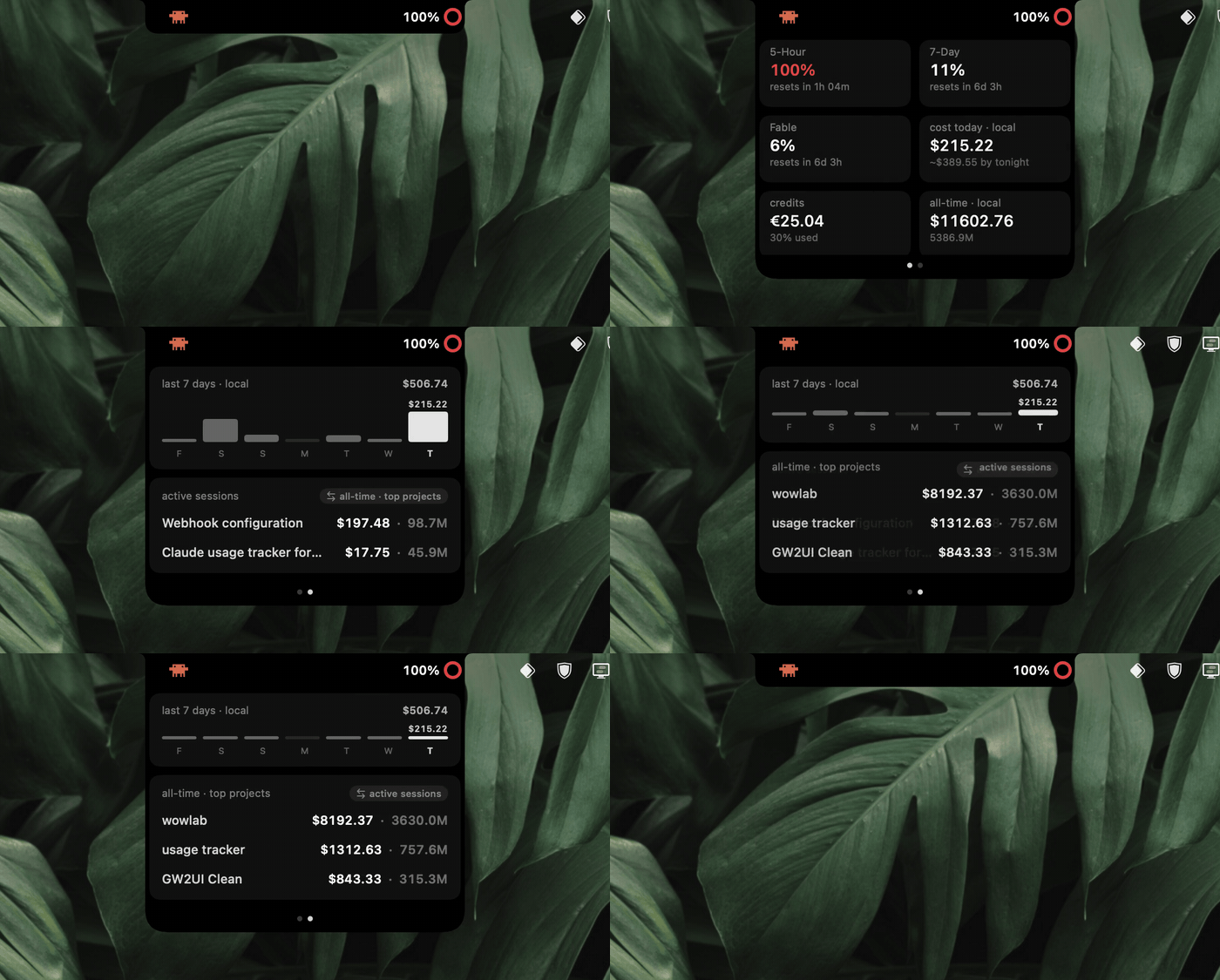
Collapsed, it's just Clawd (the crab) and your session % beside the camera. Click it and the
island glides open into a two-page card you can swipe through: your real limits up front, your
spend and sessions behind. Click away and it glides shut. No Dock icon, no menu-bar clutter.
Install
- Download
Claude Notch.zipfrom the latest release, unzip it and dragClaude Notch.appto Applications. - Open it. It's signed and notarized, so there's no security warning. When the Keychain prompt appears, choose Always Allow so it can read your local Claude session.
- Keep it around. Right-click the island and choose Launch at Login.
You need macOS 14 or later (Apple Silicon or Intel) and at least one of: a signed-in Claude session,
an authenticated Codex installation, an Antigravity CLI (agy) login, a DeepSeek API key, or an
opencode-go account.
git clone https://github.com/stevemcqueenz/claude-notch-tracker
cd claude-notch-tracker
swift run ClaudeNotch        # dev run
bash scripts/make-app.sh     # builds dist/Claude Notch.app + a shareable zip
Requires a full Xcode toolchain (the SwiftUI macros need it). Runexport DEVELOPER_DIR=/Applications/Xcode.app/Contents/Developer if swift points at the
Command Line Tools.
Every page of the island
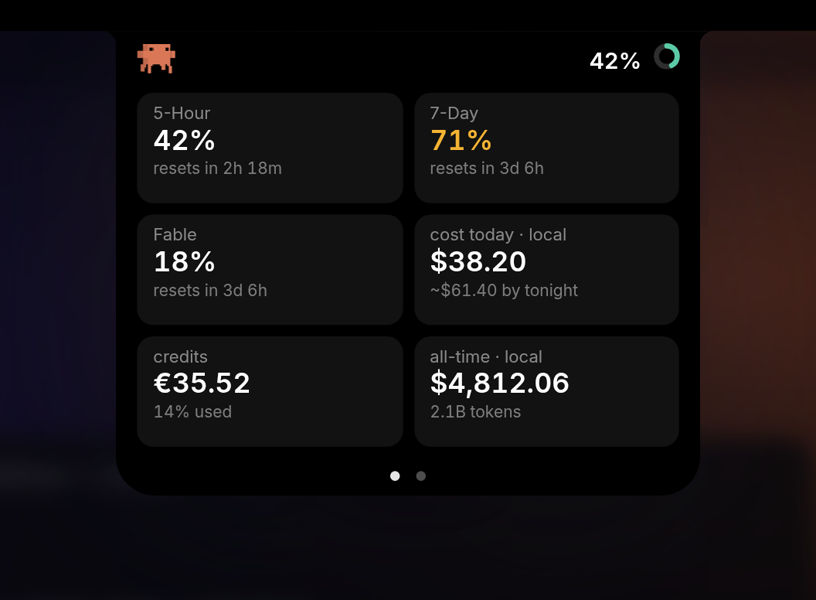 |
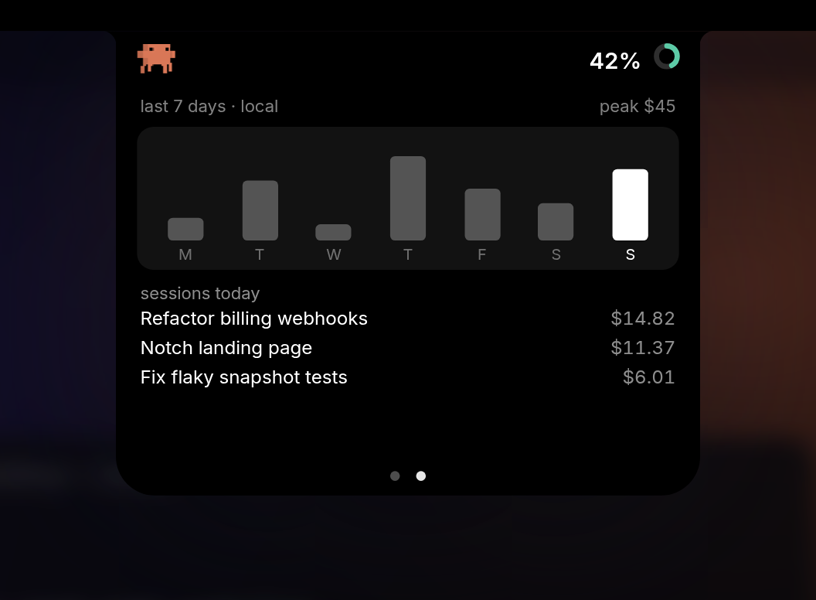 |
| Claude limits. 5-hour, 7-day and Fable weekly bars, plus today's cost. | Week and sessions. 7 days of spend, then today's conversations by name. |
 |
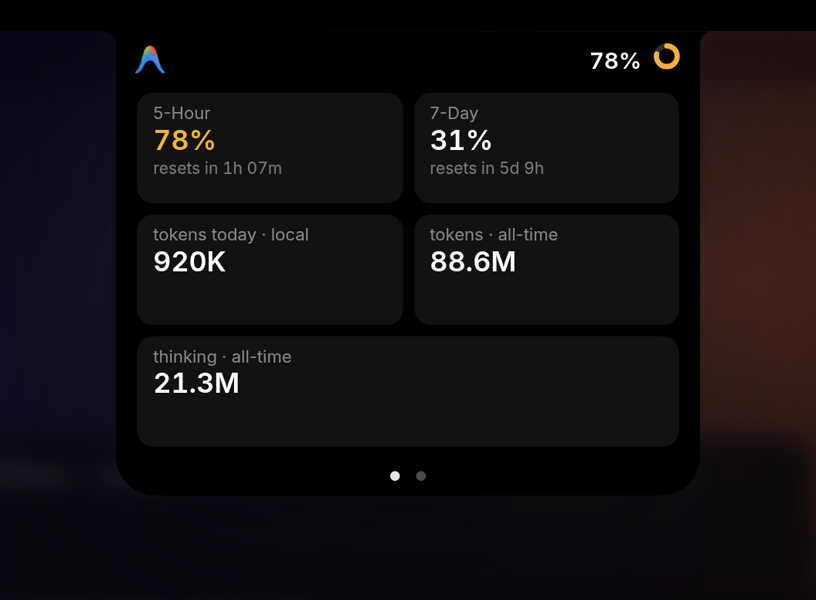 |
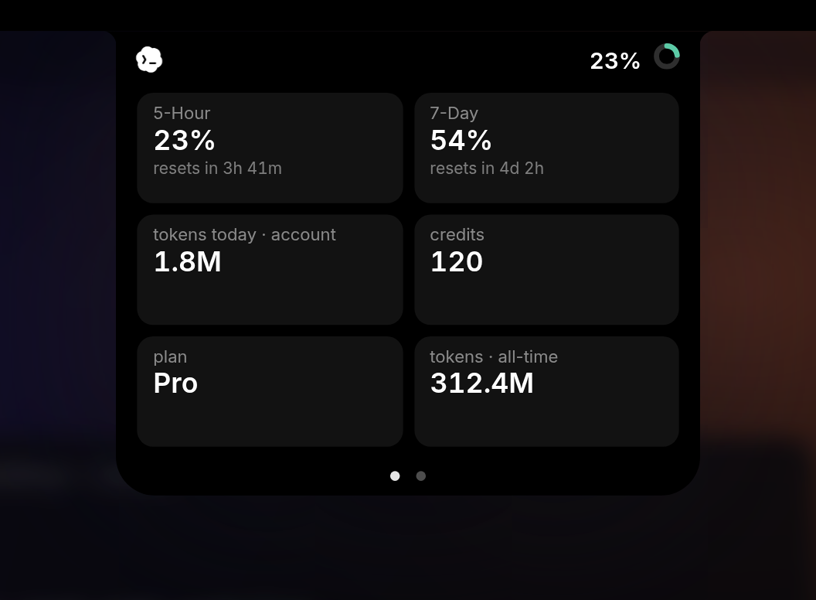
| Codex. Rate-limit windows, account tokens, credits and plan. | Antigravity. Quota windows, plus today's and all-time tokens. |
 |
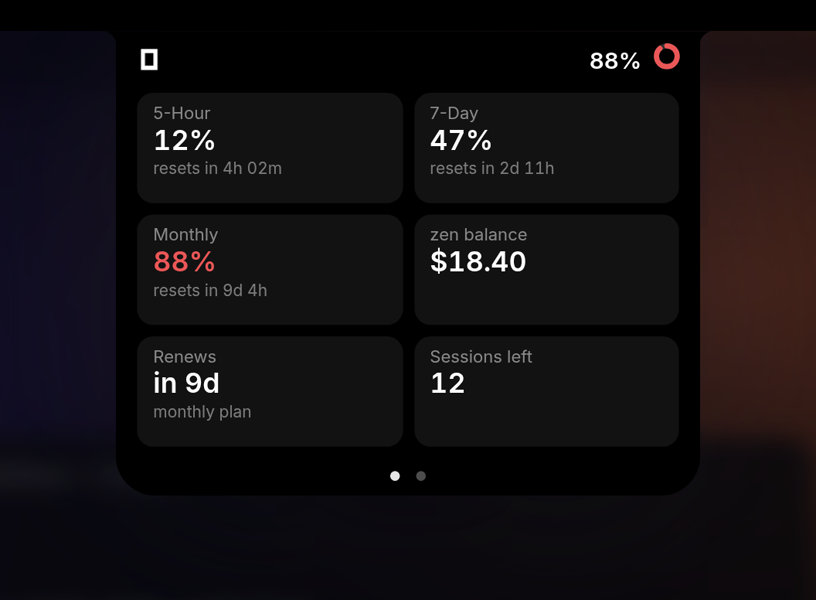 |
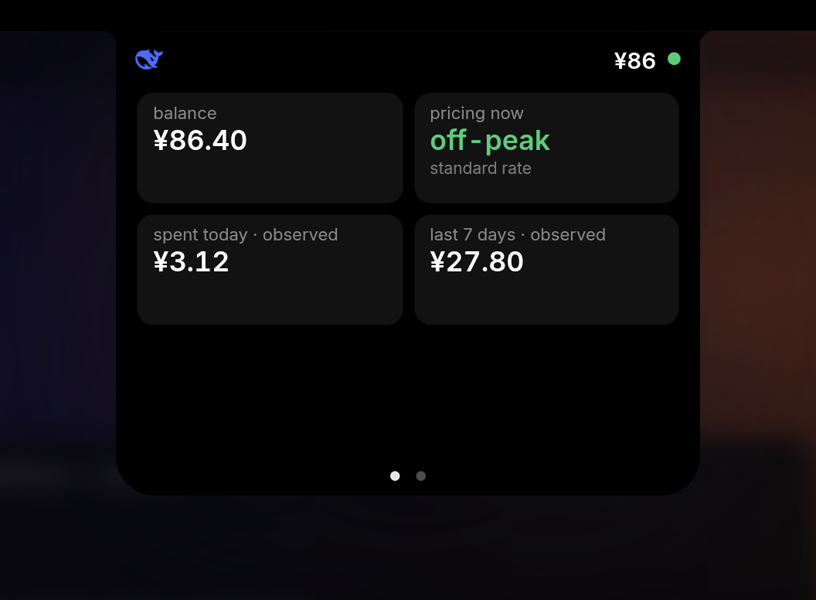
| DeepSeek. Balance, and whether you're paying peak or off-peak rates right now. | opencode-go. 5-hour, weekly and monthly meters, Zen balance and renewal. |
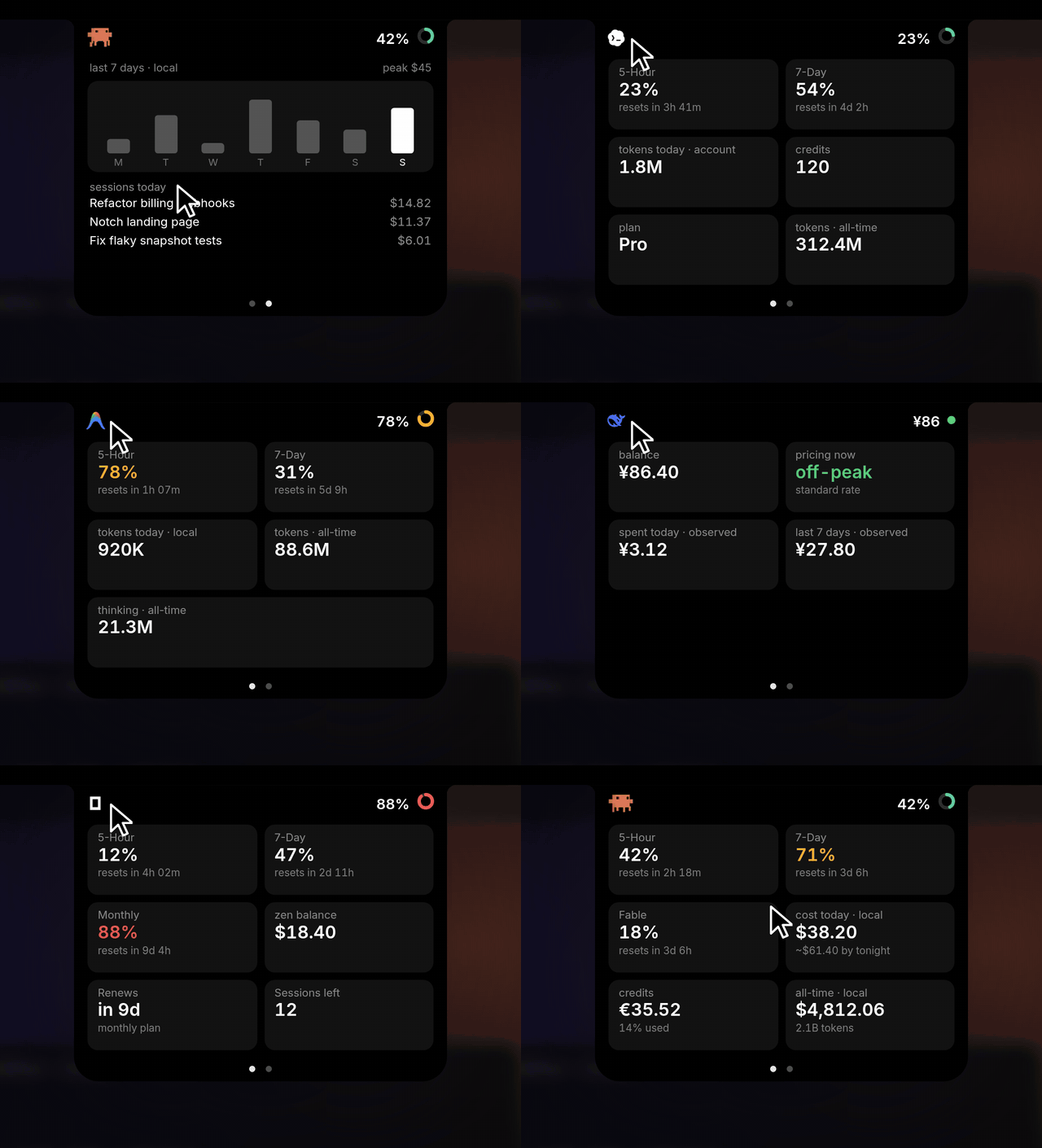
One click on the left icon cycles through your providers, even while the island is open.
Providers
Only providers installed on your Mac appear. Click the left icon to cycle through them, or let the
island rotate on its own every 10 s, 30 s or minute (it holds still while the card is open).
| Provider | What you see | Where it comes from | |
|---|---|---|---|
 |
Claude | 5-hour, 7-day and Fable weekly limits, credits, today's cost with a projection for tonight, named sessions, all-time projects | Claude Desktop, a browser signed in to claude.ai, or the Claude Code CLI login. Cost and tokens from your local ~/.claude logs |
 |
Codex | Rate-limit windows, token totals, credits, plan, recent tasks, 7-day token chart | The official local codex app-server interface |
 |
Antigravity | Quota windows, tokens, models, projects, week chart | The agy CLI's read-only /usage command (spends no quota), plus its local conversation stores |
 |
DeepSeek | Balance, peak or off-peak pricing right now, spend today and this week | Your DeepSeek API key. Spend is observed from the balance going down, and labelled so |
 |
opencode-go | 5-hour, weekly and monthly meters, renewals, Zen balance, sessions | Your opencode.ai browser session, with local history as the fallback |
Features
- Real limit tiles. Your 5-hour session, 7-day weekly and Fable's own weekly limit, the same
three bars the Claude desktop app shows, each with a reset countdown and colour-coded urgency. - Two pages, one swipe. Limits up front. Swipe (or tap the dots) to a local detail page with
today versus all-time spend, plus your live sessions. - Named sessions. Your actual conversation titles from the sidebar, with today's spend per
conversation. Tap the block to flip to your all-time biggest projects. - Cost, live. Cost today with an "~$X by tonight" projection, your usage-credit balance, and
all-time totals from a full-history scan of your logs. - A week at a glance. Claude, Codex and Antigravity chart the last 7 days right in the island, with today
highlighted and the peak day labelled. - DeepSeek, priced by the hour. A dot shows the billing phase: green off-peak, amber at peak
(09:00–12:00 and 14:00–18:00 Beijing time on working days, when DeepSeek bills double). Chinese
public holidays count as off-peak, as DeepSeek's pricing says. - Clawd, the walking crab. He quickens as you approach a limit and freezes when you're out.
Prefer a mono crab or the Claude Spark? Pick your look from the right-click Icon menu. - Hide in full screen. An opt-in toggle tucks the island into the notch while a full-screen
app owns the display, then slides it back on exit. - Zero fuss. It draws its own notch on non-notch Macs, updates itself, and lives entirely on a
right-click menu.
Using it
| Do this | To |
|---|---|
| Click the % or ring | Open the island. Click anywhere else to close it |
| Swipe left or right, or tap the dots | Switch between the limits page and the detail page |
| Tap the sessions block | Flip between today's sessions and all-time top projects |
| Click the left icon | Cycle through your installed providers |
| Right-click the island | Provider, Icon, DeepSeek API Key, Rotate providers, Pause, Animate icon, Hide in full screen, Launch at Login, Check for Updates, GitHub Repository, Quit |
Privacy
Claude Notch reads local provider state and talks only to each provider's own first-party service.
There are no analytics and no servers of its own.
How it works, provider by provider[!NOTE]
Limits vs. local. The 5-hour, 7-day and Fable tiles come from Anthropic and cover all your
usage, including cloud and remote sessions. Thecost todayandtokens todayfigures are
computed from your local~/.claudelogs, so they're labelledlocal. Cloud work counts
toward the limit bars but not toward the local dollar figure.
Claude. Claude Notch reads your own local Claude session from Claude Desktop, a browser signed
in to claude.ai (Chrome, Brave, Edge, Arc, Firefox, Zen), or the Claude Code CLI. It calls the same
usage endpoint the official apps use, and shows the exact limit bars the desktop app does, including
Fable's separate weekly limit. For Desktop and browsers, the session cookie is read from the local
cookie store (Chromium's is decrypted with the OS Keychain "Safe Storage" key, the same mechanism
the browsers use). For the terminal, it reuses the Claude Code CLI's own login token from the
Keychain. That read is read-only and never refreshed, so your CLI session is left untouched.
macOS asks your permission via a Keychain prompt on first run.
Codex. Claude Notch starts the installed official codex app-server with fixed JSON-RPC
requests. It does not parse private Codex session logs or estimate dollar costs. Raw prompt
previews and account email addresses are not displayed or retained.
Antigravity. It runs the installed agy CLI with fixed arguments and reads its local
conversation stores read-only. Prompts, transcripts and artifacts are never read, only per-turn
token counts and the project folder name.
See Provider Architecture for every data source and security boundary.
Credits
- Clawd crab and Spark animation frames © Mick Cesanek
(claude-status-bar, MIT). - Notch shape and Dynamic Island approach inspired by
pookify (MIT). - DeepSeek mark from LobeIcons (MIT); Chinese holiday
dates from holiday-cn (MIT). - "Claude" and the spark are trademarks of Anthropic, PBC, used nominatively.
- "Codex" and the Codex logo are trademarks of OpenAI, used nominatively.
- "Antigravity" and the Antigravity logo are trademarks of Google LLC, used nominatively.

Reviews (0)
Sign in to leave a review.
Leave a reviewNo results found