jarvis-workspace
Health Warn
- License — License: MIT
- Description — Repository has a description
- Active repo — Last push 0 days ago
- Low visibility — Only 5 GitHub stars
Code Warn
- network request — Outbound network request in frontend/sections/editor-slide/editor-slide.js
- network request — Outbound network request in frontend/sections/home/bienvenida.js
- network request — Outbound network request in frontend/sections/home/home.js
Permissions Pass
- Permissions — No dangerous permissions requested
No AI report is available for this listing yet.
A local web cockpit that runs several AI coding agents side by side; your keys, your machine.
Jarvis Workspace
A local web cockpit that runs several AI coding agents side by side — your keys, your machine.


You open a project. Jarvis gives you a grid of live terminals. Claude Code, Codex, OpenCode, Qwen, Antigravity, Grok Build, or a shell — each in its own pane, all on the same branch. You bring the accounts. Jarvis only orchestrates.
Linux / macOSThen |
WindowsEngine runs in WSL2. One reboot if WSL is new. Leaves Jarvis.bat on the Desktop. Details: Windows. |
Full app (terminals, voice, preview, Mobile Studio, …). Link your own CLIs in ⚙ → Accounts. Docker: cp .env.example .env && docker compose up -d --build (large, experimental).
Start here
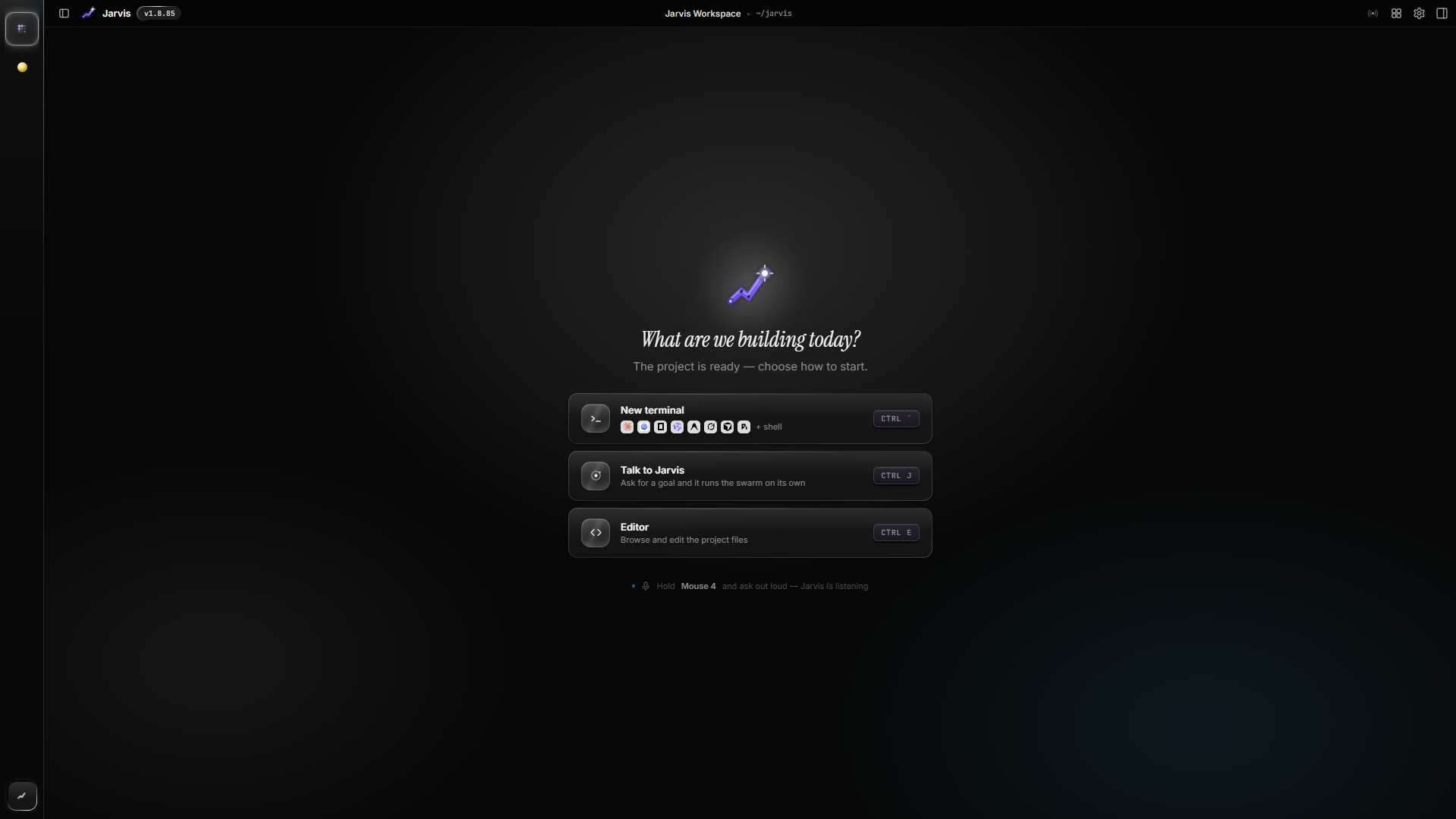
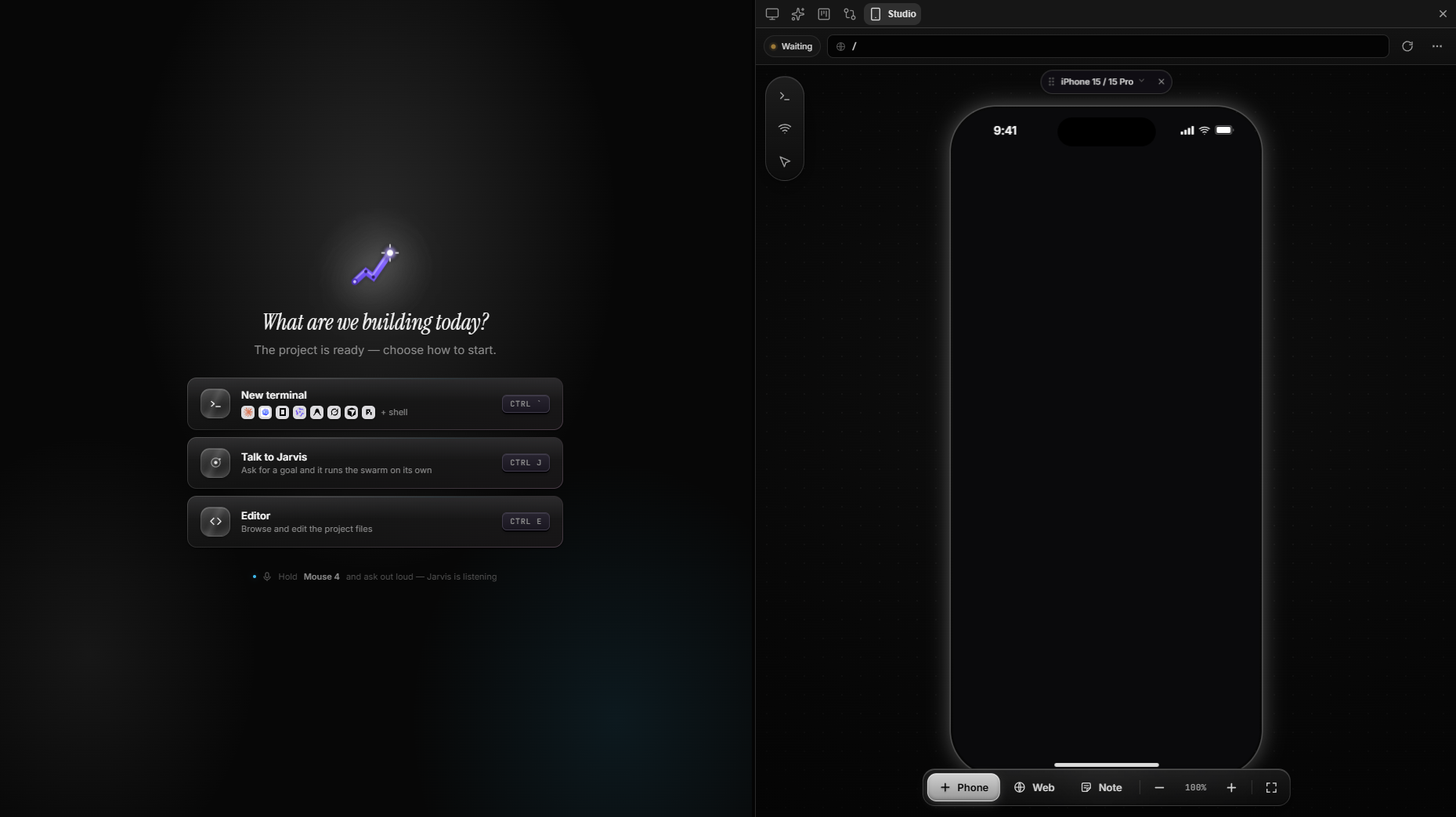
The empty workspace. One project, nothing running yet. New terminal, talk to Jarvis, or open the editor.
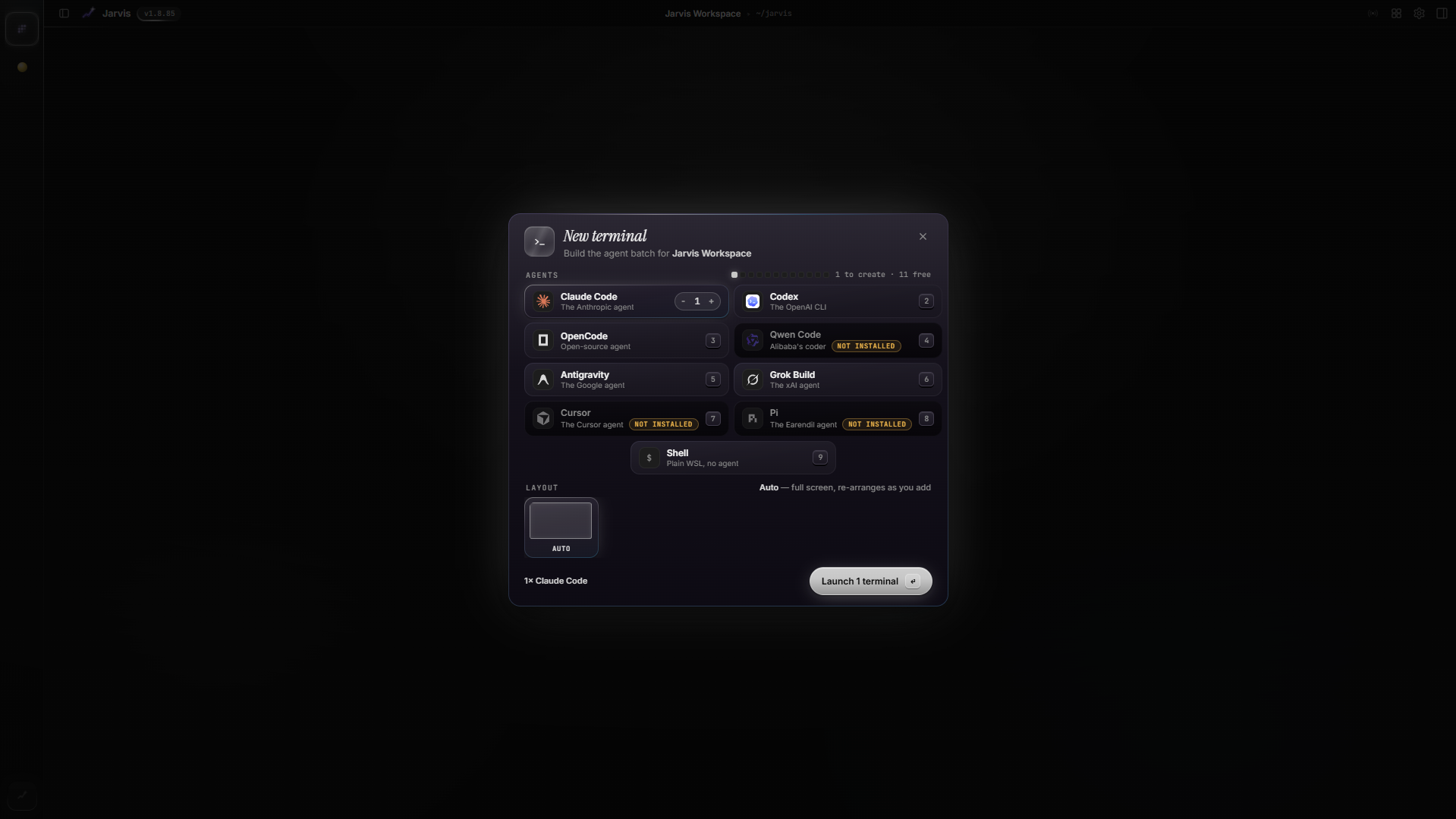
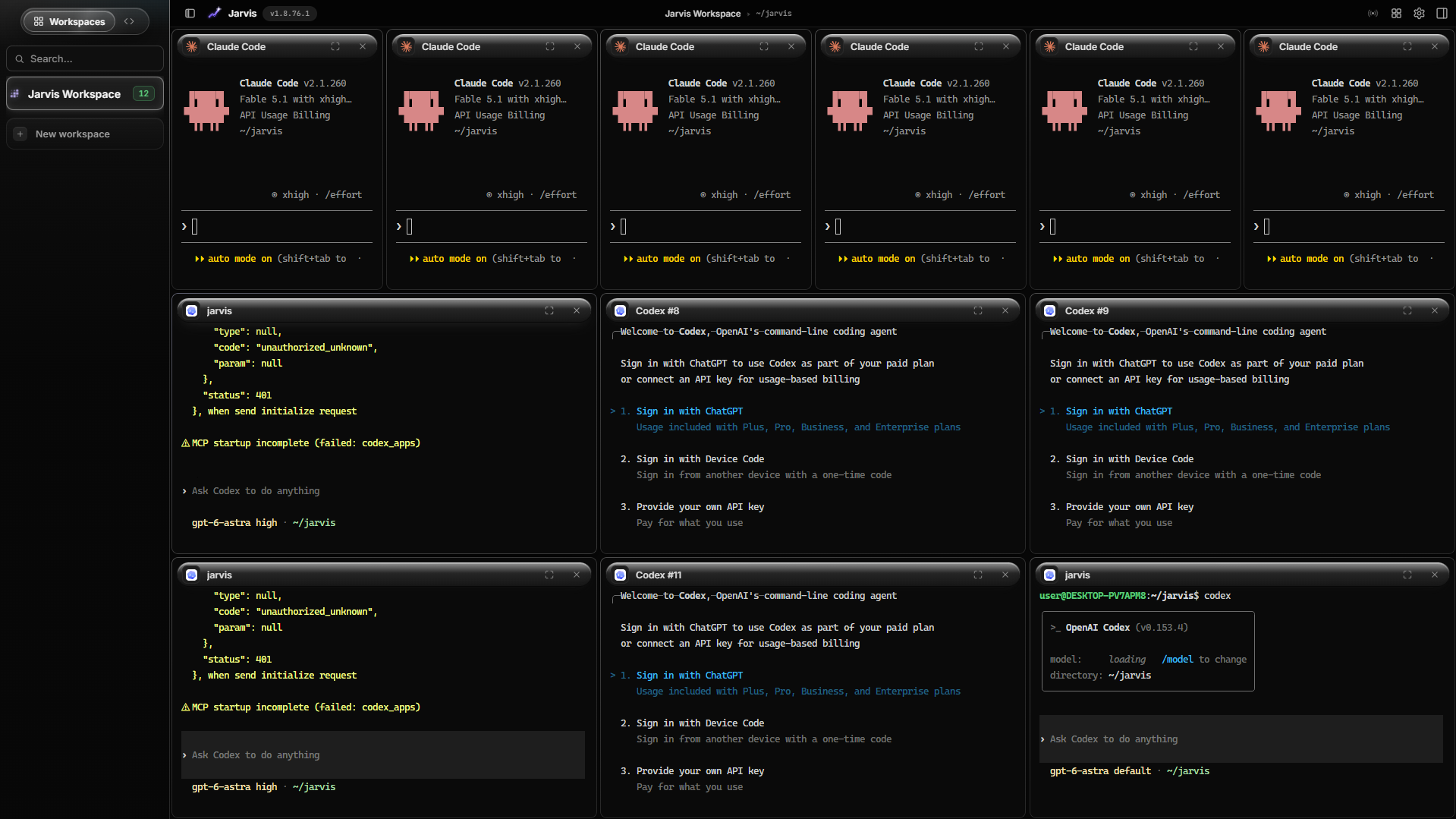
Launch a swarm
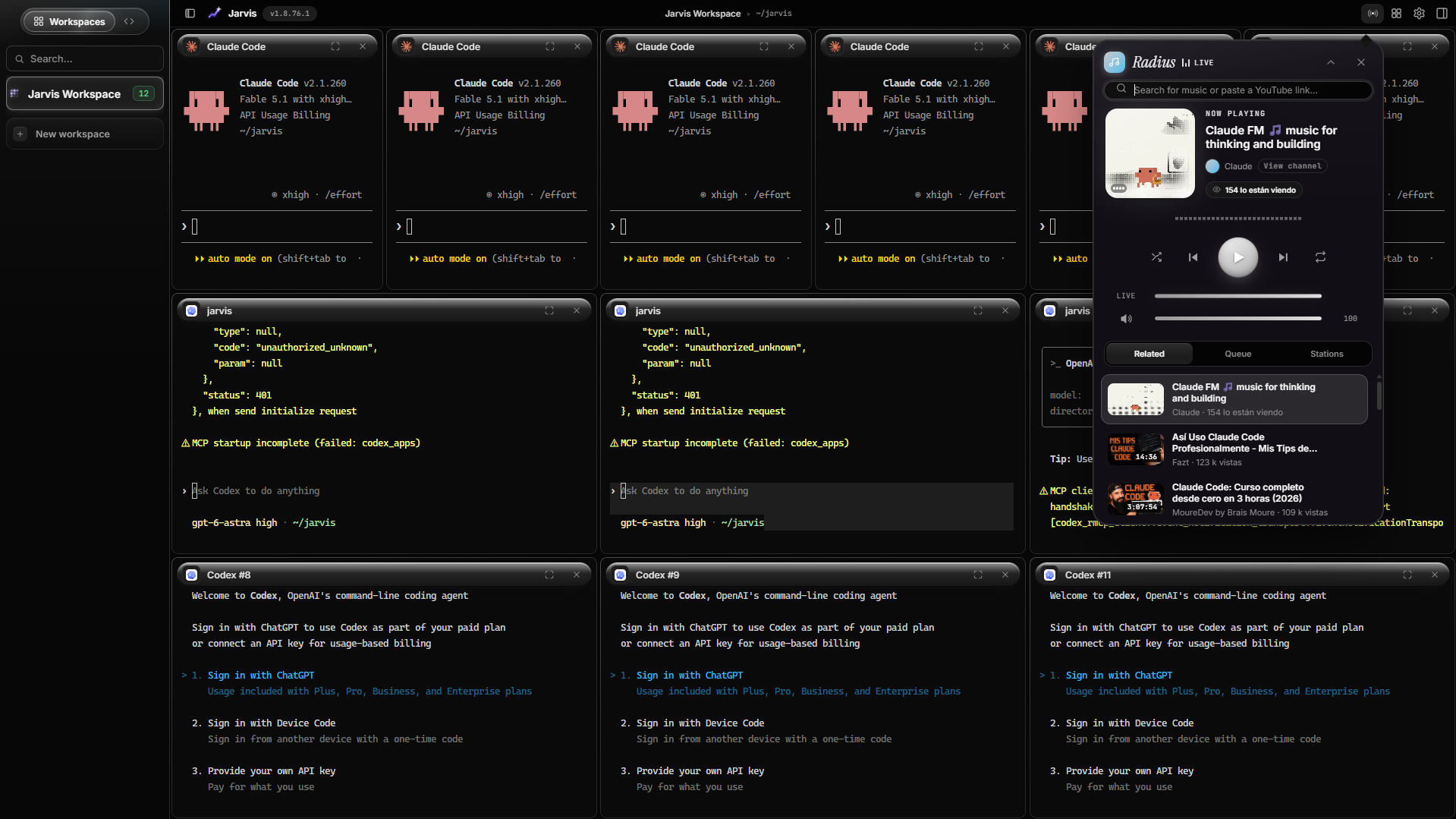
Pick agents, how many, and a layout. Seven Claude Codes, a mix, or one shell. They land in a live grid.
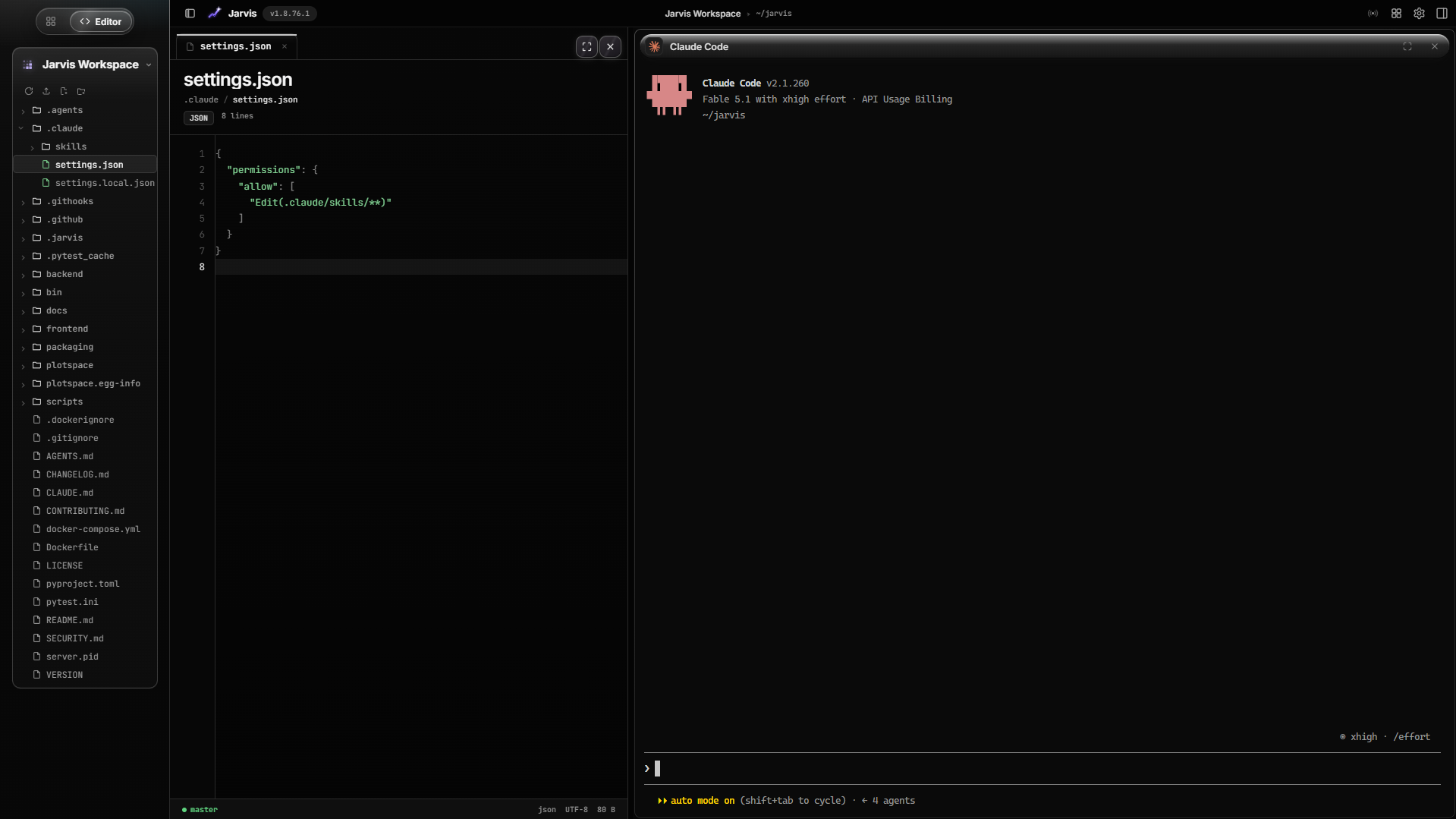
Editor and radio by your side
Edit your project while the agent works in its own pane — file tree and a live terminal together. Or open the Radio: search YouTube music or play a curated station while the swarm builds.
Mobile Studio
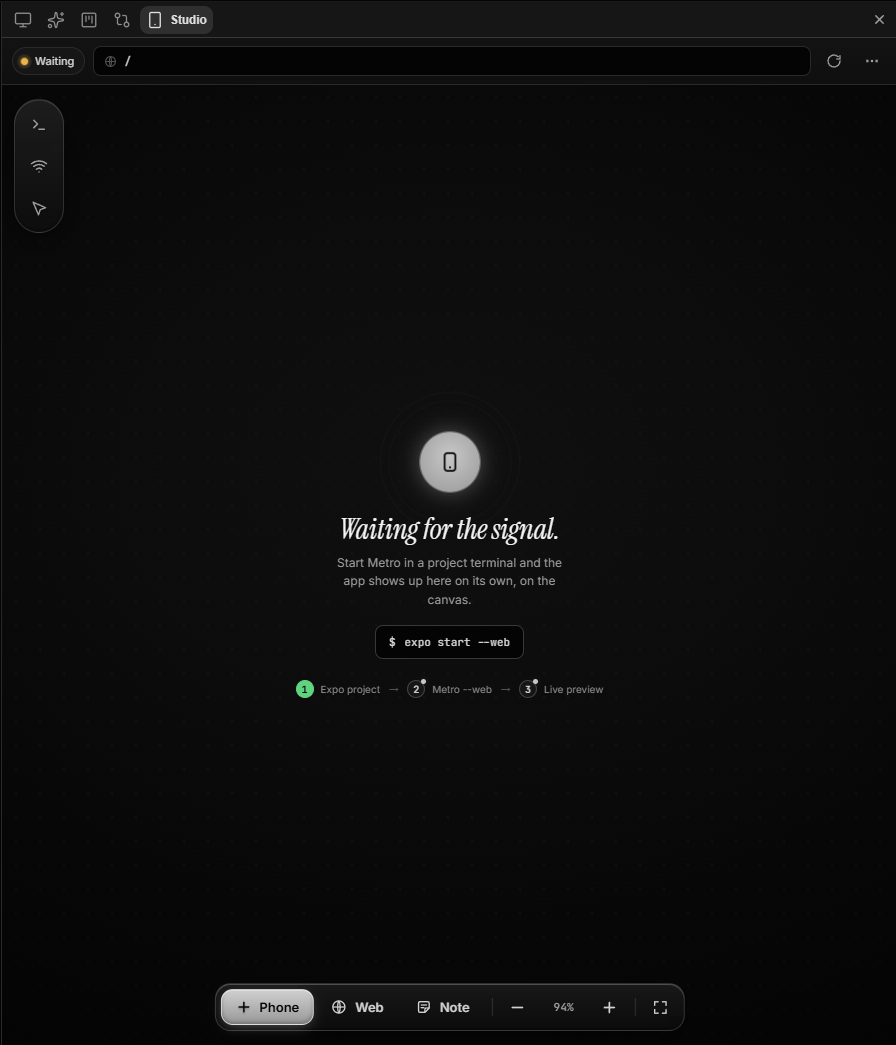
Preview your app in a live phone frame — add phone frames, web browsers or project notes to the canvas, zoom to taste. Phones connect to the Expo/Metro the agent started: the empty canvas explains the three steps — start the project, run Metro, the app lands on the frame. Mobile Studio also detects Expo projects — when the agent starts Metro, the mobile tab opens on its own (⚙ → Appearance → auto-start).
Memory, as a neuron graph
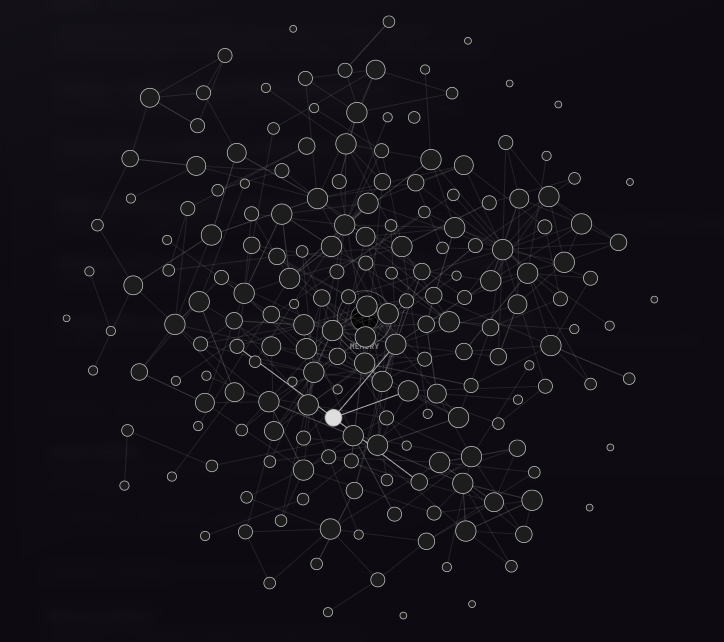
The shared memory of the swarm, as living neurons — each memory is a node (size = connections), the memory itself pulses at the core. Zoom, pan, hover any neuron to see its title and links, or watch the synapses fire.
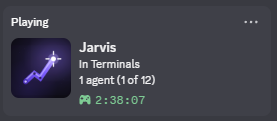
Live on Discord
Windows only: the launcher (Jarvis.exe) pushes your fleet to Discord — live activity, agent count and uptime while the swarm works.
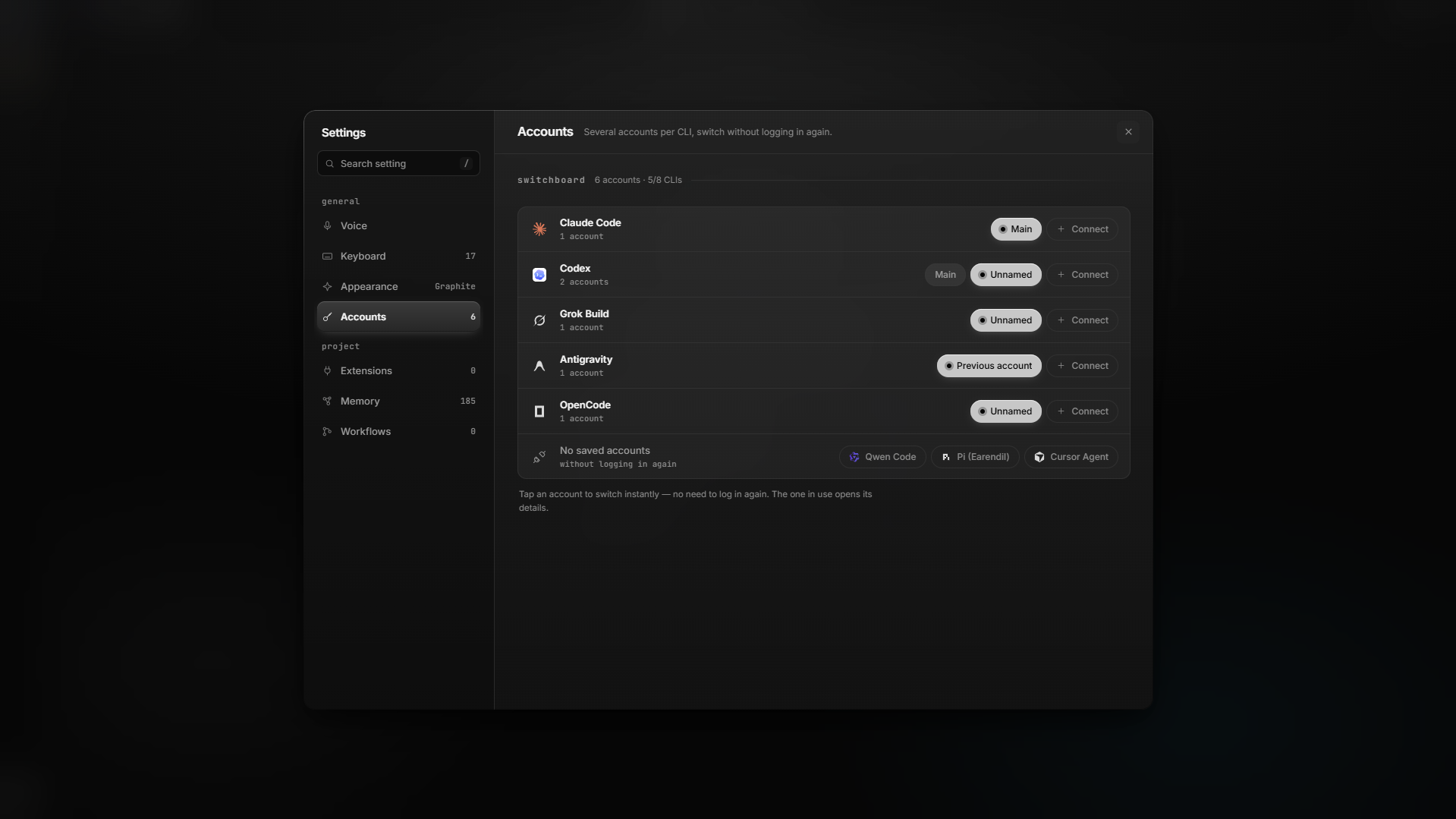
Your accounts, not ours
⚙ → Accounts. Several logins per CLI, switch without logging in again. Native sessions (Grok, Claude, …) show up even if you never clicked Connect. Rate-limit? It rotates.
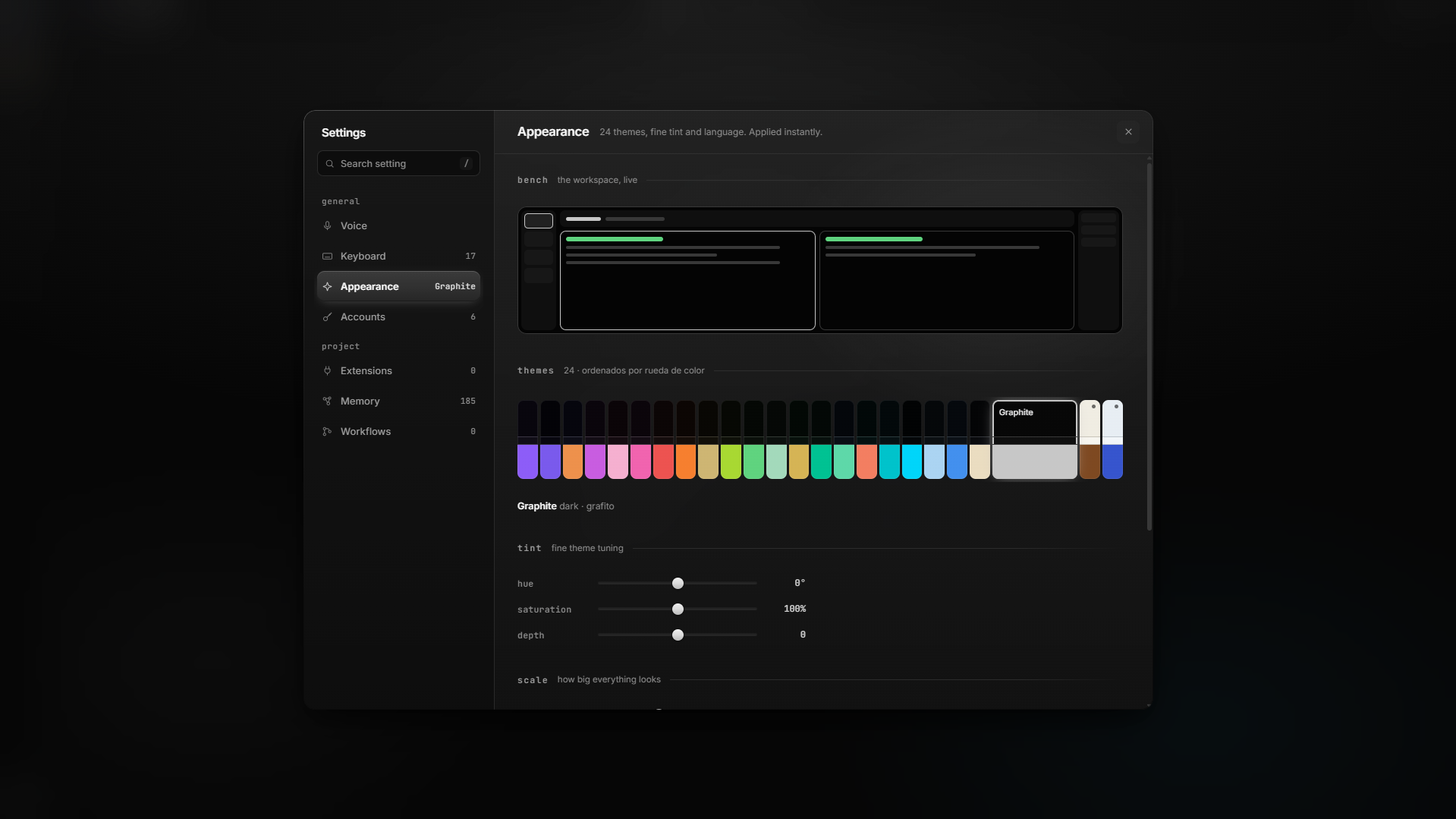
Make it yours
⚙ → Appearance. 24 themes, tint, language, scale. The bench at the top is the live workspace.
Also in the dock: web preview, editor, tasks, per-agent diff review. Hold your voice key to dictate (Groq's free Whisper API).
Radio: local music & Spotify
The Radio searches local music (data/music/ — upload via the UI or drop files into data/music/audio/) and Spotify (search with your own account, playback in the browser). For Spotify you need a client ID — free at developer.spotify.com → Create app → set the Redirect URI to http://localhost:3000/api/radio/spotify/callback — then put SPOTIFY_CLIENT_ID (and optionally SPOTIFY_CLIENT_SECRET) in your .env (see .env.example). Never commit those values.
Use
| Ctrl+T | New project |
| Ctrl+\ | New terminals |
| ⚙ | Accounts, appearance, voice |
| Ctrl+P | Dock |
Also: Ctrl+B strip · Ctrl+E editor · Ctrl+J Jarvis chat · Ctrl+1…9 jump to a project. Port 3000 is Jarvis — put dev servers on 5000–5999 or 8081–8999.
Tests
source venv/bin/activate
python -m pytest
node frontend/sections/**/__tests__/*.test.js
Vanilla HTML/CSS/JS, no npm. PRs: CONTRIBUTING.md. Keep secrets out of git (data/, .env).
License
MIT © 2026 Jarvis Workspace contributors
Reviews (0)
Sign in to leave a review.
Leave a reviewNo results found