entire-dashboard
Health Pass
- License — License: MIT
- Description — Repository has a description
- Active repo — Last push 0 days ago
- Community trust — 12 GitHub stars
Code Fail
- spawnSync — Synchronous process spawning in .opencode/plugins/entire.ts
Permissions Pass
- Permissions — No dangerous permissions requested
This is a web-based analytics and visualization platform designed to help teams explore, audit, and optimize their AI-assisted development workflows. It ingests data from a specific CLI tool to display metrics like token usage, AI prompts, and git commit context.
Security Assessment
The application processes AI session data and git history, which can contain highly sensitive intellectual property and source code. It requires downloading an external CLI via a remote curl script, which is a standard but inherently risky practice if not verified. The scan flagged a synchronous process spawning function (spawnSync) inside an OpenCode plugin file, which could potentially be exploited to execute unauthorized shell commands depending on its inputs. No hardcoded secrets or dangerous broad permissions were found. Overall risk: Medium.
Quality Assessment
The project appears to be actively maintained, with its most recent push occurring just today. It uses the permissive MIT license and includes a clear description and README. Community trust is currently low given its small footprint of only 12 GitHub stars.
Verdict
Use with caution: ensure you trust the data sources and review the OpenCode plugin's synchronous execution logic before deploying in production environments.
A web-based analytics and visualization dashboard for data generated by entireio/cli
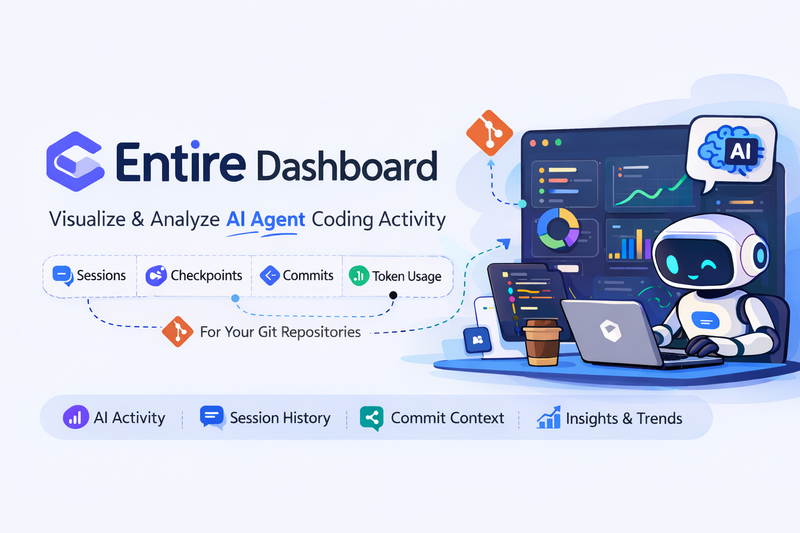
中文版 | English
Every commit tells a story, and now you can see it.
Entire Dashboard
Entire Dashboard is a web-based analytics and visualization platform for data generated by entireio/cli.
It provides a self-hosted dashboard that helps teams explore and analyze AI-assisted development activity recorded by Entire.
Background
Modern development increasingly involves AI coding assistants. While Git records what changed, it does not capture why the change happened or how AI tools contributed to it.
The Entire platform solves this problem by recording AI-assisted coding sessions and linking them to Git commits through Checkpoints. These checkpoints store rich metadata such as:
- AI prompts and responses
- Agent transcripts
- Tool calls and file edits
- Token usage
- Session context
All of this information is captured locally by entireio/cli and stored alongside your repository.
What Entire Dashboard Does
Entire Dashboard transforms this raw data into an interactive analytics platform. It ingests the data generated by entireio/cli and provides visual insights into how AI is used across repositories.
With Entire Dashboard you can:
- 📊 Analyze AI coding activity across repositories
- 🤖 Track AI vs human contributions
- 🧠 Explore AI session and checkpoint history
- 📈 Monitor token usage and tool calls
- 🔍 Inspect commit context and development trends
- 🗂 Aggregate insights across multiple repositories
This makes it easier for teams to understand, audit, and optimize AI-assisted development workflows.
Supported Platforms
Entire Dashboard works with repositories hosted on:
- GitHub
- GitLab
- Gitee
Typical Use Cases
- Engineering teams adopting AI coding tools
- Organizations that want visibility into AI-assisted development
- Teams analyzing productivity trends across repositories
- Developers exploring the history and reasoning behind code changes
System Architecture
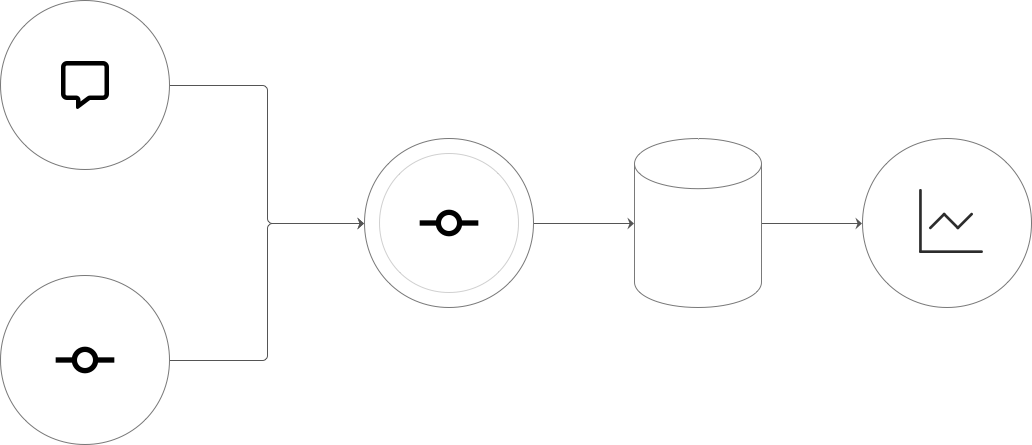
Overall workflow: capturing conversations and events from the CLI, processing and storing them in database through the core service, then visual analysis through the Dashboard.
🔧 Installation & Run
0. Install Entire CLI
This dashboard relies on data generated by Entire CLI. Please install Entire CLI from official website first:
curl -fsSL https://entire.io/install.sh | bash
After installation, configure the CLI in your target repository to start capturing AI Agent session data. For details, see entireio/cli.
Detailed developer documentation is available here: Development Guide
Run with Docker
Use Docker Compose to quickly start the frontend, backend, and database without installing Java, Node, or MySQL locally.
Clone the repository:
git clone https://github.com/sunmh207/entire-dashboard.git
cd entire-dashboard
Start services:
docker compose up -dAccess dashboard: Open http://localhost:81 in your browser.
Login: Default username is
admin, default password isadmin.
🚀 Quick Start (Usage)
Once the system is up and running:
- Go to Repositories, add a repository, and sync its data.
- Visit Overview / Checkpoints to explore your synced data.
Note: Data will only be visible after enabling entire and submitting records via an AI Agent (e.g., Cursor / OpenCode / Claude Code).
📸 Screenshots
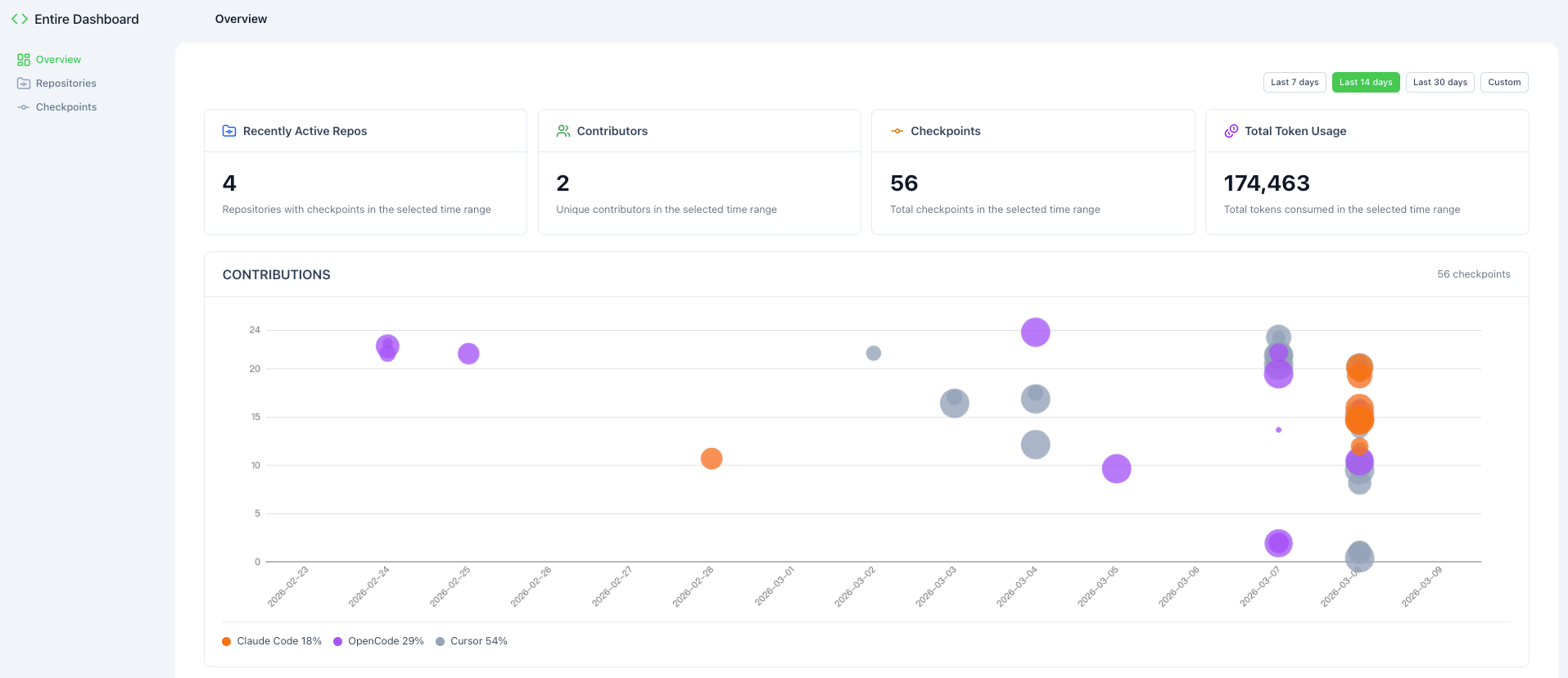
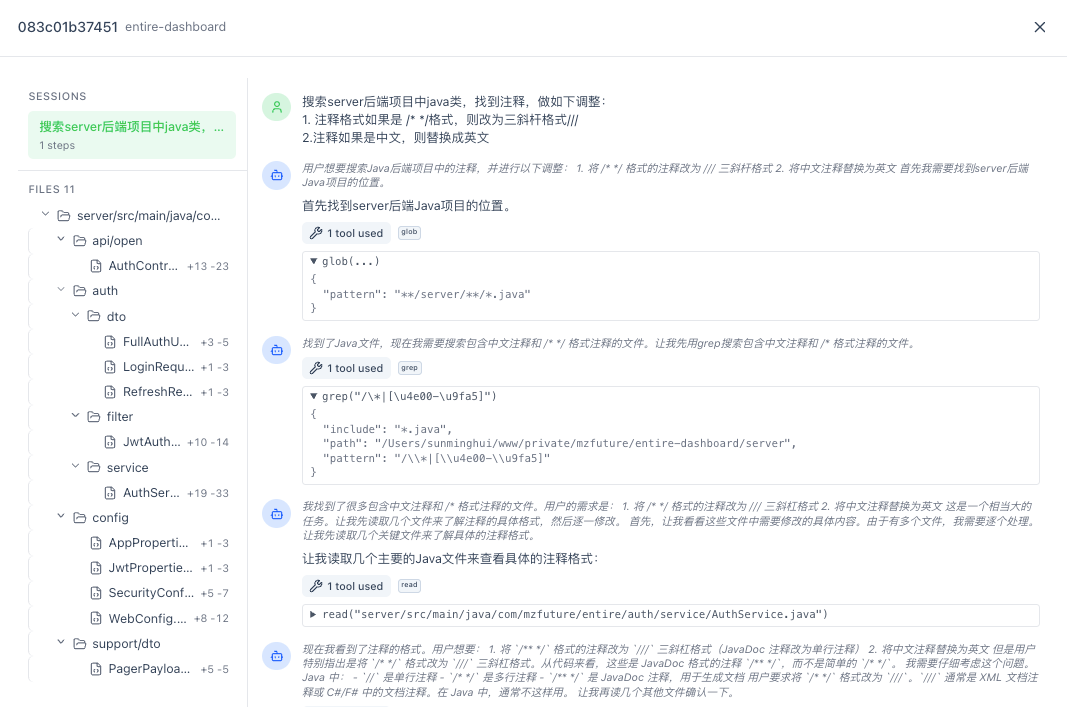
The dashboard provides a comprehensive view of your AI agent sessions, showing checkpoint history, commit activity, and repository statistics at a glance.
Reviews (0)
Sign in to leave a review.
Leave a reviewNo results found