sunpeak
Health Pass
- License — License: MIT
- Description — Repository has a description
- Active repo — Last push 0 days ago
- Community trust — 210 GitHub stars
Code Pass
- Code scan — Scanned 12 files during light audit, no dangerous patterns found
Permissions Pass
- Permissions — No dangerous permissions requested
No AI report is available for this listing yet.
Server-agnostic MCP testing framework and full-stack MCP App framework for ChatGPT Apps, Claude Connectors, and more.

sunpeak




Server-agnostic MCP testing framework and full-stack MCP App framework.
MCP Apps are cross-platform, meaning sunpeak is a ChatGPT App framework, Claude Connector framework, and more.
ChatGPT apps are now submitted and published as plugins. The app remains an MCP-backed app, so sunpeak's architecture and runtime do not change. The plugin is the package used for local installation, review, and public distribution.
npx sunpeak new
Demo (Hosted) ~
Demo (Video) ~
Discord ~
Documentation ~
GitHub
Why sunpeak
Building an MCP App today means testing in ChatGPT and Claude by hand. Every code change costs a 4-click refresh in each host, every teammate needs a $20/month account per host, and every test burns credits.
sunpeak replicates the ChatGPT and Claude runtimes locally so you can:
- Run e2e and visual tests in CI across every host, theme, and data combo, without accounts or API credits.
- Iterate with HMR in ChatGPT and automatic rebuilds in Claude, instead of manual refreshes.
- Pin tool states with simulation fixtures so UI regressions can't ship.
- Automate the real-host loop with live tests: scripts that open your browser, prompt ChatGPT, and assert against the rendered app so you stop click-testing by hand.
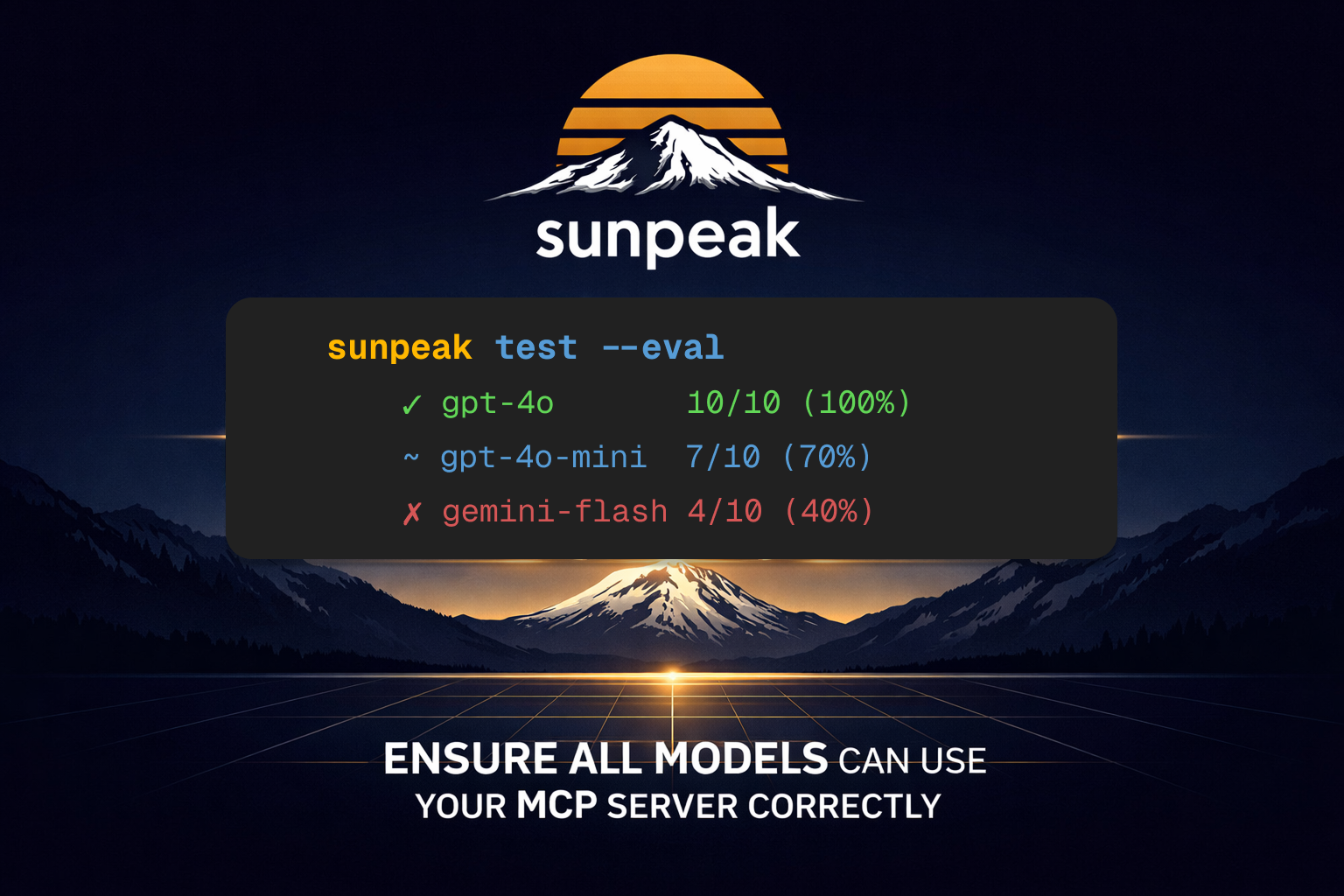
sunpeak also runs evals against your MCP server across multiple models (GPT-4o, GPT-4o-mini, o4-mini, Claude Sonnet, Gemini 2.0 Flash) via the Vercel AI SDK. Each case runs N times per model, so you can prove your tool descriptions, schemas, and model-visible App Context hold up on cheaper models, not just the flagship ones.
Eval cases can seed App Context with appContext, which lets you test follow-up prompts such as "Book this one" against state the app has shared through updateModelContext.
The same foundation powers an app framework for multi-platform MCP Apps and a standalone inspector that works with any MCP server in any language.
sunpeak has three use cases
1. App Framework
Building an MCP App from scratch means wiring up an MCP server, handling protocol message routing, managing resource HTML bundles, and setting up a dev environment with hot reload. Each host has different capabilities and CSS variables, so you end up writing platform-specific code without a clear structure.
sunpeak gives you a convention-over-configuration framework with the inspector and testing built in.
npx sunpeak new
This creates a project, starts a dev server with HMR, and opens the inspector at localhost:3000:
sunpeak-app/
├── src/resources/review/review.tsx    # UI component (React)
├── src/tools/review-diff.ts           # Tool handler, schema, resource link
├── tests/simulations/review-diff.json # Mock data for the inspector
└── package.json
Tools, resources, and simulations are auto-discovered from the file system. Multi-platform React hooks (useToolData, useAppState, useTheme, useDisplayMode) let you write your app logic once and deploy it across ChatGPT, Claude, and future hosts.
2. Testing Framework
MCP Apps render inside host iframes with host-specific themes, display modes, and capabilities. Standard browser testing can't replicate this because the runtime environment only exists inside ChatGPT and Claude. Each app also has many dimensions of state: tool inputs, tool results, server tool responses, host context, and display configuration. Testing all combinations manually is slow and error-prone.
sunpeak replicates these host runtimes and provides simulation fixtures (JSON files that define reproducible tool states) so you can test every combination of host, theme, and data in CI without accounts or API credits.
npx sunpeak test init --server http://localhost:8000/mcp
This scaffolds E2E tests, visual regression, live tests, and multi-model evals. Then run them:
npx sunpeak test
Playwright fixtures handle inspector startup, MCP connection, iframe traversal, and host switching. Works with Python, Go, TypeScript, Rust, or any language.
Evals add a second dimension: model compatibility. The eval framework connects to your MCP server via the MCP protocol, discovers its tools, and sends prompts to multiple models (GPT-4o, GPT-4o-mini, o4-mini, Claude Sonnet, Gemini 2.0 Flash) via the Vercel AI SDK. Each case runs N times per model and reports pass/fail counts, so you can measure whether your tool descriptions, schemas, and model-visible App Context work reliably across smaller and cheaper models, not just the flagship ones.
import { test, expect } from 'sunpeak/test';

test('search tool returns results', async ({ mcp }) => {
  const result = await mcp.callTool('search', { query: 'headphones' });
  expect(result.isError).toBeFalsy();
});

test('album cards render', async ({ inspector }) => {
  const result = await inspector.renderTool('show-albums');
  await expect(result.app().locator('button:has-text("Summer Slice")')).toBeVisible();
});
3. Inspector
MCP servers are opaque. You can call tools and read the JSON responses, but you can't see how your app actually looks and behaves inside ChatGPT or Claude without deploying to each host, setting up a tunnel, paying for accounts, and manually refreshing through a multi-step cycle on every code change.
The sunpeak inspector replicates the ChatGPT and Claude app runtimes locally. Point it at any MCP server and see your tools and resources rendered the same way they appear in production hosts.
npx sunpeak inspect --server http://localhost:8000/mcp
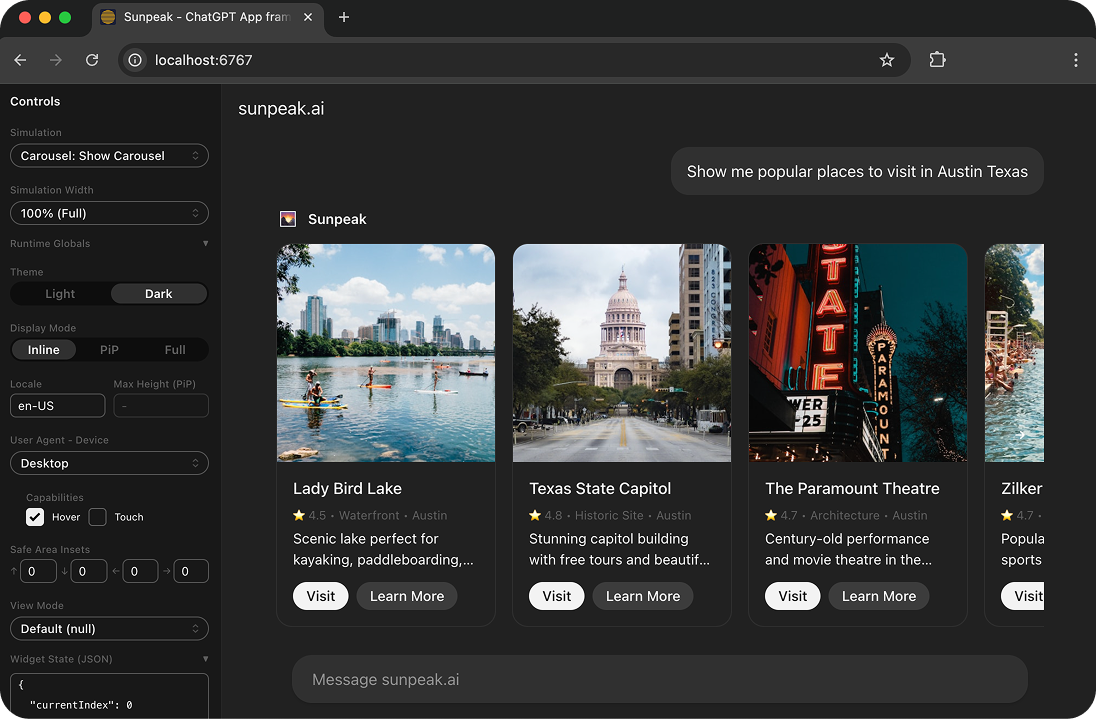
Toggle between hosts, themes, display modes, and device types from the sidebar. Call real tool handlers or load simulation fixtures for deterministic mock data. Changes reflect instantly via HMR. Works with any MCP server in any language.
Resources
Reviews (0)
Sign in to leave a review.
Leave a reviewNo results found