Mervelas
Health Warn
- No license — Repository has no license file
- Description — Repository has a description
- Active repo — Last push 0 days ago
- Community trust — 43 GitHub stars
Code Warn
- network request — Outbound network request in package.json
- process.env — Environment variable access in scripts/perf.ts
- process.env — Environment variable access in src/QueryEngine.ts
- network request — Outbound network request in src/assistant/sessionHistory.ts
- process.env — Environment variable access in src/bootstrap/state.ts
- network request — Outbound network request in src/bridge/bridgeApi.ts
- process.env — Environment variable access in src/bridge/bridgeConfig.ts
Permissions Pass
- Permissions — No dangerous permissions requested
This tool is a local-first, open-source AI coding assistant CLI built with Bun. It allows developers to interact with various AI models (OpenAI, DeepSeek, local models, etc.) directly from the terminal to generate code and manage context.
Security Assessment
Overall Risk: Medium. The tool makes several outbound network requests, which is expected for connecting to AI provider APIs, but users should verify these endpoints are safe. It accesses environment variables across multiple files (performance scripts, query engine, bootstrap state, and bridge config), which is the expected mechanism for handling your custom API keys. No dangerous system permissions were requested. A significant risk is the lack of a formal license file in the repository, despite the README displaying an MIT badge. Additionally, the project must be compiled locally before use.
Quality Assessment
The project is under active development with very recent commits and has garnered modest community trust with 43 GitHub stars. Its codebase is written in TypeScript and claims strong privacy features, such as saving session history strictly locally without collecting telemetry. However, the missing license file means there are technically no explicit legal terms granting usage or modification rights. It remains a relatively new, early-stage tool that has not yet been published to NPM.
Verdict
Use with caution. The tool is a promising and actively maintained CLI, but you should review the outbound network endpoints and keep in mind the early-stage risks and unclarified licensing before integrating it into a professional workflow.
An independent, high-performance AI coding CLI built with Bun and driven by free resources
 █▄   ▄█
 ███████
 █ ▀ ▀ █
Mervelas
The Fast, Unlocked, Local-First AI Coding Assistant.


Note: Mervelas is currently in active development. We have not published to NPM yet. You need to build the project locally and carefully use your own API keys. Stay tuned for official releases!
🌟 Welcome to Mervelas
Mervelas is an independent, open-source AI coding CLI built from the ground up to guarantee freedom, zero telemetry, and maximum performance.
Many enterprise assistants try to force developers into a single closed ecosystem or silently harvest usage telemetry. We firmly believe your code, your terminal, and your prompts belong to you.
Why Choose Mervelas?
- Provider Independence: We break the chains. Mervelas fully supports OpenAI, OpenRouter, NVIDIA NIM, Qwen, DeepSeek, and locally hosted models out of the box.
- Unified Native Commands: Forget heavily patched forks that break
/skillsor/login. Mervelas provides flawlessly integrated commands deeply connected to the local event loop. - Extremely Lightweight: Compiled natively with
bunand rendered via a highly optimized custom React Ink abstraction. It has almost zero idle CPU usage and lightning-quick startup latencies. - Absolute Privacy: Session architectures are strictly localized. Your conversational history is written securely to
~/.mervelas/projects/locally via JSONL formatting, ensuring sensitive projects never leak metadata.
📸 See It In Action
Launch Interface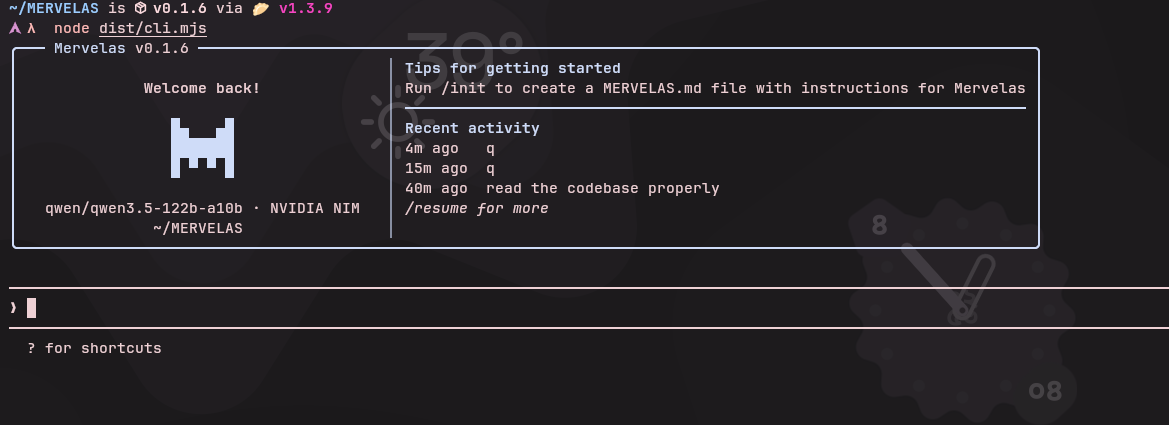
|
Smart Context Management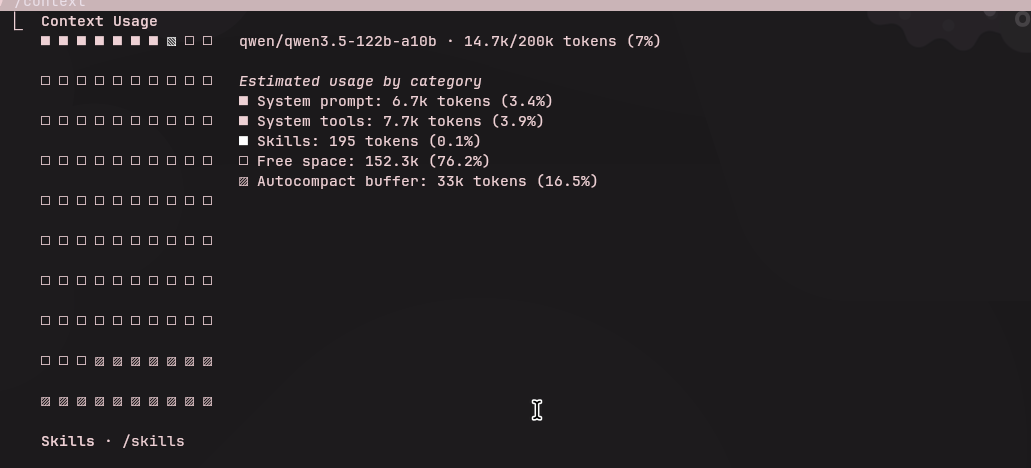
|
Configuration & Settings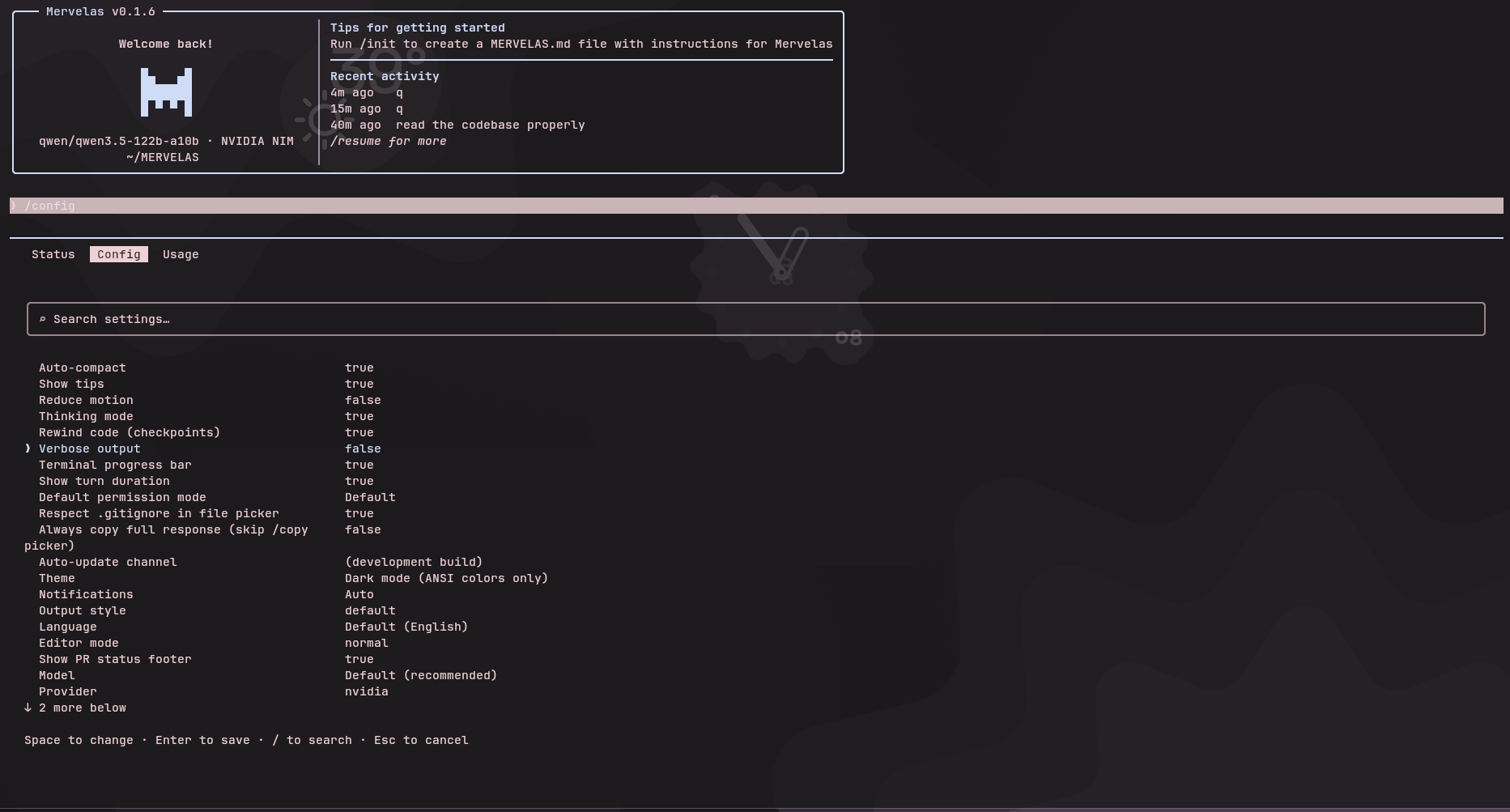
|
Custom Agent Creation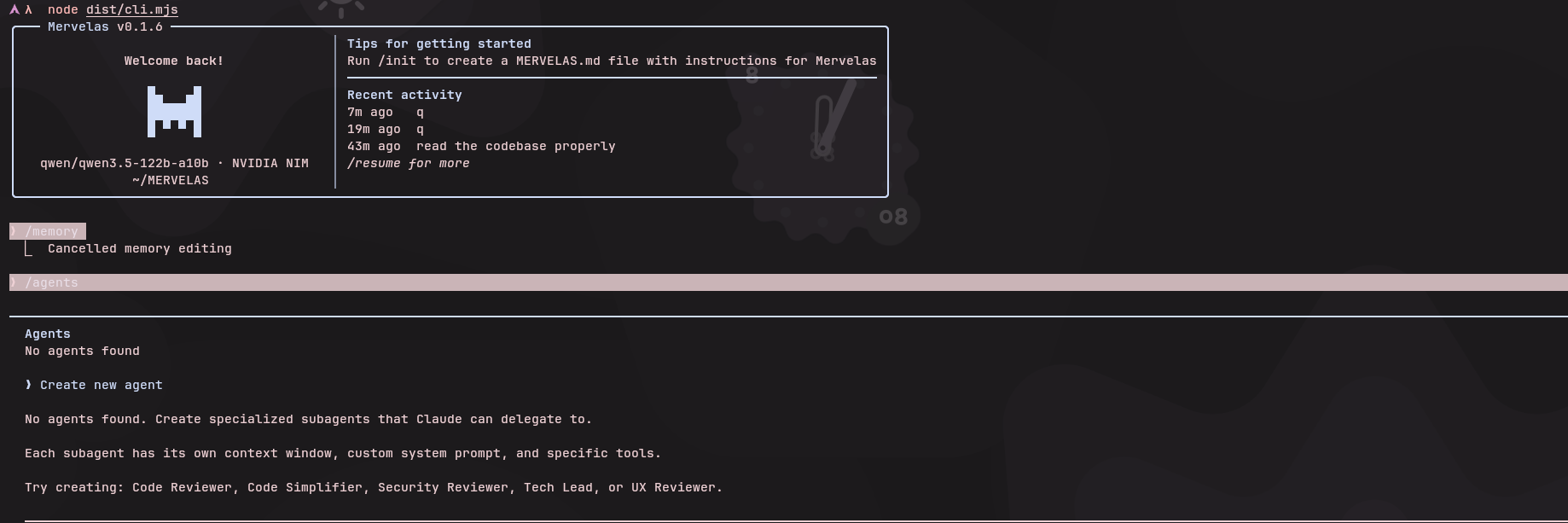
|
🚀 Compile & Run Locally
To get started with Mervelas today, you'll need to compile it from the source using Bun.
1. Prerequisites
Mervelas requires Bun to compile gracefully and run smoothly on your local machine.
2. Setup Guide
# Clone the repository
git clone https://github.com/swadhinbiswas/Mervelas.git
cd Mervelas

# Install native dependencies
bun install

# Compile the CLI via the internal bundler
bun run scripts/build.ts

# Execute Mervelas
node dist/cli.mjs
3. Provider Configuration
Once running, simply execute /config or /login in the prompt to set up your LLM provider and paste your API key. That's it!
🛠️ Essential Commands
Mervelas offers a rich suite of integrated workflows. Inside the CLI, try out:
/config— Configure your LLM providers, manage API keys, and tweak models./context— View exact token usage and visualize your context window limits cleanly./agents— Create and switch between highly specific local coding agents seamlessly./mcp— Integrate Model Context Protocol (MCP) servers locally to give your model superpowered access to other applications./status— View your local development state or system resource consumption./login— Swiftly swap backends and models locally.
💻 Environment Configuration
For headless setups and CI workflows, rely on environment variables:
# OpenAI or NIM setup
MERVELAS_API_PROVIDER=openai
OPENAI_API_KEY=your_key_here
OPENAI_BASE_URL=https://api.openai.com/v1

# OpenRouter setup
MERVELAS_API_PROVIDER=openroute
OPENROUTER_API_KEY=your_key_here
OPENROUTER_BASE_URL=https://openrouter.ai/api
🏗️ Contributing & Development Boundaries
If you are contributing patches or developing advanced features for Mervelas, please adhere to these core rules to avoid DMCA cross-overs or architectural regressions:
- Custom UI System: Never directly import
inkblindly from npm. Mervelas relies securely on layout structures (Box,Text) routed strictly throughsrc/ink.ts. - Top-Level Pure Behavior: Do not instantiate blocking state singletons or file reads on file-load. Tools and execute loops must use the
load: () => import(...)delay abstraction so that the CLI footprint remains completely idle until actively invoked. - Type Checking: Continuously test strict ES2023 adherence using
npm run typecheck(tsc --noEmit).
Reviews (0)
Sign in to leave a review.
Leave a reviewNo results found