claude-code-mascot-statusline
Health Warn
- License — License: MIT
- Description — Repository has a description
- Active repo — Last push 0 days ago
- Low visibility — Only 9 GitHub stars
Code Warn
- process.env — Environment variable access in dist/cli/hook-state-writer.js
- process.env — Environment variable access in dist/cli/render-status-line.js
Permissions Pass
- Permissions — No dangerous permissions requested
This is a fun, decorative pixel-art mascot that lives in your terminal's status bar. It uses Claude Code's event-driven hook system to react to your coding activity, changing expressions based on tool successes, failures, and context window usage.
Security Assessment
Overall Risk: Low. This tool is purely cosmetic and safe to use. It does not make external network requests, execute hidden shell commands, or contain hardcoded secrets. The only flagged behavior is standard environment variable access, which is necessary to read local session states and render the status bar. It uses a scoped setup process that carefully merges its hooks without overwriting your existing configuration.
Quality Assessment
Quality is high, though community visibility is currently very low. The project is actively maintained, with its most recent update pushed today. It is properly licensed under the permissive MIT license. The main drawback is its low star count, indicating minimal community review. However, the developer has provided excellent, bilingual documentation and clear setup instructions.
Verdict
Safe to use — a well-documented, harmless, and fun tool that provides emotional support and visual feedback without compromising security.
🐾 A tiny pixel pet that lives in your Claude Code status line — it thinks when you think, panics when context runs low, and celebrates every successful tool call. Your emotional support companion for AI-powered coding.
Claude Code Mascot
A pixel-sprite mascot that lives in your Claude Code status line.
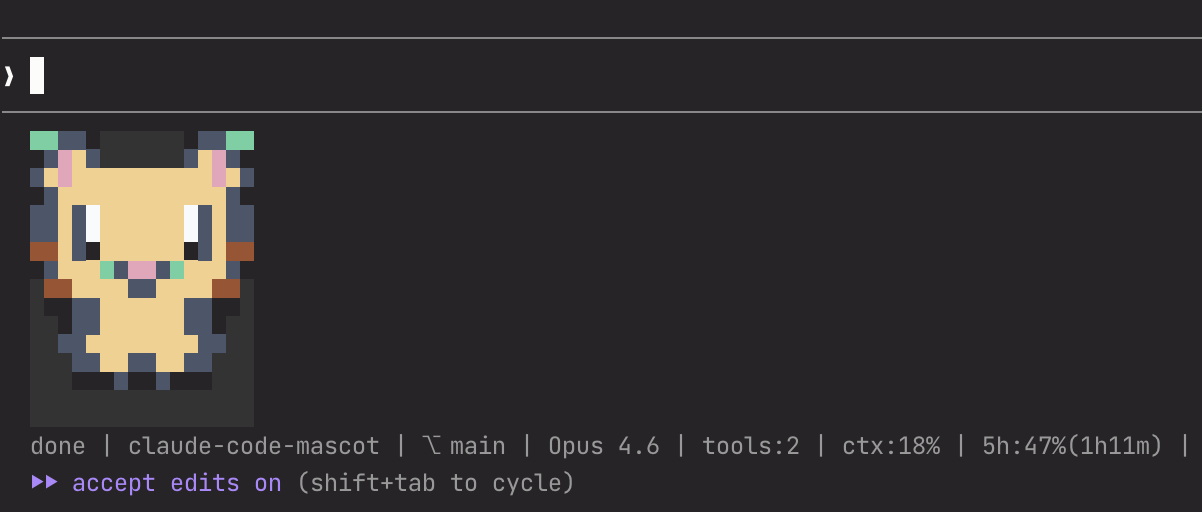
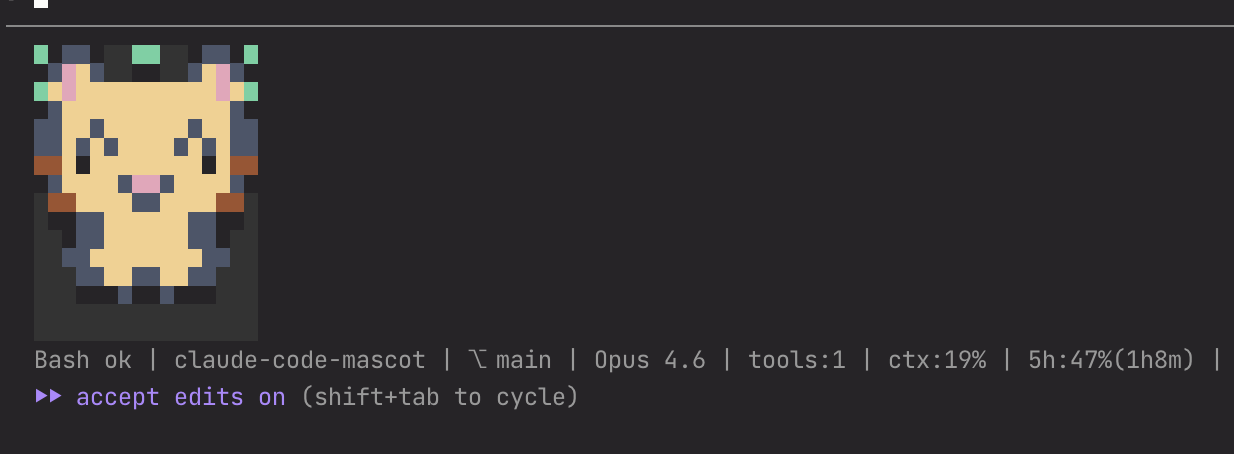
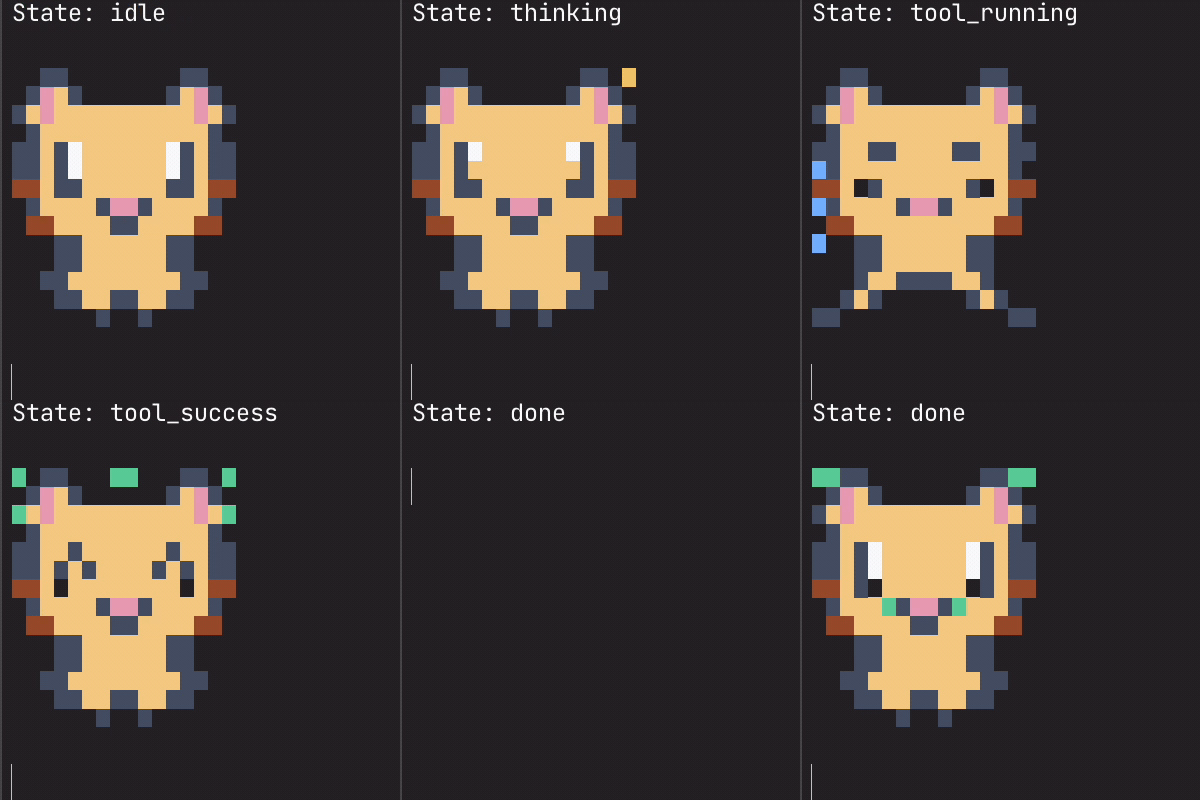
Concept
Claude Code has dramatically improved development efficiency — but it has also increased cognitive load. In the middle of intense coding sessions, we need a little moment of comfort.
This mascot changes its expression every time a tool runs during your session. When context window usage gets critical, it turns bright red in panic. You can even create your own custom character pack (this is still in beta — give it a try!).
For engineers who find themselves more and more consumed by their work — a small dose of comfort, right in your terminal.
Personality
- Pixel-art mascot rendered directly in the terminal — not ASCII art
- Reacts to 9 session states: idle, thinking, tool running, tool success, tool failure, permission prompt, subagent running, done, and auth success
- Heat-map color shift: the mascot's fur color shifts toward red as context window usage increases
- Status summary: git branch, model name, tool count, context %, and API usage
- Custom mascot packs: create and share your own characters
How It Works
The mascot detects session state through Claude Code's hook system. Each hook event (tool start, tool success, permission request, etc.) updates the mascot's internal state, and the status line renders the corresponding expression.
Because this is event-driven rather than continuous polling, the displayed state may not always reflect the exact real-time status of your session. For example, there can be brief delays or missed transitions depending on hook timing. Think of it as a companion that reacts to events — not a precise status monitor.
Bring One Home
Via Claude Code Plugin Marketplace (Recommended)
/plugin marketplace add TeXmeijin/claude-code-mascot-statusline
/plugin install claude-code-mascot-statusline
Then run the setup skill to configure your status line and hooks:
/claude-code-mascot-statusline:setup
Manual Install
git clone https://github.com/TeXmeijin/claude-code-mascot-statusline.git
cd claude-code-mascot-statusline
npm install && npm run build
node dist/cli/setup-helper.js --write
Existing statusLine is replaced automatically. Hook entries are merged without removing your existing hooks.
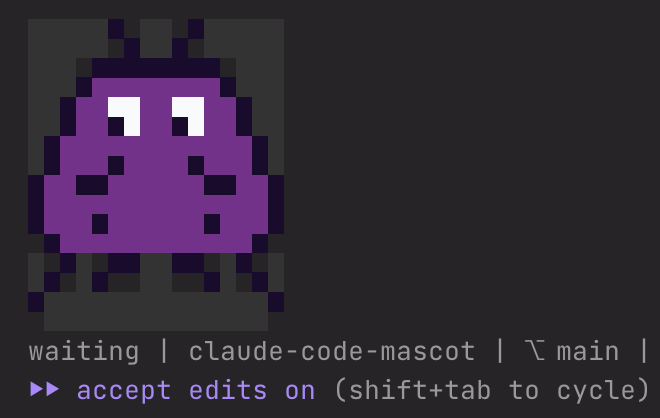
A second built-in pack space-invader is also available — useful for distinguishing between projects or accounts.
Create Your Own Companion
The mascot is fully swappable. You can create your own character pack and use it instead of the default cat.
Pack search order
- Project-local:
<project>/.claude/mascot-packs/<pack-name>/ - User-global:
~/.claude/plugins/claude-code-mascot-statusline/packs/<pack-name>/ - Bundled:
packs/<pack-name>/(ships with the plugin)
Creating a custom pack
- Copy
examples/external-pack/pack.yamlas a starting point - Place your pack in
~/.claude-mascot/packs/<your-pack-name>/pack.json(orpack.yaml) - Set the pack name in
~/.claude/plugins/claude-code-mascot-statusline/config.json:
{
  "pack": "your-pack-name"
}
- Validate your pack:
node dist/cli/validate-pack.js ~/.claude/plugins/claude-code-mascot-statusline/packs/your-pack-name
- Preview it:
node dist/cli/storybook.js --pack your-pack-name
See docs/pack-spec.md for the full pack specification.
Tip: You can also use the
/create-mascot-packskill in Claude Code to create or iterate on a pack interactively.
Configuration
Config files
- User config:
~/.claude/plugins/claude-code-mascot-statusline/config.json - Project config:
.claude/mascot.json(overrides user config)
{
  "pack": "pixel-buddy",
  "color": "auto",
  "twoLine": true,
  "renderProfile": "claude-code-safe",
  "safeBackground": "#000000"
}
Environment variables
| Variable | Description |
|---|---|
CLAUDE_MASCOT_PACK |
Override the active pack name |
CLAUDE_MASCOT_COLOR |
Set to never to disable colors |
CLAUDE_MASCOT_WIDTH_HINT |
Hint the available width for narrow mode |
NO_COLOR |
Standard no-color flag (disables ANSI colors) |
Render profiles
claude-code-safe(default): keepshalf-blockrendering for visible pixels, emits transparent cells as background-colored non-breaking spaces to prevent host trimmingauto: uses the pack's declared renderer exactly as-is
CLI Tools
Run from the plugin root directory (cd into your clone or install path):
# View all states in a storybook-style gallery
node dist/cli/storybook.js --pack pixel-buddy

# Preview a specific state
node dist/cli/preview-pack.js --pack pixel-buddy --state thinking --frames 3 --color always

# Validate a pack file
node dist/cli/validate-pack.js ./packs/pixel-buddy

# Compare render profiles side by side
node dist/cli/statusline-lab.js --pack pixel-buddy --profiles auto,claude-code-safe

# Render status line manually (pipe JSON to stdin)
printf '{"session_id":"demo","workspace":{"project_dir":"%s","current_dir":"%s"}}' "$PWD" "$PWD" \
  | node dist/cli/render-status-line.js

# Run setup to write statusLine and hooks into settings.json
node dist/cli/setup-helper.js --write
Development
git clone https://github.com/TeXmeijin/claude-code-mascot-statusline.git
cd claude-code-mascot-statusline
pnpm install
pnpm build
pnpm test
pnpm typecheck
Contributing
- Bug fixes: If you find a clear bug, please open a pull request.
- Custom mascots for yourself: Create a custom pack locally — no need to upstream it.
- New mascot packs for everyone: If you've made something great, open a PR to add it as an additional built-in pack. We'd love to see it!
- Creating packs with Claude Code: Use the
/create-mascot-packskill to scaffold and iterate on new packs interactively.
Technical Details: Narrow Terminal Support
Claude Code's internal statusLine renderer uses Ink's <Text wrap="truncate">, which invokes cli-truncate on the entire multi-line output as a single string. When any line exceeds the statusLine container's available width, all subsequent lines are silently dropped — causing the mascot sprite to show only its top rows (typically just the ears).
This is a known Claude Code behavior documented in several open issues:
- anthropics/claude-code#28750 — Multi-line statusline second line disappears on narrow terminals (internal
wrap: "truncate"identified in comment) - anthropics/claude-code#27305 — StatusLine compressed when notification banners are active (
flexShrink: 1) - anthropics/claude-code#27864 — Footer layout structure extracted from cli.js (
isNarrowrow/column switch) - anthropics/claude-code#22115 — Terminal columns not passed to statusLine commands
The trigger is almost always the summary text line (state, project name, branch, model, usage stats joined with |), which can easily exceed 80 characters. The sprite lines themselves are only 16 characters wide in half-block mode.
How this plugin works around it
Dynamic terminal width detection — Since statusLine commands run as piped child processes (
process.stdout.columnsisundefined), we detect the real terminal size by finding the parent process's TTY device viapsand querying it withstty size. Results are cached with a 5-second TTL to minimize overhead.Automatic summary line wrapping — The summary text is split at
|separators and reassembled into multiple lines, each constrained toterminal_cols - 10characters. This ensures no line exceeds the container width, preventingcli-truncatefrom activating.Configurable summary items — Users can reduce the summary length by choosing which items to display via
summaryItemsin their config:{ "summaryItems": ["project", "branch", "context", "usage5h"] }Available keys:
project,branch,model,tools,failures,subagents,context,usage5h,usage7d
These techniques were developed by analyzing Claude Code v2.1.76's bundled binary (2026-03-15). The internal layout structure places the statusLine in a flex container with flexShrink: 1, and the footer switches between row layout (cols ≥ 80, statusLine gets ~half width) and column layout (cols < 80, full width). The parent-process TTY approach is also used by ccstatusline and claude-powerline.
Good Bye
Run the uninstall command inside Claude Code:
/claude-code-mascot-statusline:uninstall
This removes the statusLine entry, all mascot hook entries from your settings, and the runtime data directory. Restart Claude Code to complete the removal.
License
Reviews (0)
Sign in to leave a review.
Leave a reviewNo results found