alpine-code
Health Pass
- License — License: MIT
- Description — Repository has a description
- Active repo — Last push 0 days ago
- Community trust — 17 GitHub stars
Code Pass
- Code scan — Scanned 12 files during light audit, no dangerous patterns found
Permissions Pass
- Permissions — No dangerous permissions requested
No AI report is available for this listing yet.
Open-source coding agent that's friendly to non-developers and puts you in control of everything, down to its tools. Desktop app and CLI.
An open-source coding agent that's easy for people who don't code,
and open all the way down to its tools for people who do.
Download for Mac · Terminal version · MIT license
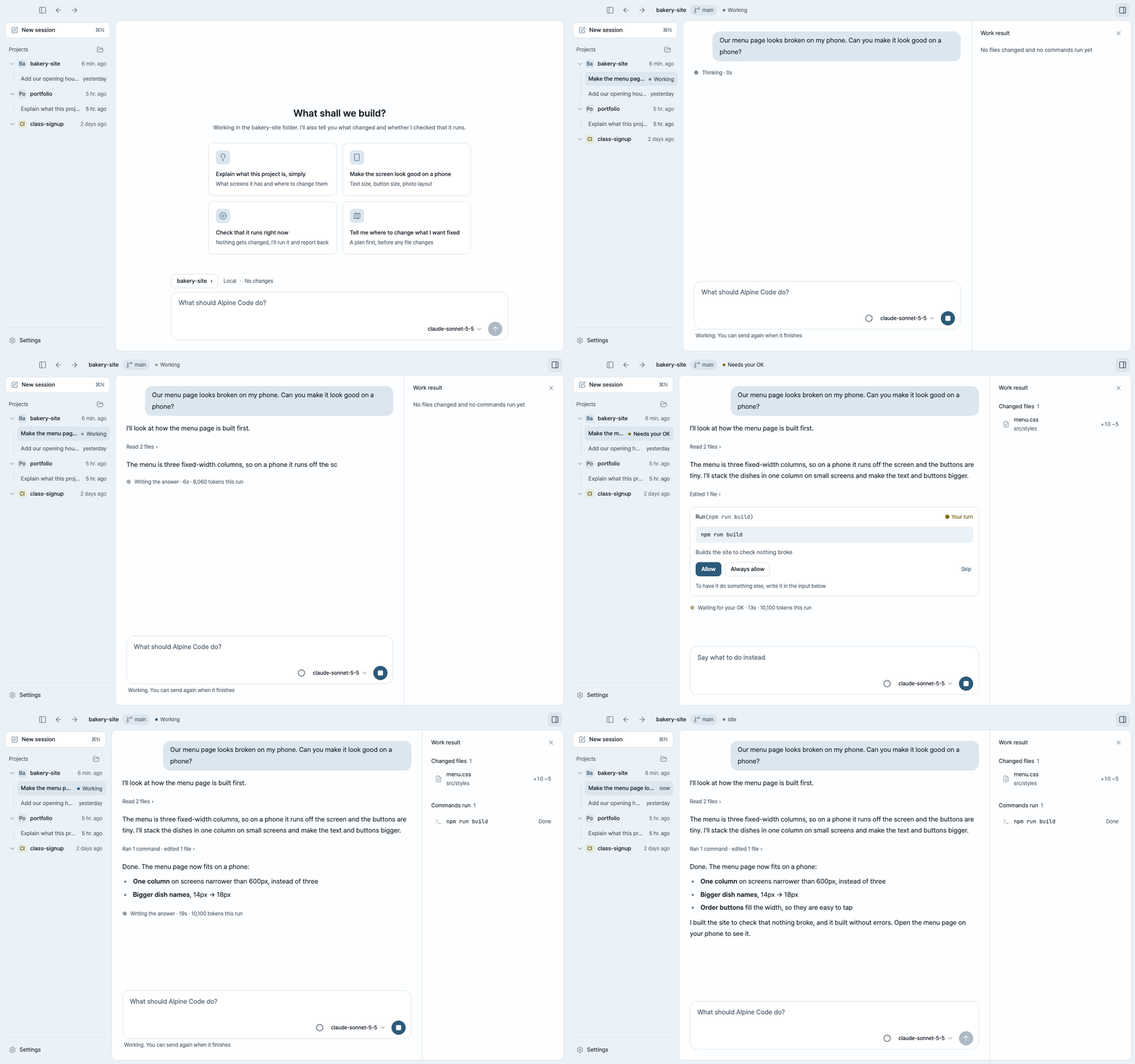
Alpine Code is an open-source AI coding agent for your desktop and your terminal. Open a folder, say what you want,
and it reads the files, makes the changes and checks that they work.
It's built for two kinds of people at once:
- If you don't code, it talks in plain words, asks before it changes anything and shows you everything it did.
- If you do, every part of it is yours to change: bring any model, write your own tools in Python, choose which
tools each project gets, or build on the agent core.
Open source
- MIT licensed. The agent, the desktop app and the terminal app are all in this repository. Read it, fork it,
change it. - Any model. Use your ChatGPT plan, an API key, or a model running on your own machine. Nothing ties you to one
provider. - No account, no server of ours. What you ask goes straight from your computer to the model you connected, and
Alpine Code sends us nothing. API keys stay on your computer, in~/.alpine-code, readable only by you. - Your files stay where they are. It works on your own folders, not a copy in the cloud, and keeps your
conversations on your computer.
Friendly if you don't code
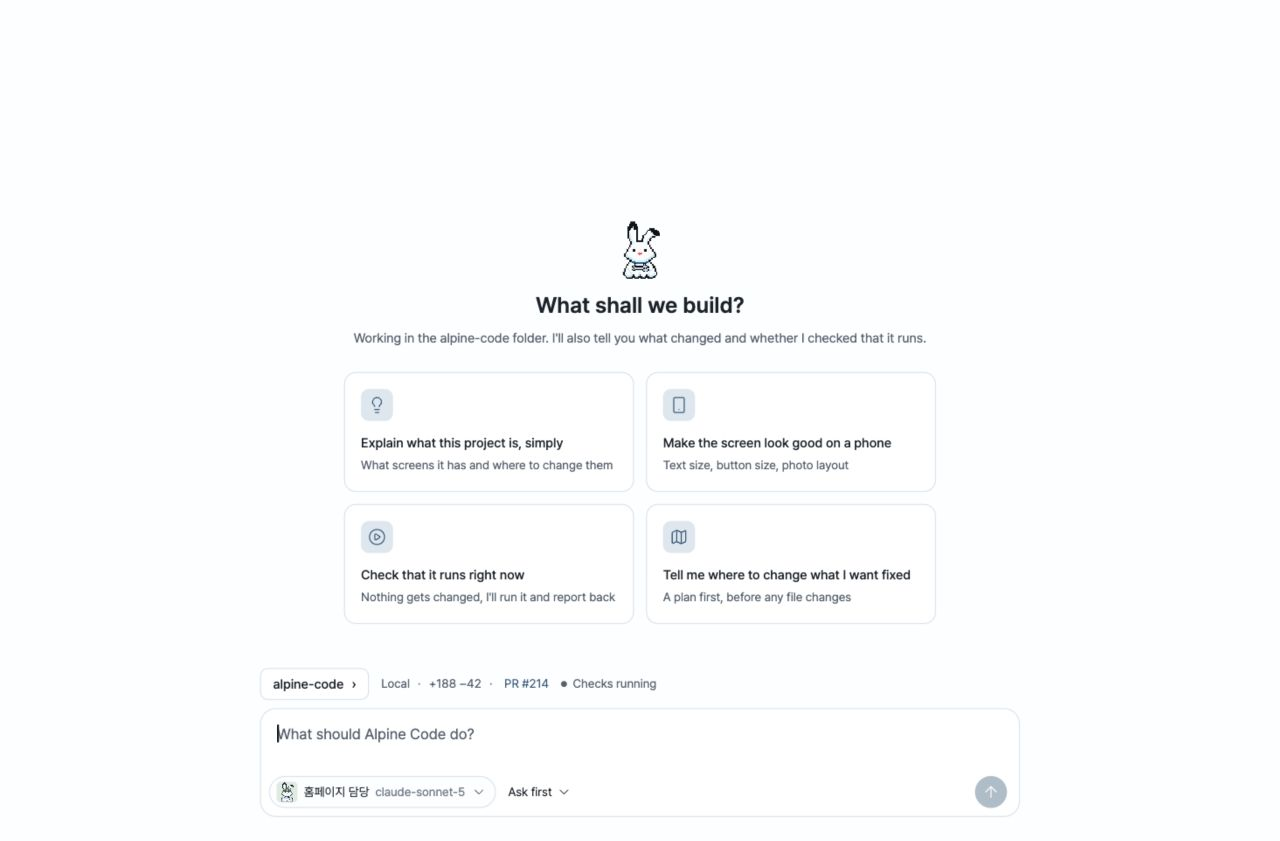
Ask the way you'd ask a person. "Make the menu page look good on a phone." "Explain what this project is,
simply." "Check that it still runs." Not sure where to start? A new session suggests a few things to try.
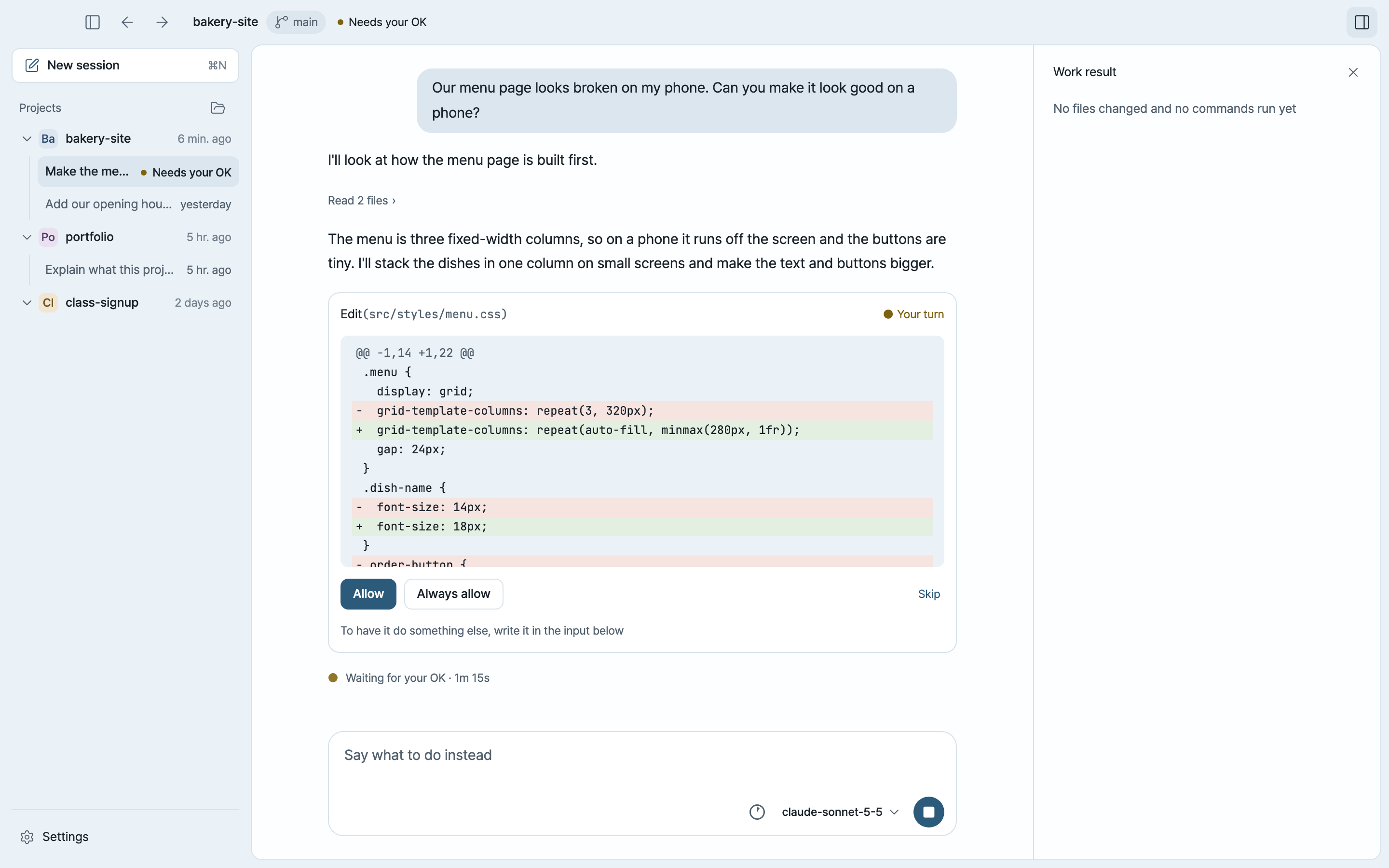
Nothing changes without your OK. It reads freely inside the folder you opened. Before it changes a file or runs a
command, it shows you what it wants to do and waits: Allow, Always allow, or Skip and tell it what to do
instead. A project that needs you is marked in the list, so you can leave it working and come back.
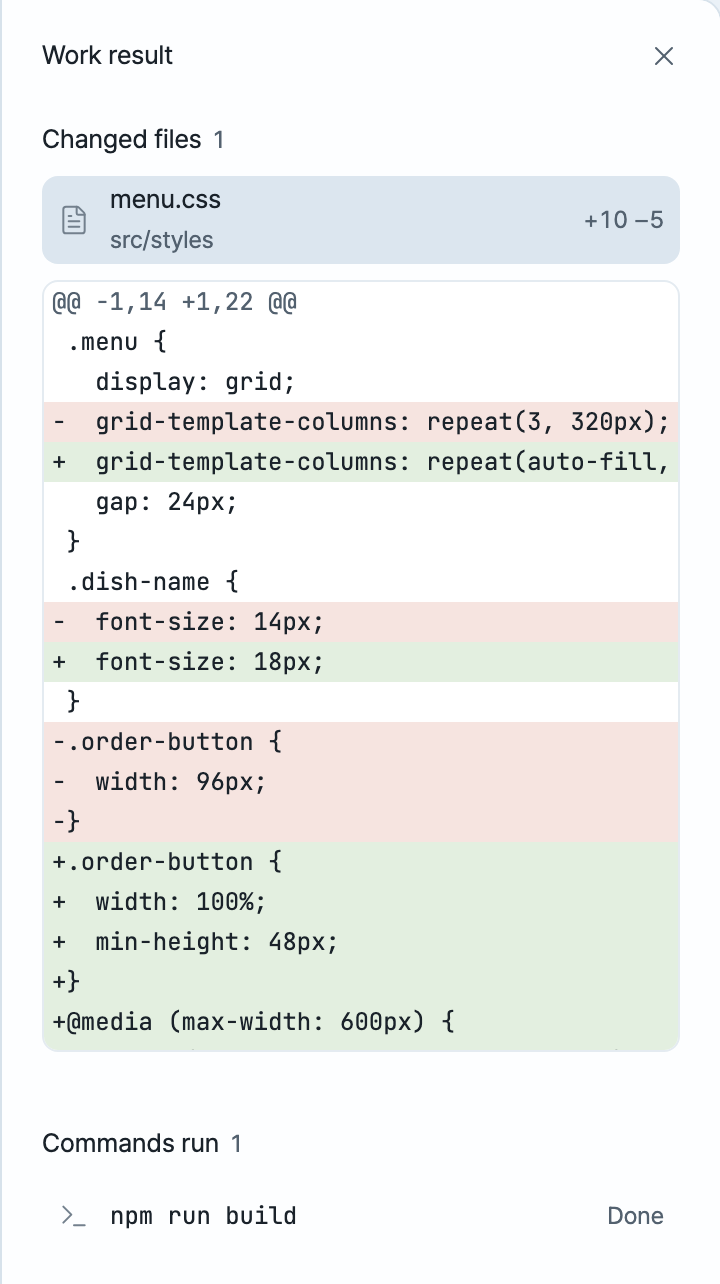
You see everything it did. The work result panel lists every file it changed, line by line, and every command it
ran. When it's done, it tells you what changed and whether it checked that it works.
No word left unexplained. Where a technical word can't be avoided, Alpine Code says what it means. Click the
memory meter to see how much of the conversation the model is keeping in mind, and what the chat has cost so far.
 |
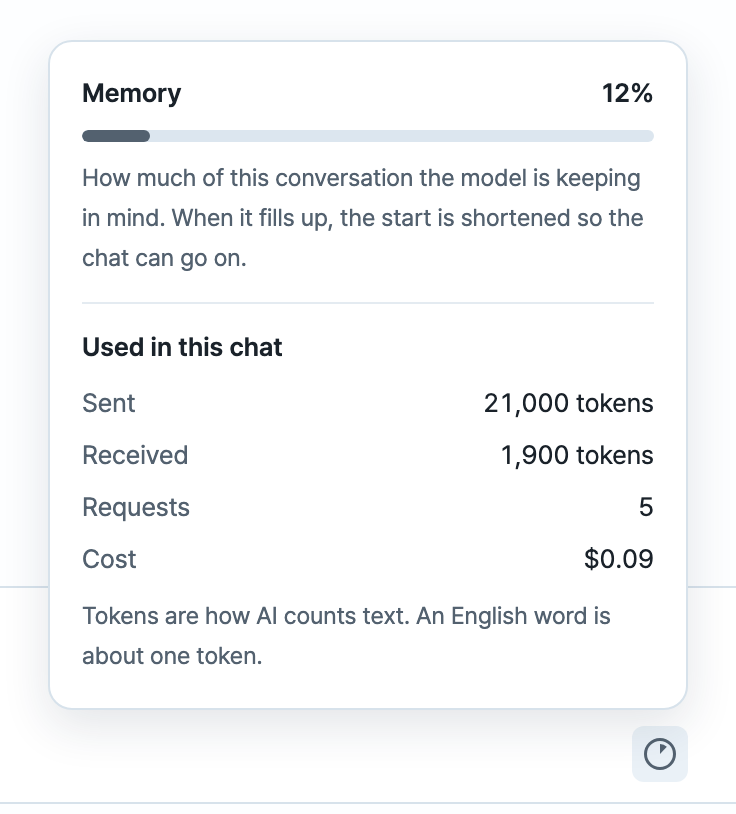 |
| Every change, line by line | Memory and cost, in plain words |
Hackable if you do
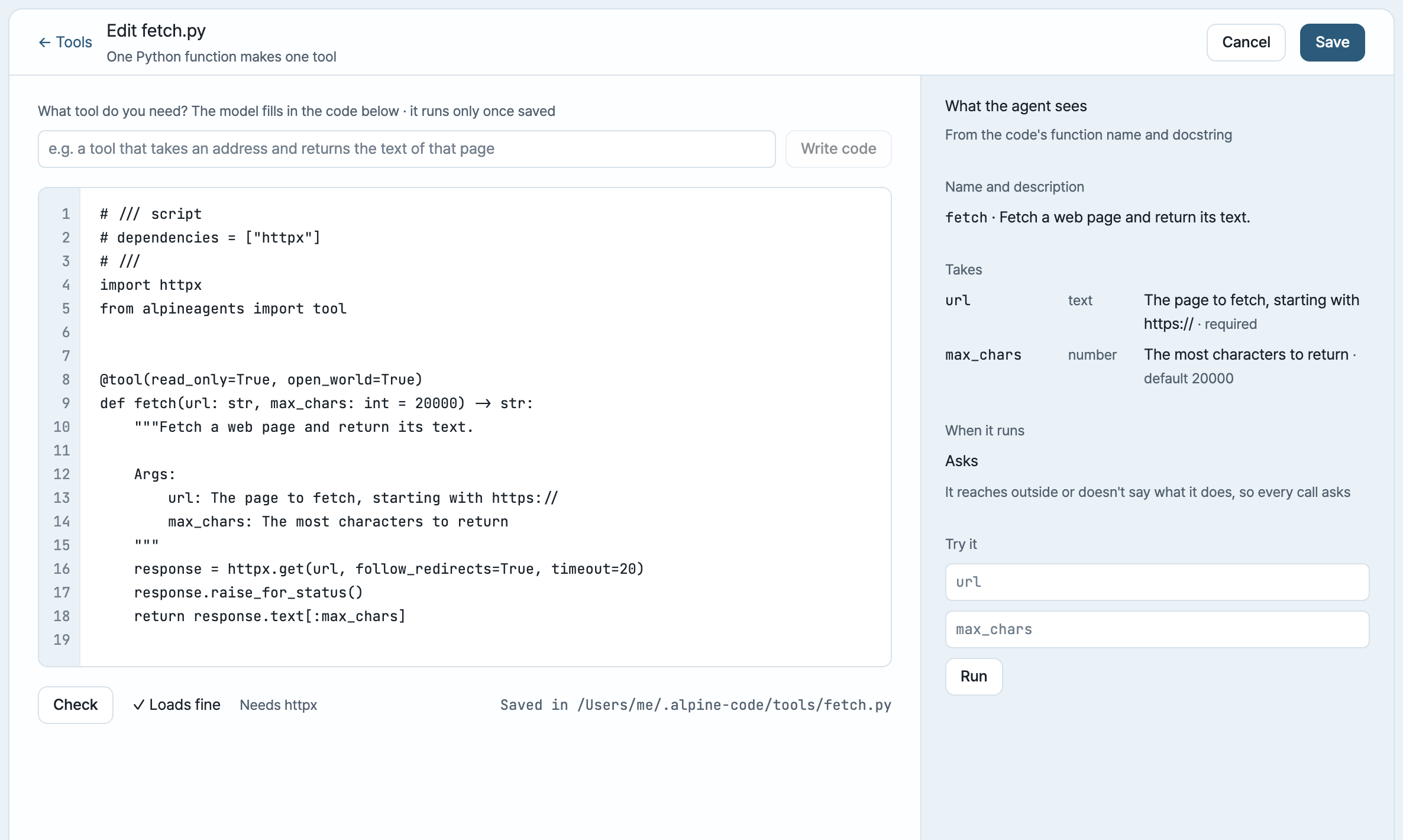
Write your own tools. A tool is one Python function: its name, type hints and docstring are what the agent sees.
List the packages it needs in the file (inline script metadata) and they're
installed for you, after asking for any it hasn't reviewed. Or describe the tool in a sentence and let the model write it. Check shows exactly what the
agent will see, and Try it runs it before you save.
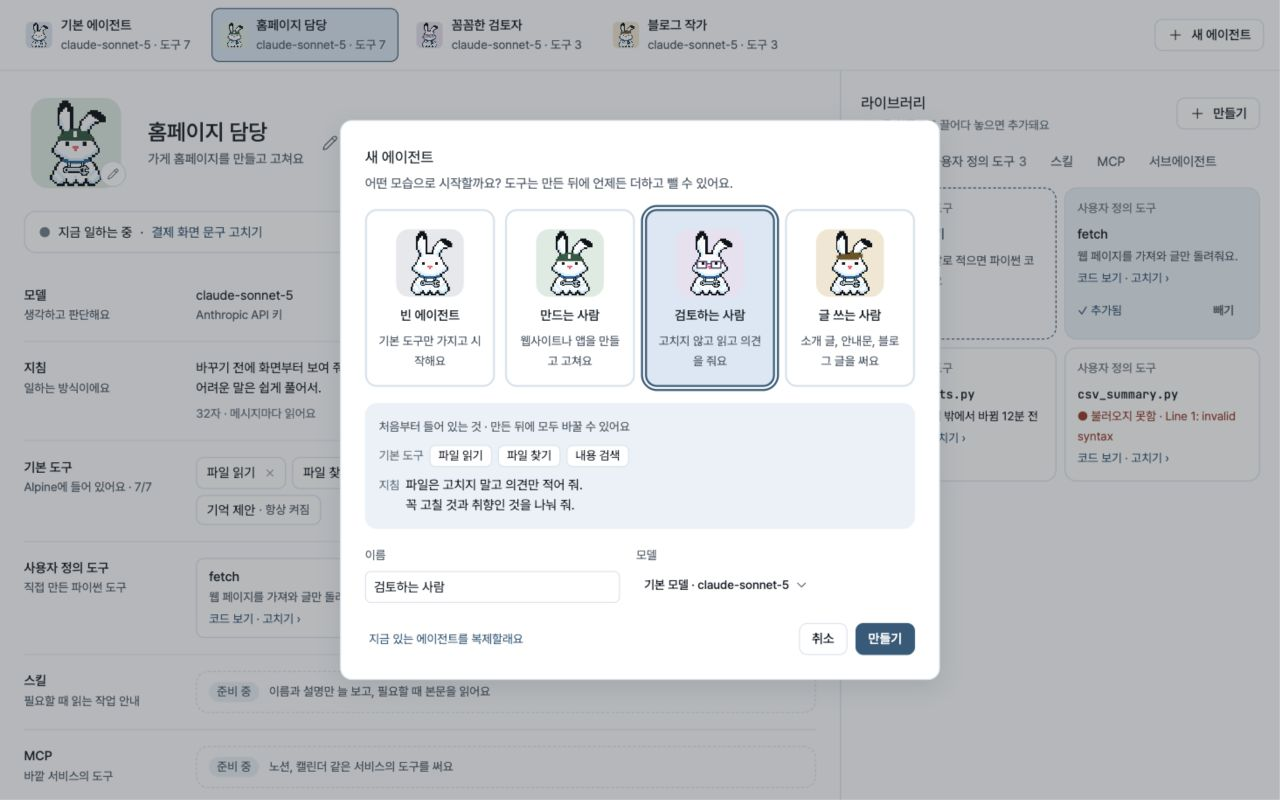
Build agents for each job. An agent is a model, instructions and the tools it may use, with a name and a
face. Every agent is the same Alpine snow hare, with its own accessories and background colour. Build them on the Agents screen, pick one per session in the composer, and switch whenever you like.
Tell it how your project works. An AGENTS.md (or CLAUDE.md) file in the folder is read before every session,
so you write your conventions down once.
Bring any model. Besides the providers it knows, any server that speaks the OpenAI API works, local or hosted.
Build on the core. The agent is its own Python package, alpine-code-core, with no UI in it. The desktop app
talks to it over a JSON-RPC protocol (packages/protocol), so another front end
is one more client. CONTRIBUTING.md shows how the repository fits together.
Get started
- Download Alpine Code from the latest release
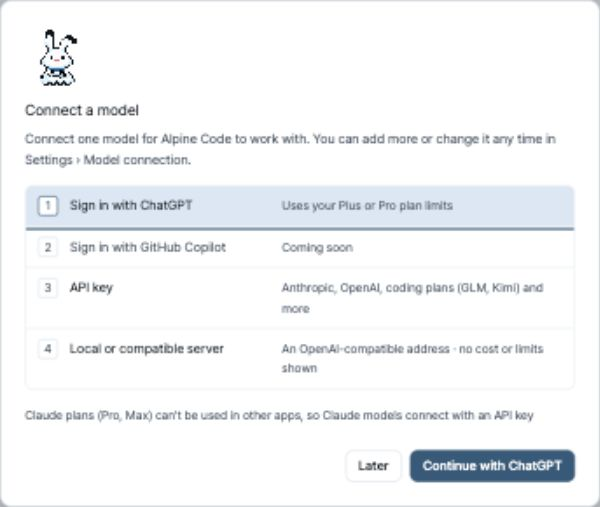
(the.dmgfile), open it and drag Alpine Code into Applications. - Connect a model. Alpine Code asks the first time you open it.
- Open a folder and say what you'd like to do.
Alpine Code runs on Macs with Apple silicon (M1 or later) and macOS 11 or later. It updates itself: a new version
downloads in the background and is installed when you quit. Windows is coming.
Connect a model
- Your ChatGPT plan. Sign in with ChatGPT to use your Plus or Pro plan. No API key, no separate bill.
- An API key from Anthropic (Claude), OpenAI, Google Gemini or OpenRouter, billed by what you use. Coding plans
work too: GLM Coding Plan, Kimi For Coding and MiniMax Coding Plan. - A model on your own computer through Ollama, LM Studio or vLLM. Free, and nothing leaves your machine.
You can connect several and switch models in the middle of a conversation without losing it. Claude's Pro and Max
plans can't be used in other apps, so Claude models connect with an API key.
In the terminal
The same agent runs in a terminal. With uv:
uv tool install alpine-code
alpine                                    # interactive
git diff | alpine -p "review this diff"   # print the answer and exit, for scripts and CI
Keys, commands, permissions and settings are in the terminal guide. The terminal and the
desktop app share their model connections.
Contributing
Bug reports, ideas and pull requests are welcome: open an issue
or start with CONTRIBUTING.md. Alpine Code is built on
alpineagents and released under the MIT license.
Brand
The snow hare’s bent ear, blue collar and horizontal wrench are shared by the app, terminal and website.
Find the brand assets and usage guide, or work on the independent website and getting-started guide repository.
Reviews (0)
Sign in to leave a review.
Leave a reviewNo results found