limoni
Health Pass
- License — License: Apache-2.0
- Description — Repository has a description
- Active repo — Last push 0 days ago
- Community trust — 56 GitHub stars
Code Pass
- Code scan — Scanned 12 files during light audit, no dangerous patterns found
Permissions Pass
- Permissions — No dangerous permissions requested
No AI report is available for this listing yet.
Terminal UI engine for Go that tests can click and AI agents can drive (MCP). Zero-allocation rendering, immediate mode + Elm architecture, 3D, images, charts, accessibility, WebAssembly.

🍋 Limoni
A terminal UI engine for Go that tests can click, AI agents can drive,
and the garbage collector never sees.





▶ Try it in your browser — the same engine compiled to WebAssembly, no install.
Quick start
go get github.com/thebanri/limoni
package main

import "github.com/thebanri/limoni"

func main() {
	limoni.Run(func(f *limoni.Frame, ev *limoni.Event) bool {
		if ev != nil && ev.Type == limoni.EventKey && ev.Key.Type == limoni.KeyEsc {
			return false // quit
		}
		f.RenderComponent(limoni.Border(
			limoni.Center(limoni.Label("Hello from Limoni 🍋  (Esc quits)", limoni.Bold())),
			limoni.SymbolsRounded,
			limoni.Fg(limoni.Hex("#FFCC00")),
		), f.Area())
		return true
	})
}
Or generate a project that runs straight away, with a test already written:
go run github.com/thebanri/limoni/cmd/limoni@latest new myapp    # -template counter|dashboard|form|ssh
cd myapp && go mod tidy && go run .
go test ./...                                                     # a uitest test comes with every template
Next: Getting started · Widget gallery · Examples
Why Limoni
1. Your TUI has a semantic tree, so tests and agents address widgets by name
Most terminal automation, such as termwright or
mcp-tui-test, parses the rendered character
grid, so a test breaks when the layout moves by one column. A Limoni app builds a
semantic tree every frame (the same tree a screen reader uses), and the tools below
work on that tree instead.
uitest: Playwright-style tests. Checks wait instead of sleeping, and a failure
prints the whole tree of the last frame.
page := uitest.Run(t, 80, 24, app.draw)            // in process: no terminal needed

page.GetByRole("input", "New task").Type("Tag v1.0")
page.GetByRole("button", "Add task").Click()
page.Expect(page.GetByRole("list-item", "").Within(page.GetByRole("list", "Tasks"))).ToHaveCount(3)
page.Expect(page.GetByID("status")).ToContainLabel("Added")
limoni-mcp: let an AI agent drive the app. It gives Claude Code, Cursor or any
MCP client eight tools (tree, click, type_text, wait_for…) that work on the
same tree. In one recorded run, Claude Code completed a release checklist in 17 tool
calls. That run included typing a deploy token the agent could not read back.
go run -tags limoni_debug ./examples/agent_checklist
claude mcp add limoni -- limoni-mcp -socket "$XDG_RUNTIME_DIR/limoni-checklist.sock"
The automation socket only exists in -tags limoni_debug builds. It is closed by
default, only the same user can connect, and secret fields are never exposed.
→ Semantic automation, MCP and uitest
2. Fast where you can feel it
- Zero heap allocations per frame for the renderer, every widget's drawing, and the click handling of the common input widgets, enforced in CI, so animations don't stutter from GC pauses. Widgets with drag or custom handlers (Table, Slider, Dialog, …) still allocate a closure each. The details.
- Few bytes per frame. Blank runs become
ECH/ELand repeats becomeREP: a full-screen redraw is 377 bytes, and an idle app sends nothing. Bytes, not CPU, are what you feel over SSH. - Virtual tables and lists. One million rows scroll at ~2.7 ms a frame, because only visible rows are touched.
| Measured on a Ryzen 5 5600, Go 1.27.1 | Latency | Allocations |
|---|---|---|
| Full-screen diff, 120×40, every cell changed | ~50 µs | 0 |
| 10% of the screen changed | ~24 µs | 0 |
| Nothing changed | ~2 ns | 0 |
| 100 layered blocks, drawn and diffed | ~68 µs | 0 |
Absolute numbers depend on the machine. The comparisons against Ratatui 0.30.2,
Ultraviolet and Bubble Tea v1.3.10, including which ratios are not meaningful, are in
docs/benchmarks.md and the methodology.
One earlier run showed a 4,700× lead; it came from a bug in the benchmark harness,
and the methodology explains how it was caught.
3. Batteries that other TUI libraries leave to you
| 🕶️ 3D | A software rasteriser for OBJ/STL/PLY/GLB with Lambert and Gouraud shading, drawn in terminal cells |
| 🖼️ Images | Kitty, Sixel, iTerm2 and half-block fallback |
| 📊 Charts | Braille line charts, bar charts, pie charts, sparklines |
| 📝 Markdown | GFM rendering with a scrollable reader |
| ♿ Accessibility | A semantic tree, a screen-reader line mode, NO_COLOR, high contrast, reduced motion |
| 🧬 Unicode | UAX #29 grapheme clusters (Unicode 17.0, all 766 conformance tests), so flags and emoji families take one cell |
| 🔗 Hyperlinks | OSC 8 links, in markdown or any style — and where the terminal cannot show them, the address is printed instead |
| 📃 Inline mode | Render in a band of the normal screen, like gum, with scrollback intact |
| ⏺️ Session replay | Record a session, replay it as a regression test (docs) |
| 🌐 Everywhere | Linux, macOS, BSD, Windows, WebAssembly in the browser, SSH sessions |
The only dependencies are golang.org/x/sys and golang.org/x/crypto.
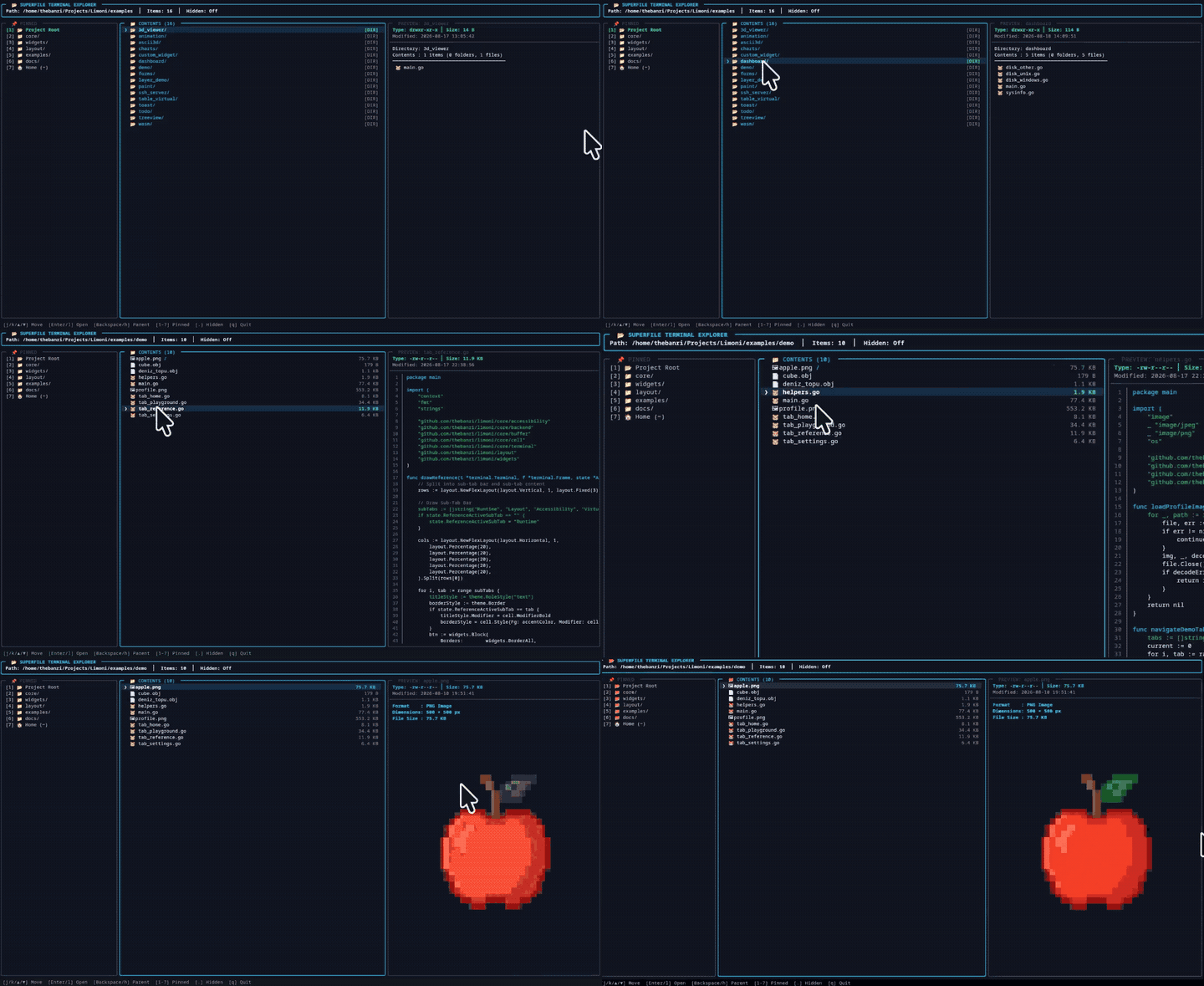 |
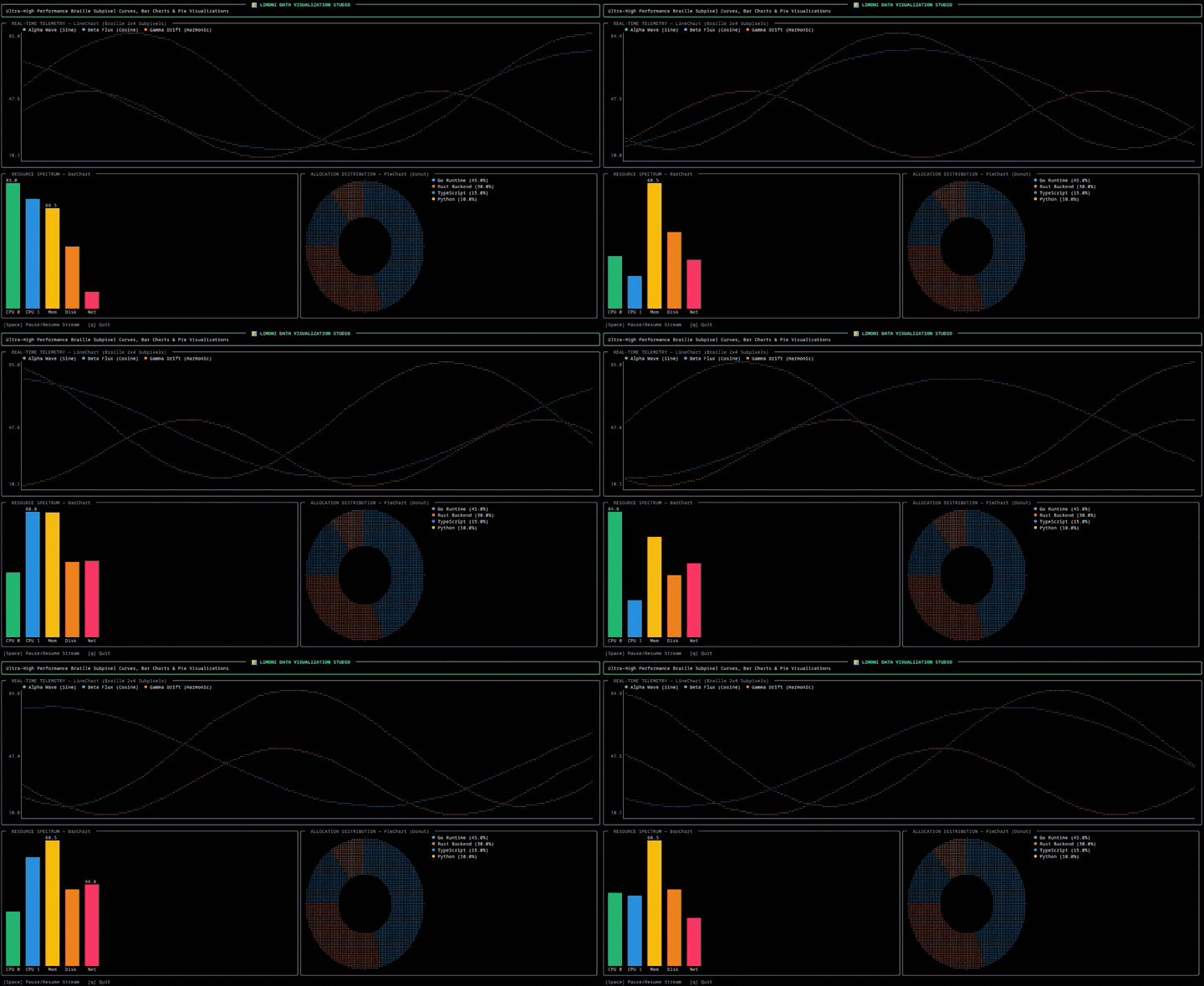 |
go run ./examples/treeview |
go run ./examples/charts |
Is Limoni the right choice?
Pick Limoni if you are writing a terminal app in Go and any of these matter:
- You want to test the UI, or let an AI agent use it, by widget role and label
rather than by screen coordinates (uitest,limoni-mcp). - It redraws a lot: dashboards, log viewers, monitoring, games, animation,
anything over SSH. The draw path makes no garbage and sends few bytes. - It needs things other libraries leave to you: 3D models, images, charts,
markdown, a million-row table, screen-reader support, WebAssembly in the browser. - You want both styles in one library: immediate mode (
limoni.Run) for
dashboards, the Elm architecture (limoni.RunProgram) for forms and wizards. - You want a small dependency tree:
golang.org/x/sysandgolang.org/x/crypto.
Pick something else if:
- You need a stable 1.0 API today. Limoni is pre-1.0 (see Status).
- You rely on the Charm ecosystem (Bubbles, Huh, Glamour, Wish) and its
community. Bubble Tea is the larger and older project. If you already have a
Bubble Tea app,compat/bubbletearuns your models on Limoni
(migration guide), so you can try it without a rewrite. - You are writing Rust: use Ratatui.
- The app is a one-shot prompt (a single question, a spinner): a small prompt
library is less to learn.
A feature-by-feature table against Bubble Tea v1/v2 and Ratatui 0.30 is in
docs/comparison.md.
Built with Limoni: zest
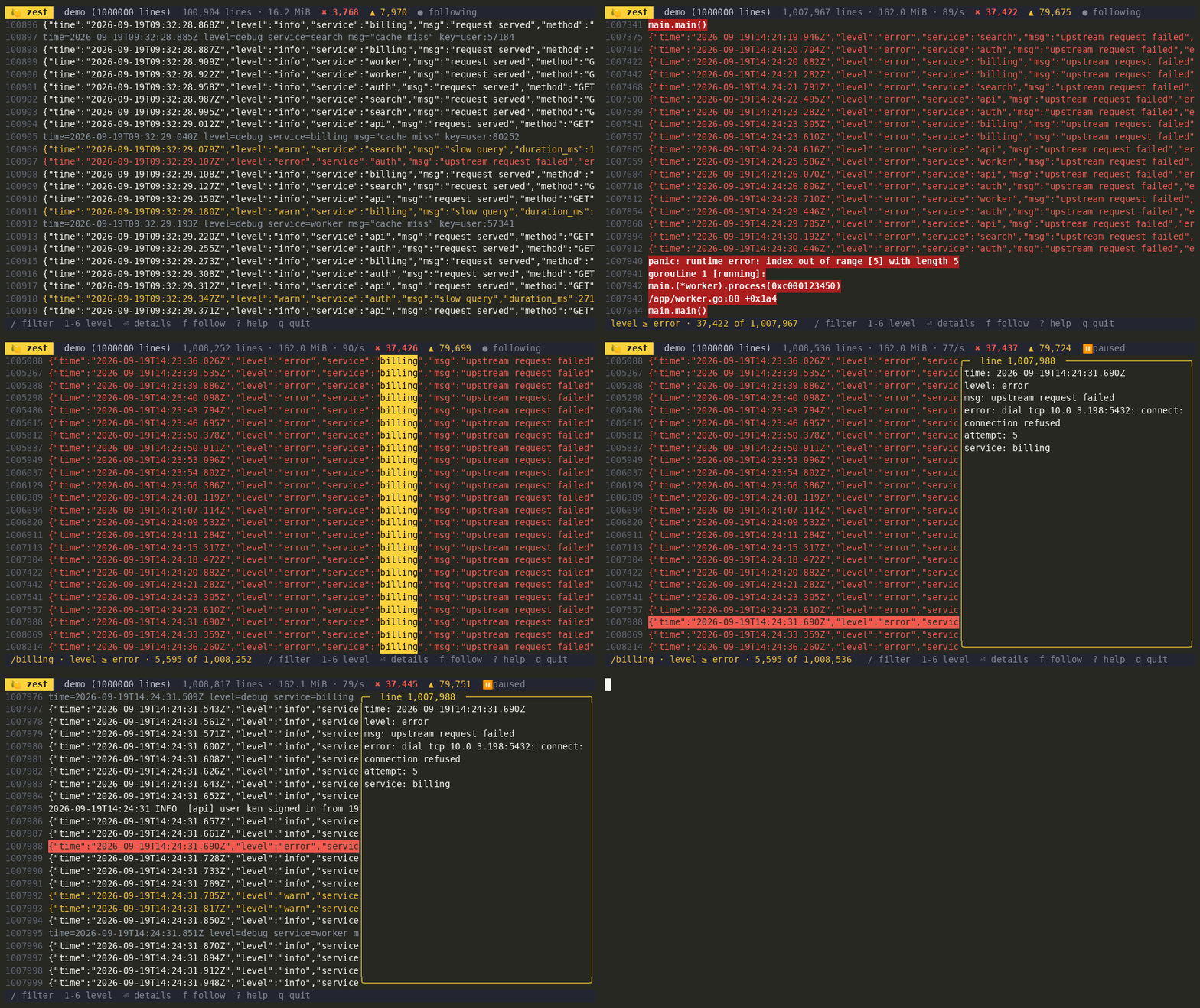
zest is a log viewer and Limoni's flagship app. It follows files and pipes, colours by
level, and filters a million lines without stalling. A 67 MiB, 1,000,000-line log is on screen in about half
a second.
go install github.com/thebanri/limoni/cmd/zest@latest
zest -demo 1000000        # or: zest app.log, kubectl logs -f pod | zest
Or try it in the browser: the "Logs · zest" scene.
And: globe
globe is a world you can turn, search, zoom into and pin — and what a Limoni
application looks like from the outside, since it is a module of its own that depends on a
published Limoni and uses nothing but its public API.
go install github.com/thebanri/limoni/apps/globe@latest
globe -at Türkiye
go install puts the binary in $(go env GOPATH)/bin — ~/go/bin unless you changed it —
which a fresh Go install does not add to your PATH. If globe is "command not found", add
that directory to PATH or run ~/go/bin/globe.
Everything on it is in the semantic tree, so "find Turkey on the world map" is something an agent
can do over MCP: type into search, click the row, read image#globe back asvalue="39.3°N 34.5°E · zoom 2.6×". Nothing of it reaches you when you import Limoni — a
directory with its own go.mod is not part of the module around it.
Two ways to write an app
| Immediate mode | Declarative (Elm architecture) | |
|---|---|---|
| Entry point | limoni.Run(func(f, ev) bool) |
limoni.RunProgram(ctx, model) |
| State lives in | your closure | a limoni.Model with Init / Update / View |
| Best for | dashboards, 3D, games, animation | forms, wizards, CRUD tools, async work |
| Runtime gives you | a redraw on every event | commands, cancellation, deterministic ordering, panic recovery, session recording |
Both use the same renderer and widgets and are available from the root package.examples/counter is a complete declarative app in under 80 lines.
Coming from Bubble Tea? See the migration guide.
Widgets
| Category | Widgets |
|---|---|
| Layout | VStack / HStack / ZStack, Flex, Border, grid layout (layout.GridLayout), Block (with border merging), SplitPane (draggable), Viewport, Dialog, Popup, StatusBar |
| Data | Table (virtual), List (virtual), TreeView, FilePicker, Calendar, Sparkline, ProgressBar, Gauge, LineGauge, RichText |
| Charts | LineChart, BarChart, PieChart — Braille, sextant or quadrant markers |
| Input | TextInput, Autocomplete, TextArea, Checkbox, RadioGroup, Select, Slider, ColorPicker |
| Navigation | Tabs, Scrollbar, CommandPalette, fuzzy search, keybinding manager |
| Feedback | Spinner, Toast, desktop notifications (OSC 9 / OSC 99) |
| Graphics | Canvas (Braille, sextant, quadrant, block), 3D meshes as dots or as a picture over kitty/iTerm2/Sixel, Image |
| Text | Markdown, CodeView (syntax highlighting), BigText, Label, Paragraph |
| Tooling | DevTools HUD (F12), themes, validation |
→ Widget gallery · Widget reference
Examples
| Example | What it shows |
|---|---|
demo |
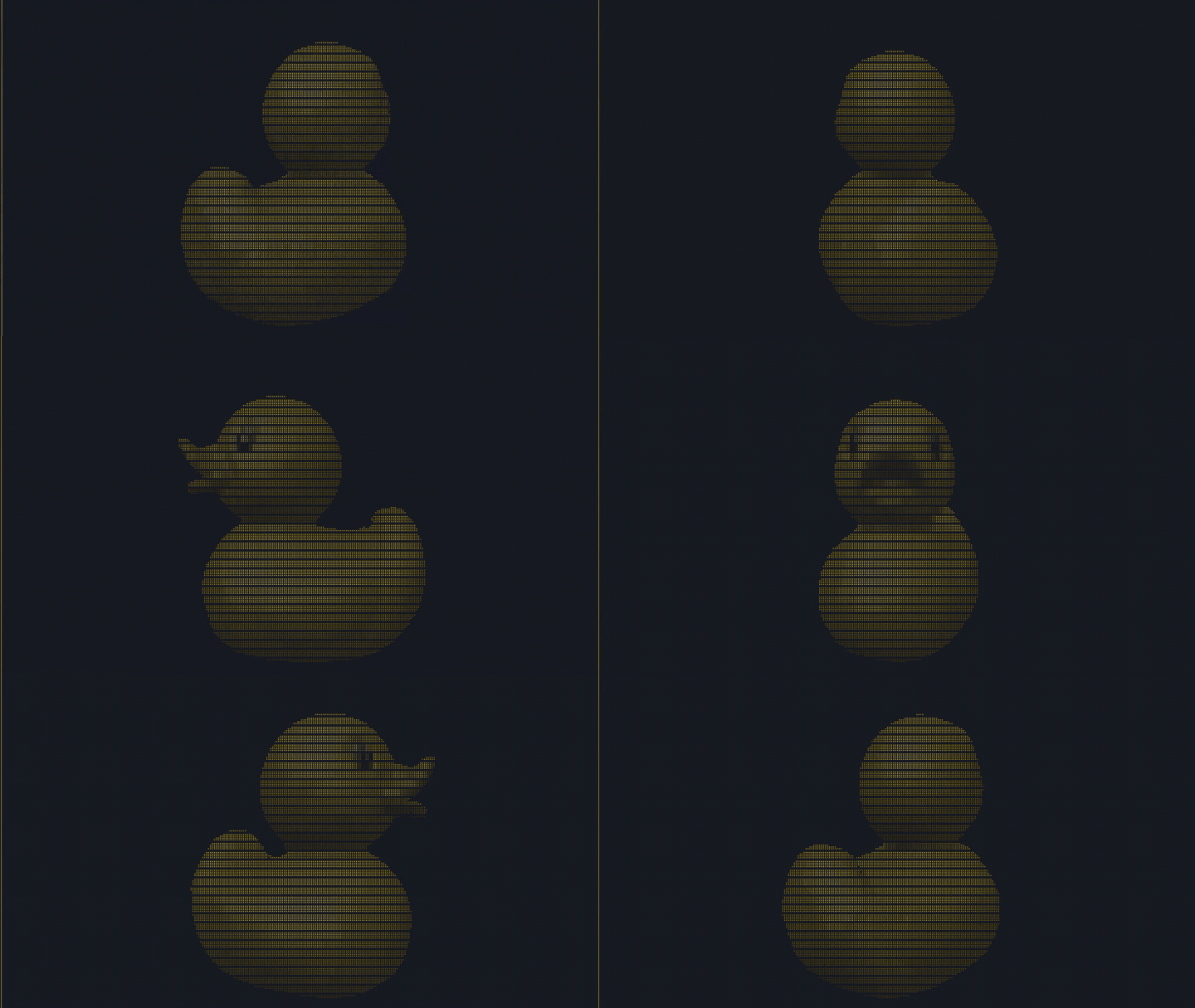
The feature trailer: a 3D lemon in ASCII, Braille and half-blocks |
showcase |
Tabs, forms, matrix rain, 3D, command palette, DevTools (F12) |
3d_viewer |
OBJ/STL/PLY viewer with shading and orbit controls (-fps 240) |
dashboard |
Live CPU and memory sparklines, a process table, streaming logs |
table_virtual |
A one-million-row table |
agent_checklist |
An app built to be driven by an AI agent, and tested with uitest |
todo |
A declarative todo app with tags, filters and fuzzy search |
counter |
The smallest declarative app |
composable |
Layout with VStack, HStack, Border, Flex |
forms · layer_demo · treeview · charts |
Inputs, modals, file tree, charts |
ssh_server · wasm |
Serving over SSH, running in the browser |
Run any of them with go run ./examples/<name>, or without cloning:go run github.com/thebanri/limoni/examples/3d_viewer@latest.
All examples: docs/examples.md.
Documentation
| Getting started | Install, first app, both application models |
| Architecture | The flat cell grid, the diff, why the draw path doesn't allocate |
| Layout · Widgets · Core API | Reference |
| Semantic automation | The automation socket, limoni-mcp, uitest and the security model |
| Session recording | Record and replay sessions as regression tests |
| Graphics · Animation · Accessibility | Feature guides |
| Drivers and platforms | Unix, Windows, WebAssembly, SSH |
| How it compares | Against Bubble Tea v1/v2, Lip Gloss and Ratatui, with the caveats |
| Benchmarks | Every measured number and how to reproduce it |
| Rendering FAQ | Hairline gaps, recommended terminals, emoji |
| Stability · Changelog | What may change before 1.0 |
Turkish documentation: docs/tr.
Status
Limoni is pre-1.0. Patch releases don't break the API; minor releases may, and
every break is listed in the changelog. The core renderer, layout and
widgets are settling; the automation, uitest and session packages are new and
experimental. See docs/stability.md for what has to happen
before v1.0.
Community and contributing
- Questions and ideas: GitHub Discussions
- Bugs: open an issue. The template asks for your terminal emulator, since most rendering bugs depend on it.
- First contribution: issues labelled
good first issueare scoped to one file and say how to verify the change. Start with CONTRIBUTING.md. - Built something? Add it to AWESOME.md.
AI assistants (Claude, Gemini) were used during development for scaffolding, tests
and documentation drafts. The architecture was designed, profiled and benchmarked
by the author, and the benchmark harness exists to check claims, from people or tools.
Security policy · Code of Conduct · Apache License 2.0
Reviews (0)
Sign in to leave a review.
Leave a reviewNo results found