zero-dollar-studio
Health Pass
- License — License: MIT
- Description — Repository has a description
- Active repo — Last push 0 days ago
- Community trust — 10 GitHub stars
Code Warn
- network request — Outbound network request in plugins/cartoonsmith/skills/cartoonsmith/template/src/compositions/_Episode/index.tsx
Permissions Pass
- Permissions — No dangerous permissions requested
No AI report is available for this listing yet.
Make YouTube videos with Claude Code for $0: free guides + Claude Code skills (make-video, snipshorts, cartoonsmith)








Script, voice, captions, music, animation and QA, made by free local tools and driven by Claude Code skills.
No subscriptions, no credits, no API keys, no watermark.
🎬 Watch it in action

▶ I make these AI videos for $0: my full free stack, explained · Short version
The script, voice, captions, music and edit were made with these skills; the AI face step lands in make-video v0.2.
|
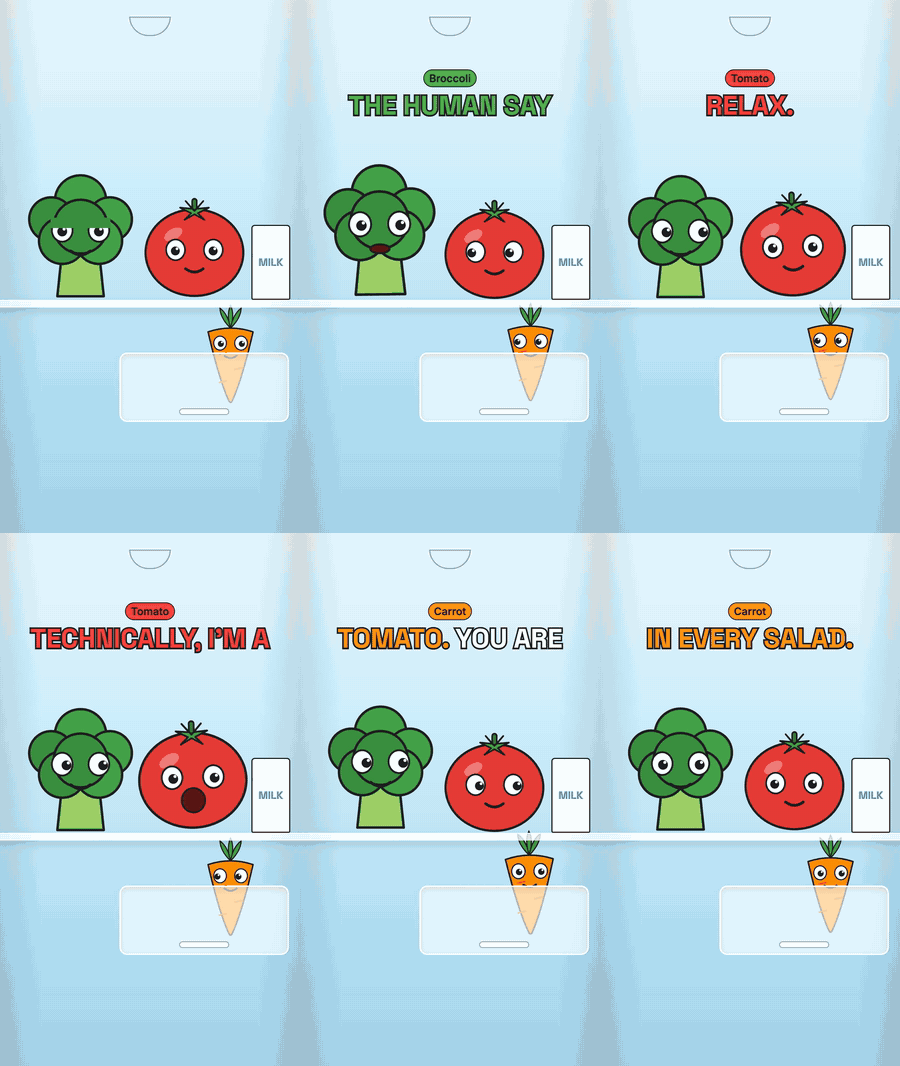
What you get on day oneInstall the plugin and ask for a video. Claude checks your Mac, lists what it needs to download, and waits for your OK. Then it sets everything up and renders Fridge Drama: 33 seconds of three vegetables arguing in a fridge, with voices, word-synced captions, music and SFX, all generated on your laptop. Then you ask for your own: "make a 30-second Short explaining how DNS works". Claude writes the script, checks its facts, voices it, captions it, scores it, renders it and runs a QA check on the result. |
🖼️ Made with it
Real Shorts from the channels these skills were built for, straight from the render folder.
 🎨 cartoonsmith Super Sharma Parivaar: rigged characters, lip sync, Hinglish captions |
 ✂️ snipshorts A TV episode → a vertical Short: hook title, captions, "how it started" rewind |
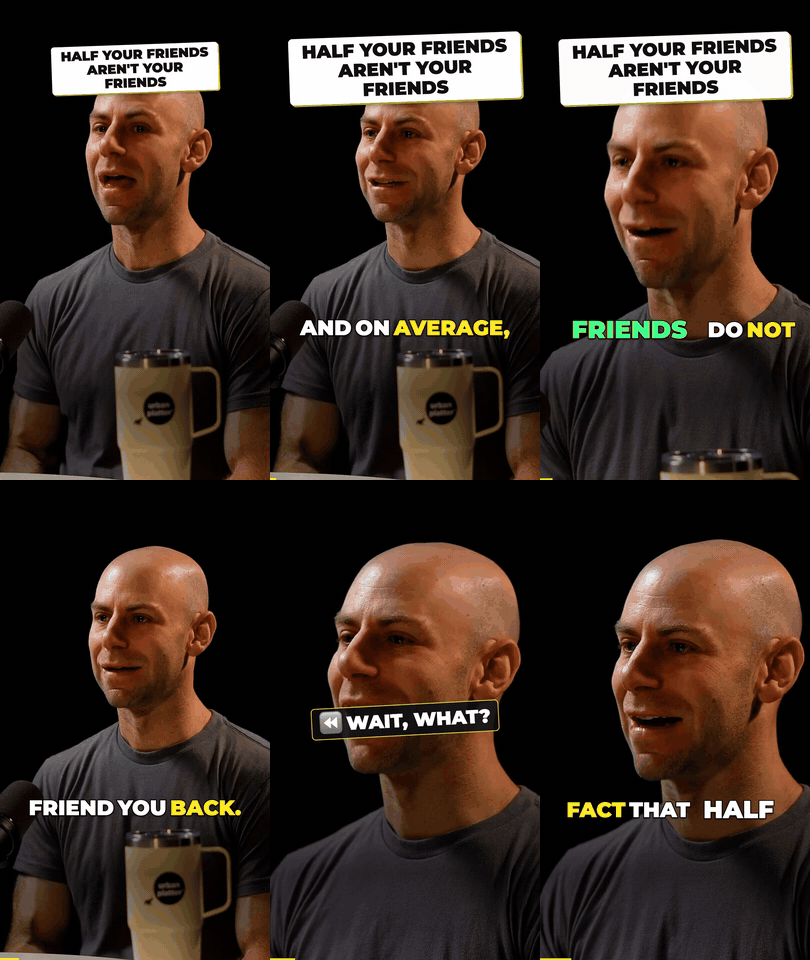 ✂️ snipshorts A 2-hour podcast → the best minute, speaker tracked, captions |
Clips shown as short demos of the output. Bigg Boss 20 © Colors TV / JioHotstar. Adam Grant on Figuring Out with Raj Shamani. Only clip what you have the rights to post.
💸 Why not just pay for it?
Doing the same with paid tools costs about $50 a month, and the free tiers stamp a watermark on your videos.
| You'd normally pay for | Paid tool (cheapest plan) | Here |
|---|---|---|
| Podcast → Shorts clipping | OpusClip: $15/mo (free plan is watermarked) | snipshorts: $0, no watermark |
| Cloning your voice | ElevenLabs: $6/mo (Starter) | Chatterbox, on your Mac: $0 |
| A talking AI presenter | HeyGen: $29/mo (free plan is watermarked) | JoyVASA + LivePortrait: $0 (make-video v0.2) |
| Captions, music, editing | an editor subscription, or hours by hand | make-video: $0, automatic |
Prices from each tool's pricing page, checked 30 Oct 2026. Paid tools are faster to start and run on any computer; this repo needs a Mac with Apple Silicon and some patience on the first setup.
🔁 How it works
flowchart TB
  subgraph write ["1 · Write and voice"]
    direction LR
    A["💡 Idea or<br>podcast link"] --> B["✍️ Script<br>your agent"] --> C["🎙️ Voice<br>Chatterbox"] --> D["💬 Captions<br>Whisper"]
  end
  subgraph make ["2 · Make and check"]
    direction LR
    E["🎵 Music + SFX<br>FluidSynth"] --> F["🎬 Render<br>Remotion"] --> G["✅ QA check<br>fails loop back"] --> H["📱 MP4 + title,<br>caption, tags"]
  end
  write --> make
Your coding agent does the thinking: script, fact checks, moment picking, edit plan. Everything else runs on free local tools. A QA step checks every render (loudness, caption sync, frozen or look-alike stretches) before you see it.
🧰 The skills
| Skill | What it does |
|---|---|
| 🎥 make-video | Idea → script → voice → captions → music → Remotion render → QA → ready to post |
| ✂️ snipshorts | A podcast or interview link → vertical Shorts with the speaker tracked, captions, SFX and posting copy. A free, open-source OpusClip alternative with no watermark |
| 🎨 cartoonsmith | Voiced cartoon episodes with recurring characters: talking rigs from your own character art, lip sync, captions and music |
| 📘 guides/ | Free PDF guides from the videos: Claude desktop cheat sheet, the $0 video stack, the AI avatar build, the daily pipeline |
Pairs well with: claude-youtube (MIT, third-party) for the planning side: /youtube hook gives five openers with their drop-off risk, plus ideate, competitor, thumbnail and repurpose. If you use it, give its skill description a narrower trigger, because the stock one also fires on words like "video" and "script" and takes over make-video requests.
⚡ Install
Pick the agent you use. The skills do the same thing in every agent; only the install command is different.
| I use… | Go to |
|---|---|
| Claude Code (CLI, desktop app or IDE) | 🟠 Claude Code |
| OpenAI Codex CLI | ⚪ Codex |
| Google Gemini CLI | 🔵 Gemini CLI |
| Cursor, GitHub Copilot or another agent | 🟣 Other agents |
| ChatGPT, Claude.ai, Kimi or Gemini on the web | ❌ Not supported. The pipeline needs your Mac's GPU and about 6 GB of local models. |
Every agent needs: macOS on Apple Silicon, Homebrew and about 8 GB of free disk.
🟠 Claude Code
Type these in Claude Code (they're slash commands, not terminal commands):
/plugin marketplace add TheNoumanDev/zero-dollar-studio
/plugin install make-video@zero-dollar-studio
/plugin install snipshorts@zero-dollar-studio     # optional add-on
/plugin install cartoonsmith@zero-dollar-studio   # optional add-on
/reload-plugins
- Needs: Node 20+.
- Start: just ask, e.g. "make a 30-second Short explaining how DNS works". Claude picks the right skill.
- Update:
/plugin marketplace update zero-dollar-studio
⚪ Codex
Run this in your terminal, inside the folder you'll make videos in:
npx skills add TheNoumanDev/zero-dollar-studio -a codex
- Needs: Node 22+ for the installer (
node -v; on Node 20 it fails with agloberror). - Installs to:
.agents/skills/in that folder. Add-gto install for every folder. - Start: open
codexthere and ask, e.g. "use the make-video skill to make a 30-second Short about DNS". - snipshorts: set
export SNIPSHORTS_LLM=codexso it asks Codex instead of Claude to pick moments. - Update:
npx skills update
🔵 Gemini CLI
Run this in your terminal, inside the folder you'll make videos in:
npx skills add TheNoumanDev/zero-dollar-studio -a gemini-cli
- Needs: Node 22+ for the installer.
- Installs to:
.agents/skills/in that folder. Add-gto install for every folder. - Start: open
geminithere and ask, e.g. "use the make-video skill to make a 30-second Short about DNS". - snipshorts: set
export SNIPSHORTS_LLM=gemini. - Update:
npx skills update
🟣 Other agents
Cursor, GitHub Copilot and any agent that reads Agent Skills and can run shell commands:
npx skills add TheNoumanDev/zero-dollar-studio -a cursor           # or -a github-copilot
npx skills add TheNoumanDev/zero-dollar-studio                     # asks which agents you use
- Needs: Node 22+ for the installer.
- snipshorts: it asks an agent CLI to pick moments. Set
SNIPSHORTS_LLMtoclaude,codex,geminior any command that reads a prompt on stdin, e.g.SNIPSHORTS_LLM="ollama run qwen3:14b". - Add
-s make-videoto install one skill instead of all three.
Tested so far: the installer for each agent above, and snipshorts'
SNIPSHORTS_LLMswitch. Full video runs have been tested in Claude Code only. If something breaks in your agent, please open an issue.
▶️ Your first video (same in every agent)
- Ask for a video: "make a 30-second Short explaining how DNS works".
- OK the downloads. The first time, your agent checks your Mac, lists what it needs (about 6 GB of free models, each with its size) and waits for your OK.
- Watch it set up. It sets up a video project, renders the Fridge Drama example to prove everything works, then makes your video.
snipshorts and cartoonsmith are add-ons: they copy their tools into the project that make-video sets up, so install make-video too.
🆓 The free stack
| Job | Tool |
|---|---|
| Brain | Claude Code |
| Video | Remotion (React) |
| Voice | Chatterbox (built-in voice, or a clone of your own) · Indic Parler-TTS for Hindi and other Indian languages |
| Captions | Whisper |
| Music + SFX | MIDI written as code → FluidSynth |
| Speaker framing | YuNet |
| Lip sync | Rhubarb |
| AI face | JoyVASA + LivePortrait (coming in make-video v0.2) |
❓ FAQ
Is it really $0?
Yes, for the tools and models. You need a computer, and an AI coding agent you already use (Claude Code, Codex, …) on its normal plan. There are no API keys, credits or per-video fees.
Can I use the videos commercially?
Usually, yes. The code is MIT, and Chatterbox, Whisper and FluidSynth allow commercial use. Remotion is free for individuals and companies of up to 3 people; bigger companies need a Remotion Company License. See THIRD_PARTY_NOTICES.md.
Windows or Linux?
Not yet. The voice model and the take checker use the Apple GPU. Linux with an NVIDIA GPU is on the roadmap, and PRs are welcome.
How long does a video take?
On an M1 Max, a 33-second voiced Short takes about 4 minutes from scratch, or about 2 minutes once the voice is cached. The channel's 1-minute avatar videos take about 40 minutes, most of it the AI face step.
Can it clone my voice?
Yes, from a 10-15 second clean recording of your own voice. Only clone voices you have consent for, and leave Chatterbox's inaudible watermark in.
Does it post to YouTube for me?
No, on purpose. It writes the video, title, caption and tags to a folder, and you post them yourself.
🗺️ Roadmap
- make-video, snipshorts, cartoonsmith v0.1
- Works in other agents through
npx skills add - make-video: karaoke caption style, smarter caption gap fill with a match-rate report, QA for the Reels right-side button rail
- snipshorts: scored shortlist you pick from, caption styles (bold, bounce, clean), captions that avoid faces, screen recordings that follow the cursor, noise removal, per-platform encodes, house-style notes
- edit-footage: turn your own talking-head recording into a reel (best take of each line, no pauses or false starts)
- make-video v0.2: optional AI talking face (JoyVASA + LivePortrait, no non-commercial face models)
- Full runs tested in Codex and Gemini CLI
- snipshorts: cover maker and upscaling
- cartoonsmith: body motion (walk, wave, dance)
- Linux + NVIDIA support
- More guides from the videos
🤝 Contributing
Bug reports, fixes and new lessons are welcome. See CONTRIBUTING.md.
📜 Licenses
- Code: MIT. Remotion has its own license: free for individuals and companies of up to 3 people. Larger companies need a Remotion Company License.
- Guides (
guides/): CC BY 4.0. - Third-party models keep their own licenses. Some face-model weights are non-commercial and are never used here; see THIRD_PARTY_NOTICES.md.
- Only clone voices you have consent for. Chatterbox adds an inaudible watermark; leave it in.

Made by TheNoumanDev · the toolkit behind @0x45.dev on YouTube
⭐ Star the repo if it saved you a subscription. Issues and PRs are welcome.
Reviews (0)
Sign in to leave a review.
Leave a reviewNo results found