leash
Health Warn
- License — License: MIT
- Description — Repository has a description
- Active repo — Last push 0 days ago
- Low visibility — Only 5 GitHub stars
Code Warn
- network request — Outbound network request in dashboard/src/docker.ts
- process.env — Environment variable access in dashboard/src/logs.ts
- process.env — Environment variable access in dashboard/src/policy.ts
- process.env — Environment variable access in dashboard/src/server.ts
- process.env — Environment variable access in dashboard/src/skills.ts
- network request — Outbound network request in dashboard/src/skills.ts
Permissions Pass
- Permissions — No dangerous permissions requested
No AI report is available for this listing yet.
Sandbox to run AI coding agents (Claude Code, Codex, Gemini, Grok) with full TLS inspection, domain allowlist enforcement, and Falco syscall monitoring
Leash
A sandbox for AI coding agents: proxied traffic is decrypted and logged, and egress runs against an enforced allowlist.

-0099cc.svg?style=for-the-badge)


Why Leash exists
In early 2026 an incident with the Grok CLI made a latent risk concrete. During a normal coding session the agent read local credential files and sent data to an undisclosed endpoint, while appearing to work normally.
Nothing about that is specific to Grok. Claude Code, Codex, and Gemini CLI all run as your user. They can read ~/.ssh, .env files, and ~/.aws credentials, and they can open HTTPS connections to any destination. You get no visibility into what they actually send.
Agent skills and plugins are a newer version of the same problem. They are files an agent reads and follows, so a malicious one can inject instructions, exfiltrate data, or escalate privileges. Until you scan it, you install it blind.
Leash addresses both:
- An isolated environment where agents have no direct route to the internet
- TLS decryption of every intercepted HTTPS request, so you see the body and not just the destination
- An enforced domain allowlist, with everything outside it blocked and logged
- Syscall-level monitoring via Falco, covering credential reads, writes outside the workspace, and unexpected processes
- A web dashboard for watching all of that live, managing the allowlist, and controlling the sandbox
- A security scan for any skill or plugin before it gets installed
Decryption, logging, and allowlist enforcement apply to traffic that actually goes through the proxy. Hosts listed in ignore_hosts are tunneled un-intercepted, so their request bodies are never decrypted and never reach the allowlist check or the flow log; see Adjusting the allowlist. Egress isolation and Falco monitoring still cover those hosts, since neither depends on the proxy.
Architecture
macOS host (Apple Silicon or Intel)
└── Lima VM  "agent-lab"  (Ubuntu 24.04, Virtualization.framework)
    ├── Falco  ─── modern eBPF on VM kernel ──▶ logs/falco.jsonl
    └── Docker Compose
        ├── network "jail"   (internal: true, no direct egress)
        ├── network "egress" (bridge; proxy, dashboard, skillspector reach internet)
        │
        ├── proxy   mitmproxy 11              [jail + egress]
        │           ├── full TLS decrypt (CA injected into agents)
        │           ├── domain allowlist enforcement → 403 + blocked.jsonl
        │           └── request body logging → flows.jsonl
        │
        ├── agents  node:22                   [jail only]
        │           ├── Claude Code
        │           ├── OpenAI Codex CLI
        │           ├── Gemini CLI
        │           └── Grok CLI
        │
        ├── dashboard  bun + hono + react     [egress only]
        │           ├── live flows/blocked/falco viewer (WebSocket)
        │           ├── policy editor + container control (docker.sock)
        │           └── Skills tab → calls skillspector, writes named volumes
        │
        └── skillspector  python + fastapi    [egress only]
                    └── scans a pasted skill/plugin URL before install
Traffic flow: agent → proxy (decrypt + enforce) → internet
The agents container has no direct egress at all, because an internal: true Docker network has no gateway. dashboard and skillspector sit outside the jail and reach the internet over egress; they are operator tooling, not something the agent drives.
What gets logged
| Log file | Contents |
|---|---|
logs/flows.jsonl |
Every decrypted request: host, method, path, status, body hash, body preview (512 bytes) |
logs/blocked.jsonl |
Every blocked attempt: timestamp, host, method |
logs/falco.jsonl |
Syscall alerts: credential reads, bypass attempts, unexpected processes |
Example of catching an exfiltration attempt:
// logs/blocked.jsonl: agent tried to reach an unknown endpoint
{"ts": 1783969672, "event": "blocked", "host": "telemetry.unknown-vendor.io", "method": "CONNECT", "path": "/"}

// logs/flows.jsonl: body of an allowed request, fully decrypted
{"host": "api.anthropic.com", "method": "POST", "path": "/v1/messages",
 "req_size": 54564, "req_body_preview": "{\"model\":\"claude-opus-4\",\"messages\":[...]}"}

// logs/falco.jsonl: agent read your SSH key
{"rule": "Agent reads sensitive credentials", "priority": "Critical",
 "output": "proc=node file=/home/agent/.ssh/id_rsa container=agents"}
Quick start
Prerequisites: macOS (Apple Silicon or Intel), Lima (brew install lima), Docker Desktop (for local image builds only).
# 1. Clone
git clone https://github.com/thiagolmoraes/leash
cd leash

# 2. Add your API keys
cp .env.example .env
# edit .env with real keys (and set MITMWEB_PASSWORD to protect the :8081 UI)

# 3. Bring everything up
make
What bare make does depends on whether the VM exists yet. On a first run it creates the Lima VM (a one-time ~500MB Ubuntu 24.04 download), builds the images, and starts the stack. If the VM is already there, it shows an interactive menu for opening a shell, starting the stack, opening the proxy UI, or stopping the VM.
The individual steps are still available: make vm-up for the VM only, make up to build and start the stack.
Usage
make claude        # run Claude Code inside the sandbox
make codex         # run OpenAI Codex CLI
make gemini        # run Gemini CLI
make grok          # run Grok CLI
make shell         # interactive bash as non-root agent user

make ui            # open mitmweb at http://localhost:8081 (live TLS flows)
make dashboard     # open the Leash dashboard at http://localhost:8082
make logs          # tail blocked.jsonl + falco.jsonl
make logs-flows    # tail all decrypted flows
make logs-blocked  # tail blocked attempts only
make logs-falco    # tail Falco syscall alerts

make test          # run full security test suite (19 tests)
make restart-proxy # reload after editing proxy/policy.yaml
make down          # stop containers
make vm-down       # stop Lima VM
Adjusting the allowlist
Edit proxy/policy.yaml. Switching to mode: observe lets allowlist misses through instead of returning a 403, which is how you discover what domains a newly added CLI legitimately needs. It changes allowlist enforcement only: requests are still decrypted and logged, the agents container still has no direct egress, and Falco keeps monitoring syscalls.
mode: enforce   # enforce | observe

allow:
  - api.anthropic.com
  - platform.claude.com
  - api.openai.com
  - generativelanguage.googleapis.com
  - api.x.ai
  # add domains here

# Optional: hosts to pass through un-intercepted (see "TLS cert pinning" below)
# ignore_hosts:
#   - pinned-api\.example\.com
After editing:
make restart-proxy # no rebuild needed, policy is volume-mounted
The dashboard's Policy tab does the same thing without hand-editing YAML, but it only manages allow and mode. Setting ignore_hosts is YAML-only for now.
ignore_hosts is a real hole in coverage, so use it deliberately. Listed hosts are tunneled straight through: mitmproxy never decrypts them, the gatekeeper never checks them against the allowlist, and nothing about them lands in flows.jsonl. You keep egress isolation and Falco for those hosts, but you lose request visibility entirely. Unlike allow and mode, it is read once at proxy startup, so a change only applies after make restart-proxy.
Dashboard
make dashboard # opens http://localhost:8082
A web UI covering everything the CLI, mitmweb, and jq combination above does by hand.
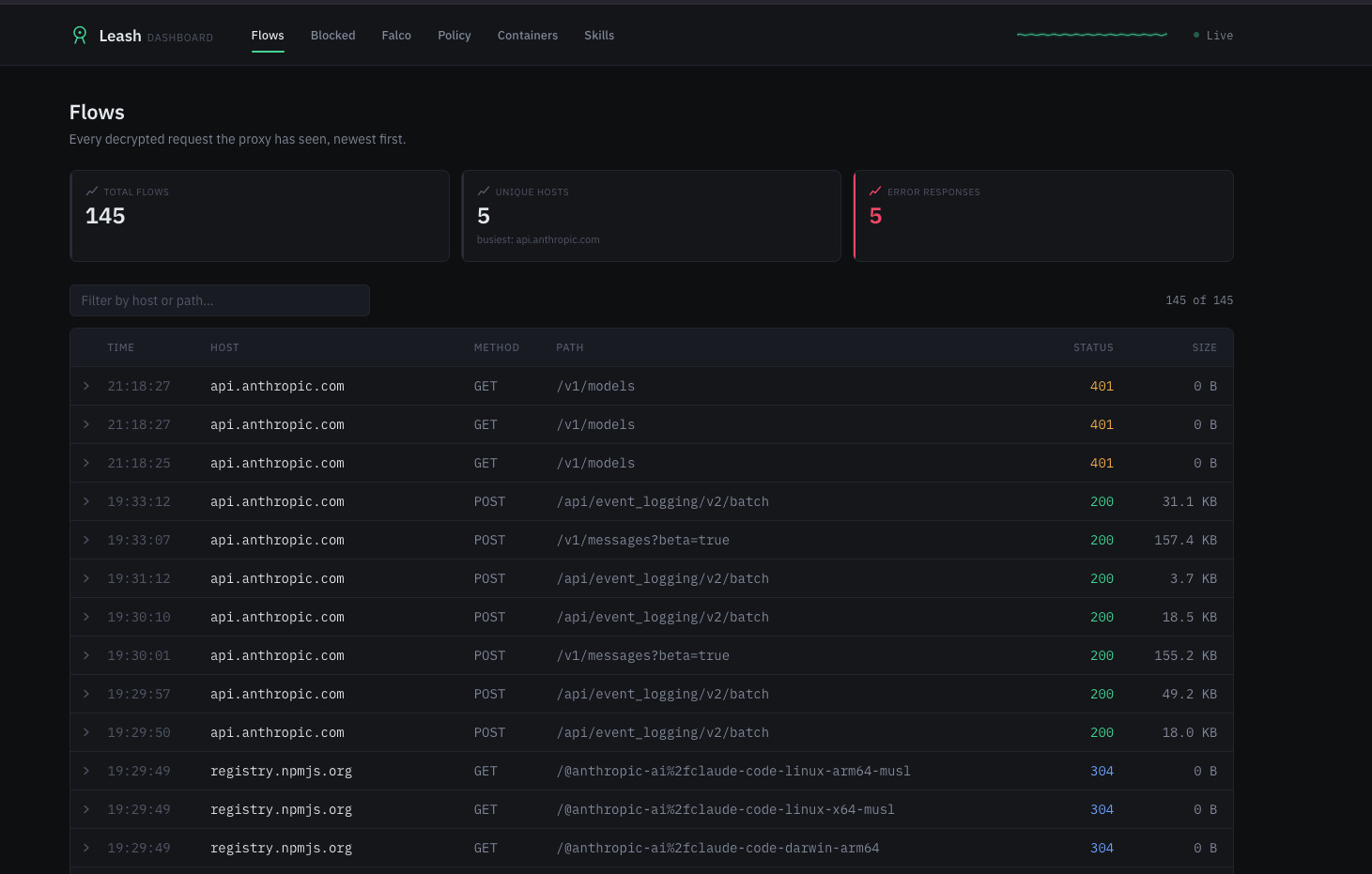
Flows
A live table of every decrypted request and response (host, method, path, status, size), updated over a WebSocket. Clicking a row expands the body preview and its sha256.
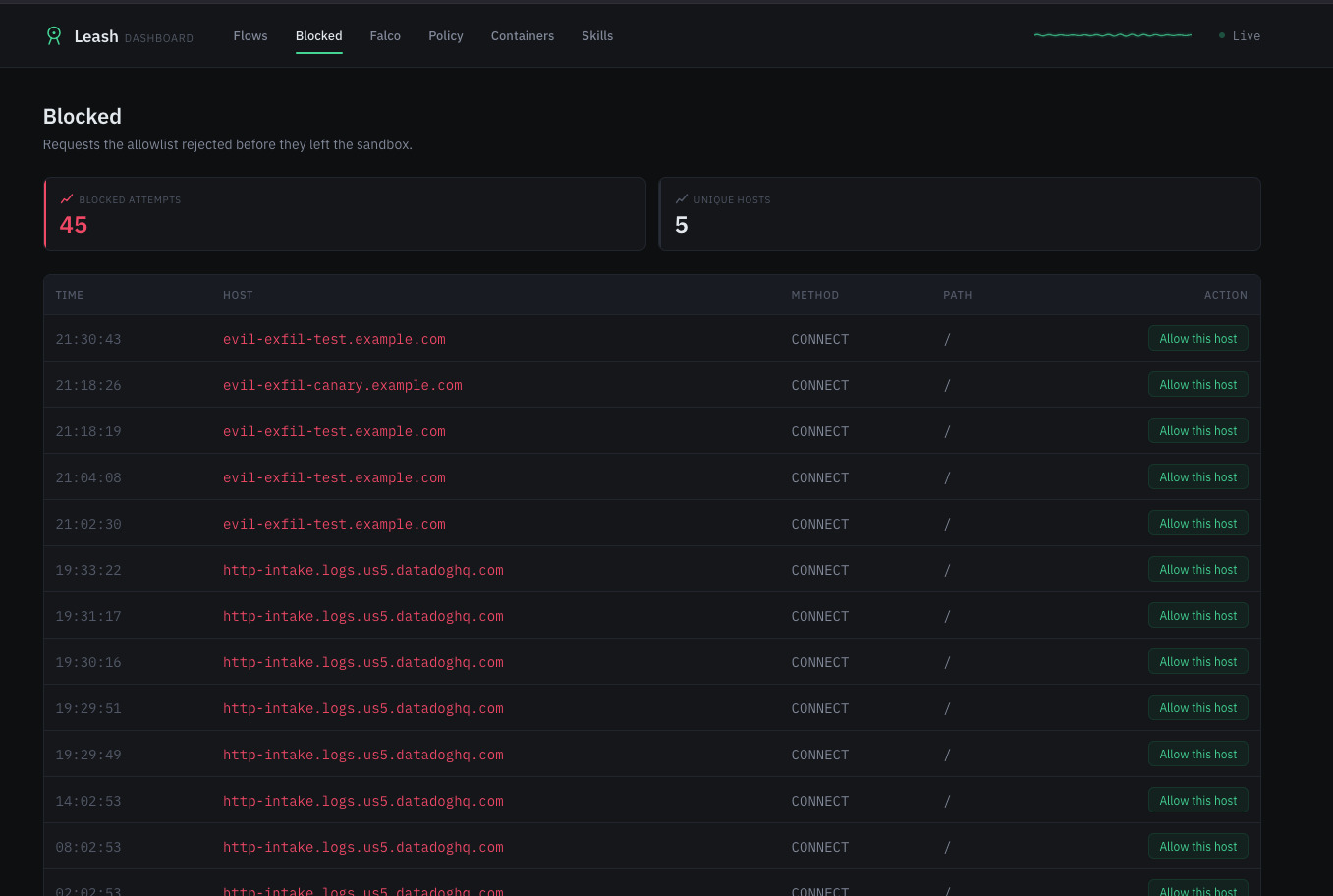
Blocked
Requests the allowlist rejected before they left the sandbox. Each row has an "Allow this host" button that writes straight to the policy.
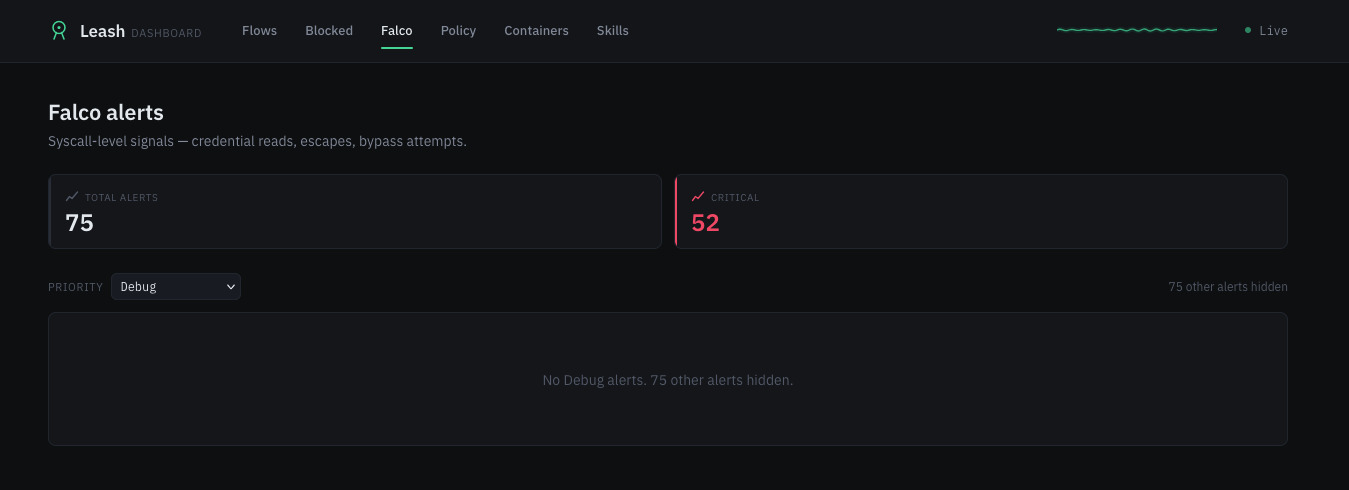
Falco
Syscall-level alerts for credential reads, escapes, and bypass attempts, color-coded and filterable by priority.
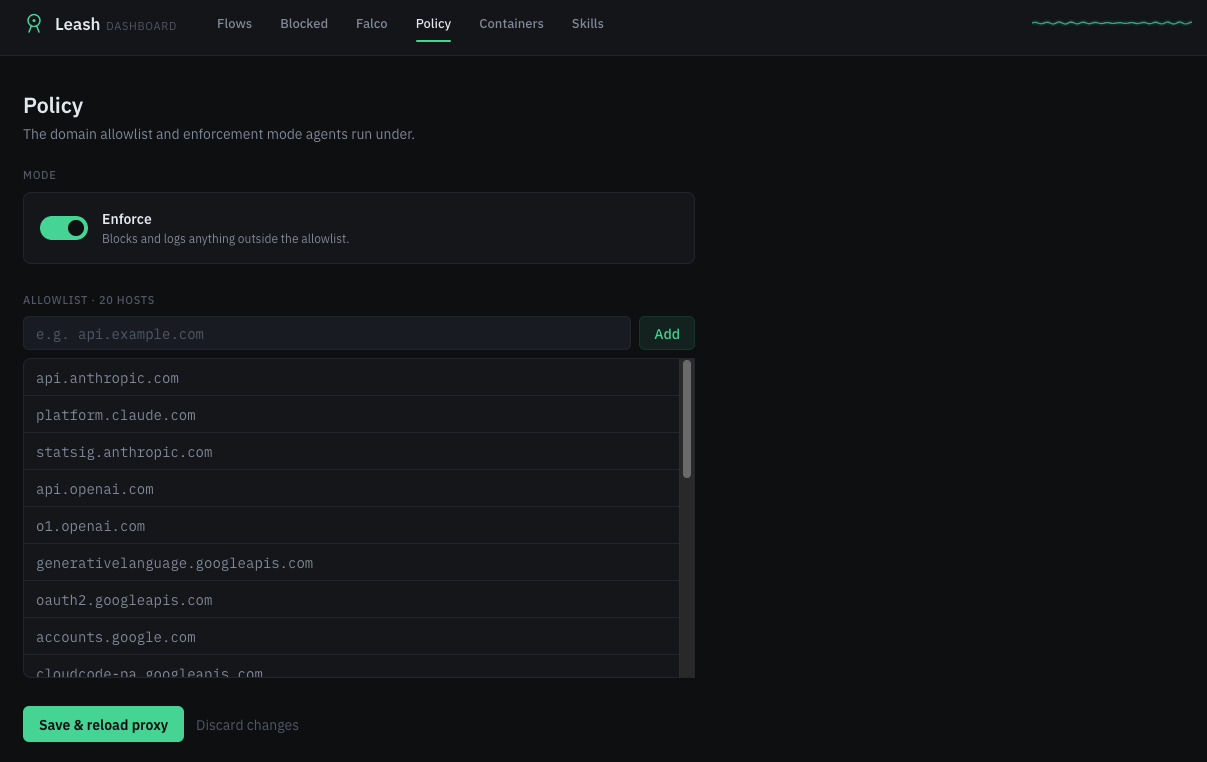
Policy
Edits the allowlist and toggles between enforce and observe without touching YAML. "Save & reload proxy" applies the change immediately.
Containers
Status plus start, stop, and restart for proxy, agents, falco, and skillspector. It reports running state, not network membership; see How the isolation claims are verifiable.
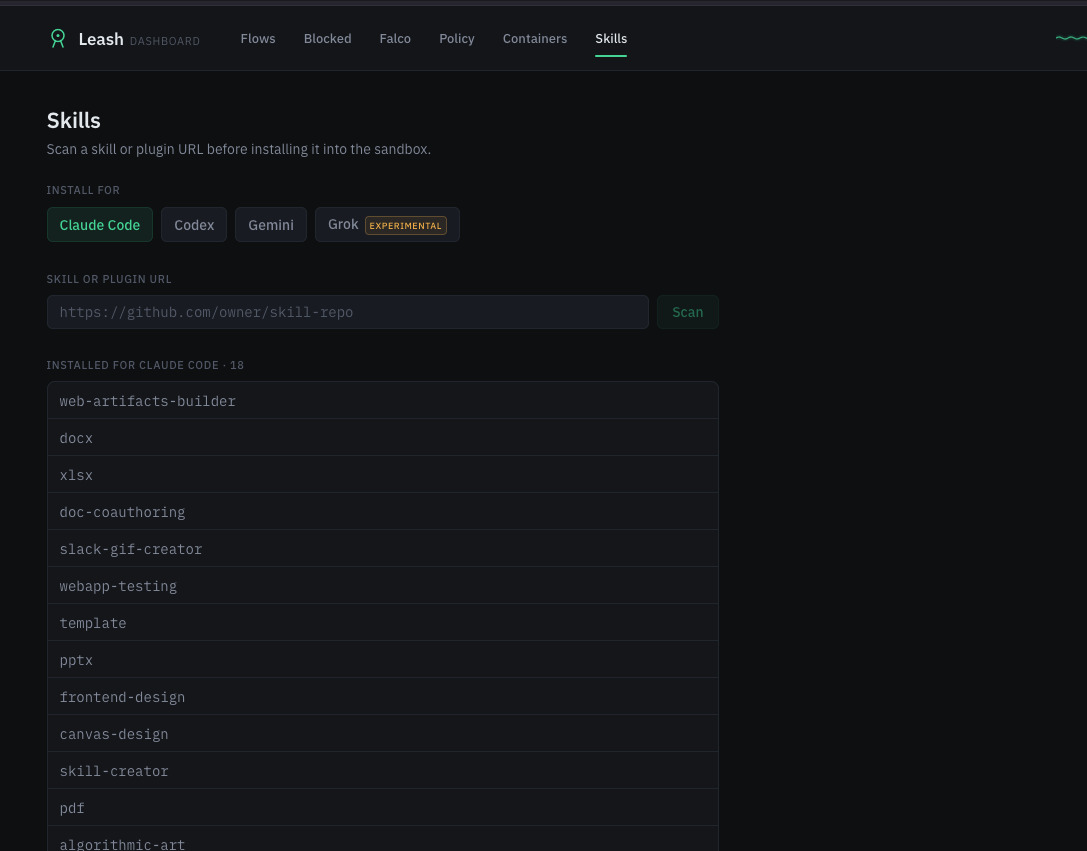
Skills
Paste a skill or plugin git URL, scan it with SkillSpector before installing, and pick the harness to install it for (Claude Code, Codex, Gemini, or Grok). More detail in Skills tab below.
Security note: the dashboard container mounts /var/run/docker.sock, which is host-Docker-equivalent access. Anyone who can reach :8082 can control any container on the host, not only this project's, and the dashboard has no authentication of its own. Only expose port 8082 on a trusted network, and don't port-forward it beyond localhost.
Skills tab: scan before you install
Skills and plugins run with the same trust as the CLI itself, so a malicious one can read files, exfiltrate data, or hijack the agent's behavior. The Skills tab scans a pasted URL with SkillSpector, covering 68 vulnerability patterns across prompt injection, data exfiltration, privilege escalation, and others, before anything lands in the sandbox.
The scan never blocks. It reports a 0-100 risk score and a full findings breakdown, and you decide whether to install anyway. A high score produces a louder warning rather than a locked button.
Supported git hosts are github.com, gitlab.com, and bitbucket.org, matching the allowlist SkillSpector itself uses, plus an SSRF guard against private and internal IPs.
A pasted URL can point at a single skill (SKILL.md at the repo root) or a collection (multiple skills/<name>/SKILL.md subdirectories, as in anthropics/skills). Leash detects which it is and installs one skill or all of them accordingly.
Install targets, one per harness. All four amount to dropping a folder in place, so no CLI exec is involved:
| Harness | Installed to (inside agents) |
Status |
|---|---|---|
| Claude Code | ~/.claude/skills/<name>/ |
stable |
| Codex CLI | ~/.agents/skills/<name>/ |
stable |
| Gemini CLI | ~/.gemini/extensions/<name>/ |
stable (manifest synthesized if the source doesn't ship one) |
| Grok CLI | ~/.grok/skills/<name>/ |
experimental; xAI hasn't published the manifest format, so installs reuse the same layout as the others on a best-effort basis |
v1 runs static analysis only (--no-llm), so no API key is required. LLM-assisted scanning is wired up behind SKILLSPECTOR_PROVIDER in .env and works with both Anthropic-compatible and OpenAI-compatible endpoints, but it is off by default.
Installed skill files stay inside Docker. Each harness's install directory is a named volume (skills-claude, skills-codex, skills-gemini, skills-grok) shared only between dashboard and agents, rather than a bind mount to the macOS filesystem, so installing a skill writes nothing to the host outside Docker's own storage.
That covers where the files live, not what they can do once an agent runs them. A skill executes with the agents container's mounts and permissions, which includes the ./workspace and ./logs bind mounts, and its network activity is subject to the same proxy and allowlist as everything else in the jail. A scan flags potential behavior rather than validating actual behavior, since v1 is static analysis; what a skill can really do at runtime comes down to the container's mounts, permissions, and network controls. The volume layout only keeps the install itself off the host filesystem.
Falco rules
Five detection rules ship by default (falco/rules.local.yaml):
| Rule | Priority | Triggers on |
|---|---|---|
| Agent reads sensitive credentials | Critical | Read of ~/.ssh/*, ~/.aws/*, ~/.config/gcloud/*, *.pem, .env* |
| Agent direct outbound (proxy bypass) | Critical | TCP connect not destined for proxy |
| Agent spawns network tool | Warning | nc, ncat, ssh, scp, socat, nmap spawned |
| Agent writes outside workspace | Warning | File write outside /workspace and /tmp |
| Unexpected interactive shell | Notice | TTY shell spawned by unexpected parent |
Honeypot files are pre-seeded in the agent home (~/.ssh/id_rsa, ~/.aws/credentials) to make credential-read detection reliable even if the agent never touches real keys.
Test suite
make test
── pre-flight ──
PASS  container proxy is running
PASS  container agents is running
PASS  container falco is running

── TLS interception ──
PASS  TLS interception: HTTPS reaches API (HTTP 401, not SSL error)
PASS  TLS interception: mitm CA in system trust store

── egress isolation ──
PASS  egress isolation: direct outbound blocked (no route)
PASS  egress isolation: direct DNS bypass blocked

── allowlist enforcement ──
PASS  allowlist: blocked domain returns 403/reset
PASS  allowlist: block logged to blocked.jsonl
PASS  allowlist: allowed domain passes

── flow logging ──
PASS  flow logging: request logged
PASS  flow logging: JSON has required fields

── Falco detection ──
PASS  Falco: credential read detected (rule: Agent reads sensitive credentials)
PASS  Falco: still running after tests

── filesystem isolation ──
PASS  Falco: write outside workspace triggered alert

── CLI availability ──
PASS  CLI installed: claude
PASS  CLI installed: codex
PASS  CLI installed: gemini
PASS  CLI installed: grok

Results: 19 passed  0 failed  0 skipped
How the isolation claims are verifiable
You don't have to take "agents can't reach the host" on faith from this README. Where to check each claim:
- Network topology lives in the
networks:section ofdocker-compose.yml.agentsis declared onjailonly,dashboardonegressonly, andjailhas no bridge toegress. There is no hidden config elsewhere. - Whether the isolation holds at runtime, and not just in config, is covered by
make test-bypassandmake test-block(see Test suite). Both run real commands inside theagentscontainer and assert the network-level result, such as a refused connection or a 403. - The dashboard's
docker.sockexposure is the one place a compromise would be severe. TheMANAGEDallowlist indashboard/src/docker.tsand the network assignment fordashboardindocker-compose.ymlare both plain text, neither obfuscated nor generated at runtime.
One current gap: the Containers tab shows each container's running state but not which Docker network it sits on. Verifying network isolation therefore means reading docker-compose.yml or running the test suite, since the UI doesn't surface it yet. Treat the compose file as the source of truth here, not the dashboard.
Known limitations
| Issue | Workaround |
|---|---|
| TLS cert pinning: a CLI pins its cert, so MitM breaks for that host | Add the host to ignore_hosts, accepting that its traffic is then tunneled un-inspected and unfiltered. mode: observe does not help here, since it changes allowlist enforcement and leaves TLS interception on |
| OAuth login flows: browser-based auth is awkward inside a container | Use API keys in .env instead of interactive login |
| Falco runs inside the Lima VM kernel (Linux 6.x), not on the macOS host directly | Nothing to work around, since eBPF works on the VM kernel |
| Firecracker and KVM are unavailable on macOS (no hardware KVM on Apple Silicon or Intel) | Lima with Virtualization.framework provides sufficient isolation |
| Intel Mac support: the Lima config lists an x86_64 image alongside arm64 and Lima auto-selects, but this is unverified on real Intel hardware | Report back if you try it, since this needs real-world confirmation |
License
MIT
Reviews (0)
Sign in to leave a review.
Leave a reviewNo results found