tidy
Health Warn
- License — License: Apache-2.0
- Description — Repository has a description
- Active repo — Last push 0 days ago
- Low visibility — Only 7 GitHub stars
Code Warn
- network request — Outbound network request in apps/extension/entrypoints/background.ts
Permissions Pass
- Permissions — No dangerous permissions requested
No AI report is available for this listing yet.
Tidy is an open source product canvas for designers, engineers, and agents. Apache-2.0.

An open-source canvas for designers, engineers and agents.
Try Tidy · Website · Changelog · Contribute
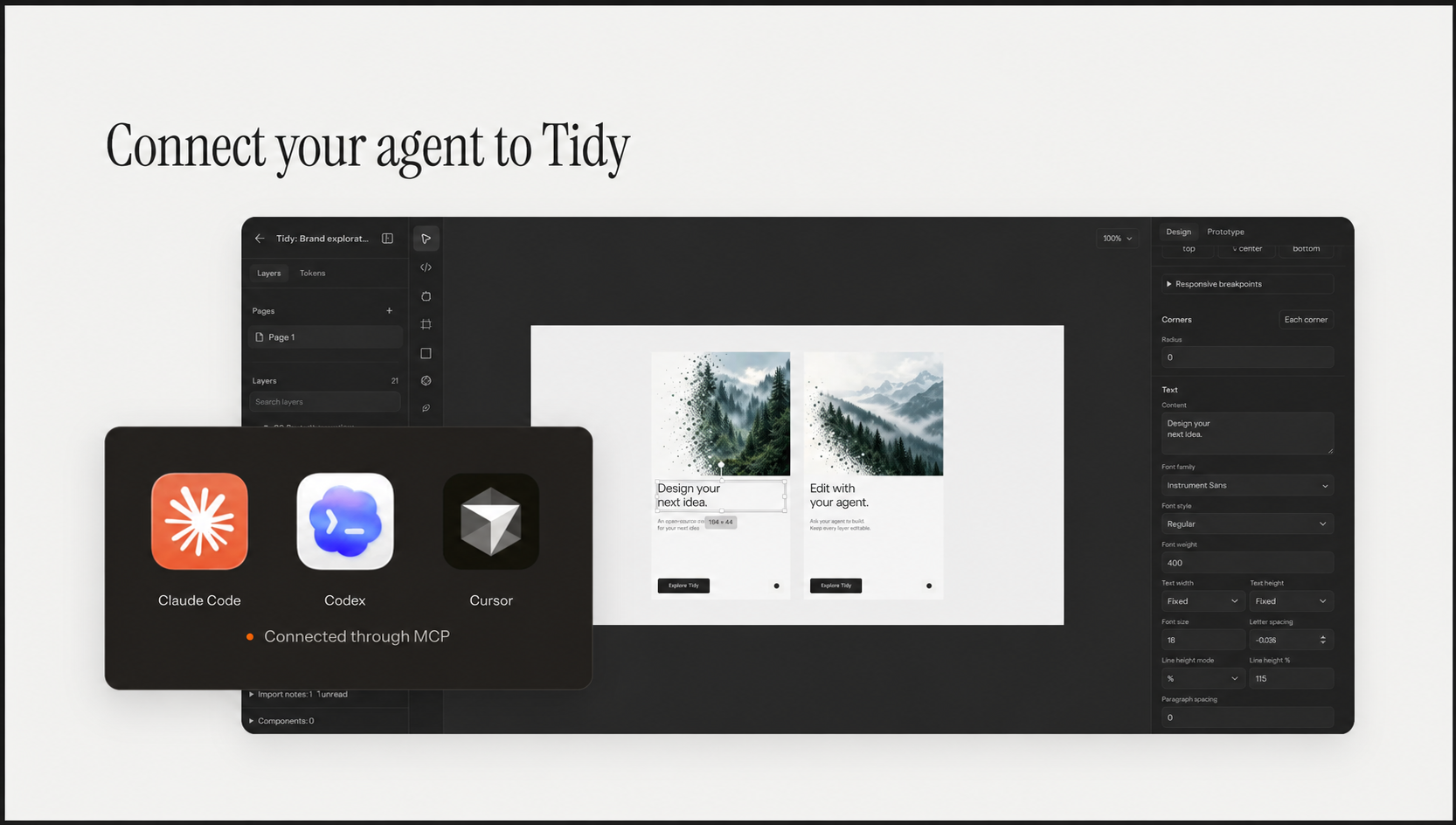
Design together. Keep every layer editable.
Made for working together
- Design on the canvas. Create interfaces with editable layers.
- Bring your agent. Read, create and edit designs through MCP.
- Work together. Collaborate with teammates in the same workspace.
- Capture webpages. Bring webpages into Tidy with the browser extension.
- Keep control. Open source. Self-host on your own infrastructure.
Watch Tidy in action
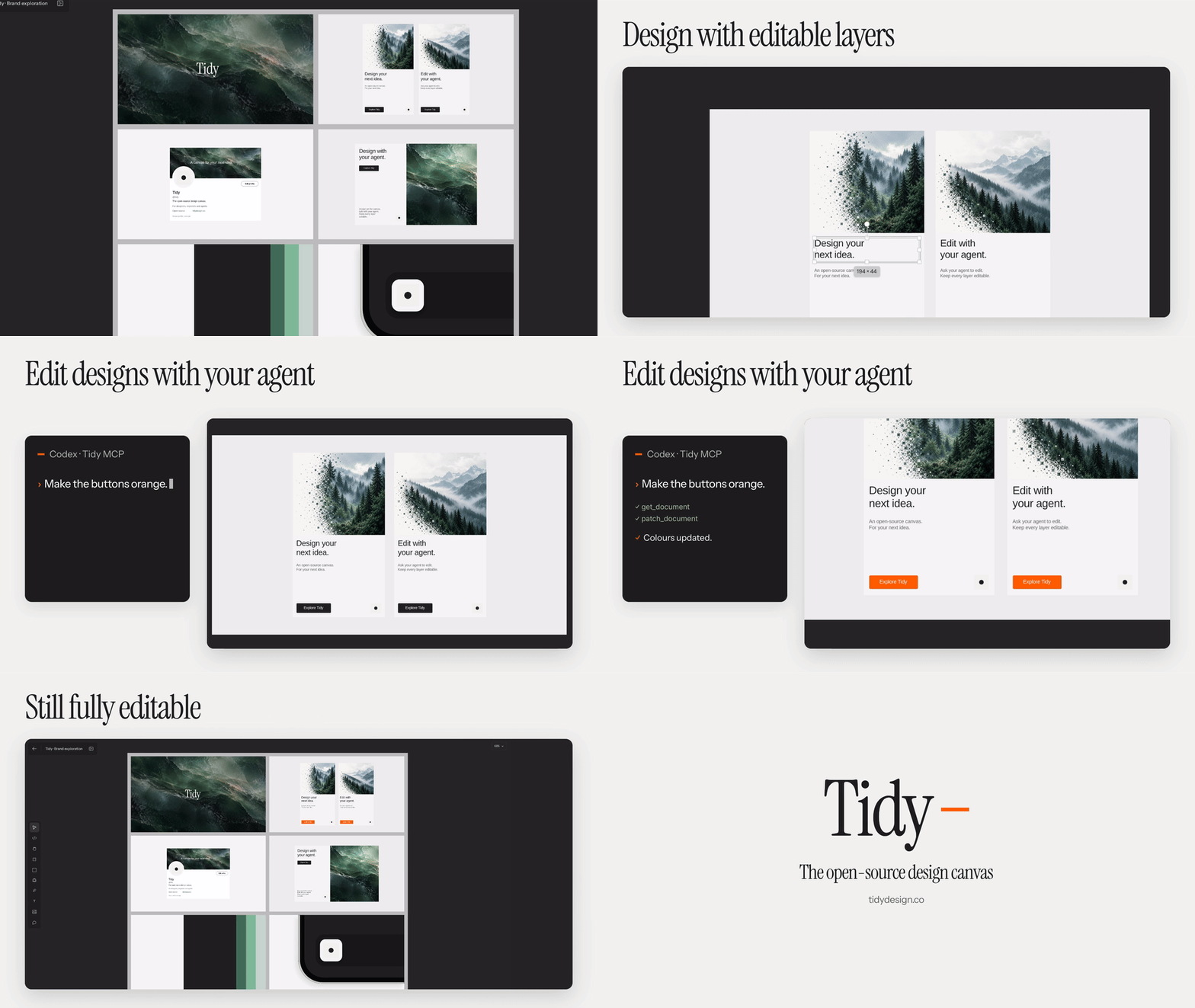
Watch the 19-second walkthrough. Click the preview for the full video with sound.
Local development
You'll need Bun 1.3.14, Git and Docker Compose. Database tests also require
PostgreSQL 17 command-line tools.
git clone https://github.com/tidydesigns/tidy.git
cd tidy

bun install --frozen-lockfile
docker compose up -d --wait
cp apps/web/.env.example apps/web/.env.local
In apps/web/.env.local, generate and set BETTER_AUTH_SECRET and a separateVAULT_ENCRYPTION_KEY. The encryption key must be a base64-encoded, 32-byte value.
Password accounts require email verification. Before creating an account,
configure your own Cloudflare Email Sending token, account and sender. Disable
email previews that retain verification or password-reset links.
The environment example lists the available settings.
Social sign-in, connectors, analytics, billing and native agents are optional.
Start the app:
bun dev
In another terminal, start realtime collaboration:
bun dev:realtime
Open localhost:3000.
The local database runs on port 55432. Fresh databases apply migrations
automatically. For an existing database, apply any missing files frommigrations/. Use a development database and your own
provider accounts. Do not use a production database URL for local commands.
Stop the database with docker compose down. Adding -v also deletes its data.
See self-hosting before making a deployment public.
Browser extension
The extension captures webpages for use in Tidy.
bun run build:extension
Open chrome://extensions, enable Developer mode, then choose
Load unpacked and select apps/extension/.output/chrome-mv3.
The extension connects to localhost by default. To build it for your own
deployment, set WXT_BELLA_URL to your app's HTTPS address.
Use bun dev:extension when developing the extension.
Connect an agent
Tidy's MCP server lets agents work with the same files and designs you edit in
the canvas.
See the agent plugin guide for setup, or the
native runner guide for running agents
alongside Tidy.
Self-hosting
Tidy's hosted architecture uses Cloudflare Workers, Hyperdrive for PostgreSQL
connections, private R2 storage, Images and Durable Objects for realtime
collaboration.
Copy apps/web/wrangler.jsonc to the ignored apps/web/wrangler.deploy.jsonc.
Configure your own Worker name, domain, database connection and storage bindings.
Set WORKER_SELF_REFERENCE to match the Worker name, and retain the Durable
Object bindings and migration tags.
Follow the database setup guide. Apply the ordered
migrations and restricted runtime grants before starting the app. Use separate
database accounts for migrations and the running app.
Set BETTER_AUTH_URL to your app's HTTPS address. Useapps/web/.env.example as the configuration reference,
and supply runtime settings and secrets through Cloudflare. Keep secrets out of
Wrangler files and NEXT_PUBLIC_* variables.
From the repository root:
bun run build:worker
TIDY_DEPLOY_CONFIG=./wrangler.deploy.jsonc bun run deploy:worker
The configuration path is relative to apps/web.
Use separate databases, storage and secrets for preview and production. Preserve
the authentication and encryption secrets when restoring an existing database.
Before accepting user data, test sign-in and workspace access with two users.
Node.js supports local development and bypasses some Worker-specific shared
rate limits. Public Node deployments need equivalent shared rate limits,
private storage and realtime transport.
Contributing
Bug reports, documentation improvements and code contributions are welcome.
Open an issue to report a problem,
or read the contribution guide before opening a pull request.
Run workspace commands from the repository root:
bun typecheck
bun lint
bun test
bun run build
The contribution guide lists additional required checks. Database tests use
disposable PostgreSQL clusters and run separately; bun test skips those suites.
See package.json for available test commands.
Repository layout
| Directory | Contents |
|---|---|
apps/web |
Canvas app, server and Cloudflare Worker |
apps/site |
Website and changelog |
apps/extension |
Webpage capture extension |
apps/gpt-plugin |
Agent plugin and design preview |
packages/design |
Shared design and capture formats |
packages/design-renderer |
Editor, preview and export rendering |
packages/ui |
Shared interface controls |
Use bun dev:site to run the website on port 3001.
MCP benchmarks
Run bun run bench:mcp to measure MCP request speed, throughput, database query
counts and response sizes against a disposable local database. These results
do not represent hosted Worker performance.
Security
Please report vulnerabilities privately using the process in
SECURITY.md. CI uses synthetic test data and a read-only token;
it does not deploy the app.
License
Tidy is available under the Apache License 2.0.
Bundled third-party assets retain their own licenses. See
third-party notices.
Reviews (0)
Sign in to leave a review.
Leave a reviewNo results found