ab900
Health Warn
- License — License: MIT
- Description — Repository has a description
- Active repo — Last push 0 days ago
- Low visibility — Only 5 GitHub stars
Code Pass
- Code scan — Scanned 9 files during light audit, no dangerous patterns found
Permissions Pass
- Permissions — No dangerous permissions requested
This tool is a study companion and educational repository designed to help users prepare for the Microsoft AB-900 certification exam. It provides an AI-powered GitHub Copilot agent that generates practice questions, scenario walkthroughs, and personalized study plans.
Security Assessment
Overall risk: Low. The static code scan of 9 files found no dangerous patterns, no hardcoded secrets, and no excessive permissions requested. The tool is designed to run locally as a Copilot chat agent within VS Code. While it does require an external Context7 API key to fetch version-specific PowerShell and Graph API syntax, this is a standard third-party integration rather than malicious network activity. It does not appear to access local sensitive files or execute hidden shell commands beyond standard repository functionality.
Quality Assessment
The project has a very low community footprint, with only 5 GitHub stars, which is flagged as a warning for visibility. However, it makes up for this through clear maintenance and professional origins. The codebase is highly active (last pushed today), thoughtfully documented, and cleanly licensed under the standard MIT license. Furthermore, it is authored by a noted Microsoft MVP and tied directly to official O'Reilly Live Learning course materials, which adds a strong layer of trust and credibility to the project.
Verdict
Safe to use.
AB-900 exam prep + AI study buddy | O'Reilly Live Learning course materials, distilled Microsoft Learn content, and a GitHub Copilot agent that generates practice questions, scenario walkthroughs, and personalized study plans
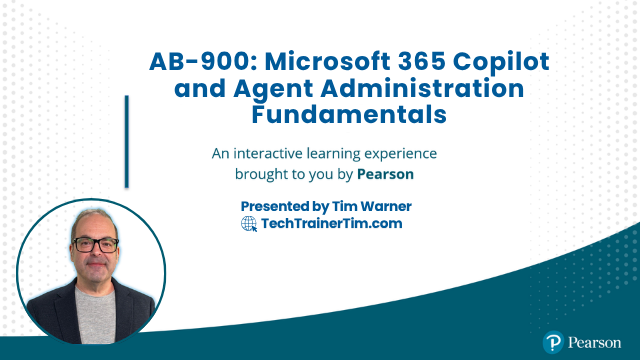
AB-900: Microsoft 365 Copilot and Agent Administration Fundamentals
O'Reilly Live Learning course repository + AI-powered study buddy





This repository contains instructor materials for the O'Reilly Live Learning session on AB-900, plus an embedded GitHub Copilot study companion that generates exam-realistic practice questions, scenario walkthroughs, and personalized study plans.
Certification at a Glance
| Attribute | Value |
|---|---|
| Exam code | AB-900 |
| Full title | Microsoft 365 Certified: Copilot and Agent Administration Fundamentals |
| Level | Beginner |
| Duration | 45 minutes |
| Passing score | 700 / 1000 |
| Exam page | https://learn.microsoft.com/credentials/certifications/exams/ab-900/ |
| Study guide | https://learn.microsoft.com/credentials/certifications/resources/study-guides/ab-900 |
Exam Domains
| Domain | Weight |
|---|---|
| 1 -- Identify the core features and objects of Microsoft 365 services | 30-35% |
| 2 -- Understand data protection and governance for Microsoft 365 and Copilot | 35-40% (highest) |
| 3 -- Perform basic administrative tasks for Copilot and agents | 25-30% |
Quick Start: AB-900 Cert Buddy
The cert buddy is a GitHub Copilot agent that runs inside VS Code. It requires no installation beyond cloning this repo and having GitHub Copilot access.
Setup (5 minutes)
Clone this repository:
git clone https://github.com/timothywarner-org/ab900.git
cd ab900
Open the folder in VS Code:
code .When prompted, install the recommended extensions (GitHub Copilot + GitHub Copilot Chat).
VS Code will prompt for a Context7 API key the first time a cert buddy command runs. Get a free key at https://context7.com and paste it when prompted. This enables version-specific M365 admin PowerShell and Graph API syntax lookups.
Open GitHub Copilot Chat (
Ctrl+Alt+I/Cmd+Alt+I).
Two Ways to Interact
Option A -- Slash commands (guided input form):
/ab900-practice-questions
/ab900-scenario-walkthrough
/ab900-study-planner
These open a guided form that collects inputs (domain, difficulty, confidence ratings, etc.) before generating content.
Option B -- Direct agent mention (free-form):
@ab900-cert-buddy-agent Give me a Domain 2 question about DSPM for AI at Apply level, medium difficulty.
@ab900-cert-buddy-agent Walk me through approving an agent submission in the M365 admin center.
@ab900-cert-buddy-agent Build me a study plan. I am weak on Domain 2 and moderate on the others.
Cert Buddy Features
Practice Questions
Questions use a two-phase interactive delivery that mirrors the real exam experience.
Phase 1 -- The agent presents a workplace scenario and four answer choices (A-D), then stops and waits for your reply.
Phase 2 -- After you answer, the agent reveals the correct answer, a 2-sentence rationale for every choice, and Microsoft Learn references.
Special commands during Phase 1:
| Command | Effect |
|---|---|
hint |
Eliminates one distractor |
skip |
Reveals the answer and moves to rationale |
| A / B / C / D | Your answer -- triggers Phase 2 |
After a set of questions the agent reports score, percent correct, and domains to review.
Scenario Walkthroughs
Walkthroughs simulate the admin center experience without requiring a live tenant. Each walkthrough:
- Sets a realistic admin scenario (for example: "Contoso needs to see what sensitive data Copilot has been accessing")
- Walks through 5-10 numbered steps with exact portal URL, navigation path, and correct setting
- Flags the AB-900 exam objective each step covers
- Notes the most common wrong answers (wrong portal, wrong nav path, wrong role)
Available scenario types:
- Copilot licensing and pay-as-you-go billing configuration
- Agent approval workflow (M365 admin center + Power Platform admin center)
- DSPM for AI dashboard review
- SharePoint oversharing identification and remediation
- Sensitivity label creation and policy assignment
- DLP policy review and alert response
- PIM role activation and Conditional Access policy review
Study Planner
- The agent presents the three AB-900 domains with exam weights.
- You rate your confidence in each: Strong / Moderate / Weak / Unknown.
- The agent generates a prioritized study plan -- weakest first, Domain 2 flagged as highest weight.
- Each domain entry includes estimated study hours, 2-3 Microsoft Learn module links, and key objectives.
- The agent offers to start generating practice questions on your first priority domain.
Repository Structure
ab900/
├── .github/
│   ├── agents/
│   │   └── ab900-cert-buddy-agent.agent.md    # Main Copilot agent
│   ├── skills/
│   │   ├── ab900-item-creator/SKILL.md         # Practice question generation
│   │   ├── ab900-scenario-walkthrough/SKILL.md # Admin scenario walkthroughs
│   │   └── ab900-study-planner/SKILL.md        # Personalized study plans
│   ├── prompts/
│   │   ├── ab900-practice-questions.prompt.md  # /ab900-practice-questions command
│   │   ├── ab900-scenario-walkthrough.prompt.md # /ab900-scenario-walkthrough command
│   │   └── ab900-study-planner.prompt.md       # /ab900-study-planner command
│   ├── copilot-instructions.md                 # Workspace Copilot grounding rules
│   └── workflows/
│       └── validate.yml                        # CI: terminology + link validation
├── .vscode/
│   ├── mcp.json                                # MCP server config (3 servers, auto-loads)
│   ├── extensions.json                         # Recommended extensions
│   └── settings.json                           # Workspace settings
├── references/
│   ├── ab900-objectives.md                     # Official exam objectives (all 3 domains)
│   ├── fictional-companies.md                  # Microsoft fictional companies for scenarios
│   └── style-guide.md                          # Microsoft Writing Style Guide extract
├── course-plan.md                              # Live session plan (4 x 50 min on ON24)
├── docs/
│   ├── module-01-security-foundations.md        # Module 1 CliffsNotes
│   ├── module-02-core-services-admin.md        # Module 2 CliffsNotes
│   ├── module-03-data-protection-governance.md  # Module 3 CliffsNotes
│   ├── module-04-copilot-and-agents.md         # Module 4 CliffsNotes
│   ├── module-05-copilot-admin-tasks.md        # Module 5 CliffsNotes
│   ├── module-06-agent-admin-tasks.md          # Module 6 CliffsNotes
│   ├── session-agenda.md                       # Instructor delivery guide (4 x 50 min)
│   ├── demo-scripts.md                         # Click-by-click scripts for all 14 demos
│   ├── tenant-setup-guide.md                   # Learner tenant setup before the session
│   ├── new-features-deep-dive.md               # DSPM for AI, Researcher, Analyst, PAYG
│   └── exam-traps-cheatsheet.md                # One-page last-minute cheat sheet
├── shared-resources/
│   └── references/
│       ├── AB-900-EXAM-GUIDE.md                # Complete exam reference
│       ├── AB-900-SKILLS-BREAKDOWN.md          # Per-objective study notes
│       └── AB-900-PRACTICE-QUESTIONS.md        # 15 practice questions (5 per domain)
└── segment-0{1-4}-*/                           # Per-segment demos, labs, slides, resources
MCP Servers
Three MCP servers are configured in .vscode/mcp.json and load automatically on clone.
| Server ID | Purpose |
|---|---|
ab900buddy-context7 |
Version-specific M365 admin PowerShell, Graph API, and CLI syntax |
ab900buddy-markitdown |
Convert your own PDFs and Word docs to markdown for the agent to analyze |
ab900buddy-mslearn |
Search and fetch official Microsoft Learn documentation (microsoft_docs_search, microsoft_docs_fetch) |
The Microsoft Learn MCP server (ab900buddy-mslearn) is the primary source of truth for all generated questions and walkthroughs. It provides grounding in official Microsoft documentation directly from the workspace configuration.
O'Reilly Live Learning Session
Duration: 4 segments x 50 minutes
| Segment | Topic | Domain |
|---|---|---|
| 1 | Core Features and Objects of Microsoft 365 Services | Domain 1 |
| 2 | Data Protection and Governance for Microsoft 365 and Copilot | Domain 2 |
| 3 | Copilot Features and Administration | Domain 3 |
| 4 | Agent Administration and Exam Success | Domain 3 cont. |
For Learners
Before the session:
- Follow the Tenant Setup Guide to get a working M365 admin tenant.
- Clone this repo and open it in VS Code.
- Set up the cert buddy (see Quick Start above).
Key resources:
- Exam Traps Cheat Sheet -- print or bookmark before the session
- New Features Deep Dive -- DSPM for AI, Researcher, Analyst, PAYG billing
- Practice Questions -- 15 scenario-based questions
For the Instructor
- Session Agenda -- full timing breakdown with cut guidance
- Demo Scripts -- click-by-click scripts for all 14 demos
- Tenant Setup Guide -- what learners need before arriving
Prerequisites
- Basic familiarity with Microsoft 365 services (email, SharePoint, Teams)
- Access to a Microsoft 365 tenant with Global Administrator rights -- see Tenant Setup Guide
- VS Code with GitHub Copilot for the cert buddy features
- No Azure infrastructure or data science experience required
Key Admin Portal URLs
| Portal | URL |
|---|---|
| Microsoft 365 admin center | https://admin.microsoft.com |
| Microsoft Purview | https://purview.microsoft.com |
| Microsoft Entra admin center | https://entra.microsoft.com |
| Teams admin center | https://admin.teams.microsoft.com |
| Exchange admin center | https://admin.exchange.microsoft.com |
| Power Platform admin center | https://admin.powerplatform.microsoft.com |
| Copilot Studio | https://copilotstudio.microsoft.com |
| Copilot Dashboard | https://insights.viva.cloud.microsoft |
About the Instructor
Timothy Warner is a Microsoft MVP and technology educator specializing in Microsoft 365, Azure, and AI.
License
MIT License. See LICENSE.
Support
Open an issue in this repository for questions about course materials.
Reviews (0)
Sign in to leave a review.
Leave a reviewNo results found