tma1
Health Pass
- License — License: Apache-2.0
- Description — Repository has a description
- Active repo — Last push 0 days ago
- Community trust — 58 GitHub stars
Code Pass
- Code scan — Scanned 12 files during light audit, no dangerous patterns found
Permissions Pass
- Permissions — No dangerous permissions requested
No AI report is available for this listing yet.
Local-first observability for AI agents. Cost, sessions, anomalies, and conversation replay — all on your machine.
TMA1
"Your agent runs. TMA1 remembers."
Local-first observability for AI agents.
See what your agents cost, how long they take, and whether they're doing anything weird. All data stays on your machine.
No cloud account, no Docker, no Grafana.
Named after TMA-1 (Tycho Magnetic Anomaly-1) from 2001: A Space Odyssey:
the monolith buried on the moon, silently recording everything until you dig it out.
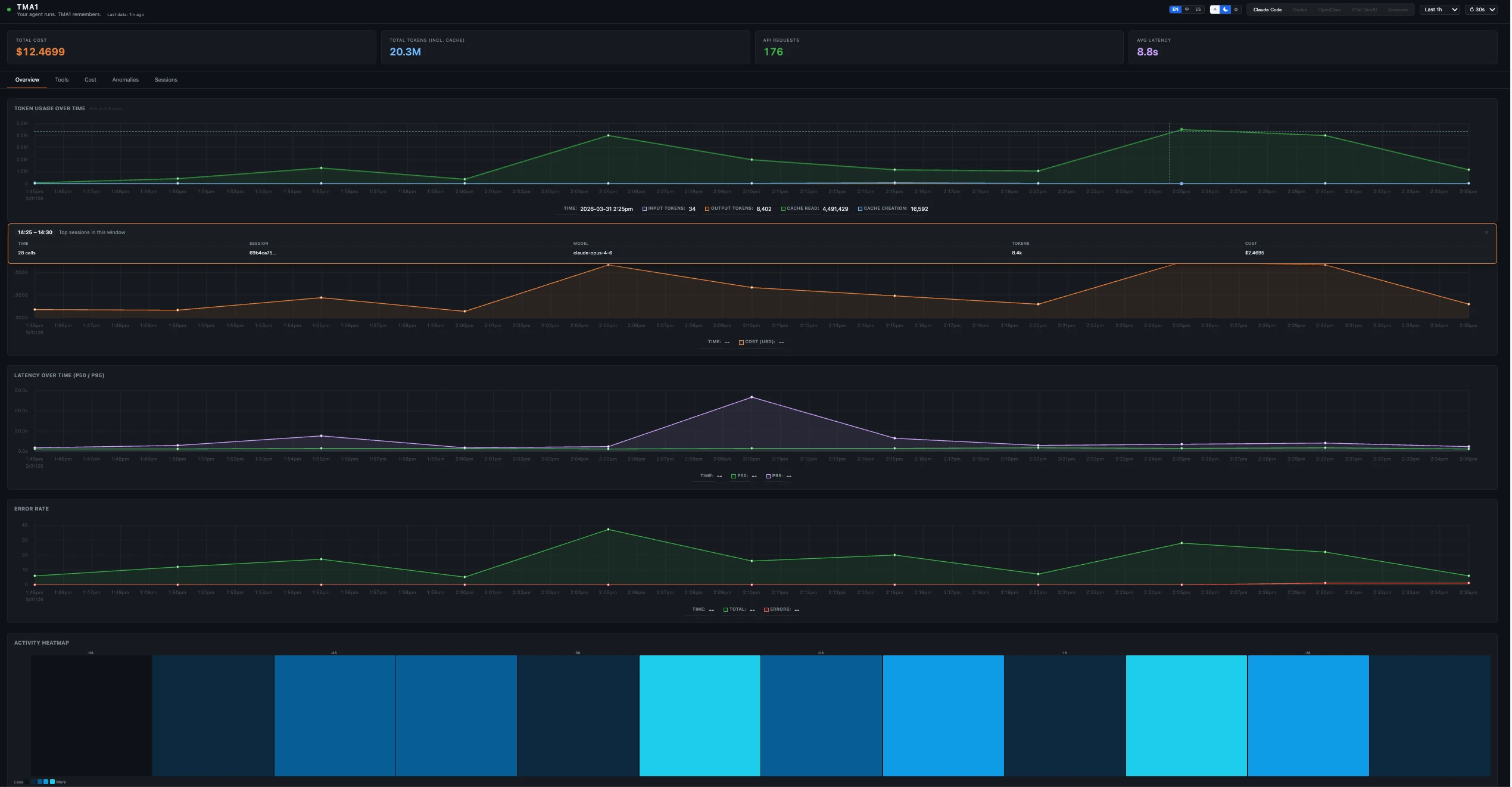
What's in it
Five dashboard views, picked automatically from whatever data shows up:
| View | Tabs | Data Source |
|---|---|---|
| Claude Code | Overview, Tools, Cost, Anomalies, Sessions→ | OTel metrics + logs |
| Codex | Overview, Tools, Cost, Anomalies, Sessions→ | OTel logs + metrics |
| OpenClaw | Overview, Sessions, Traces, Cost, Security | OTel traces + metrics |
| OTel GenAI | Overview, Traces, Cost, Security, Search | OTel traces (gen_ai semantic conventions) |
| Sessions | Sessions, Search | Hooks + JSONL transcripts (Claude Code, Codex) |
Sessions→ links in Claude Code and Codex views navigate to the unified Sessions view.
Each view gives you:
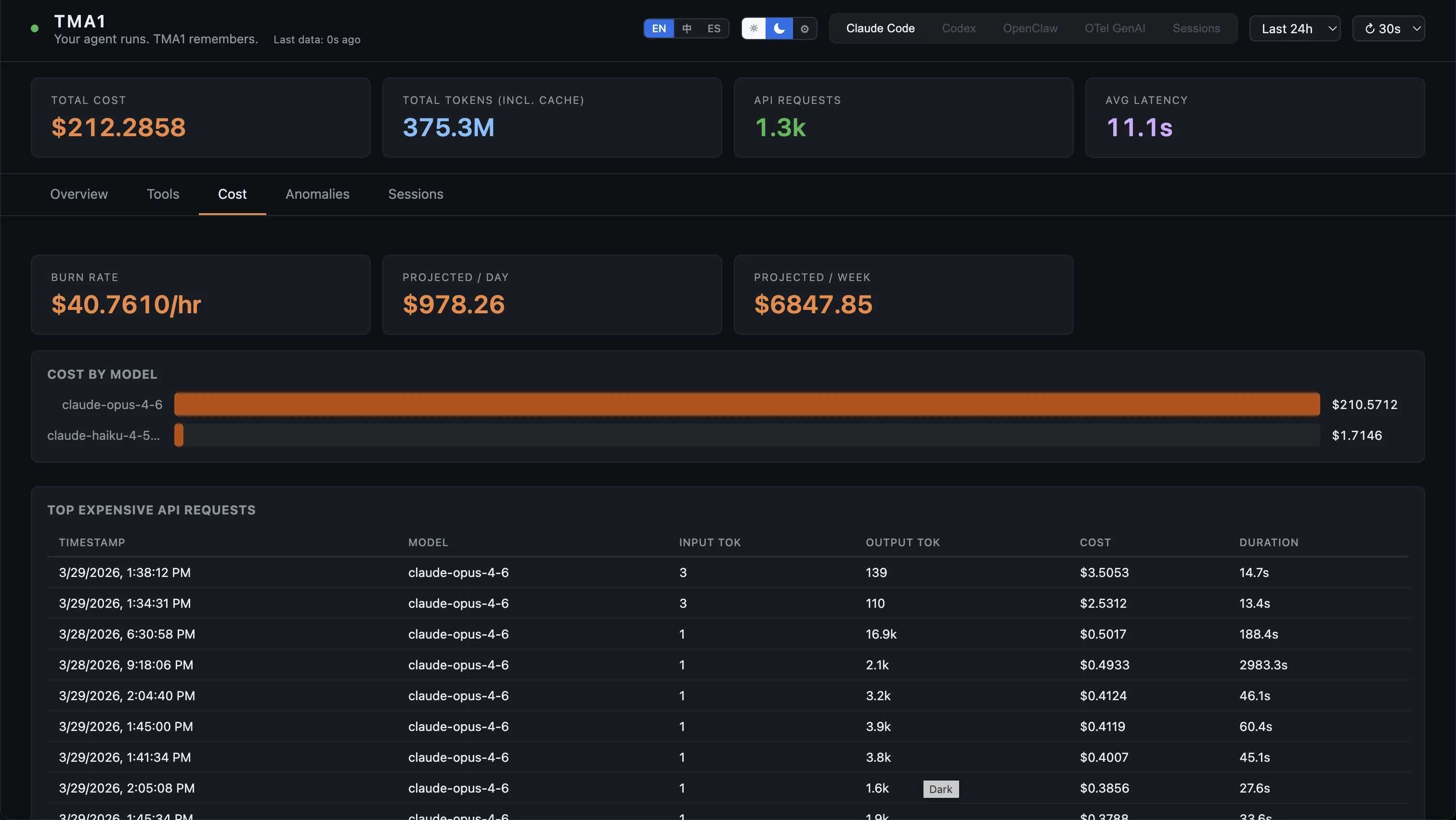
- Token counts, cost, and burn rate per model
- p50/p95 latency per model
- Activity heatmap over time
- Anomalies tab that flags expensive requests, errors, and slow tools
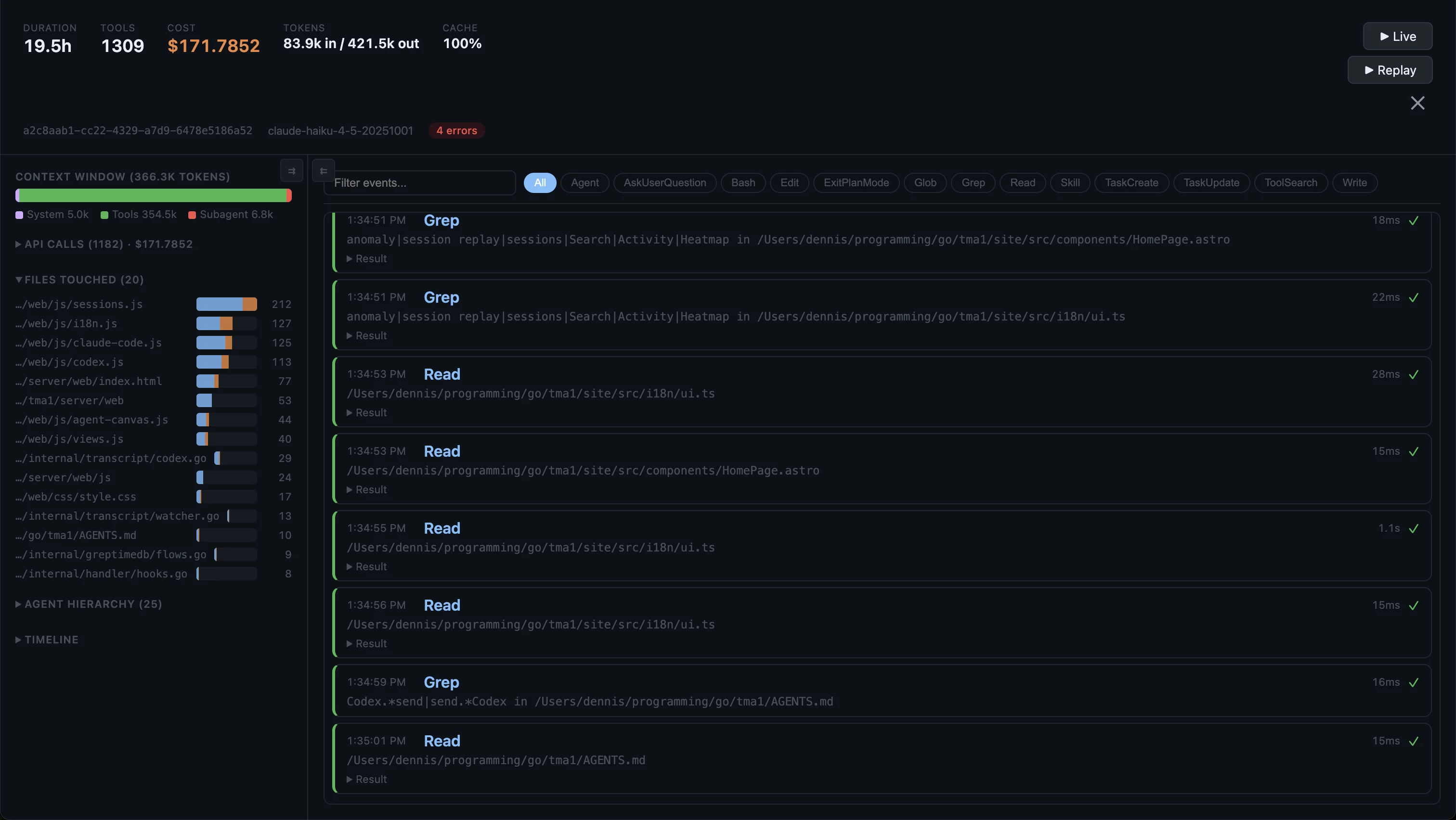
- Session replay with full conversation timeline
- Search across all sessions by keyword
- SQL access on port 14002, or the built-in query API
OpenClaw and OTel GenAI views also have a Security tab (shell commands, prompt injection, webhook errors).
Quick Install
# macOS / Linux
curl -fsSL https://tma1.ai/install.sh | bash

# Windows (PowerShell)
irm https://tma1.ai/install.ps1 | iex
Or build from source:
git clone https://github.com/tma1-ai/tma1.git
cd tma1
make build
Quick Start
# Start TMA1
tma1-server

# Configure your agent to send OTel data (protobuf required):

# Claude Code — add to ~/.claude/settings.json:
#   "env": {
#     "OTEL_EXPORTER_OTLP_ENDPOINT": "http://localhost:14318/v1/otlp",
#     "OTEL_EXPORTER_OTLP_PROTOCOL": "http/protobuf",
#     "OTEL_METRICS_EXPORTER": "otlp",
#     "OTEL_LOGS_EXPORTER": "otlp"
#   }

# OpenClaw (sends traces)
openclaw config set diagnostics.otel.endpoint http://localhost:14318/v1/otlp

# Codex — add to ~/.codex/config.toml:
#   [otel]
#   log_user_prompt = true
#
#   [otel.exporter.otlp-http]
#   endpoint = "http://localhost:14318/v1/logs"
#   protocol = "binary"
#
#   [otel.trace_exporter.otlp-http]
#   endpoint = "http://localhost:14318/v1/traces"
#   protocol = "binary"
#
#   [otel.metrics_exporter.otlp-http]
#   endpoint = "http://localhost:14318/v1/metrics"
#   protocol = "binary"
#
#   Then restart Codex.

# Any OTel SDK
OTEL_EXPORTER_OTLP_ENDPOINT=http://localhost:14318/v1/otlp \
OTEL_EXPORTER_OTLP_PROTOCOL=http/protobuf \
your-agent

# Open the dashboard
open http://localhost:14318
How It Works
Agent (Claude Code / Codex / OpenClaw / any GenAI app)
    │  OTLP/HTTP
    ▼
tma1-server  (port 14318)
    │  receives + stores OTel data
    │  derives per-minute aggregations
    │  serves dashboard UI
    ▼
Browser dashboard (embedded in the binary)
One process, one binary. First start creates ~/.tma1/ and you're good to go. Nothing leaves your machine.
OTLP Endpoints
Agents send OTLP data to tma1-server:
http://localhost:14318/v1/otlp          # Wildcard OTLP (recommended)
http://localhost:14318/v1/traces        # Direct signal: traces
http://localhost:14318/v1/metrics       # Direct signal: metrics
http://localhost:14318/v1/logs          # Direct signal: logs
Codex requires separate per-signal endpoints; other agents can use the single /v1/otlp base.
API Endpoints
| Endpoint | Method | Description |
|---|---|---|
/health |
GET | Liveness check |
/status |
GET | Backend reachability |
/api/query |
POST | SQL proxy ({"sql": "SELECT ..."}) |
/api/prom/* |
GET/POST | Prometheus API proxy (PromQL) |
Configuration
| Variable | Default | Description |
|---|---|---|
TMA1_HOST |
127.0.0.1 |
Address tma1-server binds to |
TMA1_PORT |
14318 |
HTTP port for tma1-server |
TMA1_DATA_DIR |
~/.tma1 |
Local data and binary directory |
TMA1_GREPTIMEDB_VERSION |
latest |
GreptimeDB version to download |
TMA1_GREPTIMEDB_HTTP_PORT |
14000 |
GreptimeDB HTTP API + OTLP port |
TMA1_GREPTIMEDB_GRPC_PORT |
14001 |
GreptimeDB gRPC port |
TMA1_GREPTIMEDB_MYSQL_PORT |
14002 |
GreptimeDB MySQL protocol port |
TMA1_LOG_LEVEL |
info |
Log level: debug/info/warn/error |
TMA1_DATA_TTL |
60d |
Default TTL for auto-created tables |
Development
make build           # Build the binary → server/bin/tma1-server
make build-linux     # Cross-compile for Linux amd64
make build-windows   # Cross-compile for Windows amd64
make vet             # Run go vet
make lint            # Run golangci-lint (requires golangci-lint v2)
make lint-js         # Run ESLint on dashboard JS (requires Node.js)
make test            # Run tests with race detector
make clean           # Remove built binaries
make run             # Build and run locally
make dev             # Watch mode: rebuild + restart on file changes (requires fswatch)
License
Apache-2.0
Reviews (0)
Sign in to leave a review.
Leave a reviewNo results found