tmai
agent
Warn
Health Warn
- License — License: MIT
- Description — Repository has a description
- Active repo — Last push 0 days ago
- Low visibility — Only 5 GitHub stars
Code Pass
- Code scan — Scanned 12 files during light audit, no dangerous patterns found
Permissions Pass
- Permissions — No dangerous permissions requested
Purpose
This tool provides a unified web and terminal interface to monitor, control, and spawn multiple AI coding agents (like Claude Code or Gemini CLI) running locally via tmux or PTY sessions. It offers features like branch graphing, usage tracking, and inter-agent messaging.
Security Assessment
The overall risk is Medium. The tool naturally requires access to execute shell commands and manage local operating system processes to control your tmux sessions and AI agents. It launches a local WebUI server (by default at `http://localhost:9876`) secured with token-based authentication, which involves making local network requests and routing terminal I/O through WebSockets. While the light code audit found no hardcoded secrets, no dangerous permission requests, and no malicious patterns, the application inherently interacts deeply with your local file system, Git repositories, and active terminal sessions.
Quality Assessment
The project is very new and currently has low community visibility with only 5 GitHub stars. However, it is under active development (the most recent push was today) and is cleanly licensed under the permissive MIT license. The repository includes thorough documentation and a detailed README, indicating a high level of initial developer care and professionalism.
Verdict
Use with caution: the code is safe and well-documented, but due to its deep system access and early-stage nature, it is best suited for experimental or local development environments rather than production workflows.
This tool provides a unified web and terminal interface to monitor, control, and spawn multiple AI coding agents (like Claude Code or Gemini CLI) running locally via tmux or PTY sessions. It offers features like branch graphing, usage tracking, and inter-agent messaging.
Security Assessment
The overall risk is Medium. The tool naturally requires access to execute shell commands and manage local operating system processes to control your tmux sessions and AI agents. It launches a local WebUI server (by default at `http://localhost:9876`) secured with token-based authentication, which involves making local network requests and routing terminal I/O through WebSockets. While the light code audit found no hardcoded secrets, no dangerous permission requests, and no malicious patterns, the application inherently interacts deeply with your local file system, Git repositories, and active terminal sessions.
Quality Assessment
The project is very new and currently has low community visibility with only 5 GitHub stars. However, it is under active development (the most recent push was today) and is cleanly licensed under the permissive MIT license. The repository includes thorough documentation and a detailed README, indicating a high level of initial developer care and professionalism.
Verdict
Use with caution: the code is safe and well-documented, but due to its deep system access and early-stage nature, it is best suited for experimental or local development environments rather than production workflows.
Tactful Multi Agents Interface - Monitor and control multiple AI agents (Claude Code, etc.) running in tmux
README.md
tmai
Tactful Multi Agent Interface — Monitor and control multiple AI coding agents from a unified WebUI.


Features
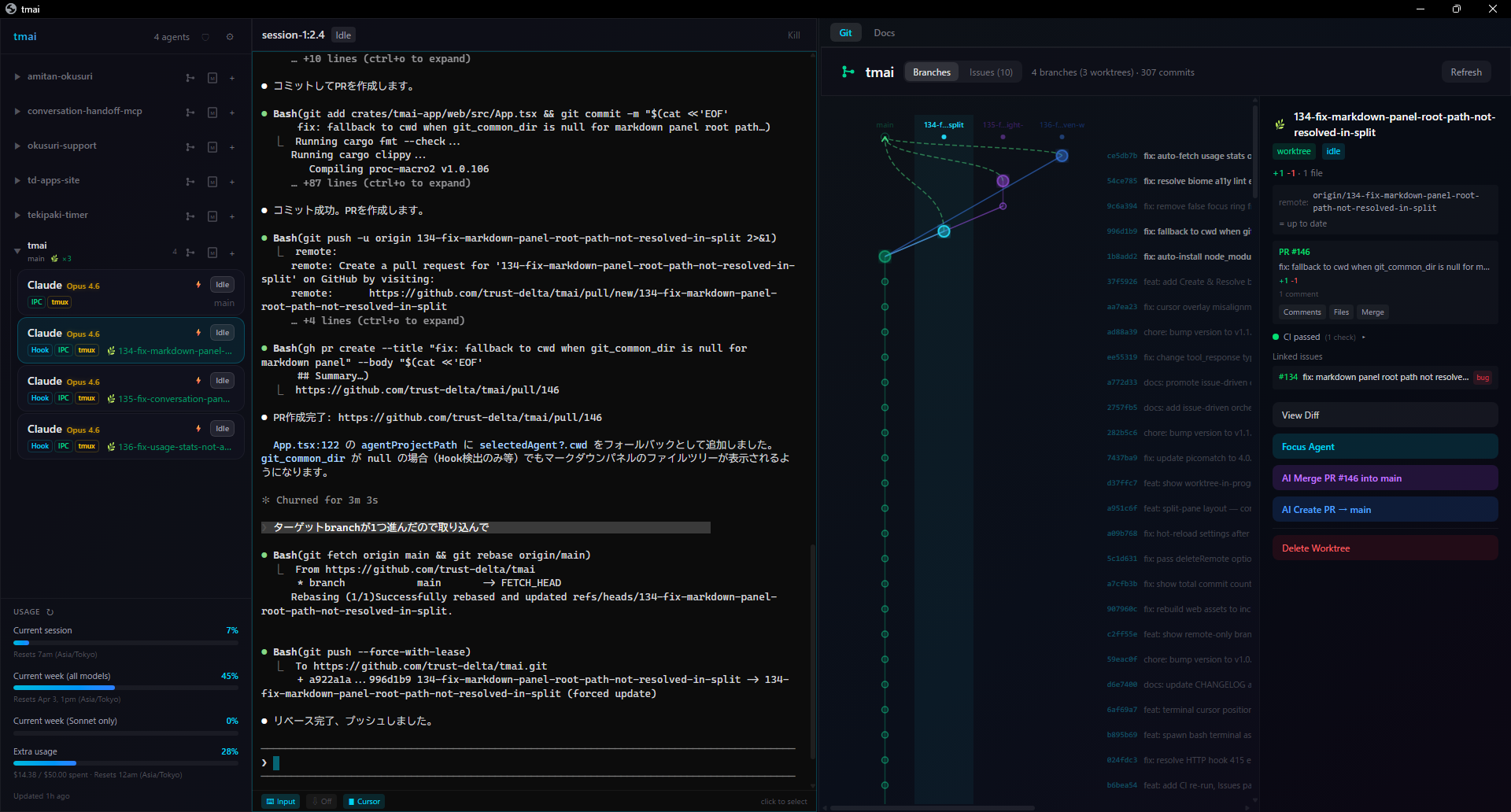
WebUI Dashboard (Default)
- Multi-agent monitoring — Track Claude Code, OpenCode, Codex CLI, Gemini CLI in real-time
- Interactive terminal — Full xterm.js terminal with WebGL rendering and WebSocket I/O
- Branch graph — GitKraken-style lane-based commit graph with branch hierarchy
- GitHub integration — PR status, CI checks, issues with branch-to-issue linking
- Worktree management — Create, delete, diff, and launch agents in Git worktrees
- Markdown viewer — Browse and edit project documentation in-app
- Security panel — Scan Claude Code settings and MCP configs for vulnerabilities
- Usage tracking — Monitor token consumption for Claude Max/Pro subscriptions
- Agent spawn — Launch new agents directly from the UI (PTY or tmux window)
- Auto-approve — Automatic approval with 4 modes: Rules / AI / Hybrid / Off
- Agent Teams — Visualize Claude Code Agent Teams and task progress
- Inter-agent messaging — Send text between agents
- Cursor tracking — Terminal cursor overlay in preview (tmux + IPC/VT100, CJK-aware)
3-Tier State Detection
- HTTP Hooks (recommended) — Event-driven, highest precision, zero latency
- IPC (PTY wrap) — Direct I/O monitoring via Unix domain socket
- capture-pane (fallback) — tmux screen text analysis, no setup required
Additional Modes
- TUI mode (
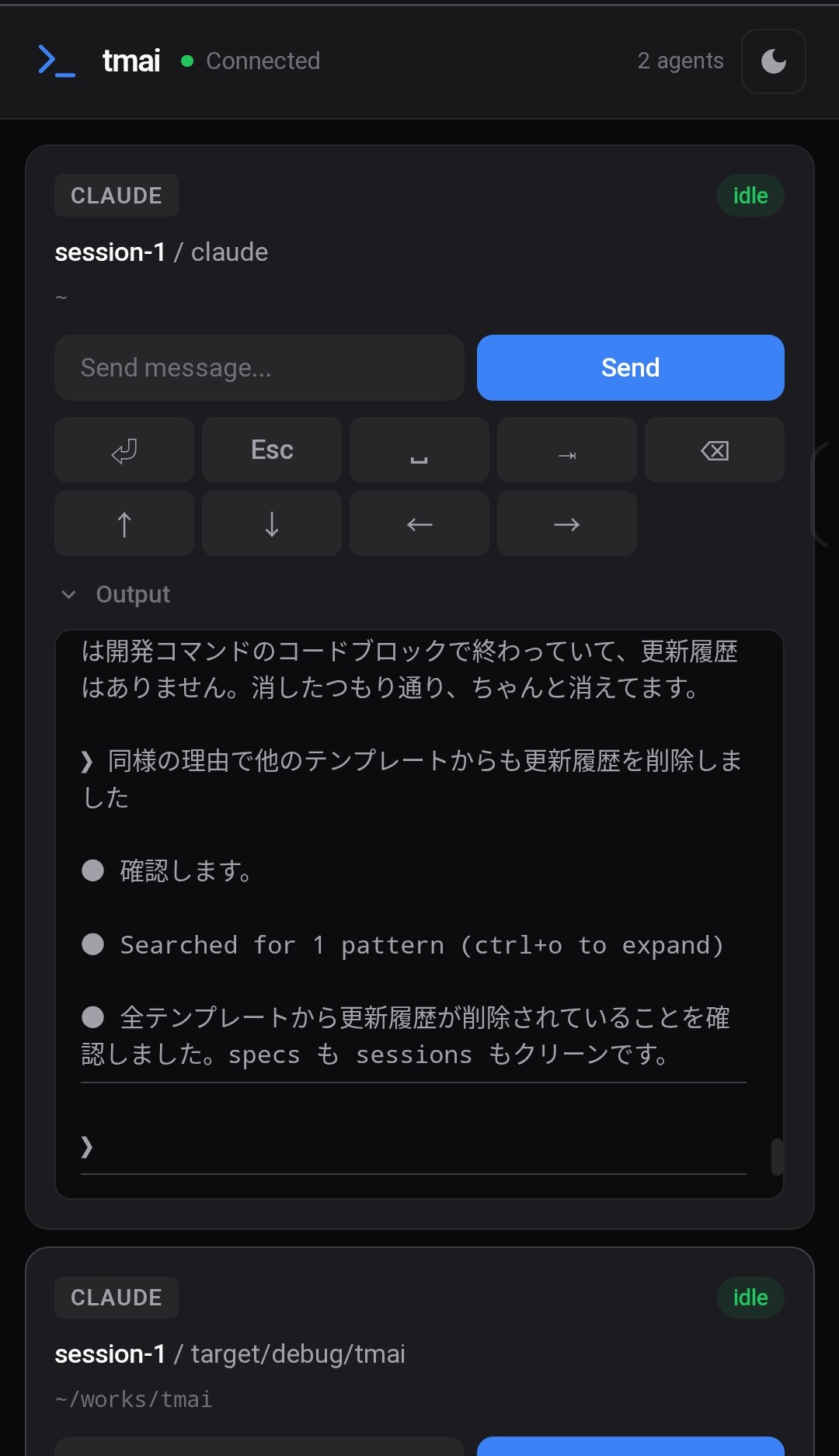
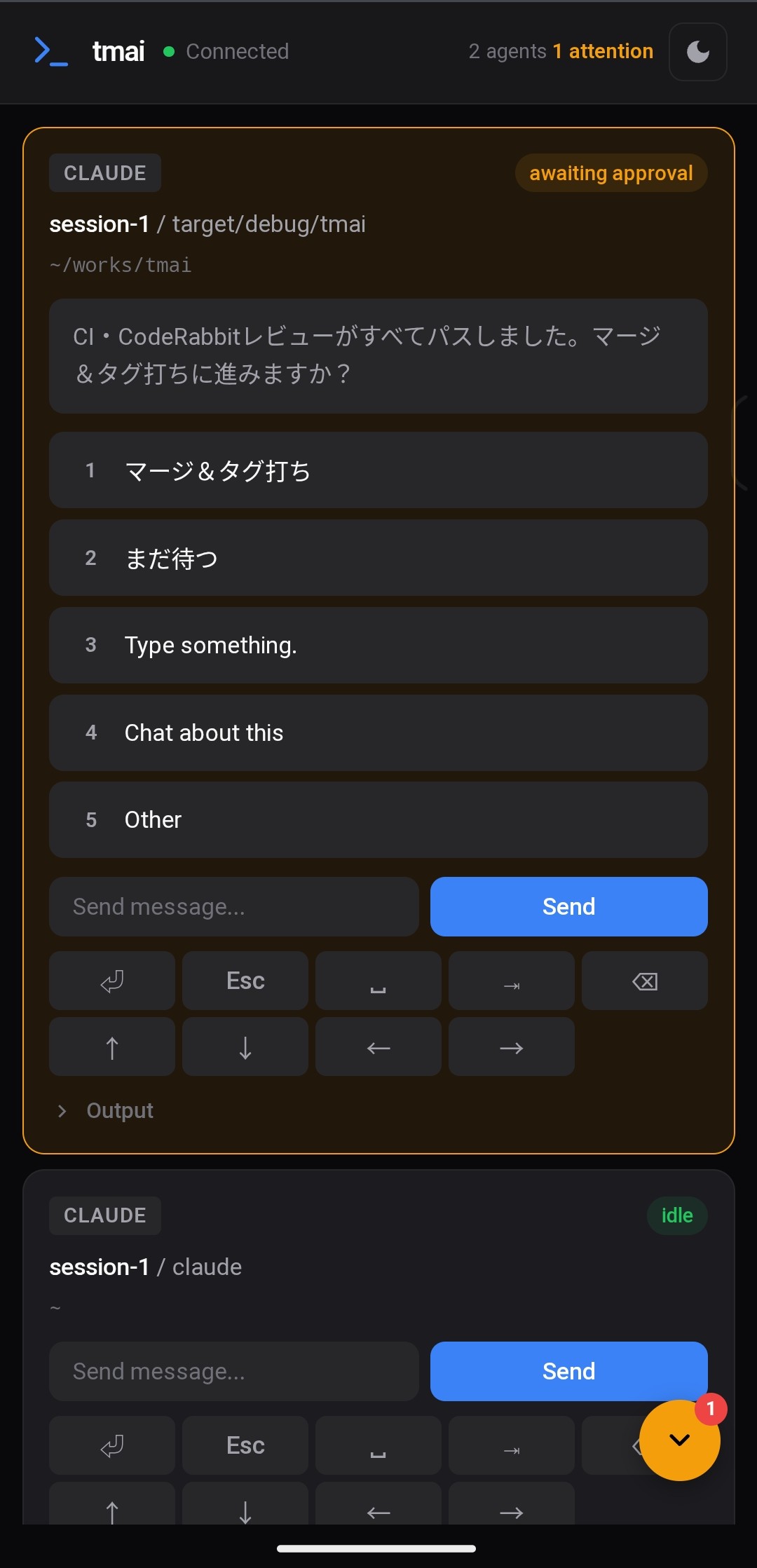
--tmux) — ratatui terminal UI for tmux power users - Mobile remote — Approve from your smartphone via QR code
- Demo mode (
demo) — Try without tmux or agents
Installation
cargo install tmai
Quick Start
# Set up hooks for high-precision detection (one-time)
tmai init

# Launch WebUI (opens Chrome App Mode automatically)
tmai
The WebUI opens at http://localhost:9876 with token-based authentication.
TUI Mode (Optional)
# Run in tmux TUI mode (requires tmux)
tmai --tmux
Documentation
Detailed guides, configuration reference, and workflows are available in doc/.
| Category | Links |
|---|---|
| Getting Started | Installation & First Steps |
| WebUI Features | Overview - Branch Graph - GitHub Integration - Worktree UI - Terminal - Agent Spawn |
| More Features | Markdown Viewer - Security Panel - Usage Tracking - File Browser |
| Core Features | Hooks - Auto-Approve - Agent Teams - Mobile Remote - PTY Wrapping - Fresh Session Review - TUI Mode |
| Workflows | Multi-agent - Worktree Parallel - Remote Approval |
| Reference | Config - Keybindings - Web API |
Supported Agents
| Agent | Detection | Extra | PTY Wrap |
|---|---|---|---|
| Claude Code | Yes | HTTP Hooks | Yes |
| Codex CLI | Yes | WebSocket (app-server) | Yes |
| OpenCode | Yes | — | Yes |
| Gemini CLI | Yes | — | Yes |
Screenshots
WebUI Dashboard
Branch Graph
Mobile Remote
Contributing
See CONTRIBUTING.md for guidelines.
License
MIT
Reviews (0)
Sign in to leave a review.
Leave a reviewNo results found