agent-dashboard
Health Pass
- License — License: Apache-2.0
- Description — Repository has a description
- Active repo — Last push 0 days ago
- Community trust — 19 GitHub stars
Code Fail
- process.env — Environment variable access in playwright.config.ts
- spawnSync — Synchronous process spawning in scripts/fetch-tools.mjs
- fs.rmSync — Destructive file system operation in scripts/fetch-tools.mjs
- os.homedir — User home directory access in scripts/fetch-tools.mjs
- process.env — Environment variable access in scripts/fetch-tools.mjs
- network request — Outbound network request in scripts/fetch-tools.mjs
- rm -rf — Recursive force deletion command in scripts/run.sh
- fs module — File system access in scripts/run.sh
- rm -rf — Recursive force deletion command in scripts/wipe.sh
Permissions Pass
- Permissions — No dangerous permissions requested
No AI report is available for this listing yet.
Agent dashboard runs reliability scans, skills, and network access probes.
Agent Dashboard
Agent dashboard runs reliability scans, skills and network access probes on your
own repos from one local, single-user web UI. It wraps Trustabl's open-source
Analyzer, Forge and Probe, so you don't have to install any of them.
Policy and telemetry via OpenTelemetry are coming soon.
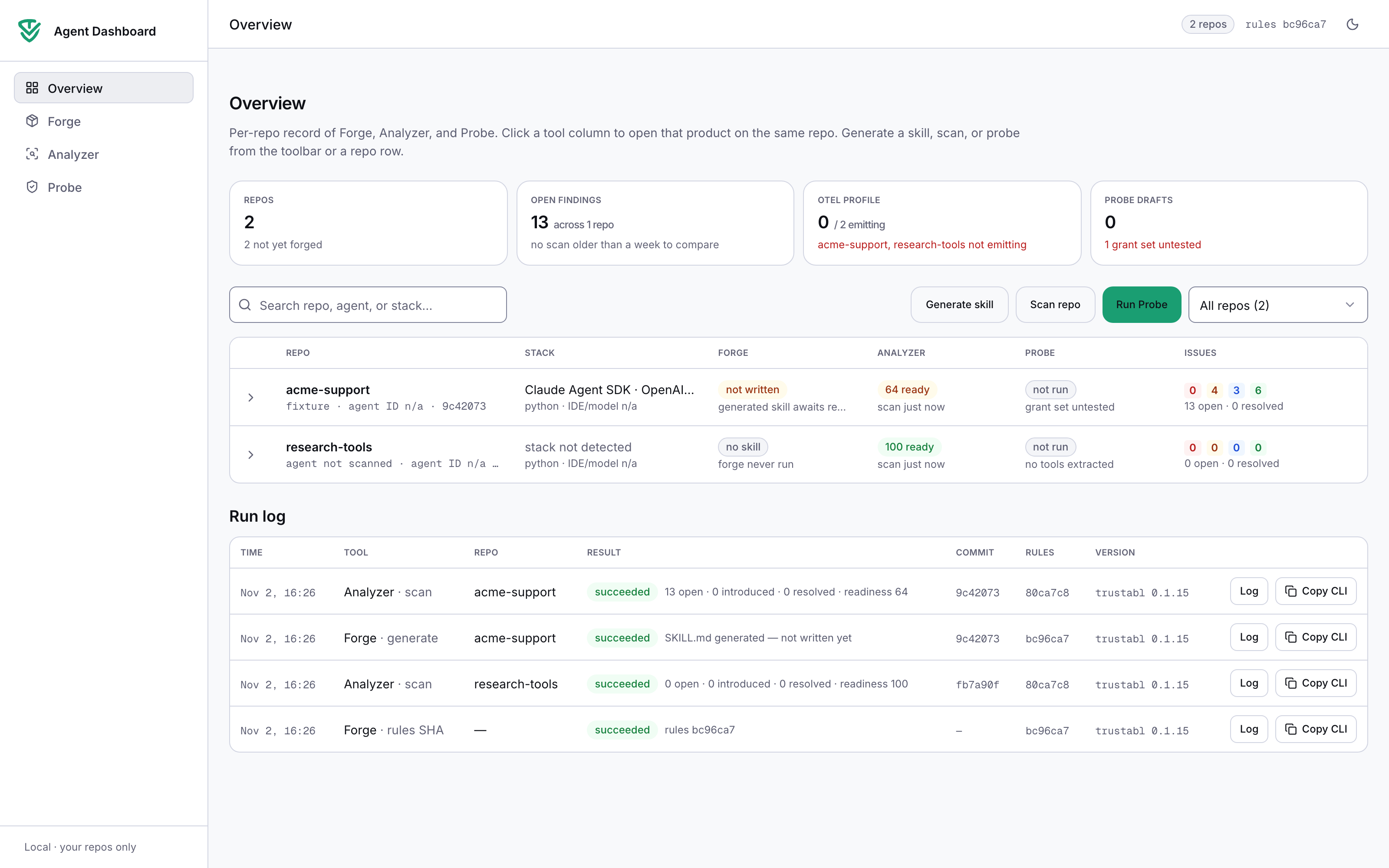
| Page | Wraps | Commands |
|---|---|---|
| Overview | all of the below | — |
| Forge | agent-reliability-analyzer | trustabl forge, trustabl forge check |
| Analyzer | agent-reliability-analyzer | trustabl scan |
| Probe | agent-network-access-probe | autofix fix |
- Runs on
127.0.0.1only. There is no login and no user or org model. - Pinned CLIs:
trustabl0.1.15 andautofix0.2.2. They are downloaded on
first start and their SHA-256 is checked (tools.lock.json). - Your source code stays on your machine. Probe sends tool source only to the
LLM endpoint you configure.
First run (≈ 5 minutes)

Requirements: macOS, Linux or WSL2, with git, curl, tar and make.
You need Node.js 22.13 or newer; if you don't have it, make run installs a
private copy. To run Probe you also need Docker (or OpenShell) and an
OpenAI-compatible LLM endpoint, for example Ollama.
git clone https://github.com/trustabl/agent-dashboard.git
cd agent-dashboard
make run            # or: ./scripts/run.sh
Open http://127.0.0.1:4317 and click Generate skill, Scan repo or
Run Probe. Pick New local path — agent not built, enter a folder (for
example ~/src/my-agent) and click Start. The output streams live. The run
keeps going if you close the tab, and you can cancel it at any time. Every run
has Copy CLI, which copies the exact command to run in a terminal.
For Probe with a local model:
ollama serve & ollama pull qwen2.5-coder:32b
# in the dialog: --model qwen2.5-coder:32b, --llm-url http://localhost:11434/v1
Cloud models read their key from OPENAI_API_KEY, ANTHROPIC_API_KEY orLLM_API_KEY in the environment you start the dashboard from. The dashboard never
stores keys.
Where state lives, and how to wipe it
All state is under ~/.agent-dashboard (override withAGENT_DASHBOARD_HOME):
| Path | What |
|---|---|
console.db |
Repos, run history, findings (SQLite) |
runs/<id>/ |
Each run's command, output and artifacts (scan.json, trustabl.sarif, SKILL.md, probe.*.json, network_policies.draft.yaml) |
bin/ |
Pinned CLIs |
cache/ |
The CLIs' rule and Probe result caches (Linux/WSL) |
make wipe # asks first; WIPE_YES=1 make wipe to skip the prompt
This deletes everything above. On macOS it also deletes the CLIs' caches in~/Library/Caches/trustabl*. Your repos are not touched, and neither is anySKILL.md you chose to write into them.
Development
make dev            # hot reload on 127.0.0.1:4317
make check          # eslint + tsc + vitest
make e2e            # Playwright against tests/fixtures/repos (Probe cases need Docker)
make parity         # artifacts from a dashboard run == the same CLI run (timestamps masked)
make secrets        # gitleaks, as in CI
See docs/ARCHITECTURE.md for the architecture
(components, API routes, run engine, data layer, conventions).
Contributions: CONTRIBUTING.md.
License
Apache-2.0. See LICENSE.
Reviews (0)
Sign in to leave a review.
Leave a reviewNo results found