ceiling
Health Pass
- License — License: MIT
- Description — Repository has a description
- Active repo — Last push 0 days ago
- Community trust — 24 GitHub stars
Code Fail
- exec() — Shell command execution in apps/desktop-tauri/scripts/check-locale-drift.mjs
Permissions Pass
- Permissions — No dangerous permissions requested
No AI report is available for this listing yet.
A focused Windows AI capacity monitor for Codex, Claude, Cursor, Grok, Gemini, OpenCode, and Copilot.

Ceiling
AI usage. One elegant view.





Download for Windows · ceiling.win · all releases
Ceiling is a focused, local-first Windows companion for the AI subscriptions you actually use. It keeps rolling limits, reset times, and stale/error states visible from the system tray or a lightweight capacity strip above the taskbar.
The goal is not another giant provider dashboard. It is a fast, calm way to answer one question: how much AI capacity do I have left, and when does it reset?
Provider focus
- OpenAI Codex
- Claude
- Cursor
- Grok
- Gemini / Google AI
- GitHub Copilot
These six get the most complete support, and each one has its data source documented individually. Banked resets are shown for Codex and Grok, the two providers that grant them. Many more providers remain available from the underlying foundation, and each reads from a local session or the provider's own usage endpoint. See How Ceiling gets your data for the per-provider detail.
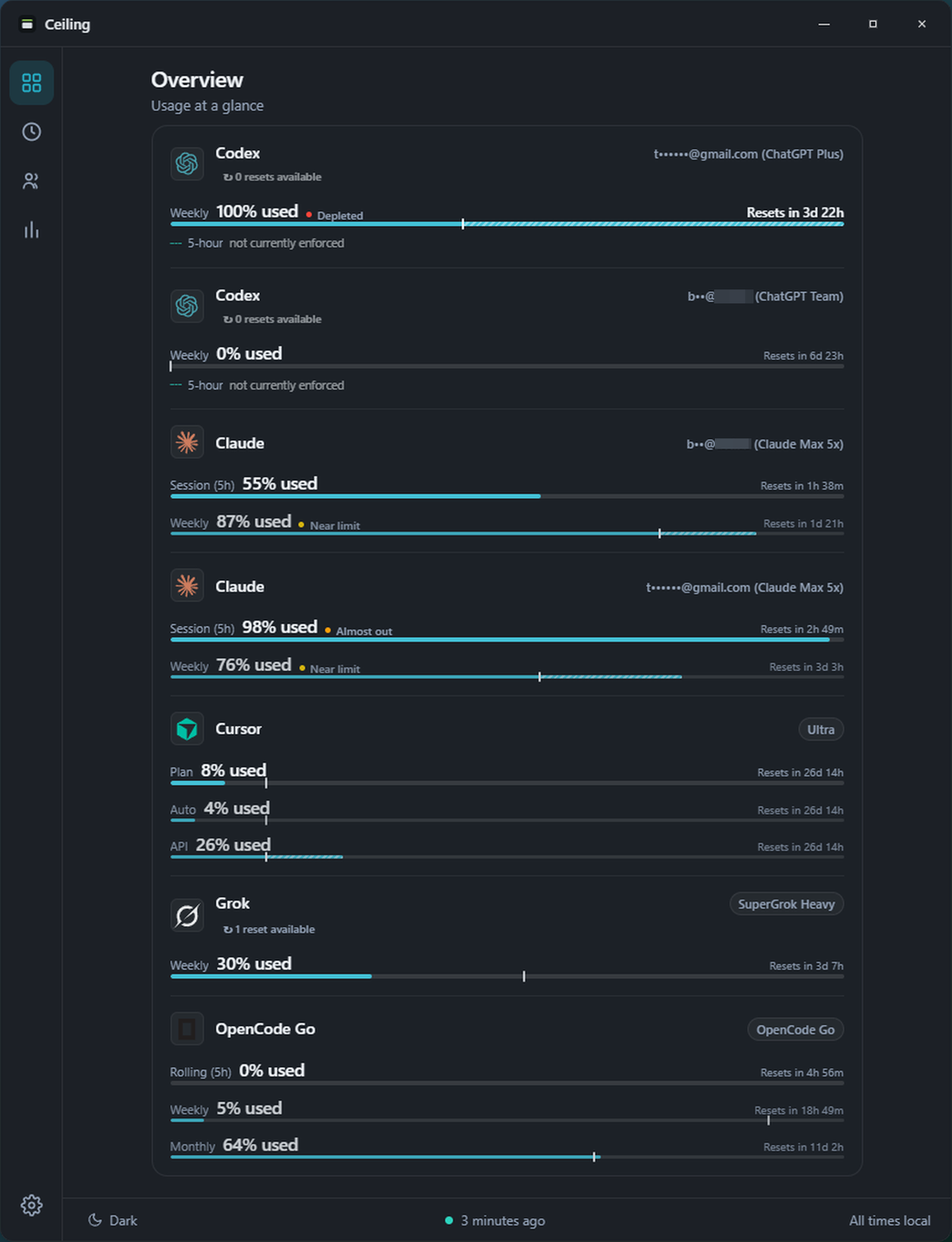
What Ceiling feels like
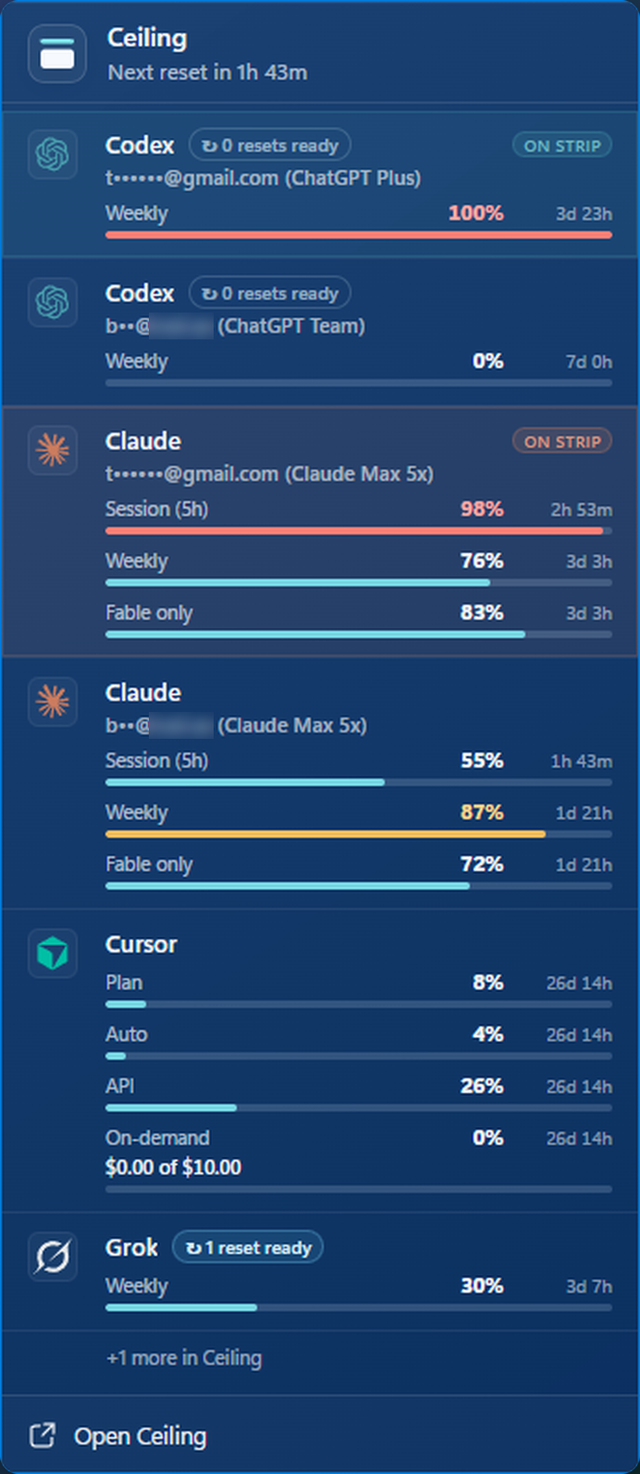
- Taskbar-adjacent capacity strip: Windows 11 does not support old-style third-party taskbar toolbars, so Ceiling uses a transparent, always-on-top strip that sits just above the taskbar without stealing focus.
- Tray at a glance: a compact flyout with each provider's remaining capacity, reset time, source, and freshness.
- Several accounts per provider: a personal and a work seat sit side by side, each with its own limits, resets, and charts.
- Usage history and charts: tokens burned since your last reset with an estimated API value beside them, a 30-day breakdown by model and project, and Codex against Claude on the same rolling clock.
- Truthful state: a visible distinction between live, cached, stale, and failed reads. No fake precision when a provider cannot report a limit cleanly.
- Usage and reset alerts: optional toasts when you approach a limit, and when a window resets unexpectedly, is restored, or grants a banked reset.
- Local first: credentials and usage data stay on the machine. Browser cookies, API keys, and login sources remain opt-in.
- Windows-native: Tauri, React, and Rust; fast startup, low idle work, and system accent-aware appearance.
Download
Ceiling runs on Windows 10 and 11.
Download for Windows · ceiling.win · all releases
The installer and portable build are code-signed. Ceiling is local-first: it reads usage from sources on your PC or from each provider's own usage endpoint, and never sends your credentials or usage data to Ceiling-operated servers. See How Ceiling gets your data for the per-provider detail.
Development
git clone https://github.com/tsouth89/ceiling.git
cd ceiling
pnpm --dir apps/desktop-tauri install --frozen-lockfile
pnpm --dir apps/desktop-tauri tauri:dev
The active desktop app lives in apps/desktop-tauri. Shared provider and usage logic lives in rust.
For the active implementation state and the next work items, see
docs/HANDOFF.md. For the tray and strip visual system, see
docs/CEILING_UI.md. For the codexbar CLI, see
docs/CLI.md. Maintainers should follow the
release checklist for public builds.
Contributing
New here? Start with an issue tagged good first issue, then read CONTRIBUTING.md for the workflow. See docs/CLI.md for the codexbar CLI reference.
Lineage, license, and credits
Ceiling is an independent Windows-focused fork of
Win-CodexBar, which is itself based
on Peter Steinberger's CodexBar. Ceiling
is not affiliated with or endorsed by either upstream project.
The project is released under the MIT license. The original copyright
and license notice are retained as required by that license.
Reviews (0)
Sign in to leave a review.
Leave a reviewNo results found