claude-code-go
Health Pass
- License — License: MIT
- Description — Repository has a description
- Active repo — Last push 0 days ago
- Community trust — 10 GitHub stars
Code Pass
- Code scan — Scanned 3 files during light audit, no dangerous patterns found
Permissions Pass
- Permissions — No dangerous permissions requested
This tool is a Go-based reimplementation of Anthropic's Claude Code CLI. It functions as a terminal-based AI coding assistant that integrates with the MCP protocol to handle multi-agent coordination, file operations, and session management.
Security Assessment
Overall risk: Medium. As a terminal-based coding assistant, the tool inherently handles sensitive data and system operations. The README explicitly mentions executing shell commands, managing files, and interacting with external APIs via an OAuth system. These are standard for this type of tool but require high trust from the user. The light code scan passed with no dangerous patterns found, and there are no hardcoded secrets. However, because the entire codebase was written autonomously by AI agents without human-written production code, it is highly recommended to conduct a thorough manual review of the implementation before granting it broad system permissions.
Quality Assessment
The project passes all standard health and quality checks. It is licensed under the permissive MIT license and appears to be actively maintained. Despite having a modest community footprint with 10 GitHub stars, the repository features professional CI/CD workflows, automated releases, and comprehensive documentation. The unique development approach—being entirely generated by a coordinated team of nine specialized AI agents—demonstrates an interesting paradigm for modern software generation, though the lack of traditional human oversight is a factor to consider.
Verdict
Use with caution: The tool passes all automated security checks and appears professionally structured, but its inherent system privileges as a CLI agent combined with a completely AI-generated codebase warrant a manual security review before use.
A Go implementation of Claude Code — This project was built entirely by a team of Claude AI agents working in parallel

Claude Code Go
🤖 A Go reimplementation of Claude Code — AI coding assistant in your terminal





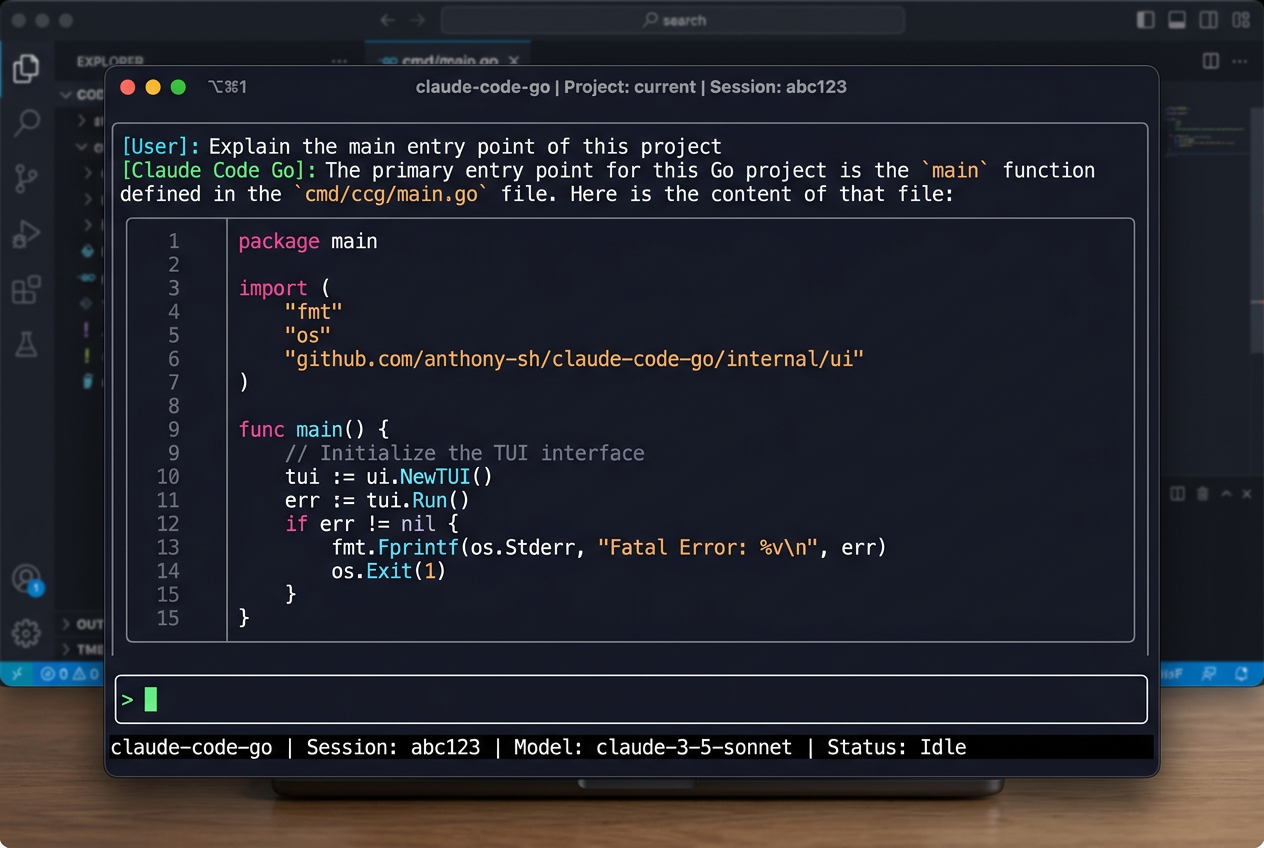
What is this?
This project is a complete Go reimplementation of Claude Code — Anthropic's official TypeScript CLI — rewritten module-by-module in Go, covering all core features: TUI, tool use, permission system, multi-agent coordination, MCP protocol, session management, and more.
Built entirely by AI agents — zero human-written code
No human wrote a single line of production code in this repository.
The entire project — architecture design, detailed design docs, parallel implementation, code review, QA, and integration testing — was produced by 9 Claude AI agents collaborating in a structured multi-agent workflow:
PM Agent          →  project plan, milestones, task scheduling
Tech Lead Agent   →  architecture design, design-doc review, code review
Agent-Infra       →  infrastructure layer (types, config, state, session)
Agent-Services    →  services layer (API client, OAuth, MCP, compaction)
Agent-Core        →  core engine (LLM loop, tool dispatch, coordinator)
Agent-Tools       →  tools layer (file, shell, search, web — 18 tools)
Agent-TUI         →  UI layer (Bubble Tea MVU, themes, Vim mode)
Agent-CLI         →  entry layer (Cobra CLI, DI, bootstrap phases)
QA Agent          →  test strategy, per-layer acceptance, integration tests
Each agent worked on an isolated Git Worktree branch in parallel, collaborating through the shared codebase, design docs, and QA reports. The result: ~7,000 lines of production code + a full test suite, with go test -race ./... passing.
This is a real-world demonstration that a non-trivial, multi-layer Go application can be fully designed, implemented, reviewed, and shipped by AI agents collaborating asynchronously. The complete decision trail lives in docs/project/.
A Go implementation of Claude Code — an agentic AI coding assistant that lives in your terminal. Claude Code understands your codebase, runs tools, and helps you write, review, and refactor code through natural conversation.
Features
- Interactive TUI — Full-featured terminal UI built with Bubble Tea, with dark/light themes
- Agentic tool use — File reads/writes, shell execution, search, and more, all mediated through a permission layer
- Multi-agent coordination — Spawn background sub-agents for parallel tasks
- MCP support — Connect external tools via the Model Context Protocol
- CLAUDE.md memory — Auto-loads project context from
CLAUDE.mdfiles up the directory tree - Session management — Resume previous conversations; compact long histories automatically
- Vim mode — Optional Vim key bindings in the input area
- OAuth + API key auth — Sign in with Anthropic OAuth or supply an
ANTHROPIC_API_KEY - 18 built-in slash commands —
/help,/clear,/compact,/commit,/diff,/review,/mcp, and more - Streaming responses — Real-time token streaming with thinking-block display
Architecture
Claude Code Go is organized in six layers:
┌─────────────────────────────────────┐
│  CLI (cmd/claude)                   │  cobra entry point
├─────────────────────────────────────┤
│  TUI (internal/tui)                 │  Bubble Tea MVU interface
├─────────────────────────────────────┤
│  Tools (internal/tools)             │  file, shell, search, MCP tools
├─────────────────────────────────────┤
│  Core Engine (internal/engine)      │  streaming, tool dispatch, coordinator
├─────────────────────────────────────┤
│  Services (internal/api, oauth,     │  Anthropic API, OAuth, MCP client
│            mcp, compact)            │
├─────────────────────────────────────┤
│  Infra (pkg/types, internal/config, │  types, config, state, hooks, plugins
│         state, session, hooks)      │
└─────────────────────────────────────┘
See docs/project/architecture.md for a detailed breakdown.
Requirements
- Go 1.21 or later
- An Anthropic API key or Claude.ai account (OAuth)
Installation
From source
git clone https://github.com/tunsuy/claude-code-go.git
cd claude-code-go
make build
# Binary is placed at ./bin/claude
Add to your PATH:
export PATH="$PATH:$(pwd)/bin"
Using go install
go install github.com/tunsuy/claude-code-go/cmd/claude@latest
Quick Start
# Set your API key (or use OAuth — see Authentication below)
export ANTHROPIC_API_KEY=sk-ant-...

# Start an interactive session in the current directory
claude

# Ask a one-shot question and exit
claude -p "Explain the main entry point of this project"

# Resume the most recent session
claude --resume
Authentication
API key (recommended for CI/scripts):
export ANTHROPIC_API_KEY=sk-ant-...
OAuth (recommended for interactive use):
claude /config # opens the OAuth flow in your browser
Usage
Interactive mode
claude [flags]
| Flag | Description |
|---|---|
--resume |
Resume the most recent session |
--session <id> |
Resume a specific session by ID |
--model <name> |
Override the default Claude model |
--dark / --light |
Force dark or light theme |
--vim |
Enable Vim key bindings |
-p, --print <prompt> |
Non-interactive: run a single prompt and exit |
Slash commands
Type / in the input to see all available commands:
| Command | Description |
|---|---|
/help |
Show all commands |
/clear |
Clear conversation history |
/compact |
Summarise history to reduce context usage |
/exit |
Exit Claude Code |
/model |
Switch Claude model |
/theme |
Toggle dark/light theme |
/vim |
Toggle Vim mode |
/commit |
Generate a git commit message |
/review |
Review recent changes |
/diff |
Show current diff |
/mcp |
Manage MCP servers |
/memory |
Show loaded CLAUDE.md files |
/session |
Show session info |
/status |
Show API/connection status |
/cost |
Show token usage and estimated cost |
Development
Prerequisites
- Go 1.21+
golangci-lint(optional, for linting)
Build & test
# Build
make build

# Run all tests
make test

# Run tests with coverage report
make test-cover

# Vet
make vet

# Lint (requires golangci-lint)
make lint

# Build + test + vet
make all
Project layout
claude-code-go/
├── cmd/claude/          # CLI entry point
├── internal/
│   ├── api/             # Anthropic API client & streaming
│   ├── bootstrap/       # App initialisation
│   ├── commands/        # Slash command handlers
│   ├── compact/         # Conversation compaction
│   ├── config/          # Configuration (file + env)
│   ├── coordinator/     # Multi-agent coordinator
│   ├── engine/          # Query engine, tool dispatch
│   ├── hooks/           # Pre/post-tool hooks
│   ├── mcp/             # MCP server management
│   ├── memdir/          # CLAUDE.md loader
│   ├── oauth/           # OAuth2 flow
│   ├── permissions/     # Tool permission layer
│   ├── plugin/          # Plugin system
│   ├── session/         # Session persistence
│   ├── state/           # Application state
│   ├── tools/           # Tool interface, registry & built-in implementations
│   │   ├── agent/       #   sub-agent & send-message tools
│   │   ├── fileops/     #   file read/write/edit/glob/grep tools
│   │   ├── interact/    #   user-interaction & worktree tools
│   │   ├── mcp/         #   MCP tool adapter
│   │   ├── misc/        #   miscellaneous tools
│   │   ├── shell/       #   Bash execution tool
│   │   ├── tasks/       #   task-list tools
│   │   └── web/         #   web fetch & search tools
│   └── tui/             # Bubble Tea UI components
├── pkg/
│   └── types/           # Shared public types
├── docs/                # Design docs and QA reports
├── Makefile
└── go.mod
Contributing
We welcome contributions! Please read CONTRIBUTING.md before submitting a pull request.
Quick checklist:
- Fork the repo and create a feature branch
- Make sure
make testandmake vetpass - Write tests for new functionality
- Follow existing code style (run
gofmt ./...) - Open a pull request using the provided template
Security
To report a security vulnerability, please see SECURITY.md. Do not open a public GitHub issue for security bugs.
License
This project is licensed under the MIT License — see LICENSE for details.
Related projects
- claude-code — the original TypeScript CLI
- anthropic-sdk-go — official Go SDK for the Anthropic API
- Model Context Protocol — open standard for connecting AI to tools
Reviews (0)
Sign in to leave a review.
Leave a reviewNo results found