unch
Health Pass
- License — License: Apache-2.0
- Description — Repository has a description
- Active repo — Last push 0 days ago
- Community trust — 10 GitHub stars
Code Fail
- rm -rf — Recursive force deletion command in .github/workflows/ci.yml
- rm -rf — Recursive force deletion command in .github/workflows/release.yml
- rm -rf — Recursive force deletion command in .github/workflows/unch-index-reusable.yml
Permissions Pass
- Permissions — No dangerous permissions requested
This is a local-first semantic code search tool designed for repository annotations. It indexes code symbols and documentation using Tree-sitter and local GGUF embeddings, allowing developers to perform semantic searches from the terminal without needing external services.
Security Assessment
Overall risk: Low. By default, the tool keeps everything on your machine using local embeddings, though it does offer opt-in network requests for remote publishing and OpenRouter integrations. There are no hardcoded secrets or dangerous permission requests. However, automated security scans flagged `rm -rf` commands in three GitHub Actions CI/CD workflow files. These are standard cleanup operations within the build pipeline and do not pose a risk to the end-user's system. The primary installation methods (npm, Homebrew, and a curl pipe to shell script) do involve downloading and executing code, which is standard but always warrants standard caution.
Quality Assessment
The project is actively maintained, with its most recent push happening today. It is legally safe to integrate, operating under the permissive Apache-2.0 license. Community trust is currently minimal but present, as indicated by 10 GitHub stars. The codebase is well-documented, features multiple installation paths, and supports a wide variety of popular programming languages.
Verdict
Safe to use.
Local-first semantic code search for repository annotations via GGUF embeddings and sqlite-vec.

unch






Semantic code search for code symbols and docs.
unch indexes functions, methods, types, classes, interfaces, and attached docs with Tree-sitter, then lets you search them from the terminal. It is useful when you know what the code does, but not the symbol name or file path. Local llama.cpp embeddings are the default; OpenRouter and remote publishing are opt-in.
Why unch
- Indexes symbols, not just lines.
unchstores top-level API objects and attached docs forGo,Rust,TypeScript,JavaScript, andPython. - Keeps the local workflow simple. Build an index once, search from the CLI, and keep everything on your machine unless you explicitly choose OpenRouter embeddings or publish a remote index.
- Still works with CI. If you want a shared index, GitHub Actions publishing is available, but it is not required for the normal local flow.
Install
npm is the recommended install path:
npm install -g @uchebnick/unch
unch codex install
It installs the unch CLI and downloads the matching native release binary for your platform.
Run unch codex install once to register unch in Codex through codex mcp add and install the unch skill in ~/.codex/skills/unch/SKILL.md, then restart Codex.
Homebrew on macOS:
brew install uchebnick/tap/unch
Release installer on macOS and Linux:
curl -fsSL https://raw.githubusercontent.com/uchebnick/unch/main/install.sh | sudo sh -s -- -b /usr/local/bin
This installs unch into a system PATH directory so you can run it immediately after the installer finishes.
On Apple Silicon macOS, use /opt/homebrew/bin instead of /usr/local/bin:
curl -fsSL https://raw.githubusercontent.com/uchebnick/unch/main/install.sh | sudo sh -s -- -b /opt/homebrew/bin
PowerShell installer on Windows:
iwr https://raw.githubusercontent.com/uchebnick/unch/main/install/install.ps1 -useb | iex
This makes unch available immediately in the current PowerShell session.
To keep it available in future PowerShell or terminal sessions, add $HOME\AppData\Local\Programs\unch\bin to your user PATH.
Source install:
go install github.com/uchebnick/unch/cmd/unch@latest
This install path requires a cgo-capable Go toolchain. It is smoke-tested in CI in the official Debian-based Go container image. To pin a specific release, use @<tag>.
If you want to build from the current checkout:
go build -o unch ./cmd/unch
Published release archives:
- macOS:
arm64,x86_64 - Linux:
arm64,x86_64 - Windows:
arm64,x86_64(unch.exe)
On those targets, the installers use published release archives by default, so Go is not required. install.sh and install/install.ps1 only fall back to go install when no matching archive is available. install.sh is smoke-tested in CI on Ubuntu, Debian, Arch, and NixOS-like environments, including the default no--b path selection flow; the PowerShell installer is smoke-tested on Windows arm64 and x86_64.
Verify the installed binary:
unch --version
unch --help
See Compatibility for the support matrix and upgrade rules, and Benchmarks for the checked-in smoke, ci, and default suites.
Model selection accepts either a known model id or a direct .gguf path:
unch index --model embeddinggemma
unch index --model qwen3
unch search --model qwen3 "create a new router"
OpenRouter is also supported as an embedding provider:
unch auth openrouter --token sk-or-...
unch index --provider openrouter --model openai/text-embedding-3-small
unch search --provider openrouter --model openai/text-embedding-3-small "create a new router"
By default unch auth openrouter writes ~/.config/unch/tokens.json, so you do not need to keep the token in your shell environment. Use --local if you want to store it in .semsearch/tokens.json for one repository.
Quick Start
cd path/to/repo
unch index --root .
unch search "create a new router"
unch search --details "get path variables from a request"
OpenRouter flow:
cd path/to/repo
unch auth openrouter --token sk-or-...
unch index --root . --provider openrouter --model openai/text-embedding-3-small
unch search --provider openrouter --model openai/text-embedding-3-small "create a new router"
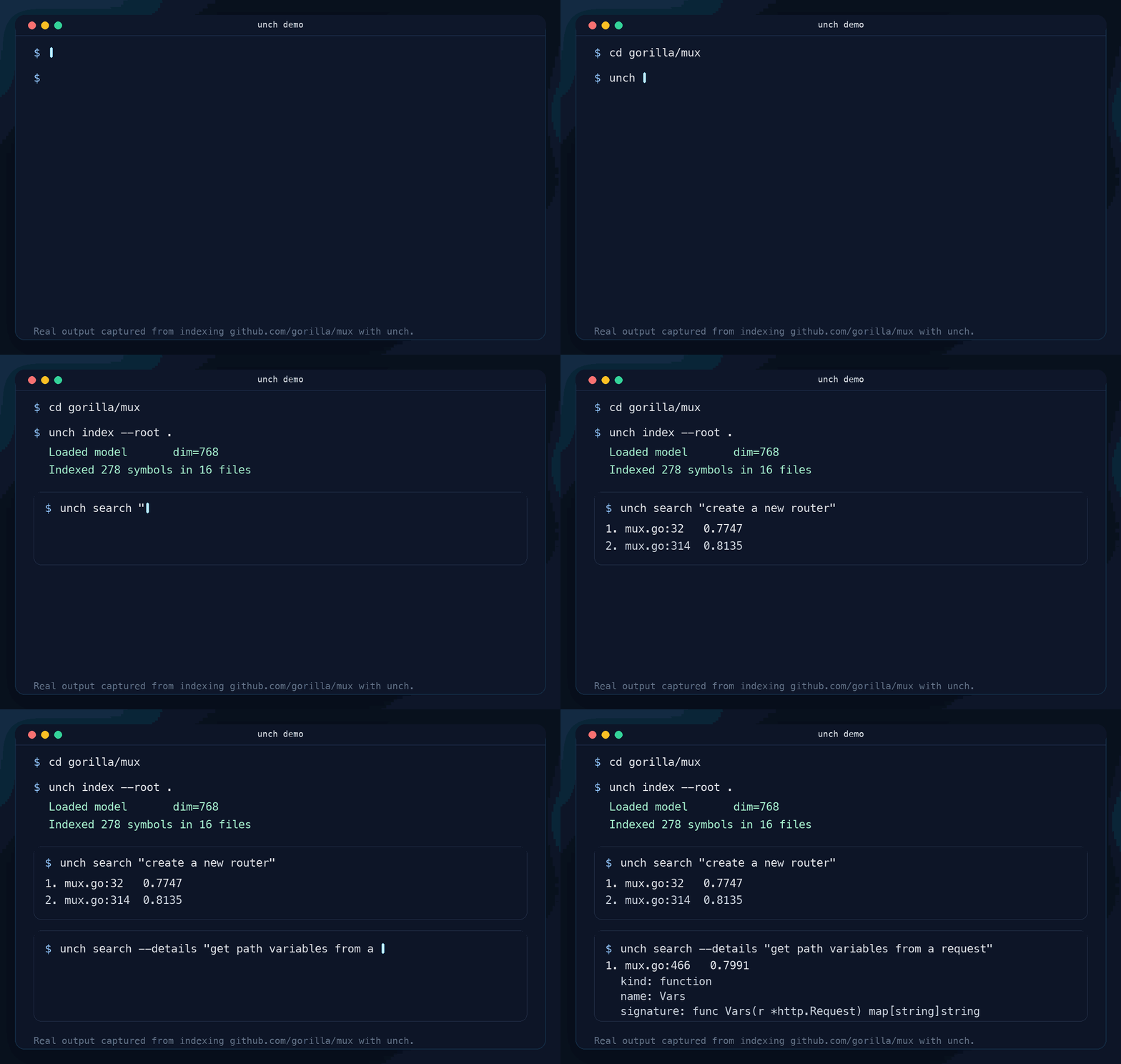
Real output from indexing gorilla/mux:
$ unch index --root .
Loaded model       dim=768
Indexed 278 symbols in 16 files

$ unch search "create a new router"
1. mux.go:32  0.7747
2. mux.go:314 0.8135

$ unch search --details "get path variables from a request"
1. mux.go:466  0.7991
   kind: function
   name: Vars
   signature: func Vars(r *http.Request) map[string]string
   docs: Vars returns the route variables for the current request, if any.
The first local llama.cpp run may download the default embedding model, fetch local yzma runtime libraries, and create ./.semsearch/.
Each provider and model pair keeps its own active index snapshot. Rebuilding openrouter/openai/text-embedding-3-small does not replace the active llama.cpp/embeddinggemma snapshot until the new run finishes successfully.
MCP for Codex
The recommended MCP setup is through the npm wrapper:
npm install -g @uchebnick/unch
unch codex install
Then restart Codex. The setup command registers the unch MCP server and installs the unch skill in ~/.codex/skills/unch/SKILL.md.
After restart, ask Codex a codebase question as usual. The skill tells Codex to use these MCP tools before broad file reads:
workspace_statusto inspect the repository root, state directory, active provider/model, and index statussearch_codeto search indexed code symbols before opening many filesindex_repositoryto build or refresh the index when neededremote_sync_indexto refresh from a bound GitHub Actions index before rebuilding locallycreate_ci_workflow,bind_remote_ci, andremote_download_indexwhen you ask Codex to set up or use remote CI-backed indexes
All MCP tools accept an optional directory argument. The installed skill passes the active repository path so unch searches the workspace Codex is currently editing, even if the MCP server was launched from somewhere else.
Codex starts the stdio server for you with unch start mcp; you normally do not need to run that command by hand.
What It Supports Today
- Tree-sitter indexing for
Go,Rust,TypeScript,JavaScript, andPython - Top-level API objects and attached documentation
- Local indexing and search first, optional remote publishing through GitHub Actions
auto,semantic, andlexicalsearch modes- Legacy
--comment-prefixand--context-prefixonly forindexfallback on unsupported files or parser failures
Core Commands
index
Build or refresh the local index for a repository.
unch index --root .
Useful flags:
--excludeto skip generated, vendor, or irrelevant paths--providerto switch between localllama.cppembeddings and remoteopenrouter--modelto useembeddinggemma,qwen3, or a custom.ggufpath--ctx-sizeto override the selected model context size;0uses the model default--libto use an existingyzmaruntime directory--state-dirto keep index state in a custom.semsearchdirectory
search
Query the current index.
unch search "sqlite schema"
unch search --mode lexical "Run"
Useful flags:
--modeforauto,semantic, orlexical--limitto control result count--max-distanceto narrow semantic matches--providerto select the embedding provider that matches the indexed snapshot--modelto search withembeddinggemma,qwen3, or a custom.ggufpath--ctx-sizeto override the selected model context size;0uses the model default--state-dirto search against a custom.semsearchdirectory--detailsto print symbol metadata, signature, docs, and body context for each match
Remote / CI
Remote indexing is optional. Use it when you want GitHub Actions to publish an index for a repository. The generated workflow file is .github/workflows/unch-index.yml.
Create the workflow scaffold:
unch create ci
Bind the local repository state to a GitHub repo or workflow URL:
unch bind ci https://github.com/uchebnick/unch
After the workflow is committed and runs successfully once, unch search can refresh the published index automatically when a newer remote version exists. Use unch remote sync when you want to force a refresh before searching.
The cross-platform benchmark matrix stays separate from ordinary push CI. It runs on release-tag pushes and manual workflow_dispatch, uses the checked-in ci suite with a lighter 1 cold / 1 warm / 1 search repeat profile, and publishes per-platform summaries for Linux, macOS, and Windows.
Contributing and Feedback
- See CONTRIBUTING.md for the local dev loop.
- Open a bug report if search quality or indexing behavior looks wrong.
- Open a feature request if you want new language support, ranking behavior, or workflow features.
Reviews (0)
Sign in to leave a review.
Leave a reviewNo results found