mercury
Health Warn
- License — License: MIT
- Description — Repository has a description
- Active repo — Last push 0 days ago
- Low visibility — Only 7 GitHub stars
Code Pass
- Code scan — Scanned 6 files during light audit, no dangerous patterns found
Permissions Pass
- Permissions — No dangerous permissions requested
No AI report is available for this listing yet.
Mercury — a Hermes companion. Free, open-source mobile clients for Hermes Agent (Android + iOS). Unofficial; official endpoints only.
Mercury — a Hermes companion
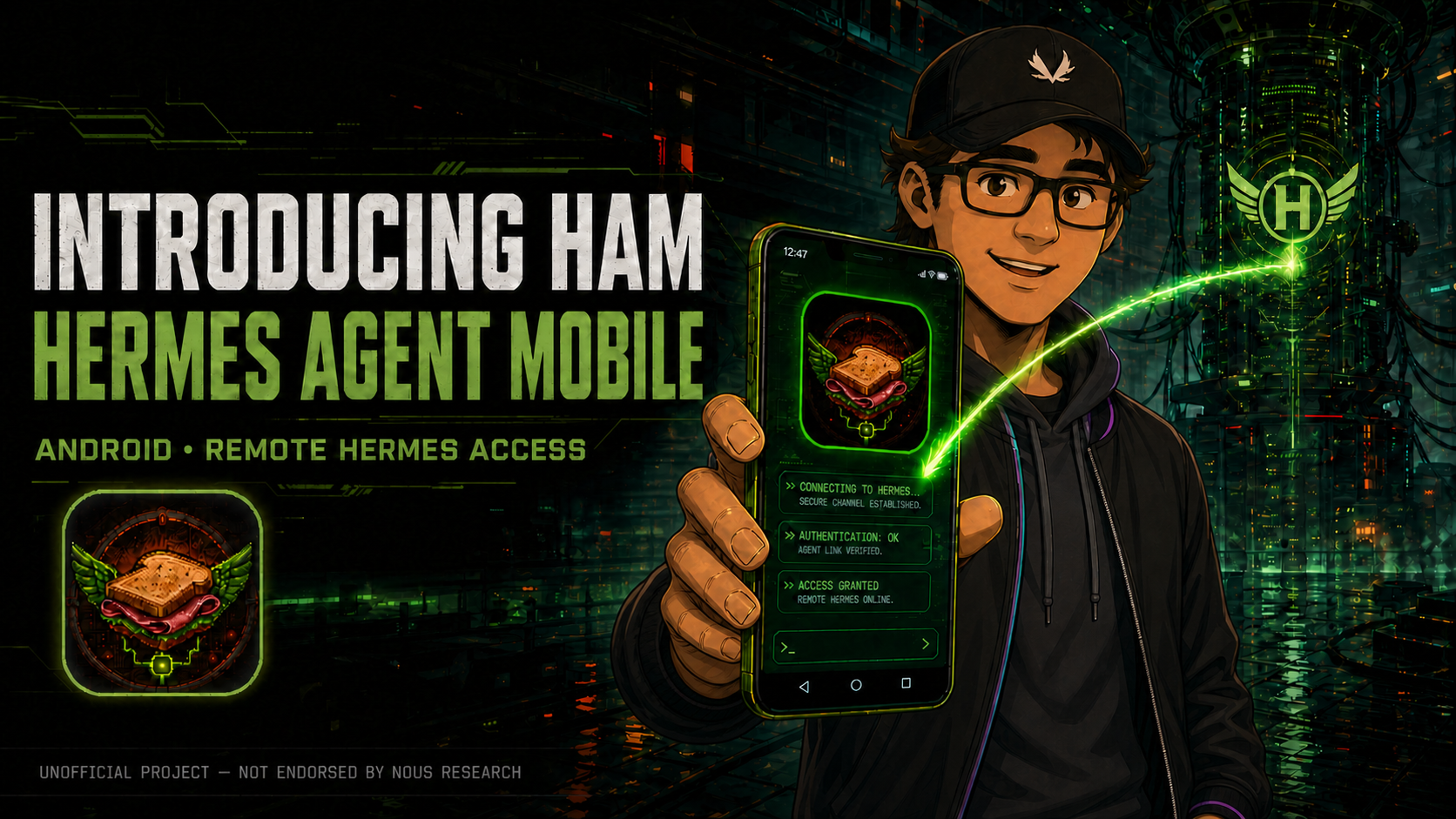
Mercury is an independent, open-source, 100% free companion app for Hermes Agent — Hermes Cloud or your own self-hosted server. Live streaming, hands-free voice, artifacts, approvals, and full session control from anywhere.
🌐 Website: hermes-agent-mobile.com · 📥 Download the latest APK · 🔒 Privacy
Unofficial client. Mercury is not affiliated with or endorsed by Nous Research. It is built entirely on the official Hermes interfaces — no server changes, forks, or plugins required. Free and open source under the MIT license.
What Mercury does
- Connects to an unchanged, officially compatible Hermes Agent backend supplied by
hermes dashboardor headlesshermes serve. - Browses projects and sessions, creates local drafts, and starts a remote runtime only when you send the first prompt.
- Streams replies token-by-token over a direct WebSocket, with tool activity, code blocks, and reasoning rendered inline as they happen.
- Posts push notifications the instant a turn completes or the agent needs a decision — with the reply inline and an Open session tap that drops you right back in. Kick off a long run, lock the phone, and get on with your day.
- Responds to tool approvals, clarify questions, and secret prompts from the phone; parked requests return correctly after a reconnect.
- Opens artifacts and browses host files the agent produced, with images and documents rendered natively.
- Shares images, PDFs, and text from any Android app straight into a session — staged in the composer for review, never auto-sent.
- Supports native Nous OAuth with system-browser PKCE, origin-scoped encrypted credentials, refresh, and reconnect/reconciliation.
- Adapts cleanly across compact phones, Fold cover screens, unfolded layouts, split screen, freeform windows, and DeX.
- Preserves a Mercury-started live turn when you navigate away; it does not take over or close another client's runtime.
- Speaks and listens through your server's audited voice stack: app-owned dictation into the composer with a stop control, per-message read-aloud, streaming speech that overlaps generation, and a hands-free voice conversation with spoken stop phrases and barge-in. Voice controls appear only when the connected server exposes the official
/api/audio/…routes, audio is never persisted on the device, and the microphone permission is requested only when you first use voice.
Real screens, real agent
Real captures from a live session on device — no mockups, no staged data.
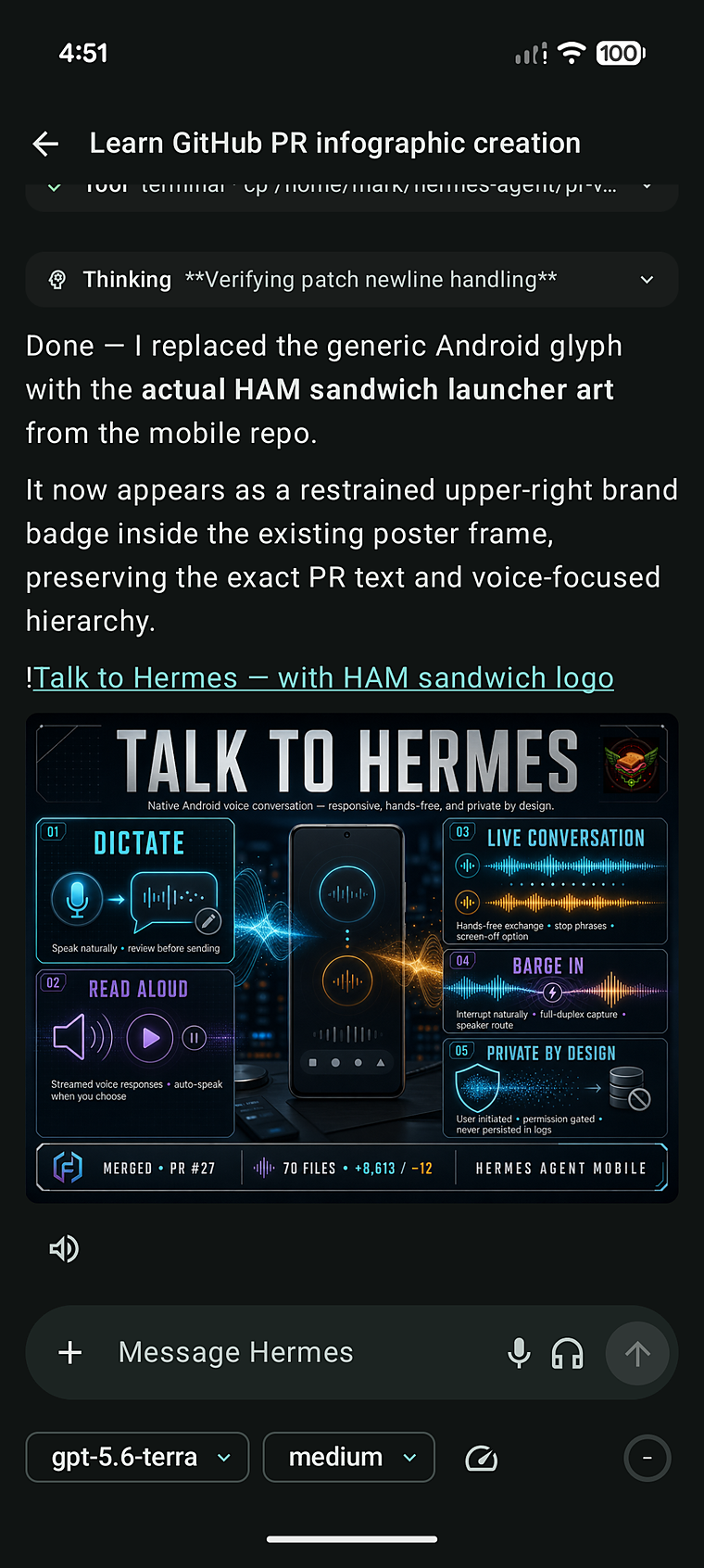
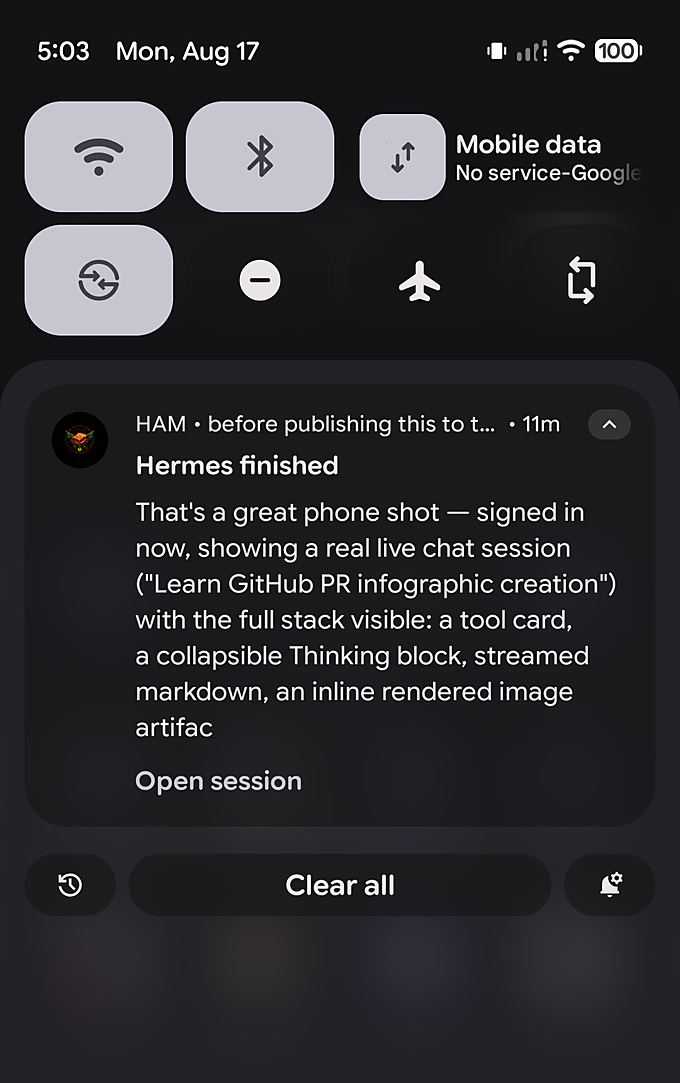
Left: a live session streaming tool activity, reasoning, and artifacts. Right: the turn-complete notification — even when the app is closed, Mercury taps you on the shoulder.
Designed for foldables and tablets
Mercury uses the available window and posture — not a device name or orientation — to move from a focused compact layout to a wider multi-pane workspace. Unfold the phone or open it on a tablet and the layout earns the space: project navigation on the left, sessions in the middle, and the live agent workspace on the right. It preserves the selected session and active work across resize and fold/unfold transitions.
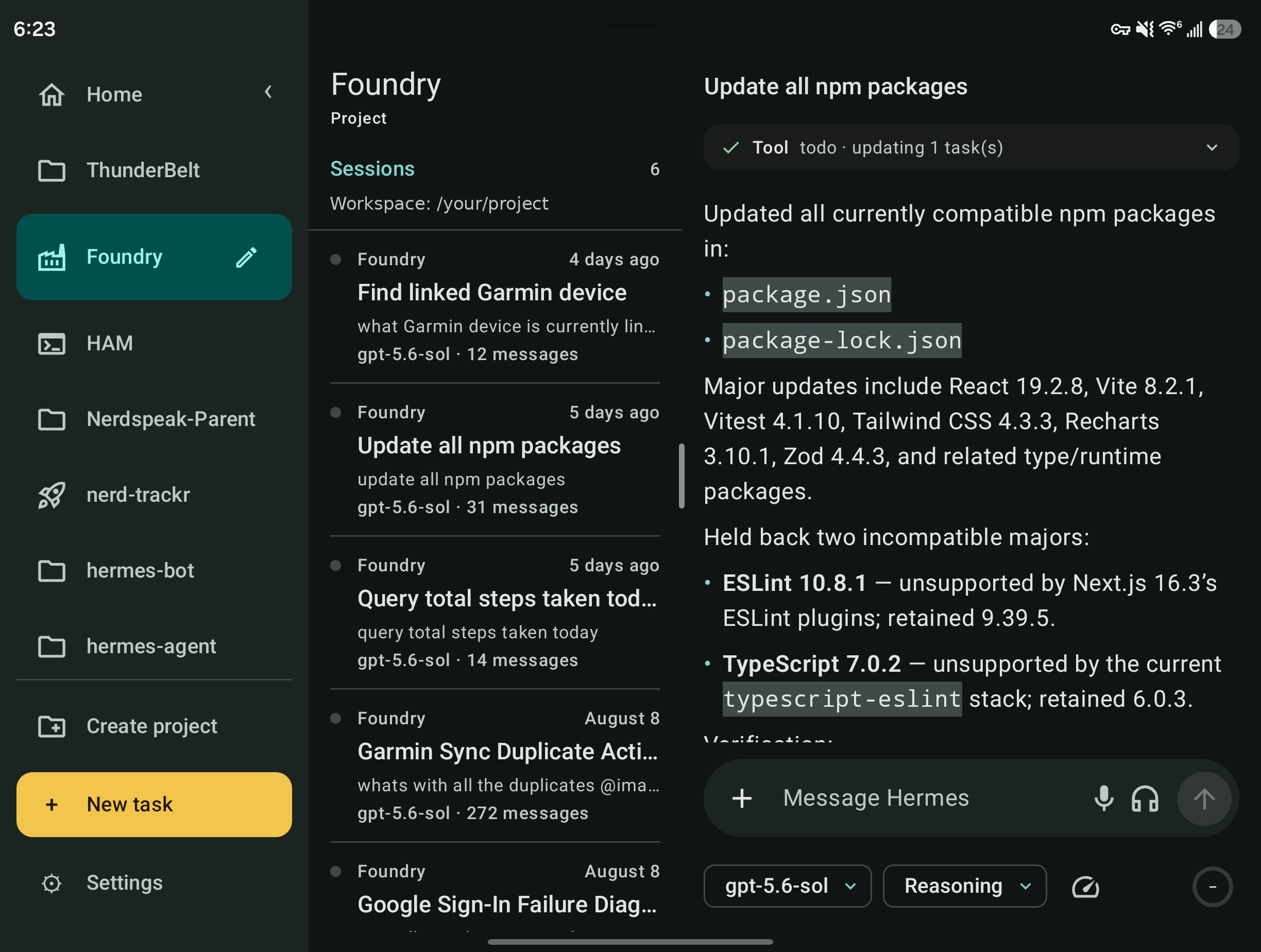
A live Mercury session in expanded mode on an unfolded Samsung Fold — project rail, session list, and live workspace at once.
Connect to your Hermes host
Mercury is a client, not an agent host. Install and configure Hermes Agent on a machine you control (or deploy an always-on Hermes Cloud instance from the Nous Portal), then keep a compatible Hermes backend running before connecting from Android. The host remains authoritative for your agent, tools, files, sessions, and data.
Both paths authenticate the same way — Sign in with Nous. Mercury's Connect screen has two modes:
- Hermes Cloud — sign in once to Nous Portal and pick from the agents on your account; no URL to paste. Mercury discovers your deployed Hermes Cloud agents automatically and connects to the one you choose. Multi-org accounts get an org picker.
- Server URL — enter the HTTP/HTTPS origin of a Hermes host you run yourself. Use this for self-hosting (below) or to connect to a known instance by hand.
The rest of this section covers self-hosting.
Recommended public access: HTTPS through Cloudflare Tunnel
For a remote phone connection, keep Hermes bound to loopback and publish only a public HTTPS hostname through a named Cloudflare Tunnel. Do not expose port 9119 directly to the internet.
Configure Hermes Agent and public-host authentication. For a publicly reachable host, use an OAuth provider (Nous Portal is the documented option), not a shared password. Follow the current Hermes remote-backend documentation.
Start the recommended Dashboard backend on the host and keep it supervised by your service manager:
hermes dashboard --host 127.0.0.1 --port 9119 --no-openThis supplies the backend Mercury needs and also keeps the web dashboard available when you want it. Omit
--no-openwhen starting it interactively and you want Hermes to open the dashboard in a local browser.In Cloudflare, create a named Tunnel on that host and add a published application:
- Public hostname: a hostname you control, such as
hermes.example.com - Service:
http://localhost:9119
A locally managed tunnel uses the same mapping:
ingress: - hostname: hermes.example.com service: http://localhost:9119 - service: http_status:404- Public hostname: a hostname you control, such as
In Mercury, enter only
https://hermes.example.comas the server origin, then complete the sign-in flow the server advertises. Do not include a path, API endpoint, WebSocket URL, username/password, token, authorization code, or WebSocket ticket.
Cloudflare terminates public TLS while the tunnel carries traffic back to the loopback-only Hermes server. See Cloudflare's published-application routing and configuration-file guides for current setup details.
hermes serve is the headless alternative for hosts that only need native/remote clients and do not need the web dashboard. It and hermes dashboard default to the same port, so run one or the other — not both on port 9119. The separate hermes gateway service runs messaging platforms such as Telegram or Discord; it does not replace the backend required by Mercury.
Private access through Tailscale
If the phone and Hermes host belong to the same Tailnet, Tailscale Serve is a private alternative to publishing a public hostname. Keep Hermes authentication enabled, expose it with Tailscale Serve, and enter the exact HTTPS .ts.net address reported by tailscale serve status in Mercury. Install and sign in to Tailscale on the phone before connecting.
Tailscale is appropriate for private Tailnet-only access; use the Cloudflare plus OAuth path when the host must be reachable outside the Tailnet. Do not use plain HTTP or expose port 9119 directly to the internet.
Already running the dashboard for the desktop app?
If you've already run hermes dashboard with Nous Portal auth for the Hermes desktop app, you're set — just make sure it's bound to an address your phone can reach (not 127.0.0.1) and go straight to Mercury's Connect screen. Verify the surface Mercury needs with GET /api/status: it should report auth_required: true and list native_pkce in auth_flows.
Keeping it available and troubleshooting
The Hermes backend is long-running: if it stops, Mercury cannot connect. Run the recommended hermes dashboard --no-open, or headless hermes serve, under a service manager or other process supervisor. The messaging gateway, if you use Telegram, Discord, Slack, or another channel, is a separate long-running process. See the official dashboard reference, hermes serve CLI reference, and messaging guide for current commands.
- On the host, confirm the backend is running with
hermes dashboard --statusorhermes serve --status, matching the command you started. - Confirm the public host responds before opening Mercury:
curl -fsS https://hermes.example.com/api/status. - If it fails, inspect the named tunnel's connector state, public-hostname/DNS mapping, and TLS certificate in Cloudflare; then confirm the tunnel still targets
http://localhost:9119. - For Tailscale, confirm the phone is connected to the same Tailnet and use the exact HTTPS address from
tailscale serve status. - If the URL works but sign-in does not, verify the configured authentication provider and callback registration using the official Hermes guide. Do not paste credentials, cookies, tokens, or tickets into an issue.
These are connection examples, not a server provisioner: Mercury does not create or modify your Hermes host, OAuth setup, Cloudflare tunnel, or Tailscale configuration.
Install the APK
- Download the latest signed APK (Android 10+ / API 29).
- Tap the file and allow installs from your browser when Android asks.
- On first launch, enter your server origin and Sign in with Nous.
Releases are built and signed in CI. Verify the signature with apksigner verify --verbose before installing if you like. A Play Store listing is in progress; until then the signed APK on GitHub Releases is the official build. The sideload APK and a future Play install are signed differently and won't upgrade over each other.
Security & privacy
Mercury connects only to the server origin you configure. It does not include a hosted Hermes service, telemetry SDK, analytics SDK, ad network, or hard-coded remote endpoint.
- Credentials, cookies, connection state, and cached transcripts are scoped to the normalized server origin and stored with Android Keystore-backed encryption.
- WebSocket tickets are fresh, single-use, and held in memory only.
- Production connections should use HTTPS. Cleartext traffic is disabled in the manifest.
- Your prompts, attachments, and transcript data are processed by the Hermes server you choose — not by a Mercury-operated service. No telemetry, no analytics, no third-party servers.
See PRIVACY.md and SECURITY.md for details.
Status
Mercury is pre-release software. It is being prepared for an initial Google Play release and is not yet a published Play Store app. See release readiness for the remaining shipping checklist.
Build from source
Prerequisites
- JDK 17
- Android SDK platform corresponding to the project's configured
compileSdk - An Android device or emulator for runtime verification
Create an untracked local.properties with your SDK path, then run:
./gradlew testDebugUnitTest lintDebug assembleDebug validateDebugScreenshotTest
The debug APK is written to app/build/outputs/apk/debug/.
For local setup and runtime checks, see docs/setup.md and docs/testing.md.
Contributing
Contributions are welcome. Read CONTRIBUTING.md and AGENTS.md before opening an issue or pull request. Mercury must stay a client of released, official Hermes interfaces — no private backend route, plugin, dashboard extension, gateway worker, or server fork is a requirement for the app. Kotlin, Jetpack Compose, Material 3, built against the official hermes serve interfaces.
License
Mercury is released under the MIT License. Third-party components retain their own licenses.
Reviews (0)
Sign in to leave a review.
Leave a reviewNo results found