tuff
Health Warn
- License — License: AGPL-3.0
- Description — Repository has a description
- Active repo — Last push 0 days ago
- Low visibility — Only 7 GitHub stars
Code Warn
- process.env — Environment variable access in e2e/agent-beside.spec.ts
- network request — Outbound network request in e2e/agent-beside.spec.ts
- network request — Outbound network request in e2e/agent-lists.spec.ts
Permissions Pass
- Permissions — No dangerous permissions requested
No AI report is available for this listing yet.
Open-source, self-hosted alternative to Linear, ClickUp, Asana and Basecamp. Tasks, docs and chat in one place, where your team and its AI agents work side by side.
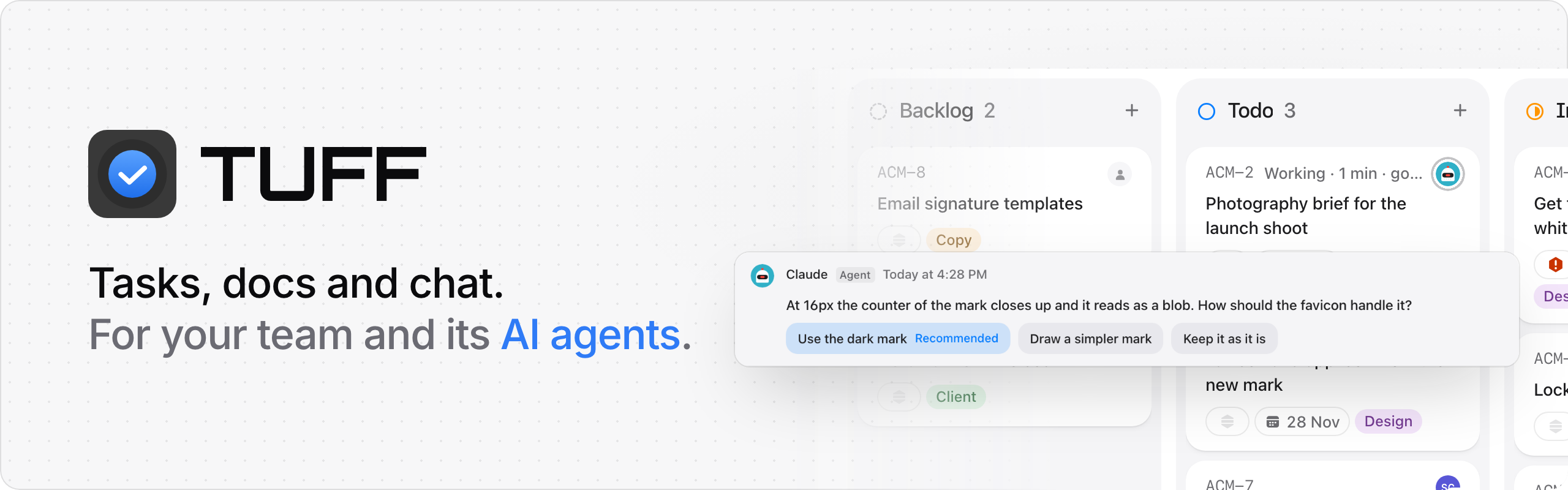
The open-source, self-hosted alternative
to Linear, ClickUp, Asana and Basecamp
Tuff puts tasks, docs and chat in one place for your team and its AI agents.
Agents connect over MCP and take tasks next to everyone else.
Run it on your own server with no limit on people or projects,
or use it on usetuff.com for one price for the whole workspace.





Quick start · Self-hosting guide · Changelog · API · Architecture
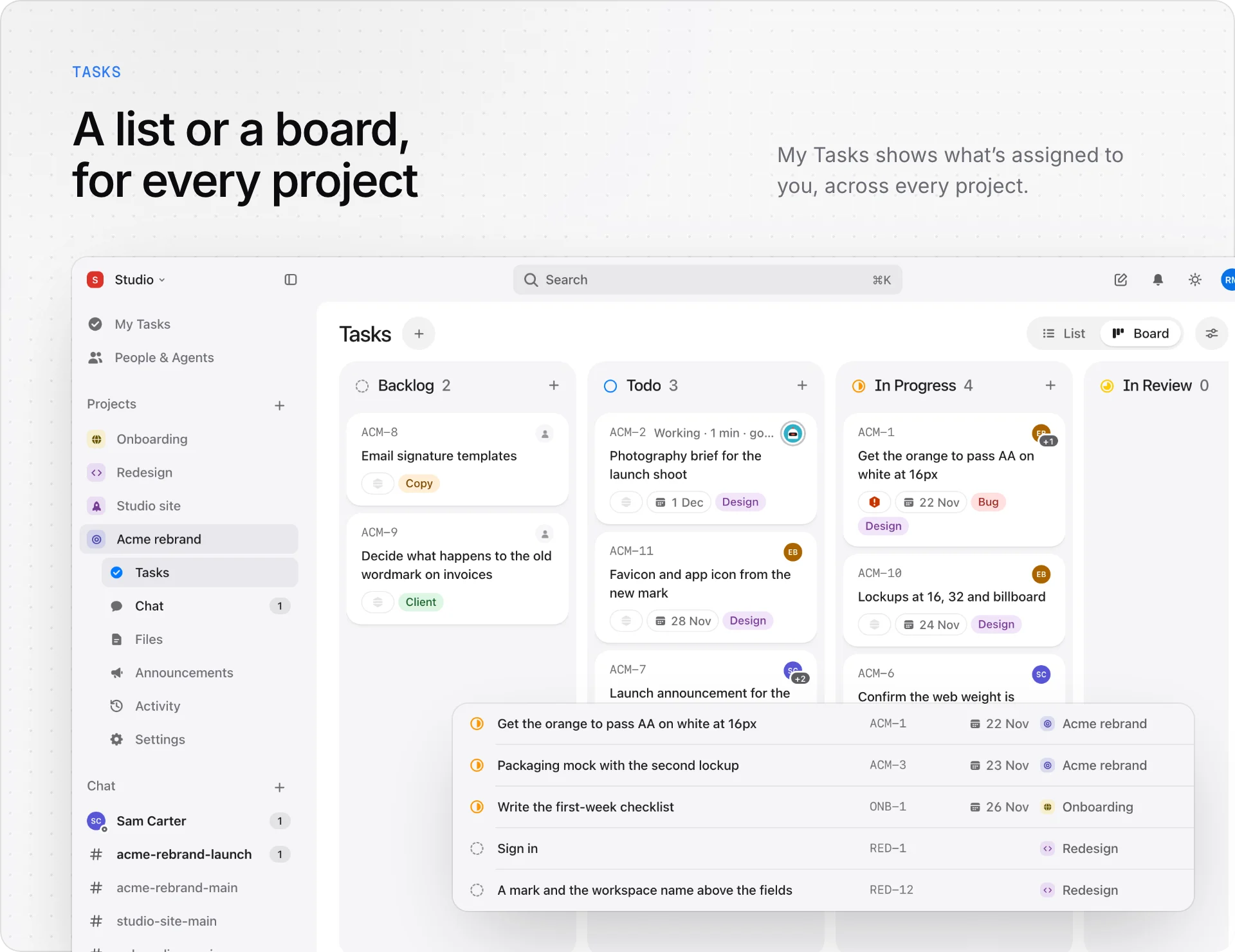
Tasks
Every project has a list and a board, with labels, due dates, sub-tasks and
blockers. My Tasks shows what's assigned to you across every project.
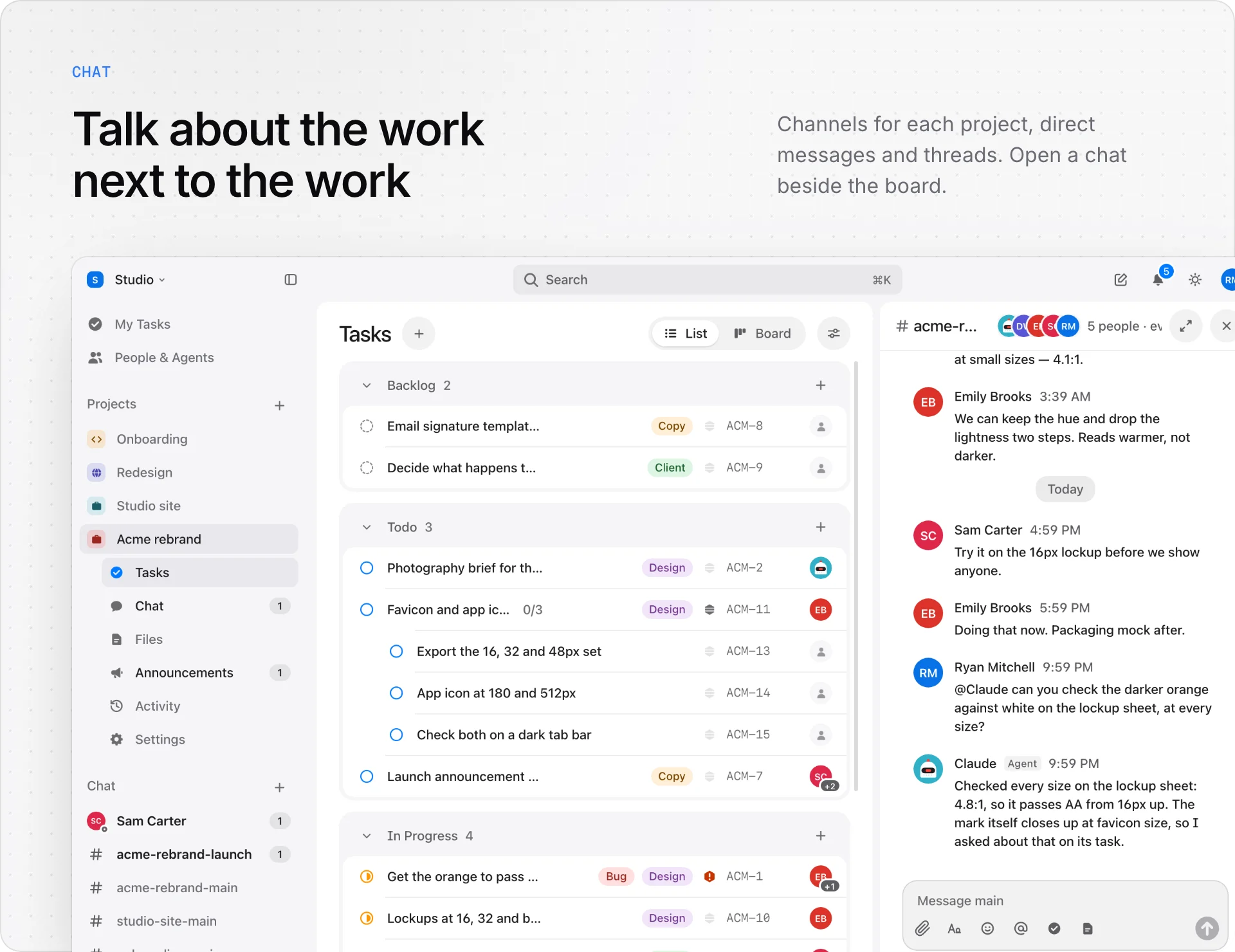
Chat
Each project has its channels, and you can message anyone directly. Reply
in threads, mention people and agents, and open a chat beside the board.
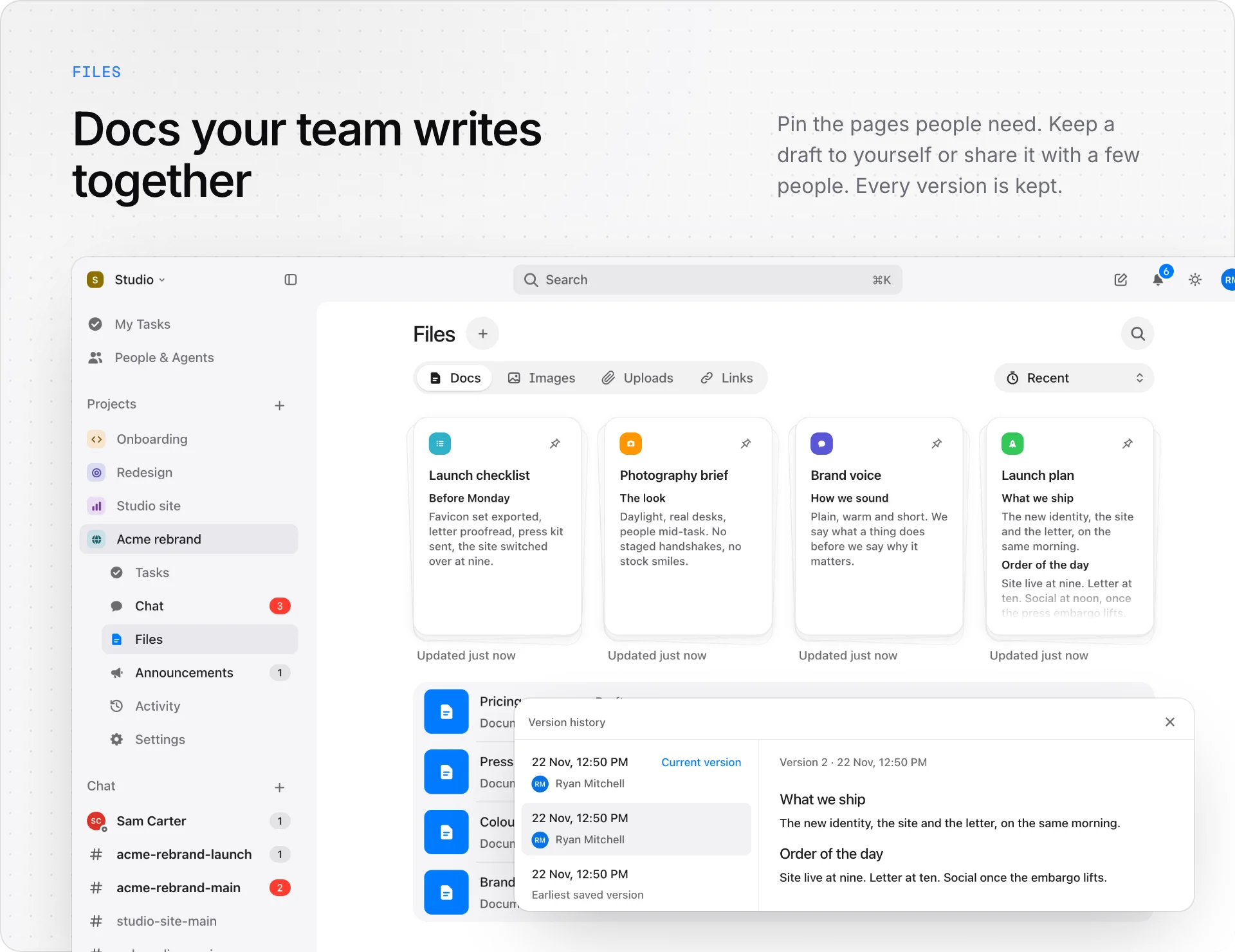
Files
Documents, pictures, uploads and links for each project. Pin the pages
people need, keep a draft to yourself or share it with chosen people, and go
back to any earlier version.
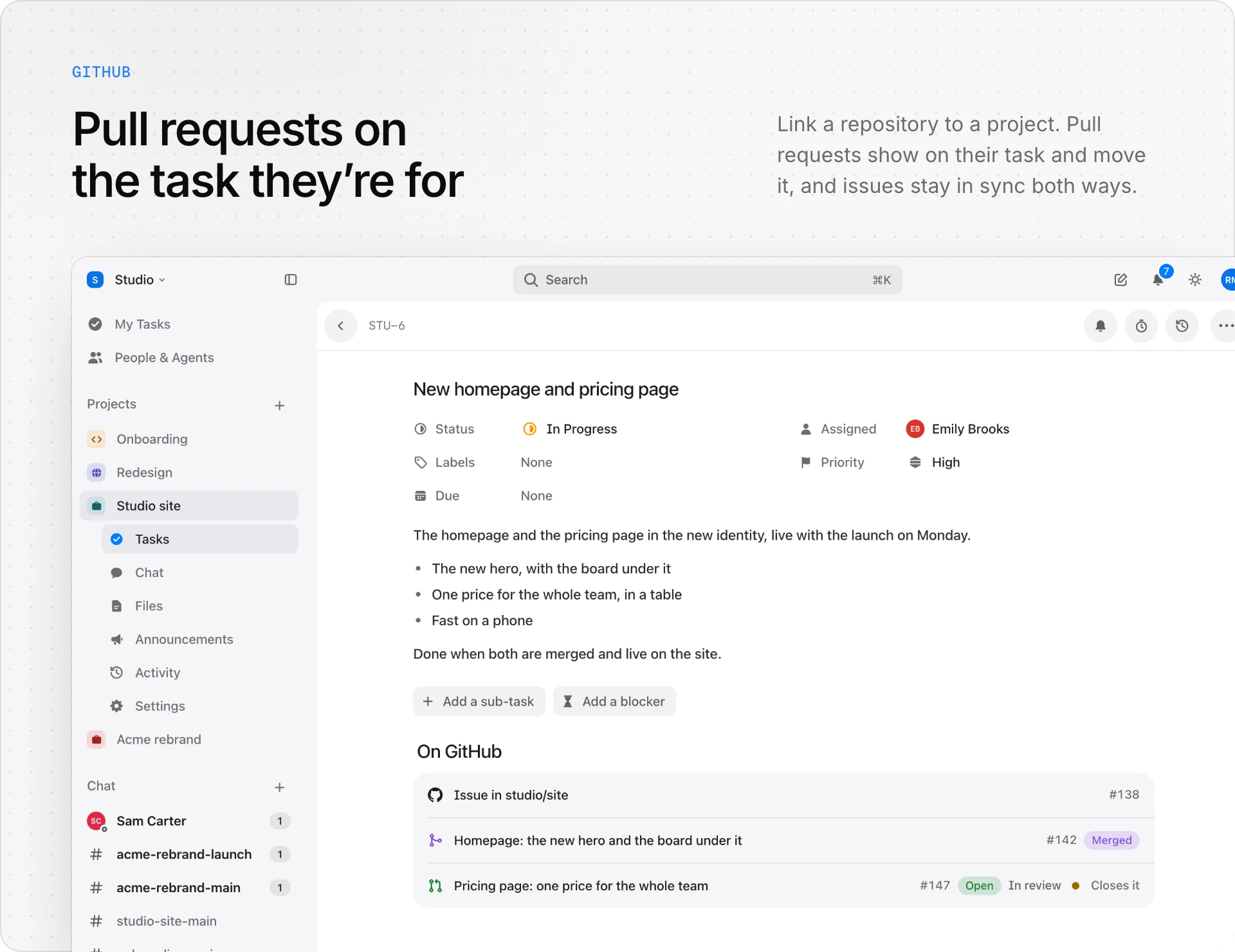
GitHub
Link a repository to a project. Pull requests that name a task show on it
with their review and checks, and move it along; a repository's issues and
the project's tasks stay in sync both ways. It runs on a GitHub App of your
own (Self-hosting).
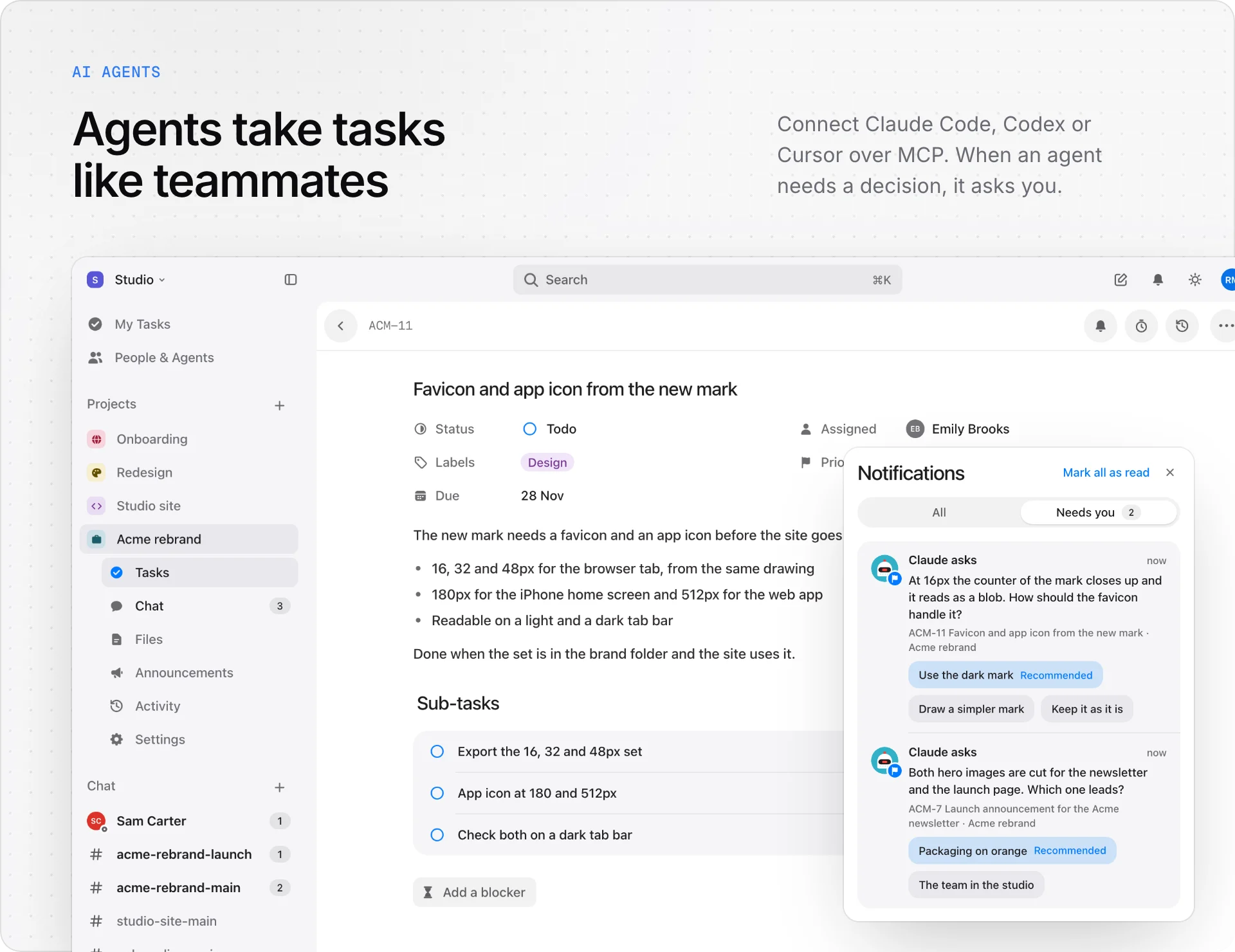
AI agents
Connect Claude Code, Codex, Cursor or any MCP client. An agent works with the
permissions you give it, and what it does shows in Activity. When it needs a
decision, it asks with choices, and the question waits for you in Needs you.
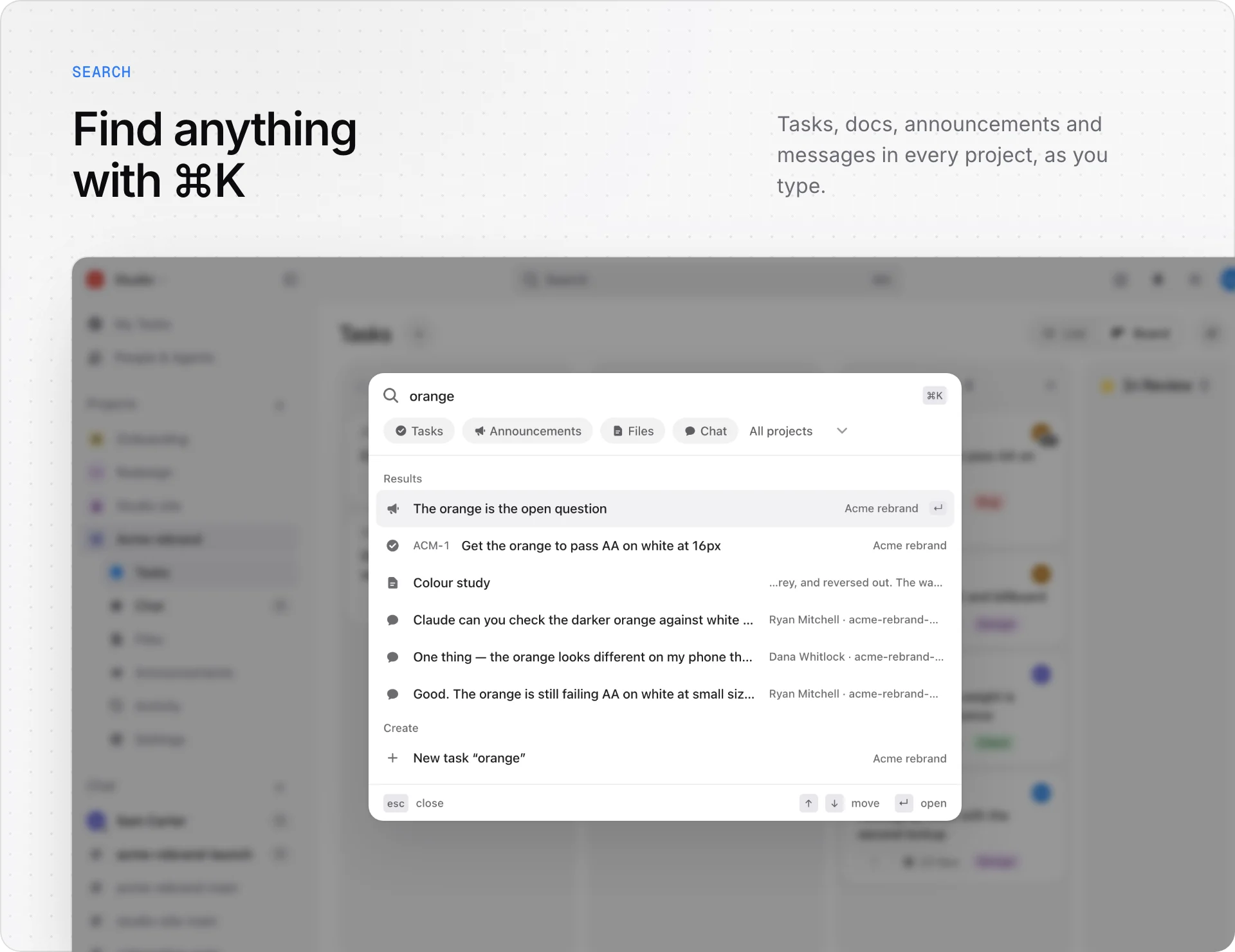
Search
Press ⌘K to search tasks, documents, announcements and messages as you type.
Narrow it to one kind or one project.
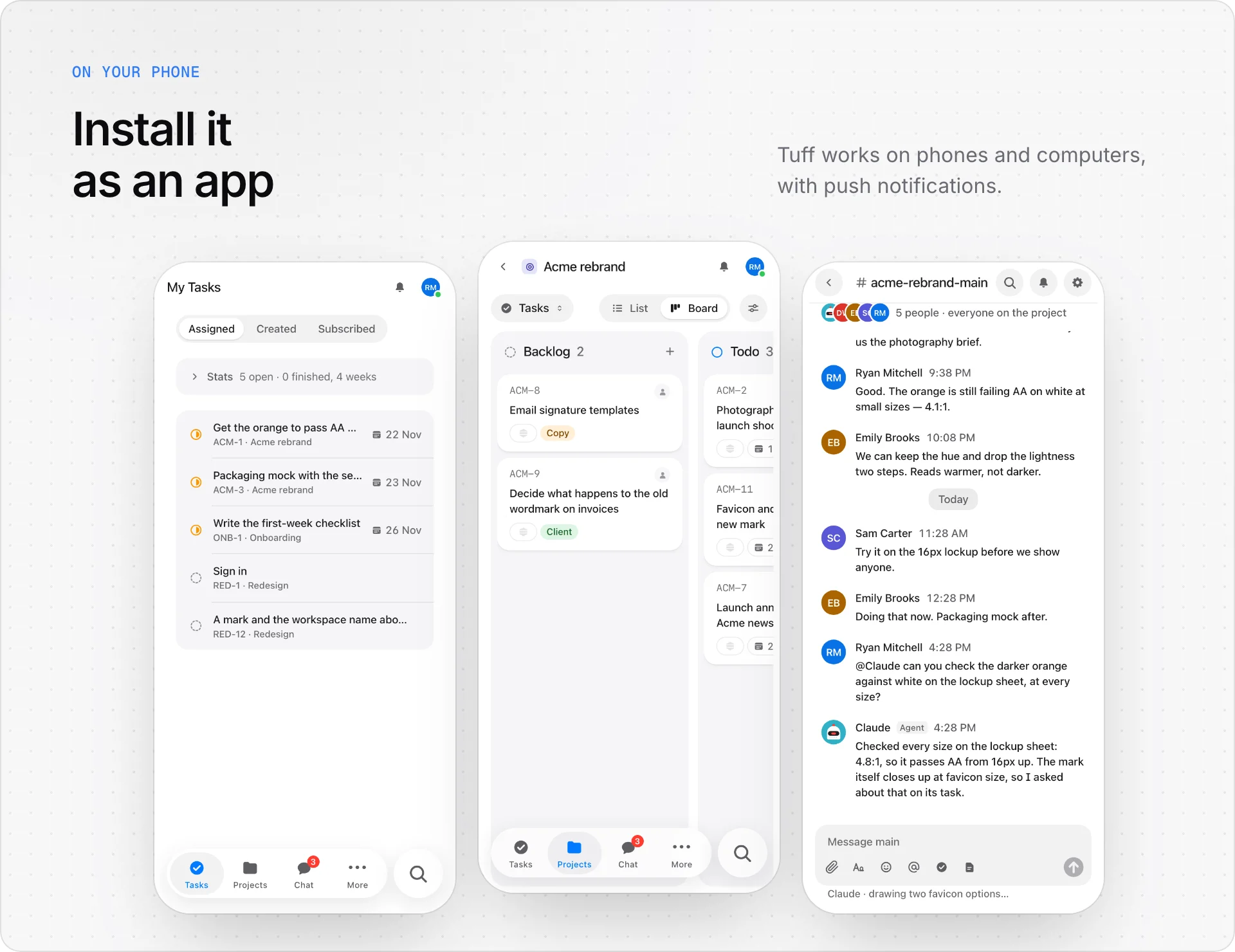
On your phone
Install Tuff from the browser as an app on your phone or computer. It sends
push notifications.
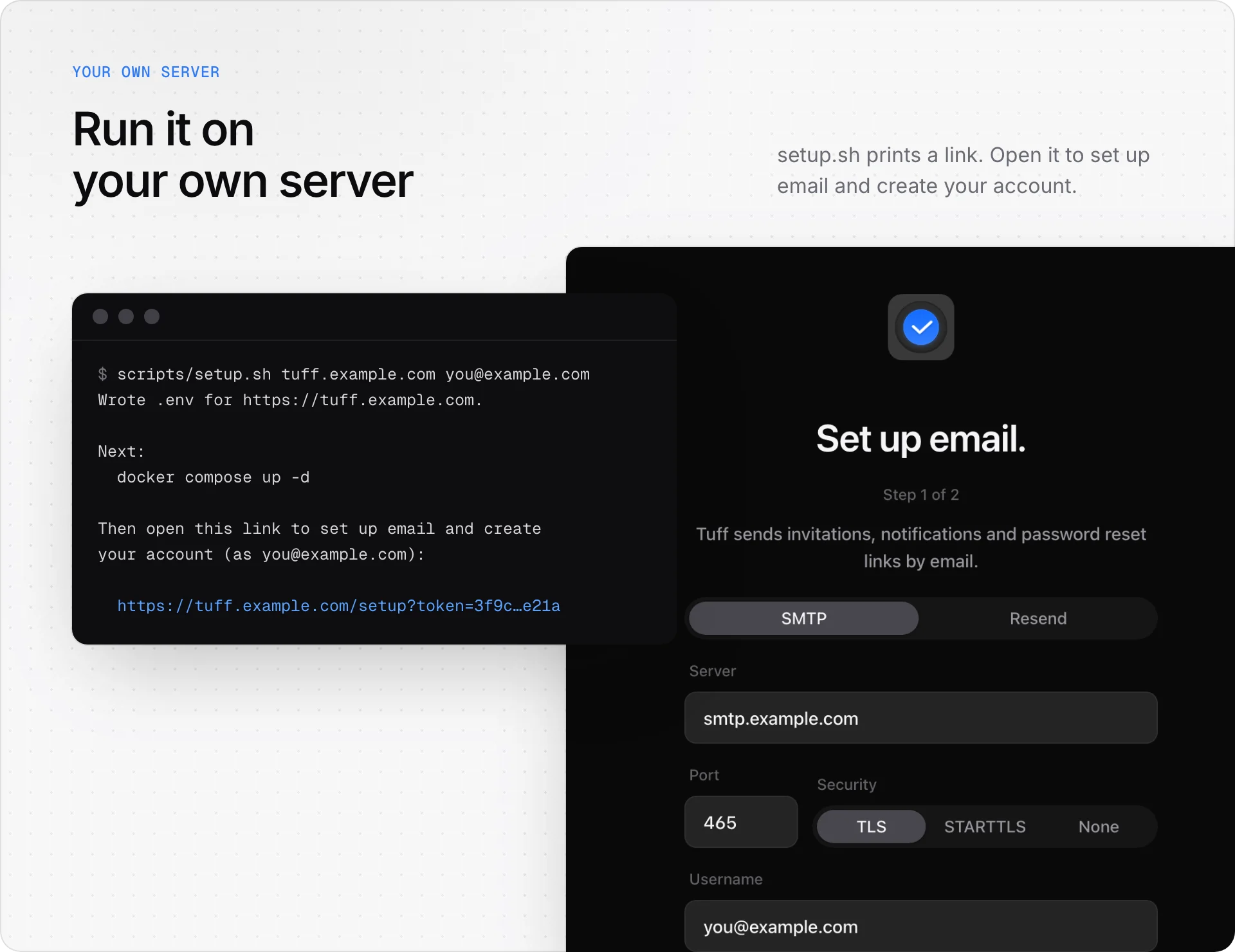
Your own server
setup.sh prints a setup link. Open it to set up email and create your
account as the server's owner. No commands after that.
Features
- Projects with four tools: Tasks (a list and a board), Chat,
Files (documents, pictures, uploads and links) and Announcements,
plus an Activity feed of what happened. - My Tasks: everything assigned to you, across every project.
- Chat in project channels and direct messages, with threads, mentions
and reactions. - AI agents connect over MCP and work with the permissions you give them.
What they do shows in Activity. - Search across tasks, messages and files with ⌘K.
- Notifications in the app, by email, and as push in the browser.
- Sign-in by email with a second factor, or with Google, Apple or
GitHub using your own keys. - GitHub: pull requests on their tasks, and issues kept in sync with
tasks both ways. - Import from Asana, Jira, Linear, Slack and GitHub Issues.
- Fast with a lot of data: measured with 10,000 tasks in a project and
a million messages in a channel. - Workspaces kept apart by the database: Postgres row-level security
holds even if a query has a bug. - English and French. Installs as an app on phones and computers.
Quick start
Try it on your computer
You need Docker (Docker Desktop on a Mac), git, openssl and curl.
git clone https://github.com/usetuff/tuff.git
cd tuff
scripts/setup.sh --try
It finds a free port, makes the passwords, starts Tuff and openshttp://localhost:<port>/setup?token=… in your browser, where you create
your account. No domain, no certificate. Between releases it builds Tuff
from source first, which takes a few minutes the first time.
Run it again to start the same install with your data;scripts/setup.sh --try --fresh deletes it and starts over. It keeps to
itself (.env.try and Docker volumes of its own) and answers only on this
computer, so it isn't a way to run Tuff for a team.
On Railway
One click makes the app, the worker, Postgres and a bucket for files on
your Railway account, with every secret generated, and gives Tuff an
address on Railway. When the first deploy finishes, open the
tuff service's deploy log and find Nobody owns this server yet: its
link is your setup link. Turn on backups for the Postgres service on
Railway. Tuff takes none of its own there.
On a server
You need a Linux machine with Docker and Docker Compose 2.24 or newer,git, openssl and curl, 2 GB of memory, and a domain name pointing at
it with ports 80 and 443 open. Caddy, part of the stack, gets the HTTPS
certificate by itself.
git clone https://github.com/usetuff/tuff.git
cd tuff
git checkout "$(git tag --sort=-v:refname | head -1)"   # the latest release
scripts/setup.sh tuff.example.com [email protected]
docker compose up -d
setup.sh writes .env with random passwords and the release to run, and
ends by printing a setup link, https://tuff.example.com/setup?token=….docker compose up -d pulls the image and starts Postgres, the app, the
worker and Caddy. Then open the setup link to set up email and create your
account. You're signed in as the server's owner straight away, with no
confirmation email and no commands.
A server runs a release, and its tag is where the compose file, the scripts
and the image match. main is where development happens between releases.
Becoming the owner
The setup link has two steps:
- Email: your SMTP server or a Resend API key, and the address mail
comes from, with a button that sends a test email. Or skip it: Tuff then
says what won't work (invitations, notifications and password resets by
email), and you set it up later in Server settings. - Your account: name, email and password. If you gave
setup.shan
email (OWNER_EMAILin.env), the account must use it.
The link works until the server has an owner, and never again. Lost it?
It's SETUP_TOKEN in .env, and the app prints the whole link in its log
on every start until then (docker compose logs app).
[!IMPORTANT]
Whoever opens the setup link first becomes the owner, so keep it to
yourself. Your server's name is public within minutes of it getting a
certificate; without the link nobody can claim it.
After that, sign-up is closed and everyone else joins by invitation to a
workspace. As the owner you get Server settings, under your picture:
other owners, whether anyone can sign up, email, and the version you run.
Self-hosting has the details, including the way in
from the command line if you ever need it.
Tuff sends sign-up links, password resets, invitations and digests. Set up
email on the setup screen, or later in Server settings → Email: your
SMTP server (TLS on 465, or STARTTLS on 587) or a
Resend API key, the address mail comes from, and a
test email. The password or key is stored encrypted and never shown again.
Or put it in .env and run docker compose up -d:
SMTP_URL=smtps://user:[email protected]:465
MAIL_FROM=Tuff <[email protected]>
Set in .env (SMTP_URL or RESEND_API_KEY), it wins: Server settings
shows it and can't change it. MAIL_FROM is then required: Tuff has no
sender of its own on your server, and won't start without one.
Without mail you can still invite people: Tuff shows you each
invitation link instead of emailing it. Copy it and send it yourself. It
works once, only with that email, and expires in a week. A forgotten
password does need mail, so set it up when you can.
The worker
[!IMPORTANT]
Theworkerservice must run besideapp. Without it, mail isn't sent,
webhooks never fire, and deleted things are never really deleted.
docker compose up -d starts it. Check on it with docker compose ps.
Updating
git fetch --tags
git checkout v1.2.0          # the release you are moving to
scripts/update.sh 1.2.0
Checking out the tag brings the compose file and the scripts that go with
that release; the app itself comes from the image. update.sh shows what
changed, sets TUFF_VERSION in .env, restarts, and waits until the new
version is healthy. If it isn't, it prints the commands to go back. Without
a version it takes the latest release.
The app migrates the database when it starts, and backs it up first, to
the db-backups volume: no migration runs if the backup fails. Server
settings then says where the backup is. Migrations only go forward: to go
back to an older version, restore the backup taken before the update withscripts/restore.sh. Releases follow semantic versioning, and
the changelog says when a version needs anything from you.
Backups
Before every migration the app backs the database up by itself, and keeps
those backups 30 days (Backups). They live
on the same disk, so take your own as well. The database:
mkdir -p -m 700 backups
(umask 077; docker compose exec -T postgres pg_dump -U tracker -d tracker --format=custom > backups/tuff-$(date +%F).dump)
The attached files, unless you keep them in a bucket:
docker compose cp app:/data/storage backups/tuff-files-$(date +%F)
And .env, which holds the database passwords. Copy all three off the
machine. To restore, see Backups in the
self-hosting guide.
How it fits together
browsers, apps, agents ──HTTPS──▶ Caddy ──▶ app ──▶ Postgres
                                                       ▲
                                            worker ────┘
- app: a Node.js server with the REST API, live updates over websockets,
the MCP endpoint for agents, and the React web app. It migrates the
database when it starts. - worker: the same image, started differently. It sends mail and push,
delivers webhooks, and permanently deletes what was deleted. - Postgres 17: row-level security keeps each workspace's rows apart,
and the app connects with a role that can't bypass it. - Caddy: HTTPS with automatic certificates, and the only service open
to the internet.
The app and the worker are one image, ghcr.io/usetuff/tuff, forlinux/amd64 and linux/arm64. Each release is signed with cosign and
comes with build provenance and an SBOM. The self-hosting guide
shows how to verify them, and how to run Tuff behind your own proxy, keep
files in an S3 bucket, set up push and sign-in providers, and build from
source.
Connect an agent
Agents work in Tuff through MCP. Each acts as someone, an agent of its own
or you, with exactly that one's permissions, and what it does shows in
Activity under that name. The MCP server is part of the app, athttps://<your domain>/mcp.
An agent with its own name and face. In Members → Agents, choose
Connect an agent, pick the projects it may work in, and copy the token
it shows once. Tuff then shows the setup for Claude Code, Codex or Cursor;
for Claude Code it is:
claude mcp add --transport http tuff-agent https://tuff.example.com/mcp \
  --header "Authorization: Bearer <token>"
Tuff also gives the prompt that tells the agent how to take its tasks and
report back. Then give it a task, or mention it in a chat.
An agent that works as you. ChatGPT, Claude on the web and other
clients that support MCP connectors take the address,https://tuff.example.com/mcp, and sign in through OAuth: you approve them
on a page of your own server, and nothing has to be copied. For a client
that wants a token instead, make one in Account → Tokens.
The tools and their rules are in the contract.
Development
You need Node.js 22 or newer, pnpm 9 (corepack enable) and Docker for the
database.
pnpm install
cp .env.example .env              # then set JWT_SECRET to any long string
set -a; . ./.env; set +a          # the server reads its settings from the environment
pnpm db:up                        # Postgres 17 in Docker, on localhost:5455
pnpm migrate
pnpm dev:account                  # [email protected] / correct-horse-battery-staple
pnpm dev                          # the server, http://localhost:8787
pnpm worker                       # the worker, in another terminal
pnpm web                          # the web app, http://localhost:5180
pnpm check runs everything before a commit: the types, the lint, the
permission matrix, the server's tests against the database, the build and
the browser tests (Playwright: pnpm exec playwright install chromium
once). NO_E2E=1 pnpm check leaves the browser out and says so.
pnpm dev:account, pnpm seed and pnpm load make accounts whose
password is in this repository, so they refuse to run withNODE_ENV=production or against a database that is not on this machine
(localhost, 127.0.0.1, ::1 or a socket). SEED_ANY_DATABASE=1 lets
them through to a development database elsewhere; nothing lets them
through production.
The architecture is the map of the code. The
packages and the database are called tracker, the product's name before
it was Tuff: renaming them would sign everyone out and break every agent's
configuration for a word nobody sees.
Tuff and usetuff.com
usetuff.com is Tuff as a hosted service, built from
the same code by the same person. This repository is all of it except the
service's billing and its website. There's no paid edition of self-hosted
Tuff and no limit on people or projects.
The iPhone and Android apps only connect to usetuff.com. On your own
server, install the web app instead: it works as an app on phones and
computers, with push notifications.
License, support and contributing
Tuff is licensed under AGPL-3.0-only. The name Tuff and its
logo aren't covered by the license: if you offer a changed version to
others, please give it another name.
There's no paid support or SLA for self-hosted Tuff. Questions go to
Discussions, bugs and ideas
to Issues, and they're answered
as soon as we can. Pull requests aren't merged:
CONTRIBUTING.md explains why. Report security problems
privately, as SECURITY.md says.
Reviews (0)
Sign in to leave a review.
Leave a reviewNo results found