agentrelay
agent
Fail
Health Warn
- License — License: MIT
- Description — Repository has a description
- Active repo — Last push 0 days ago
- Low visibility — Only 5 GitHub stars
Code Fail
- child_process — Shell command execution capability in bin/agentrelay.js
- process.env — Environment variable access in bin/agentrelay.js
- network request — Outbound network request in dashboard/src/api.js
Permissions Pass
- Permissions — No dangerous permissions requested
Purpose
This tool acts as a local-first Telegram bot and admin dashboard, allowing you to remotely control and execute AI CLI providers (like Claude Code, Codex, or Gemini) from your own machine.
Security Assessment
The overall risk is rated as Medium. The application is designed to act as a bridge between the internet (via a Telegram bot) and your local machine, which introduces inherent security considerations. It relies on executing shell commands to run the AI CLIs, which is its intended core functionality but carries a high impact if exploited. The tool accesses environment variables to manage API keys and settings, and makes outbound network requests for Telegram communication and dashboard API interactions.
The developers have implemented several strong safety nets: localhost-only server binding by default, user ID-based access control, and secret redaction in logs and task summaries. However, you must change the default first-run admin credentials (`admin` / `123456`) immediately upon setup, as failing to do so leaves the local dashboard highly vulnerable to unauthorized shell execution.
Quality Assessment
The project is relatively new and has very low community visibility with only 5 GitHub stars. Despite this, it is actively maintained (with recent repository updates) and properly licensed under the permissive and standard MIT license. The documentation is clear, provides a straightforward quick-start guide, and honestly discloses which CLI providers are fully verified and which are still experimental.
Verdict
Use with caution: The tool is well-structured for local use and has solid default security boundaries, but its low community adoption and inherent ability to execute shell commands via Telegram require you to strictly secure your environment variables and change the default login password immediately.
This tool acts as a local-first Telegram bot and admin dashboard, allowing you to remotely control and execute AI CLI providers (like Claude Code, Codex, or Gemini) from your own machine.
Security Assessment
The overall risk is rated as Medium. The application is designed to act as a bridge between the internet (via a Telegram bot) and your local machine, which introduces inherent security considerations. It relies on executing shell commands to run the AI CLIs, which is its intended core functionality but carries a high impact if exploited. The tool accesses environment variables to manage API keys and settings, and makes outbound network requests for Telegram communication and dashboard API interactions.
The developers have implemented several strong safety nets: localhost-only server binding by default, user ID-based access control, and secret redaction in logs and task summaries. However, you must change the default first-run admin credentials (`admin` / `123456`) immediately upon setup, as failing to do so leaves the local dashboard highly vulnerable to unauthorized shell execution.
Quality Assessment
The project is relatively new and has very low community visibility with only 5 GitHub stars. Despite this, it is actively maintained (with recent repository updates) and properly licensed under the permissive and standard MIT license. The documentation is clear, provides a straightforward quick-start guide, and honestly discloses which CLI providers are fully verified and which are still experimental.
Verdict
Use with caution: The tool is well-structured for local use and has solid default security boundaries, but its low community adoption and inherent ability to execute shell commands via Telegram require you to strictly secure your environment variables and change the default login password immediately.
Local-first Telegram bot and admin dashboard for controlling AI CLI providers from your own machine.
README.md
AgentRelay



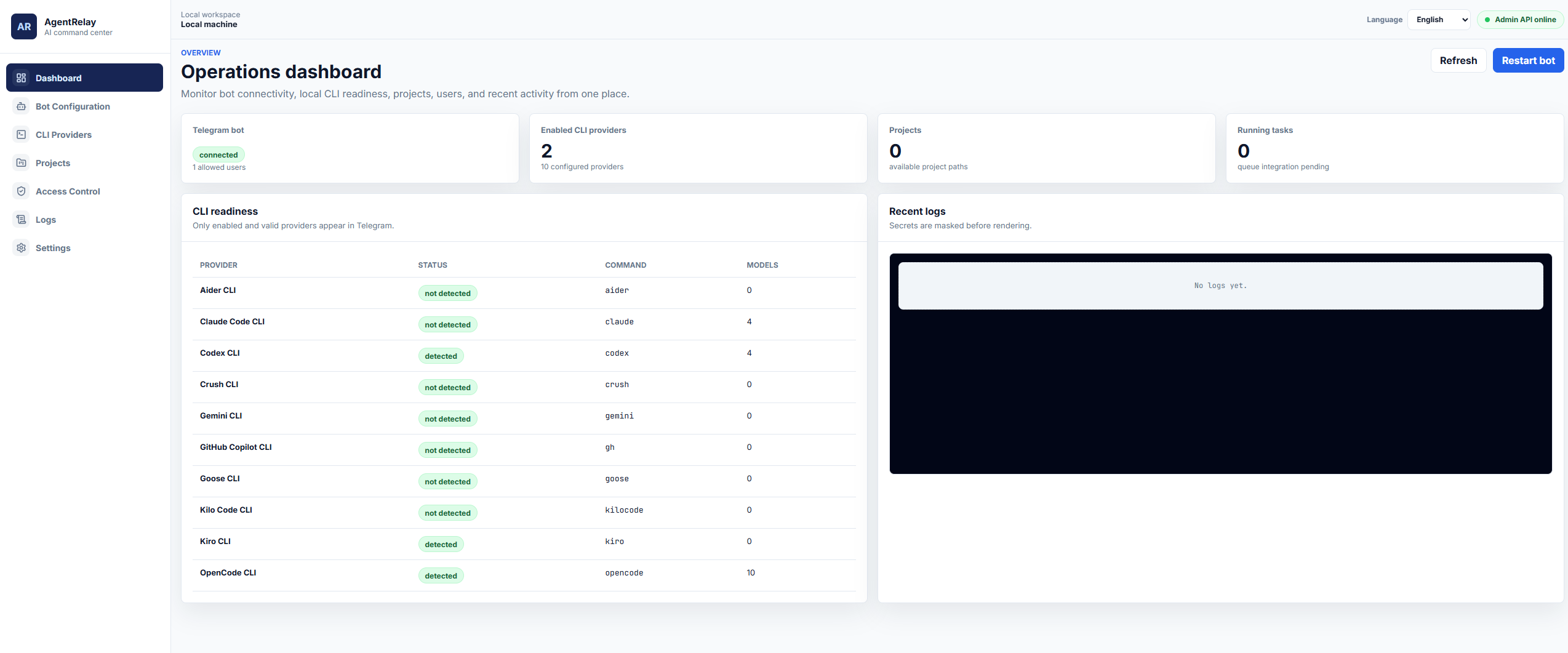
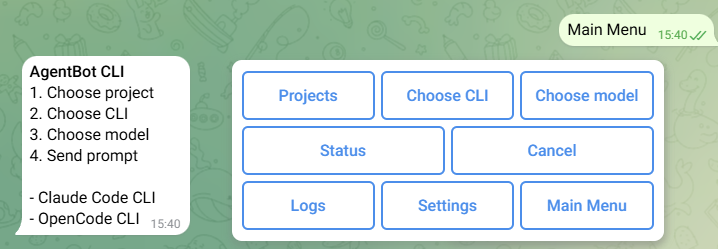
AgentRelay is a local-first Telegram bot and admin dashboard for controlling AI CLI providers from your own machine.
It is intended for personal local use. Do not expose it directly to the internet.
Runtime support note: OpenCode CLI is the currently verified Telegram prompt runtime. Other CLI runners are being updated and should be treated as experimental until validated on your machine.
|
|
Features
- Local admin dashboard at
http://127.0.0.1:3456/dashboard - Telegram bot access control by user ID
- SQLite-backed settings, projects, bot channels, provider registry, and model registry
- Async local CLI detection across PATH and common install locations
- Secret redaction in logs, settings views, and task summaries
- Localhost-only server binding by default
Quick Start
npm install
npm run install:dashboard
npm run build:dashboard
cp .env.example .env
npm start
On Windows, use copy .env.example .env or run setup-dashboard.bat.
Open:
http://127.0.0.1:3456/dashboard
Default first-run admin credentials:
admin / 123456
Change this password immediately after first login.
Supported CLI Providers
 Claude Code claude |
 Codex codex |
 OpenCode opencode |
 Command Code command-code |
 Gemini gemini |
 Kiro kiro-cli |
 Kilo Code kilo |
 Aider aider |
 Copilot github-copilot |
 Crush crush |
Documentation
- Getting started
- Configuration
- CLI providers
- Telegram bot
- Security hardening
- Development
- Publishing
- Upgrading
Internal design notes remain in wiki/.
Reviews (0)
Sign in to leave a review.
Leave a reviewNo results found