ACP-inspector
Health Warn
- No license — Repository has no license file
- Description — Repository has a description
- Active repo — Last push 0 days ago
- Low visibility — Only 7 GitHub stars
Code Pass
- Code scan — Scanned 12 files during light audit, no dangerous patterns found
Permissions Pass
- Permissions — No dangerous permissions requested
This tool is an F# implementation of the Agent Client Protocol (ACP) that provides a validation and inspection layer. It allows developers to debug, analyze, and ensure compliance for JSON-RPC 2.0 traffic between AI clients and agents.
Security Assessment
Overall Risk: Low. The code scan across 12 files found no dangerous patterns, hardcoded secrets, or requests for excessive permissions. The CLI operates locally on provided trace files or piped standard input. Based on the codebase analysis, it does not make unauthorized network requests or execute arbitrary background shell commands. However, users should note that when using standard input streaming (e.g., `cat messages.json | ... validate`), the tool processes whatever data is fed into it.
Quality Assessment
The project is highly active, with its most recent push occurring today. The code itself appears to be well-structured and professional. However, there are significant concerns regarding its maturity and legal usability. It currently lacks a license file, which technically means the code is copyrighted by default and cannot be legally copied, modified, or integrated into other projects without explicit permission from the author. Furthermore, the repository has very low community visibility, evidenced by only 7 GitHub stars. This means the tool has not been widely battle-tested by the developer community.
Verdict
Use with caution — the underlying code appears safe and clean, but the lack of a software license poses legal risks for integration, and its low visibility means it has undergone minimal peer review.
Debug and validate Agent Client Protocol (ACP) traffic — protocol conformance testing for AI coding agents.
ACP Inspector
ACP Inspector is an F# implementation of the Agent Client Protocol (ACP) plus a validation / sentinel layer.
It aims to give you:
- Protocol holon: pure F# types and rules that model "what ACP means".
- Runtime holon: transports, clients, and agents (IO, processes, stdio wiring).
- Sentinel holon: stateful validation and assurance over ACP traffic.
Normative behavior follows the published ACP spec and schema:
- Spec source of truth (GitHub): https://github.com/agentclientprotocol/agent-client-protocol
- Overview/intro (website): https://agentclientprotocol.com/get-started/introduction
Implementation targets:
- ACP schema:
Acp.Domain.Spec.Schema - Negotiated major
protocolVersion:Acp.Domain.PrimitivesAndParties.ProtocolVersion.current(currently1)
This repo adds an architecture-first view on assurance and observability.
Naming: Product = ACP Inspector, repo = ACP-inspector, CLI tool = acp-inspector, SDK package = ACP.Inspector.
What is ACP?
ACP (Agent Client Protocol) is a JSON-RPC 2.0 protocol that defines how a client and an agent establish a session, exchange prompt turns, call tools, and stream updates. The spec is versioned and evolves; ACP Inspector targets the published schema and keeps draft features behind a gate.
Problem Statement
ACP implementations can drift or accept malformed messages, making production debugging and compliance hard. Teams need a way to validate ACP traffic at boundaries and inspect traces without building their own protocol model, state machine, and validation logic. ACP Inspector provides the typed core, runtime adapters, and a CLI inspector to close that gap.
3-line CLI Quick Start
dotnet build cli/apps/ACP.Cli/ACP.Cli.fsproj -c Release
dotnet run --project cli/apps/ACP.Cli -- inspect trace.jsonl
dotnet run --project cli/apps/ACP.Cli -- --help
Quick Start Commands
Unified CLI Tool
The ACP Inspector CLI (acp-inspector) provides a unified interface for ACP protocol inspection, validation, replay, analysis, and benchmarking:
# Build the CLI
dotnet build cli/apps/ACP.Cli/ACP.Cli.fsproj -c Release

# Inspect trace files (full validation with colored output)
dotnet run --project cli/apps/ACP.Cli -- inspect trace.jsonl
dotnet run --project cli/apps/ACP.Cli -- inspect --raw trace.jsonl  # Raw JSON output

# Validate messages from stdin (real-time validation)
cat messages.json | dotnet run --project cli/apps/ACP.Cli -- validate --direction c2a

# Interactive replay (step through traces)
dotnet run --project cli/apps/ACP.Cli -- replay --interactive trace.jsonl
dotnet run --project cli/apps/ACP.Cli -- replay --stop-at 5 trace.jsonl  # Stop at frame 5

# Statistical analysis
dotnet run --project cli/apps/ACP.Cli -- analyze trace.jsonl

# Benchmark performance
dotnet run --project cli/apps/ACP.Cli -- benchmark --mode throughput --count 1000
dotnet run --project cli/apps/ACP.Cli -- benchmark --mode cold-start
dotnet run --project cli/apps/ACP.Cli -- benchmark --mode roundtrip
dotnet run --project cli/apps/ACP.Cli -- benchmark --mode codec
dotnet run --project cli/apps/ACP.Cli -- benchmark --mode tokens --tokens 1000000
dotnet run --project cli/apps/ACP.Cli -- benchmark --mode raw-json

# Show version
dotnet run --project cli/apps/ACP.Cli -- --version

# Get help
dotnet run --project cli/apps/ACP.Cli -- --help
dotnet run --project cli/apps/ACP.Cli -- inspect --help
dotnet run --project cli/apps/ACP.Cli -- validate --help
dotnet run --project cli/apps/ACP.Cli -- replay --help
dotnet run --project cli/apps/ACP.Cli -- analyze --help
dotnet run --project cli/apps/ACP.Cli -- benchmark --help
Commands Overview:
inspect- Full Inspector validation from JSONL trace files with detailed findingsvalidate- Real-time validation of ACP messages from stdinreplay- Interactive stepping through trace files with validationanalyze- Statistical analysis: method counts, timing, session statsbenchmark- Performance testing: cold-start, throughput, codec, tokens
Build SDK
dotnet build runtime/src/ACP.fsproj
Run All Tests
dotnet test sentinel/tests/ACP.Tests.fsproj -c Release
Run Specific Test Category
# Protocol/runtime/sentinel tests
dotnet test sentinel/tests/ACP.Tests.fsproj --filter "FullyQualifiedName~TraceReplay"

# SDK component tests
dotnet test sentinel/tests/ACP.Tests.fsproj --filter "FullyQualifiedName~Transport|FullyQualifiedName~Connection|FullyQualifiedName~SessionState|FullyQualifiedName~ToolCalls|FullyQualifiedName~Permissions"
Format Code with Fantomas
# Format all code
dotnet tool restore && dotnet fantomas protocol/src runtime/src sentinel/src sentinel/tests cli/src cli/apps

# Check formatting only
dotnet tool restore && dotnet fantomas protocol/src runtime/src sentinel/src sentinel/tests cli/src cli/apps --check
Demo (CLI sample trace)
Run a full end-to-end demo with the bundled trace files:
dotnet build cli/apps/ACP.Cli/ACP.Cli.fsproj -c Release
dotnet run --project cli/apps/ACP.Cli -c Release -- inspect cli/examples/cli-demo/demo-session.jsonl
dotnet run --project cli/apps/ACP.Cli -c Release -- replay --stop-at 5 cli/examples/cli-demo/demo-session.jsonl
dotnet run --project cli/apps/ACP.Cli -c Release -- analyze cli/examples/cli-demo/demo-session.jsonl
cat cli/examples/cli-demo/single-message.json | dotnet run --project cli/apps/ACP.Cli -c Release -- validate --direction c2a
Or run the same checks via script:
bash cli/scripts/cli-smoke.sh
Documentation
- Tooling (paths, build/run commands): docs/tooling/acp-inspector.md
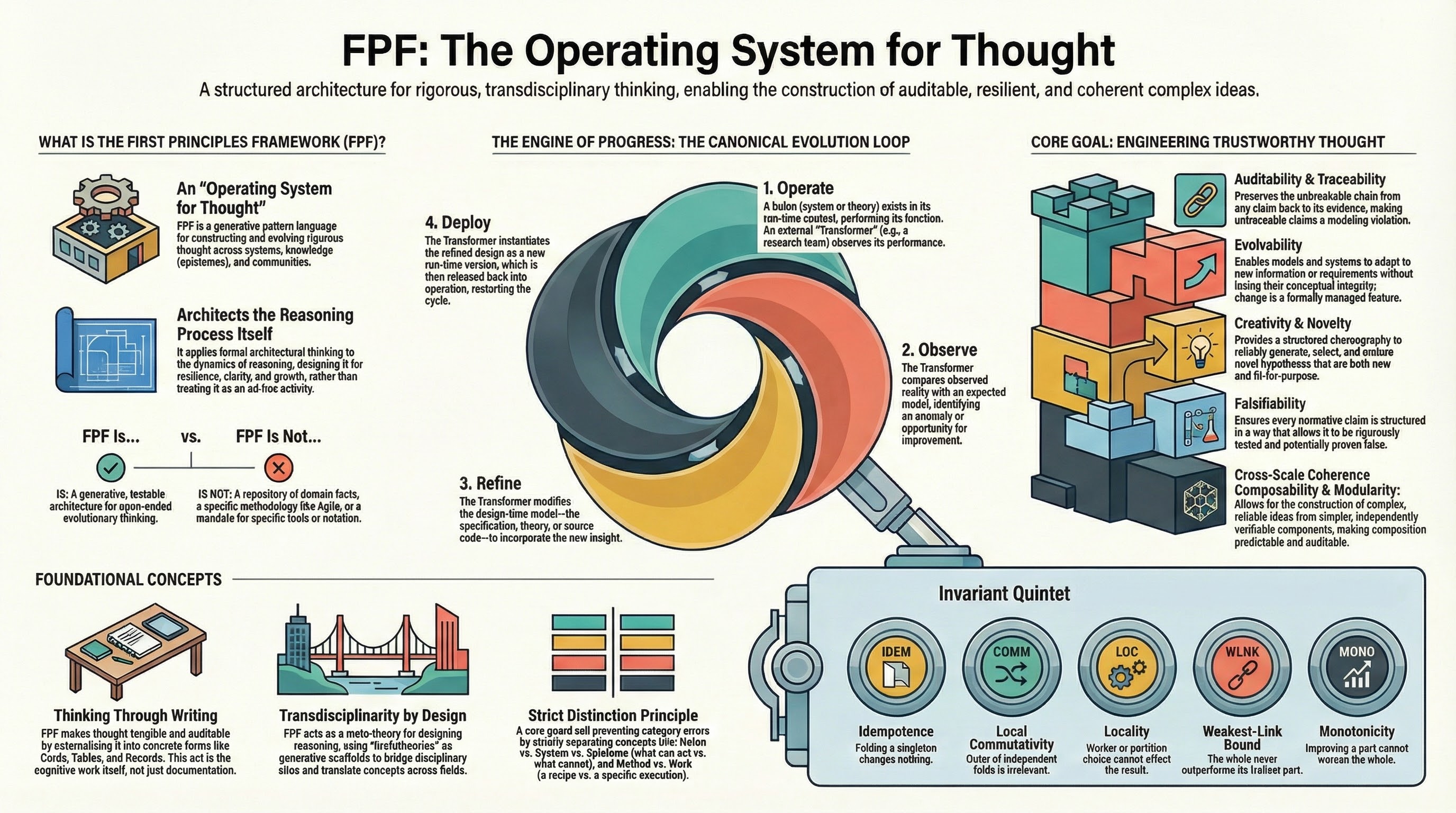
- FPF (external): https://github.com/ailev/FPF — Note: FPF is fetched daily to
/tmp/FPF-YYYYMMDDfor evaluation. No local copy is maintained in this repo. - Review handoff: docs/reports/review-batches-20260319.md
- Architecture diagrams: docs/architecture/diagram-set-20260319.md
- FPF Alignment: docs/reports/fpf-alignment-evaluation-20260106.md
- SDK docs entrypoint: docs/index.md
- SDK comparison: docs/SDK-COMPARISON.md
- ACP RFD tracker: docs/ACP-RFD-TRACKER.md
- Glossary: docs/glossary.md
- Examples: cli/examples/
Glossary
- ACP: Agent Client Protocol, a JSON-RPC 2.0 protocol for client/agent sessions, prompts, tool calls, and streaming updates.
- Inspector: CLI mode that reads ACP traces and reports validation findings.
- Sentinel: Validation layer that checks ACP traffic and emits findings.
- Lane: A validation category used to group findings.
- Finding: A validation result with severity and context.
- Holon: A coarse-grained layer in this repo (protocol, runtime, sentinel).
Who benefits (and how)
- Agent platform teams — drop-in ACP reference that keeps protocol drift low while you ship fast; the sentinel layer catches malformed turns before they hit production.
- Runtime integrators —
Acp.RuntimeAdapterbridges ACP to your process/stdio boundary; - Risk, SRE, and governance — validation lanes plus golden tests (
sentinel/tests/) give repeatable evidence for change control, regressions, and incident postmortems. - Enterprise engineering & compliance — typed protocol core + auditable validation findings reduce vendor risk, ease security reviews, and support regulated change windows.
- Applied AI researchers & prototypers — a fully typed F# core and UTS let you explore ACP variants with safety rails and auditable deductions.
Typical scenarios
- You need to enforce ACP correctness at the IO boundary of an LLM agent runner and want ready-made
validateInbound/validateOutboundgates. - You're adding a new tool/capability to an ACP agent and want protocol-safe fixtures plus validation findings instead of hand-rolled checks.
- You're mirroring ACP into another language/runtime and need a canonical model + tests to prevent semantic drift.
- You're onboarding teammates or stakeholders and need short, high-signal explainers that match the implementation.
60-second getting started
- Prereqs: .NET 10 SDK. From repo root:
dotnet build sentinel/src/ACP.fsproj(restores + builds). - Quick probe via F# Interactive (from
sentinel/src/after build):
#r "bin/Debug/net10.0/ACP.Inspector.dll" // built output of sentinel/src/ACP.fsproj
open Acp
open Acp.Domain
open Acp.Domain.PrimitivesAndParties
open Acp.Domain.Capabilities
open Acp.Domain.Messaging
open Acp.RuntimeAdapter

let session = SessionId "demo-001"

let inbound =
    RuntimeAdapter.validateInbound session None
        { rawByteLength = None
          message =
            Message.FromClient(
                ClientToAgentMessage.Initialize
                    { protocolVersion = ProtocolVersion.current
                      clientCapabilities =
                        { fs = { readTextFile = true; writeTextFile = false }
                          terminal = false }
                      clientInfo = None }) }
        false

let outbound =
    RuntimeAdapter.validateOutbound session None
        { rawByteLength = None
          message =
            Message.FromAgent(
                AgentToClientMessage.InitializeResult
                    { protocolVersion = ProtocolVersion.current
                      agentCapabilities =
                        { loadSession = true
                          mcpCapabilities = { http = false; sse = false }
                          promptCapabilities = { audio = false; image = false; embeddedContext = false } }
                      agentInfo = None
                      authMethods = [] }) }
        false

printfn "Inbound findings: %A" inbound.findings
printfn "Outbound findings: %A" outbound.findings
- Want to wire it into a runtime?
Tooling Reference (Holon 2)
protocol/src/Acp.Domain.fs— F# domain model: protocol versions, sessions, capabilities, messages, tool calls, etc.protocol/src/Acp.Protocol.fs— protocol state machine (initialize → sessions → prompt turns → updates → cancel).sentinel/src/Acp.Validation.fs— validation lanes/findings, protocol-error bridge,runWithValidationhelper.sentinel/src/Acp.RuntimeAdapter.fs— runtime boundary:validateInbound/validateOutboundwith profile-aware checks.sentinel/tests/— protocol/runtime/sentinel tests
SDK Modules
The SDK provides runtime components for building ACP clients and agents, comparable to the official TypeScript and Python SDKs.
Transport Layer (Acp.Transport)
Abstractions for bidirectional communication:
open Acp.Transport

// In-memory transport for testing
let transport = MemoryTransport()
do! transport.SendAsync("message")
let! msg = transport.ReceiveAsync()

// Duplex pair for client-agent testing
let clientTransport, agentTransport = DuplexTransport.CreatePair()

// Stdio transport for process communication
let stdioTransport = StdioTransport(stdin, stdout)
Connection Layer (Acp.Connection)
High-level client and agent connections with JSON-RPC correlation:
open Acp.Connection

// Client side
let client = ClientConnection(transport)
let! initResult = client.InitializeAsync({ clientName = "MyClient"; clientVersion = "1.0" })
let! sessionResult = client.NewSessionAsync({})
let! promptResult = client.PromptAsync({ sessionId = sid; prompt = [...]; expectedTurnId = None })

// Agent side
let handlers = {
    onInitialize = fun p -> task { return Ok { agentName = "MyAgent"; agentVersion = "1.0" } }
    onNewSession = fun p -> task { return Ok { sessionId = ...; modes = [...]; currentModeId = ... } }
    onPrompt = fun p -> task { return Ok { sessionId = p.sessionId; outputTurnId = ... } }
    onCancel = fun p -> Task.FromResult()
    onSetMode = fun p -> task { return Ok { currentModeId = p.modeId } }
}
let agent = AgentConnection(transport, handlers)
let! _ = agent.StartListening()
Session State (Acp.Contrib.SessionState)
Accumulates streaming session notifications into coherent snapshots:
open Acp.Contrib.SessionState

let accumulator = SessionAccumulator()

// Subscribe to updates
let unsubscribe = accumulator.Subscribe(fun snapshot notification ->
    printfn "Tool calls: %d" snapshot.toolCalls.Count)

// Apply notifications as they arrive
let snapshot = accumulator.Apply(notification)

// Access current state
let toolCalls = snapshot.toolCalls
let currentMode = snapshot.currentModeId
let messages = snapshot.agentMessages
Tool Call Tracking (Acp.Contrib.ToolCalls)
Tracks tool call lifecycle with status filtering:
open Acp.Contrib.ToolCalls

let tracker = ToolCallTracker()

// Apply session updates
tracker.Apply(notification)

// Query by status
let pending = tracker.Pending()
let inProgress = tracker.InProgress()
let completed = tracker.Completed()
let failed = tracker.Failed()

// Check if work is ongoing
if tracker.HasInProgress() then ...

// Get specific tool call
match tracker.TryGet("tool-call-id") with
| Some tc -> printfn "Status: %A" tc.status
| None -> ()
Permission Handling (Acp.Contrib.Permissions)
Manages permission requests with auto-response rules:
open Acp.Contrib.Permissions

let broker = PermissionBroker()

// Add auto-response rules
broker.AddAutoRule(fun req ->
    req.toolCall.kind = Some ToolKind.Read, "allow-always") |> ignore

// Enqueue permission request
let requestId = broker.Enqueue(permissionRequest)

// Respond manually
match broker.Respond(requestId, "allow-once") with
| Ok response -> printfn "Allowed"
| Error e -> printfn "Error: %s" e

// Or wait async
let! outcome = broker.WaitForResponseAsync(requestId)

// Check pending
for pending in broker.PendingRequests() do
    printfn "Pending: %s" pending.request.toolCall.title
Examples
See the cli/examples/ directory for complete integration demos:
BasicClientAgent.fsx- Client-agent communicationSessionStateTracking.fsx- Notification accumulationToolCallTracking.fsx- Tool call lifecyclePermissionHandling.fsx- Permission request/responseFullIntegration.fsx- Complete SDK integration
How to work in this repo
Treat the ACP spec as normative.
If this repo and the published spec disagree, the spec wins; open an issue and tag the discrepancy.- Spec source of truth (GitHub): https://github.com/agentclientprotocol/agent-client-protocol
- Overview/intro (website): https://agentclientprotocol.com/get-started/introduction
Keep holons separate.
Avoid mixing protocol types, runtime IO concerns, and sentinel rules in the same module.Prefer idiomatic F#.
Use discriminated unions and records, composition over inheritance, and Result-based error handling.Follow the F# style guide.
SeeSTYLEGUIDE.mdfor the canonical conventions used in this repo.Format with Fantomas.
This repo uses Fantomas as the formatter (and as a formatting "linter" in--checkmode):- Format:
dotnet tool restore && dotnet fantomas protocol/src runtime/src sentinel/src sentinel/tests cli/src cli/apps - Check only:
dotnet tool restore && dotnet fantomas protocol/src runtime/src sentinel/src sentinel/tests cli/src cli/apps --check - Note:
sentinel/tests/golden/is ignored via.fantomasignore(it contains intentionally-invalid F# samples).
- Format:
Optional: enable repo git hooks.
This repo includes.githooks/pre-commit(Fantomas auto-format + restage) and.githooks/pre-push(blocks direct pushes tomaster/main):- One-time setup:
git config core.hooksPath .githooks
- One-time setup:
No Python in this repo.
Do not add Python source/config/scripts; this project is .NET-only. (Enforced by tests.)Document spec grey areas.
When the ACP spec is ambiguous, document assumptions in comments and mark them for later verification.
Reviews (0)
Sign in to leave a review.
Leave a reviewNo results found