framesmith
Health Warn
- License — License: MIT
- Description — Repository has a description
- Active repo — Last push 0 days ago
- Low visibility — Only 5 GitHub stars
Code Pass
- Code scan — Scanned 12 files during light audit, no dangerous patterns found
Permissions Pass
- Permissions — No dangerous permissions requested
No AI report is available for this listing yet.
Open-source MCP server that gives AI assistants a visual design canvas, rendering HTML/CSS scene graphs to PNG via headless Chromium.
framesmith



An open-source MCP server that turns your AI coding agent into a capable UI designer. It gives the agent a visual canvas, a library of vetted design patterns, and a quality bar it must clear before showing you anything — so you review a real, non-slop design in the browser and agree on it before any framework code is written.
Contents: What it does · Capabilities · Viewer · Installation · Tools · Usage Example · Workflow · Development
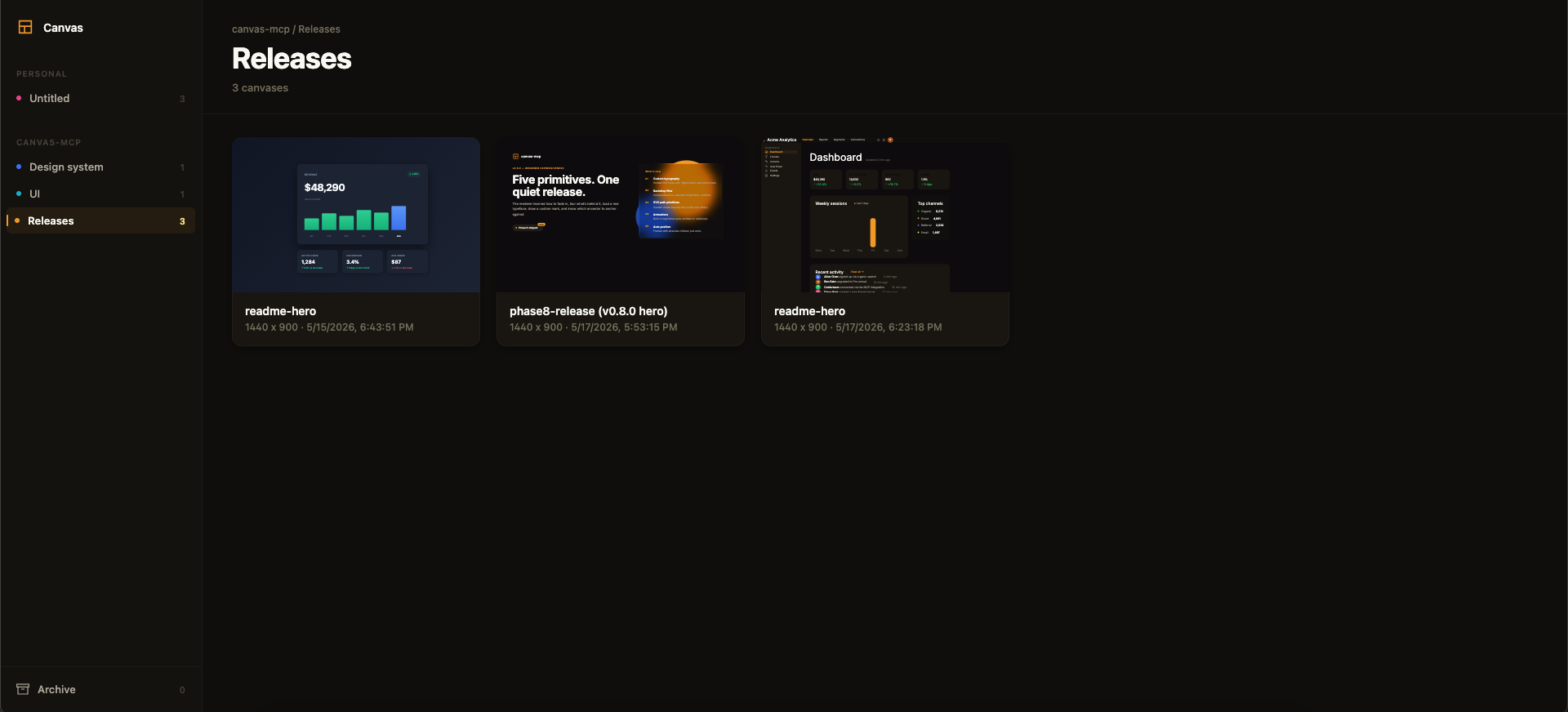
Above: the framesmith viewer, showing the built-in pattern library — 11 vetted page archetypes an agent starts from, each carrying its live quality score (all 100 here). Workspaces and projects sit in the sidebar; you browse canvases like design files.
MCP Client → stdio → framesmith server
                        ↓
              Scene Graph (in-memory JSON tree)
                        ↓
              HTML/CSS Renderer (inline styles)
                        ↓
              Puppeteer (headless Chromium → PNG)
What framesmith does
Left to itself, an AI agent tends to produce UI that looks AI-generated — generic spacing, no icons, a purple gradient by default, placeholder text that reads like placeholder text. framesmith closes that gap by moving design before code and holding it to a bar:
- Start from taste, not a blank canvas. The agent stamps one of 11 vetted page patterns (dashboard, auth, pricing, settings, onboarding, and more) — each regression-tested to score > 95 with zero cliché tells across every theme — then adapts it. A blank canvas is where slop comes from; a pattern is a non-slop starting point. (
list_structures/apply_structure) - Use the whole toolkit — like a real UI does. Real icons (Lucide + Material Symbols), fonts resolved by name, real input controls (
toggle/checkbox/radio/select), reusable components, and layered design tokens — never faked with Unicode glyphs or stray ellipses. - Evaluate, then self-correct.
canvas_evaluatescores the design across six craft categories plus a cliché-tell detector, and returns aREADY/NOT READYdirective. The agent resolves every warning and tell and only presents once it'sREADY— polishing to the bar is the agent's job, not yours. - Review in the browser, own the output. You browse canvases like design files, with a live quality inspector and design-system panel. Designs persist as open JSON checked into your repo — no proprietary format, no lock-in — and can be re-imported from shipped HTML to keep the design honest.
Capabilities at a glance
| Area | What you get |
|---|---|
| Rendering | Scene graph → HTML/CSS → Puppeteer PNG · responsive breakpoints · gradients, shadows, blur, glassmorphism · SVG paths · animations |
| Pattern library | 11 vetted page archetypes + 5 component scaffolds, all scoring > 95 with zero cliché tells; taxonomy axes + a diversification signal so successive screens vary |
| Quality & taste | canvas_evaluate (6 categories + cliché tells) with a READY/NOT READY directive · canvas_autofix (mechanical fixes) · optional vision-model rubric critique + canvas_revise |
| Design systems | Layered $tokens (workspace ▸ project ▸ canvas) · style presets · DESIGN.md import |
| Primitives | Lucide + Material Symbols icons · Google Fonts by name · real form controls · components with instance overrides |
| Import from code | canvas_import_html / canvas_import_url — token-mapped, structure-reconstructed · canvas_sync_from_url drift detection |
| Viewer | Read-only browser gallery + detail view · quality inspector (score, issues, click-to-highlight) · design-system token panel |
| Open by design | MIT · plain HTML/CSS · open JSON you own in your repo · works with any MCP-compatible client |
Viewer
Run npx -p framesmith framesmith-viewer to start the standalone browser viewer (default port 3001). Open any canvas to review it at multiple breakpoints, compare them side-by-side, inspect the underlying JSON, or archive / delete.
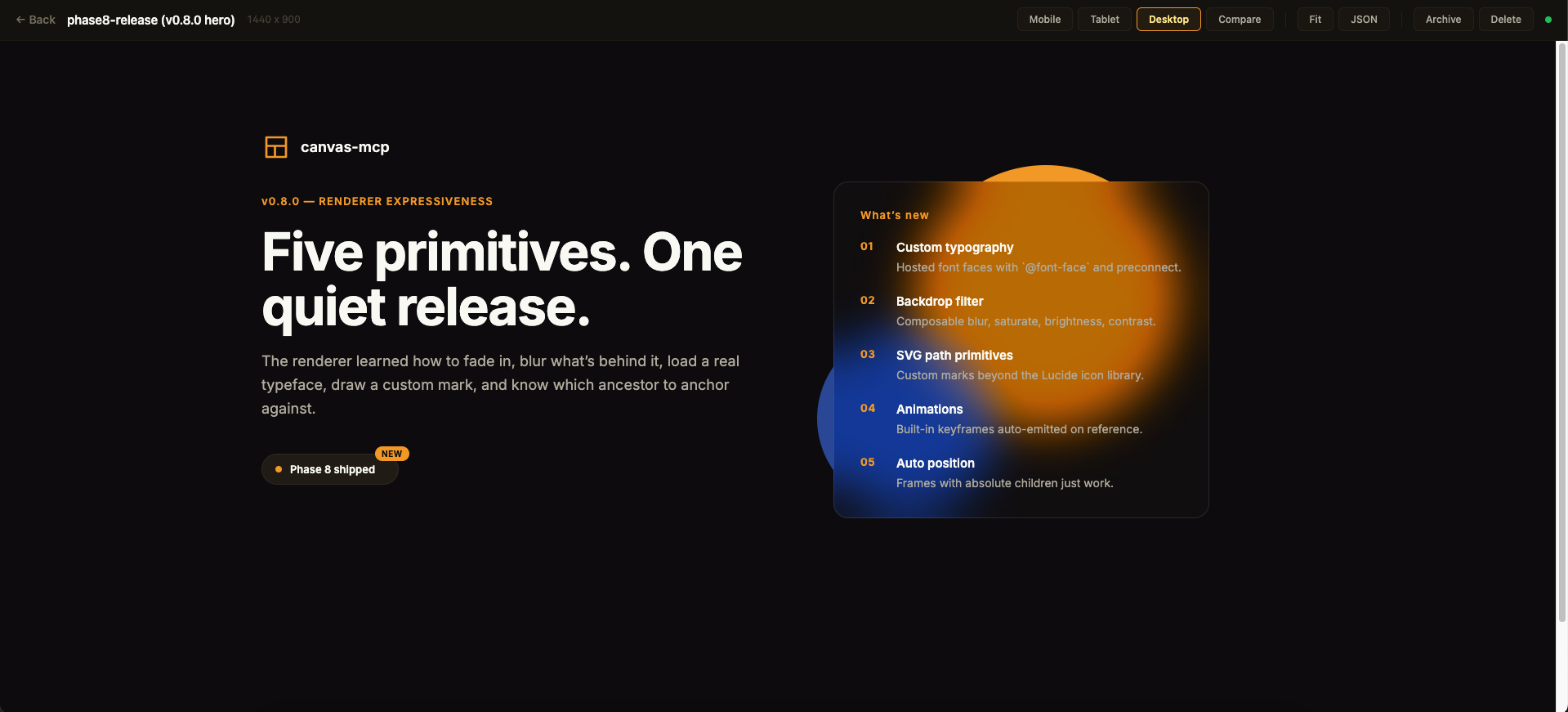
Above: a canvas in the detail view with the Quality inspector on the right — the same
canvas_evaluatescore the agent sees, with per-category bars, the issue list, and a Design-system tab. The toolbar exposes breakpoint previews, Compare, Fit, JSON, and lifecycle actions.
Quality panel. The canvas detail view shows a read-only quality inspector on the right: the heuristic canvas_evaluate score (0–100), per-category bars, and the issue list — each cliché tell with its category · tell badge, severity, and suggestion. Issues that canvas_autofix can resolve carry an auto-fixable tag, and clicking any issue highlights its node in the live preview. Every gallery card also shows a color-coded score badge so weak canvases stand out at a glance. The score matches what your agent sees over MCP (same fast-mode evaluation, genre-relaxed by the canvas's preset) — it's computed for display only and never written back.
Design-system panel. A second inspector tab shows the canvas's effective design tokens — color swatches, type scale, spacing, and radius — resolved through the full workspace ▸ project ▸ canvas inheritance chain. Each section notes its dominant source layer, and any token that overrides it is tagged (canvas / project) so you can see at a glance what a given canvas customized versus inherited.
The viewer is purely read-only — every canvas is authored through MCP tool calls from your AI assistant. Files persist to ~/.framesmith/canvases/ so the viewer keeps showing them across sessions.
Installation
No clone or build needed — register framesmith with your MCP client via npx (requires Node 20+).
Claude Code
claude mcp add framesmith -- npx -y framesmith
Codex
Add to ~/.codex/config.toml:
[mcp_servers.framesmith]
command = "npx"
args = ["-y", "framesmith"]
Cursor
Add to ~/.cursor/mcp.json (or per-project .cursor/mcp.json):
{
  "mcpServers": {
    "framesmith": {
      "command": "npx",
      "args": ["-y", "framesmith"]
    }
  }
}
Windsurf
Add to ~/.codeium/windsurf/mcp_config.json:
{
  "mcpServers": {
    "framesmith": {
      "command": "npx",
      "args": ["-y", "framesmith"]
    }
  }
}
VS Code + MCP extension
Add to .vscode/mcp.json (project-scoped) or your global MCP settings:
{
  "servers": {
    "framesmith": {
      "command": "npx",
      "args": ["-y", "framesmith"]
    }
  }
}
Any other MCP-compatible client
framesmith speaks standard stdio MCP. Point your client at npx -y framesmith using whatever config shape your client expects.
Optional: set
FRAMESMITH_VIEWER_URL=http://localhost:3001in the MCP server env to pin it to a long-lived standalone viewer process — see Running the viewer.
Build from source (for development)
git clone https://github.com/vicmaster/framesmith.git
cd framesmith
npm install
npm run build
# then point your client at: node /path/to/framesmith/dist/index.js
Tools
init
One-call onboarding — the recommended first call each session, and safe to run repeatedly (idempotent). Binds the current repo if it isn't already (canvases become checked-in JSON under .framesmith/), ensures the convention projects exist, and returns the live state you need to start working.
| Param | Type | Description |
|---|---|---|
dir |
string? | Directory to bind / detect. Defaults to the nearest git repo root above the server working directory. |
workspaceName |
string? | Name for the workspace when binding fresh. Defaults to the repo folder name. |
projects |
string[]? | Projects to ensure exist (default: ["Foundations", "UI"]). Existing projects are never removed, so it's safe for adding feature/area projects like Onboarding. |
Returns the bound workspace + project IDs (binding re-keys IDs to repo-* — use the ones init returns), the on-disk layout, the workspace-layer token count, a workflow cheatsheet, the current gotchas, the framesmith://guidelines URI, and the viewer URL. It does not seed design tokens — set those at the workspace layer with workspace_set_design_system. The default Foundations project is just a canvas that visualizes the workspace tokens (which is where the design system actually lives).
canvas_create
Create a new canvas. If projectId is omitted, it lands in the built-in Untitled project of the Personal workspace.
| Param | Type | Description |
|---|---|---|
name |
string? | Canvas name |
projectId |
string? | Target project. Defaults to the built-in Untitled project. See project_list. |
The response also carries a diversification signal for the target project: the recently-built structures (newest first) and a hint to differ on at least one taxonomy axis, so successive canvases don't converge on the same layout. It's advisory — never blocking.
canvas_list
List canvases. Excludes archived canvases by default.
| Param | Type | Description |
|---|---|---|
projectId |
string? | Scope to one project |
includeArchived |
bool? | Include archived canvases (default false) |
Returns [{ id, name, createdAt, lastModified, projectId, archived }].
canvas_move / canvas_archive / canvas_unarchive / canvas_delete
Canvas lifecycle. canvas_move reassigns a canvas to a different project. canvas_archive sets a soft-delete flag (canvas stays on disk, hidden from default canvas_list); canvas_unarchive clears it. canvas_delete removes the canvas and its file permanently — irreversible.
viewer_url
Get the URL of the live viewer plus per-canvas URLs. Share these with the user so they can open the design in their browser. No params.
{
  "url": "http://localhost:3001",
  "gallery": "http://localhost:3001",
  "canvases": [
    { "name": "Login", "viewer": "http://localhost:3001/canvas/abc123" }
  ]
}
canvas_create already returns the per-canvas viewer URL in its response; reach for viewer_url when you want the gallery URL or to enumerate every existing canvas's URL in one call.
workspace_create / workspace_list / workspace_rename / workspace_delete
Top-level container CRUD. The built-in Personal workspace cannot be deleted, and workspace_delete refuses if the workspace still contains projects (move or delete them first).
project_create / project_list / project_rename / project_delete
Mid-level container CRUD inside a workspace. The built-in Untitled project cannot be deleted. project_delete refuses if the project still contains any canvases (archived ones still count — move or delete them first).
canvas_bind
Bind a workspace to the current project directory so its canvases live in the repo as open JSON — a .framesmith/ directory checked in alongside the code, instead of the global ~/.framesmith store. Run it once per repo.
| Param | Type | Description |
|---|---|---|
workspaceId |
string? | Workspace whose projects + canvases migrate into the repo. Defaults to the built-in Personal workspace. |
dir |
string? | Directory to bind. Defaults to the nearest git repo root above the server's working directory. |
It creates .framesmith/workspace.json (the binding plus the design system, so a fresh clone resolves tokens identically) and one subdirectory per project holding one slug-named file per canvas:
.framesmith/
  workspace.json     # workspace + projects[] + design system
  design-system/
    design-tokens.json
  ui/
    bloom-landing.json
    login-form.json
It migrates the workspace's projects + canvases in and makes the repo the source of truth for the rest of the session. A canvas is either repo-bound or global, never both. Afterwards the server auto-detects .framesmith/ on startup (walking up from its working directory). Commit .framesmith/ so designs travel with the code and diff cleanly in review.
The bind also records the repo in ~/.framesmith/registry.json, so the standalone viewer shows bound repos alongside your global workspaces in one gallery (it rebuilds that read-only mirror on launch and whenever the registry changes).
batch_design
Execute operations on the scene graph. Operations are line-separated strings:
# Insert a frame into the document root
header=I("document", { type: "frame", layout: "horizontal", fill: "#1a1a2e", padding: 24, gap: 16, width: 1440, height: 80 })

# Insert text into the header
I(header, { type: "text", content: "My App", fontSize: 24, fontWeight: 700, color: "#ffffff" })

# Update a node
U("nodeId", { fill: "#e94560" })

# Delete a node
D("nodeId")

# Copy a node to a new parent
copy=C("sourceId", "parentId", { fill: "#0f3460" })

# Move a node
M("nodeId", "newParentId", 0)

# Replace a node entirely
R("nodeId", { type: "text", content: "Replaced" })
Returns { ok, nodeIds, results }. nodeIds maps each bound variable to the node ID it created — e.g. { "header": "n_a1b2" } — so you can target those nodes in later calls (bindings only live within a single call). results lists each op's outcome in order.
Node types: frame, text, rectangle, ellipse, image, icon, path, component, instance, toggle, checkbox, radio, select
Properties: fill, gradient, stroke, strokeWidth, cornerRadius, width, height, layout ("horizontal" | "vertical"), gap, padding, alignItems, justifyContent, fontSize, fontFamily, fontWeight, color, content, textAlign, lineHeight, letterSpacing (px), textDecoration, textTransform, fontVariationSettings, src, objectFit, opacity, shadow, shadows, blur, backdropBlur, backdropFilter, overflow, wrap, position, x, y, icon, iconSize, iconColor, iconStyle, checked, disabled, value, d, viewBox, strokeLinecap, strokeLinejoin, animation, transition, componentId, overrides
Use textTransform: "uppercase" for uppercase labels (don't bake casing into content), letterSpacing for tracking, and fontVariationSettings (e.g. '"wght" 650') for variable-font axes.
screenshot
Render canvas to PNG (returned as base64 image).
| Param | Type | Description |
|---|---|---|
canvasId |
string | Canvas ID |
nodeId |
string? | Specific node to capture |
width |
number? | Viewport width (default 1440) |
height |
number? | Viewport height (default 900) |
scale |
number? | Device scale (default 2) |
read_nodes
Read node data from the scene graph.
| Param | Type | Description |
|---|---|---|
canvasId |
string | Canvas ID |
nodeIds |
string[]? | Node IDs to read (default: root) |
maxDepth |
number? | Max traversal depth (default 5) |
snapshot_layout
Get computed bounding boxes via browser rendering.
| Param | Type | Description |
|---|---|---|
canvasId |
string | Canvas ID |
nodeId |
string? | Root node to start from |
maxDepth |
number? | Max depth (default 10) |
get_variables / set_variables
Read and write design tokens (colors, spacing, radius, typography). Use $tokenName in node properties to reference variables.
{
  "colors": { "primary": "#e94560", "bg": "#1a1a2e" },
  "spacing": { "sm": 8, "md": 16, "lg": 24 },
  "radius": { "sm": 4, "md": 8 }
}
Then use in nodes: { fill: "$primary", padding: "$md", cornerRadius: "$sm" }
workspace_set_design_system / workspace_get_design_system / workspace_apply_preset
Set tokens at the workspace level — every project + canvas under the workspace inherits them. Resolution order at render is canvas.variables (override) → project.designSystem → workspace.designSystem → built-in defaults, with the rightmost layer winning. Per-category merge: setting only colors doesn't reset spacing.
workspace_set_design_system({
  workspaceId: "...",
  variables: {
    colors: { primary: "#f59e0b", bg: "#0a0a0a" },
    spacing: { sm: 8, md: 16, lg: 24 }
  }
})
workspace_apply_preset({ workspaceId, preset }) is a shortcut that copies a named preset ("dark", "light", "material", "minimal") into the workspace.
project_set_design_system / project_get_design_system / project_apply_preset
Same shape, but at the project layer between workspace and canvas. Use for sub-brand overrides (e.g., a Marketing project that overrides one color while inheriting everything else from the workspace).
get_fonts / set_fonts
Fonts load by name automatically — naming a fontFamily in a typography token (or on a node) resolves it from Google Fonts at token-write time, with a render-time backstop catching anything else. Binaries are cached under ~/.framesmith/fonts/, so renders are offline and deterministic after the first resolve; typography.body.fontFamily becomes the document default. An unresolvable family renders in the fallback stack and adds a Font warnings item to the screenshot/export result.
set_fonts covers explicit registration. Three forms, combinable:
{
  "families": ["Inter", "JetBrains Mono"],
  "fonts": [
    { "family": "Inter", "url": "https://fonts.googleapis.com/css2?family=Inter:wght@400;700" },
    { "family": "Brand Face", "url": "https://example.com/brand.woff2", "weight": 400 }
  ]
}
families— resolve by name from Google Fonts and merge into the existing declarations.fontswith a Google Fonts CSS URL (fonts.googleapis.com/css2?...) — faces are extracted from the stylesheet automatically.fontswith a direct binary URL (.woff2/.woff/.ttf/.otfor adata:URI) — for non-Google sources.
fonts replaces declarations wholesale (pass [] to clear); families merges. The renderer emits @font-face blocks plus <link rel="preconnect"> per remote origin, with font-display: swap.
export
Export a canvas or specific nodes to files on disk.
| Param | Type | Description |
|---|---|---|
canvasId |
string | Canvas ID |
format |
string | "png", "jpeg", "webp", or "pdf" |
outputPath |
string | Directory to save files |
nodeIds |
string[]? | Specific nodes to export (default: full canvas) |
width |
number? | Viewport width (default 1440) |
height |
number? | Viewport height (default 900) |
scale |
number? | Device scale (default 2) |
list_presets
List available style guide presets. No params. Returns preset names and descriptions.
apply_preset
Apply a style guide preset to a canvas. Merges preset design tokens into the canvas variables, and copies in any reusable components (button, card, badge) the preset defines so they can be instanced. The preset is also recorded in the canvas provenance + per-project build log.
| Param | Type | Description |
|---|---|---|
canvasId |
string | Canvas ID |
preset |
string | Preset name: "dark", "light", "material", "minimal" |
list_structures
List available layout structures — named scaffolds you stamp onto a canvas and then populate. Returns each structure's name, kind, description, and (for pages) taxonomy axes. Distinct from presets: structures define layout skeleton, presets define color/token theme — they compose.
| Param | Type | Description |
|---|---|---|
projectId |
string? | If given, also return a diversification signal for the project (recently-built structures + a hint to differ on ≥ 1 axis), so you pick a shape that contrasts with recent work. Omit it to get just the structure list. |
Two kinds:
page— whole-page scaffolds stamped once at the canvas root:marquee-hero,bento-grid,stat-led,editorial-longform,split-workbench,catalogue,dashboard,auth,pricing,settings,onboarding. Each is tagged on four independent axes —heroTreatment,density,rhythm,alignment— so you can deliberately vary page shape instead of defaulting to the same layout. Every page scaffold is regression-tested to score > 95 with zero cliché tells across all five presets (the pattern library's taste bar), so it's a non-slop starting point you adapt, not boilerplate.component— reusable fragments stamped under any node viatargetId, repeatably:data-table(header + 3 rows with avatar/name/email, role chip, status toggle, actions),form-field,toolbar,stat-card,toggle-row. A high-fidelity table costs one stamp instead of ~80 hand-placed nodes.
apply_structure
Stamp a layout structure onto a canvas and return the placeholder node IDs to populate. Seeds neutral default colors so the scaffold renders even before a preset is applied. Populate the placeholders with batch_design U ops, then screenshot to verify.
- Page scaffolds insert at the canvas root (refusing on a non-empty canvas unless
replace), record provenance (metadata.provenance), and append to the per-project build log that feeds thediversificationsignal. - Component scaffolds insert under
targetId(default root), repeatably — every stamp re-keys its node IDs (form-field-1-…,form-field-2-…) and returns anidMap(template ID → live ID) for follow-up ops. Component stamps don't touch provenance or the build log: they don't shape the page.
| Param | Type | Description |
|---|---|---|
canvasId |
string | Canvas ID |
structure |
string | Structure name (use list_structures, e.g. "marquee-hero", "data-table") |
replace |
boolean? | Page scaffolds: if the root already has children, clear them before stamping. Default false (refuses on a non-empty canvas) |
targetId |
string? | Component scaffolds: node to stamp under (default "document") |
canvas_import_html
Import an HTML snippet (+ optional CSS) as an editable canvas — the reverse of export. The markup renders headlessly and a computed-style DOM walk maps it to the scene graph:
| Source | → Scene graph |
|---|---|
| flex/block container | frame + layout/gap/padding/alignItems/justifyContent/wrap |
display: grid |
rows of proportional columns from the computed track template (grid-column spans honored — numeric spans win, else the box width decides); irregular templates degrade to a stack with a warning. Recorded in report.layout |
centered content (margin: auto, max-width, flex-center) |
the parent centers (alignItems) and the child keeps its real width — max-width becomes the fluid width: "100%" + maxWidth idiom. Recorded in report.layout |
| floats / inline-block / unmodeled multi-column CSS | geometry clustering: children's computed boxes group into row bands (≥50% vertical overlap, consistent column counts) → rows of proportional columns. Conservative by design — anything that looks multi-column but doesn't cluster consistently imports as an honest stack with a stack-fallback entry + warning |
<table> / <tr> / <td>/<th> |
a vertical frame of horizontal row frames with proportional percentage cell widths (from the computed boxes — colspan handled free); thead/tbody unwrap, <caption> becomes a text node, bottom borders become hairline divider frames. Recorded in report.layout |
| text run | text (size, weight, color, family, line-height, letter-spacing, transform, align) |
<img> (absolute/data URL) |
image |
inline <svg> |
icon when the path data matches a bundled Lucide/Material glyph; else path |
checkbox / radio / role="switch" / <select> |
the input-primitive node types, with live checked/selected state |
| background / border / radius / shadow / opacity / overflow | fill / stroke+strokeWidth / cornerRadius / shadows / opacity / overflow |
Lossy by design. Every import returns a report — counts, warnings (dropped background images, grid containers, truncations), unmatched icons/fonts — and that report is the contract; the goal is an editable, honest starting point, not a pixel-perfect clone. Single-child wrapper divs collapse, same-style text runs merge, invisible nodes drop (all tunable via flatten).
| Param | Type | Description |
|---|---|---|
html |
string | The snippet to import |
css |
string? | CSS to apply — e.g. the compiled Tailwind stylesheet. A bare Tailwind snippet has no runtime, so classes render unstyled without this |
projectId |
string? | Project to create the canvas in (default project if omitted) |
name |
string? | Canvas name (default "Imported HTML") |
selector |
string? | Import only the first match within the snippet |
width |
number? | Container width layouts resolve against (default 1440) |
flatten |
object? | { collapseWrappers, mergeTextRuns, dropInvisible, maxDepth } |
tokenMatch |
object? | { source: "workspace" | "designMd" | "tailwind" | "none", tolerance?, designMd? } — snap concrete values back to $token refs (default: the target project's merged design system) |
tailwind |
object? | { theme: { name: value } } — the project's @theme map; widens which class names map to $tokens |
Token re-mapping makes the import a token-driven design instead of a pile of hex:
- Tailwind intent first — class names carry intent a computed value can't:
bg-surface→fill: "$surface",gap-4→16,rounded-xl→12,text-sm font-semibold uppercase→ typography props. Custom utilities resolve viatailwind.theme; palette classes (bg-red-500) map to the bundled v4 palette as hex literals (generated from the official oklch values by Chrome itself — seescripts/generate-tailwind-palette.ts), so a bare snippet styles without compiled CSS; arbitrary values and unknowns fall through to computed styles. Geometry intent and palette literals only fill gaps the CSS didn't set; token-ref colors override computed literals. - Nearest-color snapping second — remaining literal colors snap to the matched design system within
tolerance(exact matches always; near-ties between two tokens are reported and left literal, never guessed). Spacing/radius/fontSize values that equal a scale token are reported underreport.scaleMatches. - Fonts seen in computed styles feed the font-by-name resolver, so the imported canvas renders in the same faces.
Returns { canvasId, rootId, report } — report.snapped / literals / scaleMatches / warnings are the contract.
canvas_import_url
Import a live page as an editable, token-mapped canvas — point at a running app and the screen becomes the design-of-record without redrawing. Same engine and token re-mapping as canvas_import_html, plus live-page controls:
| Param | Type | Description |
|---|---|---|
url |
string | The page to import (http/https only) |
viewport |
object? | { width, height } — the width layouts resolve against (default 1440×900) |
selector |
string? | Import one component instead of the whole page (default body) |
waitFor |
string | number? | CSS selector to await, or a delay in ms — for client-rendered UI |
auth |
object? | { headers?, cookies? } for gated pages — used in a throwaway browser context, never persisted to the canvas, provenance, or report |
projectId / name / flatten / tokenMatch / tailwind |
— | Same as canvas_import_html |
Relative image URLs resolve against the page; fonts seen in computed styles load through the font-by-name resolver so the canvas renders in the same faces. The source URL (never auth) is recorded in metadata.provenance.importedFrom.
canvas_sync_from_url
Drift detection — the design-of-record as a living contract. Re-imports a live page ephemerally (no canvas created, nothing mutated) and pixel-diffs it against an existing canvas at the same viewport:
| Param | Type | Description |
|---|---|---|
canvasId |
string | The canvas that is the design-of-record |
url |
string | The live page to compare (http/https) |
viewport |
object? | Compare size (defaults to the canvas root size) |
selector / waitFor / auth |
— | Same as canvas_import_url (auth in a throwaway context, never persisted) |
Returns the diff image (changed regions in red), changePercent, changedPixels/totalPixels, and the import report. Both sides render at scale 1, so the percentage is comparable run-to-run — an unchanged page diffs at ~0%.
CI pattern (a pattern, not a shipped feature): after deploy, call canvas_sync_from_url for each route ↔ canvas pair and fail the job when changePercent exceeds your threshold — design ↔ code divergence becomes a build failure instead of a surprise.
import_design_md
Import a DESIGN.md file as a design system preset. Parses the Google Stitch format and extracts colors, typography, spacing, and border radius. It also extracts reusable component skeletons (button, card, badge) from the "Component Styling" section — apply_preset then makes them available as instanceable components on the canvas. After importing, use apply_preset to apply it to any canvas.
| Param | Type | Description |
|---|---|---|
content |
string? | Raw DESIGN.md content (provide this OR filePath) |
filePath |
string? | Absolute path to a DESIGN.md file |
name |
string? | Override the preset name |
Compatible with the 55+ design systems in awesome-design-md (Stripe, Notion, Figma, Vercel, Linear, etc.).
Accepted token formats. Each category is read from a loosely-matched heading section (Colors / Color Palette, Spacing, Border Radius / Radius, Typography). Within a section, tokens may be written as a list item (- name: value), a 2-column table row (| name | value |), or a name: value / **name** (\value`) line — where value is a color (#hex, rgba(...)) for colors, Npxfor spacing/radius, andNpx(optionally/ weight, e.g. 16px / 600) for typography. Named spacing tokens (md: 12px) are honored verbatim; a scale is synthesized **only** when no named tokens are given and a Base unit: Npxis stated — otherwise nothing is fabricated. Radius accepts the scale namessm/md/lg/xl/full/pill`.
screenshot_responsive
Render a canvas at multiple viewport sizes. Defaults to mobile (390x844), tablet (768x1024), and desktop (1440x900).
The renderer emits clamp() for paddings ≥ 32px and font sizes ≥ 24px, so headlines and large spacing shrink proportionally at narrower viewports (assuming a 1440px design width). Smaller values stay static.
| Param | Type | Description |
|---|---|---|
canvasId |
string | Canvas ID |
breakpoints |
array? | [{label, width, height}] — custom breakpoints |
scale |
number? | Device scale (default 2) |
canvas_diff
Compare two canvases visually. Returns a diff image with changed regions highlighted in red.
| Param | Type | Description |
|---|---|---|
canvasId1 |
string | First canvas ID |
canvasId2 |
string | Second canvas ID |
width |
number? | Viewport width (default 1440) |
height |
number? | Viewport height (default 900) |
scale |
number? | Device scale (default 1) |
canvas_evaluate
Auto-score a design against quality heuristics. Returns an overall score (0–100), per-category scores, per-node actionable issues, and a directive — a present/keep-working verdict. Designed for generator-evaluator loops: build with batch_design, score with canvas_evaluate, fix the issues targeting the returned nodeIds, repeat until the directive says READY.
The directive is the operating contract that keeps unfinished work off the user's screen. It reads READY TO PRESENT only when the score is > 95 and there are zero warnings and zero cliché tells; otherwise NOT READY with what to resolve. (Cliché tells block even at info severity — they're the slop signal; pure advisories like "consider extracting components" are optional.) Resolve everything and re-evaluate until it says READY before showing the design to the user.
| Param | Type | Description |
|---|---|---|
canvasId |
string | Canvas ID to evaluate |
mode |
"fast" | "detailed" | "llm" |
"fast" = JSON-tree analysis only (<100ms). "detailed" adds Puppeteer-based pixel-level overlap checks. "llm" runs fast-mode heuristics plus a vision-model critique (provider picked from FRAMESMITH_LLM_PROVIDER or whichever of ANTHROPIC_API_KEY / OPENAI_API_KEY is set — costs one paid API call per invocation). Default "fast". |
categories |
string[]? | Subset of spacing, color, typography, structure, consistency, cliche. Defaults to all. |
genre |
string? | Style that relaxes specific cliche gates (e.g. "material" allows purple). Defaults to the canvas's provenance preset if stamped. |
Categories and what they check
| Category | Weight | Checks |
|---|---|---|
spacing |
20 | Off-scale padding/gap values, too many unique spacing values |
color |
25 | WCAG AA contrast ratios for text against nearest background |
typography |
20 | Type-scale ratios (1.15–1.75), font-family count, weight variation |
structure |
15 | Tree depth, naming coverage, design-token usage %, component reuse |
consistency |
20 | Frames missing layout, inconsistent sibling padding, sibling overlap (detailed mode) |
cliche |
15 | Machine-made tells: default purple/indigo accent, gradient/glow overuse, fake browser/OS chrome (traffic-light dots), the hanging eyebrow-beside-heading header, fabricated metrics/testimonials/logos, eyebrow rhythm (an eyebrow above nearly every section), slop copy (stock AI phrasing — filler verbs, scroll cues, placeholder names, hype labels), radius consistency (too many distinct corner radii), pure black/white (#000000 ink / #ffffff page vs off-black/off-white), accent consistency (multiple competing accent hues). Each issue carries a tell discriminator; all advisory (warning/info). Relaxable per genre. |
Return shape
{
  "overallScore": 87,
  "categories": [{ "name": "spacing", "score": 90, "issueCount": 1, "weight": 20 }],
  "issues": [
    {
      "category": "color",
      "severity": "error",
      "nodeId": "abc123",
      "message": "Text \"Sign In\" has contrast ratio 2.8:1 against #1a1a2e. WCAG AA requires 4.5:1.",
      "suggestion": "Increase contrast by darkening/lightening the text or background."
    }
  ],
  "summary": "Overall quality: Good (87/100). Strongest: spacing (90/100). Weakest: color (75/100)...",
  "stats": { "totalNodes": 14, "textNodes": 5, "frameNodes": 8, "maxDepth": 4, "tokenUsagePercent": 61, "componentReusePercent": 0 },
  "mode": "fast",
  "directive": "NOT READY — 87/100 with 1 issue(s) to resolve. Fix them now: canvas_autofix for the mechanical subset, batch_design for the rest, then re-run canvas_evaluate. Repeat until there are zero warnings/cliché tells and the score is > 95. Do NOT show this design to the user yet."
}
With mode: "llm" (Phase 13), the vision model scores a fixed rubric — five axes, each 1–5 with a rationale — instead of one opaque number. The verdict is stamped on the canvas (metadata.critique) and the per-project build log so quality is auditable over time. Add floor (1–5, default 3, or FRAMESMITH_CRITIQUE_FLOOR) to set the per-axis threshold that trips needsRevision.
{
  "llmCritique": {
    "provider": "anthropic",
    "model": "claude-sonnet-4-6",
    "rubric": {
      "hierarchy":   { "score": 4, "rationale": "clear primary metric, secondary stats recede" },
      "execution":   { "score": 4, "rationale": "tidy alignment and consistent spacing" },
      "specificity": { "score": 3, "rationale": "reads a touch generic for a dashboard" },
      "restraint":   { "score": 5, "rationale": "flat surfaces, no gratuitous effects" },
      "variety":     { "score": 2, "rationale": "the default centered three-card row" }
    },
    "score": 72,
    "summary": "Clean, restrained dashboard; layout is conventional.",
    "suggestions": ["break the symmetric three-card row with an asymmetric feature tile"],
    "needsRevision": true,
    "failingAxes": [{ "axis": "variety", "score": 2, "rationale": "the default centered three-card row" }]
  }
}
Axes: hierarchy (focal order), execution (craft — alignment/spacing/contrast), specificity (designed-for-purpose vs generic), restraint (no overdone effects — the LLM sibling of the cliche category), variety (avoids same-shape sameness). score is derived: round(mean(axisScores) / 5 * 100). To close the loop automatically, see canvas_revise.
Provider selection: FRAMESMITH_LLM_PROVIDER env var (anthropic | openai), else falls back to whichever of ANTHROPIC_API_KEY / OPENAI_API_KEY is set. Default models: claude-sonnet-4-6 / gpt-4.1 (override via FRAMESMITH_LLM_ANTHROPIC_MODEL / FRAMESMITH_LLM_OPENAI_MODEL). Adding a third provider is one entry in the judges table in src/llm-judge.ts.
Example generator-evaluator loop
batch_design({ canvasId, operations: "..." })
const r = canvas_evaluate({ canvasId, mode: "fast" })
// r.issues[].nodeId points to exactly what to fix
batch_design({ canvasId, operations: `U("${r.issues[0].nodeId}", { color: "#ffffff" })` })
canvas_evaluate({ canvasId })  // re-score
Issues that have a mechanical fix come back with an extra fix: { op, rationale } field — see canvas_autofix below.
canvas_autofix
Runs canvas_evaluate in fast mode and returns just the subset of issues with a mechanically derived fix — no judgement calls. Each fix carries a ready-to-paste batch_design Update op string. Closes the generator-evaluator loop without a second AI hop.
| Param | Type | Description |
|---|---|---|
canvasId |
string | Canvas to autofix |
categories |
string[]? | Restrict to fixes from these categories (default: all) |
genre |
string? | Style that relaxes specific cliche gates (e.g. "material" allows purple). Defaults to the canvas's provenance preset if stamped. |
What gets auto-fixed
- Spacing — off-scale
gapor scalarpaddingsnaps to the nearest scale value. Arraypaddingis skipped (ambiguous which index). - Consistency — frames with multiple children but no
layoutgetlayout: "vertical". - Color — recoverable WCAG contrast failures get
color: "#000000"or"#FFFFFF", whichever wins against the resolved background. Failures so bad that neither black nor white meets the threshold are not auto-fixed (the background also needs to change). - Cliché — a known-default purple/indigo accent (
#6366f1and friends) written literally on a node swaps to a neutral accent; a dedicated fake-chrome strip (a row that is just traffic-light dots) gets aD(...)delete; pure-black ink (#000000text/icon/stroke) softens to off-black. Taste-dependent tells (gradient/glow overuse, the hanging header, fabricated copy, eyebrow rhythm, slop copy, mixed radius systems, competing accents) are reported bycanvas_evaluatewith a suggestion but carry no auto-fix op.
Return shape
{
  "totalIssues": 18,
  "fixableCount": 5,
  "fixes": [
    {
      "nodeId": "abc123",
      "category": "color",
      "op": "U(\"abc123\", { color: \"#000000\" })",
      "rationale": "Switch text color to #000000 for WCAG AA contrast against #F8FAFC",
      "message": "Text \"Sign In\" has contrast ratio 2.8:1 against #F8FAFC. WCAG AA requires 4.5:1."
    }
  ]
}
Apply the ops by joining them with newlines and passing to batch_design, then re-evaluate.
canvas_revise
Closes the critique loop (Phase 13). Judges the canvas against the rubric; if any axis is below the floor, asks an LLM for targeted batch_design ops that raise the failing axes, applies them, re-renders, and re-judges — up to maxIterations passes. Mutates the canvas. Opt-in and bounded; it never runs implicitly.
| Param | Type | Description |
|---|---|---|
canvasId |
string | Canvas to revise |
maxIterations |
number? | Revise passes, 1–3 (default 1) |
floor |
number? | Per-axis rubric floor 1–5 (default 3 / FRAMESMITH_CRITIQUE_FLOOR) |
provider |
"anthropic" | "openai"? |
Force an LLM provider (default auto-detect) |
Loop & safety
- Each pass: render → judge → if
needsRevision, revise the failing axes → apply (validated throughbatch_design) → re-render → re-judge. - Stops when the canvas passes (
passed), at the cap (max-iterations), when a pass doesn't improve the overall (no-improvement— the regressing edit is reverted), when the reviser returns nothing (no-ops), or when an op fails to apply (apply-error— the partial edit is reverted). - Every accepted pass re-stamps
metadata.critique+ the build log. Costs ≥2 paid API calls per pass (one judge + one revise) and renders between passes (Chrome required).
Return shape
{
  "iterations": [
    { "pass": 1, "overallBefore": 72, "failingAxes": ["variety"],
      "opsApplied": "U(\"cards\", { ... })", "overallAfter": 84 }
  ],
  "finalVerdict": { "rubric": { "...": {} }, "score": 84, "needsRevision": false, "failingAxes": [] },
  "stoppedReason": "passed"
}
Resources
framesmith://guidelines— markdown authoring guide: width strategies (fixed / percentage / fluid+cap / floor / fit-content), responsive hint semantics (stack/wrap/fixed), common patterns (pricing tiers, two-column hero, tag list, toolbar), and anti-patterns. Source:docs/GUIDELINES.md.
Benchmark
npm run bench runs canvas_evaluate over a fixed corpus of canvases (a high-quality dashboard hero, a minimal well-formed canvas, an intentional-contrast-failure canvas) and diffs the result against benchmark/baselines.json. Catches drift in scoring across renderer / evaluator changes — exit code is nonzero on any score, issue-count, or issue-message change. Re-baseline with npx tsx benchmark/run.ts --update after intentional evaluator rewrites.
Gradients
Nodes support linear and radial gradients via the gradient property:
# Linear gradient (angle in degrees)
I("parent", { type: "frame", width: 400, height: 200, gradient: { type: "linear", angle: 135, stops: [{color: "#667eea", position: 0}, {color: "#764ba2", position: 100}] } })

# Radial gradient
I("parent", { type: "frame", width: 200, height: 200, gradient: { type: "radial", stops: [{color: "#fff", position: 0}, {color: "#000", position: 100}] } })
When gradient is set, it takes precedence over fill. Both can coexist (fill as fallback).
Shadows & Blur
Structured shadows, blur filters, and backdrop blur:
# Structured shadow (supports multiple shadows)
I("parent", { type: "frame", fill: "#fff", shadows: [{x: 0, y: 4, blur: 12, spread: 0, color: "rgba(0,0,0,0.15)"}] })

# Blur filter
I("parent", { type: "frame", fill: "#3b82f6", blur: 4 })

# Backdrop blur (single-function shorthand for `blur`)
I("parent", { type: "frame", fill: "rgba(255,255,255,0.5)", backdropBlur: 8 })

# Glassmorphism (composable backdrop-filter: blur + saturate + brightness + contrast)
I("parent", {
  type: "frame",
  fill: "rgba(255, 255, 255, 0.4)",
  backdropFilter: { blur: 12, saturate: 180, brightness: 110 }
})
The structured backdropFilter form takes precedence over backdropBlur when both are set. The renderer also emits the -webkit-backdrop-filter prefix so glass effects render in Safari/iOS without extra work.
The legacy shadow string property still works for simple cases.
Icons
Two bundled sets are available via the icon node type, rendering as inline SVGs with configurable size and color:
Lucide (1,900+, stroke style) — unprefixed names, browse here:
I("parent", { type: "icon", icon: "search", iconSize: 24, iconColor: "#888" })
I("parent", { type: "icon", icon: "heart", iconSize: 32, iconColor: "#ef4444" })
Material Symbols (3,800+, fill style) — material: prefix, browse here:
I("parent", { type: "icon", icon: "material:check", iconSize: 24, iconColor: "#b71421" })
I("parent", { type: "icon", icon: "material:settings", iconStyle: "rounded" })
I("parent", { type: "icon", icon: "material:star-fill" })   # "-fill" suffix = filled variant
iconStyle picks the Material variant ("outlined" default, "rounded", "sharp"); it's ignored for Lucide.
Input controls
toggle, checkbox, radio, and select are first-class node types — static renders with a checked / value / disabled state, so app UI doesn't have to be faked from frames and ellipses:
I("parent", { type: "toggle", checked: true })
I("parent", { type: "checkbox", checked: true })
I("parent", { type: "radio" })
I("parent", { type: "select", value: "Administrator", width: 220 })
I("parent", { type: "select" })                      # renders a muted "Select…" placeholder
I("parent", { type: "toggle", checked: true, disabled: true })   # 50% opacity
Colors default from the design system — $accent (falling back to $primary) for active states, $border for outlines, $bg-surface / $text-primary for the select — with neutral fallbacks on unthemed canvases. Explicit fill / stroke / color override. Defaults: toggle 44×24, checkbox/radio 18×18, select fit-content (give it a width for form layouts).
SVG Paths
For custom shapes and brand marks beyond the Lucide library, use the path node type with a raw SVG d attribute:
I("parent", { type: "path", width: 24, height: 24,
  d: "M 12 2 L 22 22 L 2 22 Z", fill: "#f59e0b" })

# With stroke + viewBox (defaults to `0 0 width height`)
I("parent", { type: "path", width: 48, height: 48, viewBox: "0 0 24 24",
  d: "M 12 2 L 22 22 L 2 22 Z",
  fill: "none", stroke: "#000", strokeWidth: 2,
  strokeLinecap: "round", strokeLinejoin: "round" })
fill/stroke/strokeWidth apply to the path itself (not the wrapper). d and viewBox are validated for safe characters — anything that could break out of the attribute is rejected.
Animations & Transitions
Reference a built-in keyframe to make a node animate in on page load. The renderer auto-emits the @keyframes block only when referenced.
I("hero", { type: "frame", animation: { name: "fadeIn", duration: 400 } })
I("title", { type: "text", animation: { name: "slideUp", duration: 300, delay: 100 } })
Built-in keyframe names: fadeIn, slideUp, slideDown, scaleIn. All end at the natural resting state with animation-fill-mode: both, so the start state applies pre-animation and the end state sticks after.
animation: { name, duration?: 300ms, delay?: 0ms, easing?: "ease-out", iteration?: 1 | "infinite" }. Easing is whitelisted: ease, ease-in, ease-out, ease-in-out, linear (anything else falls back to ease-out).
transition: { property?: "all", duration, easing?: "ease", delay?: 0ms }. Transitions only fire on state change, so they're inert until interactive states exist in the renderer — included today so a future hover/focus PR has a place to land.
Components
Define reusable components and create instances with overrides:
# Define a component (a frame subtree that gets registered)
card=I("document", { type: "component", name: "Card", width: 300, fill: "#1a1a1a", cornerRadius: 12, layout: "vertical", padding: 16, gap: 8 })
I(card, { type: "text", name: "title", content: "Default Title", fontSize: 20, color: "#fff" })
I(card, { type: "text", name: "subtitle", content: "Default subtitle", fontSize: 14, color: "#888" })

# Create instances with overrides (matched by child name)
I("document", { type: "instance", componentId: card, overrides: { title: { content: "My Card" }, subtitle: { content: "Custom text" } } })
Usage Example
A complete session designing a sign-in screen — the framesmith way: start from a pattern, adapt it, and let the evaluator gate the result (rather than building from a blank canvas and faking controls out of frames).
1. Start from a vetted pattern, not a blank canvas
canvas_create({ name: "Sign in" })
→ { "canvasId": "abc123", "viewerUrl": "http://localhost:3001/canvas/abc123", ... }

apply_structure({ canvasId: "abc123", structure: "auth" })
→ returns the placeholder node IDs to populate (au-title, au-sub, au-email, au-password, au-submit, ...)
The auth pattern already scores > 95 — a centered card with real form fields, a real submit button, honest placeholder copy, and an accent that isn't the default purple. You're adapting a good design, not inventing one.
2. Adapt it — set the brand accent and the copy
project_set_design_system({ projectId: "default-project", variables: { colors: { accent: "#2563EB" } } })

batch_design({
  canvasId: "abc123",
  operations: `
    U("au-title", { content: "Welcome back" })
    U("au-sub", { content: "Sign in to continue to your workspace." })
  `
})
3. Evaluate — and only present when the directive says READY
canvas_evaluate({ canvasId: "abc123", mode: "fast" })
→ {
    "overallScore": 98,
    "issues": [],
    "directive": "READY TO PRESENT — 98/100, no blocking issues."
  }
If it came back NOT READY, you'd apply canvas_autofix (mechanical fixes) / batch_design (the rest) and re-evaluate until it clears — then screenshot and share the viewer URL. The directive is what keeps an unfinished design off the user's screen.
4. Verify across breakpoints
screenshot_responsive({ canvasId: "abc123" }) // renders mobile / tablet / desktop
Running the viewer
The viewer runs in one of two modes — embedded (auto-starts inside the MCP server process) or standalone (long-lived in its own terminal). Standalone is recommended; the embedded mode stops the moment your MCP session ends, so any viewer URL you shared becomes unreachable.
Standalone (recommended)
# In a separate terminal tab — stays alive independently of any MCP session
npx -p framesmith framesmith-viewer

# Or on a specific port
npx -p framesmith framesmith-viewer 3004
Working from a clone instead of npm? Run
npm run viewer(ornpm run viewer -- 3004) from the repo root — same standalone viewer, run from source.
The standalone viewer:
- Persists across sessions — URLs keep working after Claude / Cursor / Windsurf finishes
- Shared across projects — multiple MCP sessions (from different projects) all use the same viewer
- Auto-detects new canvases — watches
~/.framesmith/canvases/for changes and picks them up immediately - Auto-detected by MCP — when the MCP server starts, it probes for a running standalone viewer and uses it instead of starting its own
Routes & API
- Gallery (
/) — browse all canvases as clickable cards with live thumbnails - Project (
/project/:id) — same gallery but scoped to one project - Archive (
/archive) — soft-deleted canvases with restore / permadelete actions - Canvas detail (
/canvas/:id) — full rendered design with responsive viewport buttons (Mobile / Tablet / Desktop), Compare mode, Fit toggle, and JSON inspector - Raw HTML (
/canvas/:id/html) — the rendered HTML for embedding or inspection - JSON API (
/api/canvases,/api/canvas/:id/meta) — programmatic access - Live auto-refresh — the viewer polls for changes every 2 seconds, so the browser updates automatically as your agent runs
batch_design
All canvases persist to ~/.framesmith/canvases/ as JSON files and survive process restarts. Set FRAMESMITH_VIEWER_URL in the MCP server env to point at a viewer running on a non-default port.
Workflow
The loop framesmith is built around — start from taste, adapt, and polish to the bar before anyone sees it:
- Start the standalone viewer in a terminal tab:
npx -p framesmith framesmith-viewer, and open its URL for live preview. canvas_create→ get a canvas ID (share the viewer URL).- Set the design system once —
workspace_set_design_system/apply_preset/set_variables(colors, spacing, radius, typography as$tokens). apply_structure→ stamp a vetted page pattern, then adapt it withbatch_design(real icons, controls, and components — not faked from frames). This is the starting point; a blank canvas is the slow, sloppy path.- Watch the viewer auto-refresh as you design;
screenshotto check the render. canvas_evaluate→ read thedirective. Resolve every warning and cliché tell (canvas_autofixfor the mechanical subset,batch_designfor the rest), then re-evaluate. Repeat until it saysREADY— only then present the design.screenshot_responsive→ confirm it holds at mobile / tablet / desktop.canvas_diff/canvas_sync_from_url→ compare versions, or check the shipped app hasn't drifted from the approved design.export→ save final designs to PNG/PDF.
Development
git clone https://github.com/vicmaster/framesmith.git
cd framesmith
npm install
npm run build
Scripts
| Command | What it does |
|---|---|
npm run build |
Compile TypeScript to dist/. Required before the installed MCP server picks up changes — it loads dist/index.js. |
npm run dev |
Run the server directly via tsx for local iteration. Does not affect the registered MCP server. |
npm run viewer [port] |
Start the standalone viewer (default auto-picks from 3001). |
npx tsx test-*.ts |
Run ad-hoc test scripts at the repo root. |
Env vars
| Variable | Purpose |
|---|---|
FRAMESMITH_VIEWER_URL |
Point the MCP server at an external viewer (skips starting an embedded one). |
FRAMESMITH_VIEWER_PORT |
Override the standalone viewer's port. |
FRAMESMITH_CHROME_PATH |
Chrome binary for screenshots/exports (falls back to PUPPETEER_EXECUTABLE_PATH, then the Puppeteer-managed Chrome). Set it in the MCP server's env config — clients often launch servers with a minimal env. |
Conventions
- ESM only (
"type": "module"). Imports in TypeScript source use.jsextensions even when the source file is.ts. - Don't edit
dist/— it's regenerated bytsc. - New MCP tool? Register it in
src/index.ts, document it in the Tools section above, and updateVISION.md's phase checklist.
License
MIT — see LICENSE.
Copyright (c) 2026 Victor Velazquez.
Reviews (0)
Sign in to leave a review.
Leave a reviewNo results found