inkboard
Health Warn
- License — License: Apache-2.0
- Description — Repository has a description
- Active repo — Last push 0 days ago
- Low visibility — Only 5 GitHub stars
Code Fail
- rm -rf — Recursive force deletion command in .github/workflows/release.yml
Permissions Pass
- Permissions — No dangerous permissions requested
No AI report is available for this listing yet.
A fast, free, fully offline infinite whiteboard in Rust — draw.io / Excalidraw / Obsidian Canvas / Mermaid interop, MCP server for AI agents. MIT OR Apache-2.0.

Inkboard
A fast, free, fully offline infinite whiteboard — written in Rust.
Draw, diagram and present on a native desktop app, import and export the formats you already use, share a board live with people on other networks (even from a web page, with nothing to install), and let an AI agent draw on your board.




🇬🇧 English · 🇫🇷 Version française
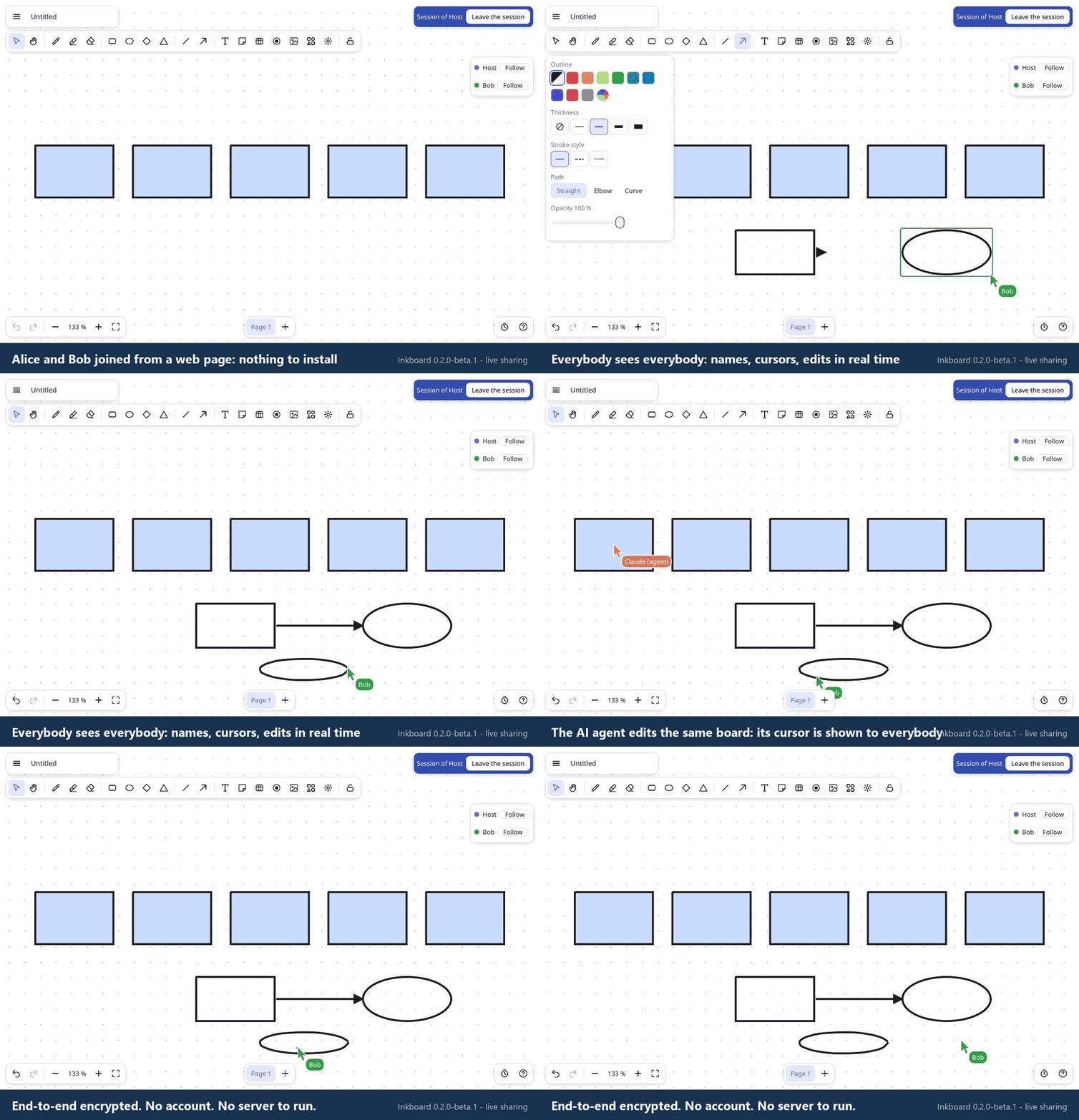
Live sharing, from a web page: two guests in a browser and the AI agent edit the same board, in real time (recorded with real browser guests and a real host: demo.mjs).
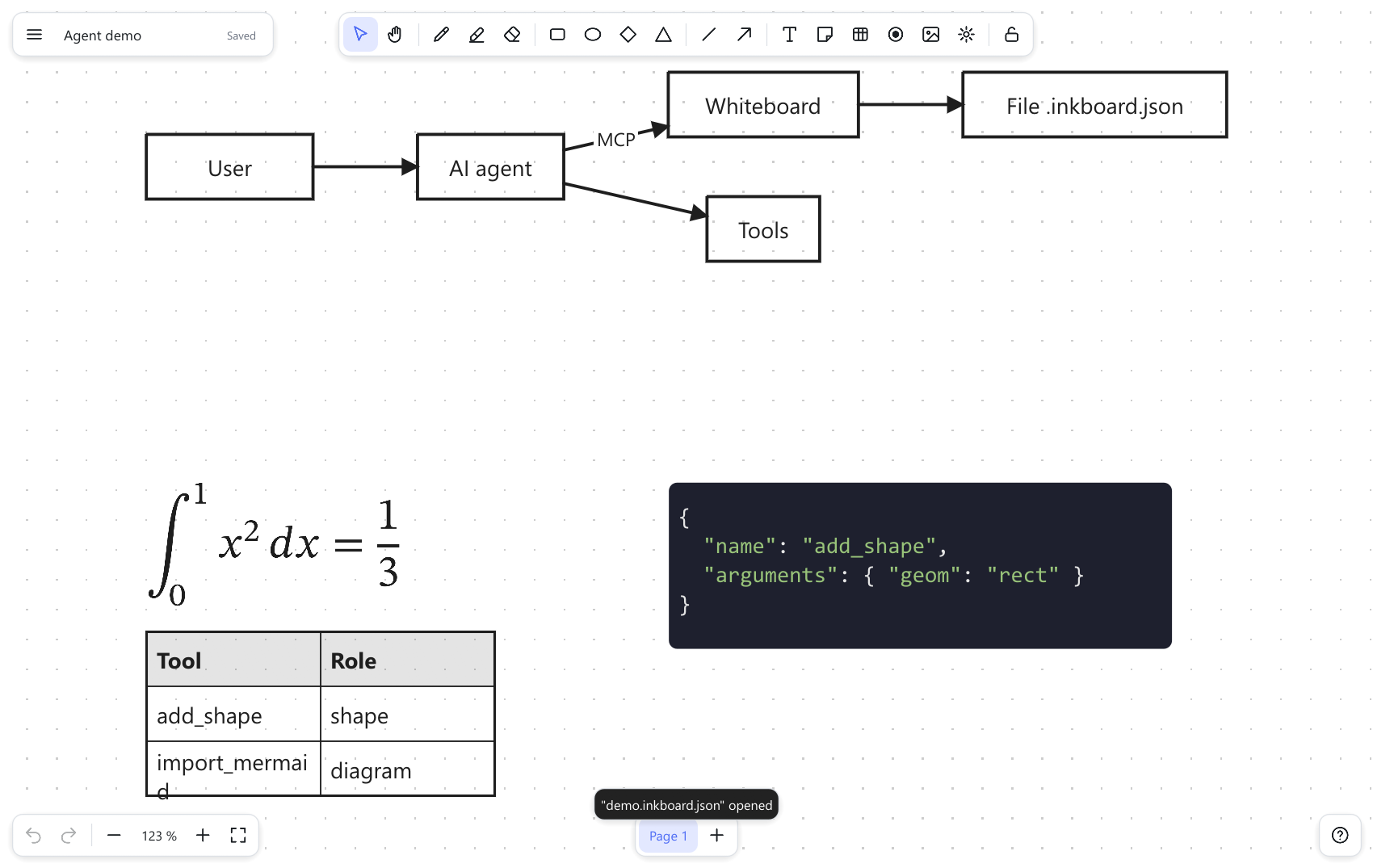
Status: alpha. Inkboard is a young project. It is feature-rich and heavily tested (over 850 automated tests), but it has so far been used by hand on Windows only (live sharing was also tried between several computers, an Android phone on 5G and a Linux server).
Linux and macOS builds compile and pass the automated tests in CI, yet nobody has used the app there yet — expect rough edges, and please report them.
The interface is available in English and French; it follows your system language and can be switched from the menu (Language).
Why Inkboard?
Microsoft retired the standalone Microsoft Whiteboard apps for Windows, iOS and Android on October 16, 2026 (announcement), and the web alternatives all want an account, an internet connection, or a subscription.
We wanted a whiteboard that is:
- Offline and private. No account, no cloud, no telemetry. Your boards are plain files on your disk.
- Fast on big boards. Complaints about lag on large boards come up again and again for Miro, Excalidraw and Whiteboard. Inkboard stays smooth with 100 000 objects (≈ 4.5 ms per frame).
- Interoperable. Open and export draw.io, Excalidraw, JSON Canvas (Obsidian) and Mermaid, plus SVG, PNG and PDF. Your work is never locked in.
- Solid where other tools are fragile. Connectors that really stay attached (and route around shapes), real tables, layers, rich text with per-word colour and highlight, LaTeX formulas typeset like TeX, customizable shortcuts, pen pressure.
- Shareable without a server. Click Share: your computer is the server. Guests join from the app or from a web page, see everyone's cursor (the AI agent's too), and everything is end-to-end encrypted. See Live sharing.
- Ready for AI agents. A built-in MCP server lets Claude (or any MCP client) create and edit boards — live, in the open app, with every step undoable.
- Free software. Dual-licensed MIT OR Apache-2.0, built on a small, UI-independent Rust engine you can reuse.
Before writing a line of code we surveyed what users keep asking for in whiteboard tools (performance, fragile connectors, tables, layers, exports, offline use, pen support…); the roadmap tracks each of those requests.
Install
Download (recommended)
Grab the installer for your system from the Releases page (pre-releases while Inkboard is in alpha):
| System | File | Notes |
|---|---|---|
| Windows 10/11 | inkboard_*_x64-setup.exe |
Installs for the current user (no administrator rights needed). |
| Linux (x86-64) | inkboard_*_amd64.deb or inkboard_*_x86_64.AppImage |
sudo apt install ./inkboard_*.deb, or chmod +x *.AppImage && ./*.AppImage. Needs OpenGL and X11/Wayland libraries (libxkbcommon). |
| macOS (Apple Silicon / Intel) | Inkboard_*.dmg |
Drag Inkboard to Applications. |
The installers also provide the ink command-line tool and the inkboard-mcp server next to the app.
On Windows, download inkboard_*_x64-setup.exe and double-click it: it installs for your user in a few seconds (no administrator rights, nothing else to install first), adds a Start menu shortcut, and uninstalls cleanly from Settings → Apps. Add --silent for a silent install. A winget package is being prepared (winget install Inkboard.Inkboard).
The installers are not code-signed yet, so your system will warn you the first time:
on Windows, SmartScreen says "Windows protected your PC" → More info → Run anyway; on macOS, Control-click the app → Open.
Every release lists SHA-256 checksums so you can verify your download. Code signing is ready to be switched on in the release workflow as soon as a signing certificate is available (how).
If the window does not open on Windows: Inkboard uses OpenGL and falls back to Direct3D / Vulkan by itself; you can force one with the environment variable INKBOARD_RENDERER=wgpu (or glow). If it ever crashes, it writes %APPDATA%\Inkboard\crash.log and tells you where.
Build from source
You need Rust 1.91 or newer.
git clone https://github.com/VictorLetirand/inkboard.git
cd inkboard
cargo run --release -p inkboard-app                    # start the app
cargo run --release -p inkboard-app -- diagram.drawio  # …or open a file directly
To build the installers yourself: cargo install cargo-packager --locked, then cargo packager --release -c Packager.toml (details).
Features
Drawing: pen with pressure, highlighter, eraser, rectangles, ellipses, diamonds, triangles, lines, arrows, sticky notes, text, images, tables, vote dots, laser pointer. Infinite canvas, pages, layers, groups, alignment and distribution, snapping, undo/redo.
Smart connectors: arrows are bound to shapes and follow them; elbow connectors route around other shapes; drag a midpoint handle to add a waypoint.
Style: drop shadow, arrowhead size, and any color of an imported SVG replaced by another (multicolor logos included).
Paste from a spreadsheet: a range copied from Excel, LibreOffice or Google Sheets becomes a table.
Rich text: select words inside any shape, table cell or arrow label and make them bold, italic, underlined, struck, coloured or highlighted.
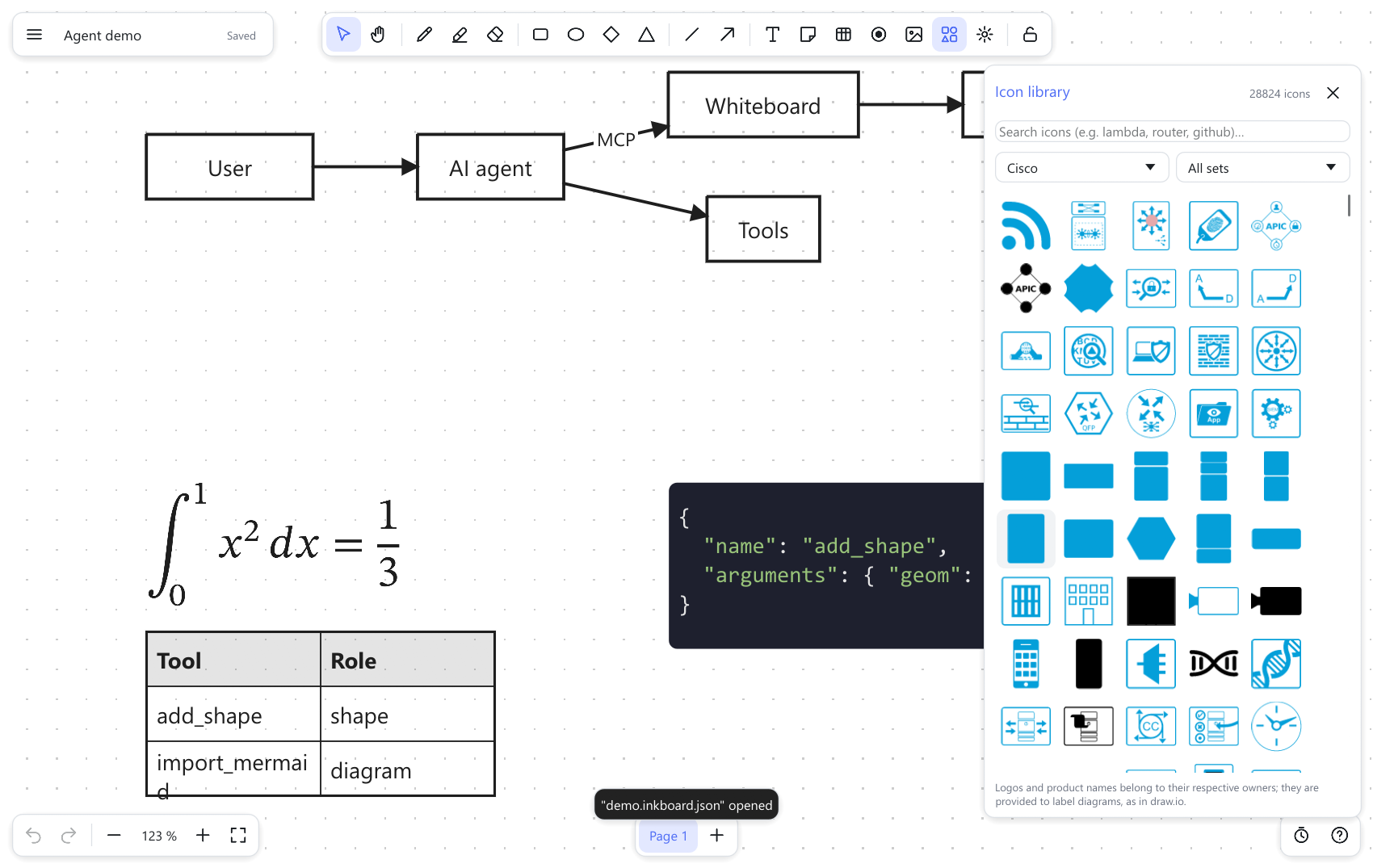
Icon library: about 28,800 icons and shapes, offline — AWS, Azure, Google Cloud, Cisco, IBM, Kubernetes, flowchart / BPMN / UML-style shapes, electrical and process symbols, mockup widgets, 3,400 brand logos and 14,500 general-purpose icons — searchable from the toolbar (details and licenses).
Formulas and code: LaTeX typeset with the STIX Two Math font (fractions, roots, sums, integrals, matrices…), editable by double-click; syntax-coloured code blocks with a language picker (Rust, JavaScript/TypeScript, Python, C/C++, C#, Java, Go, Shell, SQL, JSON, HTML, CSS, YAML).
Present: full-screen page-by-page mode (F5), countdown timer (bottom-right clock button), laser pointer (F).
Import / export:
Format Open Save / export Inkboard .inkboard✔ ✔ (atomic save + autosave) draw.io .drawio(compressed or not, multi-page)✔ ✔ Excalidraw .excalidraw✔ ✔ JSON Canvas .canvas(Obsidian)✔ ✔ Mermaid (flowchart, state, sequence, class, entity-relationship) ✔ – SVG, PNG, PDF (vector) – ✔ Customizable shortcuts (41 commands, several shortcuts per command, conflict handling) and a light/dark theme that follows the board background.
File extension: boards are saved as
.inkboard(a JSON file; the installer makes a double-click open it). Boards saved by earlier builds as.inkboard.json(and the prototype's.tableau.json) still open, and are saved back under their own name.Command line:
ink convert diagram.mmd diagram.drawio,ink convert board.inkboard board.png,ink info file.drawio.
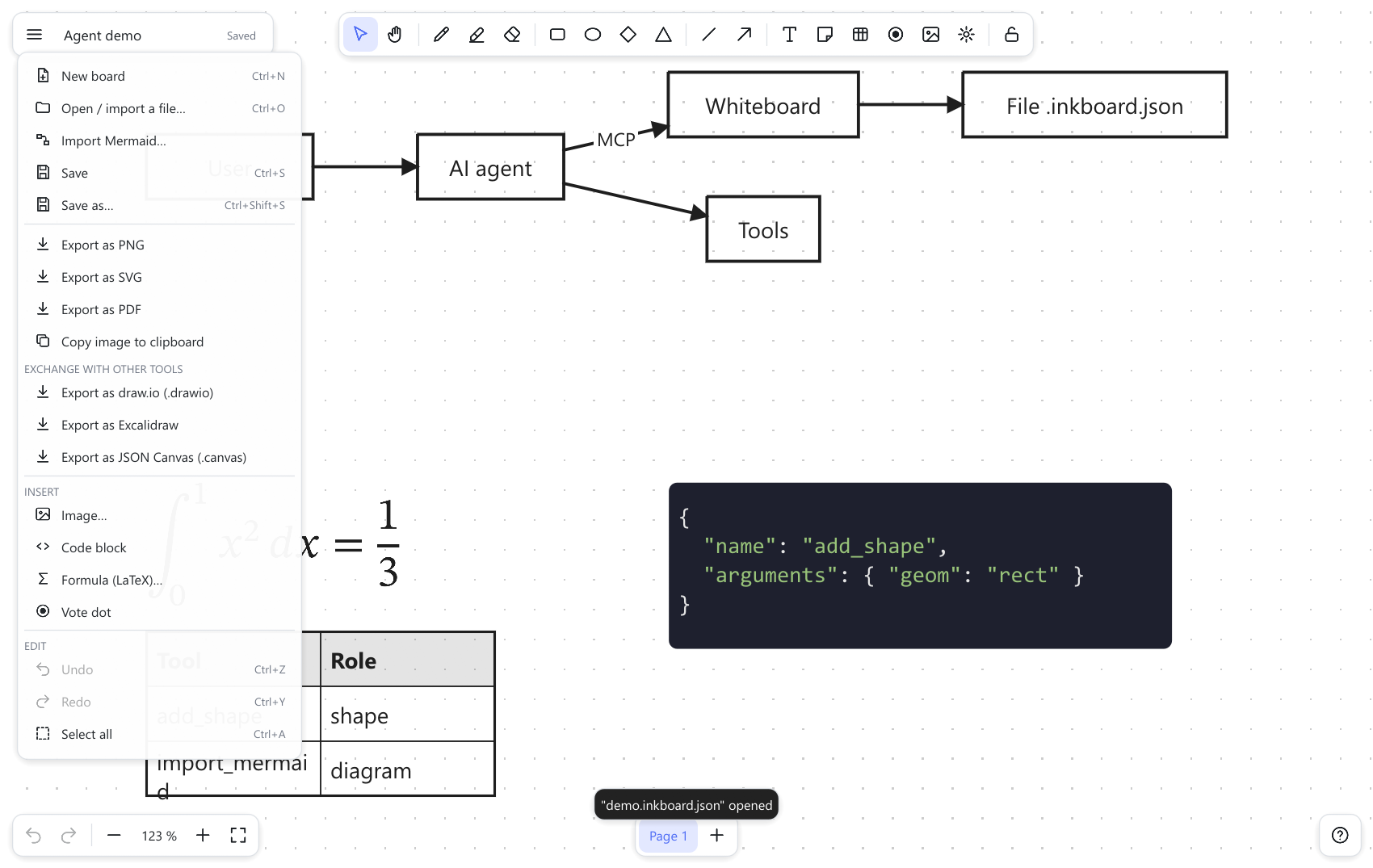
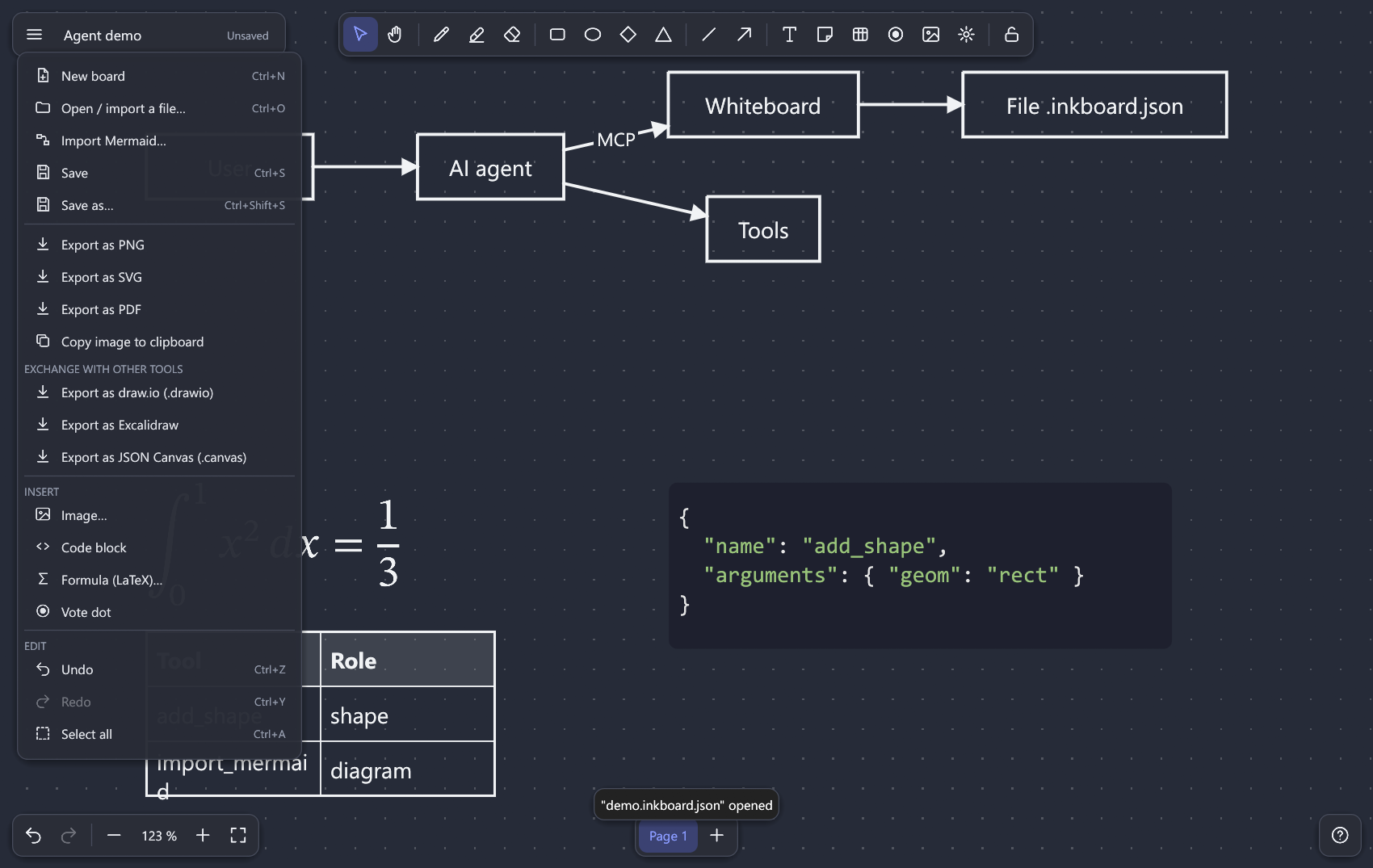
| Main menu | Dark theme |
|---|---|
 |
 |
Live sharing
Beta. Live sharing is new: it has been exercised by automated tests (including simulated crowds of up to 100 guests and hostile inputs) and by hand on a few devices and networks, but not yet widely.
Click Share in the bottom-right corner to get a link; people who open it edit the same board live.
- No server to install. Your computer hosts the session; nothing runs anywhere else, and nothing connects until you start sharing.
- Join from the app or from a web page. A guest with the Inkboard app pastes the link; a guest with only a browser opens the web link (button Copy web link): nothing to install, no account. The web page is a static page, victorletirand.github.io/inkboard (Chrome, Edge and Firefox are tested; Safari and iOS are not). It only joins sessions, it cannot host one.
- Names and live cursors for the host, every guest and the AI agent (its cursor and what it is doing are shown to everyone).
- You stay in control. You approve each person, with an edit link or a read-only link; new links cut off the old ones; you can rename, restrict or remove anyone. Default cap: 10 participants (designed for 20, load-tested with 100 simulated ones).
- Private by design. End-to-end encrypted: the relay that helps two computers find each other only sees encrypted bytes. A guest can undo only their own edits.
- Works across networks. Connections are direct when possible and go through a relay otherwise (a public one by default, you can run your own). Tried on Wi-Fi, on 5G and between Windows and Linux; it survives network cuts of a minute and reconnects on its own.
- Honest limits. Some company networks (TLS-inspecting gateways) block the public relay: the app then says so and offers a Copy the diagnostic button to hand to your IT department. Very large boards (20,000 objects and more) take a few seconds to reach a new guest; 100 guests work but are not a normal use. See how to share and join · the web page · host your own relay.
Use it with AI agents (MCP)
inkboard-mcp is a Model Context Protocol server: an agent can create shapes, bound connectors, tables, code blocks, formulas, images and whole Mermaid diagrams, lay them out automatically, and export.
With Inkboard open, the agent edits the board you are looking at — each call is one undo step, it can see what you have selected, and it can ask what you changed since it last looked.
With Inkboard closed, it edits the .inkboard file and the app reloads it automatically.
With Claude Code:
claude mcp add inkboard -- /path/to/inkboard-mcp --root /path/to/your/boards
Always pass --root: it confines every file the agent can read or write to that folder. The server exposes 27 tools (add_shape, add_connector, import_mermaid, add_icon (28,800 icons), render (the board as an image), batch, export, board_changes…) and MCP resources with change notifications.
Full reference, security notes and limits: docs/MCP.md.
Platform status
| Windows | Linux | macOS | |
|---|---|---|---|
| Builds and passes the automated tests (CI) | ✔ | ✔ | ✔ |
| Web guest page (browser, nothing to install) | Chrome, Edge, Firefox tested | not tried | not tried (Safari not tested) |
| App launched and used by hand | ✔ | not yet | not yet |
| Installers | built and tested | built in CI, untested | built in CI, untested |
| Pen eraser end (Windows Pointer API) | ✔ implemented, not yet validated on real pen hardware | – | – |
Pen pressure and the eraser end are implemented and covered by tests but have never been tried with a real pen: run inkboard --pen-test for a diagnostic report (how).
Performance
Measured on the release build with a synthetic board (60 % labelled shapes, 25 % strokes, 15 % bound connectors), continuous zoom and pan:
| Objects | Frame time (fit-to-screen) | Frame time (100 % zoom) |
|---|---|---|
| 2 000 | 0.8 ms | 0.3 ms |
| 20 000 | 3.3 ms | 0.3 ms |
| 100 000 | 4.5 ms | 0.3 ms |
Reproduce with ink bench 100000 big.inkboard && inkboard --bench big.inkboard.
Project layout
| Crate | Role |
|---|---|
inkboard-core |
The engine: document model, geometry, bound connectors, history, SVG export, auto-layout. No UI dependency. |
inkboard-formats |
draw.io, Excalidraw, JSON Canvas, Mermaid, PNG/PDF, LaTeX typesetting. |
inkboard-app |
The desktop app (egui), also built for the web (guest page). |
inkboard-session |
Live sharing: protocol, end-to-end encryption, host sequencer, guest client, network simulator. |
inkboard-net |
Network transport of sessions (QUIC with relay fallback, native and browser) and relay diagnostics. |
inkboard-fonts |
The fonts built into the app (identical text layout on every platform and in the browser). |
inkboard-crowd |
Load-testing tool: a real host and simulated guests. |
inkboard-cli |
The ink command-line converter. |
inkboard-mcp |
The MCP server. |
inkboard-pen |
Pen eraser detection on Windows (the only crate with unsafe code). |
More: architecture and design decisions · roadmap · distribution and signing (French copies in docs/fr/).
The original web prototype is kept in prototype-web/; its .tableau.json boards can be opened in Inkboard.
Roadmap
Planned or wanted next:
- More interface languages — English and French are built in; adding one means adding a translation table (see
crates/inkboard-app/src/i18n_fr.rs). - Code-signed installers (Windows via SignPath, macOS notarization) and automatic updates.
- Validation of pen pressure and eraser on real hardware; pen eraser support on macOS/Linux.
- First real-world usage on Linux and macOS, and fixes that come out of it.
- Real LaTeX beyond what the typesetting library supports; per-language code highlighting.
Have an idea or found a bug? Open an issue — see also CONTRIBUTING.md.
License
Inkboard is free software and is dual-licensed: you may use it under either of the two licenses below. You choose one; you do not have to follow both.
| MIT | Apache-2.0 | |
|---|---|---|
| Use it, including in a commercial product | ✔ | ✔ |
| Modify it and redistribute it | ✔ | ✔ |
| Keep the copyright and license notice | ✔ | ✔ |
| Explicit patent license from the contributors | – | ✔ |
| Length of the text | very short | longer |
Which one should I pick? Either is fine. MIT is the shortest and simplest; Apache-2.0 adds the explicit patent grant. This table is a plain-language summary, not legal advice: the two license files are the reference.
Third-party components keep their own (permissive) licenses: see THIRD_PARTY_LICENSES.md.
Unless you explicitly state otherwise, any contribution intentionally submitted for inclusion in Inkboard shall be dual-licensed as above, without any additional terms or conditions.
Reviews (0)
Sign in to leave a review.
Leave a reviewNo results found