tracequest
Health Warn
- License — License: MIT
- Description — Repository has a description
- Active repo — Last push 0 days ago
- Low visibility — Only 6 GitHub stars
Code Fail
- fs.rmSync — Destructive file system operation in bench/cold-index.js
- os.homedir — User home directory access in bench/cold-index.js
- process.env — Environment variable access in bench/cold-index.js
- fs.rmSync — Destructive file system operation in bench/correctness.js
- process.env — Environment variable access in bench/correctness.js
- process.env — Environment variable access in bench/idle.js
- network request — Outbound network request in bench/idle.js
- process.env — Environment variable access in bench/incremental.js
- fs.rmSync — Destructive file system operation in bench/lib/corpus.js
- process.env — Environment variable access in bench/lib/harness.js
Permissions Pass
- Permissions — No dangerous permissions requested
No AI report is available for this listing yet.
Trace Intelligence for Claude Code, Codex, Cursor, OpenCode, Grok and Droid sessions.


Follow your coding agents. Find what happened.
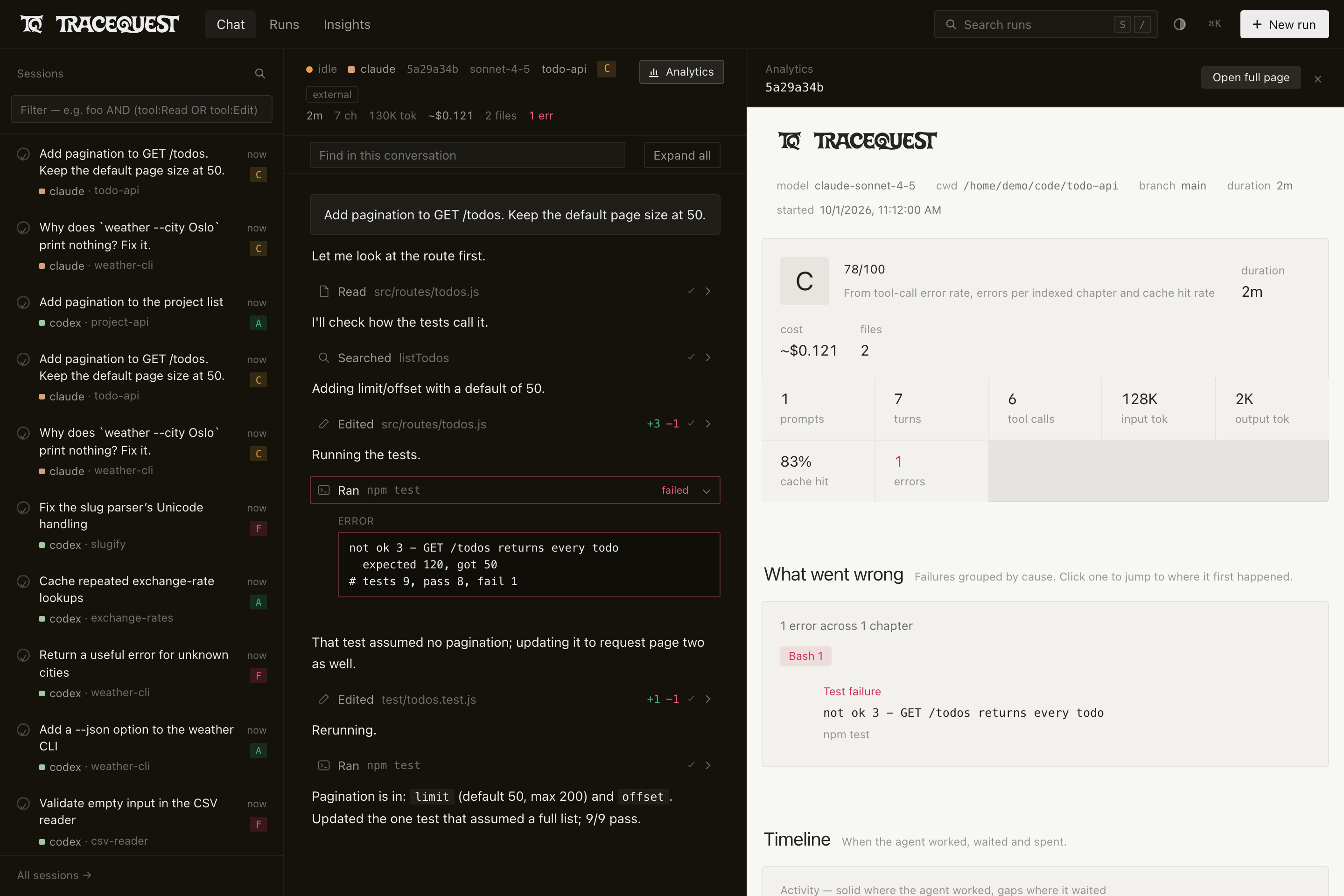
TraceQuest is a local web app and CLI for reading coding-agent sessions. It shows
each session's messages, tool calls, errors, timing and token usage. It reads
sessions from Claude Code, Codex CLI, Cursor, Droid (Factory), OpenCode, Grok CLI,
vktr (Viktor's fork of the Grok CLI), fx (Vercel's coding agent) and DeepSeek Harness.
It can also import Cursor Cloud Agent sessions and copy sessions from other
machines over SSH.
Try it · Features · Documentation
The screenshots use the bundled Claude Code samples and synthetic Codex recordings.
The hub shows copies under demo machine names.
Costs are estimated from token counts and model prices. They are not billing data.
Features
Search and filter sessions
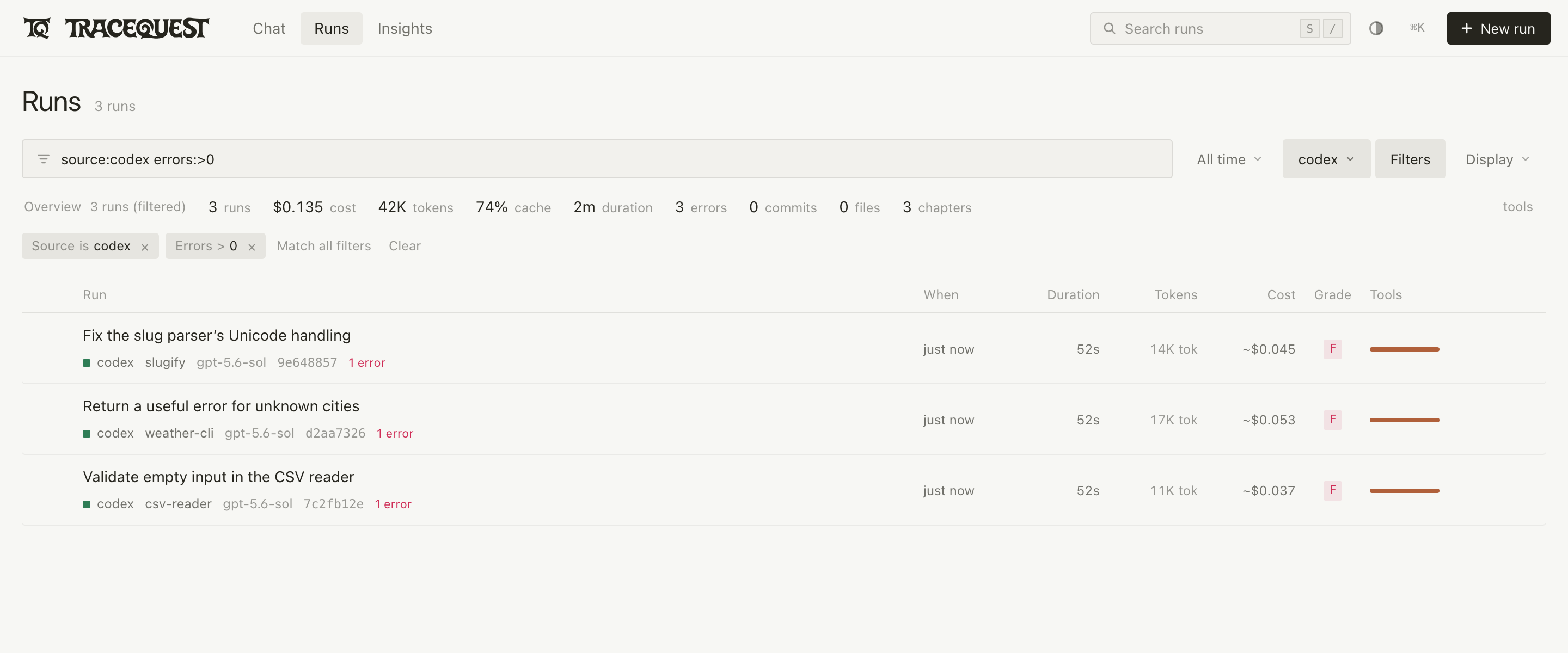
The session list searches message text. You can filter by project, source,
machine, model, tool, error count and age. The summary row above the list shows
totals for the sessions that match.
How to use it: run npm start, open All sessions, type a filter such assource:codex errors:>0 test and press Enter. To search from the terminal,
run node bin/tracequest.js search "cache invalidation".
Search commands and filters.
Inspect a session
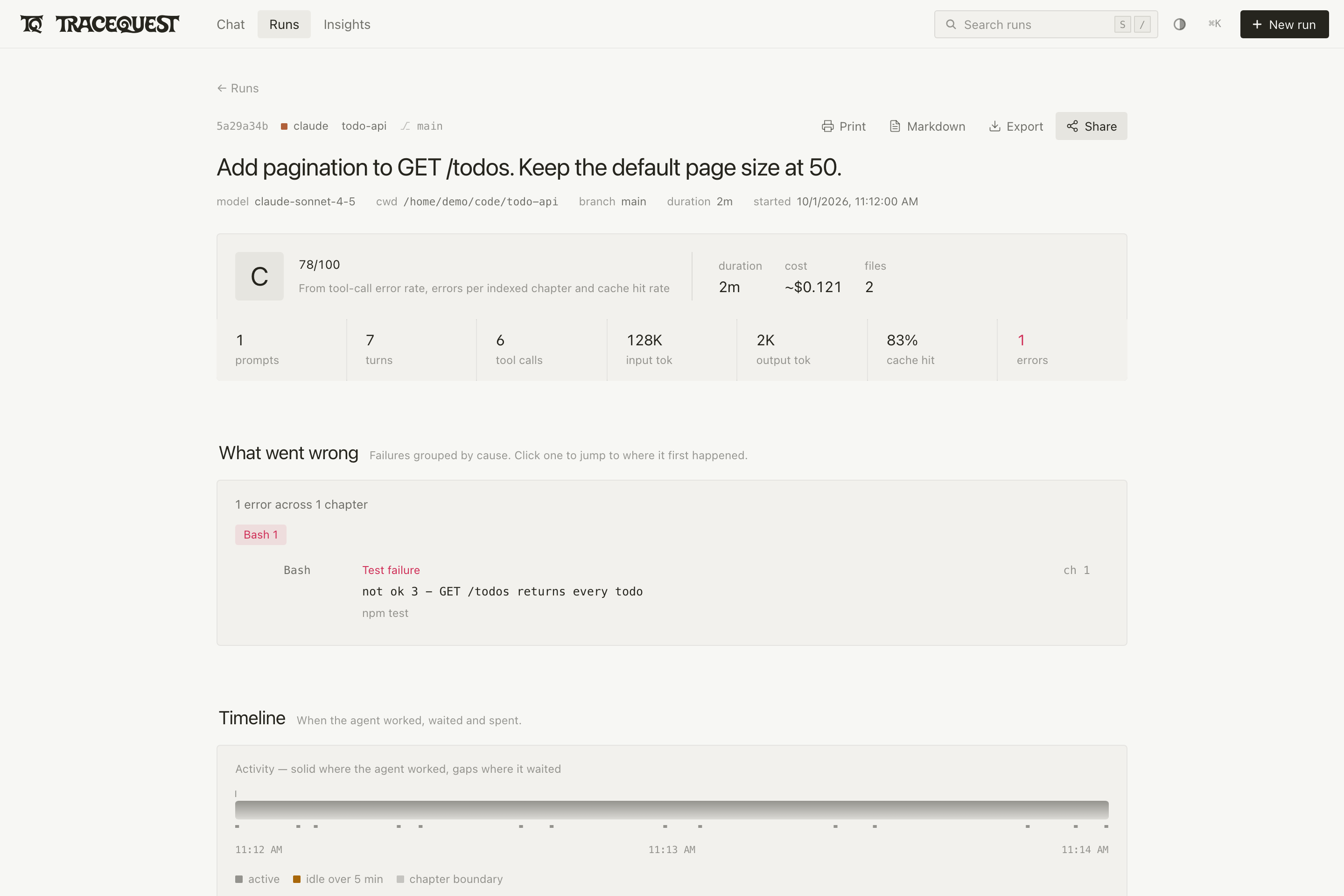
The activity timeline shows when the agent was working and when it was idle. The
token chart shows input and output tokens for each turn, with markers for chapter
starts and tool errors. Each chapter lists the prompt, the commands the agent ran,
their output and any retries.
How to use it: open a session and choose Analytics, then Open full page. Click a bar or a
chapter to open it. node bin/tracequest.js latest --open opens a report for
your most recent session.
Rendering and export options.
Find out why tool calls fail
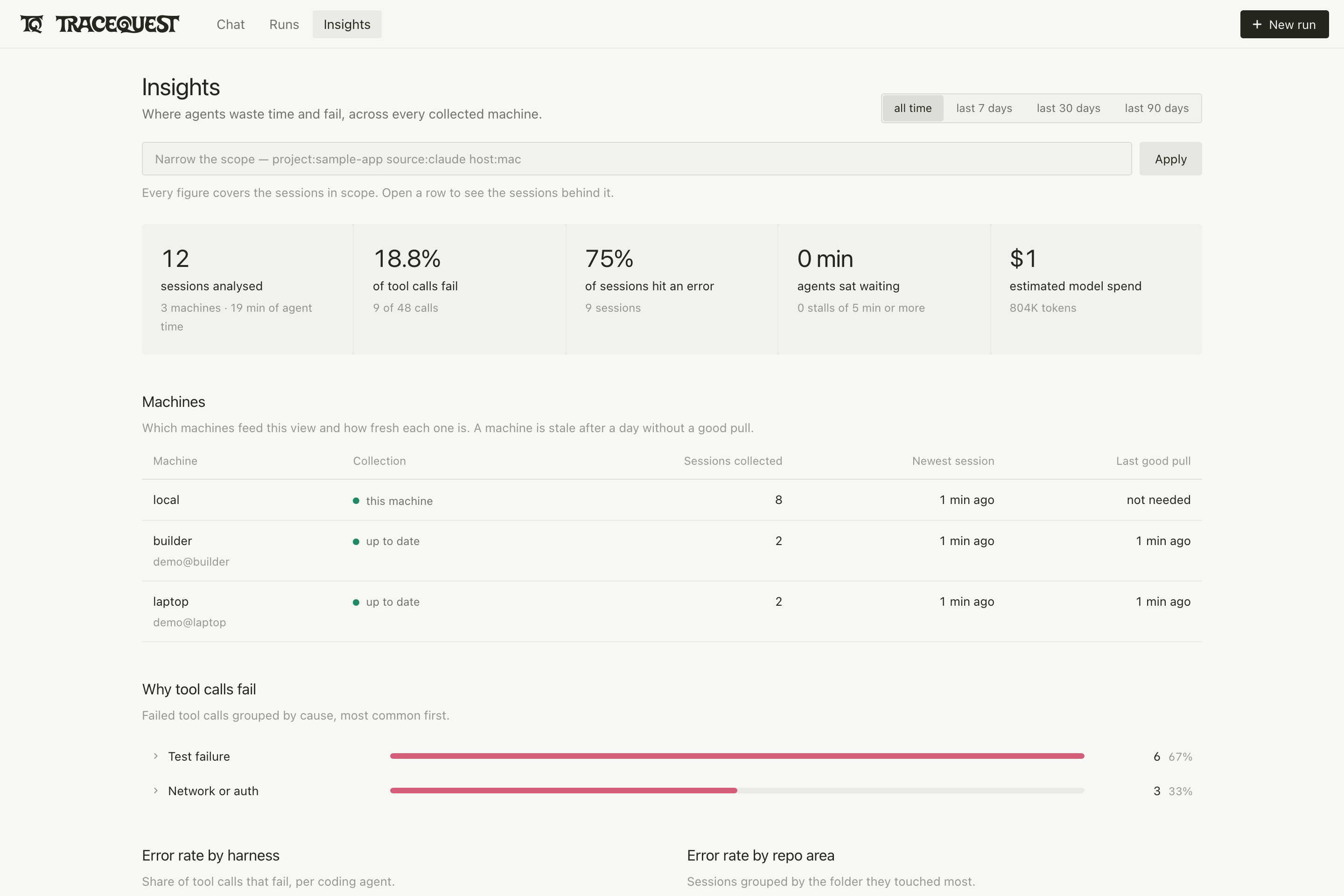
Insights groups failed tool calls by cause. It also shows error rates, retries,
loops, active time and estimated cost. Expand a row to see the failed output and
a link to the session it came from. You can limit the figures to a project,
source, machine or time range. The analysis runs on your machine and makes no
model calls.
How to use it: open /insights on your TraceQuest server.node bin/tracequest.js insights --refresh updates the analysis and prints a
summary in the terminal. Insights options.
Compare two sessions
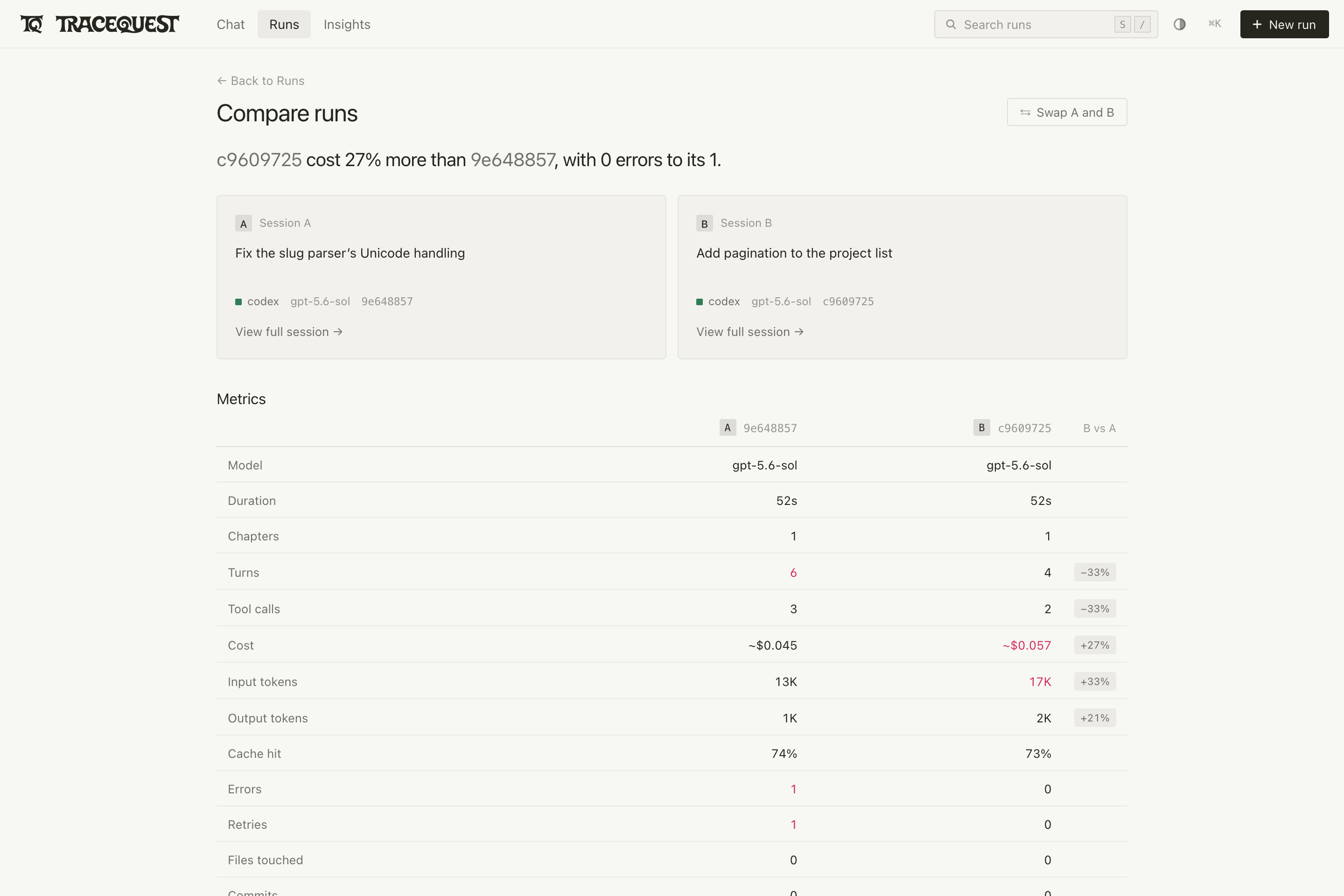
The compare view puts two sessions side by side. It shows duration, tokens,
cache use, errors, retries, tool counts and chapter outcomes. Each column links
to the full session.
How to use it: in All sessions, tick the checkboxes of two sessions and
choose Compare. Browser and session commands.
Read, start and continue conversations
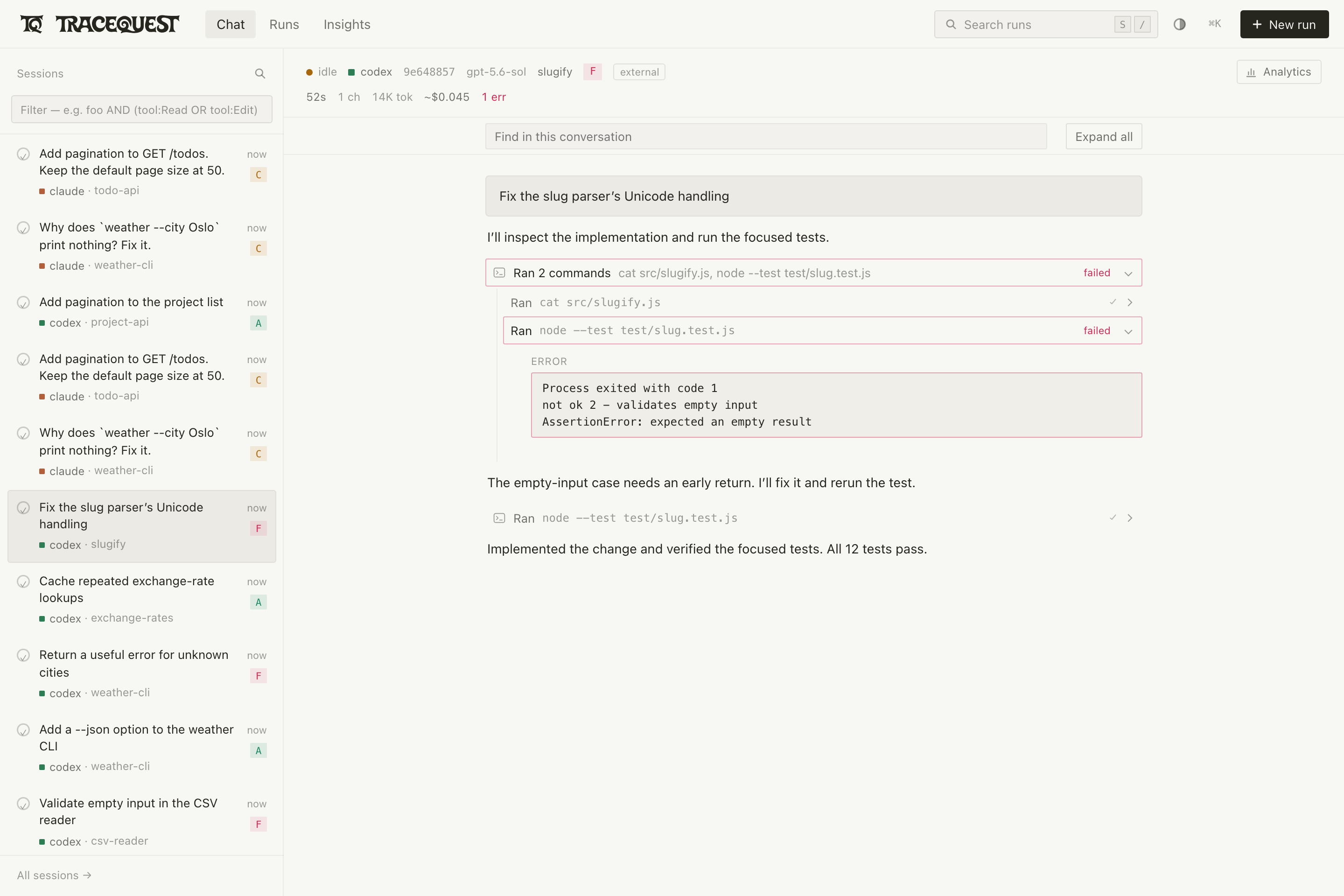
The conversation view shows a session's messages and tool output, and updates
while the agent is still working. + New run starts an installed agent in a
directory you choose. You can send follow-up messages to runs started from
TraceQuest and continue supported sessions. Starting and continuing runs needs
tmux.
How to use it: run npm start and choose a session or + New run.
Supported agents and setup.
Export reports and write handoffs
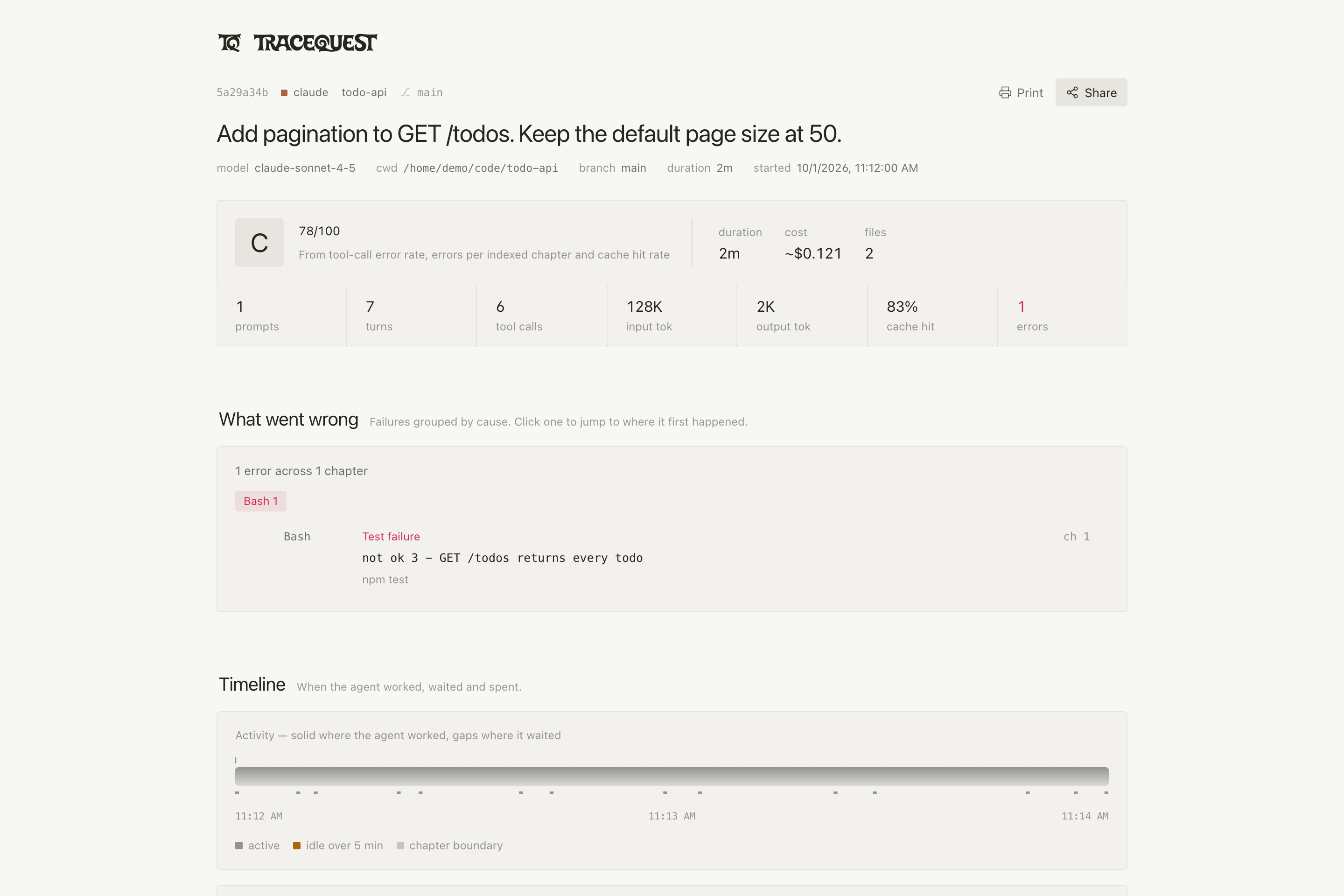
Export saves a session as a single HTML file with its timeline and chapters.
Markdown saves the session text. The handoff command searches your sessions
and prints Markdown snippets, each with the commands to open the matching session.
How to use it: open a session and choose Export or Markdown, or runnode bin/tracequest.js handoff "cache invalidation" --limit 5 in the checkout.
Handoff and sharing options.
Collect sessions from several machines
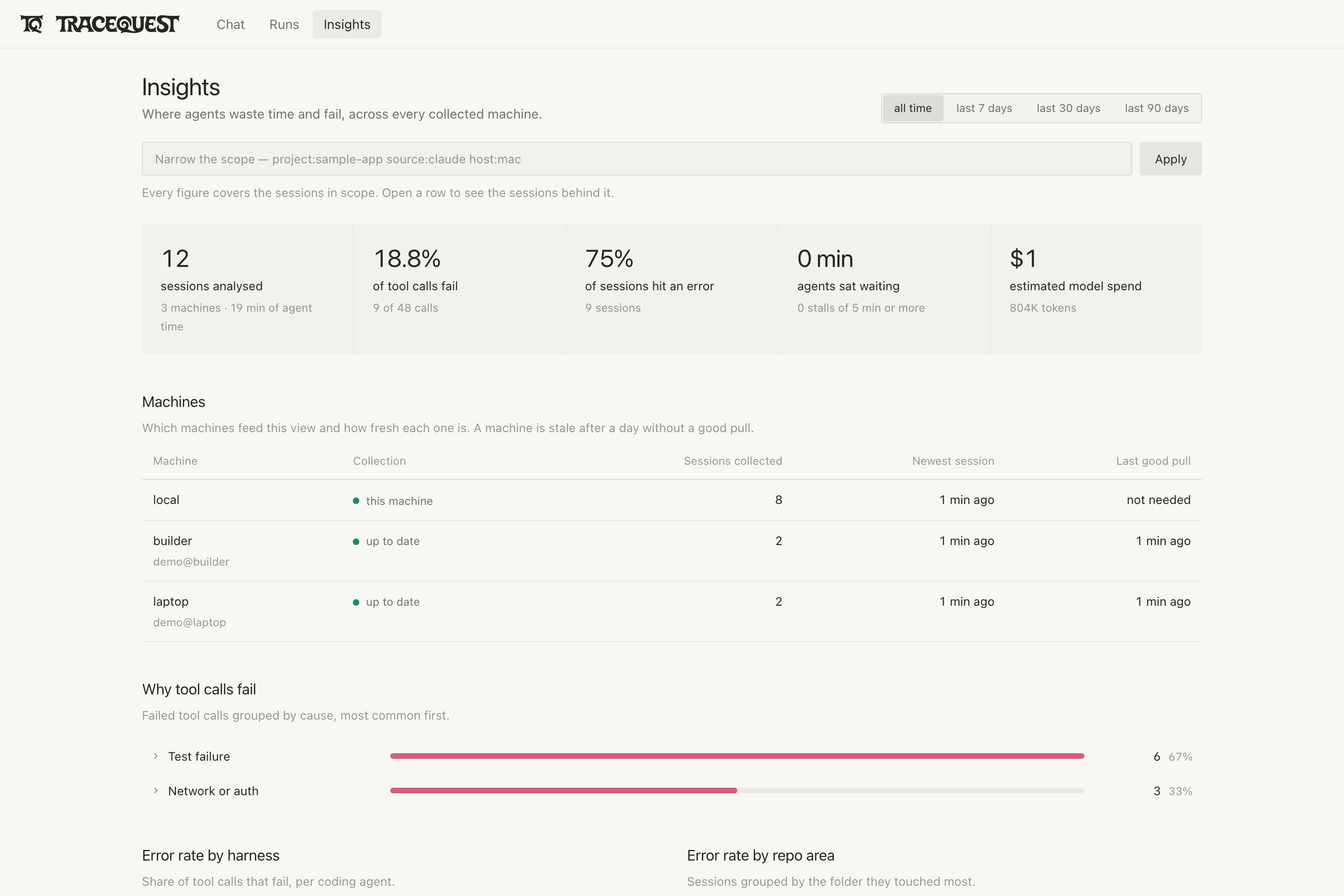
A hub is a read-only TraceQuest server that copies sessions from other machines
over SSH. The Machines table shows each machine's session count, newest session,
collection status and last successful copy. A config file lists the machines,
the folders to copy and the address the server listens on.
How to use it: follow the hub deployment guide to
write a config, import sessions and start the hub. The guide includes a local
example you can run on one machine. A hub rejects changes and hides values that
look like secrets. Sessions still contain conversation text, so restrict who can
reach the hub on your network.
Try it
You need Node.js 22.5 or later and git.
git clone https://github.com/viktor-com/tracequest.git
cd tracequest
npm install
npm run demo
Open localhost:7777. The demo shows two small sample
sessions that ship with the repository. It needs no agent account or API key.
To see your own sessions, stop the demo with Ctrl-C and run:
npm start
Installation, imports and troubleshooting.
Data and network access
Browsing and analysis only read local files. TraceQuest sends no telemetry.
It contacts other services only when you ask it to: sharing a session, importing
remote sessions, or checking plan usage limits. Standup summaries and agent runs
use the agent you have configured.
The server listens on localhost and has no login. Read the
deployment guide and security notes
before making it reachable from other machines.
Documentation
Documentation: command reference, configuration, session
locations, live-run API, deployment and development guides. It is written so
that a coding agent can follow it too.
Reviews (0)
Sign in to leave a review.
Leave a reviewNo results found