codex-desktop-pet
Health Warn
- License — License: MIT
- Description — Repository has a description
- Active repo — Last push 0 days ago
- Low visibility — Only 5 GitHub stars
Code Fail
- process.env — Environment variable access in .github/workflows/release.yml
- fs module — File system access in backend/codex-account-watch.js
- os.homedir — User home directory access in backend/codex-cli-resolver.js
- process.env — Environment variable access in backend/codex-cli-resolver.js
- fs module — File system access in backend/codex-cli-resolver.js
- fs module — File system access in backend/codex-history-recover.js
- os.homedir — User home directory access in backend/codex-metering.js
- fs module — File system access in backend/codex-metering.js
Permissions Pass
- Permissions — No dangerous permissions requested
No AI report is available for this listing yet.
AgentPaw · AI 桌伴 — Free Windows AI desktop pet for Codex & Claude Code. Custom GIF characters, task notifications, Codex quota & token usage. 多角色桌宠、自定义 GIF、任务提醒、额度监控;支持 TRAE、WorkBuddy、opencode、ZCode。

AgentPaw — AI Desktop Companion
A customizable Windows AI desktop pet, coding agent companion, and usage monitor for Codex and Claude Code.
Codex task notifications, subscription quota monitoring, token usage, and water and stretch reminders.
Supports Codex, Claude Code, WorkBuddy, and opencode.
English · 简体中文 · 繁體中文 · Français
Download for Windows · 1.9.9 release notes · User guide (中文)




[!IMPORTANT]
AgentPaw currently supports Windows x64 only. macOS, Linux, and Windows on ARM are not supported. Project introductions are available in Simplified Chinese, Traditional Chinese, English, and French; the application UI supports English, Simplified Chinese and Traditional Chinese, with English as the default. The Windows binaries are not commercially code-signed yet, so SmartScreen may display a warning on first launch.
AgentPaw is an independent open-source project, not affiliated with OpenAI or Anthropic. It combines a Codex desktop pet, Claude Code companion, task notifications, and an agent usage monitor. The executable is AgentPaw.exe; data lives in ~/.agentpaw/. First launch copies settings, characters, and history from earlier versions while keeping the original data as a recovery backup.
What it does
Free and non-profit, built for personal desktop companionship, learning, and sharing. No paid character packs or paid downloads. Third-party artwork is separate from the MIT-licensed code; see creator accounts, credits, and artwork terms.
Keep Codex progress, 5h / 7d subscription quota, and token usage on your desktop, alongside sessions from your other AI coding tools. AgentPaw asks for attention when a task needs you and celebrates completed turns. Water, stretch, and eye-rest reminders follow your time at the computer even when no AI task is running, in both character and compact capsule modes.
- One companion, four agents — Codex, Claude Code, WorkBuddy, and opencode.
- Multiple characters and custom GIF pets — switch characters, create one from an idle GIF, or import an entire state pack. Each character keeps independent edits and reset defaults.
- Status at a glance — working, thinking, parallel tasks, compaction, permission waits, user input, completion, errors, breaks, and sleep; background tasks and scheduled wakeups stay active until they actually clear.
- Custom expressions — browse every state GIF, add rotating variants, replace or remove a selected item, or restore defaults.
- Native permission cards — allow, deny, or permanently allow supported Claude Code requests from the pet.
- Calmer task notifications — choose Standard or Needs attention only, combine completion notices, defer transient failures, and mute an agent or project while keeping permission cards available.
- Recent events and session preferences — review recent activity in the action center, label or follow sessions, return to a task, and optionally set global shortcuts. Shortcuts are disabled by default.
- Unified usage view — tokens, cache ratios and reads/writes, context windows, models, and reference costs, with tool/date filters, a 90-day activity heatmap, and lifetime totals.
- Check Codex quota without opening Codex — startup automatically discovers the native Codex Desktop CLI. The tray uses the independent AgentPaw brand icon; right-click the AgentPaw tray icon to see the masked current account, 5h / 7d remaining quota, reset times, and the last update. Missing windows stay
--, with no manual setup required. - Integration health and repair — verify all four agents, then repair or remove AgentPaw-managed integrations from Settings.
- One-click privacy mode — right-click the companion to toggle the compact ON/OFF control, or use Settings, while keeping essential state and usage visible.
- Local-first operation — conversations and usage stay on the machine; models.dev supplies public pricing while Codex authenticates and reads its own subscription quota.
- Desktop-friendly controls — drag, edge snapping, work peek, action center, system tray, auto-start, and scheduled break animations.
- Reminders for your workday — water, stretch, and eye-rest reminders run independently of AI activity in both character and capsule modes. Set each interval and snooze duration, turn reminders on or off individually or together, or skip a reminder for today.
- Fullscreen and temporary quiet — hide automatically during fullscreen use and restore afterward, or stay quiet for 15 / 30 / 60 minutes or a custom duration. Both modes share the existing window-hiding behavior while monitoring continues in the background. A manually hidden companion stays hidden until you explicitly show it.
Real state examples
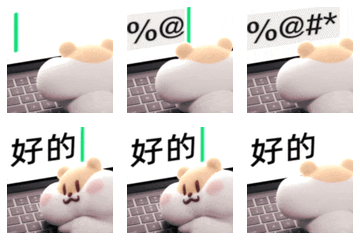
Built-in characters include Salary Cat, Milk Tea Mouse (BOBARAT), Mimi Bee (小蜜蜂蜜蜜), and Line Dog (线条小狗 / Maltese). Milk Tea Mouse was created by Achi (阿翅); the official account is 奶茶鼠的想法. See full attribution. Mimi Bee was created by 花栗鼠发发, formerly known as 花栗鼠 Toby; see creator credits and sources. Custom character packs use the same task states.
Milk Tea Mouse includes 83 built-in GIFs across 16 states, including dedicated sleep, doze, and yawn animations. Each state remains independently editable.
Line Dog includes 58 animations selected from WeChat sticker packs 1–4. Created by Moonlab Studio (moonlab_studio); the official Chinese account is 线条小狗Maltese. See creator credits and artwork notes.
| Salary Cat · Working | Milk Tea Mouse · Working | Mimi Bee · Greeting | Line Dog · Working |
|---|---|---|---|
 |
 |
 |
 |
Working A tool is running |
 Thinking The model is reasoning |
 Parallel Several tasks are active |
 Permission Your decision is required |
 Completed A turn has finished |
 Error A session needs attention |
 Between tools Waiting for the next event |
 Resting No active task |
Third-party characters are not covered by the code's MIT License. See cat artwork attribution, milk tea mouse artwork notes, Mimi Bee artwork notes, and Line Dog artwork notes. The application icon is independent of character artwork.
Custom state expressions
Open Settings → Characters & expressions, choose a character, and browse every work, feedback, and ambient state. You can also create a custom pet or import a character pack. For the selected state you can:
- keep the current expressions and add a rotating variant;
- select any built-in or custom GIF in the playlist and replace or remove only that item; built-in files and imported source files are never deleted;
- keep at least one GIF per state, or restore all of the state's built-in defaults at once.
Imports are fitted to AgentPaw's 120 × 120 pet canvas. Transparent backgrounds are preserved, while a detached solid-color border is removed when it can be detected safely. Complex backgrounds are kept to avoid damaging the subject, with a warning shown in Settings. Limits are 12 MB, 2048 × 2048, 180 frames, and 60 seconds per GIF; each state accepts up to 20 custom expressions.
AgentPaw stores only a processed copy under ~/.agentpaw/pet-assets for the current user. It never changes or deletes the source file, and saved expressions update the visible pet immediately without a restart. Users are responsible for the rights to assets they import.
Support matrix
| Agent | Integration | External configuration | In-pet approval |
|---|---|---|---|
| Codex | Incremental local rollout JSONL reader; official App Server quota notifications | Does not modify Codex configuration or read credential files | Read-only alerts |
| Claude Code | Lifecycle hooks, transcript, and process data | Merge-safe AgentPaw hook install/uninstall | Supported |
| WorkBuddy | Hooks, transcripts, and usage fields | Installs a merge-safe hook only when WorkBuddy is detected | Read-only alerts |
| opencode | Official plugin mechanism, events, and usage file | Installs/removes one standalone plugin file | Read-only alerts |
On first launch, AgentPaw only integrates with tools already used by the current Windows account. It does not create configuration folders for undetected agents. Codex is always read-only and requires no hook.
Install and run
Release builds
Download the installer from the latest release:
AgentPaw-<version>-Windows-x64.exe— the only supported Windows x64 NSIS installer.
Starting with 1.7.0, releases do not offer source/npm deployment or a portable ZIP. Install the EXE before use; do not run the app directly from an archive or source checkout.
Development and contribution
Source startup, testing, and local packaging commands are for developers and contributors only; see the local development and packaging guide.
Data and privacy
- Configuration, runtime tokens, pricing cache, and usage ledgers live in
~/.agentpaw/. - Session data from Claude Code, Codex, WorkBuddy, and opencode is read and processed locally.
- The local HTTP service binds to loopback only, and write endpoints require a fresh per-run token.
- models.dev synchronization downloads a public price list only; transcripts, rollouts, permission contents, and usage statistics are not uploaded.
- Codex quota uses one long-lived
codex app-server --stdioconnection. AgentPaw confirms the current account withaccount/readbefore reading quota and listening for updates. Codex owns authentication and upstream requests; AgentPaw does not read the contents of~/.codex/auth.jsonor call ChatGPT web endpoints. With file auth, replacingauth.jsontriggers an immediate reconnect. Keyring, auto, and ephemeral auth have no watchable file-event contract, so account changes converge through App Server account notifications, periodicaccount/read, and scheduled connection recycling. The UI therefore represents the account visible to AgentPaw's own App Server connection; it does not promise that a non-file auth switch in another process is detected immediately by the file watcher. - Privacy mode from the cat menu or Settings masks on-screen details only; local monitoring and usage accounting continue, and pending items return when it is disabled.
- Displayed cost is an estimate based on public API prices, not a subscription bill or a provider’s final invoice.
See Privacy and data boundaries for the complete bilingual policy.
How it works
Claude hooks ─────┐
Codex rollouts ───┼──> local server / watchers ──> adapter / core ──> pet + details panel
Codex logs ───────┤                                      └────────> unified usage ledger
WorkBuddy ────────┤
opencode plugin ──┤
Codex App Server ─────> tray context menu (5h / 7d) + low-quota bubble
The main process owns watcher lifecycles, the tray, and windows. The backend state machine aggregates concurrent sessions. Renderers only receive a reduced status and event protocol. State vocabulary and priority are defined once in shared/states.js.
Documentation
- Chinese user guide
- Chinese local deployment and packaging guide
- Release process and compatibility policy
- State machine and rendering specification
- Privacy and data boundaries — bilingual
- Contributing guide — bilingual
- Security policy — bilingual
Origin and licensing
AgentPaw is derived from LLMPET, with substantial work on Windows desktop behavior, multi-agent integrations, unified usage reporting, settings, and project structure.
- Source code is released under the MIT License.
- The root license retains the upstream
Copyright (c) 2026 myunwangnotice. - AgentPaw modifications remain copyright of their respective contributors.
- Third-party character GIFs and derived avatars remain the property of their respective owners and are not covered by the code's MIT License. Original attribution is retained in the asset directories.
Contributing
Bug reports, Windows compatibility improvements, and new agent integrations are welcome. Read CONTRIBUTING.md before submitting changes. Report vulnerabilities privately as described in SECURITY.md.
Reviews (0)
Sign in to leave a review.
Leave a reviewNo results found