easyeda_mcp
Health Pass
- License — License: MIT
- Description — Repository has a description
- Active repo — Last push 0 days ago
- Community trust — 38 GitHub stars
Code Warn
- fs module — File system access in .github/workflows/release.yml
Permissions Pass
- Permissions — No dangerous permissions requested
No AI report is available for this listing yet.
Turn EasyEDA Pro into an AI-native EDA suite. Bridge LLMs and AI agents to schematics, PCB layout, DRC/ERC rules, component libraries, and manufacturing exports via Model Context Protocol (MCP).
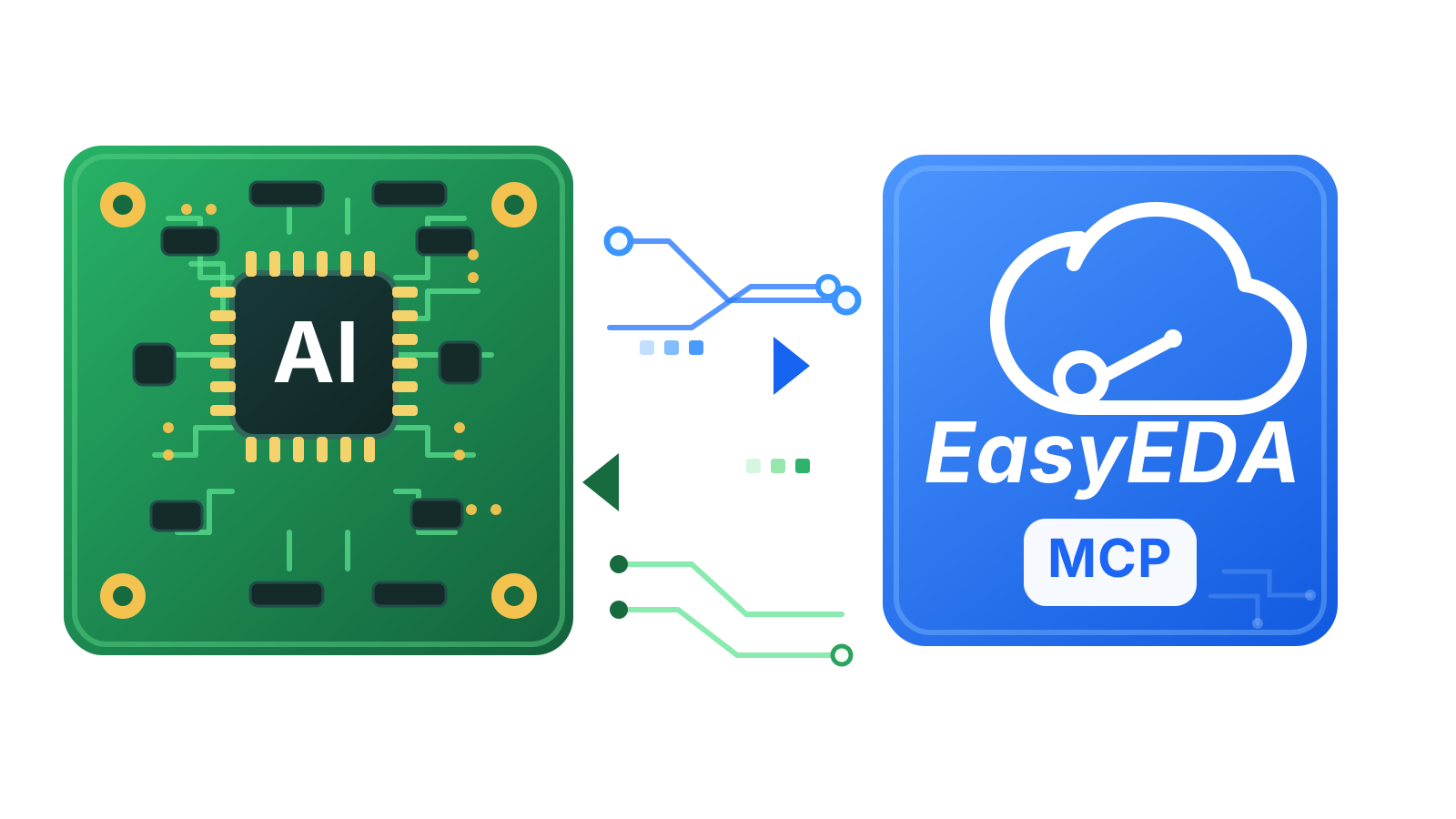
EasyEDA Pro MCP
Connect Claude, Codex, Cursor, VS Code, Antigravity, and other Model Context Protocol (MCP) clients to the live EasyEDA Pro project already open on your machine.
Independent open-source MCP bridge for live schematic and PCB workflows in EasyEDA Pro.








Quick Start · AI Client Setup · Tools · Troubleshooting · Releases
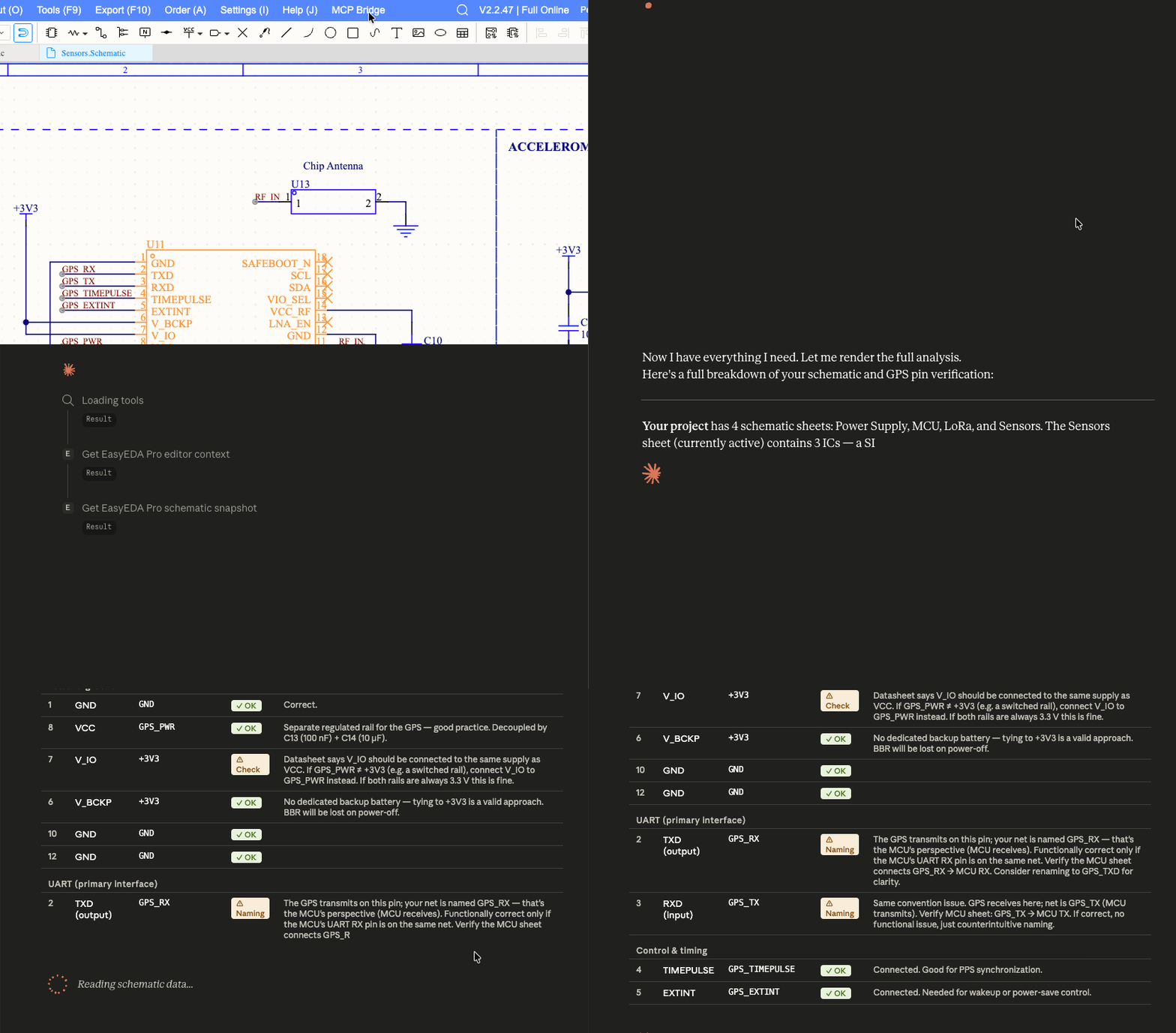
Key Features
- Live schematic & PCB introspection — Give AI agents structured access to your open EasyEDA Pro project without screenshots or manual exports.
- Circuit tracing & verification — Trace nets and component pins, find unconnected pins, and run programmatic assertions (pull-ups/downs, decoupling capacitors, USB-C
5.1kCC paths). - Native PCB DRC rule management — Read active design rules, saved profiles, and net/region tables, preview changes safely, and apply confirmed rule updates with readback verification.
- Editor navigation & fabrication exports — Focus components or regions directly in EasyEDA Pro and export BOM, Netlist, Gerber, and PDF files.
- Local & read-first by default — Runs locally over
stdioandws://127.0.0.1:8765. Inspection is read-only; mutating actions require explicit human confirmation.
Requirements
- Node.js
20or newer - EasyEDA Pro
2.3.0or newer - An MCP-compatible AI client (Claude Code, Codex, Claude Desktop, Cursor, VS Code, Antigravity, Windsurf, etc.)
Getting Started
EasyEDA Pro MCP has two local parts: the EasyEDA Pro Extension (.eext) inside the editor and the MCP Server (@vlabsoftware/easyeda-pro-mcp) launched by your AI client.
1. Automatic Setup (Fastest — No Git Clone)
Run one command in your terminal:
npx -y @vlabsoftware/easyeda-pro-mcp setup
This automatically detects and configures installed AI clients (Claude Desktop, Cursor, VS Code, Antigravity, Windsurf, Claude Code, Codex) with platform-safe commands and exports easyeda_mcp_bridge.eext to your ~/Downloads folder (or current directory).
git clone https://github.com/VLab-Software/easyeda_mcp.git
cd easyeda_mcp
npm install
npm run setup:local
npm run setup:clients   # Optional: points detected AI clients to this local build
This builds dist/index.js, build/dist/easyeda_mcp_bridge.eext, and build/dist/easyeda-pro-mcp.mcpb.
2. Install the EasyEDA Pro Extension
- In EasyEDA Pro, open Extensions Manager and import the exported
easyeda_mcp_bridge.eext(or downloadeasyeda_mcp_bridge.eextfrom Releases). - Enable Allow interactive with external for EasyEDA MCP Bridge.
- Open your schematic or PCB project (if needed, click MCP Bridge -> Reconnect in the top toolbar).
3. Or Add the MCP Server Manually / 1-Click
If you skipped npx -y @vlabsoftware/easyeda-pro-mcp setup, use a 1-click badge above or add the standard npx config below:
{
  "mcpServers": {
    "easyeda-pro": {
      "command": "npx",
      "args": ["-y", "@vlabsoftware/easyeda-pro-mcp"]
    }
  }
}
Claude CodeWindows JSON note: In GUI clients on Windows, use
"command": "cmd", "args": ["/c", "npx", "-y", "@vlabsoftware/easyeda-pro-mcp"]sonpx.cmdspawns cleanly.
Run in your terminal:
claude mcp add --scope user easyeda-pro -- npx -y @vlabsoftware/easyeda-pro-mcp
Run in your terminal:
codex mcp add easyeda-pro -- npx -y @vlabsoftware/easyeda-pro-mcp
- 1-Click Bundle: Download
easyeda-pro-mcp.mcpband double-click it to install in Claude Desktop. - Manual JSON: Or add the standard config above to
claude_desktop_config.json, then fully quit and reopen Claude Desktop:- macOS:
~/Library/Application Support/Claude/claude_desktop_config.json - Windows:
%APPDATA%\Claude\claude_desktop_config.json(use"command": "cmd", "args": ["/c", "npx", "-y", "@vlabsoftware/easyeda-pro-mcp"])
- macOS:
Click Install in Cursor, or add the standard config above to ~/.cursor/mcp.json (global) or .cursor/mcp.json (project) and refresh servers in Cursor Settings -> MCP.
Click Install in VS Code, or add to .vscode/mcp.json (or Command Palette -> MCP: Open User Configuration) and open Copilot Chat (Agent mode):
{
  "servers": {
    "easyeda-pro": {
      "type": "stdio",
      "command": "npx",
      "args": ["-y", "@vlabsoftware/easyeda-pro-mcp"]
    }
  }
}
- Antigravity: Run
npx -y @vlabsoftware/easyeda-pro-mcp setup --client antigravity(or add the standard config to~/.gemini/config/mcp_config.json), then click Refresh in Additional Options (...) -> MCP Servers. - Windsurf: Run
npx -y @vlabsoftware/easyeda-pro-mcp setup --client windsurf(or add the standard config to~/.codeium/windsurf/mcp_config.json), then refresh MCP servers in Cascade settings.
Your First Prompts
Verify that the bridge is connected and sees your open document:
Run easyeda_doctor and check whether the EasyEDA Pro bridge is healthy.
Once connected, try real hardware engineering workflows:
Inspect the open schematic with easyeda_schematic_snapshot and list any unconnected pins.
Verify USB1 with easyeda_verify_connections: check that CC1 and CC2 each have a 5.1k resistor to GND and VBUS is decoupled to GND.
Read the active PCB design rules with easyeda_get_drc_rules and summarize track width, via size, and clearance limits.
More examples: Practical Workflows
Available Tools (32)
| Category | Tools |
|---|---|
| Status & Context | easyeda_doctor · easyeda_live_status · easyeda_get_context · easyeda_get_selection |
| Schematic Inspection & Search | easyeda_schematic_snapshot · easyeda_list_schematic_components · easyeda_get_component_pins · easyeda_find_component · easyeda_find_net · easyeda_search_library |
| Circuit Tracing & Verification | easyeda_trace_net · easyeda_trace_component · easyeda_find_unconnected_pins · easyeda_validate_schematic_area · easyeda_verify_connections |
| PCB Layout & DRC Rules | easyeda_run_drc · easyeda_get_pcb_layers · easyeda_get_routing_status · easyeda_list_pcb_components · easyeda_highlight_net · easyeda_get_drc_rules · easyeda_prepare_drc_edit · easyeda_get_drc_edit_result |
| Navigation & Exports | easyeda_navigate_component · easyeda_navigate_region · easyeda_zoom_board · easyeda_export_cpl · easyeda_export_bom · easyeda_export_netlist · easyeda_export_gerber · easyeda_export_pdf |
| Confirmed Actions | easyeda_confirmed_action (save, importChanges, autoroute, autolayout, editDrcRules) |
Full parameter schemas and examples: Tools Reference · DRC Rule Editing
Documentation
| Guide | When to use |
|---|---|
| Quick Start | Shortest path from zero to a working bridge |
| AI Client Setup | Detailed setup for Claude Code, Codex, Claude Desktop, Cursor, VS Code, Antigravity & others |
| Practical Workflows | Copy-pasteable prompts for schematic review, circuit assertions, DRC, and exports |
| Upgrading & Compatibility | Server/Extension version matrix and 3-step upgrade checklist |
| Troubleshooting | Common fixes and bridge error code reference |
| Architecture & Safety Model | How the local WebSocket bridge and confirmation gates work |
| Changelog & Releases | Version history and prebuilt .eext / .mcpb downloads |
npm run setup:local          # Build MCP server, extension bundle, .eext, and .mcpb packages
npm run setup:clients        # Point detected AI clients to this local checkout (--local)
npm test                     # Run Vitest unit suite
npm run typecheck            # Typecheck MCP server
npm run typecheck:extension  # Typecheck EasyEDA Pro extension
npm run test:smoke:drc       # End-to-end stdio + WebSocket DRC smoke test
npm run docs:build           # Build VitePress documentation site
Security, Disclaimer & License
- Localhost & Live Session: Operates on the live project open in EasyEDA Pro over
127.0.0.1:8765(no offline.eproparsing or commercial/order automation). Do not expose the WebSocket port to untrusted networks — see SECURITY.md. - Non-Affiliation: Independent open-source project. Not affiliated with, endorsed by, or sponsored by EasyEDA, JLCPCB, or Shenzhen Jia Chuang Ban Technology Co., Ltd. EasyEDA and EasyEDA Pro are trademarks of their respective owners.
- Sponsorship & Support: If you find this project useful, consider supporting its development via GitHub Sponsors.
- Contact & License: [email protected] · Released under the MIT License.
Reviews (0)
Sign in to leave a review.
Leave a reviewNo results found