lumbergh
Health Pass
- License — License: MIT
- Description — Repository has a description
- Active repo — Last push 0 days ago
- Community trust — 16 GitHub stars
Code Fail
- rm -rf — Recursive force deletion command in .github/workflows/pages.yml
Permissions Pass
- Permissions — No dangerous permissions requested
No AI report is available for this listing yet.
Self-hosted web dashboard for supervising multiple Claude Code AI sessions in tmux. Live terminals, real-time git diffs, file browser, todo lists, prompt templates, and mobile PWA support. Micromanage your AI interns from any device.
Lumbergh
Micromanage your AI interns.
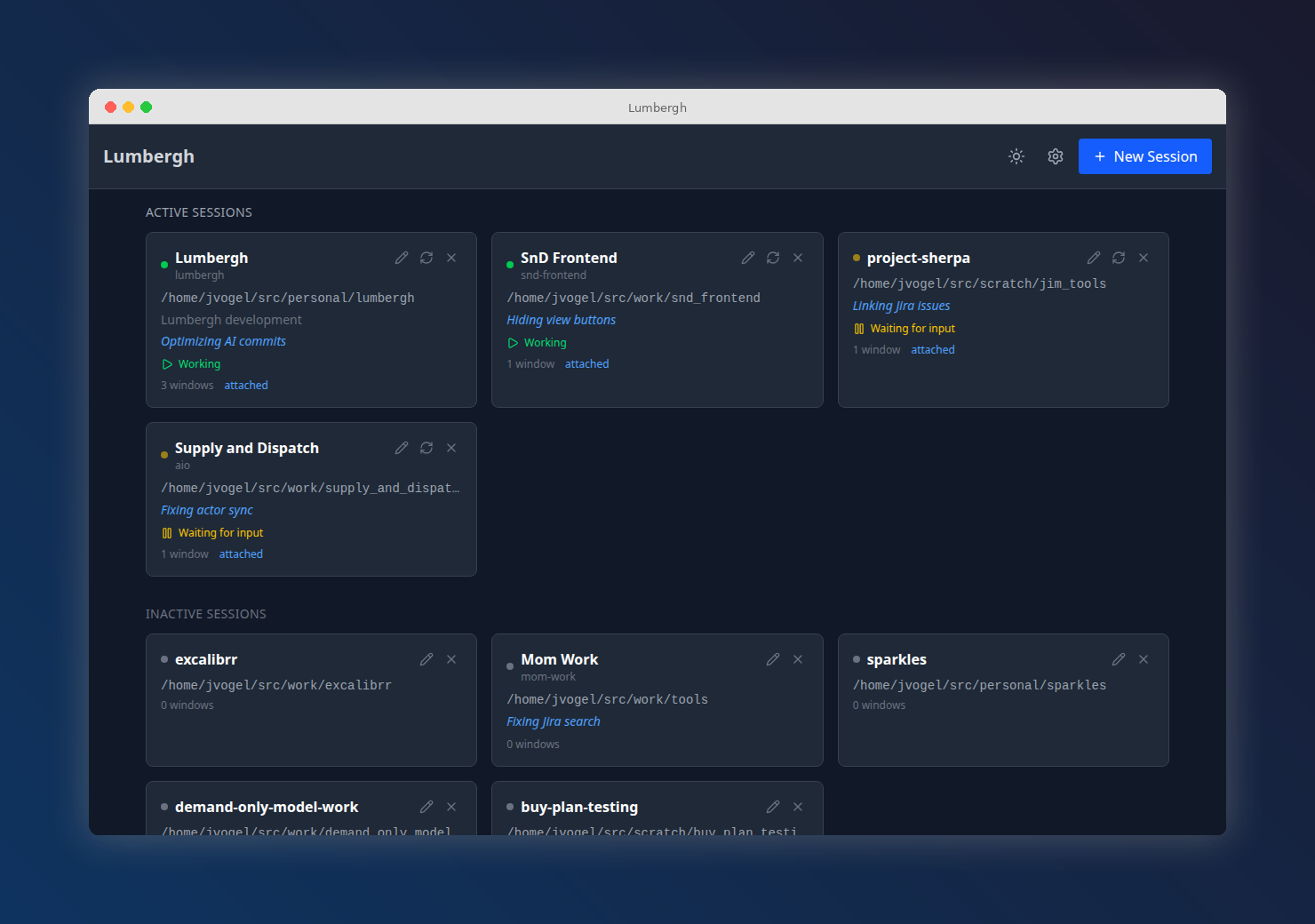
A self-hosted web dashboard for supervising multiple Claude Code sessions running in tmux. Watch diffs roll in, fire off prompts, check todos, and keep your AI workers on task -- all from your browser (or your phone).




Read the full documentation -- guides, configuration, mobile/PWA setup, screenshots, and more.
Install in 30 seconds
You need tmux and git on your machine. Then:
uv tool install pylumbergh
lumbergh
Open http://localhost:8420. Done.
What's uv? uv is a fast Python package manager from Astral. It handles installing Python tools in isolated environments so they don't conflict with anything else on your system. Install it with:
curl -LsSf https://astral.sh/uv/install.sh | shDon't want uv?
pip install pylumberghworks too.
Lumbergh checks for tmux/git on startup and tells you what's missing.
What you get
- Multi-session dashboard -- all your Claude Code sessions at a glance, with live status detection
- Live terminals -- interact with real terminal sessions via xterm.js + WebSockets
- Git diff viewer -- watch diffs, commits, and branch changes as the AI writes code
- Git graph -- interactive commit history visualization
- File browser -- browse project files with syntax highlighting
- Manager AI -- built-in AI chat pane for reviewing and coordinating work across sessions
- Prompt templates -- reusable prompts with variables, fire them with one click
- Todos & scratchpad -- per-project notes and task tracking
- Shared files -- share context across sessions
- Mobile-first + PWA -- responsive design, installable on your phone or tablet (setup guide)
- Dark and light themes -- toggle with one click
"Being able to code anywhere is a real game changer. Before, I had to lug around my laptop -- now I just pull out my phone."
-- @jcamierpy24
Development
Want to contribute or hack on Lumbergh?
git clone https://github.com/voglster/lumbergh.git
cd lumbergh
./bootstrap.sh
This creates a tmux session with three windows (claude, backend, frontend) and opens http://localhost:5420 with hot-reloading. You'll need uv, npm, and Claude Code in addition to tmux and git.
The Vite dev server proxies /api requests to the backend on port 8420, so the frontend and API appear same-origin during development.
Tech stack: Python 3.11+ / FastAPI / libtmux / TinyDB on the backend. React / Vite / TypeScript / xterm.js / Tailwind on the frontend.
Run ./lint.sh before submitting PRs -- it handles formatting and catches errors.
Links
License
MIT
Reviews (0)
Sign in to leave a review.
Leave a reviewNo results found