termweave
Health Pass
- License — License: MIT
- Description — Repository has a description
- Active repo — Last push 0 days ago
- Community trust — 12 GitHub stars
Code Pass
- Code scan — Scanned 12 files during light audit, no dangerous patterns found
Permissions Pass
- Permissions — No dangerous permissions requested
No AI report is available for this listing yet.
cmux-style web and Mac client for herdr: split and dock terminals per workspace, numbered panes, agent icons, a Needs-you list and correct Korean input.
TermWeave
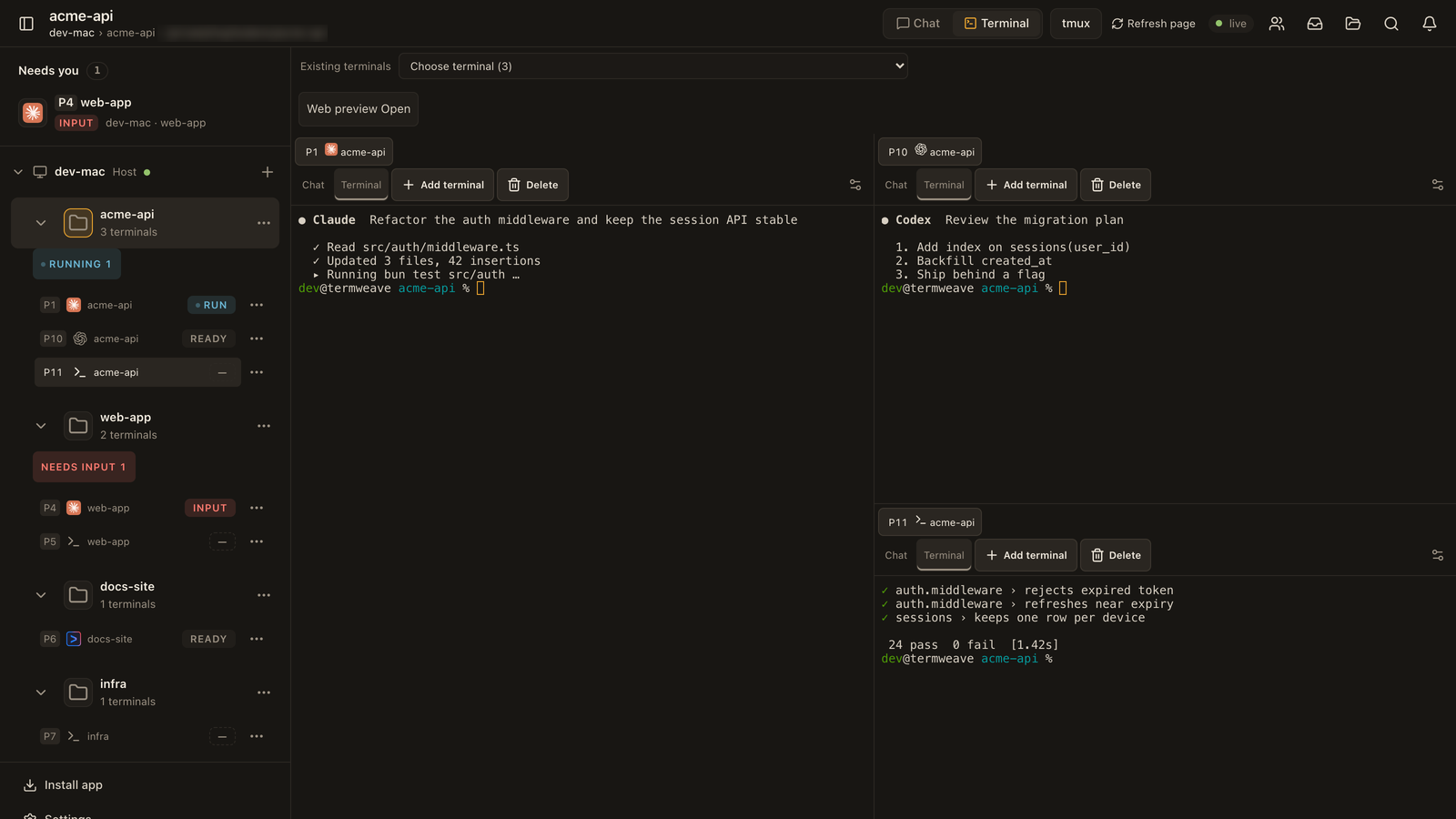
A cmux-style web and Mac client for herdr: docked, numbered panes per workspace, agent icons, a Needs-you list and correct Korean input.
0.3.0 · MIT
Why use it
| cmux-style workspaces with numbered, docked panes | Each workspace keeps its own split layout: split, drag, resize and zoom. Every terminal gets a global number like P3 and an icon for the agent running in it. |
| See and answer the agents that need you | A Needs you list collects panes waiting for input, and each workspace shows Running and Needs input counts. Answer from the terminal or chat, on desktop or phone. |
| Native Mac window with correct Korean input | In WebKit the macOS Korean IME rewrites syllables in place, which xterm alone drops. TermWeave replays each edit, so fast Hangul typing arrives exactly and spaces stay plain. |
Quick start
AI agent? Read AGENTS.md. One command installs and starts TermWeave: sh scripts/install.sh.
macOS or Linux, Bun 1.4.2, Node 18+ and a separately installed herdr (validated with herdr 0.9.1 on macOS). Run the commands in a normal shell.
sh install.sh --check
TERMWEAVE_INSTALL_DIR="$HOME/.local/share/termweave-owned" sh install.sh --install
bun "$HOME/.local/share/termweave-owned/scripts/owned-server.ts" start
The check reports missing prerequisites, the install builds local source only, and the server prints a loopback address. Open it in a browser. Nothing is exposed outside this PC unless you configure access yourself.
How it works
TermWeave never owns your terminals. herdr runs every shell and agent; TermWeave is a client that reads herdr's socket and draws it in a browser tab or the Mac app.
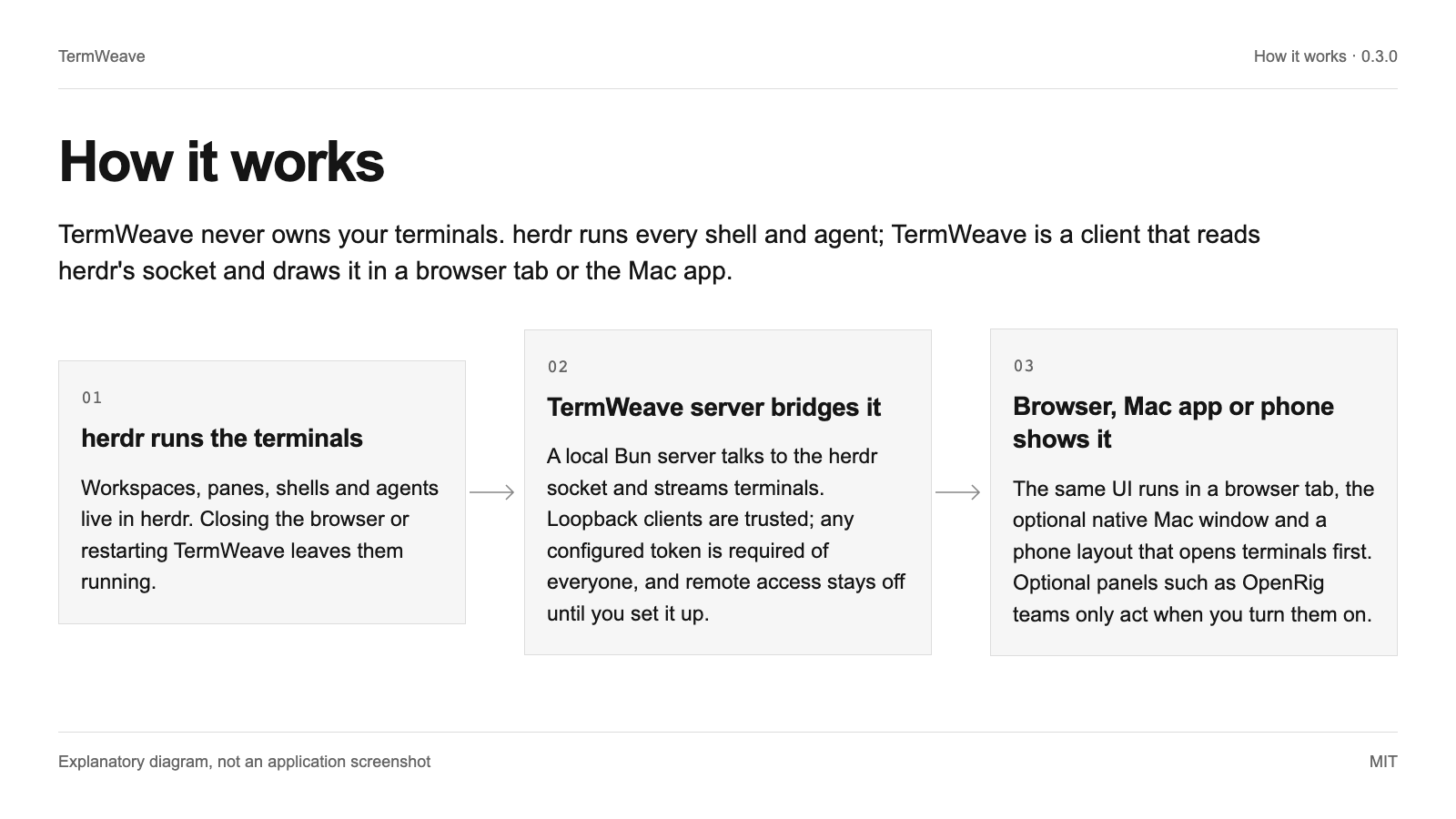
herdr runs the terminals
Workspaces, panes, shells and agents live in herdr. Closing the browser or restarting TermWeave leaves them running.
TermWeave server bridges it
A local Bun server talks to the herdr socket and streams terminals. Loopback clients are trusted; any configured token is required of everyone, and remote access stays off until you set it up.
Browser, Mac app or phone shows it
The same UI runs in a browser tab, the optional native Mac window and a phone layout that opens terminals first. Optional panels such as OpenRig teams only act when you turn them on.
Use cases
Run several coding agents side by side
Keep Claude Code, Codex and a test runner in one workspace, tell them apart by agent icon and P number, and jump to whichever one needs input.
One folder session per project
The + on a PC creates a folder session: pick a folder first, name it, and start a plain shell unless you choose an agent. Rename, color or close it from its menu.
Share your screen without your machine name
Set TERMWEAVE_MACHINE_NAME to show a neutral PC name in the sidebar during demos and recordings. The screenshots in this README were taken that way.
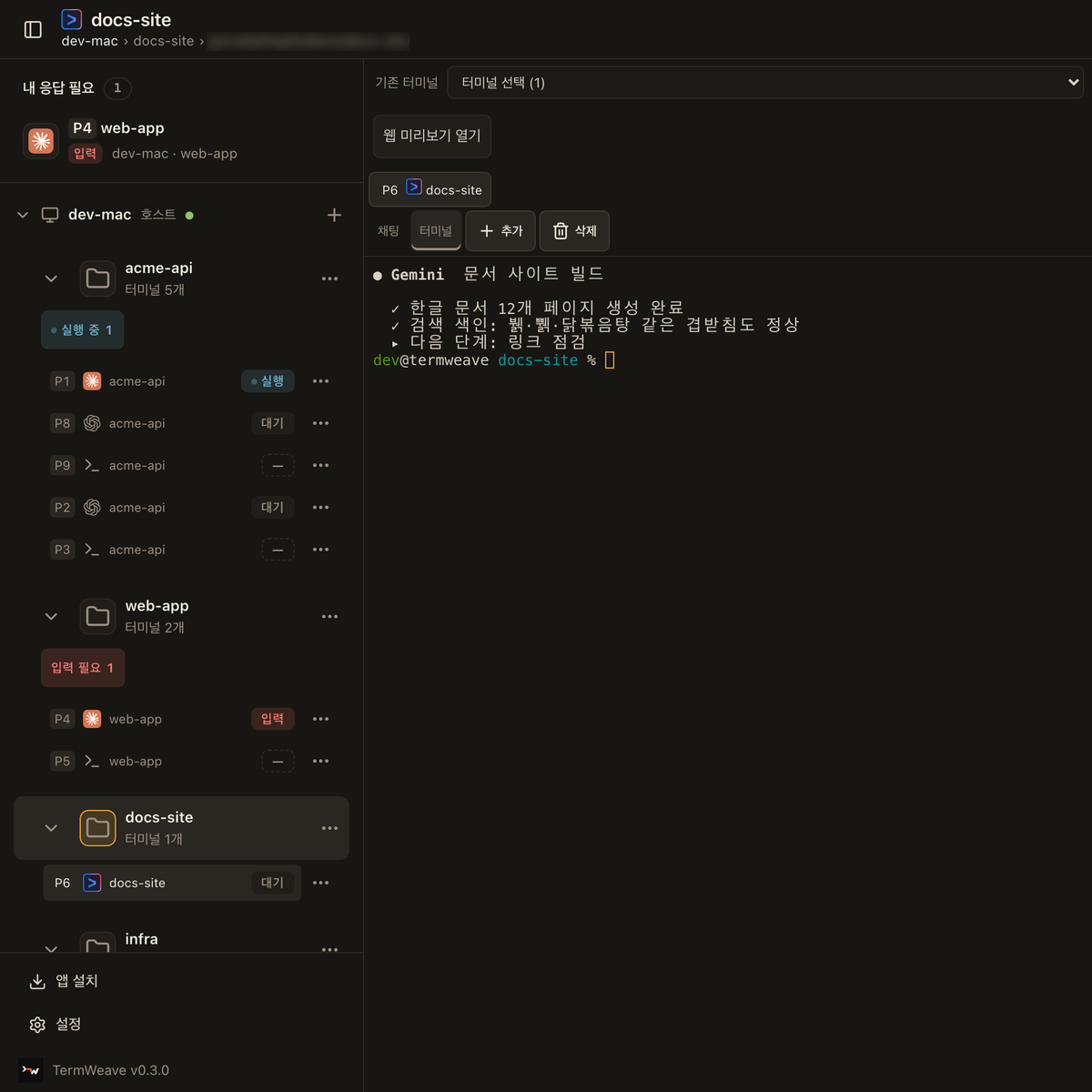
Feature tour
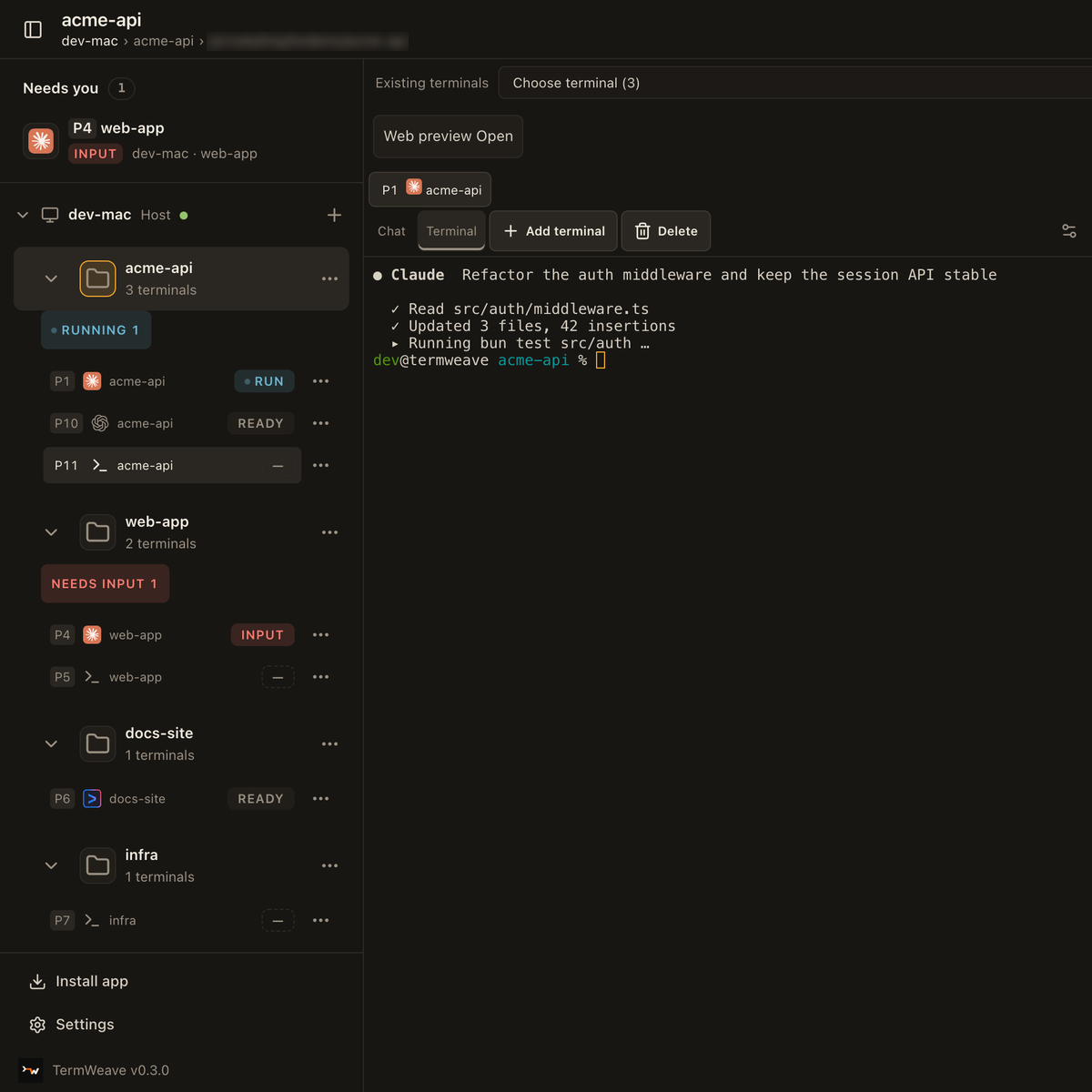
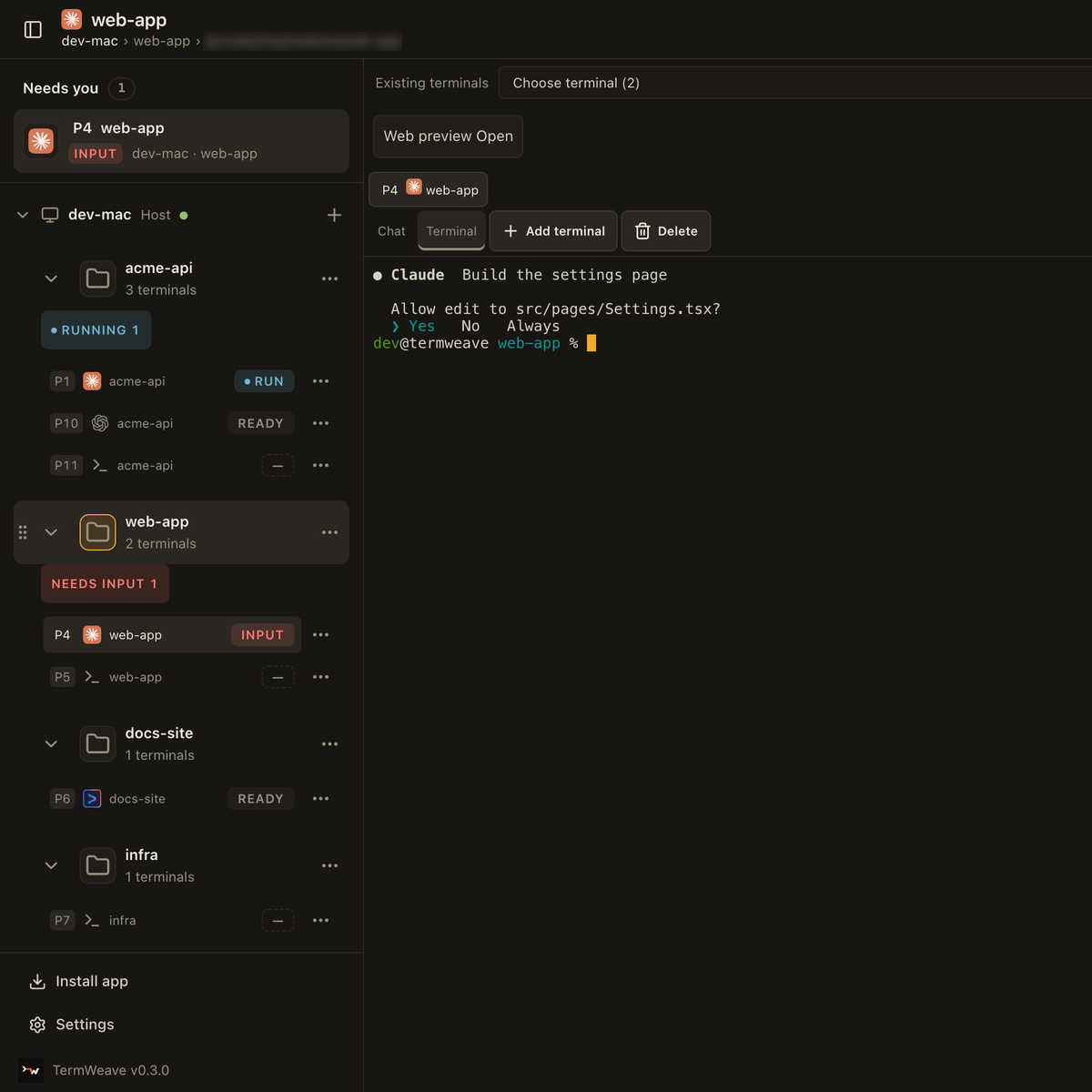
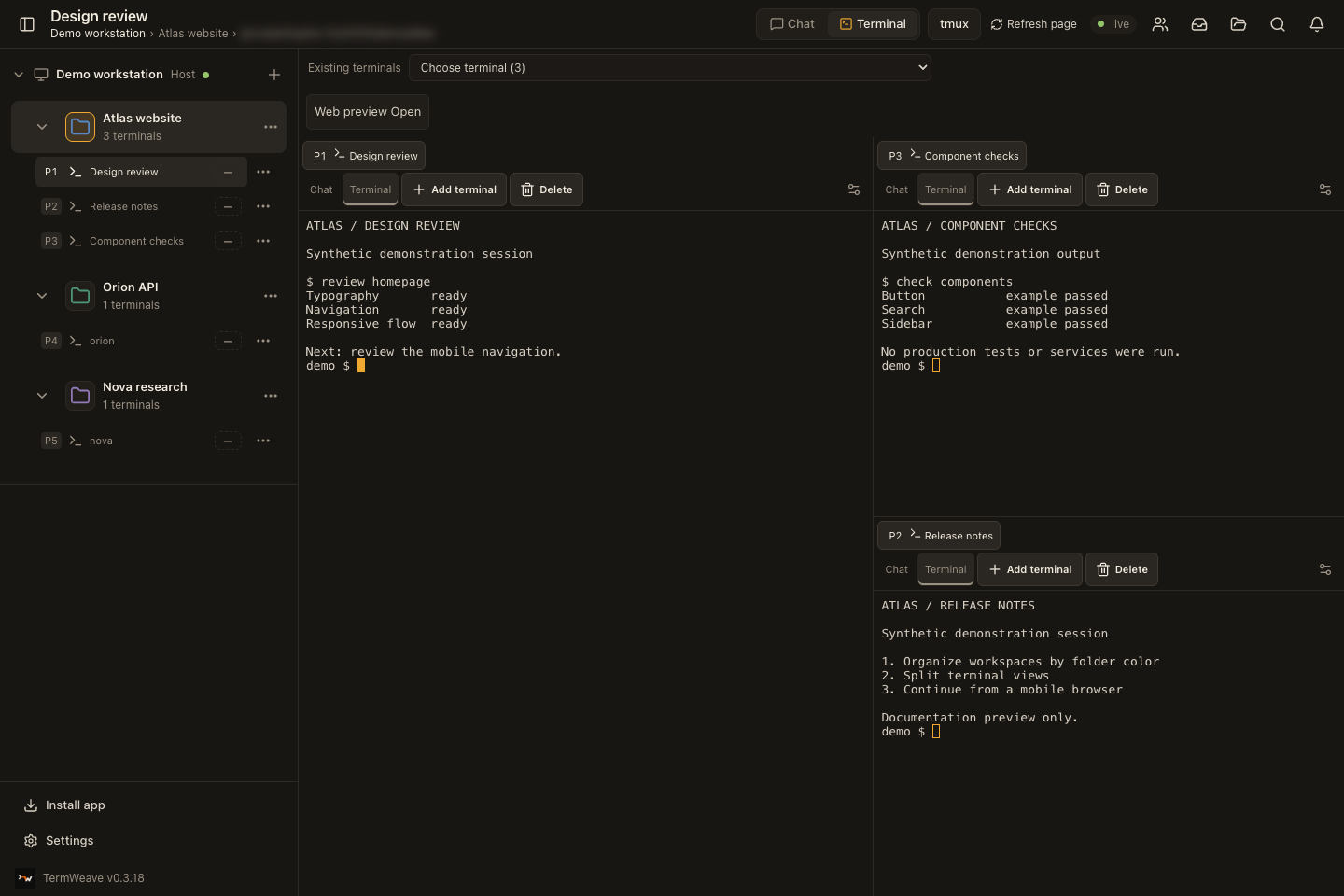
Every image below is a real TermWeave screen, captured by scripts/public-feature-capture.ts against an isolated herdr session. The workspace names and terminal output are demo data, and the folder path in the header is blurred.
Split terminals, one folder per project
Each project is a workspace with its own folder color. Panes split side by side and keep their P-numbers.
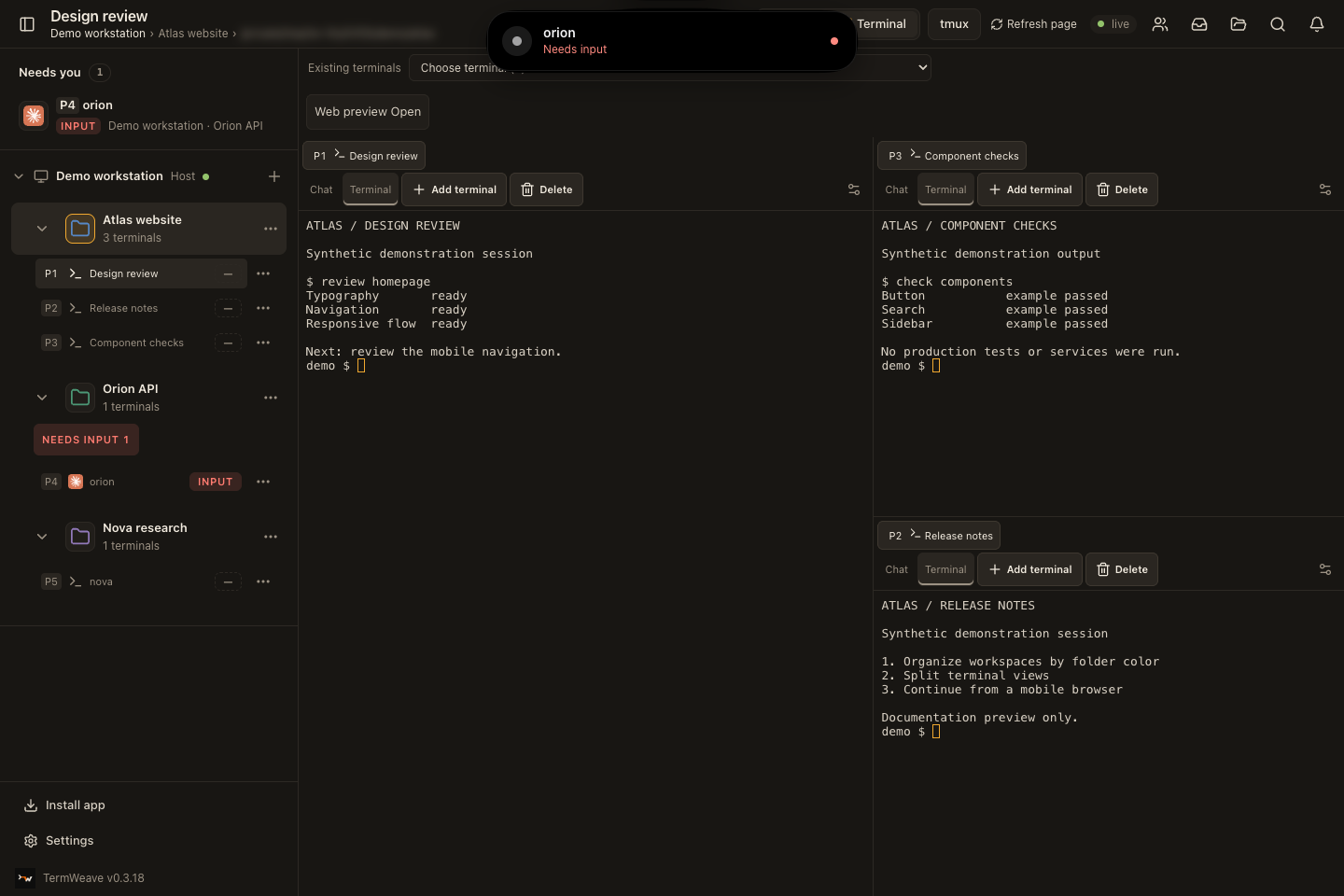
Alerts when an agent needs you
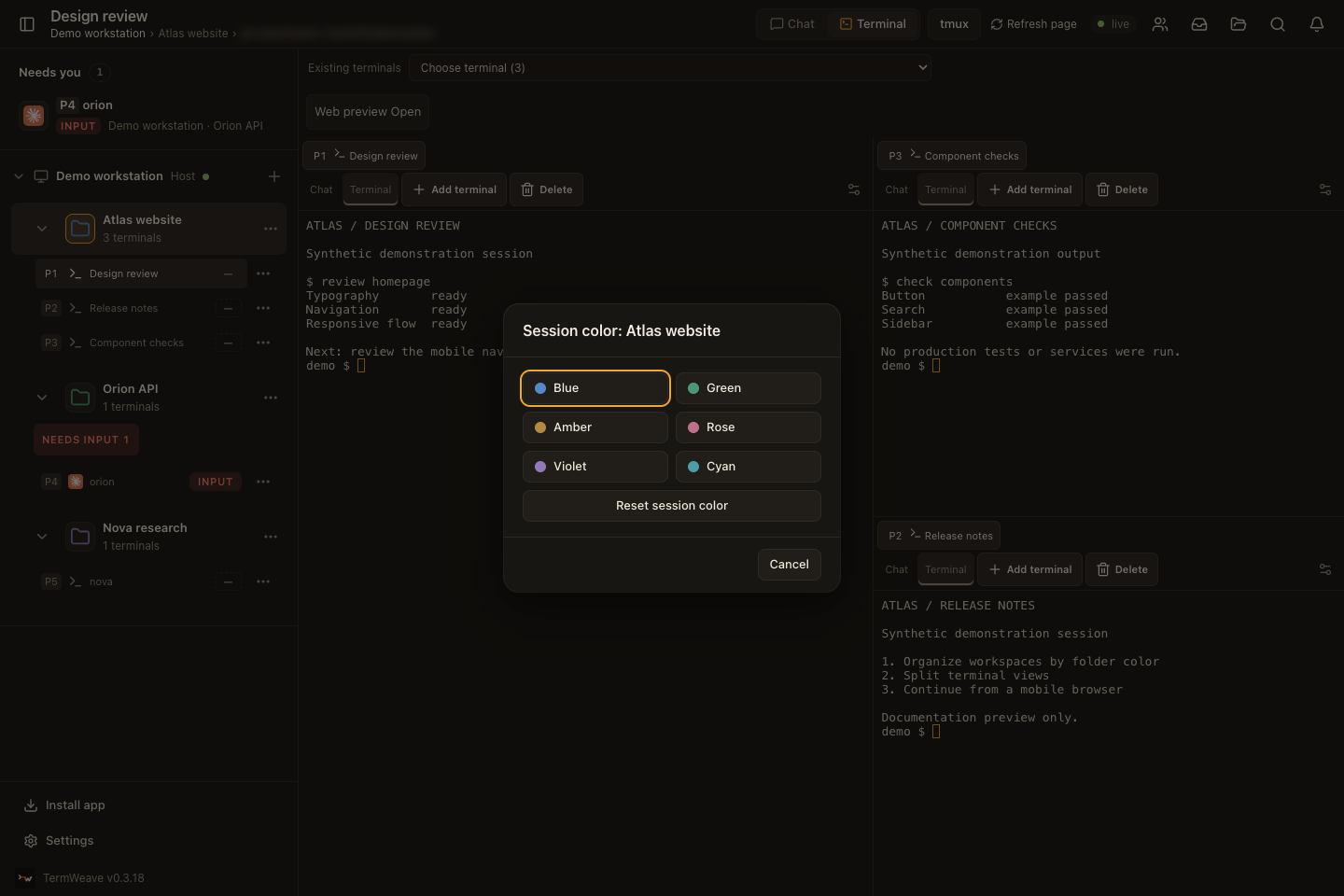
When an agent in another pane waits for an answer, an alert drops in from the top of the screen and the pane moves to "Needs you". Click the alert to open that pane.
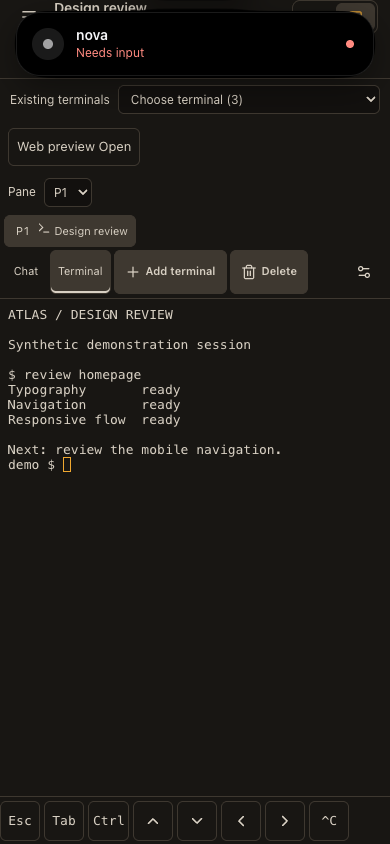
On a phone the same alert appears at the top. In Settings you choose which events alert you: needs input, and finished turns (long turns only, or every turn). A phone with push enabled also gets them while the app is closed.
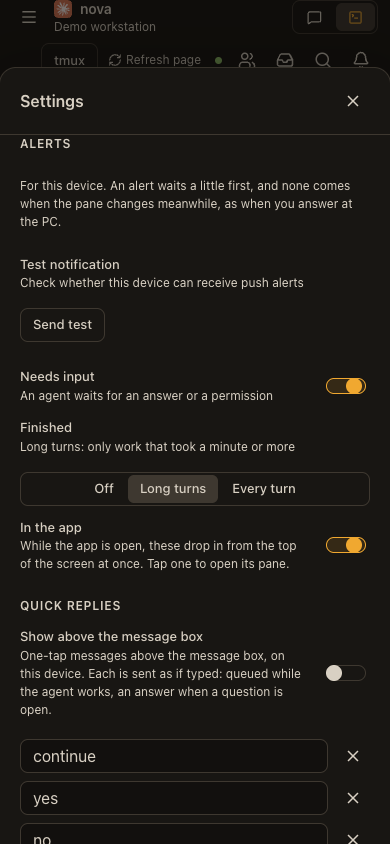
Terminal tools
Each pane has a tools panel next to its terminal.
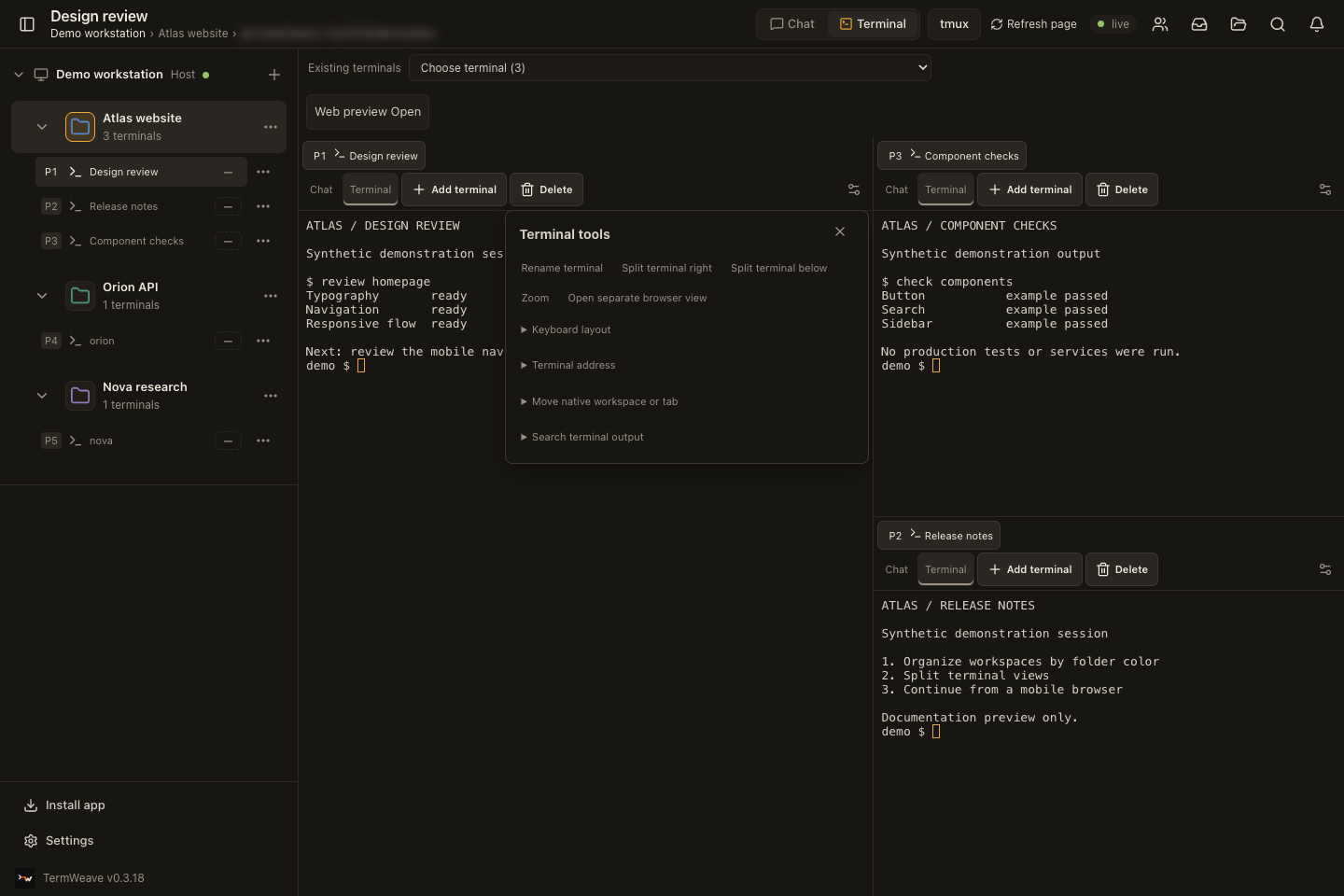
Move a terminal to another folder
Open a terminal's ... menu and choose "Move to…". Pick the folder, the terminal to sit beside, and right or below. On a desktop you can also drag a terminal row onto another folder. Inside one folder, drop it on another terminal to swap places, or use Move up and Move down in the same menu. The running program keeps running: herdr moves the terminal, it does not restart it.
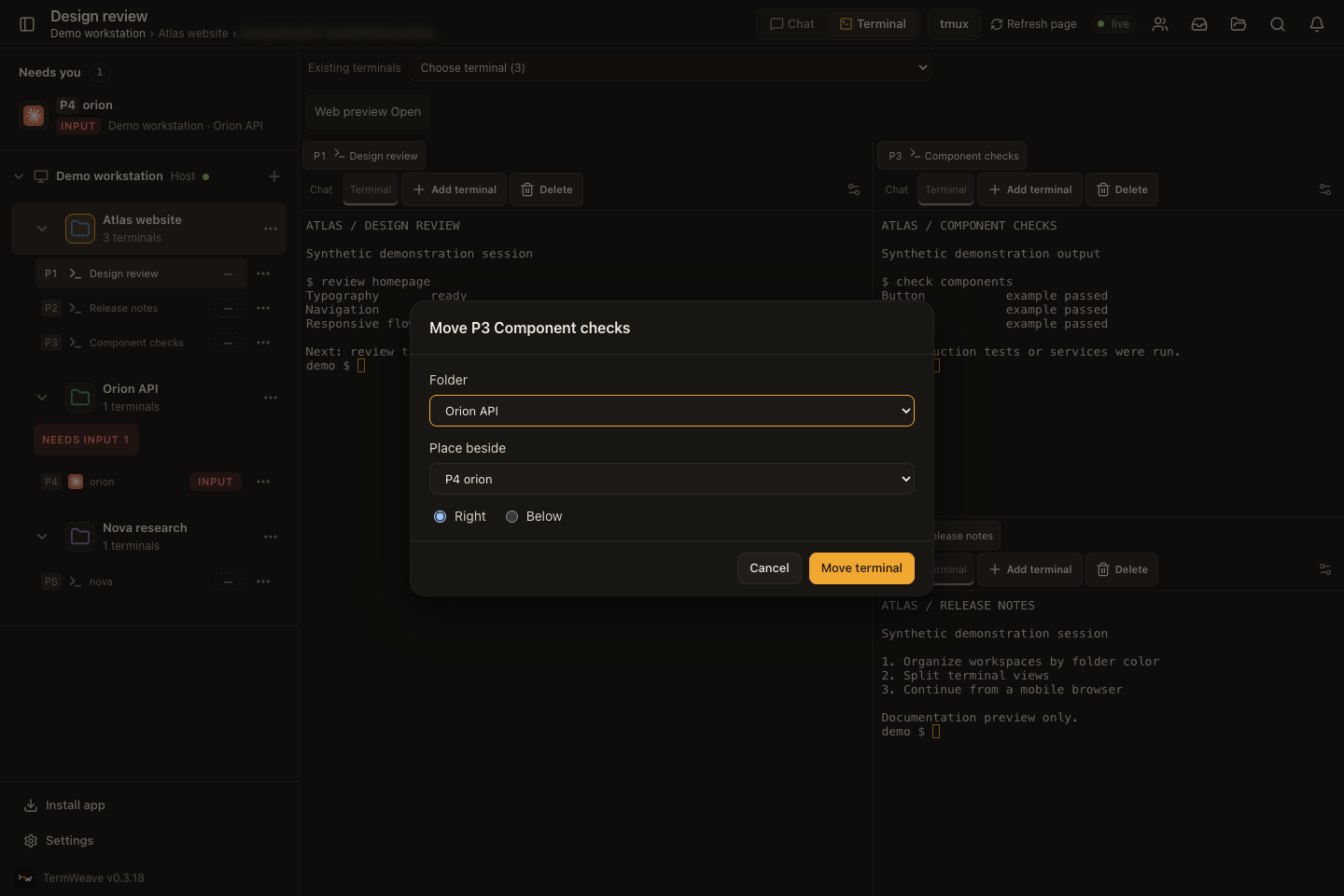
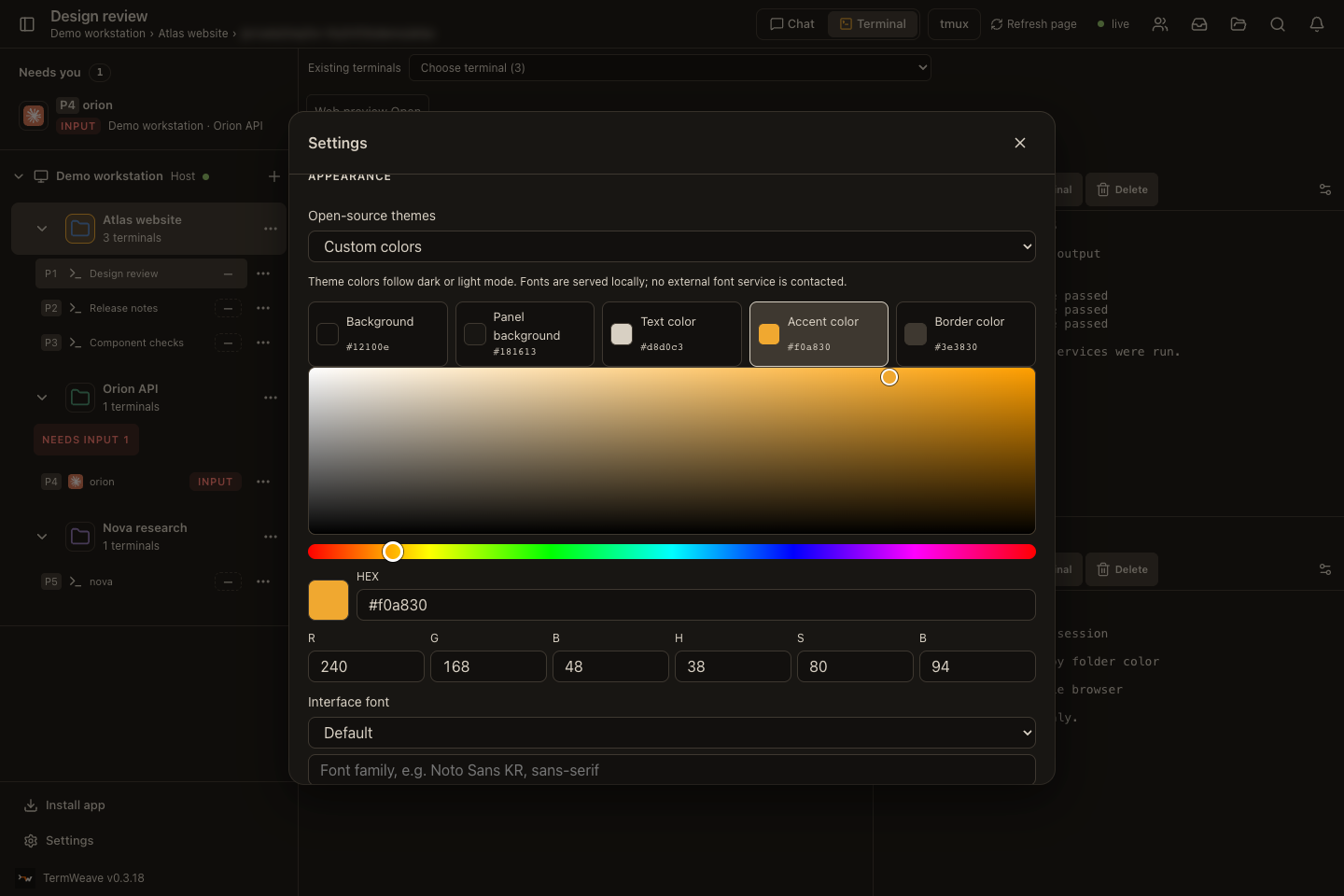
Workspace colors and custom theme colors
Pick a folder color for each workspace. For the whole app, start from a theme and adjust any color with a Photoshop-style picker: a saturation and brightness square, a hue slider, and HEX, RGB and HSB fields.
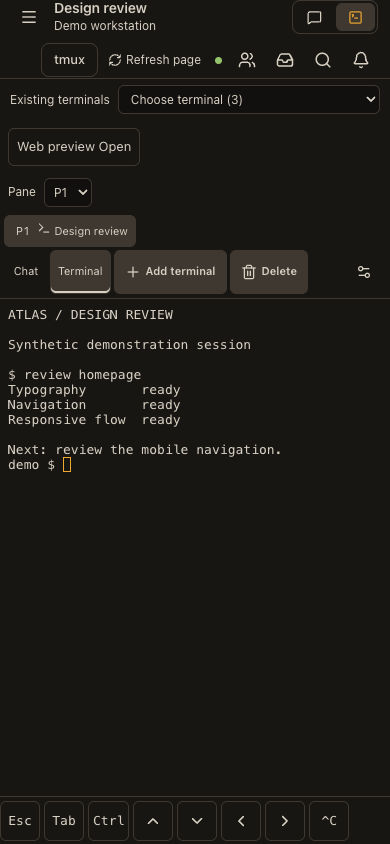
Phone browser
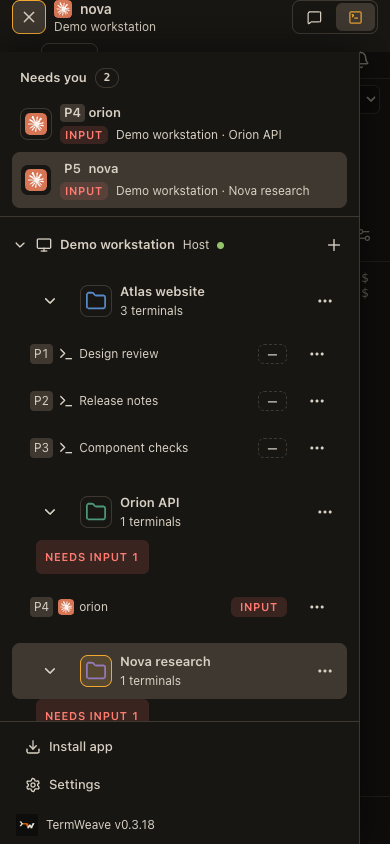
The same server works in a phone browser. A key bar gives Esc, Tab, Ctrl, the arrow keys and Ctrl+C, and the drawer lists every workspace.
Limits and privacy
herdr is required and installed separately; TermWeave does not bundle or upgrade it. Validation so far used herdr 0.9.1 on macOS; Linux and Windows are not validated.
Independent project derived from herdr-web-ui (MIT). Not affiliated with herdr, cmux, Anthropic, OpenAI or Google; agent icons only label which program runs in a pane.
Real phone IME, Safari on iOS and assistive technology still need manual checks. Remote access, the Android companion and OpenRig teams are optional and off by default.
Verification
- Execution verified: Hangul typed through the real macOS Korean IME in WebKit at 60, 25 and 12 ms per key arrived exactly in the shell (9 of 9 sentences, spaces included).
- Execution verified: Screenshots come from this source running against a separate demo herdr session with sample projects; no personal workspace is shown.
- Documented: Unit tests and type checks run locally before each export; there is no hosted CI badge yet.
Next steps
Read CHANGELOG.termweave.md for what changed in each release, SECURITY.md before enabling remote access, and CONTRIBUTING.md to send fixes.
Source mapreadme-quickstart:README.md, L7–L15 (Documented)dock-split:src/components/DockGroup.tsx, L40–L64 (Execution verified)pane-number:src/lib/paneNumber.ts, L3–L7 (Source inspected)agent-marks:src/components/AgentMark.tsx, L160–L167 (Execution verified)needs-input:src/components/Sidebar.tsx, L254–L255 (Execution verified)session-color:src/components/Sidebar.tsx, L161–L161 (Source inspected)folder-session:src/components/NewSessionDialog.tsx, L39–L64 (Execution verified)ime-diff:src/lib/imeDiff.ts, L1–L25 (Execution verified)ime-terminal:src/components/PaneTerminal.tsx, L308–L331 (Execution verified)hangul-row:src/lib/terminalGlyphs.ts, L270–L273 (Execution verified)default-view:src/lib/settings.ts, L117–L117 (Source inspected)access-local:server/access.ts, L84–L95 (Source inspected)machine-name:server/machines.ts, L92–L93 (Execution verified)openrig-panel:src/components/OpenRigPanel.tsx, L114–L120 (Execution verified)terminal-menu:src/components/TerminalMenu.tsx, L24–L25 (Source inspected)license:LICENSE, L1–L3 (Documented)changelog:CHANGELOG.termweave.md, L1–L6 (Documented)workspaces→dock-split,pane-number,agent-marksneeds-you→needs-input,default-viewkorean→ime-diff,ime-terminal,hangul-rowherdr→readme-quickstartserver→access-localclients→default-view,openrig-panelmulti-agent→agent-marks,pane-number,needs-inputfolders→folder-session,session-color,terminal-menushare-screen→machine-nameherdr-required→readme-quickstartnot-official→license,agent-marksmanual-checks→readme-quickstart,openrig-panelime-test→ime-diff,ime-terminalscreens→dock-split,machine-nameunit→changelogquickstart→readme-quickstart
Reviews (0)
Sign in to leave a review.
Leave a reviewNo results found