Claude-Office
Health Pass
- License — License: MIT
- Description — Repository has a description
- Active repo — Last push 0 days ago
- Community trust — 375 GitHub stars
Code Fail
- spawnSync — Synchronous process spawning in cli/agent-office.mjs
- process.env — Environment variable access in cli/agent-office.mjs
- network request — Outbound network request in cli/agent-office.mjs
- fs.rmSync — Destructive file system operation in electron/after-pack.cjs
- fs module — File system access in electron/after-pack.cjs
- fs.rmSync — Destructive file system operation in electron/helpers.cjs
- os.homedir — User home directory access in electron/helpers.cjs
- process.env — Environment variable access in electron/helpers.cjs
- fs module — File system access in electron/helpers.cjs
Permissions Pass
- Permissions — No dangerous permissions requested
No AI report is available for this listing yet.
A pixel art virtual office that visualizes your AI agents working in real-time. Claude Code hooks, WebSocket events, and isometric pixel art.
Claude Office




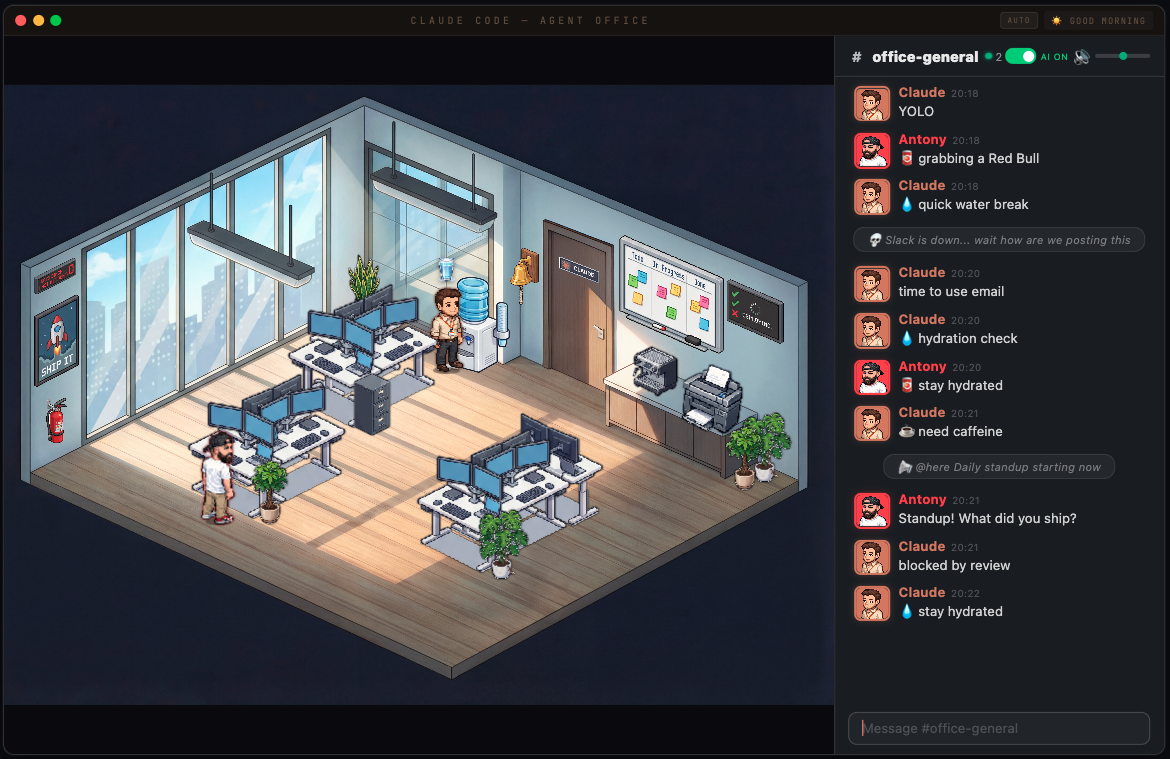
A pixel art virtual office that visualizes your AI agents working in real-time. Watch Claude Code agents spawn, sit at desks, take coffee breaks, and chat in a Slack-inspired office chat panel — all rendered in an isometric pixel art office.
Update — rooms, seasons and a quieter office
What's new
- Four more rooms — a corridor, a meeting room, a server room and a lunch room. Click a door in the picture (or the floor plan in the corner) and the stage goes there; your boss walks over through the corridor
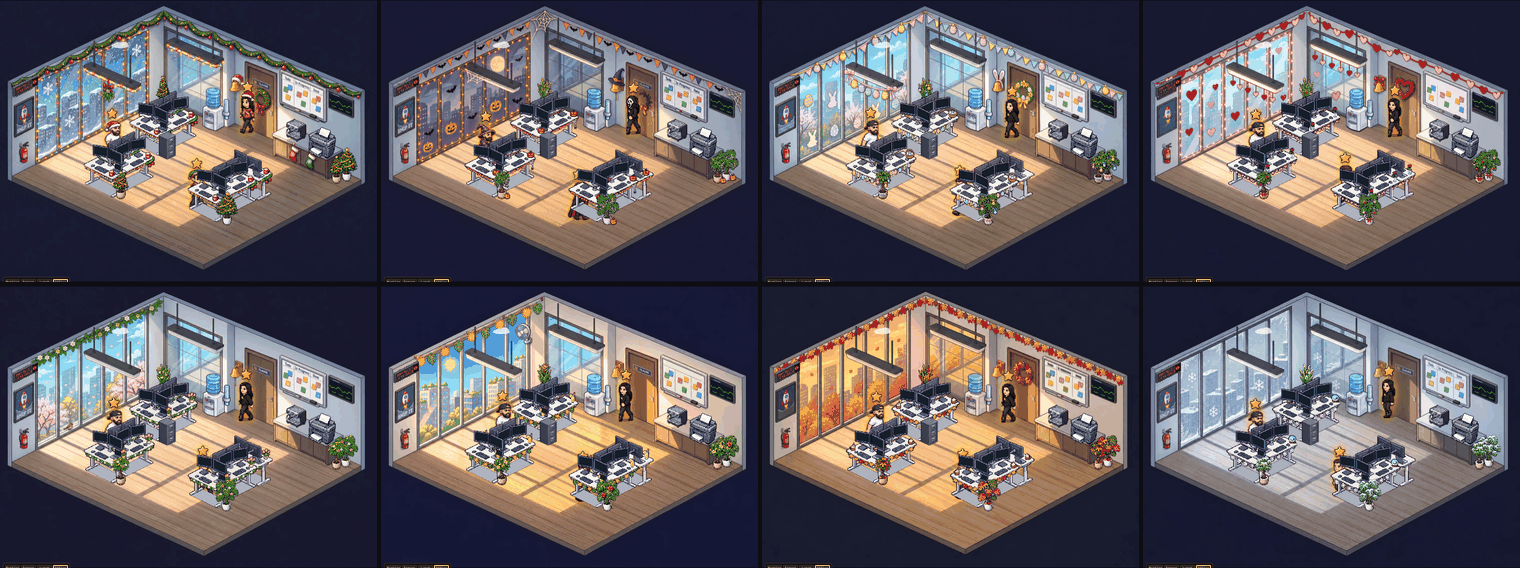
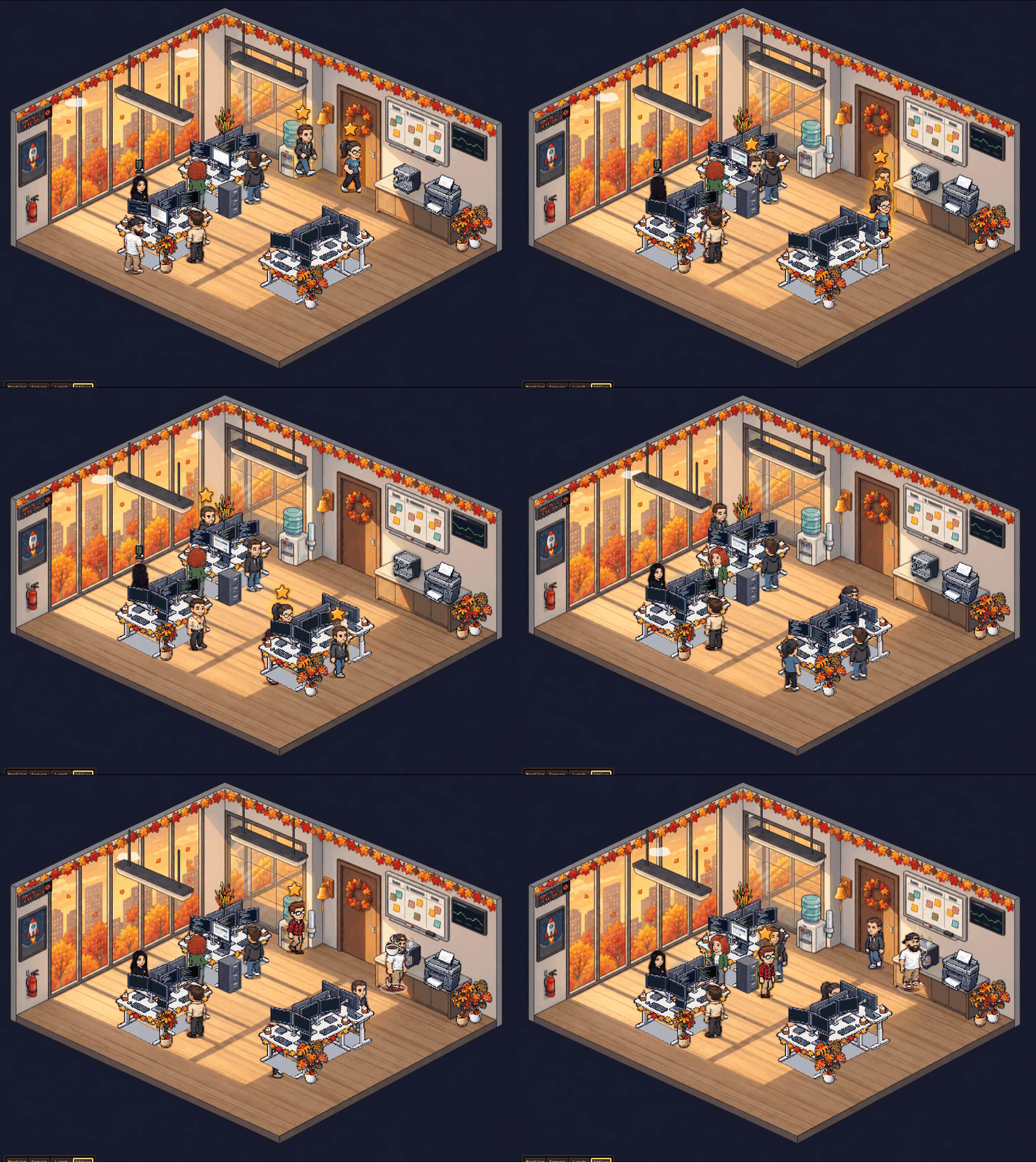
- The office follows the calendar — spring, summer, autumn and winter all year round, with Christmas, Halloween, Easter and Valentine's Day on top: decorated rooms, desks and plants in both themes
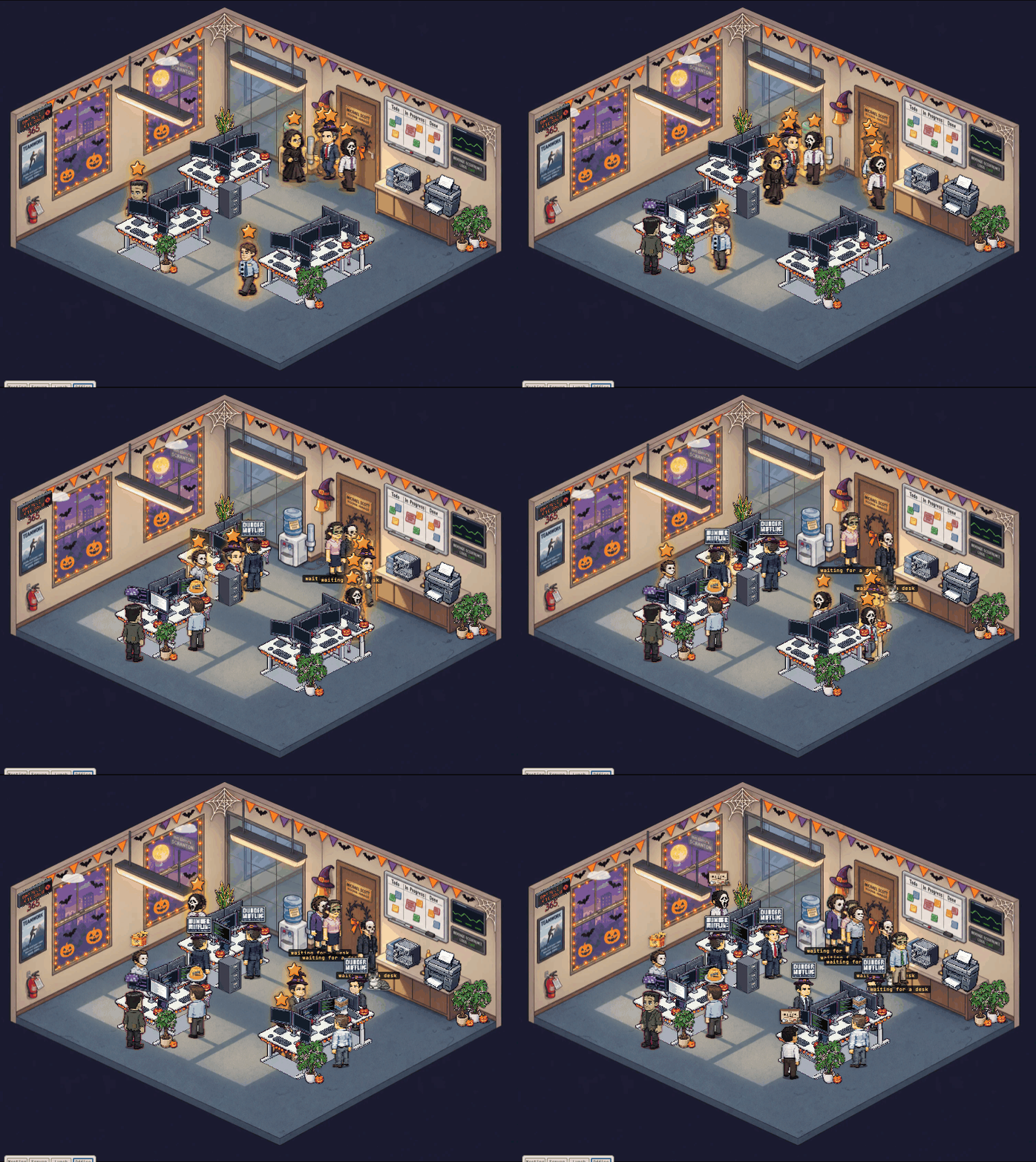
- Halloween costumes — Claude is a vampire and the boss a wizard; in Dunder Mifflin mode Michael, Dwight, Jim and Pam dress up and everyone else wears a mask or a witch hat
- The boss shouts the prompt from where he stands instead of walking it over; the Claude it's for gets a "!"
- Prompts from the chat — type
@agent-office fix the failing testin the office chat and that session picks it up when its turn ends - A quieter soundtrack — a soft ambient office instead of bleeps, with gentle cues for a prompt sent, a reply in and Claude needing you (turn the ambience off in Settings)
- Your phone —
npm run lanprints a QR code; taps on the phone (water a plant, ring the bell) play on the desktop too - The full list is in the CHANGELOG
Click a door — the boss follows you
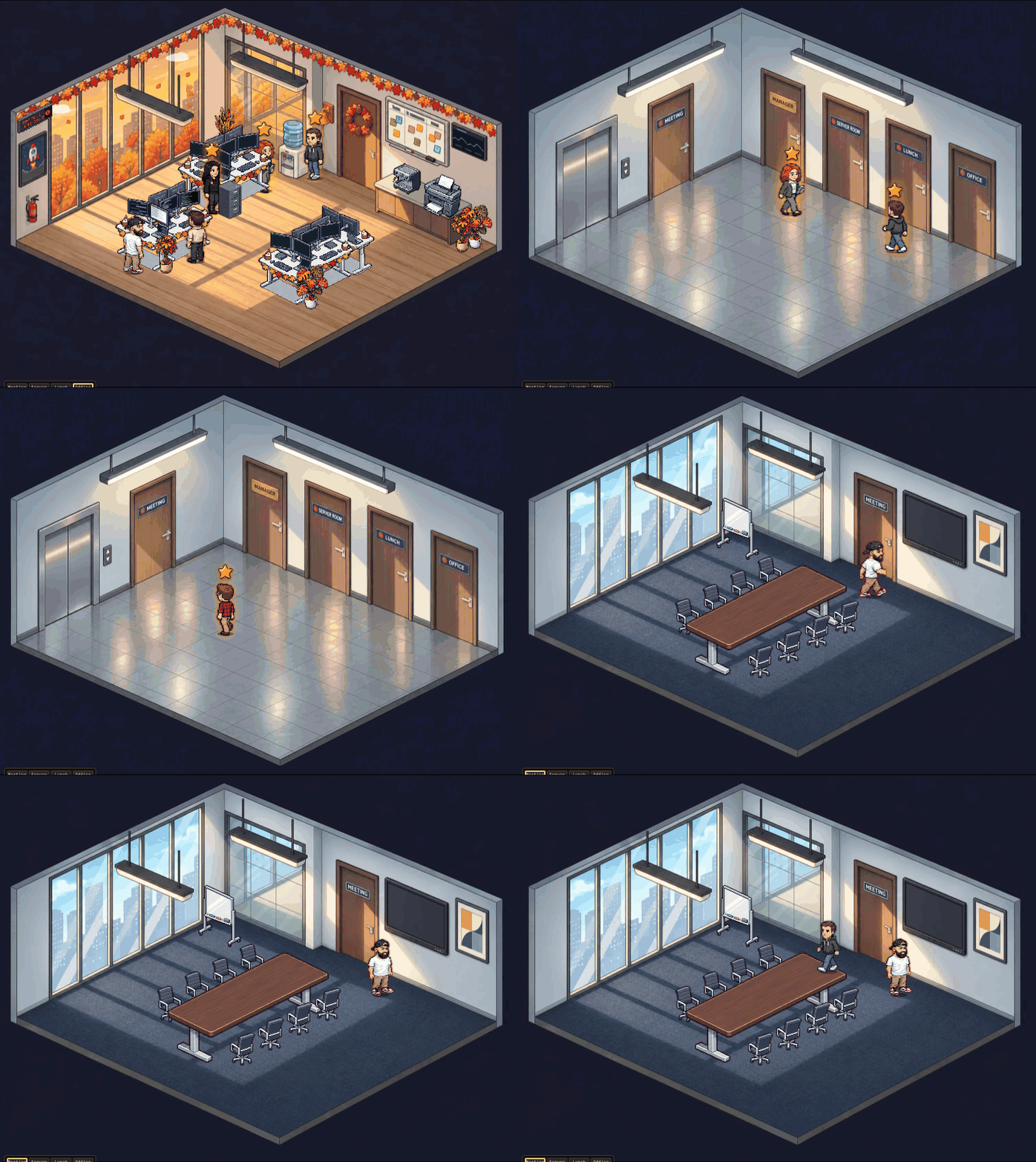
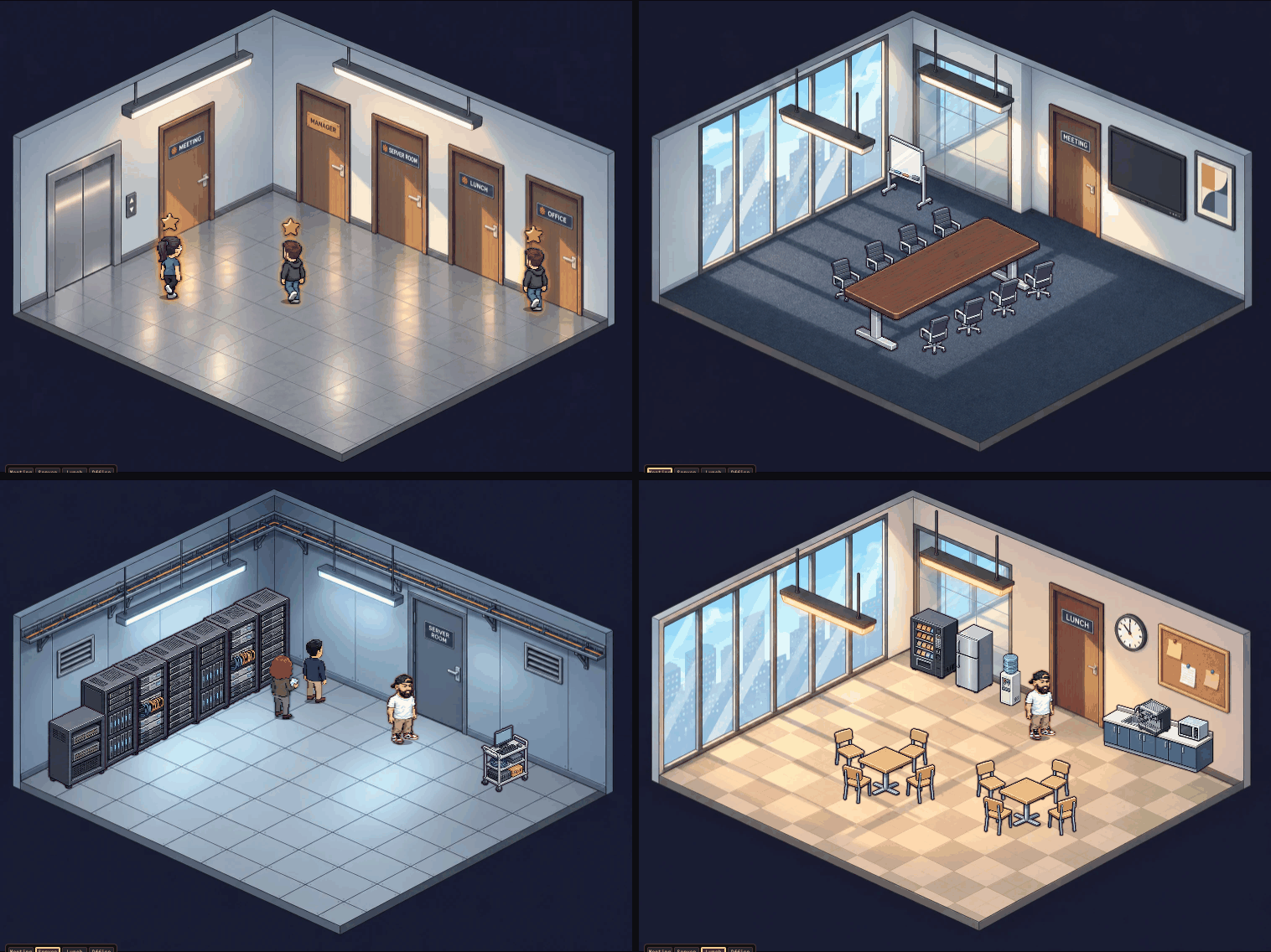
Every season
Halloween in Dunder Mifflin mode
Click the furniture
Update — 1.1: the level-up
We had 12 hours and 90 % of our 20x plan still to use 😂 so I asked Claude to level up Claude Office (using Fable 5.1
and
).
What's new
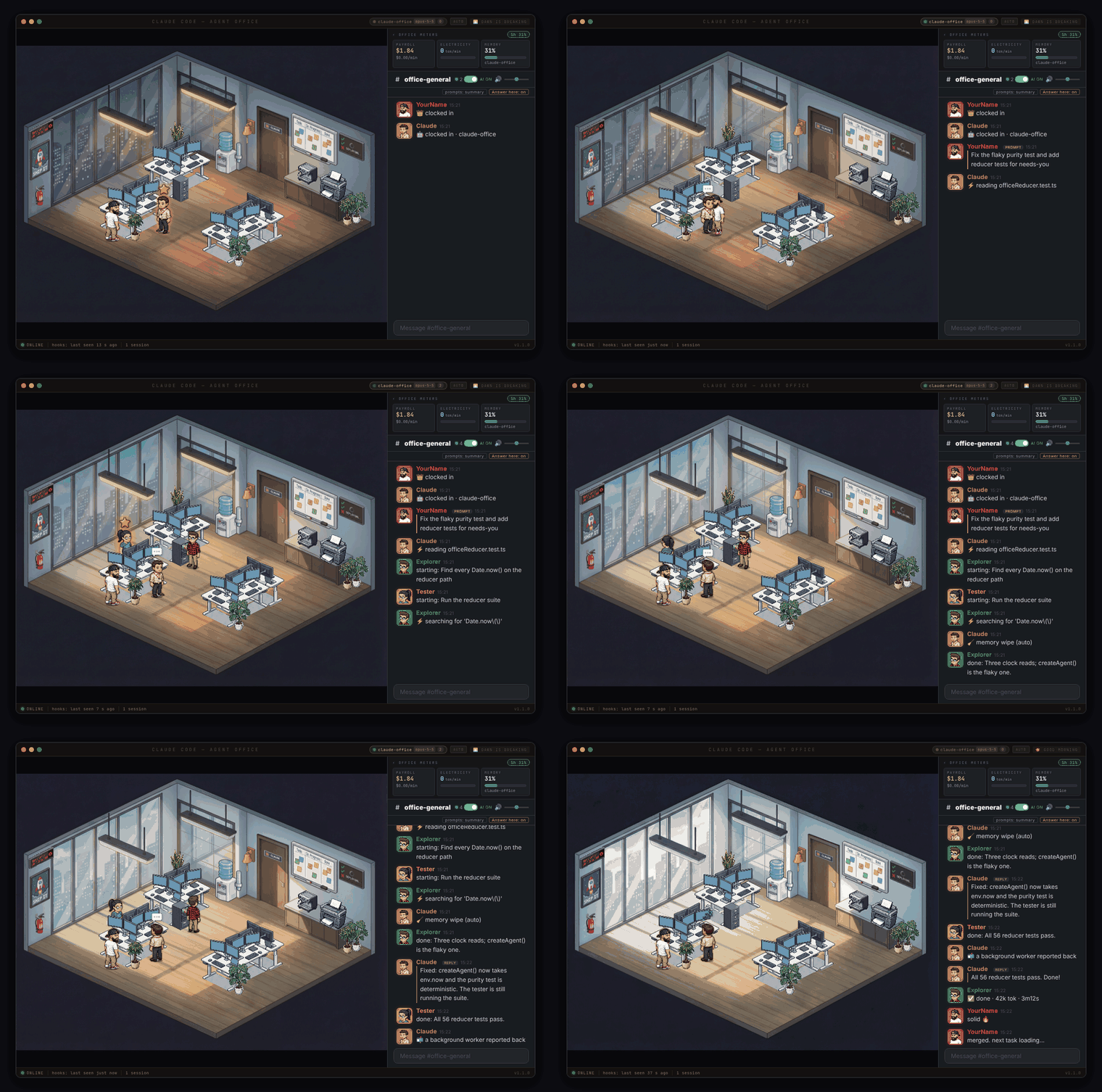
- A Claude for every terminal — each Claude Code session gets its own pill, model badge and Claude at a desk
- Claude acts out the turn — the boss shouts your prompt across the office, Claude types, naps when it's done
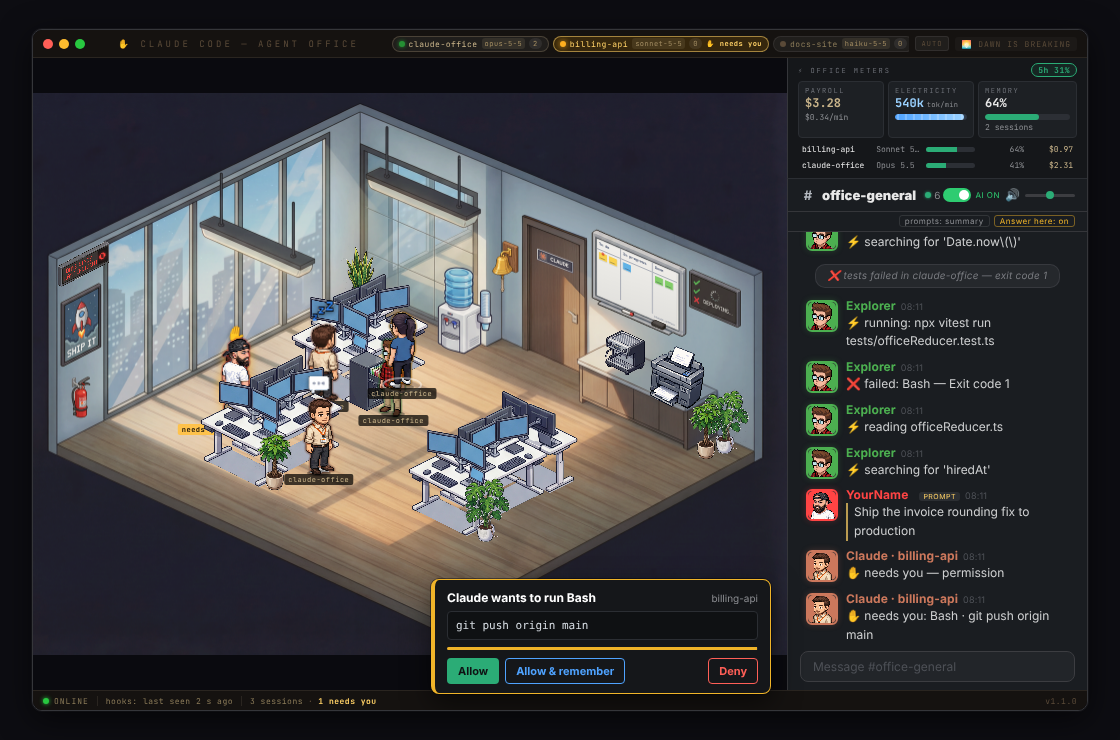
- ✋ Needs you — a permission prompt raises Claude's hand with a chime, and you can click Allow right in the office
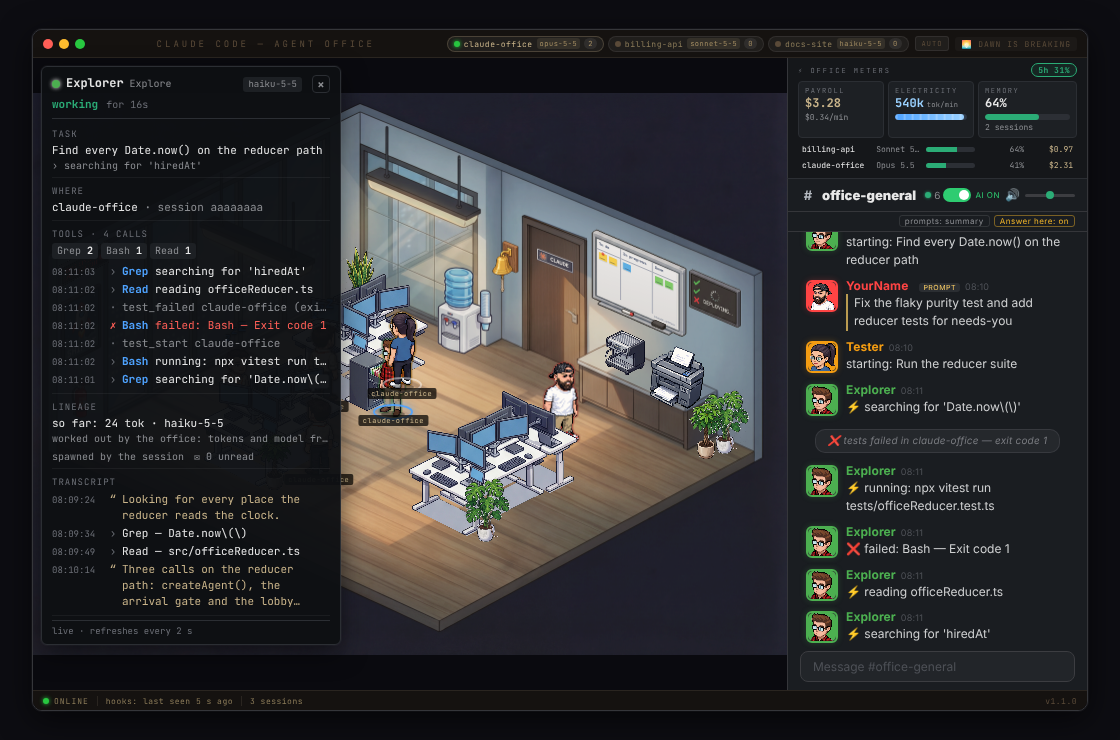
- Click anyone — an inspector card shows what they're doing, every tool they've called and what they've said
- Prod Is Down — a failed deploy turns the office red; a 🚀 for deploys, a 🎉 for pushes to main, ❌ for failing tests
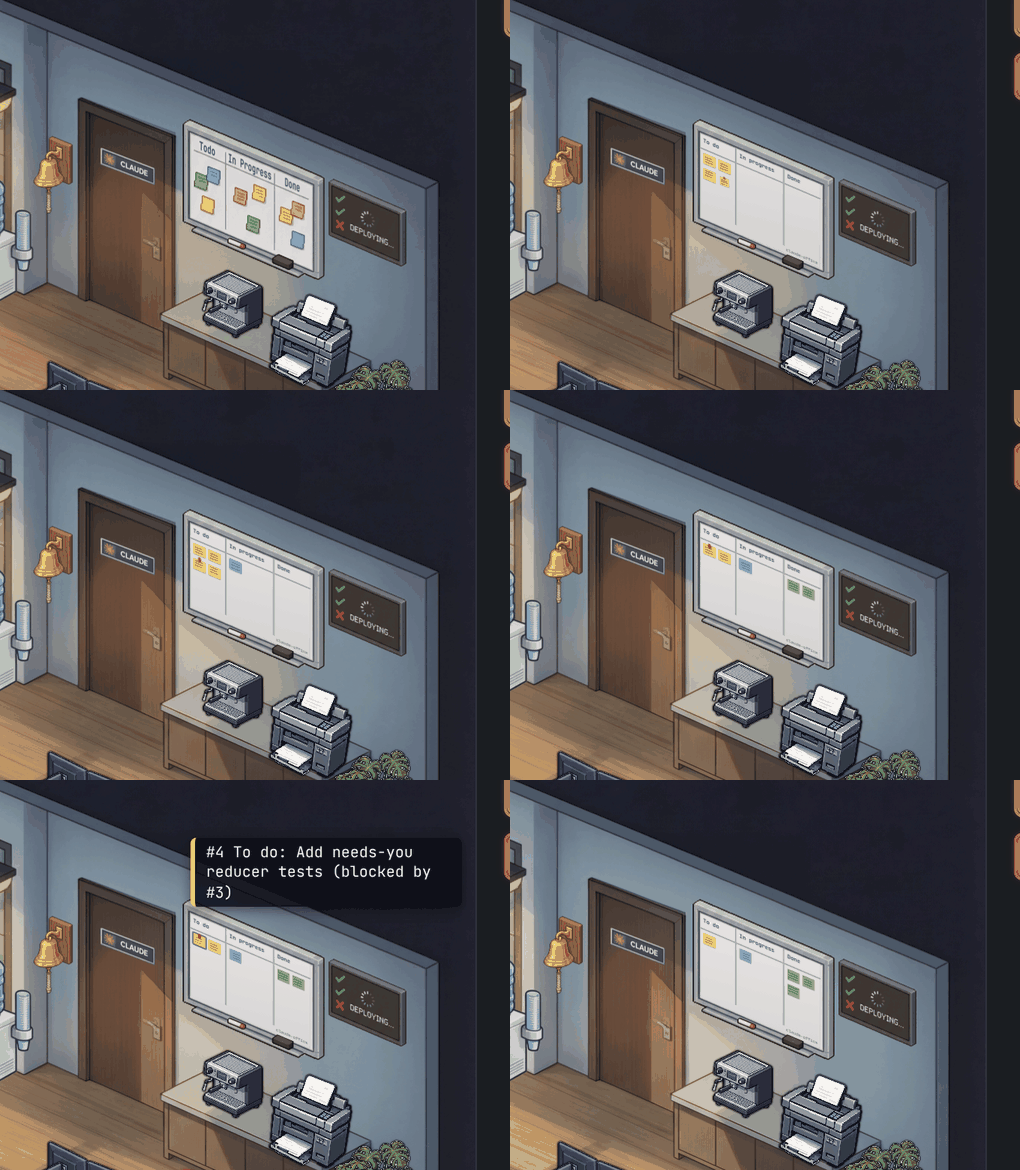
- The whiteboard is real — it shows Claude's actual task list
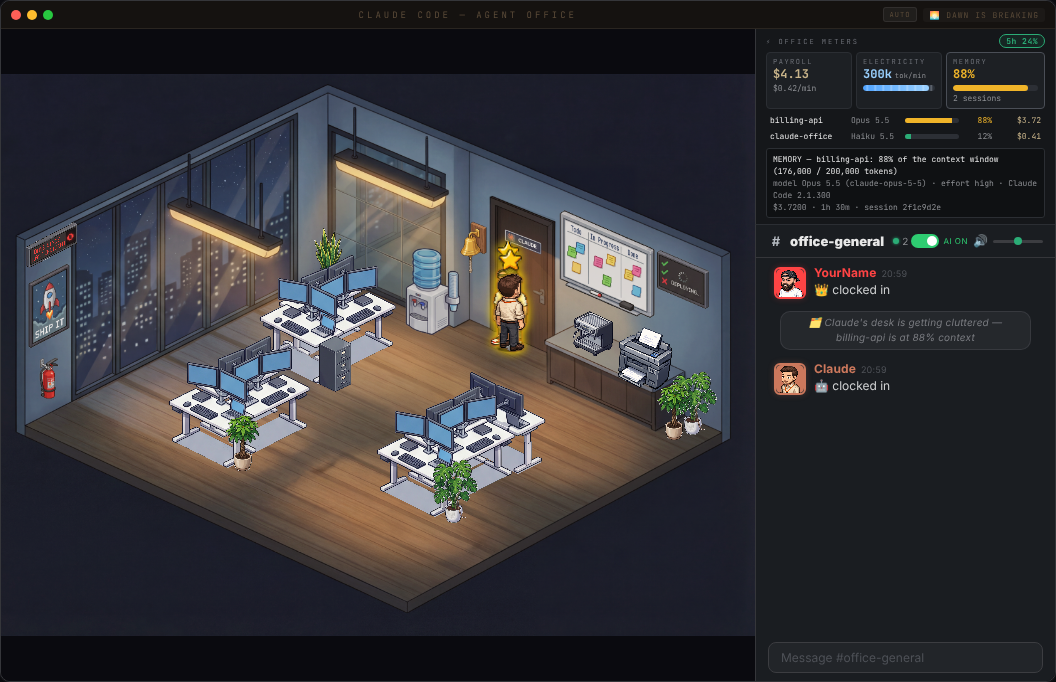
- Payroll, electricity and memory meters — cost, tokens per minute and context fill per session
- Desktop app with a tray badge and a mini widget, installers for Mac, Windows and Linux
- Plus three bug hunts, a security pass and 972 tests — the full list is in the CHANGELOG
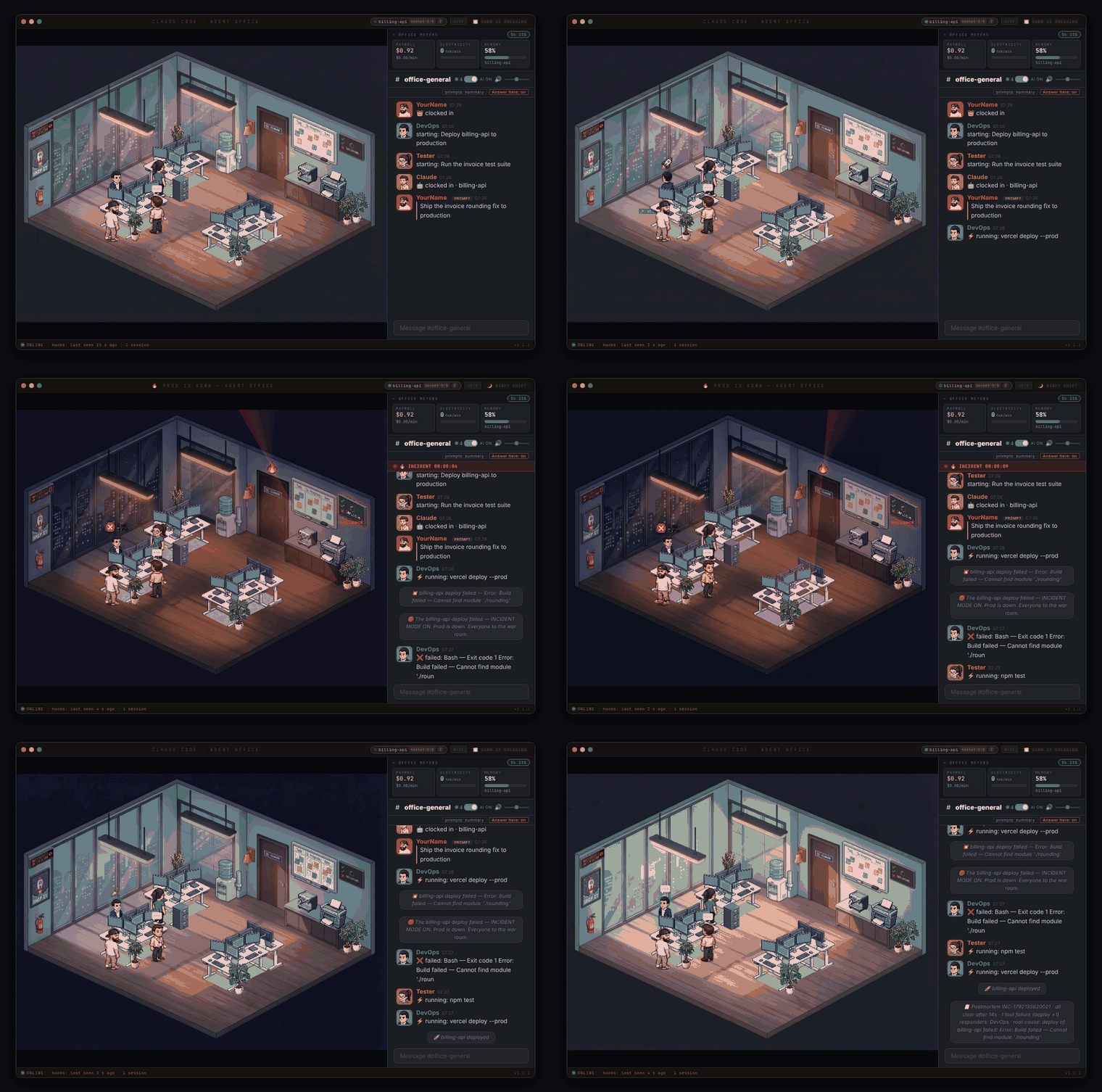
Claude's turn, start to nap
Click a character
✋ Needs you — answer it from the office
Prod Is Down — and back again
The whiteboard is your real task list
Payroll, electricity and memory
Update — Dunder Mifflin mode
Type /the-office in the Slack chat panel to flip the whole office into a Scranton-branch tribute. The room, the cast, and the chatter all swap over — Michael Scott runs the place, Jim is your assistant, and Dwight guards the beet cellar. (Fan art — see NOTICE.md.)
Pretzel day, every day
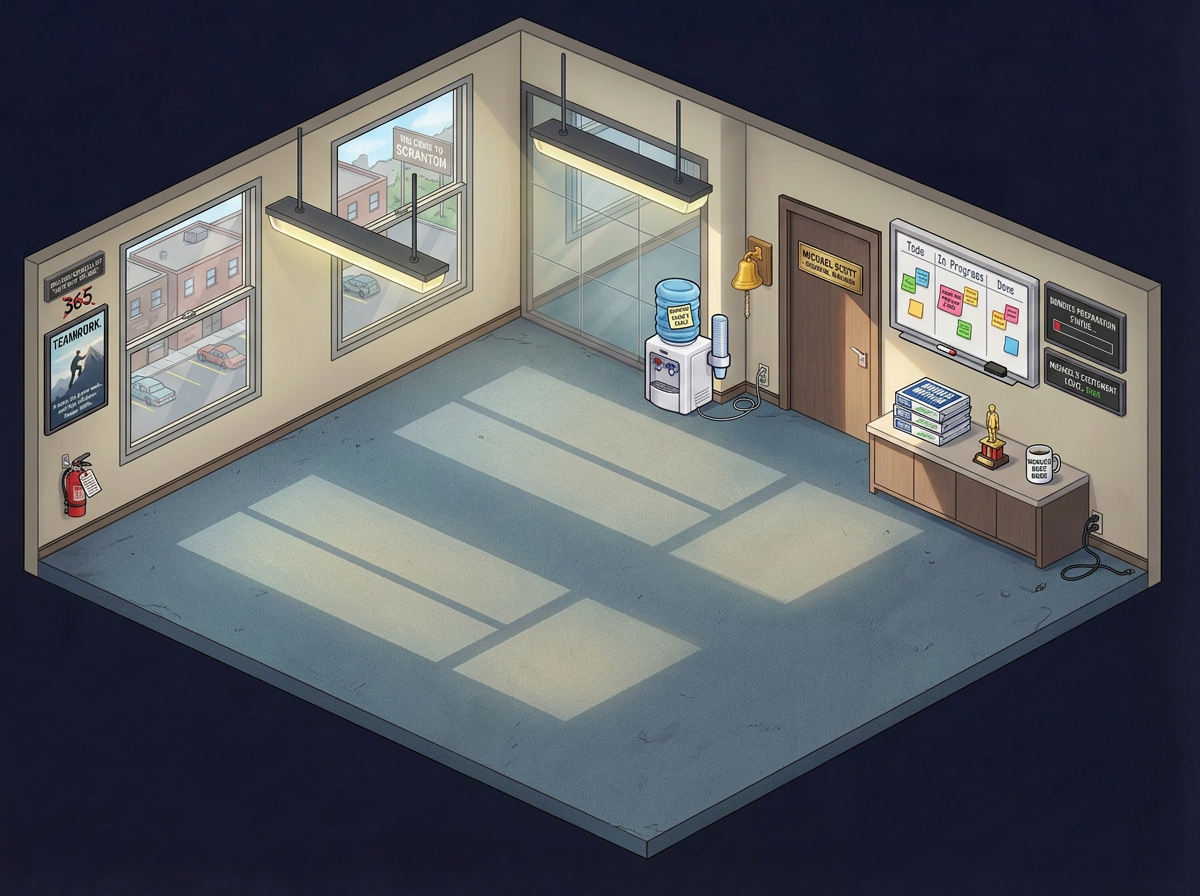
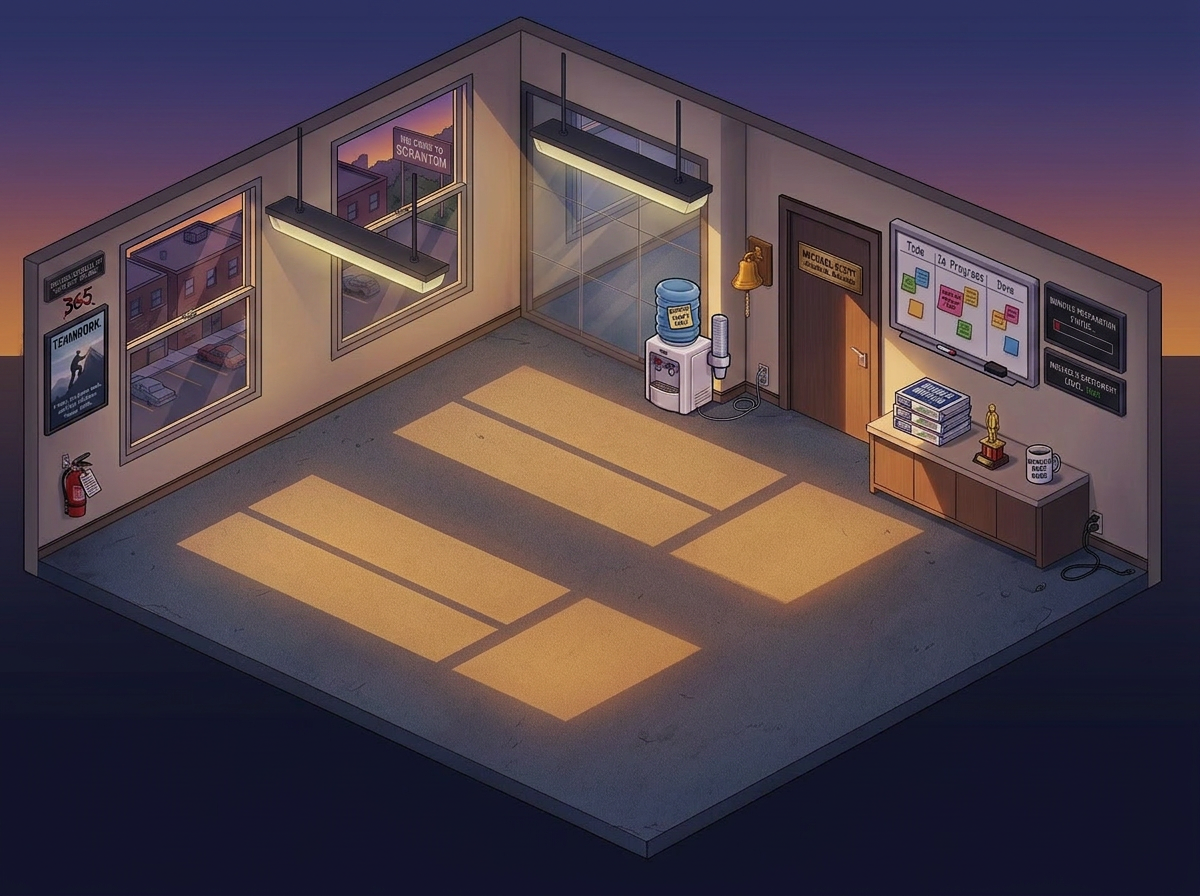
What changes when you toggle it on
- 27 cast members (Michael, Jim, Pam, Dwight, Kevin, Angela, Stanley, Creed, David Wallace, Bob Vance — the whole office) dealt to agent roles
- Role chatter swaps to in-character lines (
"Bears. Beets. Battlestar Galactica.","selling paper","Schrute bucks awarded") - Michael occasionally lands his signature
"That's what she said 😏"when replying to finished work - Character prop overlays — Michael rotates World's Best Boss mug / Dundie / Golden Ticket / Prison Mike bandana / "NO GOD PLEASE NO", Dwight gets the CPR dummy mask or a Schrute Buck, Jim keeps his jello stapler, Stanley gets a pretzel, Jan gets a Serenity by Jan candle, Oscar / Pam / Toby share the Finer Things Club
- Angela gets a follower cat and a head-cat (randomized from 12 cat sprites)
- Kevin's chili, pretzel day, and Finer Things Club references sprinkled through the break-room chatter
The cast














Easter-egg props
Each cast member gets a signature prop floating above their desk in place of the usual coffee/energy-drink bubble.






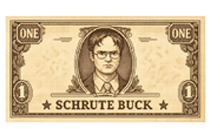



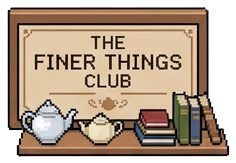



Toggle it off any time with /the-office again — state persists in localStorage.
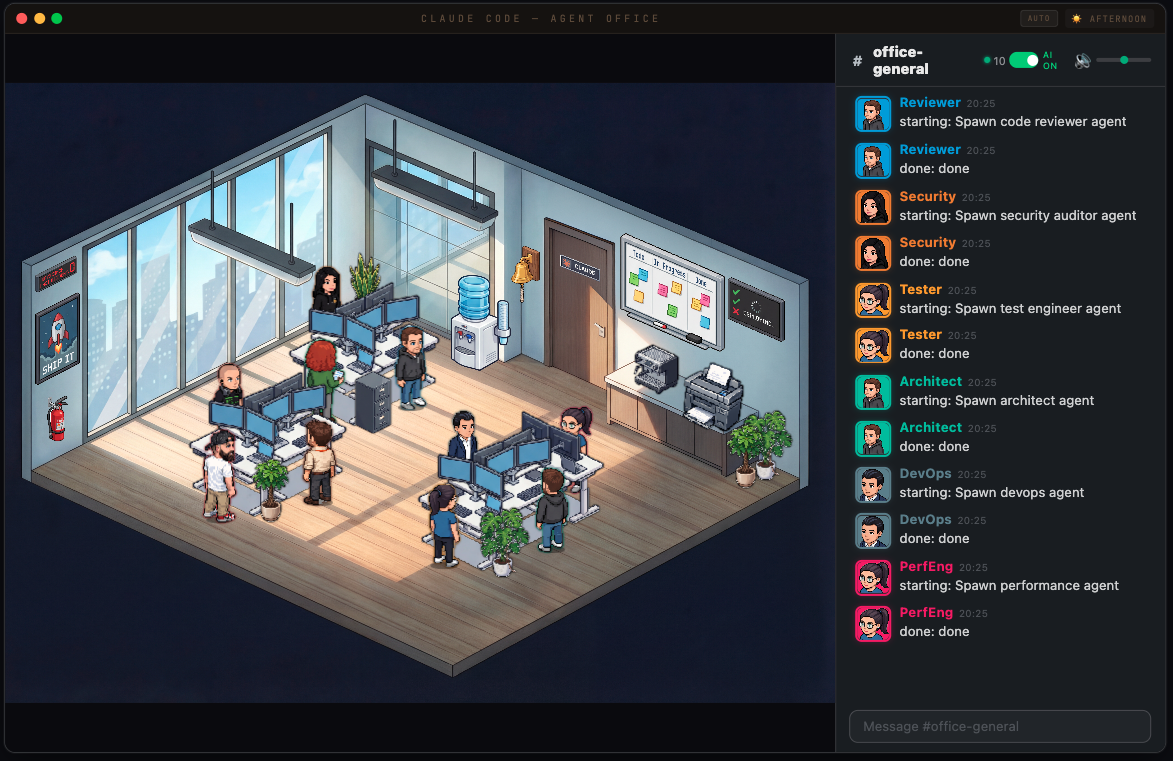
Full office — agents working, chatting, and taking coffee breaks
Features
Live Agent Visualization
- Agents appear as pixel art characters that walk into the office through the door
- Each agent type gets a unique character sprite and desk assignment
- Agents show typing bubbles, take coffee/water breaks, and leave when done
- One pill per Claude Code session, each with its own Claude at a desk
- Boss character (you) with an energy drink, Claude with coffee
- Random office events: pizza deliveries, fire drills, power flickers, printer jams
- Day/night cycle with smooth transitions
- Seasons: the office follows the calendar, spring, summer, autumn and winter all year round with Christmas, Halloween, Easter and Valentine's Day on top, every one drawn in both themes — see Seasons
- Settings (the ⚙ in the title bar): theme, day/night, season, sound and the server settings in one panel — see Settings
- Today (bottom-right of the status strip): the day's sessions, agents, tasks, deploys, failures, incidents and payroll, kept across restarts — or
/recapin the chat - More rooms: a corridor, a meeting room, a server room and a lunch room; click a door or the floor plan to go there and the boss follows — see Rooms
AI-Powered Office Chat
- Back-and-forth conversation with Claude through the office chat panel
- Claude has a witty office manager personality with running jokes
- Multi-agent routing — mention a bug and the Debugger responds, ask about UI and Frontend answers
- Typing indicators, emoji reactions, read receipts
- Slash commands:
/status,/agents,/recap,/incident,/all-clear,/help - Chat history persists across restarts (SQLite)
- Proactive messages — agents announce when they start and finish work
- Desktop notifications for important events
Context-Aware AI
- Claude knows your current git branch and active agents
- Conversation memory — remembers the last 10 messages
- AI On/Off toggle to control token usage
Night mode — the office after dark, agents still grinding
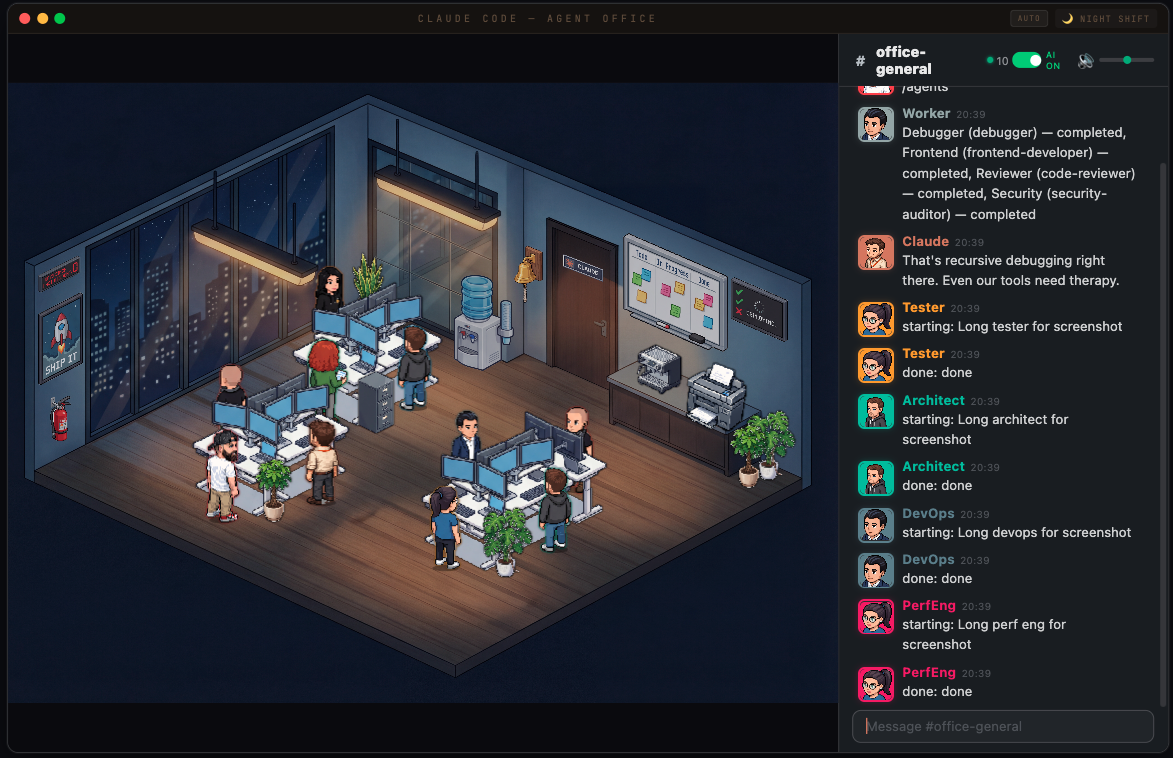
Waiting for tokens... the office keeps itself entertained
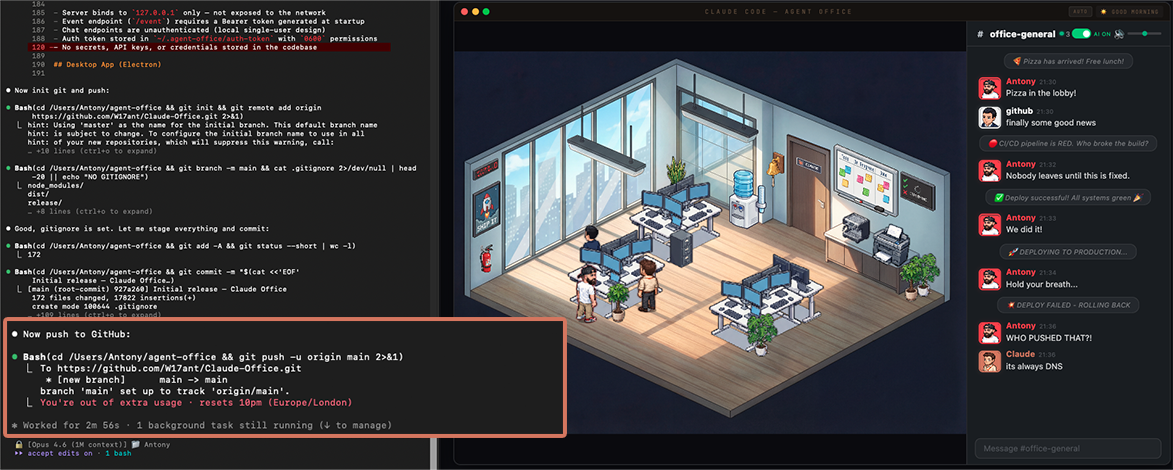
How It Works
Claude Code hooks and its status line send every agent spawn, tool call, prompt and permission wait to a local Express + WebSocket server, which broadcasts them to the React frontend.
Claude Code ──hooks + status line──> Express Server ──WebSocket──> React Frontend
                                          │
                                    SQLite (chat)
                                          │
                                  Chat AI Watcher ──claude -p──> Reply
Quick Start
# Clone
git clone https://github.com/W17ant/Claude-Office.git
cd Claude-Office

# Install
npm install

# Connect Claude Code (adds the hooks + status line to ~/.claude/settings.json, safe to re-run)
npm run install-hooks

# Start everything (server + frontend + chat watcher) and open the office
bash scripts/start-office.sh

# Stop everything
bash scripts/stop-office.sh
Now spawn agents in Claude Code and watch them appear in the office.
No checkout (Node 22+):
npx @w17ant/agent-office install-hooks   # connect Claude Code (once)
npx @w17ant/agent-office                 # start the office and open it; Ctrl+C stops it
doctor, stop, uninstall-hooks and --detach work the same way; see Run it with npx.
- Rather have an app? Grab the installer for Mac, Windows or Linux from Releases.
- Nothing showing up?
npm run doctorchecks the whole setup and tells you what's missing. - Want it gone?
npm run uninstall-hookstakes the hooks back out. - Works on macOS and Linux, and on Windows through WSL or Git Bash.
Installing it as a Claude Code plugin, the hook events, every setting and the security model are all in the reference.
Customise Your Character
The boss character (you) is configurable via office.config.json:
{
  "boss": {
    "name": "YourName",
    "sprite": "MyChar-1",
    "color": "#ff4444",
    "emoji": "crown"
  }
}
Change it and reload the page — no rebuild needed.
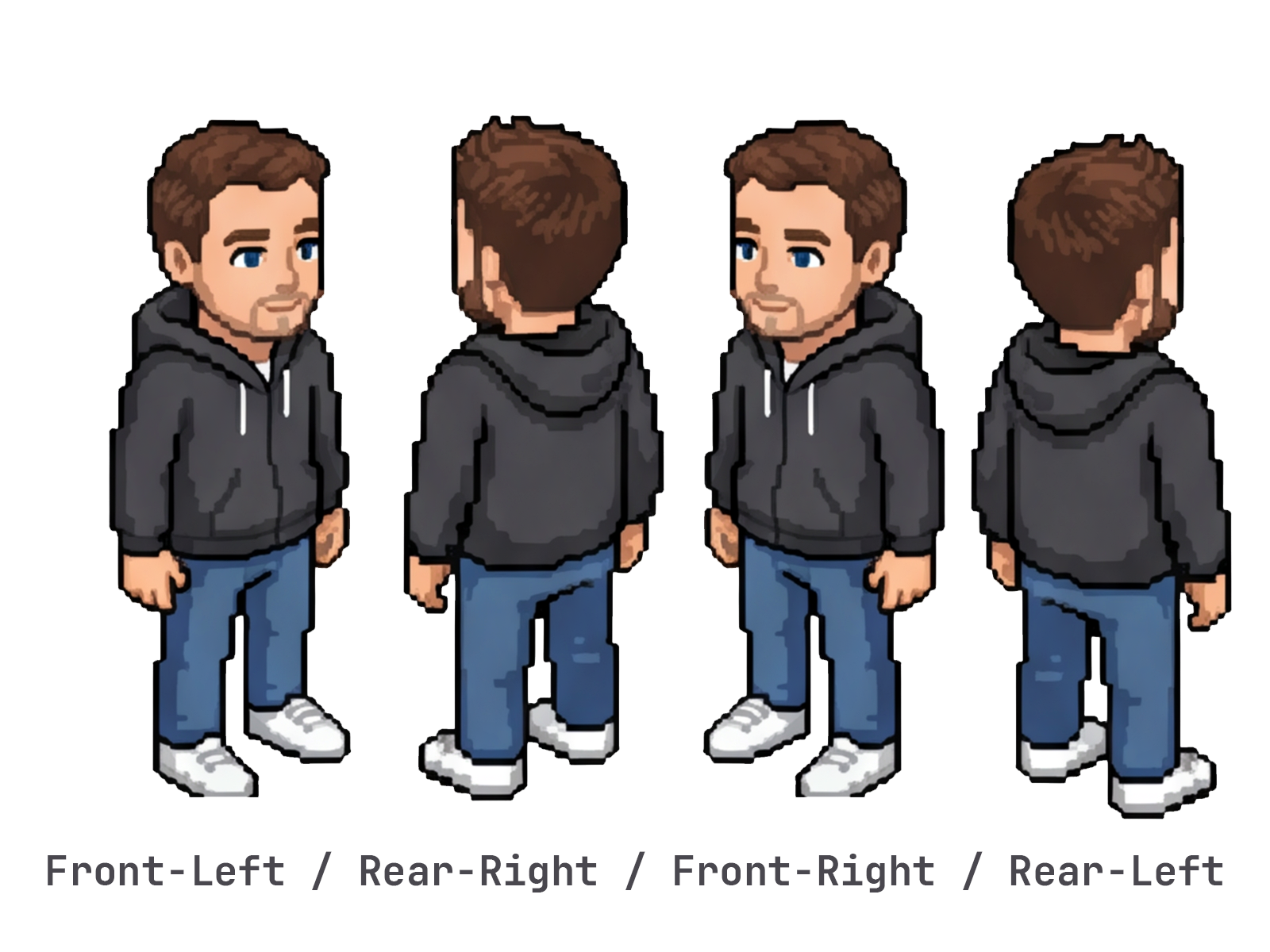
Creating a custom sprite
Use the Helper sprite sheet as a reference for the 4-direction layout — here's an example of mine next to it:


Here's Mini Claude — I asked Claude to describe itself after showing it the office with my avatar, then used the prompt to generate the sprite:
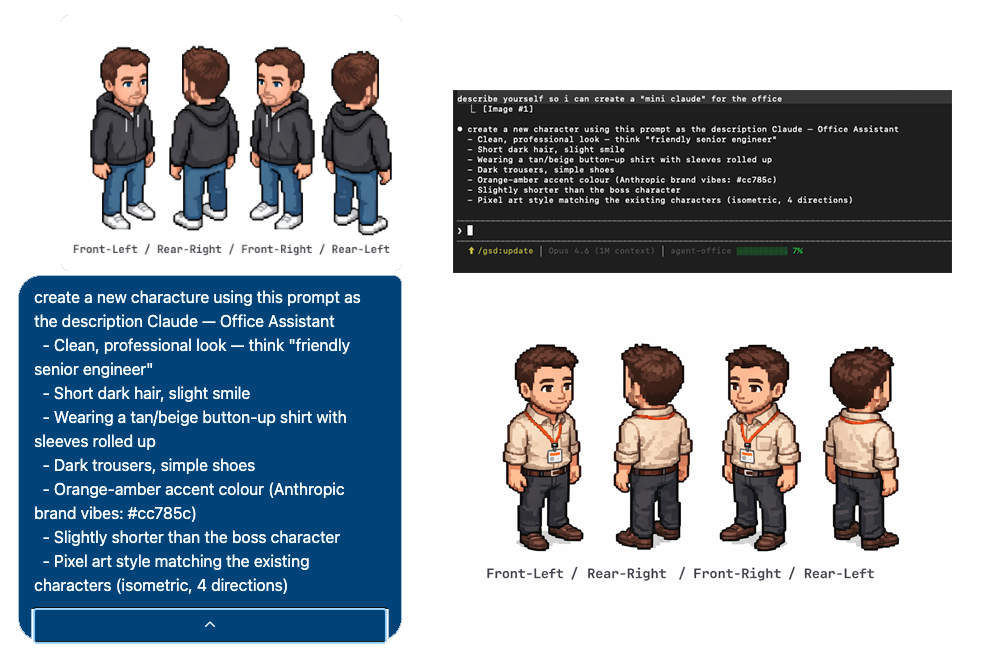
- Open ChatGPT (with DALL-E image generation)
- Upload
public/sprites/characters/Helper.pngas a reference - Ask it to generate a pixel art character in the same style and layout (4 directions: front-left, rear-right, front-right, rear-left)
- Save the output and extract the sprites:
python3 scripts/extract-boss-sprite.py your-character.png MyChar-1
Make it walk
The cast walk with a four-frame cycle (left foot down, passing, right foot down, passing) instead of gliding. A custom sprite glides until it has one; one more ChatGPT image gives it the whole cycle. Walking uses three directions, so the image is a 3 × 4 grid: a row per direction, a column per step.
Make the image to upload: the three standing poses side by side on magenta. The script also prints the prompt to use:
python3 scripts/walk-cycle.py prepare MyChar-1In ChatGPT, upload
MyChar-1-walk-input.pngwith that prompt and save the sheet it draws. Check it before cutting: 3 rows of 4, every figure facing the same way as its standing pose, the bottom row showing the back of the head (not the face), and the same clothes in every frame. If one is off, ask again; a new image costs nothing on a ChatGPT plan.Cut it into the 12 frames (
MyChar-1-front-left-walk1.webp…MyChar-1-rear-left-walk4.webp, beside the sprites):python3 scripts/walk-cycle.py cut your-walk-sheet.png MyChar-1
Reload the office and your character walks. The script places each frame on the standing sprite's canvas with its feet where the standing pose's feet are, and mirrors a row ChatGPT drew facing the wrong way. Add --no-mirror if the outfit has words on it, so they never read backwards. It needs Pillow and numpy (pip3 install Pillow numpy).
For the Christmas look, do the same with --festive on both commands once your -xmas.webp copies exist (see Christmas). Your character then keeps its festive outfit mid-step. Any other season's outfit works the same way with --season NAME (--season autumn reads the -autumn.webp copies; --festive is short for --season christmas), see Seasons.
This is a pixel-art game character standing in 3 directions (left figure, middle figure, right figure). Make a 4-frame looping WALK CYCLE sprite sheet of the SAME character: 3 ROWS and 4 COLUMNS. Row 1 = the left figure's direction, row 2 = the middle figure's direction, row 3 = the right figure's direction. The 4 columns are the 4 phases of the walk, left to right: 1 = contact: left foot forward with its heel on the ground, right foot back, right arm swung forward; 2 = passing: legs together under the body, right foot lifted a little as it passes, arms by the sides; 3 = contact: right foot forward, left foot back, left arm swung forward; 4 = passing: legs together, left foot lifted a little, arms by the sides. Small natural steps, feet never wider apart than the shoulders. In every frame the head and torso face EXACTLY the same angle as that row's standing figure: do not turn the head, do not turn the body sideways, only the legs and arms move. Same size and proportions as the standing figures, same clothes, face, hair, accessories and shoes, same pixel-art style, outline and shading. Row 3 walks AWAY from the viewer like the right standing figure: in all 4 frames of row 3 we see the back of the head and the back, never the face. All 12 figures the same height, feet on one baseline per row. Leave clear magenta gaps between all 12 figures. Flat solid magenta (#FF00FF) background everywhere, no shadows, no grid lines, no labels, no added text.
Chat
| Command | Description |
|---|---|
/status |
Office stats — agents, clients |
/agents |
List active agents |
/recap |
Today so far, as the office manager tells it — sessions, agents, tasks, deploys, failures, incidents, payroll |
/incident |
Declare an incident by hand |
/all-clear |
End the incident and post the postmortem |
/help |
Show available commands |
/the-office |
Toggle Dunder Mifflin mode |
To wipe the chat history, run python3 scripts/chat-post.py /clear from the checkout.
Agent Routing
The chat AI routes your messages to specialist agents based on keywords:
| Topic | Agent |
|---|---|
| bugs, errors, crashes | Debugger |
| PRs, code review, git | Reviewer |
| UI, CSS, design | Frontend |
| tests, coverage, e2e | Tester |
| auth, security, tokens | Security |
| deploys, Docker, CI | DevOps |
| performance, caching | PerfEng |
| databases, SQL | DBA |
| TypeScript, types | TS Pro |
| AI, LLMs, prompts | AI Eng |
| APIs, REST, webhooks | Fullstack |
| architecture, patterns | Architect |
Agents can also message each other directly — see Agent-to-agent messages.
Just me and Claude — chatting in the office
Modes
| URL | Mode |
|---|---|
127.0.0.1:3333 |
Live — connected to Claude Code via WebSocket |
127.0.0.1:3333?sim |
Simulation — scripted demo with fake agents |
127.0.0.1:3333?video |
Video — scripted recording mode |
127.0.0.1:3333?helper |
Placement helper — dev tool for positioning furniture |
127.0.0.1:3333?sim&rooms=all |
Rooms preview — the corridor, meeting room, server room and lunch room on placeholders, before their art (Rooms) |
127.0.0.1:3333?variant=incident |
Incident — pins "Prod Is Down" on |
http://<lan ip>:3335/#viewer=… |
Phone, watch-only — npm run lan prints this link and a QR code: the office scene alone, on a phone on your Wi-Fi (Phone mode) |
https://<lan ip>:3335/#phone=… |
Phone, full office — npm run lan -- --full prints this link, a QR code and a certificate fingerprint to compare on the first visit: chat, permission cards you can answer, meters, settings and the inspector, over HTTPS only (Phone mode) |
127.0.0.1:3333?season=christmas |
Christmas — the festive office any day (on by itself 1 Dec – 6 Jan) |
127.0.0.1:3333?season=autumn |
Any season or holiday by name, any day: spring, summer, autumn, winter, halloween, easter, valentine (Seasons) |
127.0.0.1:3333?season=none |
No seasonal art, whatever the date |
The theme, day/night mode, season and sound are also in Settings (the ⚙ at the right of the title bar) and are remembered per browser; a ?theme= or ?season= in the address still wins over what is stored there.
Tech Stack
- Frontend: React + TypeScript + Vite
- Server: Express + WebSocket (ws)
- Storage: SQLite (better-sqlite3)
- Chat AI: Claude CLI (
claude -p) - Sprites: Custom pixel art (isometric)
- Desktop: Electron (optional)
- Tests: Vitest, run in CI on every pull request
Project Structure
Claude-Office/
├── src/                    # React frontend
│   ├── components/         # Character, SlackChat, AgentCard, TaskBoard…
│   ├── officeReducer.ts    # Every office event → what the office does
│   ├── styles/             # office.css, incident.css…
│   └── App.tsx             # Main app
├── server/                 # Express + WebSocket server
│   ├── index.js            # HTTP endpoints + WS broadcast
│   └── chat-db.js          # SQLite wrapper
├── hooks/                  # Claude Code hooks
│   ├── agent-tracker.sh    # Forwards events to the server
│   ├── agent-tracker.py    # Turns a hook payload into the office event
│   ├── status-line.sh      # Feeds the meters
│   └── install-hooks.sh    # npm run install-hooks
├── scripts/                # start / stop / doctor / chat watcher
├── electron/               # Desktop app
├── public/sprites/         # Pixel art characters + effects
└── docs/                   # Reference + images
Security
- Server binds to
127.0.0.1only — not exposed to the network. Phone mode is opt-in:npm run lanadds a separate watch-only listener on your LAN address (no API routes, its own viewer key, no prompts, commands, paths or task text);npm run lan -- --fullserves the full office there instead, over HTTPS only, with a certificate made on this machine (compare its printed fingerprint on the first visit: nobody signed it), its own phone secret and a short allowlist of routes; andAGENT_OFFICE_ALLOWED_HOSTSletstailscale servereach the loopback server (Phone mode) - Agent events, permission answers and wiping the chat need the auth token in
~/.agent-office/auth-token(0600permissions); typing in the chat doesn't - The office page gets the token from the link the start script opens; without it the office is read-only
- Hook requests are signed, so the token never appears on a command line
The full model is in the reference.
Desktop App (Electron)
Download it from Releases, or build it yourself:
npm run dev:electron    # Development
npm run build:electron  # Build the installer
The app keeps itself up to date: when a newer release is out it downloads it in the background, and the tray menu (also on right-click in the window) offers Restart to update. Untick Update automatically in the same menu and it only tells you a new version is there, with a link to the download. How it works on each platform, and when it falls back to the download link, is in the reference.
Community
- Got an idea? Suggest it, or vote on others, in Discussions › Ideas
- Made the office your own? Show it in Show and tell
- Built something in a fork? Bring it back and get credited in the changelog: CONTRIBUTING › Got something in your fork?
- Want to help? Issues labelled help wanted are open for anyone
Bug reports and pull requests are welcome too; see CONTRIBUTING.md.
License
MIT — the Dunder Mifflin fan art is excluded, see NOTICE.md.
Reviews (0)
Sign in to leave a review.
Leave a reviewNo results found