snippet-service
Health Warn
- License — License: AGPL-3.0
- Description — Repository has a description
- Active repo — Last push 0 days ago
- Low visibility — Only 5 GitHub stars
Code Pass
- Code scan — Scanned 5 files during light audit, no dangerous patterns found
Permissions Pass
- Permissions — No dangerous permissions requested
No AI report is available for this listing yet.
A code-first AI agent for your terminal. Durable sessions, Mission Control, voice, and a headless daemon you steer from your phone or desktop. Bring your own model.

snippet
A code-first agent for your terminal, with a phone and desktop app to steer it from anywhere.


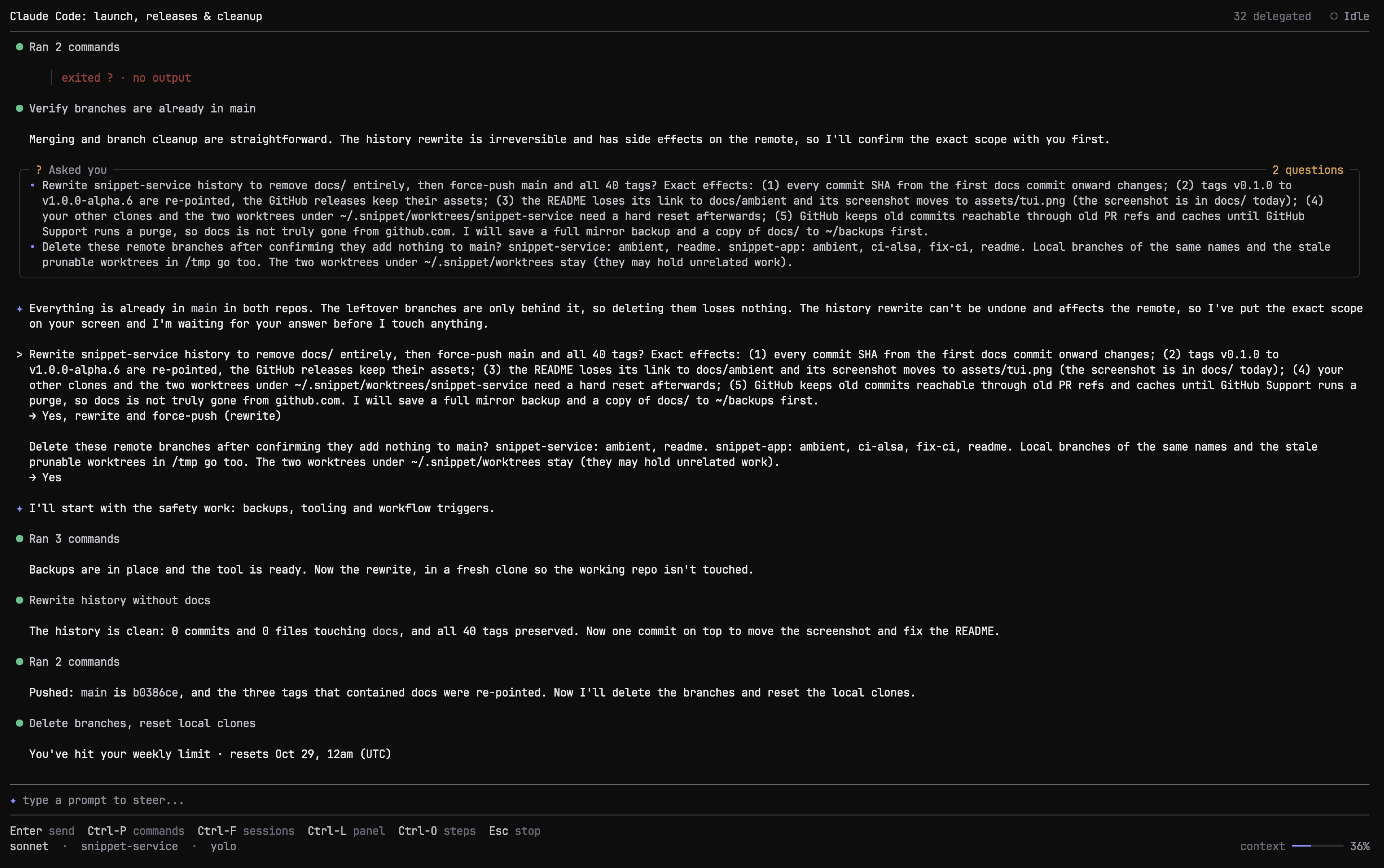
snippet runs on your machine, works in your project and keeps every session on disk. One Rust binary provides the terminal UI and the serve daemon that the companion app connects to.
Features
- Durable sessions: checkpoints, rewind and history compaction. Compacted messages stay searchable with
snippet history. - Memory per repository, shared by its worktrees: rules, learnings and notes.
- A small tool set: a stateful shell, one all-or-nothing file-change tool, image viewing and web search.
- Several model profiles, chosen globally or per conversation: Anthropic, OpenAI, Gemini, OpenRouter, any OpenAI-compatible endpoint, local models, or a ChatGPT subscription.
- Delegated background lanes with live progress, and detached processes for servers and watchers.
- Mission Control, a coordinating session that hands work to specialised agents, with optional voice.
- Remote control from Android, macOS, Linux and Windows.
Install
curl -fsSL https://snippet.fyi/install.sh | sh
Or download a package from the releases, or build from source with Rust:
git clone https://github.com/wacht-platform/snippet-service.git
cd snippet-service
cargo build --release      # target/release/snippet
The first run opens model setup and writes ~/.snippet/config.toml.
Terminal UI
Run snippet in a project folder.
| Command or key | Action |
|---|---|
/new |
Start a new conversation |
/resume or Ctrl-F |
Pick a previous session |
/model |
Choose a model profile |
/mode |
Toggle manual approval |
/compact |
Compact history now |
/rewind |
Restore a checkpoint |
Ctrl-O |
Show steps |
Esc |
Stop the current turn |
snippet --resume <id> reopens a session by id.
Remote control with serve
Run the daemon on the machine that owns the project:
snippet serve                       # start the daemon and any tunnel you have set up
snippet serve --tunnel tailscale    # auto, tailscale, funnel, cloudflare or none
snippet serve --status              # connection details and QR code
snippet serve --stop
snippet serve --enable              # run at login (launchd or systemd --user); --disable removes it
Snippet does not install a tunnel. Set one up yourself:
- Tailscale (recommended): install it on this machine and your phone and run
tailscale up.--tunnel tailscaleserves privately on your tailnet at a stable address;--tunnel funnelmakes it public. - Cloudflare: install
cloudflared.--tunnel cloudflareopens a quick tunnel whose address changes on every restart.
With the default auto, serve uses Tailscale if it is connected, then cloudflared if installed, otherwise it listens on this machine only. Other flags: --port (default 8787), --host, --token, --no-tunnel, --public-url.
serve prints a QR code and a connection string. Add it in the app under Add machine.
Model profiles
# ~/.snippet/config.toml
active_setup = "anthropic"

[setups.anthropic]
provider = "anthropic"
model = "claude-opus-4-8"
api_key = "sk-ant-..."
reasoning_effort = "high"       # off | low | medium | high

[setups.local]
provider = "openai-compatible"
base_url = "http://localhost:11434/v1"
model = "qwen2.5-coder"
stream = true
supports_images = false
provider is one of anthropic, openai, chatgpt, gemini, openrouter or openai-compatible. The TUI and the app can both edit profiles. Keys stay on the daemon and are never returned by the configuration API. Add exa_api_key for web search.
Memory and history
Memory is plain markdown that the agent reads and edits like any other file:
~/.snippet/projects/<repo>-<id>/memory/   one per repository, shared by its worktrees
  rules.md                  standing directives
  learnings.md              reusable lessons
  notes/<section>/<id>.md   one topic per note
~/.snippet/memory/          rules and learnings for every project
Set memory_enabled = false or memory_reflect = false in the config to turn memory or the post-request reflection pass off.
Messages that compaction moves out of context are archived and searchable:
snippet history search 'E0308'
snippet history show 412 413
Security
- Sessions and configuration stay on the host running
snippet. - Remote access needs the token, which is compared in constant time. A tunnel address alone grants nothing.
- Secrets are stored with restricted permissions and never returned by the API.
--no-tunnelkeeps the daemon local.
Architecture
terminal ───────────┐
                    ├── durable harness ── ~/.snippet/
app ─ serve daemon ─┘
The terminal and the app share the same persisted sessions. The daemon sends snapshots, deltas and stream frames over /attach, pages older history on the same socket, and sends device-wide notifications over /events.
Development
cargo check --lib --offline
cargo test --lib --offline
See CONTRIBUTING.md.
Companion app
Android, macOS, Linux and Windows builds are on the app releases page.
License
Copyright (C) 2026 snipextt. Licensed under the GNU Affero General Public License v3.0 or later.
Reviews (0)
Sign in to leave a review.
Leave a reviewNo results found