myconfig
Health Warn
- No license — Repository has no license file
- Description — Repository has a description
- Active repo — Last push 0 days ago
- Community trust — 10 GitHub stars
Code Fail
- rm -rf — Recursive force deletion command in auto_config.sh
- rm -rf — Recursive force deletion command in auto_config.zsh
Permissions Pass
- Permissions — No dangerous permissions requested
This project is a personal collection of dotfiles and automated setup scripts designed to help the author quickly configure a Linux desktop environment. It primarily targets Arch Linux and uses a substantial amount of Lua for its configuration.
Security Assessment
Overall Risk: High. The repository fails basic safety checks due to the presence of hardcoded `rm -rf` (recursive force deletion) commands inside its automated scripts (`auto_config.sh` and `auto_config.zsh`). Running these scripts without carefully auditing them could easily result in irreversible data loss. Additionally, the setup instructions execute numerous unvetted shell commands and install a wide array of third-party software via `sudo`, requiring elevated system privileges.
Quality Assessment
The project is actively maintained, with its most recent push occurring today. It features a highly detailed README with clear installation steps and has garnered 10 GitHub stars, indicating a small degree of community interest. However, it completely lacks a software license. This means that, strictly speaking, no one has legal permission to use, modify, or distribute the code. Because it is a personal dotfiles repository, this omission is likely an oversight by the developer rather than an intentional restriction.
Verdict
Not recommended. The combination of destructive file deletion commands in automated scripts, extensive use of root privileges, and a lack of licensing makes this too risky for the average user. You should only use this if you are willing to manually read through and heavily edit the setup scripts to prevent accidental data destruction.
My dotfiles. Dedicated to building an AI-native Linux system.
myconfig
English | 简体中文
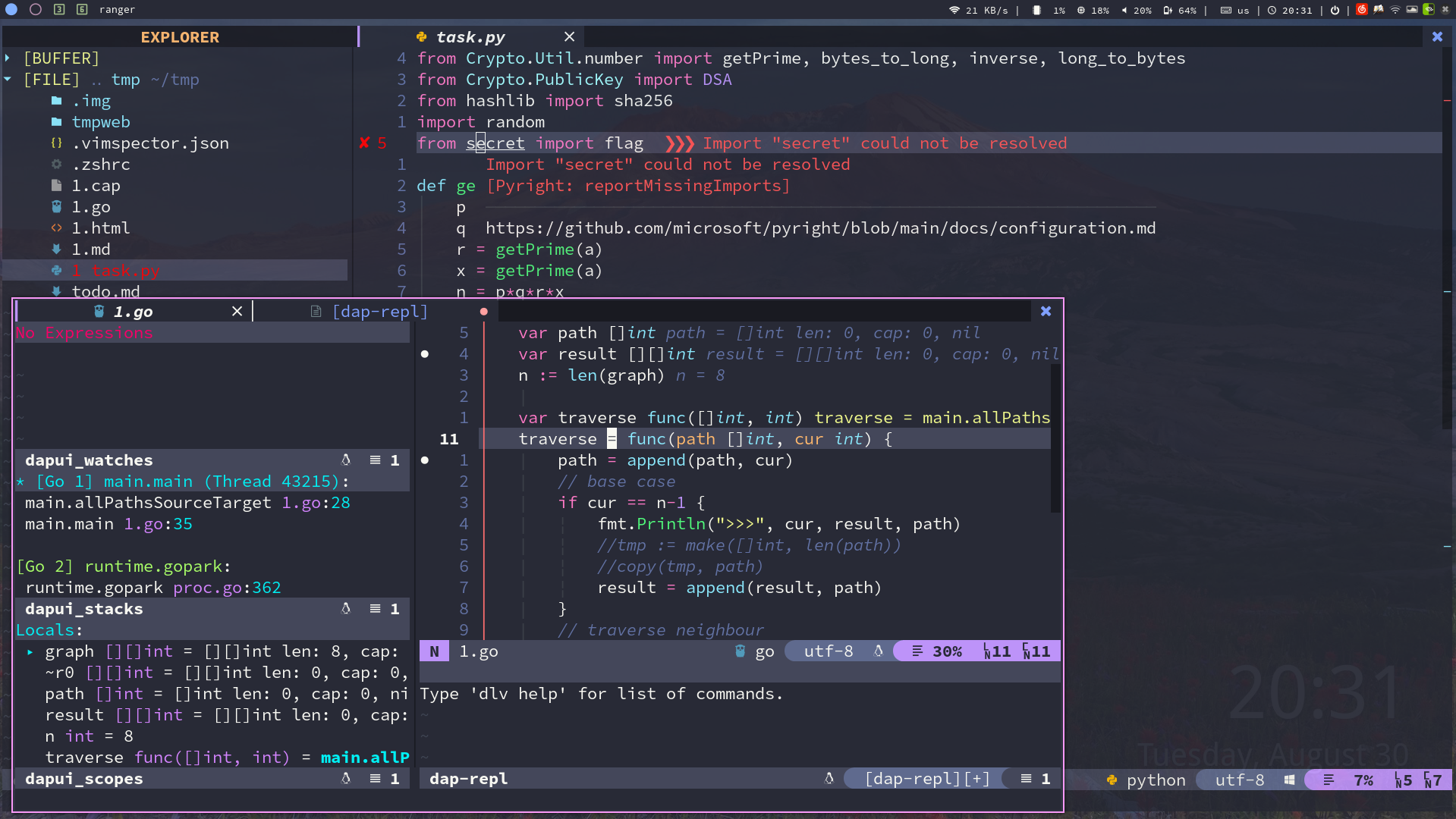
This project stores the configuration files for various software under linux.
It helps me to quickly configure my linux desktop environment.
Quick start
Clone this project to home directory. Note that this item cannot be deleted from home.
sudo pacman -Sy git paru python3 curl wget
git clone --recursive https://github.com/wakaka6/myconfig.git $HOME/myconfig
# if on virtual machine, use the following command to clone the repo
git clone -b vm --recursive https://github.com/wakaka6/myconfig.git $HOME/myconfig
And then, install prerequirement software
paru -S the_silver_searcher neovim lazygit ripgrep fd delta fzf rofi tealdeer zoxide
File Manager
paru -S thunar filezilla
Beautify
sudo pacman -S picom feh variety polybar-git arc-gtk-theme papirus-icon-theme adapta-gtk-theme arc-icon-theme
# configure GTK theme
sudo pacman -S lxappearance
# configure i3 theme
sudo pacman -S kvantum

# polkit for graphical sudo
sudo pacman -S polkit-gnome
shell
sudo pacman -S zsh starship
Reinforce i3
# like bspwm to the spiral tiling
paru -S autotiling

# Visually focus windows by label
paru -S wmfocus
AwesomeWM (alternative to i3)
sudo pacman -S awesome
# required dependencies
paru -S picom rofi alacritty xclip warpd
Nerd Font
paru -S ttf-unifont siji-git ttf-font-awesome

paru -S ttf-linux-libertine ttf-inconsolata ttf-joypixels ttf-twemoji-color noto-fonts-emoji ttf-liberation ttf-droid

paru -S ttf-jetbrains-mono-nerd

# zh-CN
paru -S wqy-bitmapfont wqy-microhei wqy-microhei-lite wqy-zenhei adobe-source-han-mono-cn-fonts adobe-source-han-sans-cn-fonts adobe-source-han-serif-cn-fonts
If running on virtual machine, run the following command.
pacman -S open-vm-tools-desktop
About ranger prerequirement (optional)
pacman -S ranger highlight atool w3m poppler mediainfo ueberzug zathura-pdf-mupdf
About yazi prerequirement (optional, recommended)
yazi is better than ranger, faster.
pacman -S yazi ffmpeg 7zip jq poppler imagemagick ueberzugpp
About Neovim prerequirement
sudo pacman -S neovim python-pynvim
sudo pacman -S python-pip
pip install pynvim
pip install jedi
curl -sL install-node.now.sh/lts | bash
sudo pacman -S xdotool
Latex prerequirement
paru -S texlive texlive-lang biber
A modern alternative to traditional software
sudo pacman -S lsd htop duf
Other Software
sudo pacman -S flameshot
sudo pacman -S network-manager-applet
sudo pacman -S libreoffice-still
sudo pacman -S dunst # notify
# translation software
sudo pacman -S goldendict
sudo pacman -S translate-shell
sudo pacman -S remmina freerdp # RDP tools

# Input method
sudo pacman -S fcitx5-im #基础包组
sudo pacman -S fcitx5-chinese-addons #官方中文输入引擎
# sudo pacman -S fcitx5-anthy #日文输入引擎
paru -S fcitx5-pinyin-moegirl #萌娘百科词库 由于中国大陆政府对github封锁,你在下载时可能需要使用魔法。
sudo pacman -S fcitx5-pinyin-zhwiki #中文维基百科词库
sudo pacman -S fcitx5-material-color #主题
In the end, run this command
cd ~/myconfig && ./auto_config.sh install && reboot
Claude Code
Install Claude Code for AI-powered assistance. Refer to https://claude.com/product/claude-code for installation instructions.
After installation, the awesome config provides quick access:
mod+g- Open Claude Code scratchpadmod+/- Query selected text with Claude
Reviews (0)
Sign in to leave a review.
Leave a reviewNo results found