unicon
Health Warn
- License — License: MIT
- Description — Repository has a description
- Active repo — Last push 0 days ago
- Low visibility — Only 7 GitHub stars
Code Warn
- process.env — Environment variable access in .github/workflows/ci.yml
- fs module — File system access in .github/workflows/ci.yml
- process.env — Environment variable access in drizzle.config.ts
Permissions Pass
- Permissions — No dangerous permissions requested
This tool acts as a convenient "shadcn for icons." It allows developers to search a vast database of over 20,000 icons and copy the exact code they need directly into their projects with zero bloat and zero dependencies.
Security Assessment
The overall security risk is Low. The tool does not request dangerous permissions or execute unexpected shell commands. Automated code scans flagged environment variable usage and file system access, but these are isolated to a CI/CD workflow file (`ci.yml`) and a database configuration file (`drizzle.config.ts`). This behavior is entirely normal and safe for build processes. There is no evidence of hardcoded secrets, unauthorized network requests, or malicious data collection in the core tool.
Quality Assessment
The project has a high baseline of quality. It is properly licensed under the standard MIT license, meaning it is safe for commercial and personal use. The repository appears to be actively maintained, with very recent updates. However, the tool currently suffers from extremely low community visibility, having only 7 GitHub stars. Because of this, it has not yet been widely battle-tested by a large developer community, so you may encounter undocumented edge cases.
Verdict
Safe to use—a well-documented utility that poses no security risks, though its newness means community trust is still limited.
Shadcn for icons.
Unicon
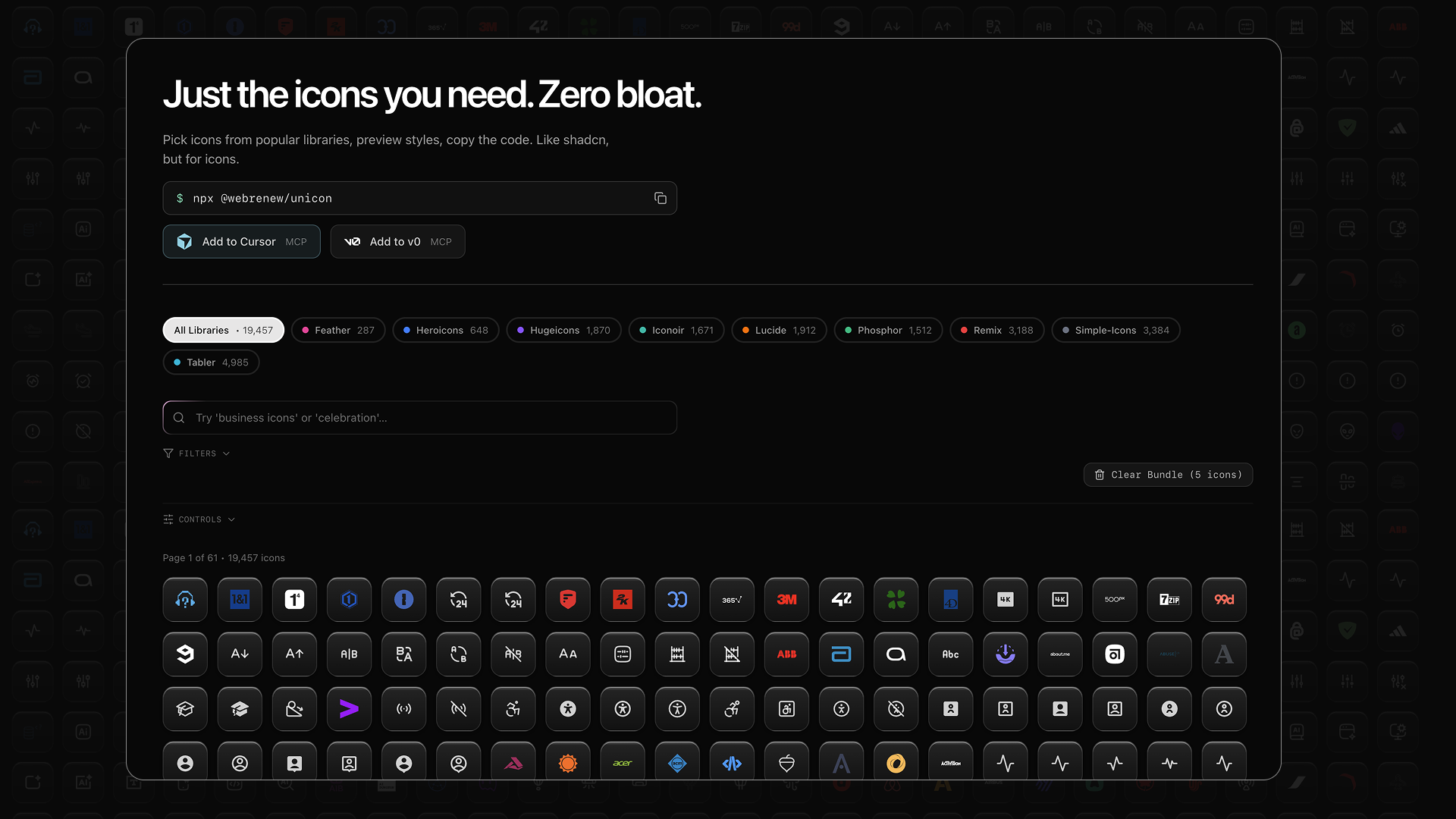
Just the icons you need. Zero bloat.
Browse 20,000+ icons and copy exactly what you need. Like shadcn/ui, but for icons.


Why Unicon?
Most icon libraries force you to install thousands of icons just to use a handful. Unicon lets you browse everything in one place and copy only what you need.
- Browse once, use anywhere — Search 9 icon libraries
- Copy exactly what you need — React, SVG, or JSON
- Bundle multiple icons — Export a set at once
- Zero dependencies — Paste directly into your project
Icon Libraries
| Library | Icons | Style |
|---|---|---|
| Lucide | 1,500+ | Minimal, consistent stroke |
| Phosphor | 1,300+ | 6 weights per icon |
| Huge Icons | 4,000+ | Modern, versatile |
| Heroicons | 300+ | By Tailwind CSS team |
| Tabler | 5,000+ | Clean, customizable |
| Feather | 280+ | Simple, elegant |
| Remix Icon | 2,800+ | Outlined & filled |
| Simple Icons | 3,300+ | Brand logos |
| Iconoir | 1,600+ | Regular & solid |
Coming Soon
| Library | Icons | License | Focus |
|---|---|---|---|
| Carbon | 2,000+ | Apache-2.0 | IBM's enterprise design system |
| Blueprint | 300+ | Apache-2.0 | Palantir's data-focused icons |
| Devicons | 200+ | MIT | Programming languages & dev tools |
| Octicons | 600+ | MIT | GitHub's icon set |
| Cryptocurrency Icons | 400+ | CC0 | Coins and tokens |
How to Use
1. Search for icons
Use natural language — search "happy face" to find smile icons, or "business" for briefcases and charts.
2. Copy what you need
Click any icon and choose your format:
React Component — Drop directly into your project:
export const ArrowRight = (props) => (
  <svg xmlns="http://www.w3.org/2000/svg" viewBox="0 0 24 24" {...props}>
    <path d="M13.22 19.03a.75.75 0 0 1 0-1.06L18.19 13H3.75a.75.75 0 0 1 0-1.5h14.44l-4.97-4.97a.75.75 0 0 1 1.06-1.06l6.25 6.25a.75.75 0 0 1 0 1.06l-6.25 6.25a.75.75 0 0 1-1.06 0Z"/>
  </svg>
)
Raw SVG — For HTML, design tools, or anywhere else:
<svg xmlns="http://www.w3.org/2000/svg" viewBox="0 0 24 24">
  <path d="M13.22 19.03..."/>
</svg>
3. Bundle multiple icons
Select multiple icons and export as:
- Single file with all React components
- Individual SVG files
- JSON metadata
4. Open in v0
Send icons to v0.dev to prototype UI components.
CLI
Install icons directly from your terminal.
Installation
npm install -g @webrenew/unicon

# Or use npx (no install)
npx @webrenew/unicon search arrow
Quick Start
# Search for icons
unicon search "dashboard"

# Get icon as React component
unicon get home

# Copy to clipboard (macOS)
unicon get home | pbcopy

# Save to file
unicon get settings -o ./Settings.tsx

# Bundle icons by category
unicon bundle --category Dashboards

# Preview in terminal
unicon preview star
Output Formats
| Format | Description |
|---|---|
react |
React/TS components (default) |
vue |
Vue 3 SFCs |
svelte |
Svelte components |
svg |
Raw SVG |
json |
Icon metadata |
Config-Driven Workflow
For larger projects, use a config file:
unicon init
unicon add dashboard --category Dashboards
unicon add nav --query "arrow chevron"
unicon sync
See CLI.md for full documentation.
AI Integration
Unicon works with AI coding assistants.
Skills for AI Assistants
Install rules that teach AI assistants to use Unicon:
unicon skill --ide claude
unicon skill --ide cursor
unicon skill --all
Supported: Claude Code, Cursor, Windsurf, Agent, Antigravity, OpenCode, Codex, Aider
Then ask your AI:
- "Add a home icon to my project"
- "Search for dashboard icons"
MCP Server
For deeper integration, use the MCP server.
Claude Desktop / Cursor:
{
  "mcpServers": {
    "unicon": {
      "command": "npx",
      "args": ["-y", "@webrenew/unicon-mcp-server"]
    }
  }
}
Cloud IDEs (v0, Bolt, Lovable):
https://unicon.sh/api/mcp
Tools: search_icons, get_icon, get_multiple_icons, get_starter_pack
See MCP docs for details.
Self-Hosting
Want to run your own instance? See DEVELOPMENT.md for setup instructions.
Build Notes
- The app build uses
webpack(next build --webpack) for deterministic CI/local builds in restricted environments. - The home route (
/) is intentionally dynamic to avoid build-time database fetches during prerender.
License
MIT License — see LICENSE for details.
Icons retain their original licenses. See THIRD_PARTY_LICENSES.md for full attribution.
- MIT: Lucide, Phosphor, Huge Icons, Heroicons, Tabler, Feather, Iconoir, Devicons, Octicons
- Apache-2.0: Remix Icon, Carbon, Blueprint
- CC0: Simple Icons, Cryptocurrency Icons (logos are trademarks of their owners)
Built by WebRenew
Reviews (0)
Sign in to leave a review.
Leave a reviewNo results found