mobileclaw
Health Warn
- No license — Repository has no license file
- Description — Repository has a description
- Active repo — Last push 0 days ago
- Community trust — 18 GitHub stars
Code Warn
- process.env — Environment variable access in app/LocatorProvider.tsx
- network request — Outbound network request in app/api/unfurl/route.ts
- process.env — Environment variable access in app/page.tsx
- network request — Outbound network request in app/page.tsx
Permissions Pass
- Permissions — No dangerous permissions requested
MobileClaw is a mobile-first, responsive chat user interface designed to connect to OpenClaw and LM Studio backends for local LLM interactions.
Security Assessment
The overall risk is Low. The tool does not request dangerous system permissions, lacks hardcoded secrets, and does not appear to execute arbitrary shell commands. It does make outbound network requests (specifically in the API routing and main page) to connect to AI backends and fetch data, which is expected for a chat interface. It also reads environment variables to manage configurations securely. Users should note that depending on how the app is deployed and which backend it connects to, chat prompts and responses will traverse the configured network.
Quality Assessment
The project is actively maintained, with its most recent push occurring today. It has a solid foundation of community trust for a specialized UI tool, currently backed by 18 GitHub stars. However, the repository lacks a designated open-source license. This is a significant drawback for enterprise or open-source use, as it legally means all rights are reserved by the creator and the software cannot be freely modified or redistributed without explicit permission.
Verdict
Use with caution: the application itself is safe and well-built, but the complete absence of a license makes it legally risky to integrate into larger commercial or open-source projects.
OpenClaw (and LM Studio) chat with strong focus on responsive and beautiful interface
MobileClaw
A mobile-first chat UI for OpenClaw and LM Studio
Why?
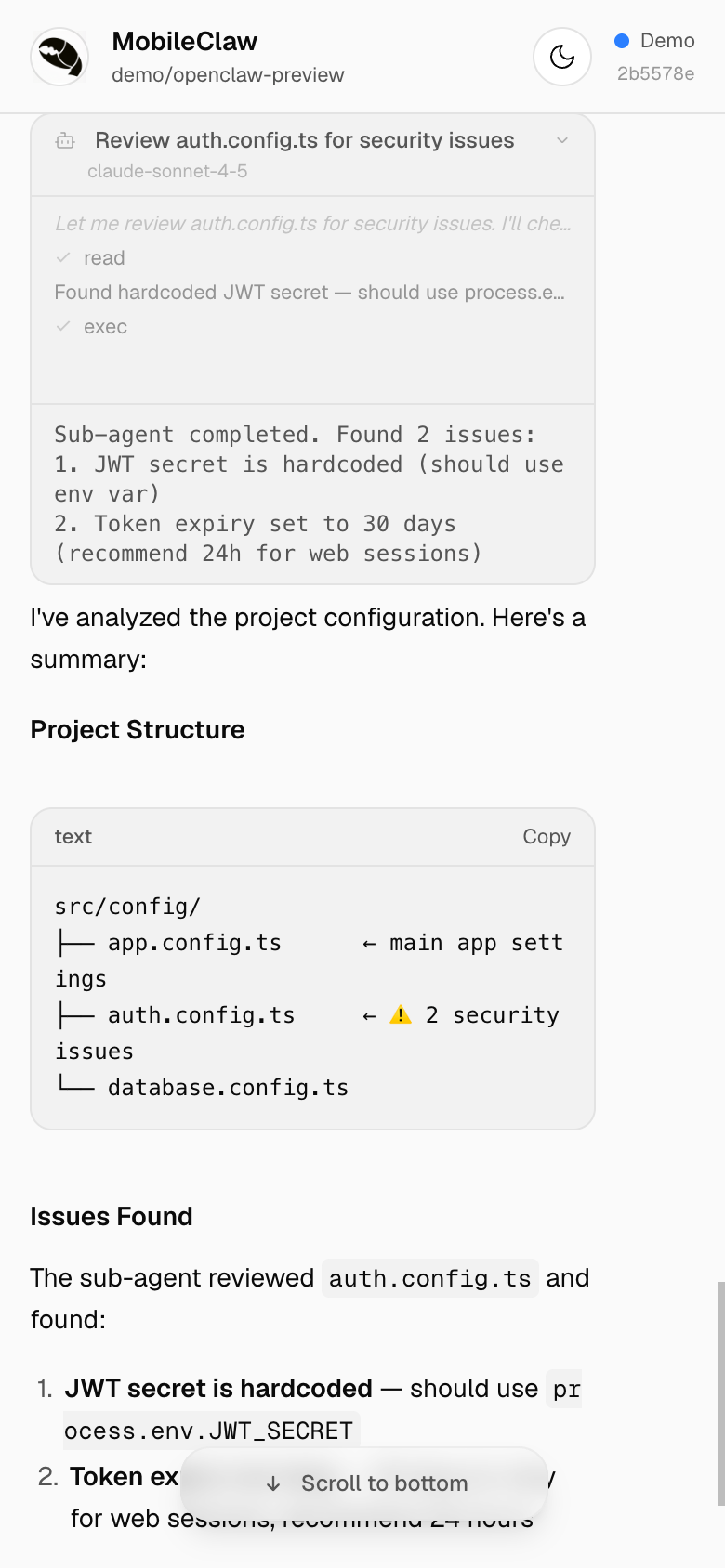
These two screens show the same conversation
OpenClaw
With MobileClaw
Features
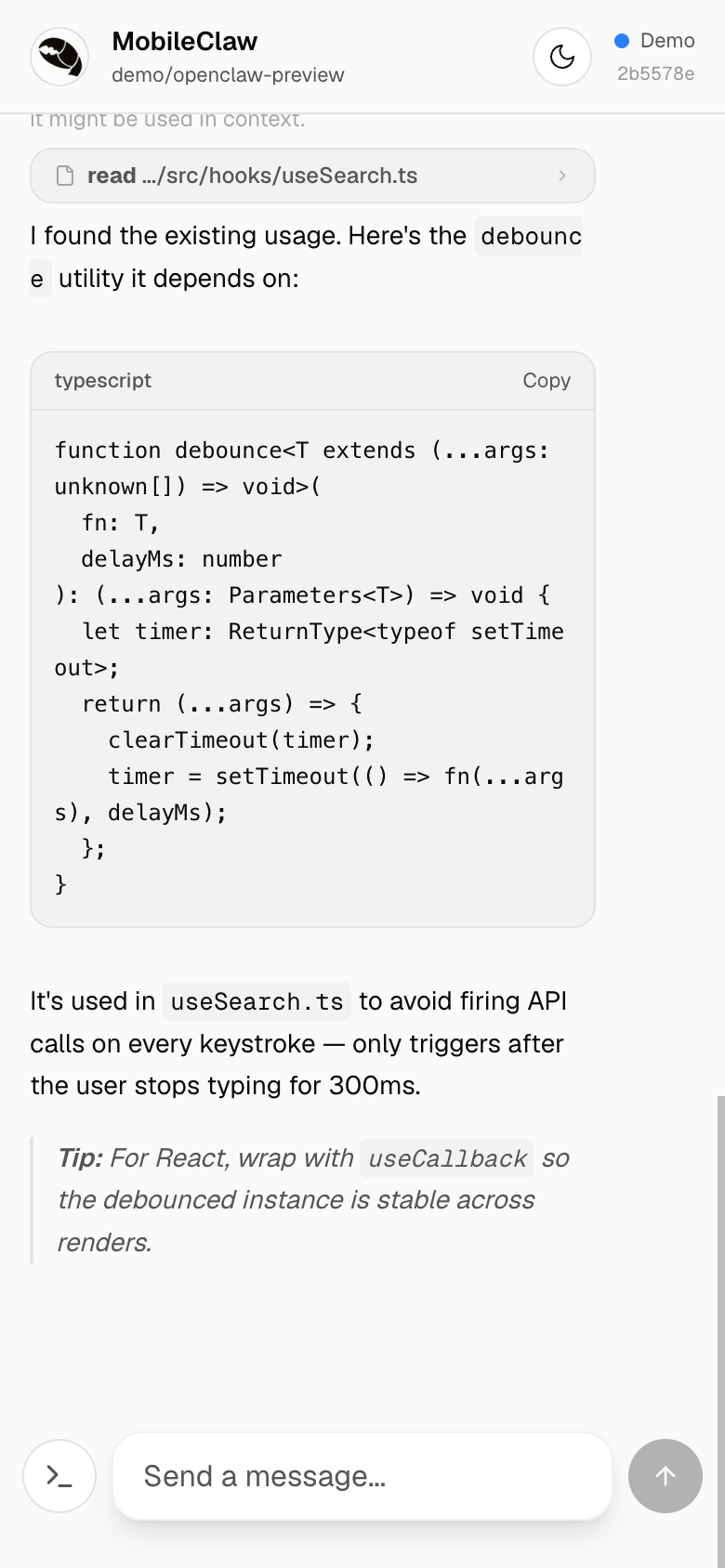
Streaming & Markdown
Real-time word-by-word streaming with rich markdown rendering — headings, lists, tables, code blocks with syntax labels and one-tap copy.
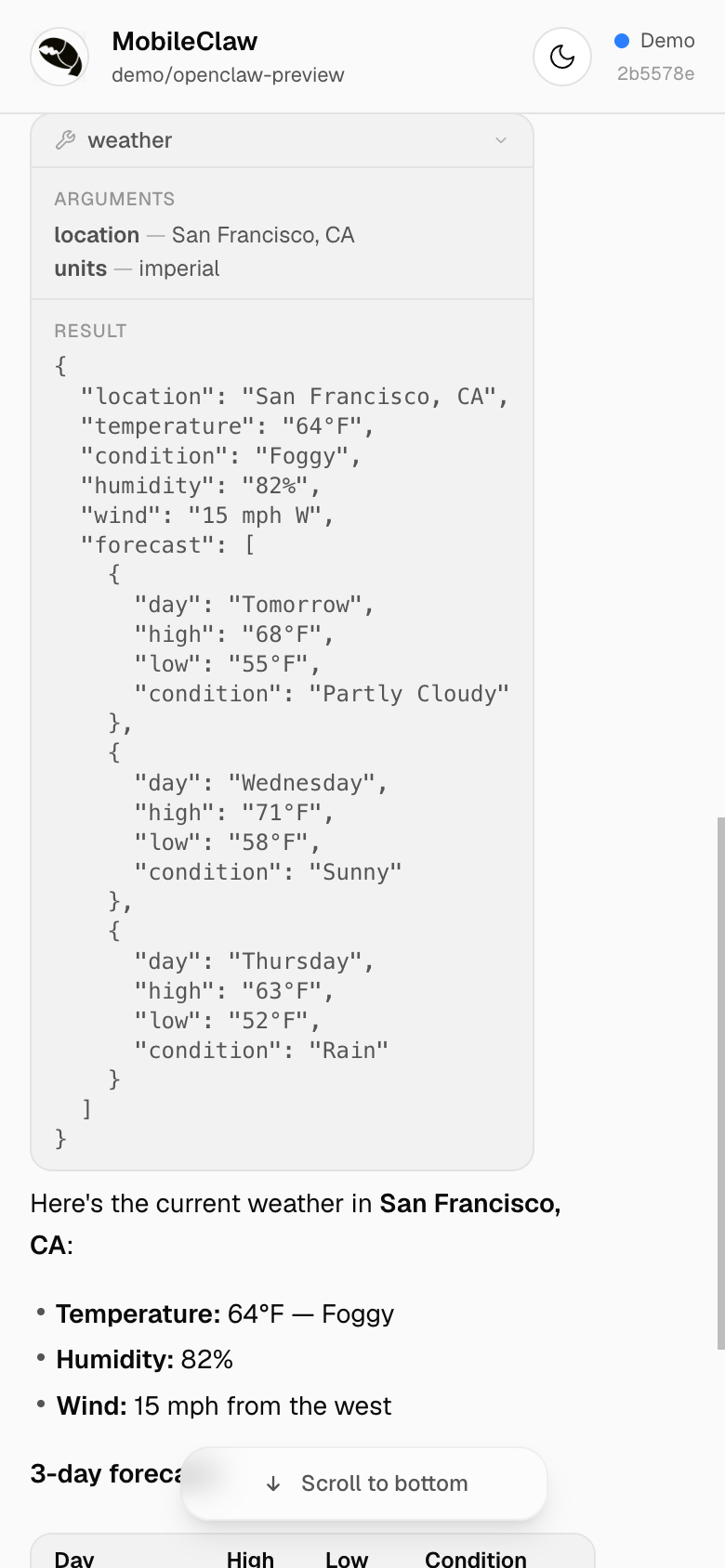
Tool Calls
Live tool execution with running/success/error states. See arguments, results, and inline diffs — all with smooth slide-in animations.
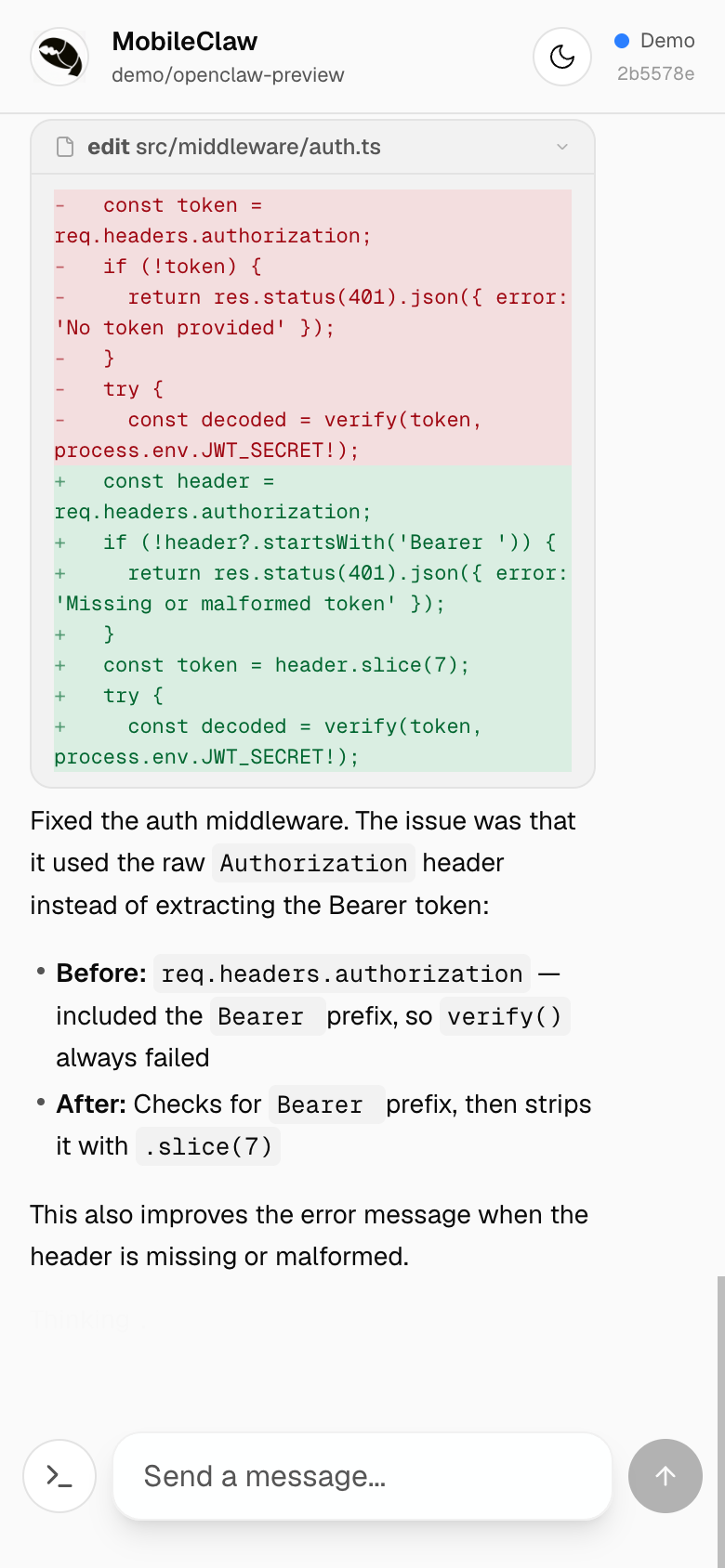
Inline Diffs
Edit tool calls render as color-coded inline diffs — red for removed lines, green for additions. No need to leave the chat to review changes.
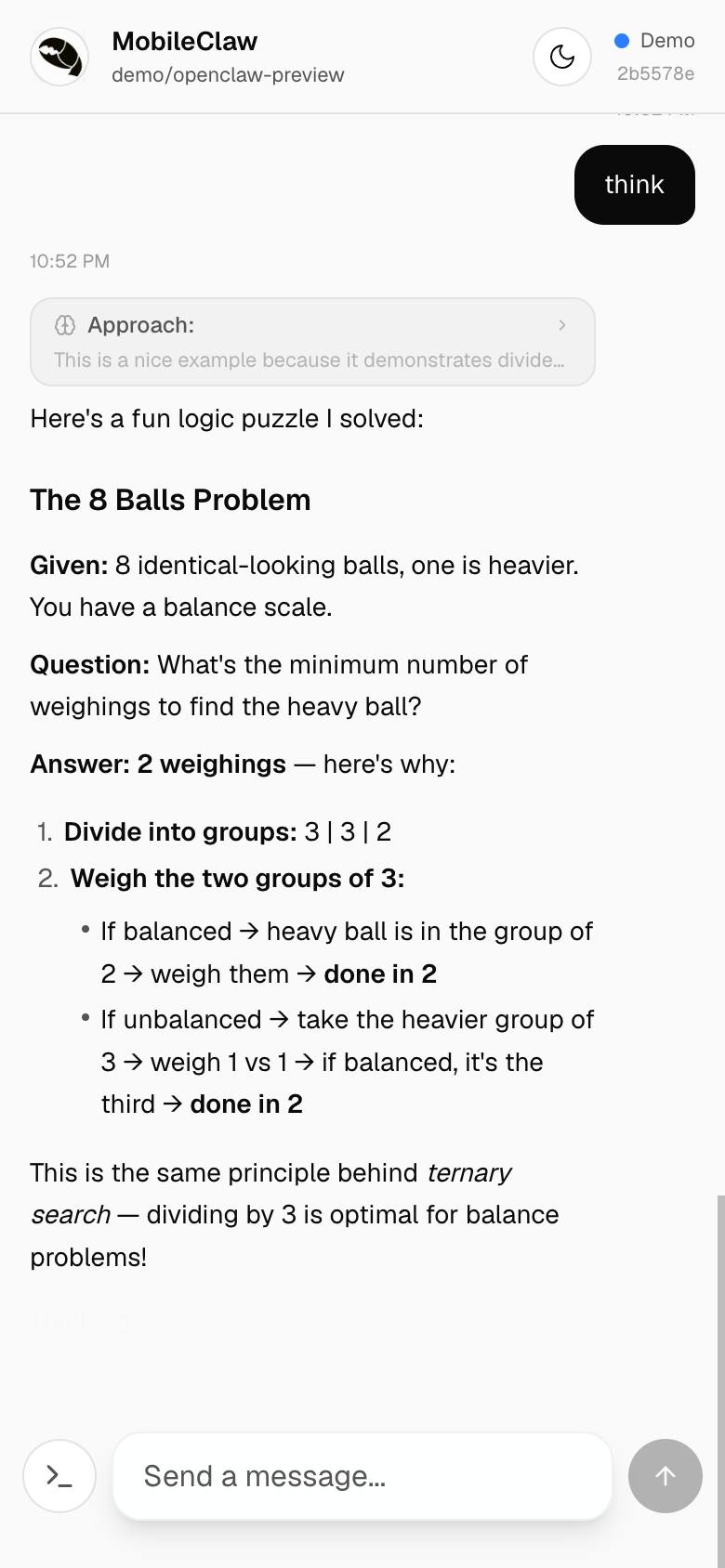
Thinking / Reasoning
Expandable reasoning blocks show the model's chain-of-thought. Tap to expand or collapse — the thinking duration badge shows how long the model reasoned.
Sub-Agent Activity
When the agent spawns sub-agents, a live activity feed shows their reasoning, tool calls, and results streaming in real time.
LM Studio Support
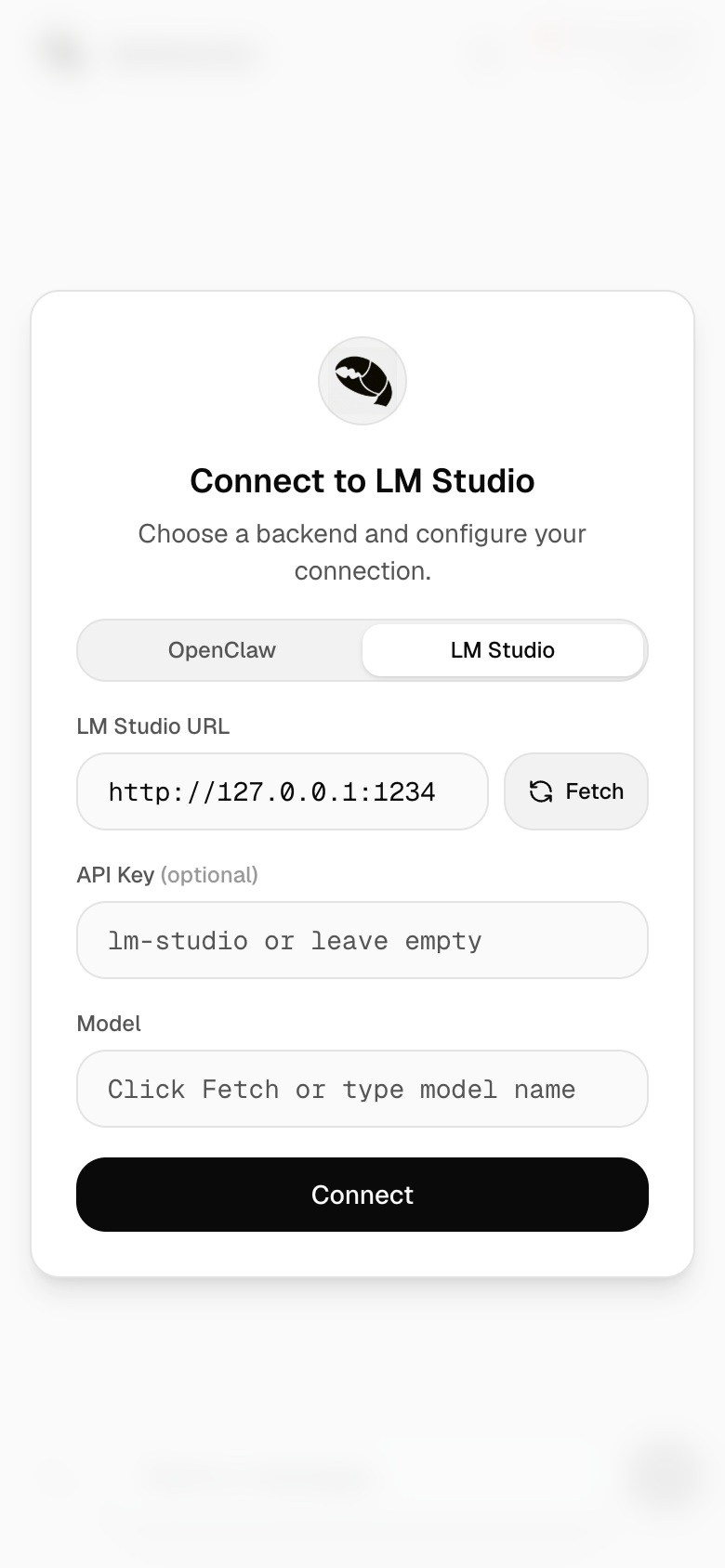
Run local models with full chat UI support. Auto-fetches available models, parses <think> tags for reasoning display, and streams responses via the OpenAI-compatible API. No cloud required.
Embeddable Widget
Drop MobileClaw into any page as an iframe. The ?detached query param renders a compact, chromeless chat widget — no header, no setup dialog, no pull-to-refresh. Pass ?detached&url=wss://host&token=abc to auto-connect to an OpenClaw backend without user setup.
And More
- Command palette — slide-up sheet with all OpenClaw slash commands, search and autocomplete
- Dark mode — Linear-inspired palette with stepped grayscale elevation, off-white text, and desaturated accents
- Mobile-first — optimized for iOS Safari with custom rAF-driven scroll animations, momentum bounce, keyboard-resize handling (including SwiftKey), and frosted-glass scroll-to-bottom pill
- Demo mode — fully functional without a backend server
- File & image uploads — attach any file type; uploaded via Litterbox (temporary hosting, 72h expiry). Litterbox is a free community service — consider donating
- Push notifications — get notified when the agent finishes responding
- Bot protection — optional Cloudflare Turnstile gate via
NEXT_PUBLIC_TURNSTILE_SITE_KEYenv var
Quick Start
git clone https://github.com/wende/mobileclaw && cd mobileclaw && pnpm install && pnpm dev
Open localhost:3000?demo to try it instantly.
Connecting to a Backend
See SETUP_SKILL.md for step-by-step instructions covering localhost, LAN, and Tailscale setups.
Contributing
git clone https://github.com/wende/mobileclaw && cd mobileclaw
pnpm install && pnpm dev
This starts a dev server with Turbopack at http://localhost:3000.
For development, use Scenario A (everything on one machine) or Scenario C (OpenClaw running elsewhere) from the setup guide.
Tech Stack
- Next.js 16 — App Router, Turbopack
- Tailwind CSS v4 — OKLch color tokens,
@utilitycustom utilities - TypeScript — type-safe WebSocket protocol handling, enforced in build via
tsc - ESLint 9 — flat config with type-aware
typescript-eslintrules - Zero UI dependencies — hand-rolled components with inline SVG icons
License
MIT
Reviews (0)
Sign in to leave a review.
Leave a reviewNo results found