vpet-agent-pet
Health Warn
- No license — Repository has no license file
- Description — Repository has a description
- Active repo — Last push 0 days ago
- Low visibility — Only 5 GitHub stars
Code Pass
- Code scan — Scanned 12 files during light audit, no dangerous patterns found
Permissions Pass
- Permissions — No dangerous permissions requested
No AI report is available for this listing yet.
A playful desktop pet for Claude Code and Codex that shows agent activity and alerts you when input is needed. Available on Linux, macOS, and Windows.
Agent Pet
English | Tiếng Việt
A little desktop pet that keeps you company while Claude Code and Codex work.
Experimental OpenCode and Antigravity integrations are available in Settings → Startup and agents. See setup and current coverage.
It sits on your screen, thinks when your agent thinks, gets busy when it runs tools, and waves at you when a session needs your approval, so you can look away from the terminal without missing anything.




- Know at a glance what every agent session is doing.
- Never miss a request: a small note pops up when an agent waits for you, and one click takes you to the right terminal.
- A pet as well as a status light: drag it, pet it, throw it, watch it wander and nap.
- Looks after you: reminders to rest your eyes, drink water and eat lunch, a Break Buddy that exercises with you, and a recap of your day.
- Private: it only learns what kind of thing is happening, never your prompts, code or commands.
Works on Linux x86_64 (X11, or Wayland desktops with XWayland such as GNOME and KDE), macOS 11+ (Apple silicon and Intel), and Windows 10 version 1809+ / Windows 11 (x64).
Import your own pet or plugin
Use Settings → Pet / Plugins → Import…, or drop a .agentpet file onto the pet
or Settings. Review and accept its terms, then restart. You can also useagent-pet import <file.agentpet> or agent-pet remove <pet|plugin> <id> without a
display. Settings includes removal; replacements retain the previous pack if validation
fails. See pet authoring and
plugin packs.
Get started
Download the latest version from the Releases page. Choose your operating system in the Download / Tải xuống table at the top of the release; each package includes the pet artwork.
Linux
- Download
agent-pet-<version>-linux-x86_64.tar.gzand extract it. - In the extracted folder, run
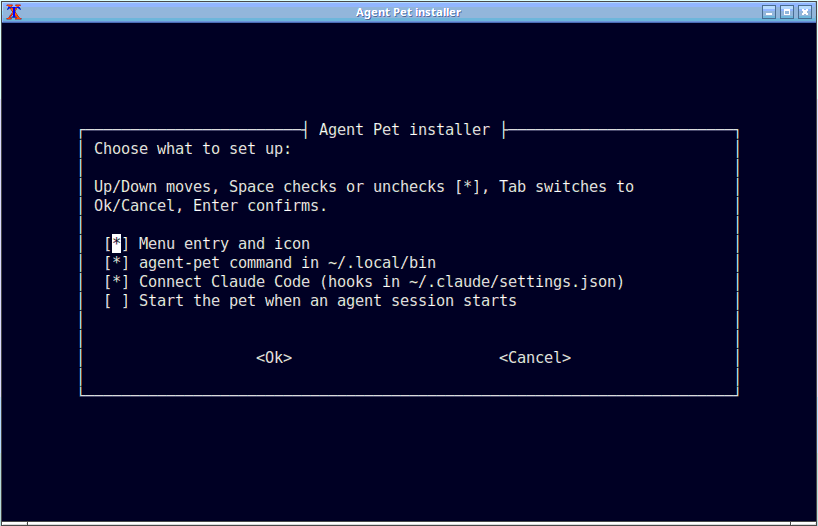
./install.sh. It asks a few simple questions: where to install, whether to add a menu entry and connect Claude Code and/or Codex, and whether the pet should start on its own when an agent session starts. - Restart Claude Code or Codex and send a prompt. The pet reacts.
macOS
- Download and extract the macOS
.zip, then move Agent Pet into Applications. - Open it. The first time, macOS asks you to confirm: go to System Settings → Privacy & Security → Open Anyway (on macOS 14 or older, Control-click the app → Open).
- Right-click the pet → Settings → Startup and agents, press Enable next to Claude Code or Codex, then restart the client.
Windows
- Download and run
agent-pet-<version>-windows-x86_64-setup.exe. It installs for your user without administrator rights and adds Agent Pet to the Start menu. Qt, the Visual C++ runtime and the artwork are included. - In setup, choose whether to connect Claude Code and/or Codex and start the pet at sign-in or when an agent session starts. You can also connect them later from Settings → Startup and agents.
- Restart Claude Code or Codex and send a prompt. Claude Code hooks need 2.1.139+; in Codex, trust the hooks in
/hooks.
The Windows build is not code-signed yet. If SmartScreen warns, choose More info → Run anyway. New releases provide the Setup installer; existing portable copies can migrate by running Setup. See the Windows install guide for details.
Need more detail, or something isn't working? See the install guide and its troubleshooting table.
What it does
All pictures are from the real app; project names are made up.
Shows what your agents are up to
Run as many sessions as you like. The pet always shows the one that matters most right now: a request waiting for you beats an error, which beats a finished turn, and so on.
Thinking |
 Reading files |
Working |
Waiting for you |
 Something failed |
Done! |
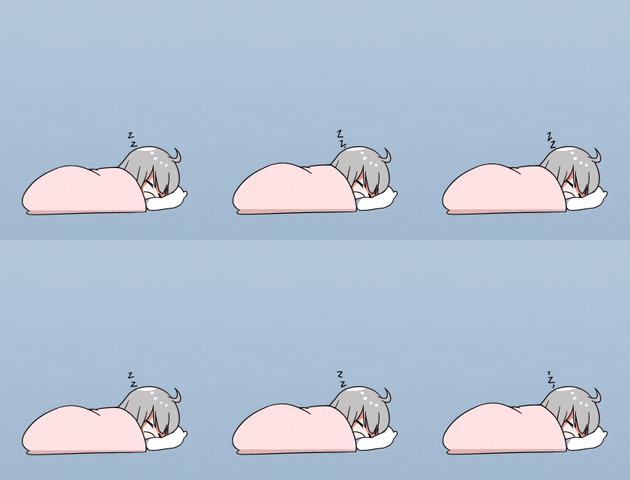 Naps after 10 quiet minutes |
 Jumps at risky commands like rm -rf |
It doesn't just loop one pose while it works, either. It swaps its book for a pen without leaving the desk, twirls the pen, and every so often does something new. In Settings you can make it calmer (Subtle) or keep the classic single loop (Classic); the lively style (Playful) is the default.
 From reading to writing |
 Twirling the pen |
Tells you when an agent needs you
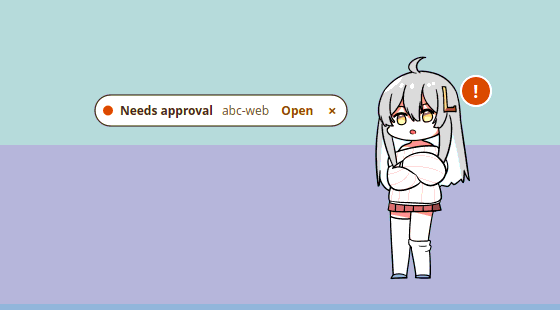
When an agent asks for approval or input, or a tool fails, a short note appears beside the pet. Click Open to jump straight to that agent's terminal or editor, or × to dismiss it. An orange badge stays on the pet until you've answered. You can mute the notes, or turn on a sound for new ones.
All your sessions in one list
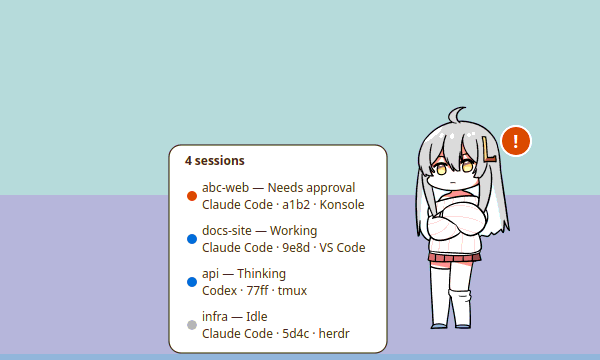
Click outside the pet's head and tummy to see every running session, most urgent first. Click one to jump to it.
Play with it
Drag it anywhere and it dangles from your cursor. Tap its head for a pat or its tummy for a poke; hold still to keep petting it, or hold its cheek to pinch it. Let go mid-swing and it tumbles down, then gets back up. Push it past the side of the screen and it hides there, peeking out until your agents get busy again.
Just don't overdo it: throw it around too much, pet it nonstop or hold on to it too long, and it gets grumpy and leaves.
 Drag and throw |
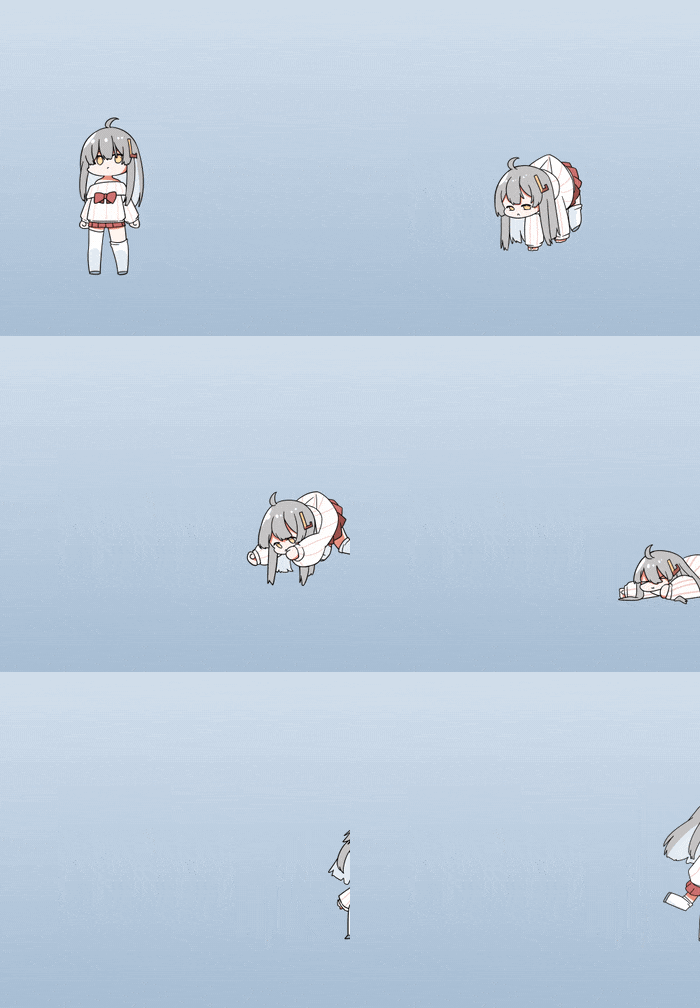 Hide at the edge |
 Head pat |
 Tummy poke |
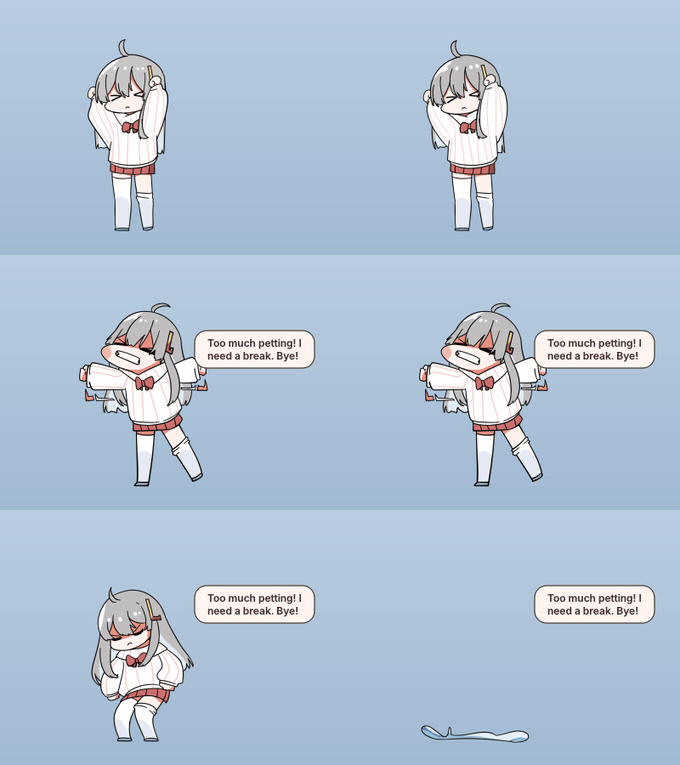 Too much petting: it storms off |
A life of its own
When nothing needs it, the pet yawns, looks around and every so often goes for a walk, crawls along the screen or climbs up its edge. It also has moods: a good run of finished work makes it happy, lots of errors make it droopy, and after a long busy stretch it gets hungry, a hint that you could use a break too.
VPet randomly celebrates a finished turn with a wave, shining cheer, shy reaction, or one of two happy cat-paw gestures. The wave has twice the chance of each other reaction; special occasions and earned treats can bring a different celebration.
 Walking |
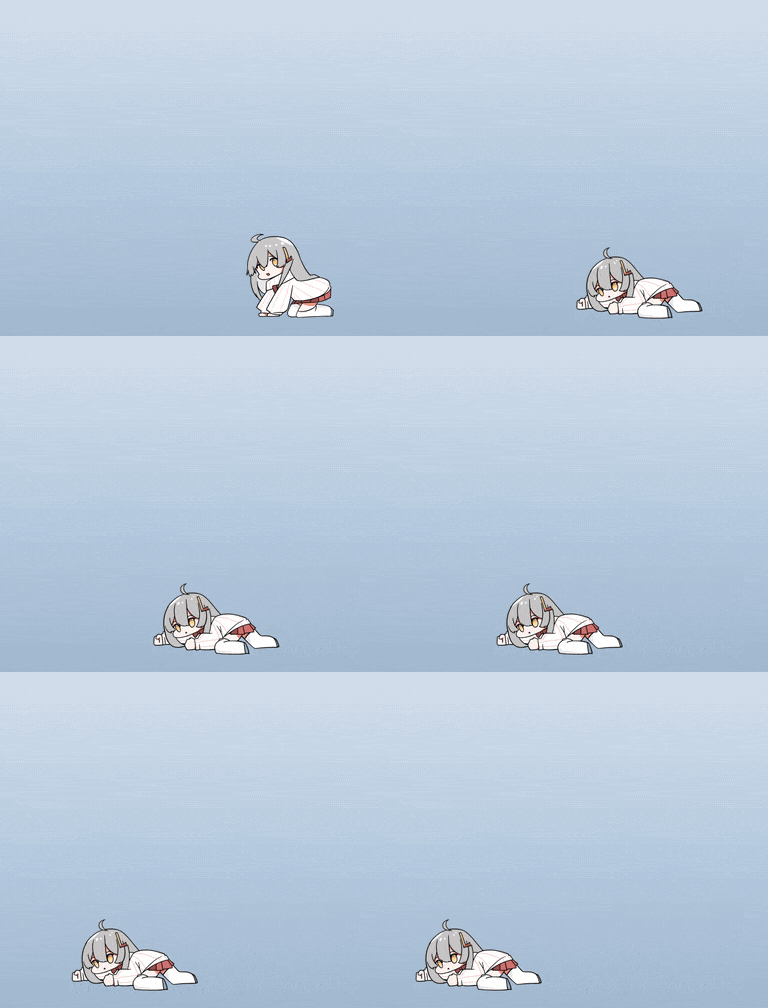 Crawling |
 Climbing |
 Idle fidget |
 Happy |
 Time for a break? |
Little surprises
Friday evenings, your birthday, late nights, very long tasks and every 100th finished task get their own reactions. On weekdays it reminds you to get ready to go home, and at night it tells you to go to bed. There's at least one more surprise to find.
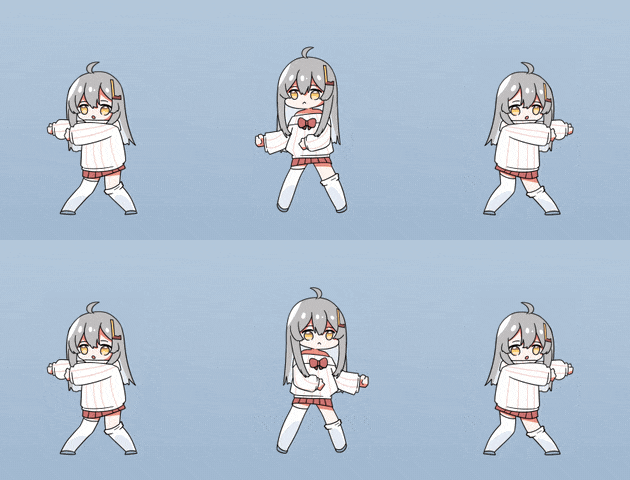 Friday evening dance |
 Your birthday |
 May 20 |
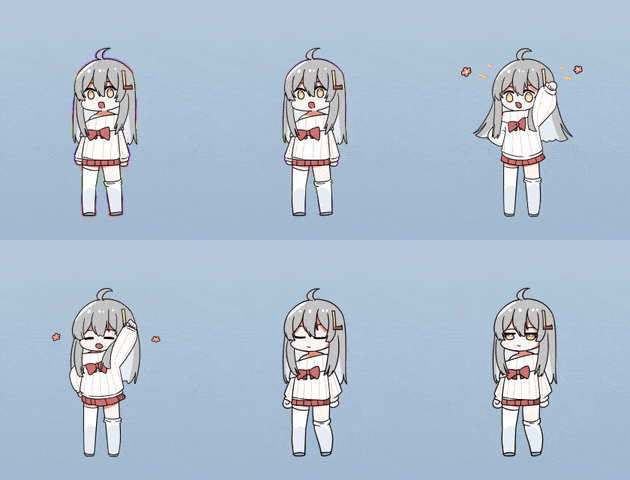 Every 100th task |
Takes care of you
Every 20 minutes of active time it reminds you to look at something far away; click the note and it gives you 20 quiet seconds. Every hour, VPet drinks from a glass alongside the water reminder. At lunchtime (noon by default), it eats a sandwich with the meal reminder. Choose Done, Later (10 minutes), or Skip today to answer a reminder.
Completing a reminder earns one of six VPet happy reactions, chosen at random: a shy smile, shining cheer, wave, dance, hearts, or a milestone celebration. Water, lunch and go-home reminders celebrate when you choose Done; eye and movement breaks celebrate when their timer finishes. Each reaction returns to idle afterward, and the same reaction can appear twice in a row.
Break Buddy offers a 60-second movement break every hour of active time. Choose Start break and VPet jumps rope while you move or stretch, with a gentle note and no ticking numbers. Start one anytime from right-click → Take a movement break, or click the note to end it early. Set its interval to Off, 30, 60, or 90 minutes under Settings → Reminders → Movement break.
Reminders wait until you're at the computer, stay quiet while an agent needs you, and skip the night. A movement break stops when an approval or error needs your attention, you lock the screen, snooze or mute notifications, hide the pet, or pick it up. Other pets use their own reaction art.
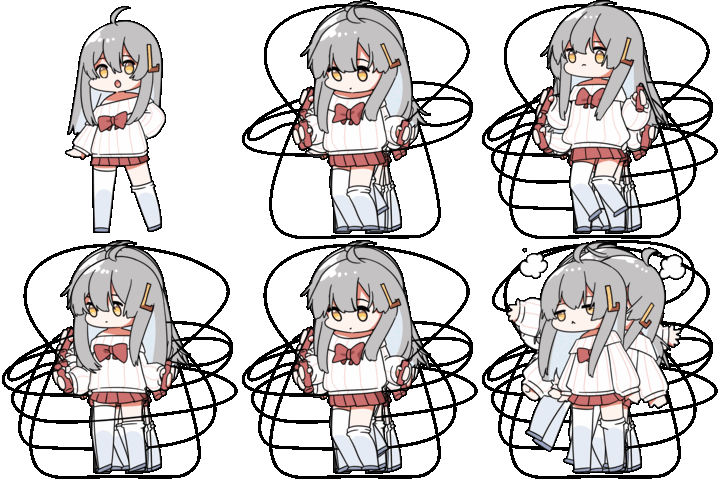 Break Buddy |
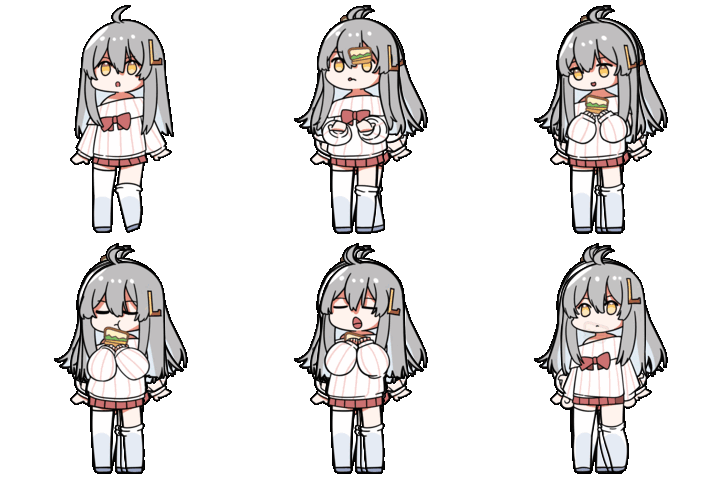 Lunch companion |
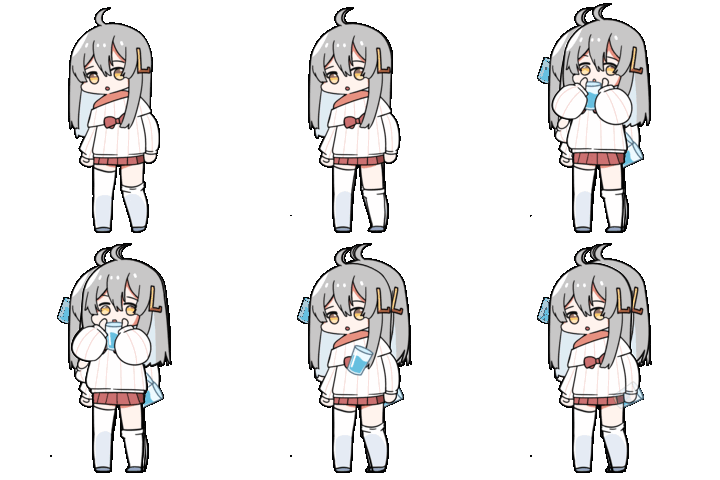 Water companion |
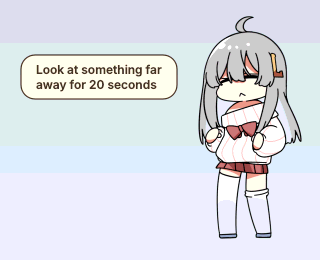 Eye break |
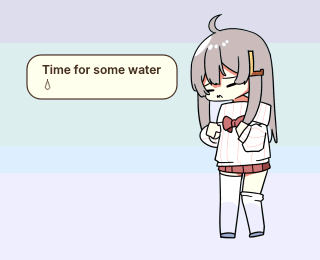 Time for water |
Sums up your day
Right-click → Today's recap for a one-line summary like "Today: 38 turns across 3 projects · longest run 22 min". Click it for a per-project breakdown. On weekdays the go-home reminder includes it too.
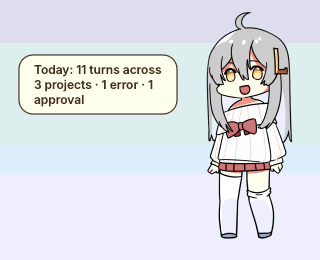 Summary |
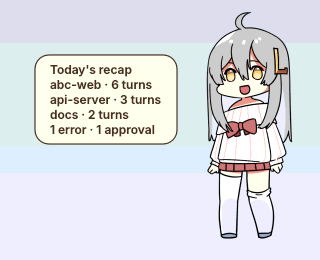 Breakdown |
Make it yours
Right-click the pet (or its tray / menu bar icon) for everything: your sessions, today's recap, a movement break, mute, always on top, Settings and Quit. In Settings you can:
- change its size, choose which notes pop up and pick its character (other pets download when chosen);
- make it calmer or livelier (when idle and while working), and switch off wandering, moods, touch or surprises;
- turn on plugin packs that add animations to your pet, and that can react when your scripts or CI send it a custom event;
- set or turn off the eye, water and movement-break reminders, configure lunch (default noon, eligible until 13:15), Monday, go-home and bedtime reminders, and enter your birthday;
- follow bedtime animations: VPet works tired, acknowledges completion with a yawn, and sleeps when idle from your bedtime until 06:00. Toggle it in Settings → Pet, independently of reminders and mood;
- connect Claude Code and Codex with one click, and have it start with your agents or at login;
- choose how updates are installed.
The interface supports English and Vietnamese. It follows your system language by default; choose Settings → General → Language to switch immediately.
If it ever gets in the way, click the tray icon to hide it. It keeps watching your sessions and shows a badge on the icon instead.
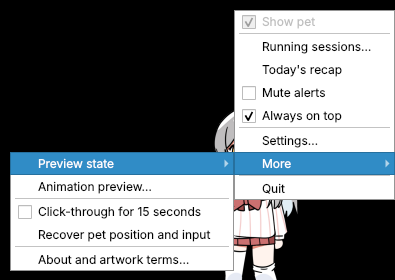 Right-click menu |
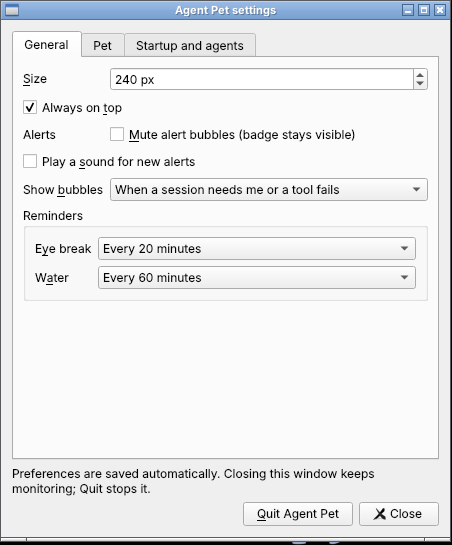 Settings |
Stays up to date
On Linux the pet updates itself in the background by default, downloading only what changed and keeping your settings. If a new version fails to start, it goes back to the previous one.
On Windows, release builds installed through Setup support automatic updates in Settings → Updates. The app downloads a SHA-256-verified setup program, saves monitored sessions, upgrades in place, and restarts the pet. Settings, hooks, and startup preferences are preserved. Windows has no automatic rollback; rerun Setup manually to repair a failed update. Older Windows versions need one manual upgrade to obtain the new updater.
On macOS and portable Windows copies, the pet announces new releases for manual installation: replace the macOS app or run the newer Windows setup program. See the update guide for update modes and recovery.
Your privacy
- Everything stays on your computer. The pet only hears from your agents through a private local channel.
- It learns what kind of thing is happening (thinking, working, waiting, finished), never your prompts, code, file contents or commands. For risky commands it gets only a simple "this looks dangerous" yes or no.
- The only things it saves are your settings and the recap's daily counts (with project folder names), kept for two weeks.
- Connecting it adds its own small entries to Claude Code's or Codex's hook settings and leaves everything else there untouched. Uninstalling removes only those entries.
Good to know
- Not reacting? Restart Claude Code or Codex after connecting, then send a new prompt. In Codex, approve the new hooks in
/hooks. - Lost the pet? Click the tray icon, or right-click it → More → Recover pet position and input.
- macOS: jumping to a terminal window and automatic updates aren't available yet. Open still switches tmux and herdr panes.
- Using Herdr? Its plugin herdr-agent-pet starts the pet with the Herdr server and installs or updates it from inside Herdr:
herdr plugin install WindyWin/herdr-agent-pet. The plugin supports Linux x86_64 and macOS and requires Herdr 0.7.5 or newer. See the Herdr plugin guide: this startup flow cannot provide Herdr Open navigation. - Windows: Open brings the agent's Windows Terminal or classic console window to the front, with an editor/terminal fallback based on process ancestry. Setup installations support automatic updates; portable copies require manual upgrades. For hook commands and console output, use
agent-pet-cli.exe. - Linux on Wayland: the pet runs through XWayland, which GNOME and KDE provide by default. Pure Wayland isn't supported yet.
Issues and discussion
Open an issue from the template chooser: Bug report for a problem, Feature request for an improvement, or Discussion topic for a question or idea. Search existing issues first and keep each issue focused on one topic. The forms guide you through the relevant context; bug reports ask for your version, environment and steps to reproduce.
For developers
Architecture at a glance
End-to-end target architecture. Dashed boxes are planned; the remaining pieces
exist today. Arrows show runtime flow, not build order.
flowchart TB
  agents["Claude Code / Codex"] --> input["Provider adapters · headless hook / emit"]
  input --> ipc["Private local IPC · validated events"]
  ipc --> sessions["Sessions · aggregate activity / attention"]
  sessions --> runtime["#67 Behavior runtime<br/>Intents → eligibility / priority / interruption"]
  life["Touch / wander / mood / wellness<br/>Easter eggs / startup / quit"] --> runtime
  custom["#43 Custom events / rules"] --> runtime
  runtime --> cues["#64 Cue mapping<br/>Semantic cue → pet state / reaction"]
  cues --> player["Player · phases / frames / transitions"]
  player --> window["PetWindow · pet / movement / input"]
  player -. presentation outcomes .-> runtime
  window --> life

  sessions --> alerts["Alerts / session list / tray"]
  alerts --> focus["Open session · host adapters"]
  focus --> platform["Platform services · Linux / macOS / Windows"]
  window --> platform
  sessions --> recap["Daily recap / session checkpoint"]

  packs["#62 PetLibrary / Catalog<br/>Active pet · artwork / credits / cue overrides"] --> cues
  packs --> player
  plugins["#43 Plugin packs<br/>Catalog fragments · event rules"] --> packs
  plugins --> custom
  updates["App updates / packaging"] --> packs
  downloads["#62 Part 2<br/>Verified pet downloads"] --> packs
  settings["Settings / preferences"] -. configure .-> life
  settings -. select pet / plugins .-> packs

  classDef planned fill:#fff4d6,stroke:#9a6700,stroke-dasharray:5 5,color:#24292f
Session priority belongs to Sessions; #67 chooses among behavior intents; #64
chooses how the pet expresses the winning cue. Alerts keep their own delivery path.
Movement and native window operations stay in PetWindow and platform services.
See the code map for source paths and decisions.
Roadmap mapped to the architecture
Open work, reconciled with the merged code on 2026-10-08 (#62, #64, #67 and #43 phases 1–3 landed; issue state not re-checked on GitHub). The packs phases (#92–#100) are tracked in the epic
#91. Each issue owns its detailed
acceptance checklist; check a row here when that phase lands and update the chart
when a planned layer becomes implemented.
flowchart LR
  packs["#62 Part 1 · pet packs"] --> cues["#64 · cue mapping"]
  cues --> runtime["#67 · arbitration"]
  runtime --> rules["#43 · custom events / rules"]
  packs --> fragments["#43 · catalog fragments"]
  fragments --> rules
  packs --> downloads["#62 Part 2 · downloads"]
Build and contribution guides
The app lives in starter/: building from source, running tests, command-line options, sending demo events and packaging. Further reading:
- Architecture overview and design decision records
- Event protocol and Claude Code / Codex integrations
- CI commit rules
This repository root also keeps the original VPet artwork archive (about 5,500 frames, 735 MiB) as a source bundle for adding new animations. The app itself doesn't need it. Check it with python3 scripts/assets.py verify, or list every sequence with python3 scripts/assets.py catalog.
Credits and license
Character artwork by the VUP-Simulator team, from LorisYounger/VPet. The artwork keeps its own terms; see third-party notices.
Agent Pet's own code is licensed under Apache-2.0. That license doesn't cover the artwork.
VPet is the only bundled pet. Install additional .agentpet packs from the gallery through Settings → Pet → Import.
Pack catalogs: browse, install and publish sources.
Reviews (0)
Sign in to leave a review.
Leave a reviewNo results found