open-game-works-core
Health Warn
- License — License: Apache-2.0
- Description — Repository has a description
- Active repo — Last push 0 days ago
- Low visibility — Only 6 GitHub stars
Code Warn
- network request — Outbound network request in schemas/harness-settings.schema.json
- process.env — Environment variable access in tools/src/cli.ts
- network request — Outbound network request in tools/src/commands/admin/api.ts
Permissions Pass
- Permissions — No dangerous permissions requested
No AI report is available for this listing yet.
Harness that lets AI agents make server-client games of commercial quality on a prebuilt core
open-game-works
AI agents make server-client games of commercial quality on top of a prebuilt core.
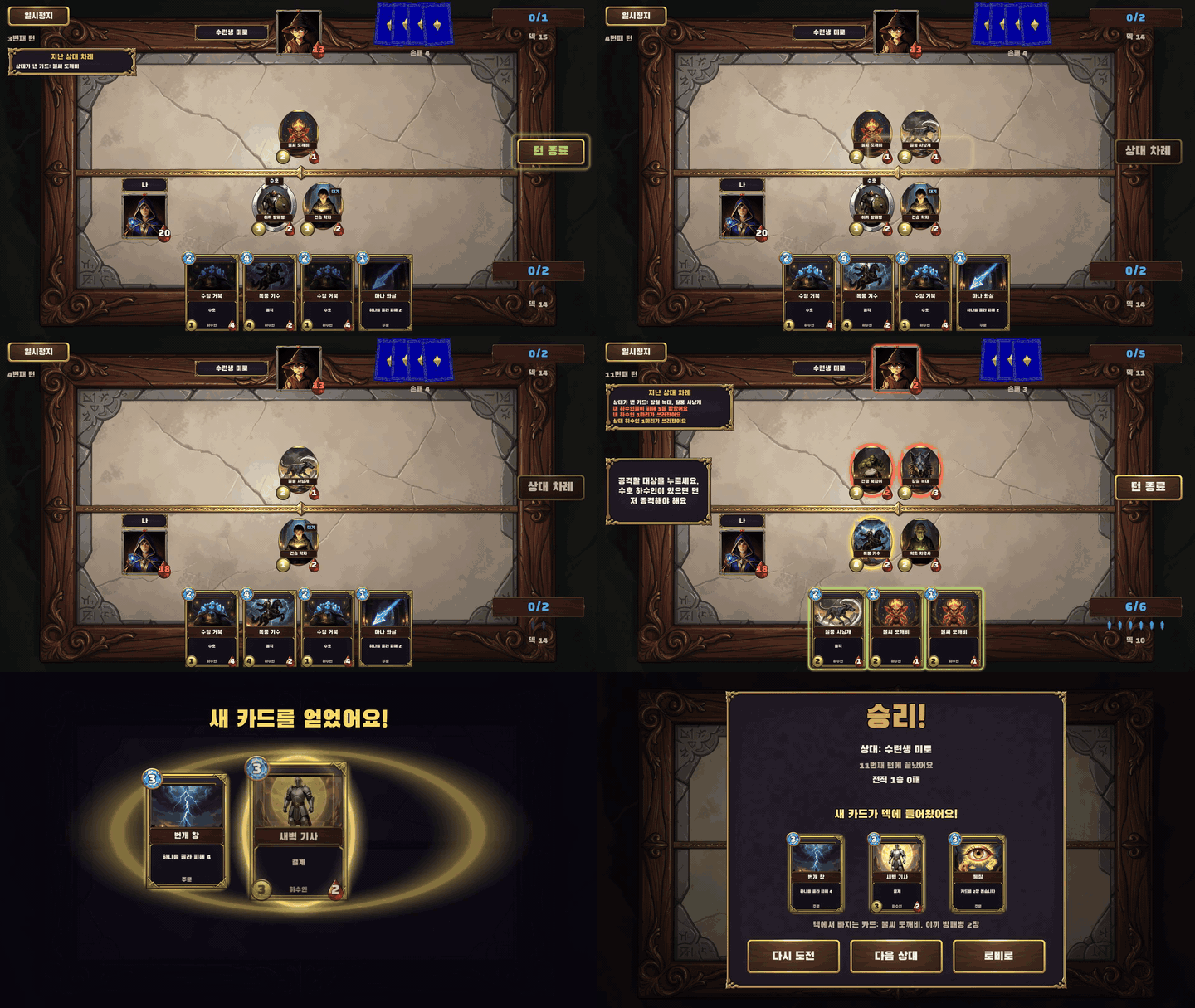 mana-clash: one-on-one card battle |
|
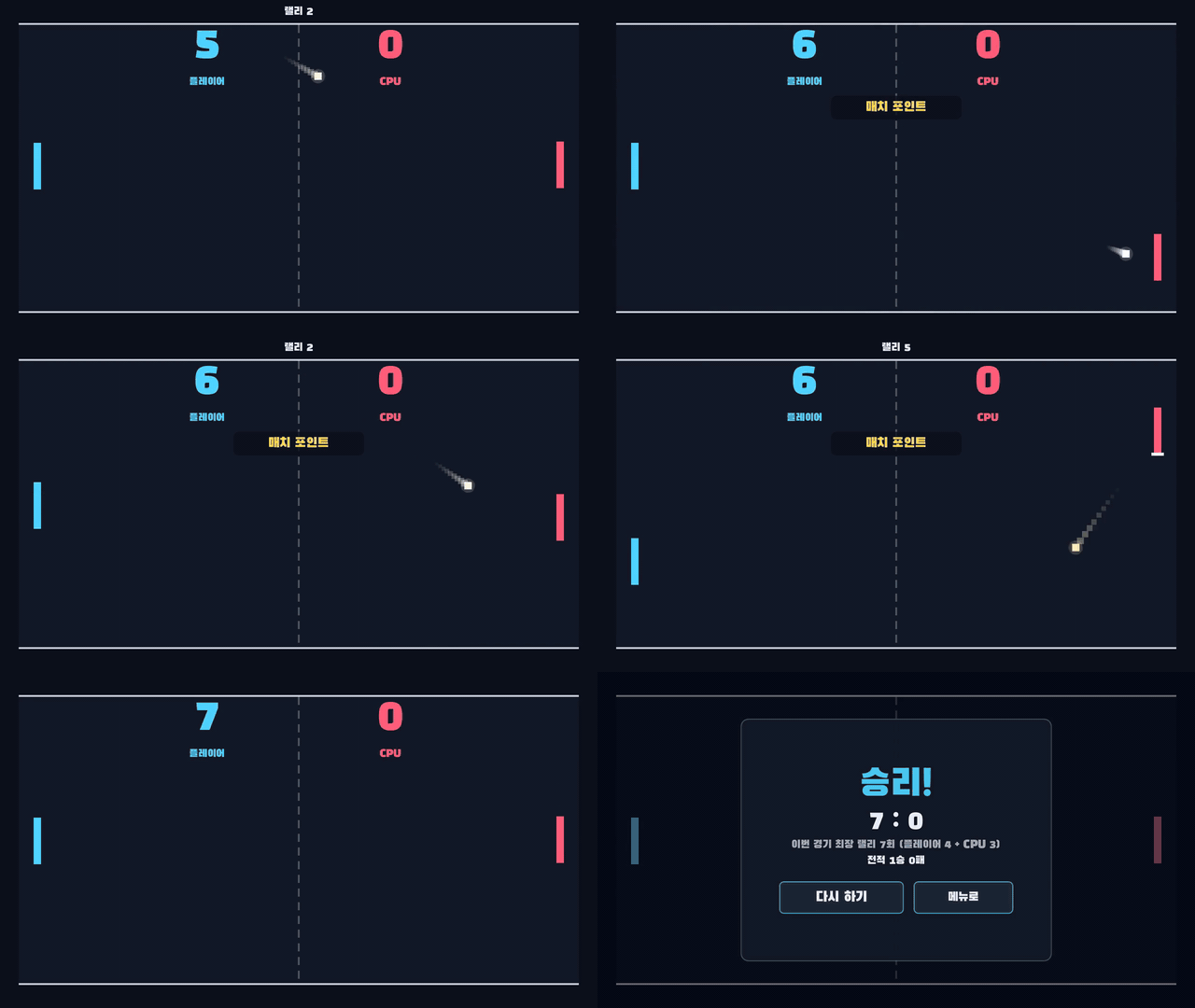 pong: paddle game against the CPU |
 card-duel: real-time card battle against an AI, made with a very early version of open-game-works (repository not published) |
The features that many games would write again the same way (infra, live ops, store policy, meta systems) are prebuilt as core, and agents write only the gameplay, as content code. A human gives one command, such as create game: <game>. The agent that receives it becomes the lead agent: it calls sub-agents per role and runs the loop of editing, playing and judging until it stops, then reports.
This repository is the harness: the rules the agents follow, the skills and core module specs they read, the settings, and the CLI ogw that does the work that needs no judgement. You use it from a Claude Code or Codex session opened in this folder.
Status
open-game-works is under active development. So far it has been tested only on macOS, with Claude Code running Claude Opus 5.5 at high effort; the play and translation sub-agents run Claude Sonnet 5.5 at medium effort, as set in settings.json agents. Codex CLI is supported by the harness settings but has not been tested. The build command has not been run yet, so no game has been built or deployed with it. Commands, settings and file formats can still change.
Quick start
What you need
- macOS on Apple silicon
- Node.js 24 or later
- Git
- GitHub CLI (
gh), logged in - Docker with
docker buildx - uv
- Claude Code, logged in
update env checks the rest of the host and fetches the engine and the pinned tools itself.
Install
mkdir open-game-works && cd open-game-works
git clone https://github.com/wnsrn3436/open-game-works-core.git
git clone https://github.com/wnsrn3436/open-game-works-core-impl.git

cd open-game-works-core/tools && npm ci && cd ..
export PATH="$PWD/tools/bin:$PATH"   # this shell only; add the full path to your shell profile to keep it

# a long-lived Claude Code token for the play and judge agents: make it, copy it, store it
claude setup-token
pbpaste | tr -d '[:space:]' | ogw secret set --harness claude-code-oauth-token

claude
Make a game
In that Claude Code session, give these commands one at a time:
update env
setup game: block-drop a falling-block puzzle game for mobile, in English and Korean
create game: block-drop
update envchecks this host, installs the engine, the pinned tools and the generation methods into<workspace>/.ogw/, measures them and proposes harness settings for this host. It runs once per host.setup gamecreates the game repository ingames/<game>/and asks you what it cannot decide, including the reference game and its gameplay video (a file or a YouTube URL).create gameruns the loop until it stops, merges the result into main and reports. It does not wait for you midway.
Notes:
- A Hugging Face token is not needed to start. Only the
trellis2method (3D models) needs one, because its DINOv3 weights are gated. - Local models are optional. See Local models.
- Full requirements, the example games, secrets and each step of
update envare in Setup in detail.
How it works
The design follows a few rules from AGENTS.md:
- The goal is the fun and completeness of a commercial game. A judge agent judges fun by playing; automated checks judge completeness.
- What an automated check can verify is verified by one, when the code is written. Evidence ranks automated check, then telemetry, then LLM opinion. What could not be checked is recorded as unknown, not as failure.
ogwdoes the work that needs no judgement: reading and writing settings, records, JSON and CSV, counting, calculation, comparison, starting instances, scheduling jobs and state transitions. Agents do only the work that needs judgement.- Work items that do not wait for each other's results run together.
The loop
create game and update game develop a game in a loop. Each iteration:
human -- one command --> lead agent (your Claude Code or Codex session)
                              |
  +---------------------------+---------- one iteration ---------------------------+
  | 1. content agent      edits design.md, client and server content code, data,   |
  |                       contract and play-guide.md; adds placeholder resources   |
  | 2. automated checks   regression test, static check, completeness check,       |
  |                       row simulation -> gate: pass or fail                     |
  | 3. play agents        play instances of this commit with real input            |
  | 4. judge agent        new context; blind A/B against the baseline game, and    |
  |                       comparison with the reference game's gameplay video      |
  | 5. ogw                defect list, loop iteration record, stop judgement       |
  +--------------------------------------------------------------------------------+
     in parallel: resource and translation sub-agents; `ogw loop sync` merges their work
                              |
  stop: success, repeated defect, oscillation, plateau, limit reached
                              |
  loop end record -> merge into main -> report to the human
- The content agent edits
design.md, client and server content code, data and contract together, and keepsplay-guide.mdin step with the game. In the first iteration ofcreate gameit first writesbrief.mdfrom the request saved bysetup game. When it needs a resource, it adds a placeholder resource, requests the final one and goes on without waiting. - Automated checks run (see below). If regression test, static check, no blocker or full flow fails, the iteration skips play and judge and goes straight to the defect list.
- Play agents read
play-guide.md, play several instances of the same commit with real input through the automation channel, and write feedback per observation, not as a total score. - The judge agent starts in a new context and plays two instances,
AandB, without being told which is this commit and which is the baseline game. It picks a winner per fun element (game feel, tension and release, progression, one more run, no friction, presentation) and compares each element with the reference game's gameplay video at fixed moments (first 30000ms,core action,first failure,first reward,restart). Play and judge agents never seebrief.mdordesign.md. Steps 3 and 4 run together (ogw loop evaluate), and the judge agent does not get the play feedback. ogwturns check failures, play feedback and judge results into the defect list, writes the loop iteration record, chooses the next baseline game and decides whether the loop stops.
The loop stops with one of these reasons: success, repeated defect, oscillation, plateau, limit reached (game settings loopIterationLimit), or stopped by human. Success needs a candidate iteration: the judge result reaches the reference game and is not worse than the baseline game, every completeness element except no placeholder passes, and extra success confirmation judges also put it at the level of the reference game. Resource and translation work never make the loop wait, so if some of it was unfinished at the candidate iteration, a confirmation iteration without content edits runs on the state with that work merged, and success is judged again.
When the loop stops, the lead agent waits for the resource and translation work in progress, writes the loop end record records/loops/<run>/end.md, merges the chosen commit into main and reports. If placeholder resources, missing translations or stale translations remain, it reports failure.
Branches of a game repo: main is always the latest code that passed the loop. Each create game and update game works on its own branch loop/<run>. Only one of create game, update game and build runs for a game at a time. The ID registry lives on the separate branch id-registry.
Automated checks
| check | what it verifies | how |
|---|---|---|
| regression test | the tests the content agent wrote together with each feature, client and server | test run |
| static check | rules a tool can judge exactly in code and data, e.g. the data check, lint, type check, forbidden GDScript API |
static analysis |
| no blocker | no crash, softlock or error screen blocks progress | bot playtest |
| performance | target FPS holds and loading ends within the limit | runtime profiling |
| no placeholder | no placeholder resource, missing translation or stale translation remains | project check |
| full flow | first launch, tutorial, main loop, save and reconnect continue without a break (for a realtime game also peer and matchmaker disconnects and app restart; room match and exchanges with other users when the game uses them) | bot playtest |
| UI quality | in every supported resolution, safe area and language, UI is not clipped and does not overlap, the on-screen keyboard does not cover the focused text input, and every button can be pressed with a gamepad when gamepad is supported | captures per resolution, language and on-screen keyboard; gamepad focus check |
| row simulation | for level-like tables, a bot plays each row to the end per seed without a screen and measures whether it can be solved and its difficulty metrics | headless simulation |
The five rows from no blocker to UI quality are the completeness check.
Hardening and build
build: <game> <DEV, STG, PROD> makes a build to hand to people.
- The server and client hardening agents fix content code based on the contract. Their targets are the problems that come from the content agent also writing the server, e.g. missing server input validation, authoritative logic in the client, handling that differs from the contract. A problem that needs edits outside their own folder (
server/orclient/) goes into the hardening record; the content agent fixes it and hardening runs again. - Loop steps 2 to 4 run once on the hardened code with PostgreSQL. If regression test, static check, no blocker or full flow fails, or the judge result is worse than the baseline game, the work goes back to the loop.
- Build-time checks run, then the chosen platforms (
android,ios,web,windows,macos,linux) are built on this host. iOS and macOS are built only on a Mac. Artifacts go tobuilds/<env>-<version>/<platform>/of the game repo and are not committed. - The hardened code is committed to main and tagged
dev-<version>,stg-<version>orprod-<version>. - DEV and STG builds also deploy the server of that environment. A human deploys PROD.
STG and PROD builds of android, ios, macos and windows produce signed artifacts (web and linux are not signed). A DEV build of android, macos or windows without signing values uses free signing. A PROD build does not harden again: it builds a commit checked on STG as it is. Backward compatibility (contract, data, save schema) is checked against the last PROD build. --bundle-for <app version> makes a bundle patch: resources and data sent to an installed app without an app update.
Environments
| environment | purpose | server | DB | external services | DEV code | deployed by |
|---|---|---|---|---|---|---|
| LOCAL | the loop | one per instance | SQLite | fake adapters | included | the runner (ogw instance start) |
| DEV | DEV builds handed to people | one shared | PostgreSQL | the adapters chosen in game settings environments.DEV.adapters |
included | build (ogw deploy) |
| STG | checking with the same code as PROD, checking PROD problem fixes | one shared | PostgreSQL | sandbox adapters (real adapters where there is no sandbox, and for push-apns) |
excluded | build (ogw deploy) |
| PROD | service | shared | PostgreSQL | real adapters | excluded | a human, following the PROD build report |
A PROD problem is reproduced on an instance started from the latest main, with PROD users cloned by snapshot (ogw clone). PROD is not affected.
Architecture
Core and content code
- core: the implementation of features that many games share. It holds only what lies outside the gameplay loop, and it is built before the games that use it.
- content code: the code of one game. Agents write the gameplay loop (the play rules of that game and their calculation) here, on top of core.
| core covers | examples |
|---|---|
| infra | server request handling and save, login, network and realtime connection, update, client UI, input, presentation tools, platform integration, development and test tools |
| live ops | maintenance, notice, kill switch, item grant and revocation, ban, coupon, live event, remote config, push, bundle patch |
| store policy | receipt verification and refund handling, consent to terms, age check, account deletion, probability disclosure, store privacy disclosure, tracking permission |
| meta system | item, shop, mailbox, mission, attendance, gacha, ranking, rating, friend, guild |
Layers
| layer | what it is | defined in |
|---|---|---|
| client core | Client features shared by games, in 43 modules, e.g. UICore, NetworkCore, AuthCore, PaymentCore, RealtimeCore, TutorialCore, QACore (debug screen, cheats, automation channel). One implementation per engine; Godot is the first. Target engines are Godot, Three.js, Phaser, Unity and Unreal. Per-game definitions come in through data and hooks |
skills/client-core/ |
| server core | The API server and the realtime server in TypeScript, in 42 modules, e.g. routing, auth, storage, item-ledger, iap, gacha, matchmaker, p2p-signaling, admin-api. User items change only through the item ledger. The DB is behind an adapter: SQLite locally, PostgreSQL in DEV, STG and PROD. Realtime starts as P2P; the realtime message contract and the transport are kept separate so it can move to a server-authoritative realtime server. Each external service has a fake, a sandbox and a real adapter |
skills/server-core/ |
| contract | protobuf messages between client and server and between clients (realtime). The base proto comes with core; a game writes its own in contract/. The contract tool generates client and server code |
skills/contract/ |
| data | CSV tables, enums, invariants, translations per language, glossary, and the ID registry on the branch id-registry. The data tool generates code, data proto and the table and translation binaries. Content code holds no game data values |
skills/data/ |
| resource | Every file loaded by resource key at runtime that is not code, data or contract (2D, 3D, animation, VFX, audio, haptics, typography, map, scene, prefab, platform). The content agent adds placeholder resources; resource sub-agents replace them with final resources | skills/resource/ |
| content code | The gameplay of one game: client content code (GDScript on Godot), server content code (TypeScript), scenes and prefabs. DEV code stays in client/dev/ and server/dev/ |
skills/client-content/, skills/server-content/ |
Final resources come from the generation methods in settings.json resourceGeneration. The files a method fetches are pinned (repository revisions, model files with SHA-256, package versions); update env installs them and measures each method on the host. Local models and Blender run in a sandbox that blocks the network.
| method | kind | resource types |
|---|---|---|
flux2-klein |
local model | image, sprite_sheet, icon, background, nine_slice, texture, skybox, app_icon, splash |
ace-step |
local model | bgm |
moss-sfx |
local model | sfx |
qwen3-tts |
local model | voice |
trellis2 |
local model | model |
sprite-gen-codex, sprite-gen-grok |
external service: OpenAI through the codex CLI, or the xAI API with the grok CLI login or XAI_API_KEY |
sprite_animation |
rig-2d |
procedural | rig_animation_2d |
blender |
procedural | model, rig, animation_3d, material |
procedural |
procedural | texture_atlas, particle, shader, material, haptic, tileset |
font-catalog |
pinned catalog | font |
A resource whose source cannot be checked is not used, and the screens, resources, names and text of the reference game are never used as generation input.
Repositories
| repository | contents |
|---|---|
| open-game-works-core | the harness (this repository): agent rules, skills, module specs, the CLI ogw |
| open-game-works-core-impl | the core implementation: client core (Godot), server core (TypeScript), base proto, contract tool, data tool. Core releases are its GitHub Releases |
| open-game-works-game-mana-clash | a one-on-one card battle game made with open-game-works |
| open-game-works-game-pong | a paddle-and-ball game against the CPU made with open-game-works |
Core releases and how a game pins one
 open-game-works-core (harness)             open-game-works-core-impl (core)
   skills/client-core/modules/*.md  ----->    client/godot/      client core
   skills/server-core/modules/*.md  ----->    server/core/       server core
   skills/server-core/base-proto.md ----->    proto/             base proto
   skills/contract/, skills/data/   ----->    tools/contract-tool/, tools/data-tool/
                                                   |
                                                   |  ogw core release <version>
                                                   v
                                              GitHub Release v<version>
                                                   |
 games/<game>/settings.json "coreVersion"  ------->|  cached in open-game-works-core-releases/
                                                   v
 games/<game>/client/core/, server/core/      copies of that release, next to the content code
- A game records only its core version, game settings
coreVersion. At a dev run and at build,ogwlooks for that version inopen-game-works-core-releases/and otherwise fetches the GitHub Release fromcoreReleaseRepositoryinsettings.json. Fetched files are checked by hash. - One core version covers client core, server core, contract tool, data tool and core settings, in the form
<major>.<minor>.<patch>. Published release assets do not change; a fix is a new version. update gameraises a game'scoreVersionto the highest release it can (ogw core upgrade). When the game has a PROD build, versions that would break backward compatibility with it are skipped.- The content agent never edits core. When core falls short, it works around it in content code and writes a core proposal in the game's
records/core-proposals/. A human chooses which proposals to apply withupdate core, which edits the specs, implementation and tests, reviews them and releases a new version. useLocalCore: trueinsettings.jsonmakesogwuseopen-game-works-core-impl/instead of a release. It is only for developing core; loops and builds do not start while it is on.
Roles
The lead agent is the session a human started. Sub-agents are started only with ogw agent, with the agent CLI, model and effort set per role in settings.json agents.
| role | description |
|---|---|
| content agent | In the loop, writes the brief, design doc, client and server content code, scenes, prefabs, data, contract, regression tests, bot playtest scenarios, play guide and the content items of game settings |
| resource sub-agent | Makes final resources as the content agent directs |
| translation sub-agent | Makes missing translations and stale translations |
| play agent | Plays an instance with real input and gives feedback |
| judge agent | Plays in a new context and writes the judge result comparing with the baseline game and the gameplay video of the reference game |
| server hardening agent | At build, hardens server content code based on the contract |
| client hardening agent | At build, hardens client content code based on the contract |
| core agent | Makes and edits core |
| review agent | Reviews the code of core, contract tool, data tool and harness tool against the defining documents and writes findings. Does not edit code |
Skills
Agents read the procedures and rules of each task from skills/.
| skill | covers |
|---|---|
host-env |
host check, installing local models and programs, measurement, harness settings revision proposal |
game-setup |
making the game repo and game settings, saving the request, reference game and gameplay video, banned word list, host capability check |
game-loop |
work branch, raising the core version, sub-agent calls, runner, instance commands, automated checks, measurement, loop records, loop stop judgement, report, PROD problem reproduction |
game-design |
brief, design doc, play guide, core proposal, assumptions in the loop, criteria for deciding without asking the human |
contract |
proto writing rules, error code, backward compatibility, code that the contract tool generates |
data |
CSV format, type, ID, system table, translation, glossary, code generated from data, data check |
resource |
resource key, placeholder resource, resource request, final resource production, resource rights |
client-content |
client content code rules, role split with server, deterministic and tick simulation, scene and prefab, DEV code, automation channel, bot playtest, row simulation, client regression test |
server-content |
server content code rules, input validation, error response, collected data, server regression test, server hardening targets |
core |
rules common to core (spec format, hook, error handling, core settings, collected data), core version and release, license manifest, update core |
client-core |
client core spec per module, implementation rules per engine |
server-core |
server core spec per module, adapter, server start, server image |
build |
hardening, build-time check, build and signing per platform, store privacy disclosure, server image, web hosting, tag, bundle patch, backward compatibility check, deploy |
Settings
Settings are JSON files, each with a JSON schema. Agents read and write them only through ogw settings, which checks the schema, the conditions and the permission of the calling role.
| settings | file | contents |
|---|---|---|
| harness settings | settings.json (schema schemas/harness-settings.schema.json) |
humanLanguage, agent CLI, model and effort per role, workspace paths, coreReleaseRepository, useLocalCore, resourceGeneration, pinned tools, loop stop values, and per-host values under hosts |
| core settings | open-game-works-core-impl/settings/core-settings.json |
core defaults |
| game settings | games/<game>/settings.json (schema schemas/game-settings.schema.json) |
engine, coreVersion, coreModules, app ID, source and supported languages, build platforms, signing, servers and deploy hosts per environment, adapters, secret names, core settings overrides |
Secrets never go into settings. Settings hold only secret names; the values are in the secret store of the host that uses them.
Commands
Give these commands in a Claude Code or Codex session opened in open-game-works-core/.
| command | what it does |
|---|---|
update env |
Checks this host, gets the local models and programs and runs them, and proposes a harness settings revision when they do not match |
setup game: <game> <request> |
Creates the game repo and game settings and saves the request. Asks for the settings it cannot decide, the art direction, the display name per language, the reference game and its gameplay videos, and the banned word lists, and tells the resource types this host cannot make |
create game: <game> [<request>] |
Makes a game that finished setup game through the loop. <request> is added to the saved request |
update game: <game> <request> |
Edits a made game through the loop. Includes your feedback and PROD problem fixes |
build: <game> <DEV, STG, PROD> [<platform>...] [--version <version>] [--bundle-for <app version>] |
Hardens and builds. Without platforms, builds all build platforms of game settings. --version sets the version of a DEV or STG build, and in a PROD build picks the STG build of that version. --bundle-for makes a bundle patch for that app version |
update core: <proposal> |
Applies a core proposal file, or your request, and releases a new core version |
update harness tool: <request> |
Changes ogw to apply the request |
create client core: <engine> |
Adds a client core for a new engine from the specs and releases it. Godot already exists; use this only to add another engine |
update env runs once per host, and again when you want models and programs checked again. setup game and create game run once per game; later changes go through update game and update core.
A typical flow
update env                          once per host
setup game: <game> <request>        answer the questions, confirm the game settings
create game: <game>                 the loop runs until it stops, then reports
update game: <game> <feedback>      as many times as needed
build: <game> DEV                   DEV build, DEV server deployed
build: <game> STG                   STG build, STG server deployed
build: <game> PROD                  PROD build of the commit checked on STG; you deploy PROD
- In
setup game, you give the reference game (the agent suggests three candidates when your request names none) and one or more gameplay videos as files or YouTube URLs, with the start and end of each moment (first 30000ms,core action,first failure,first reward,restart). Banned word lists are asked for only when the game usesnickname,guildorchat. At the end it generates the game's secrets withogw secret generateand shows, per environment, what you have to prepare (ogw game check <game> --human-prep). - After a loop, read the loop end record
records/loops/<run>/end.md. Its## humansection lists what needs you: assumptions markedneeds human, new core proposals, resources whose license isunknown, skipped core versions. - A build writes its report to
records/loops/<run>/end.mdand its artifacts tobuilds/<env>-<version>/of the game repo. The PROD build report carries the PROD deploy order, rollback order and maintenance order with this build's files filled in. - On request, the lead agent records a play video of a game with
ogw video; it is written tobuilds/videos/of the game repo. - When a run was interrupted, the lead agent shows its state and continues it when you say so (
ogw loop resume), or closes it.
What you do
- Give commands and read the report after the loop ends. The loop does not wait for you midway.
- Answer when an agent, outside the loop, asks about what it does not know. It gives a recommendation and its evidence with the question.
- Give the reference game, the gameplay videos and the banned word lists in
setup game. - Put secrets into the secret store of the host with
ogw secret set; settings hold only their names. View stored values in a terminal withogw secret show. - Prepare the deploy hosts and external service accounts that
ogw game check <game> --human-preplists. - Deploy PROD, following the PROD build report.
- Choose the core proposals to accept and apply them with
update core. A core change can also be requested directly, without a proposal.
Setup in detail
Requirements
macOS on arm64 is the primary host. update env (ogw env check) checks these on the host and tells you what is missing.
| requirement | used for |
|---|---|
| macOS (arm64) or Linux (x64) | the play and judge agents run in an OS sandbox: sandbox-exec on macOS, bwrap (bubblewrap) on Linux |
| Node.js 24 or later | ogw (tools/package.json engines) |
| Git | repositories, branches and worktrees |
GitHub CLI (gh), logged in |
fetching core releases; the write:packages scope to push server images (gh auth refresh --scopes write:packages) |
Docker with docker buildx |
throwaway PostgreSQL containers for tests, instances and build checks; server images |
| uv and Python | isolated environments of generation methods; gdtoolkit |
| Claude Code, logged in | the sub-agents (every role in this repository's settings.json agents uses it) and, if you choose, the lead agent session |
| Codex CLI, logged in (optional) | the lead agent session, or roles you switch to it in agents |
| free disk space | engines, tools and local generation models in <workspace>/.ogw/ |
| Xcode | iOS and macOS builds (Mac only) |
| Android SDK command-line tools and JDK 17 | Android builds |
jsign |
signing Windows builds |
codex CLI logged in with ChatGPT, or grok CLI logged in (optional) |
the sprite-gen-codex and sprite-gen-grok methods. A codex login with an API key, or XAI_API_KEY without a grok login, bills each call to that key |
You do not install the engine (Godot), the pinned programs of settings.json tools (blender, ffmpeg, chromium, gdtoolkit, the postgresql image) or the placeholder font (placeholderFont) by hand: update env fetches them. tools.chromium pins a download only for macOS on arm64; on another host, update env first proposes a settings revision that adds one for that host's OS. The build toolchain versions come from engine.json of the core release, and update env tells you which ones to install and at which version.
Sub-agents run in a mode that does not ask for approval. The play and judge agents run inside the sandbox above, which blocks, among other things, the secret store, the Docker socket and writes to the harness and core repositories; the other roles run without a sandbox.
Windows
The harness repository uses symbolic links (.claude/skills and .agents/skills point to skills/), and each game uses client/resource -> ../resource. On Windows, enable Developer Mode and run git config --global core.symlinks true before cloning, or the links check out as plain text files. CLAUDE.md is a regular file that imports AGENTS.md, so it needs no link. The sandboxes run only on macOS and Linux: on Windows the play and judge agents cannot be started, and local-model and Blender generation calls fail. For the same reason, ogw secret set --harness claude-code-oauth-token cannot store that secret on Windows: its check runs inside that sandbox.
Workspace layout
The harness finds its sibling folders through paths in settings.json, relative to the workspace root (the parent folder of this repository).
<workspace>/
  open-game-works-core/            harness (run Claude Code or Codex here)
  open-game-works-core-impl/       core source
  open-game-works-core-releases/   cache of downloaded core releases (created by the tool)
  games/<game>/                    one repository per game
  worktrees/                       created and removed by the tool
  .ogw/                            engines, build tools, local generation models (created by `update env`)
tools/bin/ogw runs the TypeScript source with Node directly; there is no build step. Put open-game-works-core/tools/bin on your PATH before you start the lead agent session: the skills call ogw by name, and ogw agent adds it to PATH only for sub-agents. You can also run it as tools/bin/ogw from open-game-works-core/.
Example games
The games made with open-game-works can be cloned into games/. Run this in the workspace root:
git clone https://github.com/wnsrn3436/open-game-works-game-mana-clash.git games/open-game-works-game-mana-clash
git clone https://github.com/wnsrn3436/open-game-works-game-pong.git games/open-game-works-game-pong
The folder name of a game under games/ is the <game> name you use in commands. A fresh clone has the ID registry branch only as origin/id-registry. ogw and the data tool read the local branch, so create it with git -C games/<game> branch id-registry origin/id-registry. The reference gameplay videos are not in git (every file in records/setup/reference/ except reference.md is ignored), and update game and build do not start without them, so before you run them, put the video files that records/setup/reference/reference.md names into records/setup/reference/.
Secrets
ogw secret set --harness <name> reads the value from stdin.
| secret | needed when |
|---|---|
claude-code-oauth-token |
the play or judge agent uses Claude Code (as agents.play and agents.judge are set in this repository's settings.json). Without it, ogw loop start and ogw build start do not start |
huggingface (optional) |
only for a gated model pin. The trellis2 method needs the gated DINOv3 weights: accept the license on that model's Hugging Face page, then store the access token of that account. Without it, update env leaves trellis2 uninstalled and tells you |
# make a long-lived token, copy it, then store it as one line (macOS)
claude setup-token
pbpaste | tr -d '[:space:]' | ogw secret set --harness claude-code-oauth-token

# optional: a Hugging Face access token, copied to the clipboard
pbpaste | tr -d '[:space:]' | ogw secret set --harness huggingface
Before storing claude-code-oauth-token, ogw checks the value and runs a short prompt with it inside the play and judge sandbox.
The secret store is a separate keychain at ~/Library/Keychains/ogw/ogw.keychain-db on macOS (not the login keychain), ~/.local/share/ogw/secrets/ (or $XDG_DATA_HOME/ogw/secrets/) on Linux, and the Credential Manager on Windows. The play and judge sandbox cannot read it. To see a stored value in a terminal, run ogw secret show --harness <name>.
What update env does
Start Claude Code or Codex in open-game-works-core/ and give the command update env. The lead agent then:
- checks the host (
ogw env check): OS, CPU, memory, free disk, Git, Node, uv, Python, Docker anddocker buildx, the GitHub CLI login and its scopes, the agent CLIs, the build toolchains of each game's build platforms, and the harness secrets; - installs the engines and the downloadable build tools (
ogw env install-engines) and the pinned tools and generation methods (ogw generation install) into<workspace>/.ogw/; - runs a standard test task of each generation method stage by stage (
ogw generation measure). Before calling an external service it tells you the cost (forsprite-gen-codexandsprite-gen-grok, whether the calls use your ChatGPT or Grok subscription or are billed per call to an API key) and calls only the ones you allow; - measures how many instances this host can run at once, using the benchmark game of the core release (
ogw instance measure); - proposes harness settings revisions for this host (
ogw env propose), applies the ones you accept and commits them.
Per-host values (measurement results, maxConcurrentInstances) are kept under hosts.<host id> in settings.json, so running update env on another host does not overwrite them.
Reports and questions to you are written in humanLanguage of settings.json (a BCP 47 tag; it is en in this repository). The agent CLI, model and effort of each role are in agents.
Local models
Local models are optional. update env installs every method listed in settings.json resourceGeneration, and the local-model methods (flux2-klein, ace-step, moss-sfx, qwen3-tts, trellis2) download large model weights into <workspace>/.ogw/. To skip some of them, remove those methods from resourceGeneration before you run update env. rig-2d and trellis2 use flux2-klein, so they need it too. The no-method notice of update env then lists the resource types that no method can make.
Without a method for a resource type, agents keep developing with placeholder resources of that type. The loop and DEV builds still run (a DEV build only warns about placeholders), but the loop end report counts the remaining placeholders as a failure, and STG and PROD builds are blocked.
Among the generation methods, only sprite-gen-codex and sprite-gen-grok call an external service, and they make sprite animations (sprite_animation). sprite-gen-codex runs the codex CLI. sprite-gen-grok does not run the grok CLI: it calls the xAI API itself with the login that the grok CLI saved in ~/.grok/auth.json, and without that file with XAI_API_KEY. With a ChatGPT or Grok login, the calls use the usage of that subscription. A codex login with an API key, or XAI_API_KEY, bills each call to that key. update env shows which case applies before it asks you to allow the calls. Images, music, sound effects and voice currently come only from local models (flux2-klein, ace-step, moss-sfx, qwen3-tts), and 3D models from trellis2 (a local model) or blender.
Repository contents
The rules that agents actually follow are AGENTS.md, agents/, skills/ and tools/ogw.md. This README is an introduction for people; agents do not read it. Where the two differ, those files are right.
| path | contents |
|---|---|
AGENTS.md |
The base document that the lead agent reads first; every sub-agent except play and judge gets its main sections at the start of its prompt. Contents: purpose, terms, repositories, layers, loop, hardening and build, environments, branches, commands, roles, settings, rules, skills |
CLAUDE.md |
Imports AGENTS.md for Claude Code (@AGENTS.md) |
agents/ |
One definition per sub-agent role (content.md, resource.md, translation.md, play.md, judge.md, server-hardening.md, client-hardening.md, core.md, review.md) |
skills/ |
Procedures and rules per task, the client and server core module specs, and per-engine rules in engines/. .claude/skills and .agents/skills are symbolic links to this folder |
schemas/ |
JSON schemas of harness settings and game settings |
settings.json |
Harness settings |
tools/ |
The harness tool ogw in TypeScript: bin/ogw (entry script), src/ (commands), test/ (vitest tests), ogw.md (internal behavior and how ogw is changed), patches/ (patches applied to pinned generation sources), vendor/ (SPDX license list data), scripts/ (lint script, npm run lint), package.json and package-lock.json (dependencies, Node version), tsconfig.json, vitest.config.ts |
.github/media/ |
The gameplay GIFs shown on this page |
LICENSE |
Apache License 2.0 |
README.md, README.ko.md |
This introduction, in English and Korean |
License
The harness is licensed under the Apache License 2.0. See LICENSE.
The gameplay GIFs in .github/media/ are not covered by the Apache License 2.0. They show games made with open-game-works and are licensed under CC BY-NC-ND 4.0 (see .github/media/LICENSE).
| repository | license |
|---|---|
| open-game-works-core | Apache-2.0 |
| open-game-works-core-impl | Apache-2.0. Third-party components are listed in licenses.json |
| open-game-works-game-mana-clash, open-game-works-game-pong | CC BY-NC-ND 4.0 for the game's own content. The client/core/ and server/core/ folders are copies of a core release and stay Apache-2.0; the bundled font (Noto Sans KR in mana-clash, Black Han Sans in pong) stays SIL OFL 1.1; generated assets list their method and license in resource/resources.csv (the model license, the output terms of the provider, or LicenseRef-game-owned for the game's own procedural generation, which is part of the game's content) |
Reviews (0)
Sign in to leave a review.
Leave a reviewNo results found