faf-cli
Health Pass
- License — License: MIT
- Description — Repository has a description
- Active repo — Last push 0 days ago
- Community trust — 30 GitHub stars
Code Pass
- Code scan — Scanned 12 files during light audit, no dangerous patterns found
Permissions Pass
- Permissions — No dangerous permissions requested
This MCP server and CLI tool provides persistent project context for AI assistants. It uses a standardized `.faf` file format to store and share project configurations, ensuring that AI tools have the necessary background information without repeated setup.
Security Assessment
The overall risk is rated as Low. A light code scan of 12 files found no dangerous patterns, hardcoded secrets, or requests for dangerous permissions. The tool executes local shell commands (`npx`, `bunx`, `brew`) for installation and running actions. It makes network requests to fetch repository metadata (e.g., via the `faf git <url>` command) and utilizes a WASM scoring kernel. However, it does not appear to access sensitive personal data or exfiltrate private project files.
Quality Assessment
The project is in excellent health and actively maintained, with its most recent push occurring today. It is fully open source under the standard MIT license. The repository shows solid community trust and early adoption, having accumulated 30 GitHub stars. The project demonstrates high engineering standards, featuring continuous integration (CI), extensive test coverage (312 tests), and a well-documented README.
Verdict
Safe to use.
Persistent Project Context for AI — IANA-registered .faf format · universal CLI

faf-cli
Persistent Project Context for AI. Define once. Run anywhere.
FAF defines. MD instructs. AI codes.









project/
├── package.json     ← npm reads this
├── project.faf      ← AI reads this
└── src/
Every building requires a foundation.
project.fafis AI's foundation.You have a
package.json. Add aproject.faf. Done.
Git-Native. project.faf versions with your code — every clone, every fork, every checkout gets full AI context. No setup, no drift, no re-explaining.
Install
bunx faf-cli auto                  # Bun — zero install, fastest path
npx faf-cli auto                   # npm — works everywhere
brew install faf-cli && faf auto   # Homebrew
Nelly Never Forgets
Run faf with no arguments:
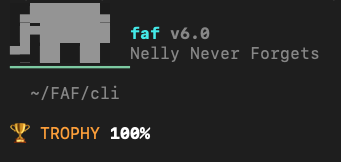
v6.0 — Built with Bun
v6 is a ground-up rewrite. All-in on Bun — same toolchain as Claude Code.
| Claude Code | faf-cli v6 | |
|---|---|---|
| Runtime | Bun | Bun (bunx) |
| Test | Bun | bun test |
| Build | Bun | bun build |
| Language | TypeScript | TypeScript |
| Compile | Bun bytecode | bun build --compile |
312 tests in ~10s. 290KB bundle in 2.4s. Single portable binary, 4 platforms. npx backward-compatible.
26 commands. 312 tests. 5,292 lines. 93% smaller than v5.
commands → interop → core → wasm
The WASM scoring kernel (faf-scoring-kernel 2.0.0) does the math. Bun does the delivery.
Commands
| # | Command | One-liner |
|---|---|---|
| 1 | faf init |
Create .faf from your local project |
| 2 | faf git <url> |
Instant .faf from any GitHub repo — no clone |
| 3 | faf auto |
Zero to 100% in one command |
| 4 | faf go |
Guided interview to gold code |
| 5 | faf score |
Check AI-readiness (0-100%) |
| 6 | faf sync |
.faf ↔ CLAUDE.md (bi-sync, mtime auto-direction) |
| 7 | faf compile |
.faf → .fafb binary — sealed, portable, deterministic |
| 8 | faf decompile |
.fafb → JSON |
| 9 | faf export |
Generate AGENTS.md, .cursorrules, GEMINI.md |
| 10 | faf check |
Validate .faf file |
| 11 | faf edit |
Edit .faf fields inline |
| 12 | faf convert |
Convert .faf to JSON |
| 13 | faf drift |
Check context drift |
| 14 | faf context |
Generate context output |
| 15 | faf recover |
Recover .faf from CLAUDE.md / AGENTS.md |
| 16 | faf migrate |
Migrate .faf to latest version |
| 17 | faf search |
Search slots and formats |
| 18 | faf share |
Share .faf via URL |
| 19 | faf taf |
Generate TAF test receipt |
| 20 | faf demo |
Demo walkthrough |
| 21 | faf ai |
AI-powered enhance & analyze |
| 22 | faf pro |
Pro features & licensing |
| 23 | faf conductor |
Conductor integration |
| 24 | faf formats |
Show supported formats |
| 25 | faf info |
Version and system info |
| 26 | faf clear |
Clear cached data |
Run faf --help for full options.
Quick Start
# ANY GitHub repo — no clone, no install, 2 seconds
bunx faf-cli git https://github.com/facebook/react

# Your own project
bunx faf-cli init              # Create .faf
bunx faf-cli auto              # Zero to 100% in one command
bunx faf-cli go                # Interactive interview to gold code
Scoring
| Tier | Score | Status |
|---|---|---|
| 🏆 Trophy | 100% | AI Optimized — Gold Code |
| 🥇 Gold | 99%+ | Near-perfect |
| 🥈 Silver | 95%+ | Excellent |
| 🥉 Bronze | 85%+ | Production ready |
| 🟡 Yellow | 55%+ | AI flipping coins |
| 🔴 Red | <55% | AI working blind |
Sync
bi-sync:   .faf  ←── 8ms ──→  CLAUDE.md                (free forever)
tri-sync:  .faf  ←── 8ms ──→  CLAUDE.md ↔ MEMORY.md    (Pro)
Compiled Binaries
Bun's single-file compiler produces standalone binaries — no runtime needed.
bun run compile                # Current platform
bun run compile:all            # darwin-arm64, darwin-x64, linux-x64, windows-x64
Ship faf as a single binary for CI/CD, Docker, or air-gapped environments.
Architecture
src/
├── cli.ts              ← Entry point, 26 command registrations
├── commands/           ← 26 command files (1 per command)
├── core/               ← Types, slots (33 Mk4), tiers, scorer, schema
├── detect/             ← Framework detection, stack scanner
├── interop/            ← YAML I/O, CLAUDE.md, AGENTS.md, GEMINI.md
├── ui/                 ← Colors (#00D4D4), display
└── wasm/               ← faf-scoring-kernel wrapper (Rust → WASM)
Toolchain: Bun (test, build, compile) · TypeScript (strict) · WASM (scoring kernel)
Testing
bun test # 312 tests, 39 files, ~12s
Full e2e lifecycle test runs every command in sequence: init → auto → score → edit → sync → export → compile → decompile → taf → recover → check. Test reports in reports/.
Support
- GitHub Discussions — Questions, ideas, community
- Email: [email protected]
If faf-cli has been useful, consider starring the repo — it helps others find it.
License
MIT — Free and open source
IANA-registered: application/vnd.faf+yaml
format | driven 🏎️⚡️ wolfejam.dev
Reviews (0)
Sign in to leave a review.
Leave a reviewNo results found