Hetu
Health Warn
- License — License: Apache-2.0
- Description — Repository has a description
- Active repo — Last push 0 days ago
- Low visibility — Only 5 GitHub stars
Code Fail
- rm -rf — Recursive force deletion command in .github/workflows/release.yml
- network request — Outbound network request in docs/assets/site.js
- network request — Outbound network request in frontend/package.json
Permissions Pass
- Permissions — No dangerous permissions requested
No AI report is available for this listing yet.
本地优先的 AI 知识与 Agent 工作台:Markdown 笔记 + 对话/编码会话,配向量检索、知识图谱、Wiki、记忆、看板与工作流,支持 MCP / 技能 / 多模型 · Local-first AI knowledge & agent workspace with semantic search, knowledge graph, memories, kanban, workflows & MCP
Hetu
A local-first AI knowledge & agent workspace — notes, conversations and coding sessions that settle into one searchable, connected knowledge base.
简体中文 | English
🌐 官网与文档(GitHub Pages):https://wosledon.github.io/Hetu/
Hetu is a local-first knowledge and agent workspace: Markdown notes, chat and coding sessions share one store, and a vector index, knowledge graph, long-term memory plus tasks/workflows tie everything into a living network. All data and model calls stay on your machine — no account, no uploads.
- Two engines:
Notes(write) and theAgent workspace(ask & do) sit on the same knowledge base, so any note can be searched, indexed or turned into graph entities on demand. - It actually works on your code: Code sessions run inside your repositories — isolated worktrees, branches, Git sync, file/terminal/browser panels and PR creation, all conversation-driven.
- Composable: MCP tools, skills, agents, workflows and kanban tasks all plug into the same agent loop.
- Local-first: SQLite +
sqlite-vecout of the box, or PostgreSQL +pgvector.
🖼️ Gallery
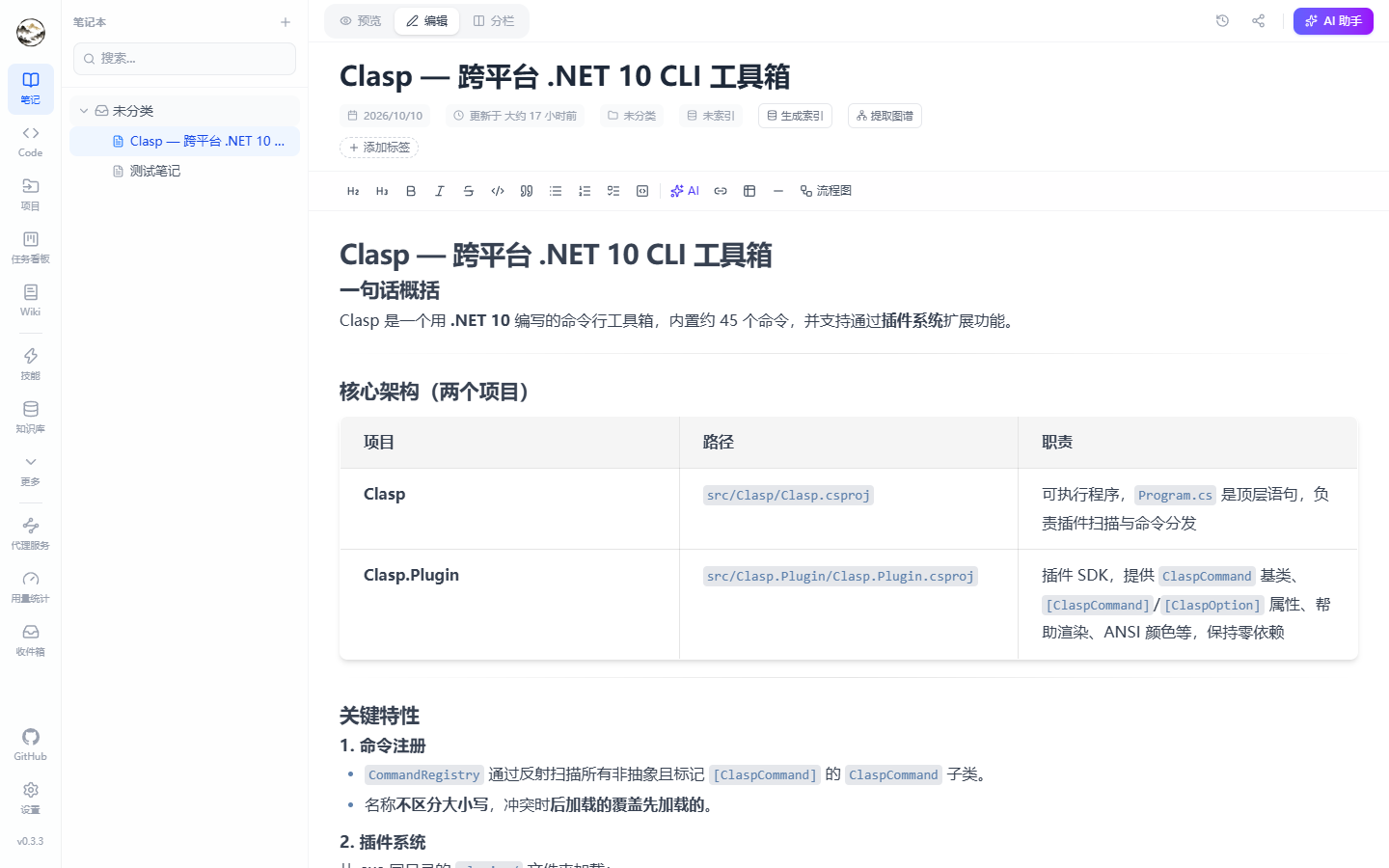
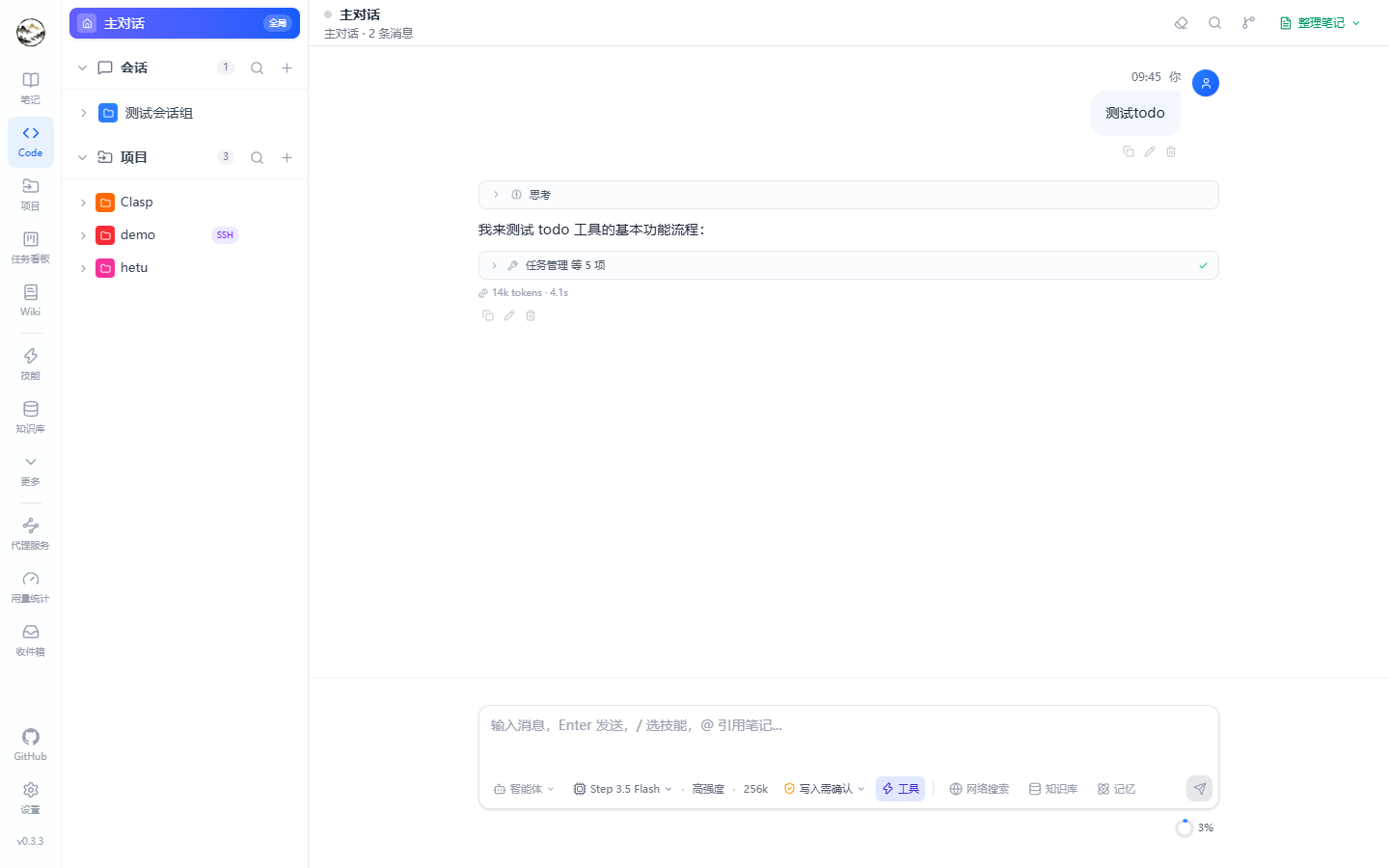
| Notes | Agent workspace (chat + Code) |
|---|---|
 |
 |
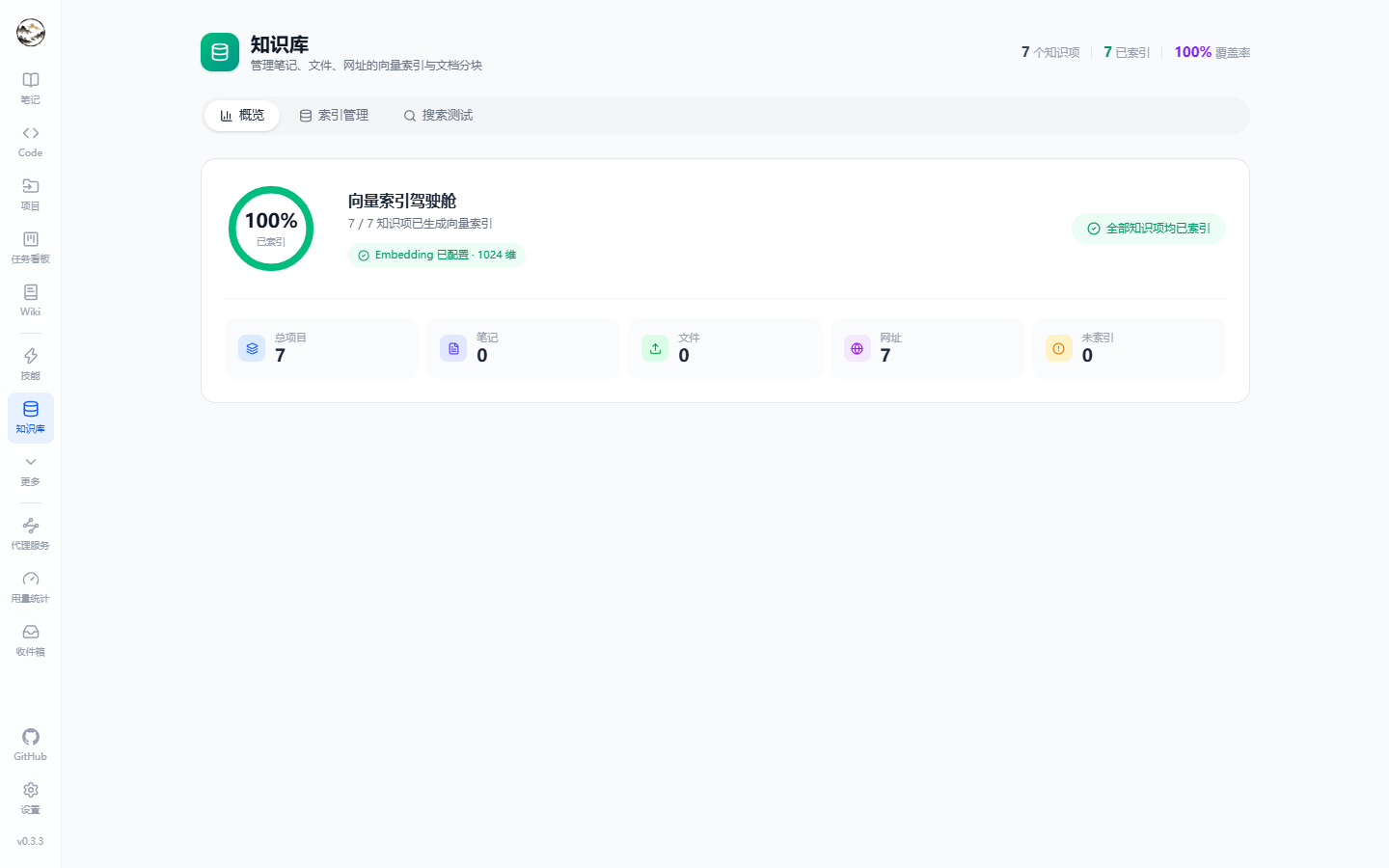
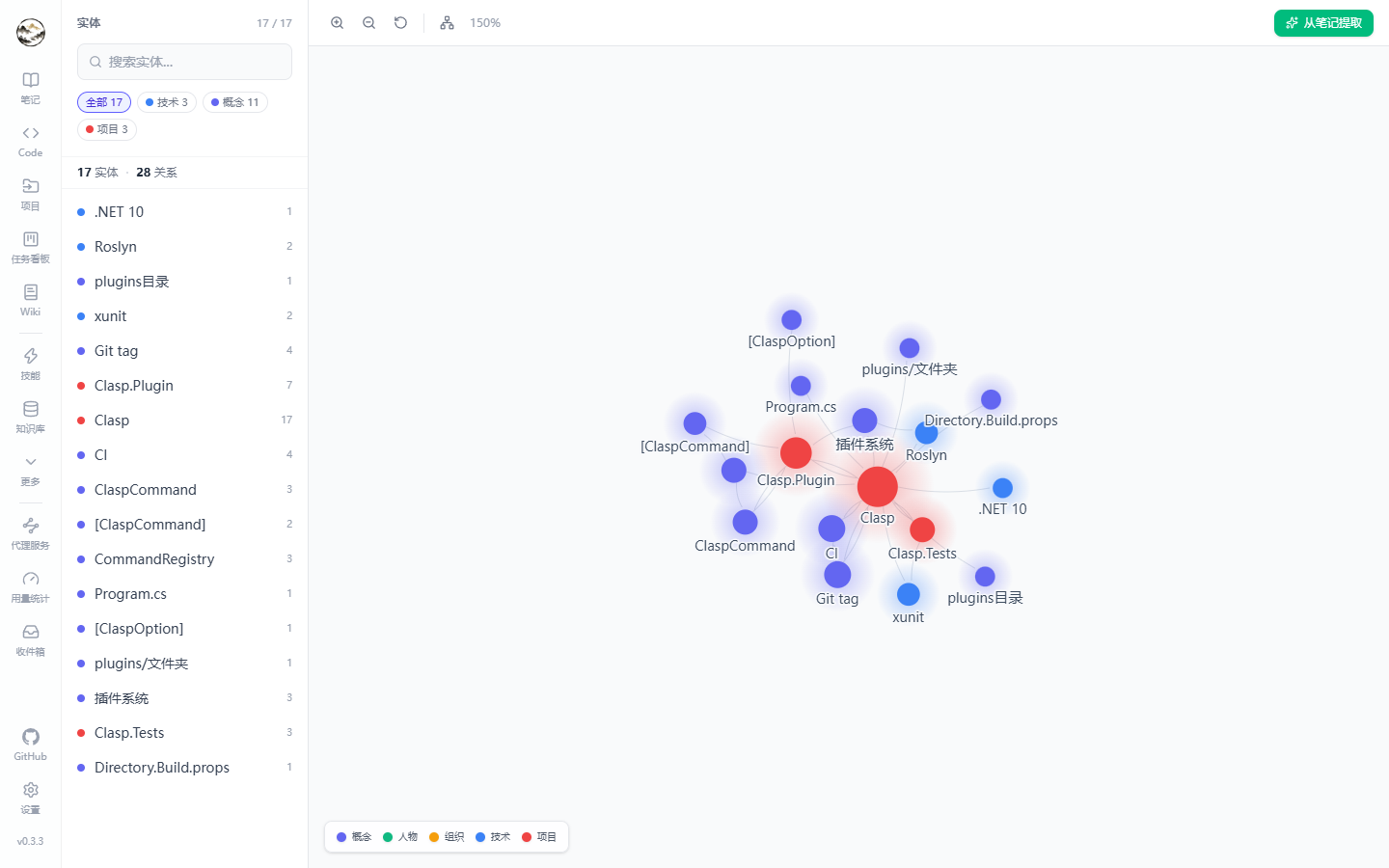
| Knowledge base | Knowledge graph |
|---|---|
 |
 |
| Memories (with Dream) | Wiki generation |
|---|---|
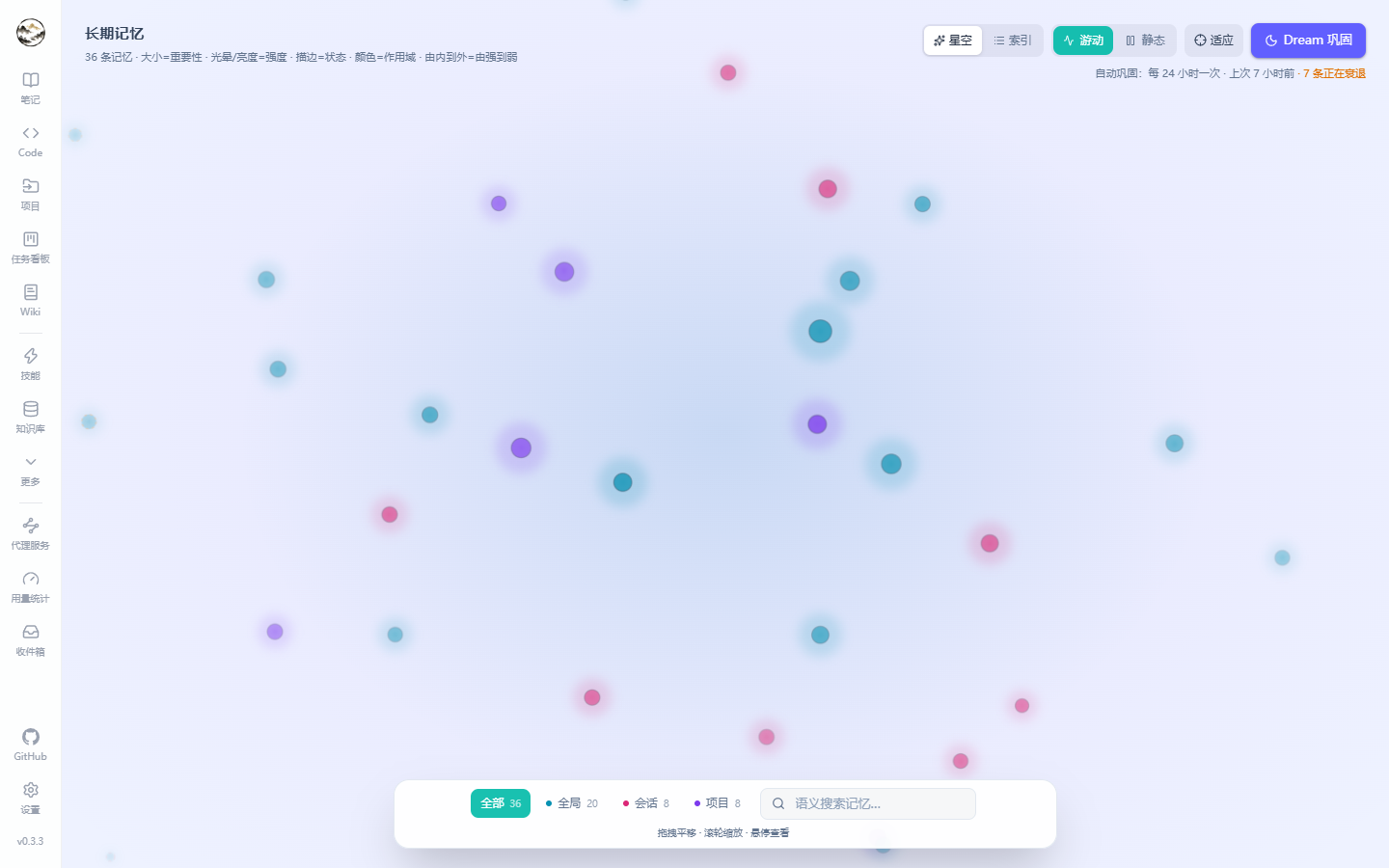 |
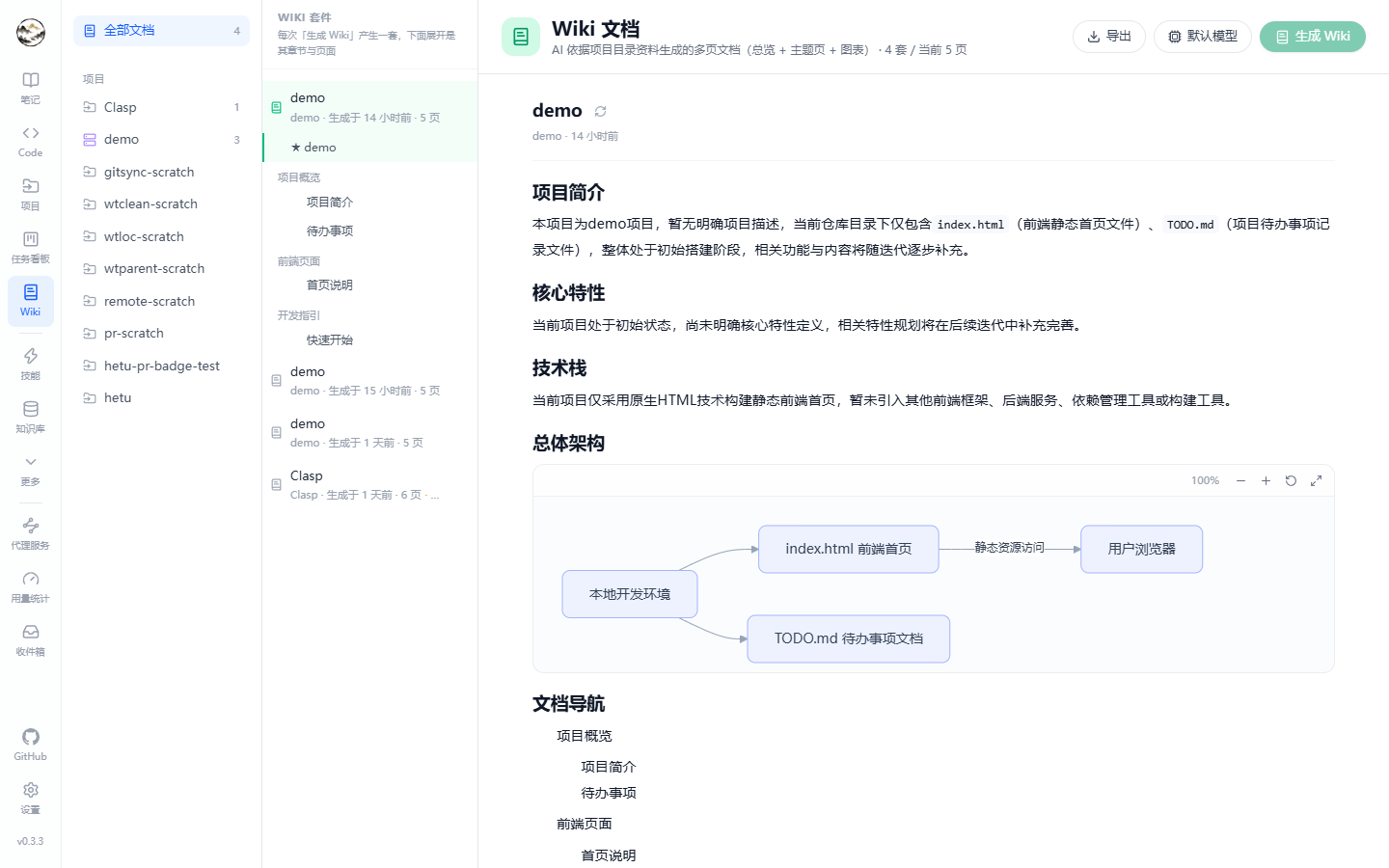 |
| Kanban board | Usage & cost |
|---|---|
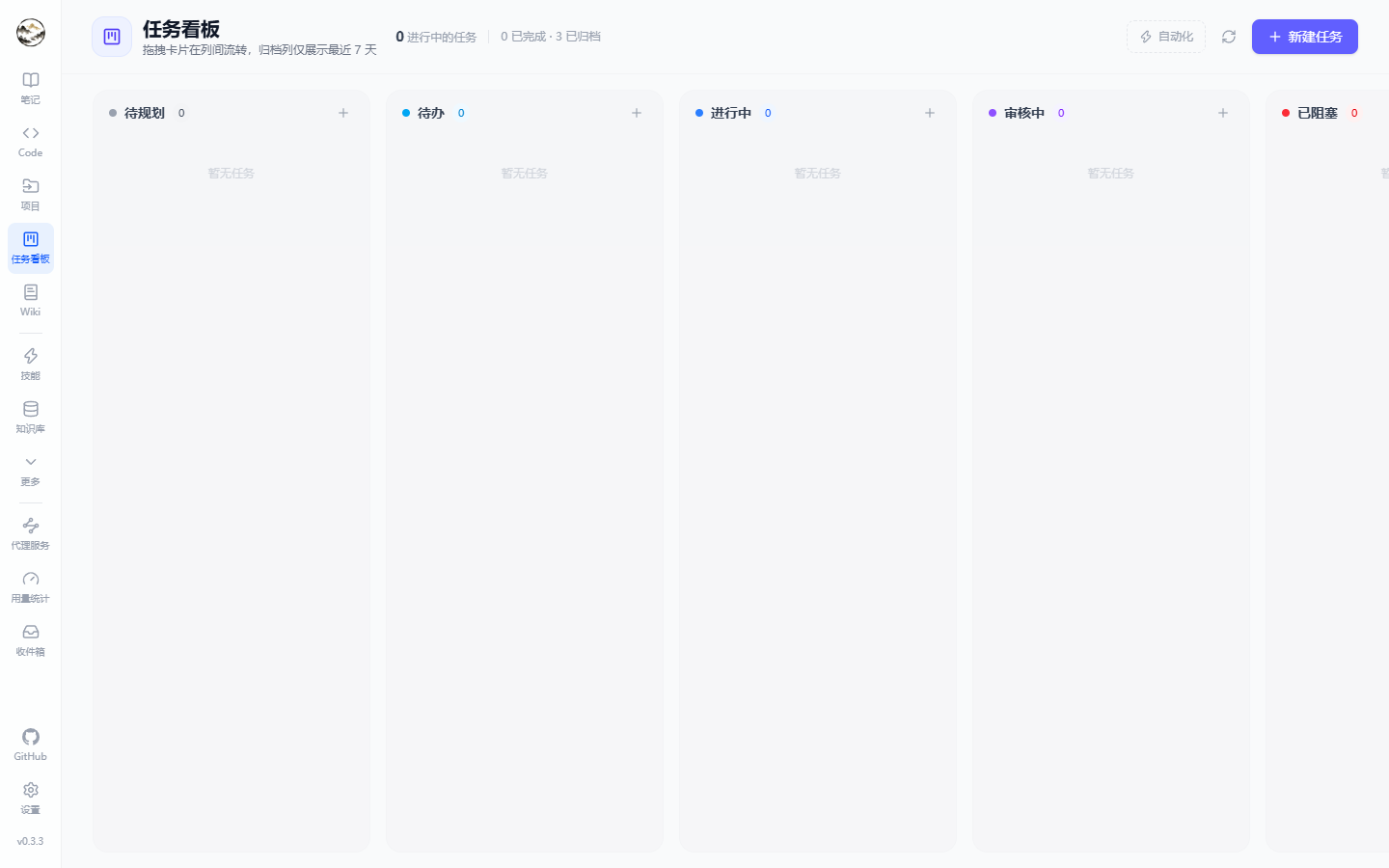 |
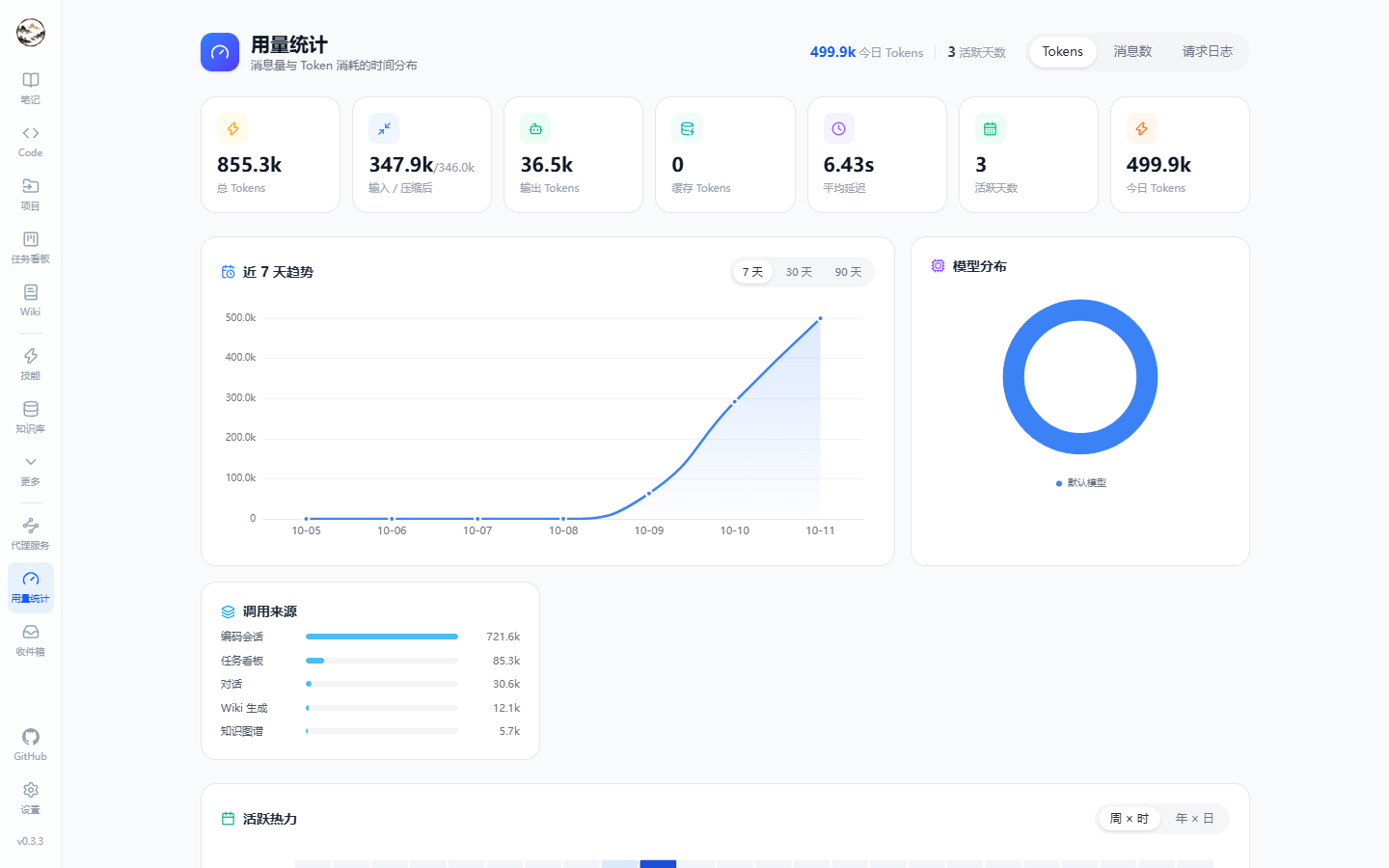 |
| Projects (local / SSH) | Background tasks |
|---|---|
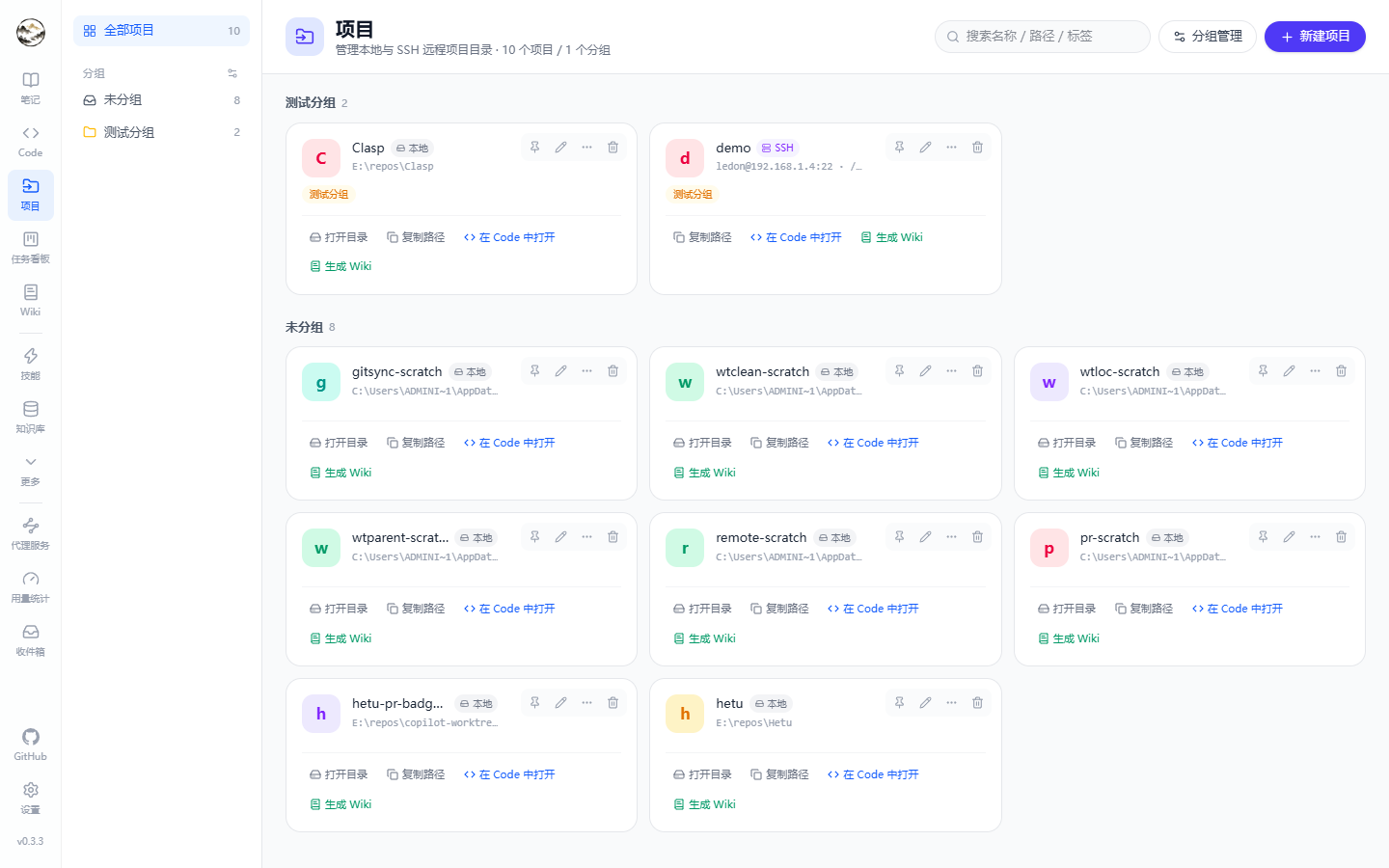 |
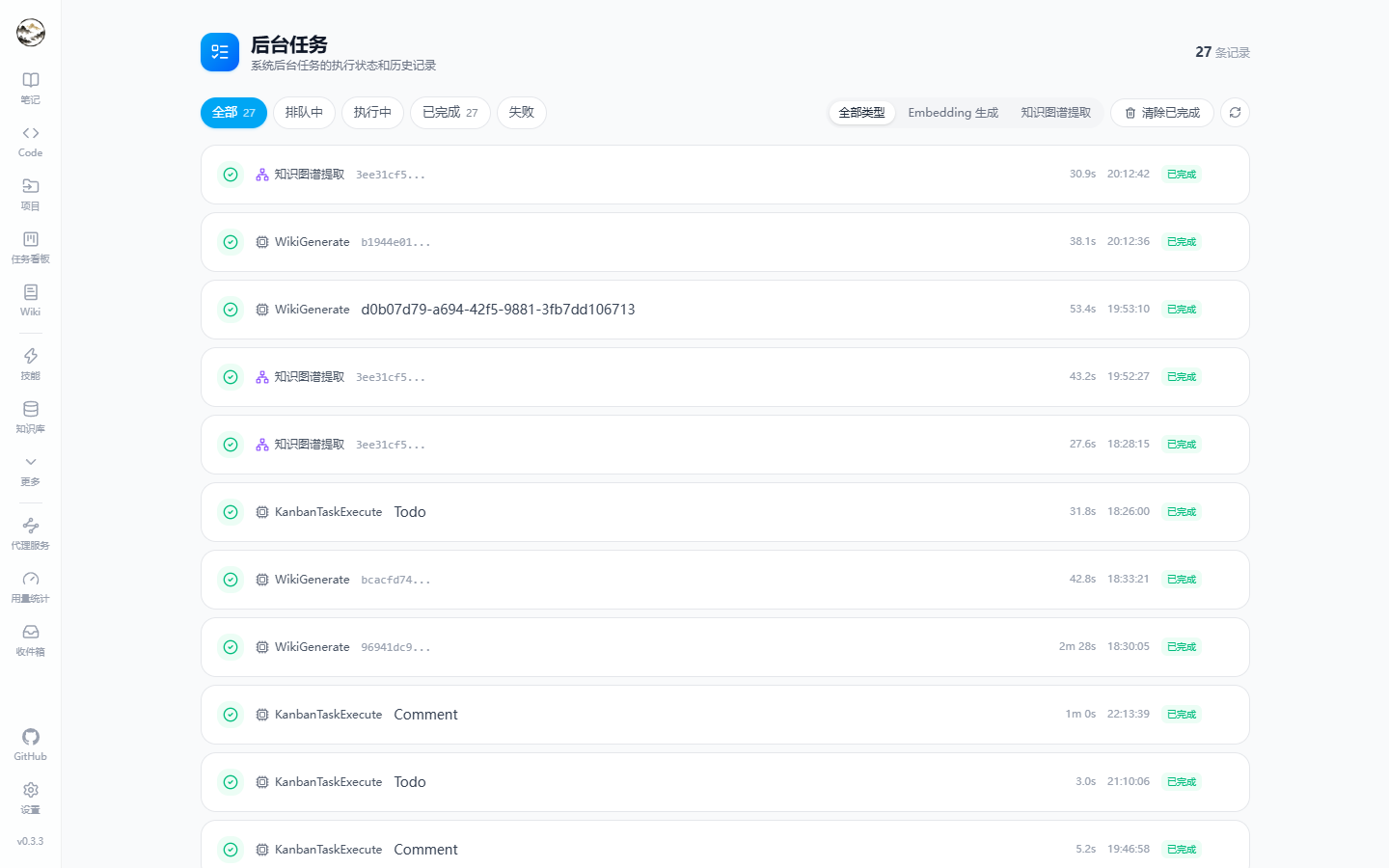 |
✨ Features
📝 Notes
- WYSIWYG Markdown (Milkdown) plus a CodeMirror source view — edit / preview / split modes.
- AI writing: select text to polish / translate / condense / expand / explain / custom-prompt; a whole-note assistant panel with per-call model selection.
- In-note AI actions: generate index, extract knowledge graph, add tags, render flowcharts.
- Infinitely nested notebooks (including "Uncategorized"), tags with colors, rename, merge and sidebar filtering.
- 3-second autosave with save indicators; version history snapshotted on update, with preview, diff and one-click restore.
- Share links (permanent / 24h / 3-day) with view counters and a public read-only page at
/share/:code. - Trash (soft delete) plus Markdown export / database backup.
🤖 Agent workspace (/code)
Chat and coding sessions live in one workspace: a session/topic tree on the left, the message stream on the right.
- Sessions & topics: grouped topics, each with its own model, system prompt, context window and history; messages can be copied / edited / deleted and topics forked for branching exploration.
- SSE streaming with rich events:
delta, thinking traces, web-search results, knowledge-base and memory hits, tool calls/results, interactive questions, live to-dos, checkpoints and approval requests. - Deep thinking toggle with reasoning effort (low / medium / high) and a collapsible thinking trace.
- Input toolbelt: web search · knowledge base · memory · permission mode · model · agent · skills (type
/to invoke). - Five permission modes:
plan/readonly/ask/auto/bypass. Code sessions additionally have a run mode: interactive step-by-step or Autopilot. - Queue & steering: messages sent while a reply is streaming are queued (edit / delete / send now), and "steer" injects new instructions into the running turn immediately.
- Attachments & long text: images, files, and collapsed blocks for pasted logs/JSON.
- Distill to note: turn a topic into a Markdown note (summary / detailed / Q&A / custom prompt) with streaming preview and notebook picker.
- Context usage ring with automatic compression records.
🧑💻 Code sessions
- Projects: local directories or SSH remotes, organized in groups.
- Two workspace modes: work on the current branch, or give the session an isolated worktree (defaults to
parent-of-repo/.hetu-worktrees/<repo>/<worktree>, configurable root; finished worktrees are auto-cleaned by idle threshold). - Branches: local + remote branches (checking out a remote ref creates a local tracking branch), a persistent workspace/branch badge next to the title, and one-button Git sync (pull / push / refresh chosen from state).
- Work panel:
Files(browser + built-in editor) /Changes(line diff and rollback) /Checkpoints(pre-task snapshots, restorable) /Git(stage, commit, diff) /PR(auto-selectsghorglab: current-branch PR, open PR list, one-click create; gives platform-specific install hints when missing) /Browser(embedded preview) /Terminal(real PTY — vim/htop work). - Title as status: the session title carries the workspace, branch and PR badges.
🧠 Knowledge base
- Chunk and embed notes / files / URLs with three tabs:
Overview,Index management,Search test. - Live indexing progress (auto-polling while items remain unindexed), per-item chunk counts and re-index actions, coverage and dimensions.
- Built-in semantic search playground with adjustable Top-K and highlighted chunk previews.
- Vectors live in local
sqlite-vec, or PostgreSQLpgvector.
🕸️ Knowledge graph
- Force-directed visualization with zoom, pan, search and layout reset; entity types (concept / technology / project / person / organization / custom) with distinct colors.
- Relation types: belongs-to, related-to, depends-on, contains, compared-with, custom.
- AI extraction from any note with merge/dedup; click an entity to see linked notes and jump back to the editor.
📚 Wiki generation
- Pick a project and let AI generate a Wiki suite from its material (README, directory structure, code snippets, optionally semantic search): module pages plus a project overview.
- Suites are grouped with generation time, page count and an "updated" hint; each run is visible in background tasks with status and duration.
🧬 Memories & Dream
- Long-term memory store: content, category (preference / identity / work / habit / knowledge …), importance stars, search and scope filters (global / session / project).
- Memory graph visualization;
Dreamconsolidation periodically merges, decays and forgets memories based on decay/forget days. - Recalled in chat through the Memory toggle and the
search_memorytool.
🗂️ Kanban / Workflows / Tasks
- Kanban board: in-progress / review / blocked / done / archived columns; tasks can be assigned to agents and executed by them, recording run steps, comments and artifacts.
- Workflows: visually orchestrate multi-step agent flows (nodes, enable/disable, run history).
- Background & scheduled tasks: status, duration and failure reasons for embedding generation, graph extraction, Wiki generation, etc.; Cron-scheduled jobs included.
- Inbox: notification center with an unread badge in the navigation.
🧩 Agents / Skills / Tools / MCP
- Agents: system-prompt presets with categories, search, an explicit tool whitelist and per-tool approval policy; JSON import/export.
- Skills: built-in skills (translate / summarize / explain / polish) plus custom ones (prompt template + system prompt); Markdown / JSON skill files can also be loaded from disk directories. Invoke from chat with
/skill-name. - Tools: built-in tools (note read/write/search, web search, memory & graph search, todos, command execution, file operations …) individually toggleable.
- MCP: manage Model Context Protocol servers (
stdiofully supported,sseconfigurable), auto-discover tools viatools/listand invoke them viatools/call— they join the chat toolbelt.
⚙️ Models / Proxy / Usage
- Models & providers: OpenAI-compatible and Anthropic protocols with encrypted API keys, plus per-scenario default models (chat / code / Wiki / graph / organize / note AI …).
- Proxy service: expose configured models through OpenAI- / Anthropic-compatible endpoints for external clients (point your editor at Hetu).
- Usage: tokens, cached tokens, compression before/after, average latency, active days, distribution by model and source, week×hour and year×day heatmaps.
- Compression pipeline: context compression policy with saved-token accounting.
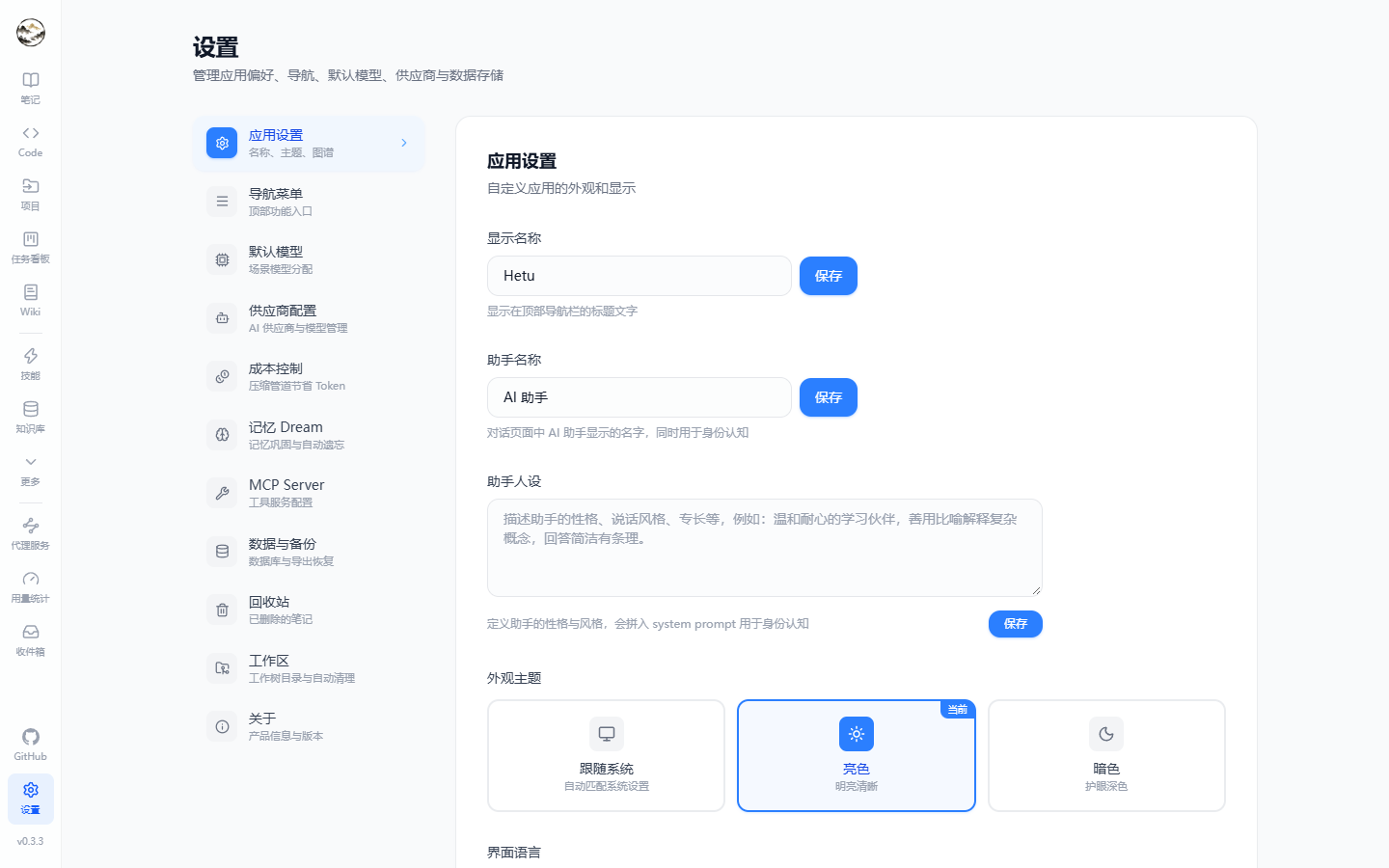
⚙️ Settings
App & assistant identity, navigation menu and style, default models, providers, cost control, memory, MCP servers, data & backup, workspace (worktree root + auto-cleanup) and about.
🖥️ Desktop app (Tauri 2, optional)
- Native window with system tray (close-to-tray by default, configurable); the backend is launched as a sidecar and readiness is polled via
/api/health. - Auto-update: GitHub primary endpoint with three mirror fallbacks, two channels (
fatbundles the .NET runtime,slimneeds system .NET 10). - The data directory is injected by the shell through
HETU_DATA_DIR(SQLite and logs live in the OS user data dir).
🔐 Privacy & storage
- Runs 100% locally, no account required; API keys encrypted with ASP.NET DataProtection (DPAPI on Windows).
- Vectors in local
sqlite-vecor PostgreSQLpgvector; both databases support the same feature set.
🧱 Tech Stack
| Layer | Stack |
|---|---|
| Backend | ASP.NET Core 10 · EF Core 10 · Serilog · Scalar (OpenAPI at /scalar/v1) |
| Storage | SQLite (default, sqlite-vec) / PostgreSQL 16+ (pgvector) |
| Frontend | React 19 · TypeScript 6 · Vite 8 · Tailwind CSS 4 · react-router 7 |
| State | Zustand (client) + TanStack Query (server) |
| Editors | Milkdown (WYSIWYG) / CodeMirror / xterm.js / react-markdown + KaTeX + Mermaid + DOMPurify |
| Visuals | ECharts · XYFlow + dagre (graph & workflow) |
| AI | OpenAI-compatible & Anthropic protocols · embeddings · SSE streaming · MCP (JSON-RPC 2.0) |
| Desktop | Tauri 2 (Rust shell + sidecar backend + updater) |
| i18n | i18next (简体中文 / English) |
📂 Project Structure
Hetu/
├── src/
│   ├── Hetu.Api/                                 # Web API host + background workers
│   ├── Hetu.Core/                                # Domain entities, services, repository interfaces
│   ├── Hetu.Infrastructure/                      # EF Core, AI providers, MCP, sqlite-vec
│   ├── Hetu.Infrastructure.PostgresMigrations/   # PostgreSQL migrations
│   └── Hetu.Shared/                              # DTOs and shared models
├── frontend/                                     # React + Vite app
├── shell/hetu-desktop/                           # Tauri 2 desktop shell (Rust + bundling)
├── scripts/                                      # start / publish / release / smoke-test scripts
├── docs/                                         # PRD and screenshots
└── AGENTS.md                                     # Implementation conventions
Routes (frontend/src/App.tsx)
| Route | Page | What it does |
|---|---|---|
/ |
Notes | Notebook tree + note list + editor |
/code |
Agent workspace | Chat and Code sessions (/chat and /work redirect here) |
/projects |
Projects | Local / SSH projects and groups |
/kanban, /kanban/:taskId |
Kanban | Board and task detail (run steps, comments) |
/wiki |
Wiki | Generated suites and pages |
/knowledge-base |
Knowledge base | Overview / index management / search test |
/graph |
Knowledge graph | Entity & relation visualization |
/memories |
Memories | Memory store, memory graph and Dream |
/tasks/background, /tasks/scheduled |
Tasks | Background job monitor and Cron jobs |
/workflows |
Workflows | Visual agent orchestration |
/agents, /skills, /tools |
Agents / Skills / Tools | Prompt presets, skills and tool management |
/models |
Models | Providers and models |
/proxy |
Proxy | OpenAI / Anthropic-compatible endpoint |
/usage |
Usage | Token usage and cost |
/inbox |
Inbox | Notification center |
/apps |
Apps | Embedded web apps |
/tags, /trash |
Tags / Trash | Tag management, soft-deleted notes |
/settings |
Settings | App / navigation / models / providers / cost / memory / MCP / backup / workspace / about |
/share/:code |
Shared note | Public read-only note |
🚀 Quick Start
Prerequisites
- .NET SDK 10.0+
- Node.js 20+
- (Optional) PostgreSQL 16+ with the
pgvectorextension
One-shot launch
# Linux / macOS / Git Bash
./scripts/start.sh

# PowerShell
.\scripts\start.ps1
Run manually
# Backend (defaults to http://localhost:5000)
dotnet run --project src/Hetu.Api --urls "http://localhost:5000"

# Frontend (defaults to http://localhost:5174)
cd frontend
npm install
npm run dev
Open http://localhost:5174; the API lives at http://localhost:5000/api and its docs at http://localhost:5000/scalar/v1.
Desktop app (Tauri 2)
# Development (dotnet + vite + tauri in parallel)
pwsh ./scripts/desktop-dev.ps1

# Package (sidecar first, then the installer)
pwsh ./scripts/publish-backend.ps1 -Mode SelfContained -Rid win-x64      # fat: bundles the runtime
pwsh ./scripts/publish-backend.ps1 -Mode FrameworkDependent -Rid win-x64 # slim: needs .NET 10
cd shell/hetu-desktop
npm run tauri:build -- --config src-tauri/tauri.slim.conf.json
⚙️ Configure AI Providers
- Open Models (or Settings → Providers) and add a provider (OpenAI-compatible / Anthropic) with Base URL and API key.
- Add models under it and set each
purposetochat,embeddingorcompletion. - In Settings → Default models, pick defaults per scenario (chat / code / Wiki / graph / organize / note AI).
API keys are encrypted at rest; model calls originate from your machine only.
🗄️ Switching to PostgreSQL
export DatabaseProvider=Postgresql
export ConnectionStrings__DefaultConnection="Host=localhost;Database=hetu;Username=postgres;******"

# Apply migrations (only when the schema changes)
dotnet ef database update \
  --project src/Hetu.Infrastructure.PostgresMigrations \
  --startup-project src/Hetu.Api
Vector dimensions are controlled by Embedding:Dimensions (default 1536) and must match your embedding model.
🧪 Build & Verify
# Backend (whole solution, expected to build with ZERO warnings)
dotnet build Hetu.slnx

# Frontend: type-check + production build / lint
cd frontend
npm run build
npm run lint

# API smoke tests (backend must be running)
./scripts/test-api.sh
This project is warning-intolerant: no #pragma warning disable, no eslint-disable, no SuppressMessage — fix the root cause instead. See AGENTS.md.
📦 Releasing
# 1) Bump the version in two places: shell/hetu-desktop/src-tauri/tauri.conf.json and src/Hetu.Api/Hetu.Api.csproj
# 2) After merging to main, tag and push to trigger Release Build
pwsh ./scripts/tag-release.ps1 -Version 0.3.3
CI builds Windows (NSIS/MSI) and Linux (AppImage/deb) installers for both the fat and slim channels, generates the updater manifests
(latest.json / latest-slim.json plus three mirror variants) and creates the GitHub Release — and it fails loudly if any channel manifest is missing.
⚠️ Known Limitations
- No automated test project yet (verification today: builds +
eslint/tsc+ API smoke tests + real browser checks). - MCP: only
stdiois fully wired;sseis configurable but not connected. - Full-text note search uses
LIKE; an FTS5 /tsvectorupgrade is planned. - Anthropic exposes no public embedding API — pick an OpenAI-compatible provider for the
embeddingpurpose.
🤝 Contributing
Issues and PRs are welcome. Please read AGENTS.md first (layering, naming, commit format, verification and the warning policy).
<type>(<scope>): <subject>

# type:  feat | fix | docs | style | refactor | perf | test | chore
# scope: api | ui | db | ai | work | desktop | config
📜 License
Reviews (0)
Sign in to leave a review.
Leave a reviewNo results found