chatty
Health Warn
- License — License: MIT
- Description — Repository has a description
- Active repo — Last push 0 days ago
- Low visibility — Only 5 GitHub stars
Code Pass
- Code scan — Scanned 12 files during light audit, no dangerous patterns found
Permissions Pass
- Permissions — No dangerous permissions requested
No AI report is available for this listing yet.
A free, open-source browser-based AI agent platform; great for personal agents, professional work agents and small business owners. Agent teams ready. Local-first or deployed. Odoo, Quickbooks Online, Google Workspace and BambooHR connection built in. Agent curated CRM system included.
 Chatty
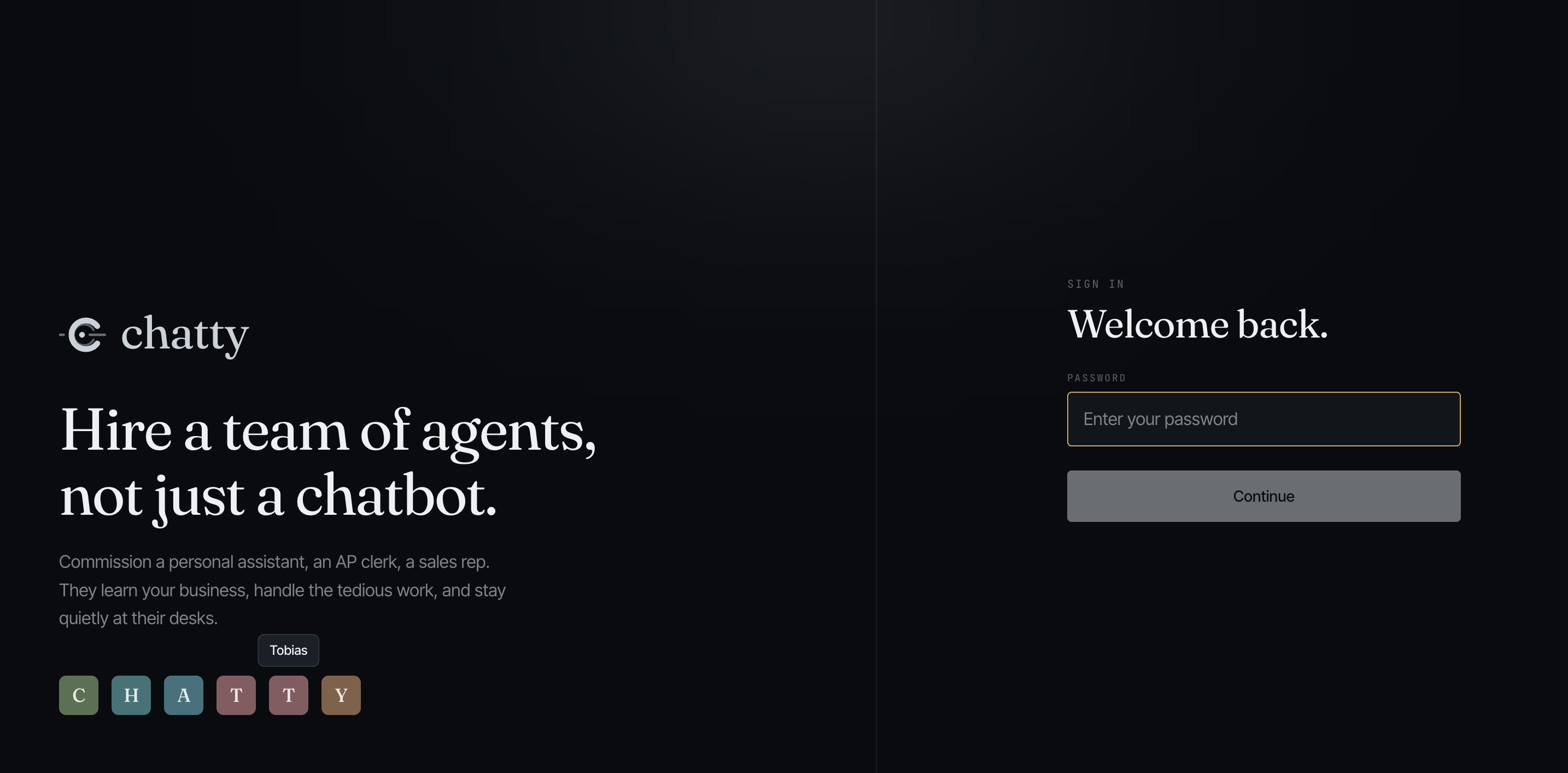
A free, open-source personal AI agent platform with a full browser-based UI — not a command-line tool. Create, train, and manage your agents from a dashboard that works on any device with a browser. Learn more at mechatty.ai.
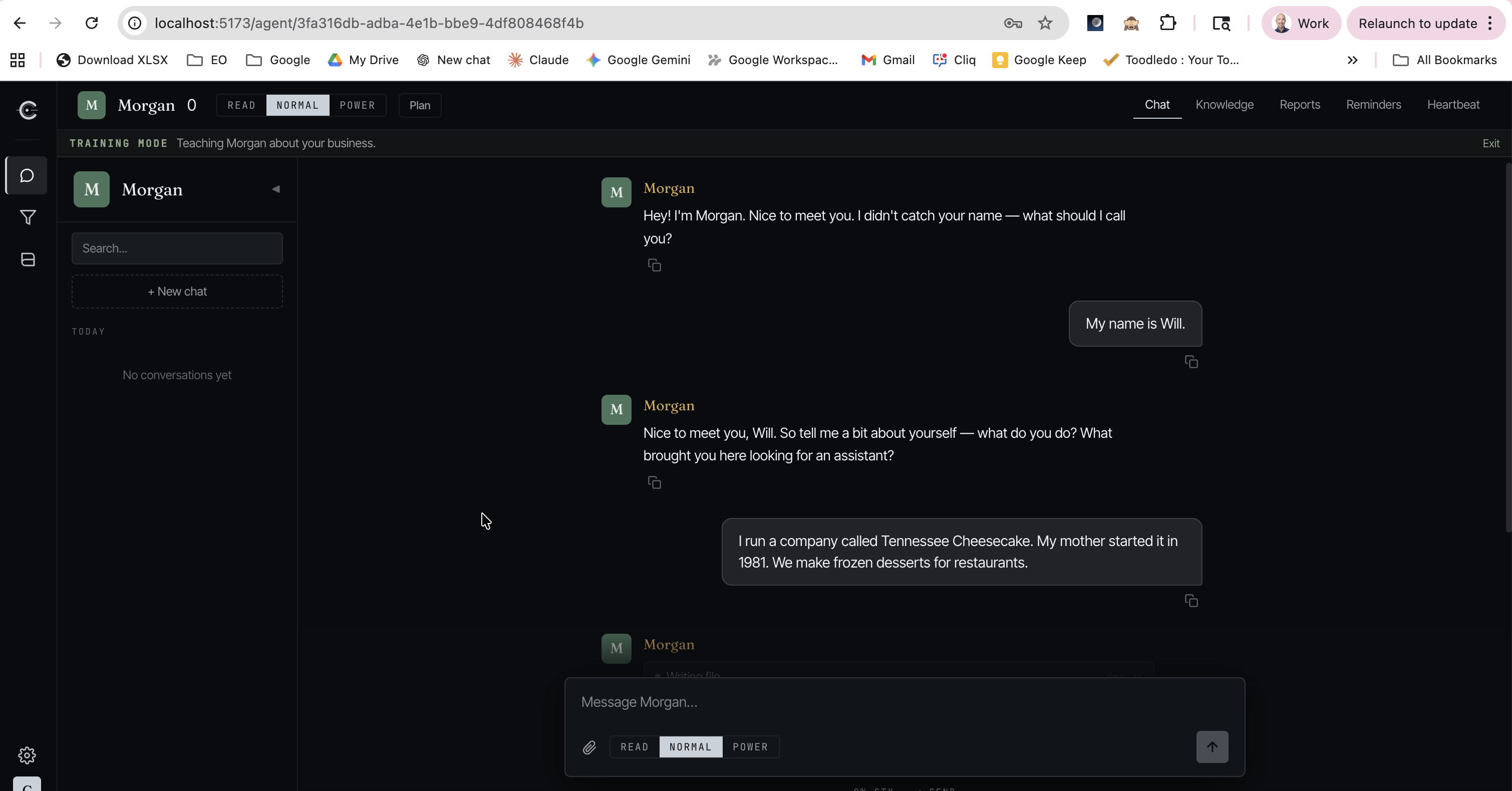
Everything happens in the browser: creating agents, chatting, connecting integrations, managing your CRM, reviewing heartbeat schedules. Run it locally or deploy to Railway and access it from your phone, tablet, or desktop — no terminal required after setup.
Create custom AI agents with their own personality, knowledge, and tools — powered by your own API keys or local AI model. No SaaS fees, no vendor lock-in. You only pay for the AI usage you consume.
New to AI agents? Read our plain-English guide — no technical knowledge required.
Features
- Browser-based UI — Full dashboard for managing agents, integrations, and settings — no command line needed after initial setup
- Multi-agent — Create and manage multiple AI agents, each with its own name, personality, and knowledge base
- Multi-provider AI — Anthropic, OpenAI, Google Gemini, Ollama (local models), and Together AI
- Heartbeat — Agents run scheduled background tasks on their own — scanning emails, checking calendars, monitoring your CRM — and notify you via browser push notifications, Telegram, or WhatsApp
- Reminders — Set one-time or recurring reminders (daily, weekly, monthly, cron) that trigger your agent to take action or notify you
- Training mode — Conversational onboarding that teaches your agent about you, your business, and how you like to work
- Knowledge import — Import an existing agent from OpenClaw or paste context from any AI tool to bootstrap a new agent in minutes
- Built-in CRM — Manage your pipeline: contacts, companies, tasks and deals all with your AI agent
- Integrations — Gmail (multiple accounts), Google Calendar, Google Drive, QuickBooks Online, Todoist, Telegram (multiple bots), Odoo, BambooHR, Paperclip (WhatsApp is deprecated/frozen — use Telegram)
- Agent orchestration — Connect to Paperclip for org charts, task management, and multi-agent coordination
- File uploads — Drag and drop PDFs, DOCX, and text files into chat for your agent to read and analyze
- Two-factor auth — Optional TOTP-based 2FA for your login
- Brandable — Upload your logo, company name, and accent color to make it yours
- BYO OAuth — Bring your own Google and QuickBooks OAuth credentials for full control over your integration apps
- Local-first — SQLite database, no external services required
- One-click deploy — Deploy to Railway for access from any device
Quick Start
git clone https://github.com/WWilson1017/chatty.git
cd chatty
python run.py
The launcher checks prerequisites, creates a virtual environment, installs dependencies, and starts the server. Open http://localhost:8000 when it's ready.
Requirements
- Python 3.10+
- Node.js 18+
Configuration
Copy .env.example to .env and fill in your credentials:
AUTH_PASSWORD— Your login passwordJWT_SECRET— A random secret for session tokens (auto-generated byrun.py)- AI provider — At least one of: Anthropic API key, OpenAI API key, Google AI API key, or a local Ollama instance (free)
See .env.example for all available options including integrations.
Using Ollama (free, local models)
Run AI models on your own hardware with no API key or usage fees:
- Install Ollama
- Pull a tool-capable model:
ollama pull llama3.1 - Start Chatty with
python run.py— select Ollama in the setup wizard
Recommended models (support tool calling for full Chatty features):
| Model | Pull command | Notes |
|---|---|---|
| Llama 3.1 | ollama pull llama3.1 |
Great all-around choice |
| Qwen 2.5 | ollama pull qwen2.5 |
Fast, good for smaller hardware |
| Mistral | ollama pull mistral |
Solid alternative |
| Phi-4 | ollama pull phi4 |
Microsoft's compact model |
Models without tool support will still chat but won't have access to memory, search, or integrations.
Import from OpenClaw
If you're already using OpenClaw, you can import your agent's knowledge directly into Chatty — no copy-pasting, no re-training. Chatty detects your local OpenClaw installation, lists your agents, and imports their workspace files automatically. Your new Chatty agent starts with everything your OpenClaw agent already knows.
- Create a new agent in Chatty
- Chatty detects OpenClaw on your machine and offers to import
- Pick which OpenClaw agent to import from
- Your agent is ready — personality, knowledge, and context all carry over
This works because both platforms store agent knowledge as markdown files. Chatty reads your OpenClaw workspace directly and scrubs out system-level details, keeping only the knowledge that matters.
Jumpstart Your Agent from Any AI Tool
No OpenClaw? No problem. You can bootstrap a new Chatty agent from any existing AI conversation.
Export from an existing AI agent. If you have an agent on another platform (ChatGPT, Claude, etc.), ask it to create a markdown knowledge file summarizing what it knows about you — your role, your business, your preferences, how you like to work. Then paste that file into a Chatty conversation and your new agent is caught up immediately.
You can tailor the export to fit the new agent's purpose. For example, if your existing agent is a business assistant but you're setting up a personal agent in Chatty, tell it to leave out work-specific details and focus on personal preferences. Going the other direction, ask it to emphasize business context. You can also ask it to include a list of questions where it has gaps, so your new agent knows what to ask you about.
No existing agent? Use any AI chat. Open ChatGPT, Claude, or any AI assistant and ask it something like: "Search your memory and our conversation history, then create a markdown knowledge file I can give to a new AI agent that explains who I am, what I do, what's important to me, and how I like to work." Paste the result into Chatty and you've got a head start.
Scheduled Actions & Heartbeat
Your agents can work on their own on a schedule. There are two kinds of background work, and they deliver results differently — by design:
- Scheduled actions (cron) — report tasks, like a 5:15 AM "morning brief." These run on a cron schedule and their output is always delivered to you — via browser push, Telegram, WhatsApp, and the in-app notification log. Delivery is guaranteed by Chatty itself, not by the model: the agent just writes its report as its final response and the system sends it. (If a run genuinely has nothing to report, the agent can reply with exactly
[SILENT]to skip that one delivery.) - Heartbeat — a monitor task that runs periodically (e.g. every 30 minutes) against a checklist in the agent's
HEARTBEAT.md. It uses the same delivery guarantee: if the heartbeat finds something (ACTION_TAKEN: …), Chatty delivers it; if nothing new needs attention the agent repliesHEARTBEAT_OKand stays silent. Cheap triage and the checklist skip most ticks before they ever run, and the agent reports only what's new — so you're not spammed. - Reminders — one-time or recurring nudges that trigger the agent to act or notify you.
Why the guarantee matters: a scheduled task's whole purpose is to reach you. Earlier versions relied on the AI choosing to call a notification tool, so a model change could silently swallow a brief. Chatty now delivers a scheduled action's output (cron and heartbeat) as a system step regardless of model behavior — the only suppressor is the agent explicitly going silent (
[SILENT]/HEARTBEAT_OK). Contributors: keep delivery in the processor (backend/core/agents/scheduled_actions/processor.py) — don't move it back into model-prompt instructions. Seedocs/solutions/architecture-patterns/scheduled-action-guaranteed-delivery.md.
Integrations
Chatty connects to your existing business tools so your agents can answer questions, look up data, and take action on your behalf.
| Integration | Setup | What your agent can do |
|---|---|---|
| Gmail | Google OAuth — see setup guide | Search, read, send, reply to, and draft emails. Connect multiple Gmail accounts and assign them per agent |
| Google Calendar | Google OAuth — see setup guide | View, create, update, and delete calendar events |
| Google Drive | Google OAuth — see setup guide | Search, read, and upload files |
| QuickBooks Online | Intuit OAuth — see setup guide | Invoices, estimates, payments, customers, vendors, and financial reports |
| QuickBooks CSV | One-click | Analyze exported QuickBooks CSV files — no OAuth required |
| CRM Lite | One-click | Manage contacts, deals, tasks, and activities — built in, ships with demo data you can clear when ready |
| Telegram | Bot token | Chat with your agent from Telegram. Each agent gets its own bot; one user can talk to multiple agents |
| QR code scan | Chat with your agent from WhatsApp — deprecated and frozen (no new development; use Telegram). Existing setups keep working | |
| Todoist | API token | Create, manage, complete, and organize tasks and projects |
| Odoo | API key | Sales, inventory, accounting, HR, and more from your Odoo ERP |
| BambooHR | API key | Employee directory, time off, and HR data |
Deploy to Railway

- Click the button above and set your
AUTH_PASSWORD(the only required input) - Railway builds and deploys your instance automatically
- Open your Chatty URL, log in, and paste your AI provider API key in the setup wizard
JWT_SECRET and ENCRYPTION_KEY auto-generate if not set. Your data persists on a Railway volume.
For detailed instructions, custom domains, and troubleshooting, see DEPLOY.md.
Agent Orchestration with Paperclip
Run a coordinated team of AI agents with Paperclip — the open-source orchestration control plane for AI agent companies.
Chatty gives each agent a brain. Paperclip gives the team structure: org charts, task assignments, budget tracking, and governance. Together, your agents can assign work to each other, track progress through issues, and communicate through structured task threads.

Getting started:
- Deploy Paperclip on Railway (button above) and create your company
- In Chatty, go to Settings > Integrations > Paperclip and sign in with your Paperclip credentials
- Map your Chatty agents to Paperclip agents
- Chat with any agent: "Check Paperclip for my tasks"
Your agents get tools to list issues, claim tasks, update status, and post comments — all from within the chat. Paperclip can also trigger agents automatically via heartbeat webhooks.
For the full setup guide, see PAPERCLIP.md.
Contributing
See CONTRIBUTING.md for how to submit changes.
Security
To report a security vulnerability, see SECURITY.md.
License
Reviews (0)
Sign in to leave a review.
Leave a reviewNo results found