temodar-agent
Health Pass
- License — License: Apache-2.0
- Description — Repository has a description
- Active repo — Last push 0 days ago
- Community trust — 47 GitHub stars
Code Fail
- rm -rf — Recursive force deletion command in ai/node_runner/package.json
- spawnSync — Synchronous process spawning in ai/node_runner/scripts/smoke.mjs
- process.env — Environment variable access in ai/node_runner/scripts/smoke.mjs
- process.env — Environment variable access in ai/node_runner/src/index.ts
Permissions Pass
- Permissions — No dangerous permissions requested
This tool is an AI-powered platform designed for security researchers and auditors to scan WordPress plugins and themes. It combines AI-agent workflows, multi-provider LLM orchestration, and Semgrep static analysis within a local-first Docker application.
Security Assessment
The tool operates within a contained Docker environment and requests no explicitly dangerous permissions. However, the codebase contains a few notable findings: a recursive force deletion command (`rm -rf`) is present in a package script, and there is synchronous process spawning via `spawnSync` in the smoke tests. Additionally, environment variable access occurs in both the main source code and test scripts, which is typical for managing API keys for multiple LLM providers but requires careful handling. No hardcoded secrets were detected. Overall risk is rated as Low, as the potentially destructive commands appear confined to build and testing scripts rather than the core runtime.
Quality Assessment
The project demonstrates solid health and active maintenance, with its most recent push occurring today. It uses the permissive Apache-2.0 license and has garnered 47 GitHub stars, indicating a fair level of early community trust for a specialized security tool. The comprehensive documentation further reflects a mature, well-maintained project.
Verdict
Use with caution: The core application appears safe to run in its designated Docker environment, but users should review the build and test scripts to understand local environment variable usage and process execution.
Temodar Agent is an AI-powered WordPress plugin and theme security analysis platform built for security researchers, product security teams, auditors, and defenders. It combines AI agent workflows, multi-provider LLM orchestration, Semgrep-powered static analysis, and risk-based WordPress reconnaissance in one local-first Docker application.
Temodar Agent





AI agent-powered WordPress security scanner for plugin and theme triage, Semgrep analysis, and source-aware investigation workflows.
Temodar Agent is an AI-powered WordPress plugin and theme security analysis platform built for security researchers, product security teams, auditors, and defenders. It combines AI agent workflows, multi-provider LLM orchestration, Semgrep-powered static analysis, and risk-based WordPress reconnaissance in one local-first Docker application.
If you are looking for an AI security scanner for WordPress plugins, an AI agent workflow for code review, or a Semgrep-based vulnerability triage platform, Temodar Agent is designed to make that process faster, more structured, and easier to scale.
Screenshots
|
AI-assisted security dashboard Launch scans, prioritize targets, and review results from one interface |
Semgrep + AI investigation workflow Move from static analysis to source-aware AI review without losing context |
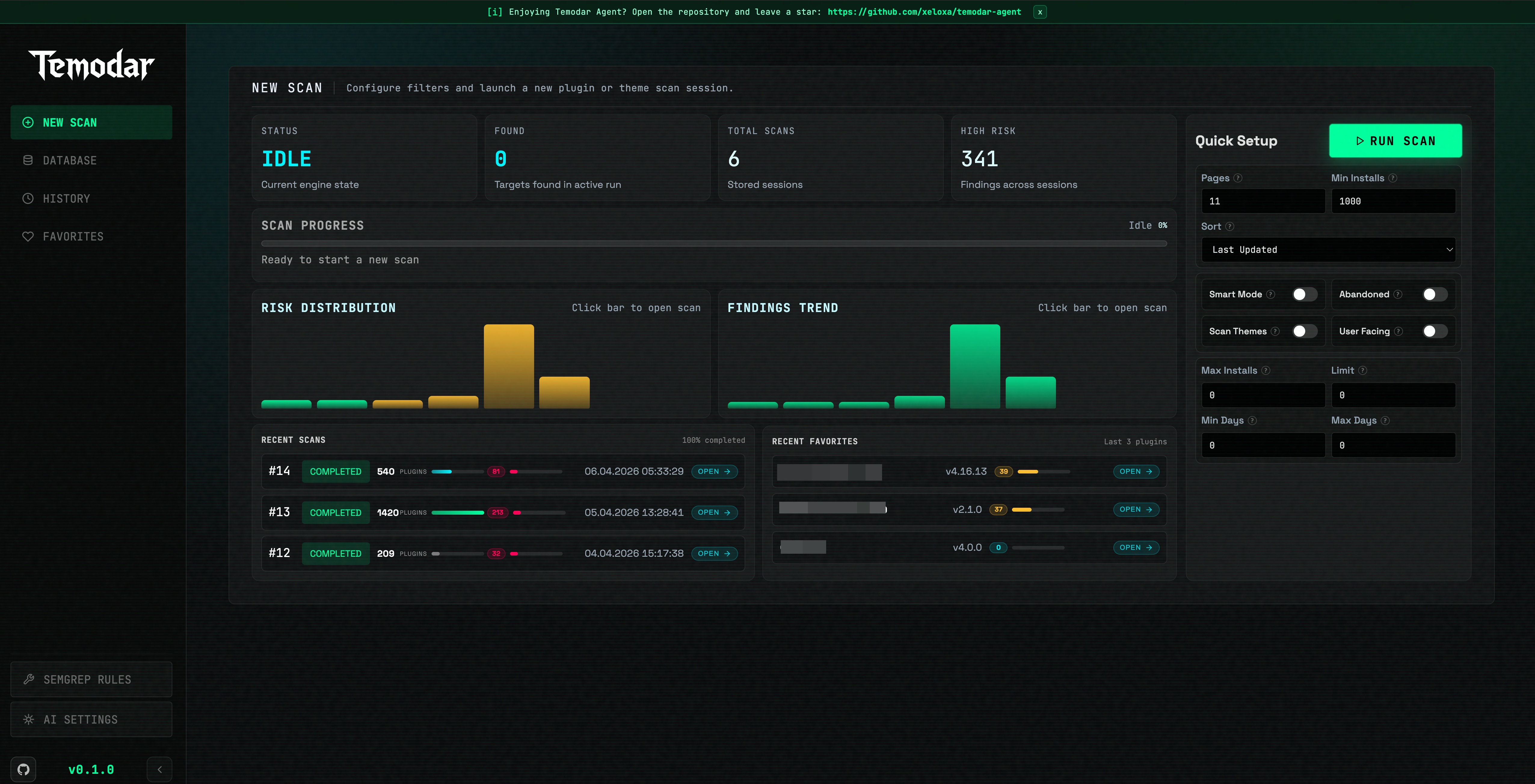
|
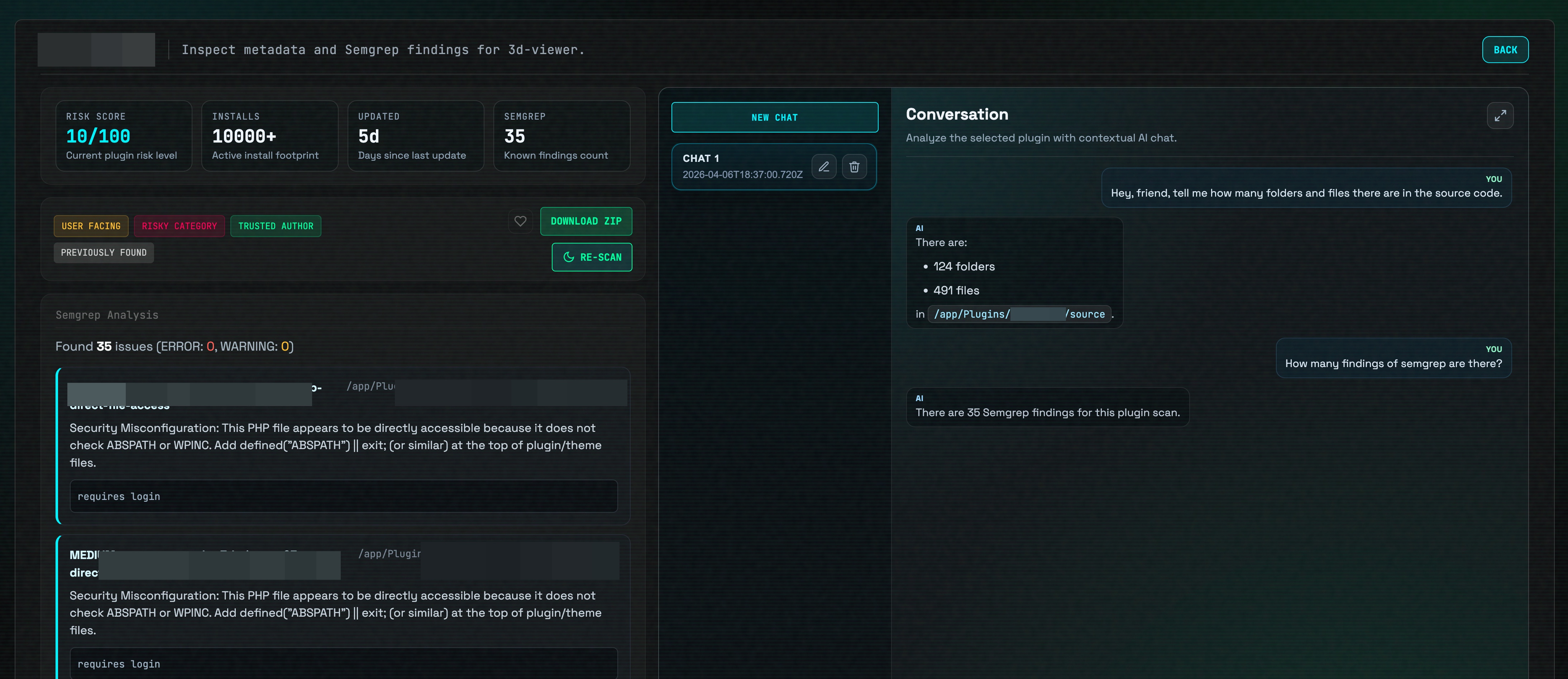
|
What Temodar Agent Does
Temodar Agent helps teams identify which WordPress plugins and themes deserve attention first, run repeatable code analysis, and continue investigation with AI agent systems that stay attached to the target under review.
Core platform capabilities include:
- WordPress plugin and theme scanning
- risk-based target prioritization
- Semgrep-powered static application security testing
- AI agent-assisted investigation threads
- multi-provider AI configuration and execution
- custom Semgrep rule management
- local result persistence and historical review
AI Agent Capabilities
Temodar Agent is built around an AI agent workflow rather than a simple chat box.
Source-aware AI investigation
- Open dedicated AI threads per plugin or per theme
- Prepare a trusted source workspace for the selected target before deeper review
- Keep thread-level context attached to the investigation, including:
- conversation summary
- analysis summary
- findings summary
- architecture notes
- important files
- last prepared source path
Multi-agent and execution strategy support
The current runtime supports multiple AI execution strategies that are already exposed in the application:
- agent
- team
- tasks
- fanout
- auto
This makes Temodar Agent suitable for teams that want to move from a single-agent workflow to more advanced multi-agent analysis patterns inside the same product.
AI run control and orchestration
The platform also supports:
- custom
agentspayloads - custom
taskspayloads - fanout configuration
- loop detection settings
- trace and runtime event streaming
- before-run and after-run hook payloads
- manual approval mode
- auto-approve mode
- structured AI output when an output schema is provided
Multi-Provider AI System
Temodar Agent includes a multi-provider AI configuration system with stored profiles, active profile switching, and connection testing.
Supported providers currently present in the application:
- Anthropic
- OpenAI
- Copilot
- Gemini
- Grok
Provider system features already implemented:
- multiple saved provider profiles
- active provider switching
- model selection per profile
- model list storage per profile
- provider connection testing
- optional custom base URL support
- masked API key handling in the UI layer
Semgrep Security Analysis
Temodar Agent includes a production-oriented Semgrep analysis workflow for WordPress source code review.
Built-in Semgrep coverage
The current application ships with support for these default Semgrep rulesets:
- OWASP Top 10
- PHP security
- security audit
Custom rule and ruleset management
The current Semgrep system also supports:
- custom Semgrep rule creation
- custom rule deletion
- rule enable / disable toggling
- bulk enable / disable operations
- ruleset add / remove / toggle actions
- validation of custom rule documents
- bulk Semgrep scanning across a scan session
- persistent local storage for Semgrep outputs
This makes Temodar Agent useful not only as an AI security research tool, but also as a Semgrep operations layer for teams that maintain their own detection logic.
WordPress Security Triage and Prioritization
Temodar Agent helps security teams reduce noise before manual review starts.
The scanning system can:
- scan WordPress plugins or themes from public sources
- filter by install counts and update windows
- identify abandoned or user-facing targets
- prioritize packages using metadata, tags, and security-related signals
- assign relative risk labels for faster triage
- stream progress to the dashboard in real time
- store scan sessions for later comparison and follow-up
Why Teams Use Temodar Agent
Temodar Agent is designed for organizations that want:
- a faster way to review large WordPress plugin ecosystems
- an AI agent layer on top of source code analysis
- a bridge between Semgrep findings and human investigation
- reusable investigation memory per target
- a local-first workflow for security research and internal review
Requirements
Temodar Agent is designed to run with Docker.
You need:
- Docker installed and running
- permission to run Docker commands on your machine
Useful links:
Installation
1. Clone the repository
git clone https://github.com/xeloxa/WP-Hunter.git
cd WP-Hunter
2. Start Temodar Agent
chmod +x run.sh
./run.sh
The launcher script automatically:
- builds the Docker image if needed
- starts the Temodar Agent container
- exposes the dashboard on port 8080
- mounts persistent local directories for app state, plugin cache, and Semgrep results
- starts the host-side update watcher used by the app
Open the dashboard at:
Data Persistence
Temodar Agent keeps important data on your host machine:
./.temodar-agent— app state and local database./Plugins— downloaded plugin and theme cache./semgrep_results— Semgrep scan outputs
Typical Workflow
- Start Temodar Agent with
./run.sh - Open the local dashboard
- Launch a WordPress plugin or theme scan
- Review risk labels and prioritized targets
- Run Semgrep on a selected target or across a session
- Open an AI thread for source-aware follow-up analysis
- Continue investigation with stored context, thread memory, and runtime events
Runtime Controls
While run.sh is active:
- Press R to rebuild and restart everything
- Press Q to stop the app
- Press Ctrl+C to exit
Star History
Legal Disclaimer
This project is intended for authorized security research, defensive analysis, and educational use only. It is designed to help researchers and developers assess WordPress plugin and theme attack surfaces, prioritize risky targets, and review code more efficiently.
Do not use this software against systems, plugins, themes, or environments you do not own or do not have explicit permission to test. The author and contributors are not responsible for misuse, damage, service disruption, data loss, or any legal consequences resulting from improper use.
Always ensure your testing is authorized and compliant with applicable laws, regulations, and disclosure policies.
Reviews (0)
Sign in to leave a review.
Leave a reviewNo results found