obsidian-theme-designer
Health Warn
- License — License: MIT
- Description — Repository has a description
- Active repo — Last push 0 days ago
- Low visibility — Only 6 GitHub stars
Code Warn
- Code scan incomplete — No supported source files were scanned during light audit
Permissions Pass
- Permissions — No dangerous permissions requested
This is a Claude Code skill that lets users visually design custom Obsidian editor themes directly in their browser. It uses a step-by-step workflow to generate CSS snippets and download fonts.
Security Assessment
Overall Risk: Medium. Based on the documentation, the tool requests no inherently dangerous system permissions. However, there are a few notable points. It automatically downloads and installs Google Fonts directly to your operating system, which inherently requires executing file-system operations and likely shell commands behind the scenes. Additionally, it relies on external third-party plugins ("superpowers" for browser previews and "frontend-design" for font intelligence) to function, meaning its overall security posture heavily depends on those dependencies. No hardcoded secrets were detected, but a comprehensive code scan could not be completed.
Quality Assessment
The project is very new and has low community visibility, currently sitting at only 6 GitHub stars. It is, however, actively maintained with very recent updates, and it uses a permissive MIT license, making it legally safe to use and modify. The included documentation is excellent, providing clear setup instructions and visual examples. Because the light audit could not scan the actual source files, the underlying code quality and internal safety practices remain unverified.
Verdict
Use with caution — while the tool itself seems safe and is well-documented, its low visibility, unscanned codebase, and reliance on external plugins for file downloads warrant a careful review before integrating into your workflow.
A Claude Code skill for designing Obsidian themes visually in the browser. 在浏览器中可视化设计 Obsidian 主题。
Obsidian Theme Designer
中文 | English
Stop trial-and-error. Design your Obsidian theme visually in the browser.
A Claude Code skill that guides you through designing a custom Obsidian theme — step by step, visually, with live browser previews. No CSS knowledge needed.
How It Works
Step 1: Choose a Style Direction
Pick from 5 visual directions — each shown as a live mockup, not just a label.

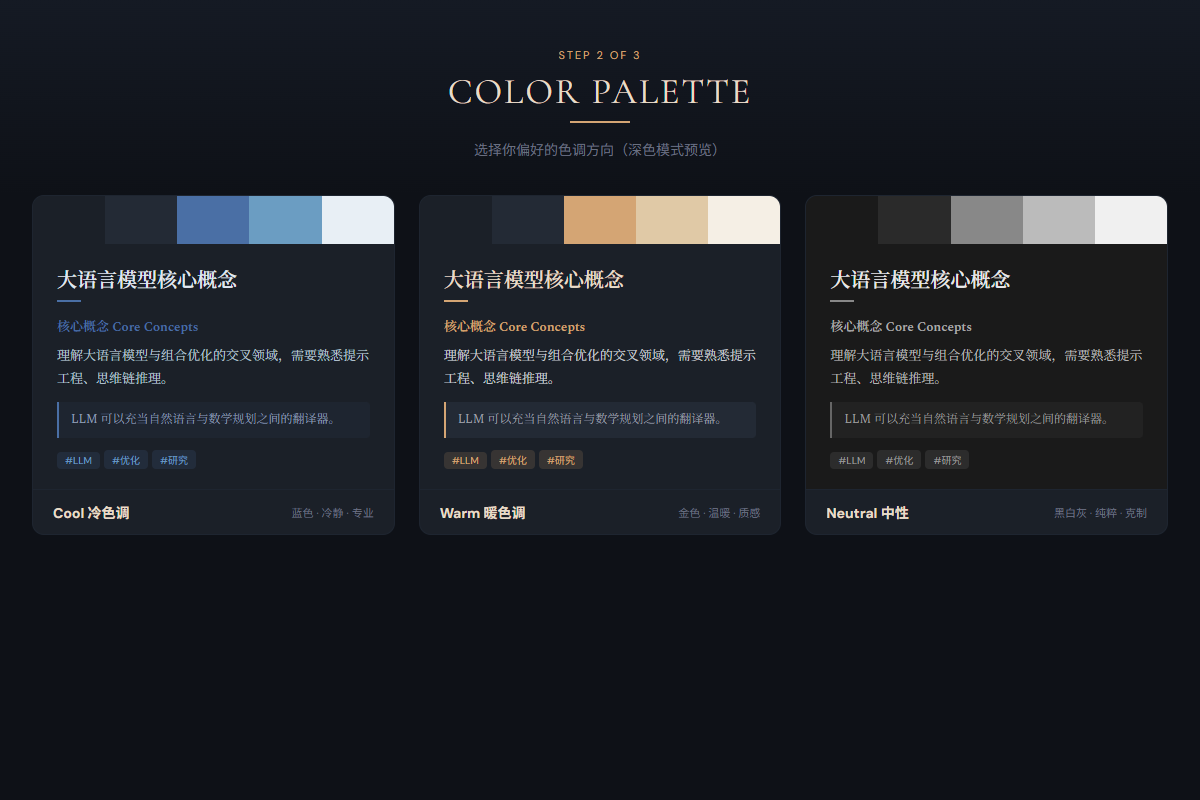
Step 2: Pick Your Colors
Choose cool, warm, or neutral tones. See them applied instantly.
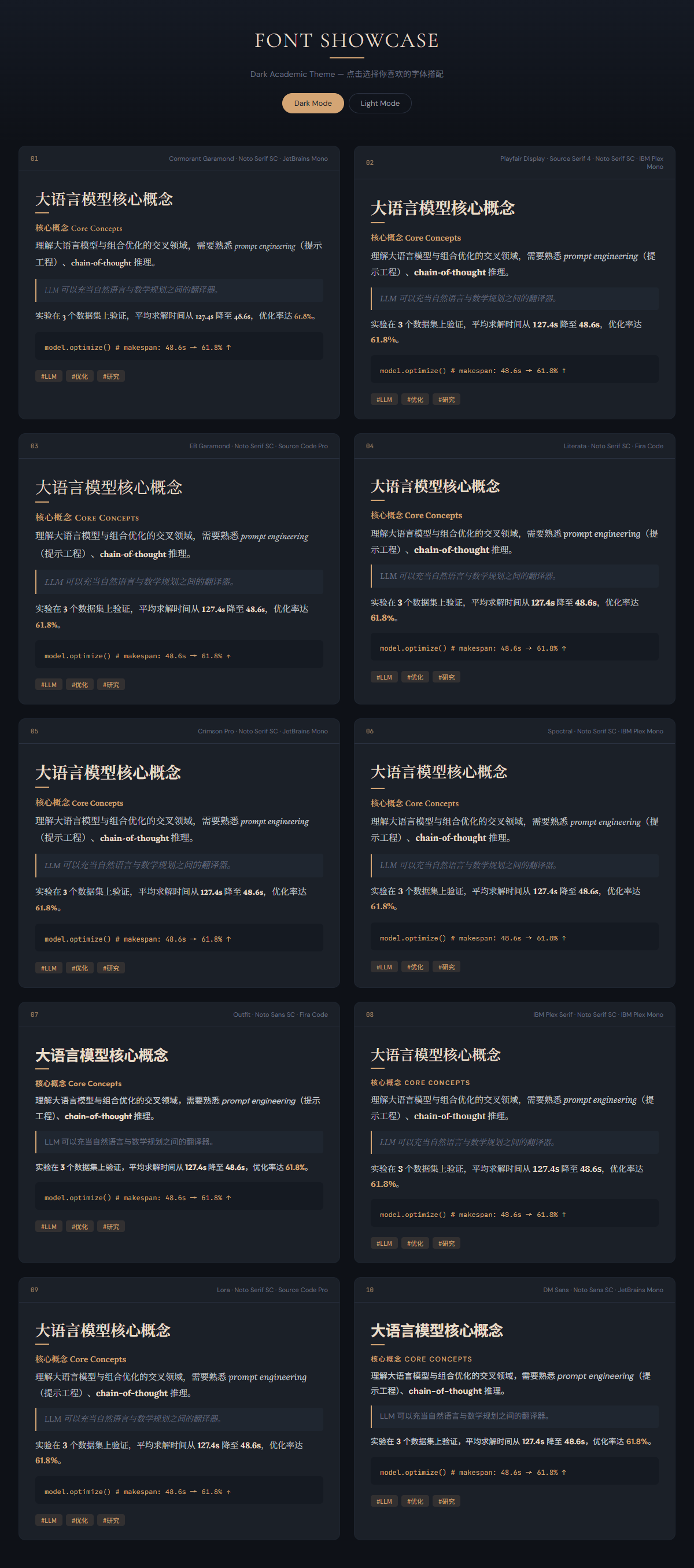
Step 3: Find Your Font
Browse 8-10 distinctive font pairings rendered with your actual content. Mix and match — pick Chinese from one card, English from another.
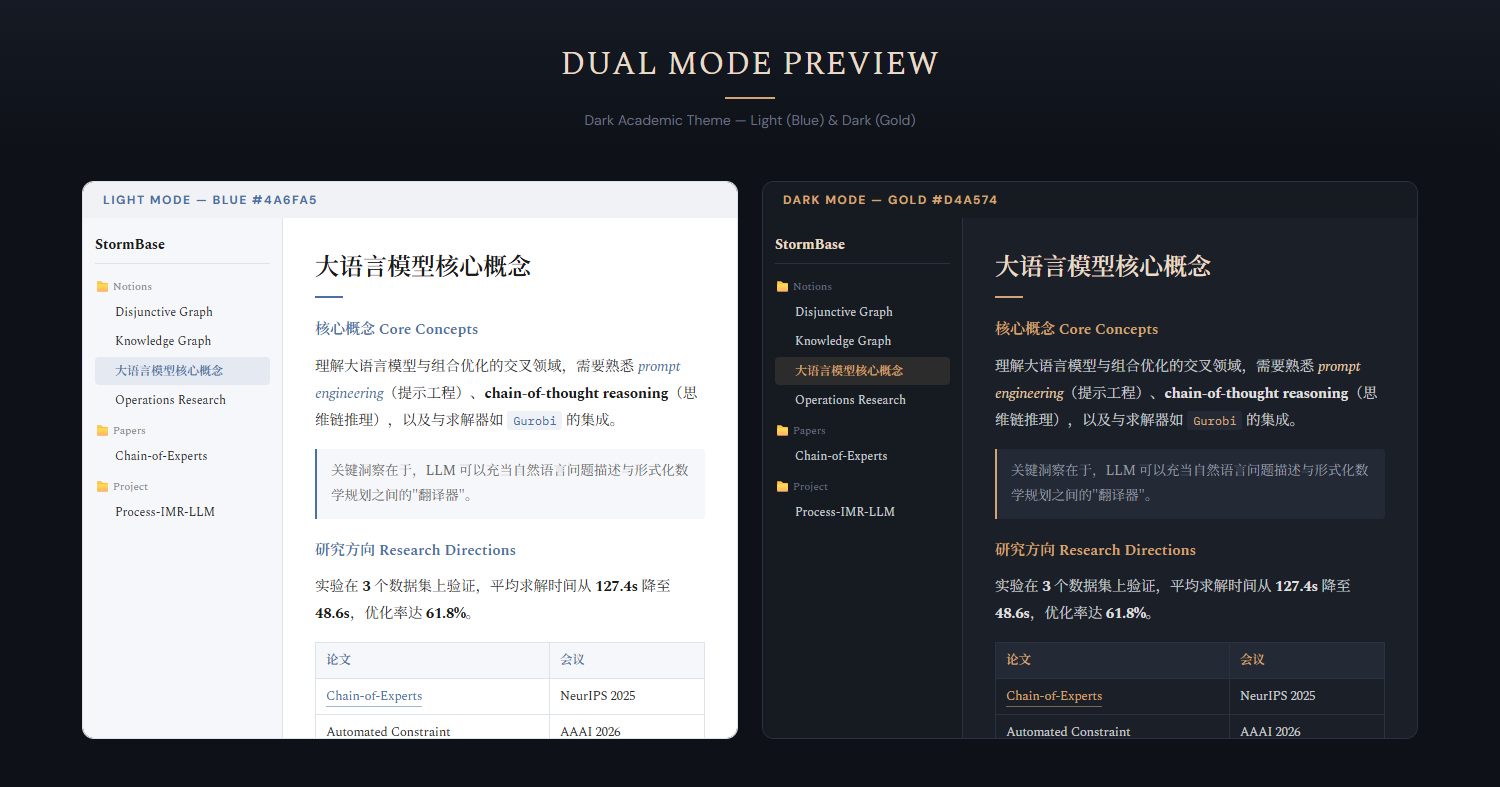
Step 4: Preview & Refine
See your complete theme in a full Obsidian simulation — sidebar, editor, light & dark mode side by side. Iterate until perfect.
Step 5: One-Click Install
The skill generates a CSS snippet, installs fonts, and tells you exactly how to enable it in Obsidian. Done.
Features
- Visual-first — Every choice is shown in the browser, not described in text
- Bilingual previews — All previews include Chinese + English mixed content
- Font intelligence — Uses the
frontend-designskill to pick distinctive, non-generic fonts - Dual mode — Light and dark themes with independent accent colors
- Auto font install — Downloads and installs Google Fonts to your system (Windows/macOS/Linux)
- Non-designer friendly — Relatable analogies ("like a LaTeX PDF"), recommended defaults, reference image support
Quick Start
- Copy
obsidian-theme-designer/to~/.claude/skills/ - Open your Obsidian vault folder in Claude Code
- Say: "Design my Obsidian theme"
Requirements
- Claude Code
- superpowers plugin (for Visual Companion browser previews)
- frontend-design plugin (optional, for font selection)
License
MIT
Reviews (0)
Sign in to leave a review.
Leave a reviewNo results found