JustSessions
Health Warn
- License — License: MIT
- Description — Repository has a description
- Active repo — Last push 0 days ago
- Low visibility — Only 7 GitHub stars
Code Pass
- Code scan — Scanned 12 files during light audit, no dangerous patterns found
Permissions Pass
- Permissions — No dangerous permissions requested
No AI report is available for this listing yet.
Native macOS app to find, read, and resume Claude Code, Codex, Antigravity, Kiro, OpenCode and Pi sessions. Embedded terminals, SSH and tmux. Free and open source.

JustSessions
Nothing extra. Just sessions.
Multiple agents, all your sessions in one place. Your familiar command line, with native tabs.






For people who prefer the command line. JustSessions adds a native Mac workspace around your existing CLIs. Keep their terminal interface, configuration, and provider authentication.
Website · Guide · Compare · Download · Supported CLIs · Documentation
Multiple agents. One project.
Claude Code · Codex CLI · Antigravity CLI · Kiro CLI · OpenCode · Pi
- Group sessions from different agents under the same project.
- Search projects and sessions, down to the text of their messages; pin and rename favorites.
- List subagents' sessions under the session that started them, once turned on in Settings.
- Start or resume a session in its original CLI and project folder.
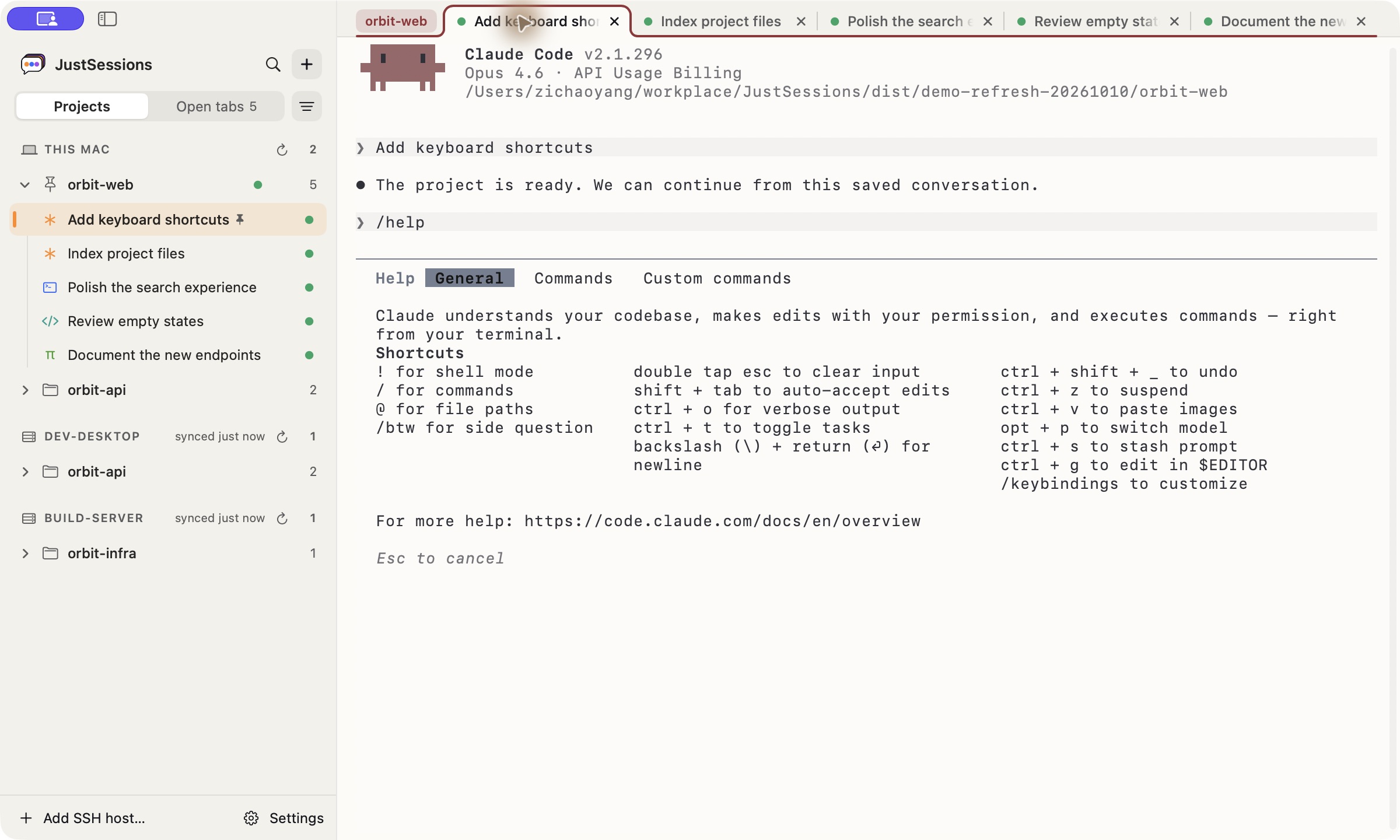
New. Resume. Delete.
- Start with any installed agent.
- Read a conversation, then resume in its original CLI.
- Delete saved sessions from the app.
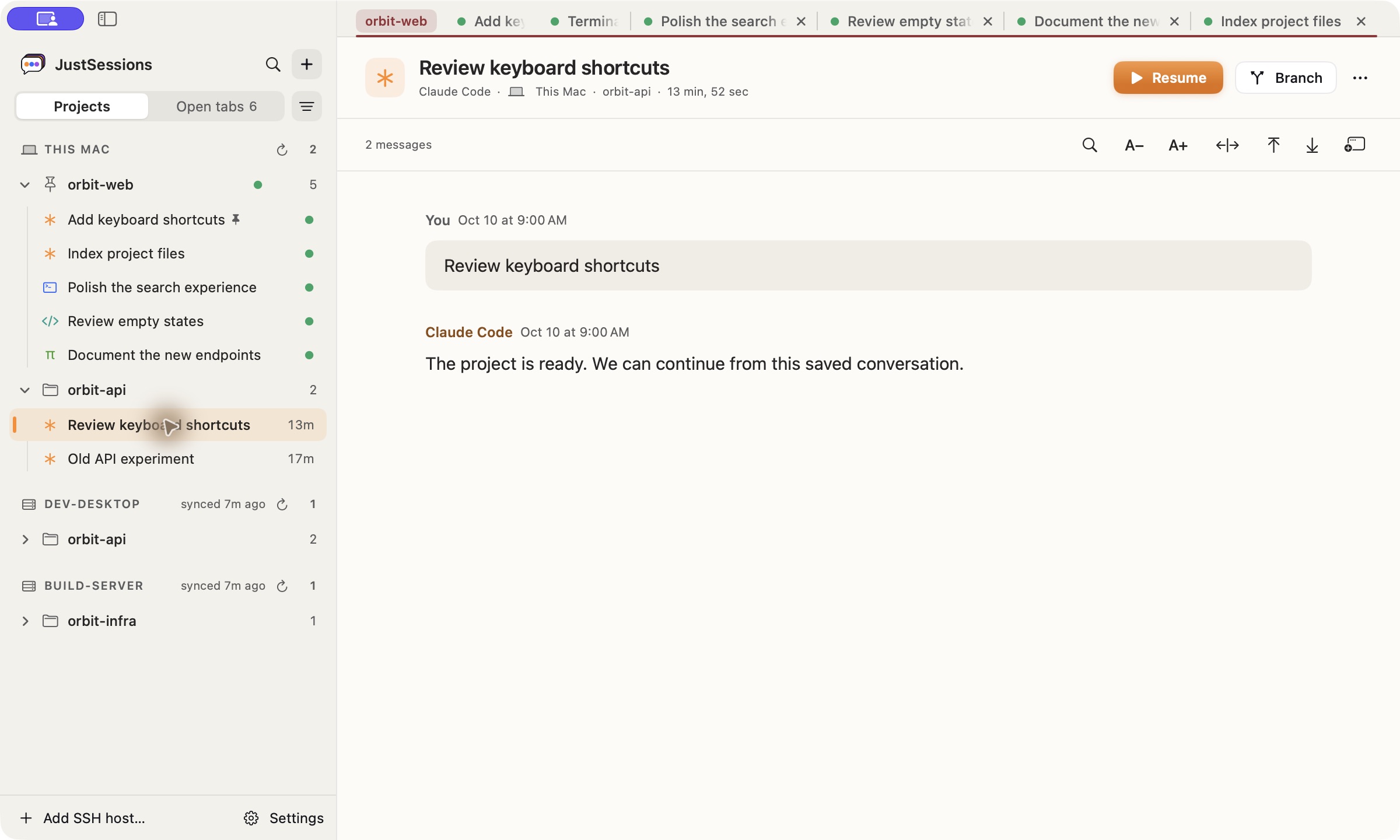
Reading controls cover text size, images, history paging, and search limits.
Work on any host.
- Local and SSH projects in one sidebar.
- Browse history and resume remotely.
- Your code and CLI stay on the remote machine.
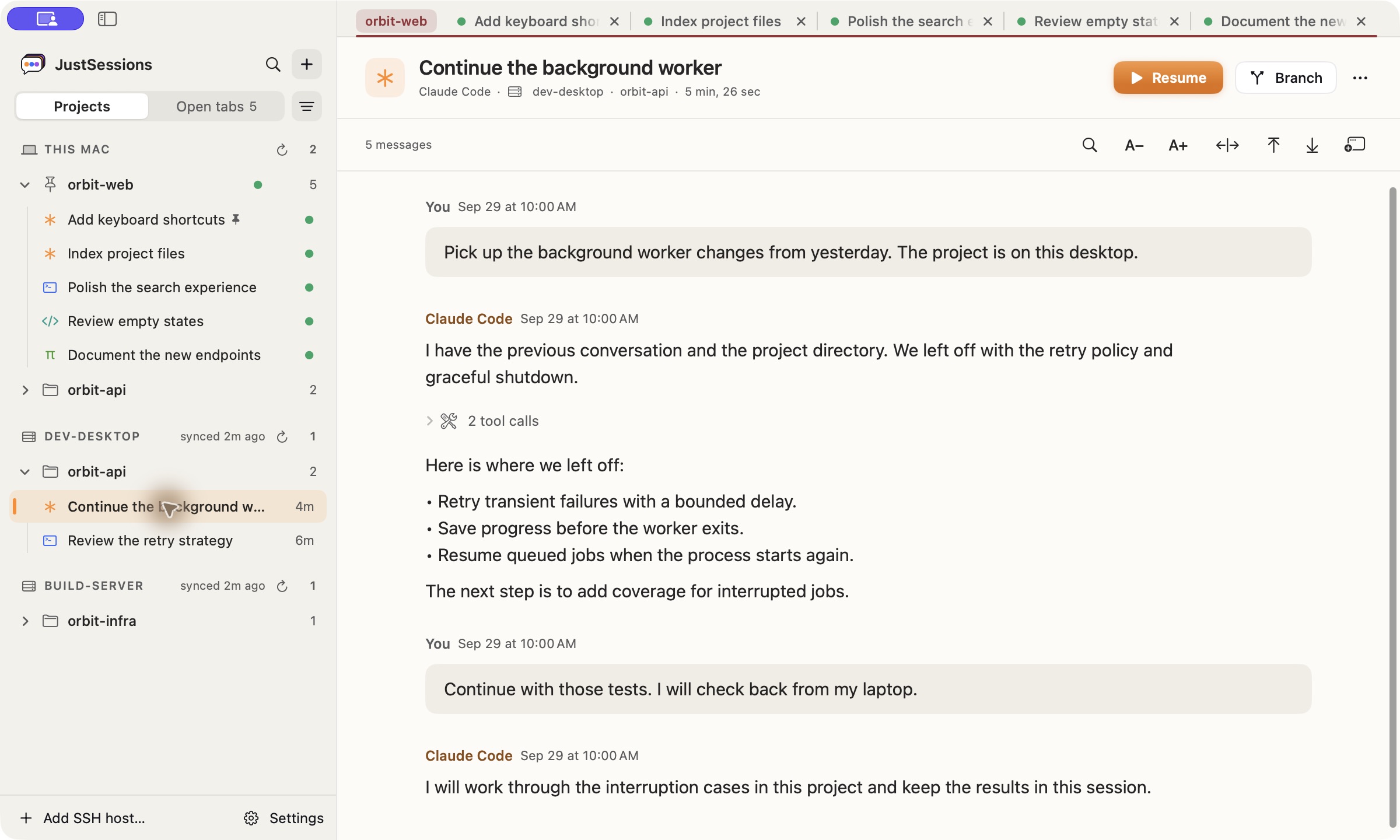
Add a ~/.ssh/config alias or user@hostname with rsync and the CLI installed. A host that asks for a password or a code logs in with Connect…. Disconnect in a host's ⋯ leaves it alone, sessions still listed, until you choose Connect. A host that needs you to sign in again every so often can run a Sign-in command… that asks for its PIN or code in a dialog. Session history is cached on your Mac. SSH setup.
Close a tab. Keep the work.
- Close the tab → choose Keep running.
- Quit the app. The CLI stays alive in tmux.
- Click the session to reattach to the same process.
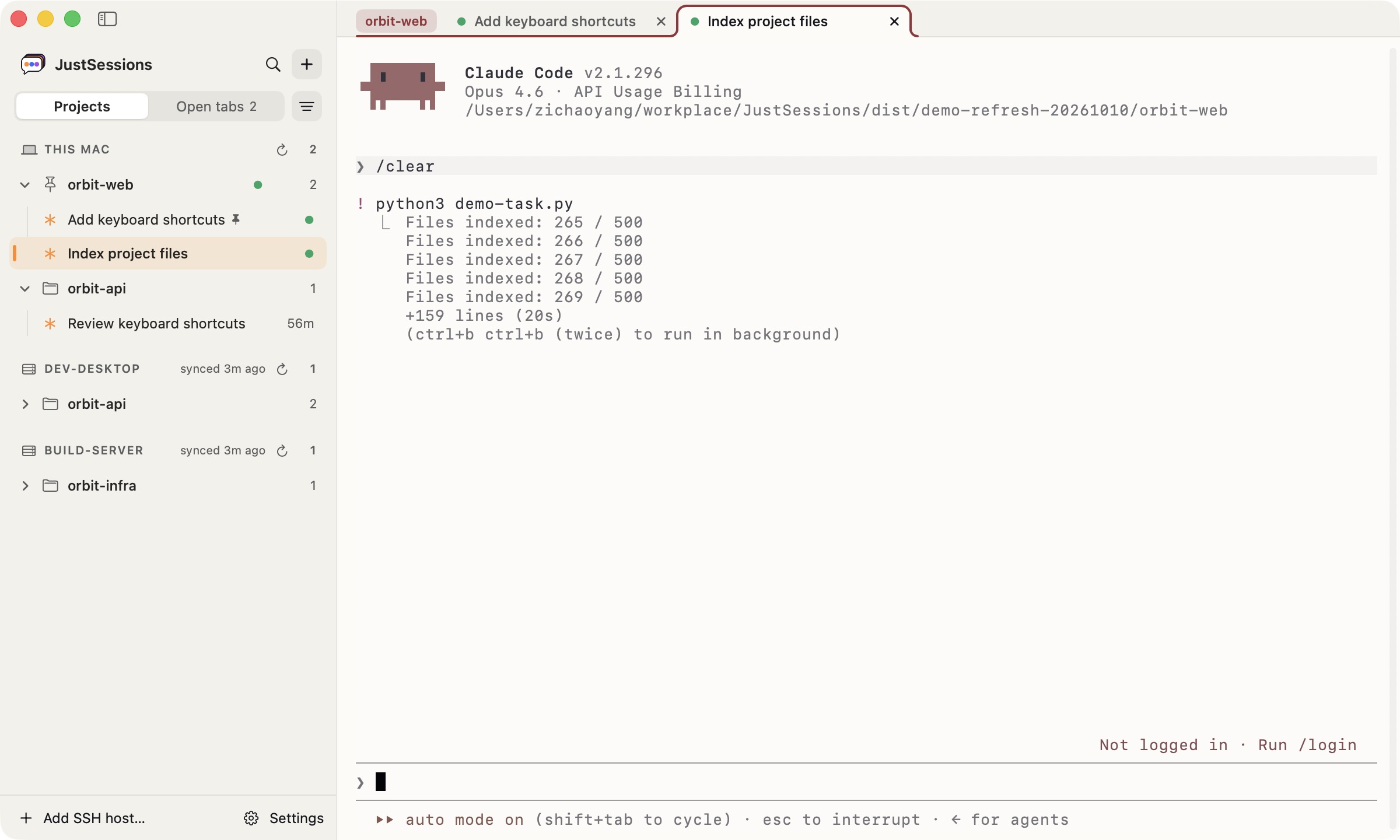
The packaged app includes tmux for this Mac. Install tmux on each SSH host to survive disconnects there. Keep the machine awake. Plain shell tabs do not use tmux. Terminal persistence.
Tabs like Chrome. Split view.
- Create, switch, and group tabs by project.
- Use Open tabs for a vertical list of your terminals.
- Automatically reopen tabs on launch.
- Keep an agent and shell side by side; drag the divider to resize.
- Press ⌥⌘N to choose a tab to show beside the current one.
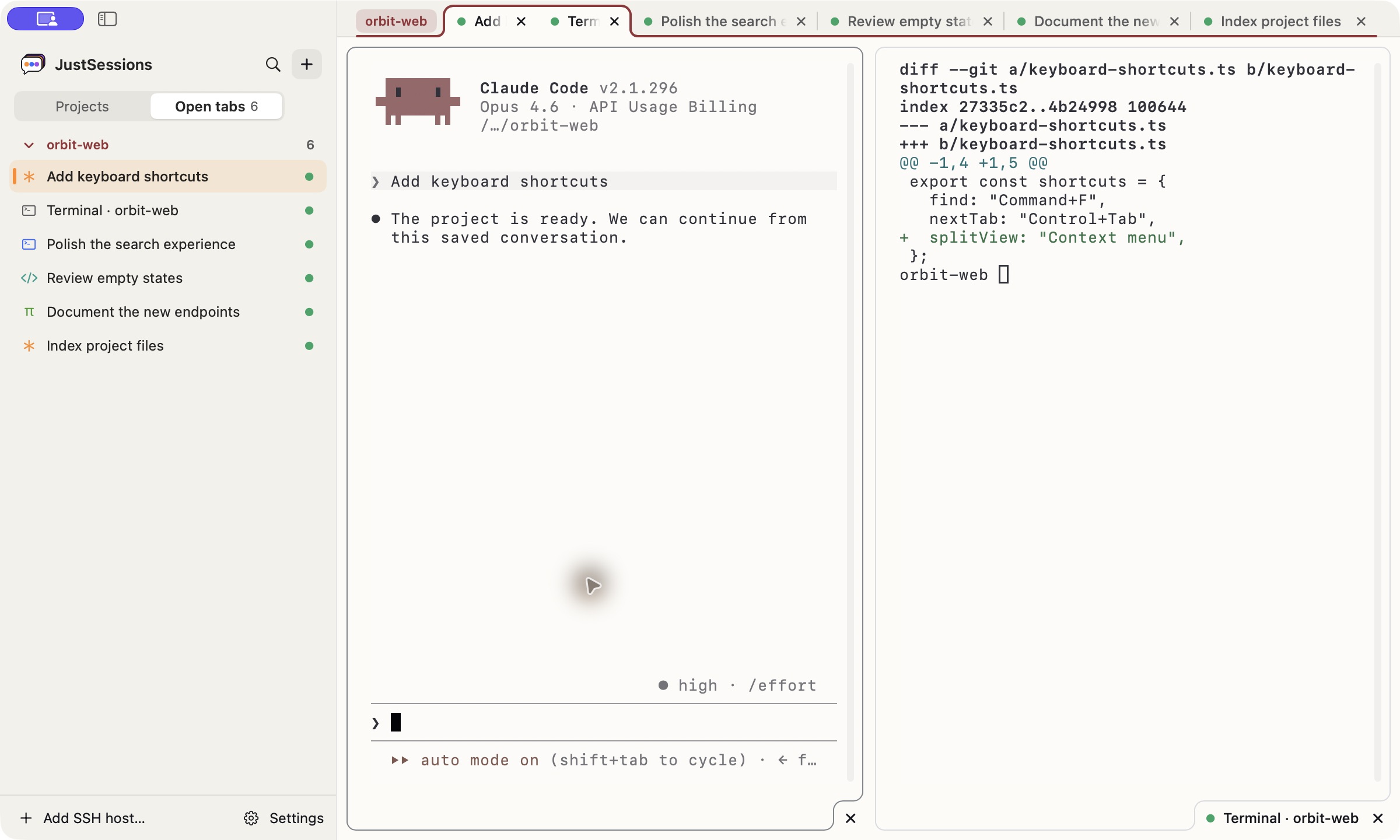
Tab recovery is controlled in Settings → General; split layouts reopen as separate tabs. Tabs and split view.
Lightweight by design
- Native SwiftUI + SwiftTerm. A Mac app with an AppKit terminal, or Ghostty's GPU-drawn one as a setting.
- No import or new account. Reads the history your CLIs already create.
- No conversation uploads. JustSessions reads existing CLI history; your CLIs still communicate with their providers.
- Free and open source. MIT licensed; your CLI provider’s charges still apply.
Choose system, English, or Chinese for the interface. Set app themes, the interface size, terminal fonts and colors, or import iTerm2 colors. Claude Code, Codex, Antigravity, Pi, OpenCode, and Kiro CLI sessions, on this Mac and on SSH hosts, notify when a turn finishes; all but Kiro CLI also notify when they need your input. Settings and notifications.
Download
macOS 14+ · Apple Silicon · A supported CLI installed and signed in
- Download JustSessions.dmg, Developer ID signed and notarized by Apple.
- Drag JustSessions into Applications and launch it.
- Choose a session in Projects, then double-click or press Resume.
Updates arrive through Sparkle; check manually in Settings → General. Getting started.
Supported CLIs
| Capability | Claude Code | OpenAI Codex CLI | Google Antigravity CLI | Kiro CLI | OpenCode | Pi |
|---|---|---|---|---|---|---|
| Browse, search, and resume local sessions | Yes | Yes | Yes | Yes | Yes | Yes |
| Read a conversation preview | Yes | Yes | Yes | Yes | Yes | Yes |
| Branch a conversation from the app | Yes | Yes | Use /fork inside the CLI |
Use /rewind inside the CLI |
Yes | Yes |
| Browse and manage sessions over SSH | Yes | Yes | Yes | Yes | Yes | Yes |
| Delete sessions from the app | Yes | Yes | Yes | Yes | Yes | Yes |
New session menus offer only installed CLIs. See the storage guide for discovery paths and deletion requirements.
Search matches project names and paths, session titles, session IDs, and message text: what you wrote, the CLI's replies, and tool call summaries. Branch forks a conversation; it does not create a Git branch.
Documentation and development
Build locally with make; the app is written to dist/JustSessions.app. Use make dev to build and open it, or make help for other commands.
- Getting started
- Session management: tabs, split view, shortcuts, SSH, notifications, and settings.
- Session storage and privacy
- Build and release · Source layout
- Website development and traffic · Counting update checks
- All documentation · Release notes
See Contributing for setup and pull requests. Run make verify on the final commit and include the results in the PR template. Please follow the Code of Conduct.
Security reports · Accessibility · Report a bug or suggest a feature
For in-app help, open Settings → Help. Send feedback or report an issue from Settings → General, or the website Guide.
License
MIT. The embedded terminal uses Ghostty through libghostty-spm, and SwiftTerm, each under its MIT license; the app includes the licenses of everything Ghostty's library links, apart from the few its notice lists as not collected. Terminals draw Nerd Font icons with Symbols Nerd Font Mono from Nerd Fonts, which the app includes with its license and the licenses of its icon sets.
Reviews (0)
Sign in to leave a review.
Leave a reviewNo results found